


Replace WP Logo Easily
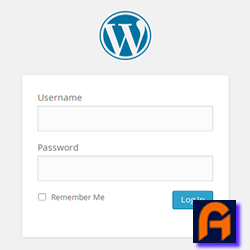
Easily replace the default WordPress login logo with your custom image. Simple to use—just install, upload your logo, and you’re done.

Consider an alternative
Replace WP Logo Easily shows warning signs in 2026 — compare the alternatives below before installing. It runs on 10+ sites and was last updated 2 years ago, and scores 26/100 on our health check.
- Small user base (10+ active installs)
- Very few reviews so far
- No update in over a year
- Only tested up to WordPress 6.7 (latest is 7.1)
How does it stack up?
Side-by-side on installs, updates, ratings & support


Daily downloads
Download spikes usually follow a new release — each site that auto-updates counts as a download.
Rankings
Where Replace WP Logo Easily stands todayWordPress.org search rankings
Live position in the plugin search, top 100| Keyword | Position |
|---|---|
| change logo | >100 |
| custom logo | >100 |
| logo wp | >100 |
| wp login | >100 |
Version adoption
Share of active sites per release.
About Replace WP Logo Easily
From the official readme · v1.1.0Description
Easily replace the default WordPress login logo with your custom image. Simple to use—just install, upload your logo, and you’re done.
Installation
- Upload
replace-wp-logo-easilyto the/wp-content/plugins/directory. - Activate the plugin through the ‘Plugins’ menu in WordPress.
- Navigate to Admin Dashboard Menu > Replace WP Logo Easily to upload your custom logo.
- Upload your logo image and save the changes.
- Visit your WordPress login page to see your new logo in action.
Frequently asked questions
How do I replace the WordPress login logo?
Simply activate the plugin and go to Admin Dashboard Menu > Replace WP Logo Easily to upload your custom logo. Once uploaded and saved, your new logo will appear on the WordPress login page.
What is the recommended logo size?
For the best results, use a logo with dimensions of 320 pixels wide by 120 pixels tall. This size ensures that your logo displays clearly and proportionately on the login page.
Changelog
1.1.0 – Desember 22, 2024
- Script Check: Compatible With WordPress 6.7.1
1.0.2 – September 28, 2024
- Public Release: The plugin is now available to the public through the WordPress repository.
- Added Screenshots: Screenshots have been included to provide a visual representation of the plugin’s features and functionality.
- Script Optimization: Unnecessary or redundant scripts have been removed or optimized to improve the plugin’s performance.
1.0.1 – September 27, 2024
- Adjusted usage of
wp_enqueue_script,wp_enqueue_style,wp_add_inline_script, andwp_add_inline_styleto comply with WordPress standards. - Moved the media uploader functionality to an external JavaScript file (
js/rwle-custom.js) to maintain modularity. - Added an external CSS file (
css/login-custom.css) to customize the login page appearance. - Implemented
wp_nonce_fieldfor improved security on plugin settings. - Applied proper sanitization (
sanitize_text_fieldandwp_unslash) for handling user input.
1.0.0 – September 8, 2024
- Initial release and submission to WordPress repository
Screenshots

For developers
Is this your plugin? Show off the numbers.
Add a live badge to your site, docs or GitHub README. It updates on its own — no account needed.
Best Replace WP Logo Easily alternatives
All change logo plugins →FAQ
Replace WP Logo Easily: quick answers
Straight answers, pulled from live WordPress.org data.
Live data from WordPress.org · checked Oct 13, 2026
Is Replace WP Logo Easily free?
Yes. Replace WP Logo Easily is free to download and use from the official WordPress.org plugin directory.
Is Replace WP Logo Easily safe to use in 2026?
Replace WP Logo Easily shows warning signs in 2026 — compare the alternatives below before installing. It runs on 10+ sites and was last updated 2 years ago, and scores 26/100 on our health check.
How many websites use Replace WP Logo Easily?
Replace WP Logo Easily is active on 10+ WordPress websites and has been downloaded 940 times since it launched in September 2024. It was downloaded 52 times in the last 30 days.
Does Replace WP Logo Easily work with WordPress 7.1?
Replace WP Logo Easily is officially tested up to WordPress 6.7.10, while the latest release is 7.1.3. It may still work, but try it on a staging site first.
What PHP version does Replace WP Logo Easily need?
Replace WP Logo Easily requires PHP 8.0 or higher. Most hosts run PHP 8.x today, so it works on any modern WordPress hosting.
When was Replace WP Logo Easily last updated?
The latest version, 1.1.0, was released on December 21, 2024 (2 years ago).
Who makes Replace WP Logo Easily?
Replace WP Logo Easily is developed and maintained by Mirza Khadnezar Sukin.
What are the best alternatives to Replace WP Logo Easily?
The most popular alternatives to Replace WP Logo Easily are My Wp Brand (2K+ installs), Change WordPress Admin Logo (400+ installs) and Multidots Doodle (<10 installs).
Powered by PageForge
Want thousands of pages that rank like these? Build them in an afternoon.
This directory runs on the same engine as PageForge. Turn any spreadsheet, CSV or API into thousands of fast, SEO-ready WordPress pages — with schema, internal links and AI-written copy baked in.
- CSV, Google Sheets & API data sources
- AI content, schema & internal links per page
- Works with Elementor, Gutenberg, Yoast & Rank Math
- Free on WordPress.org — no credit card


