


Loan Calculator
Loan calculator with sliders: pick the amount, term and credit rating and see the repayment at once. Gutenberg block and shortcode.

Solid choice
Loan Calculator is a solid plugin choice in 2026, with a few things worth checking first. It runs on 400+ sites, is rated 5/5 and was last updated 3 weeks ago, and scores 77/100 on our health check.
- Actively developed — last update 3 weeks ago
- Tested with the latest WordPress (7.1)
- Momentum — downloads up 1009.4% vs the previous 30 days
- Small user base (400+ active installs)
- Very few reviews so far
How does it stack up?
Side-by-side on installs, updates, ratings & support



Daily downloads
Download spikes usually follow a new release — each site that auto-updates counts as a download.
Rankings
Where Loan Calculator stands todayWordPress.org search rankings
Live position in the plugin search, top 100| Keyword | Position |
|---|---|
| calculator | #12 |
| credit | >100 |
| loan | #5 |
| loan calculator | #3 |
| repayment calculator | #1 |
Version adoption
Share of active sites per release.
Rating breakdown
★★★★★★★★★★ 5 from 1 reviews
About Loan Calculator
From the official readme · v1.5.2Description
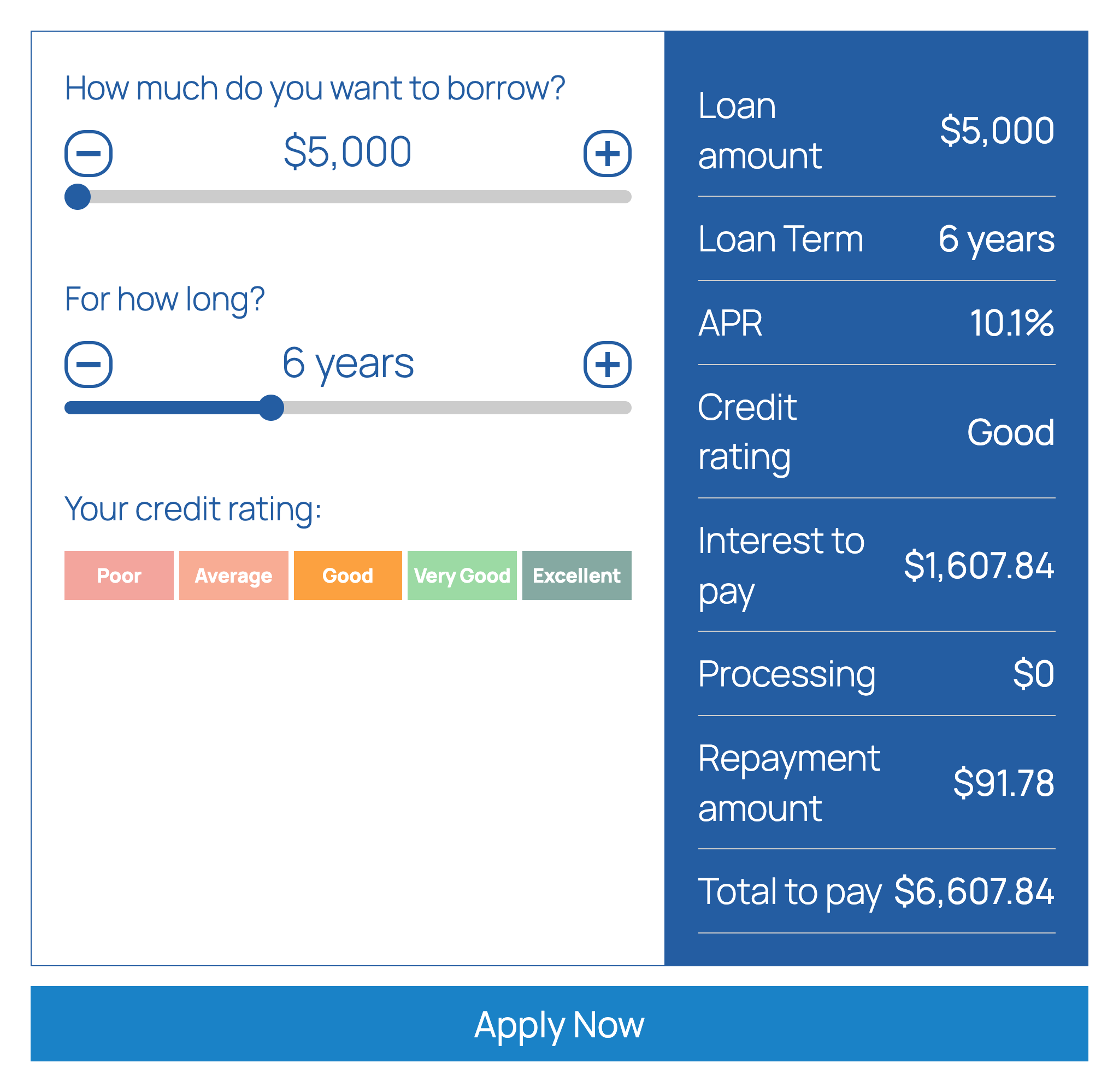
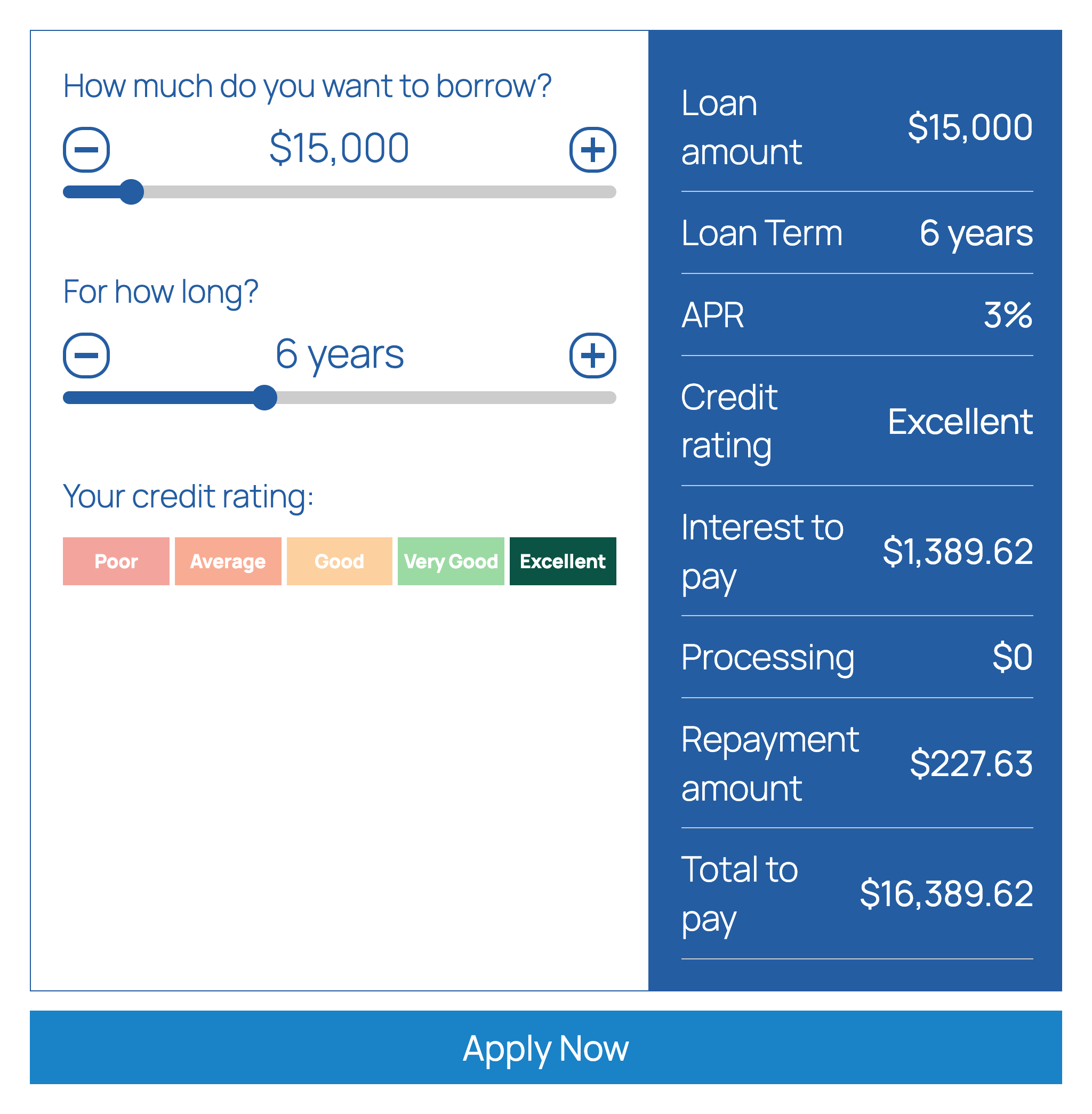
Loan Calculator adds a loan calculator with sliders to your WordPress site, so visitors can work out their loan repayments without leaving the page. Visitors drag the sliders to choose the loan amount and the term, pick their credit rating, and instantly see the repayment amount, the interest and the total they would pay. An optional “Apply Now” button sends them on to your application page. You can add this loan calculator with the Loan Calculator block in the block editor or with a shortcode.
Loan calculator features
- Sliders for loan amount and loan term, with optional markers
- Credit rating selector: five ratings (Poor to Excellent) with an interest rate for each, which you can edit
- Or a flat rate with a second rate for larger loans, if you switch the credit rating selector off
- Results: repayment amount, rate, interest to pay, total to pay, loan amount, term, credit rating and processing fee, each of which you can show or hide and reorder
- Repayment period in days, weeks, months or years
- Optional processing (admin) fee, fixed or a percentage, with a minimum and maximum, and an optional term fee
- Effective or nominal APR conversion
- Currency symbol and position, thousands separator, decimals and rounding options
- “Apply Now” button that redirects to your own URL, and can pass the amount, term, rating and APR in the query string
- Editable captions and colors
- Gutenberg block and
[lrc]shortcode - Accepts a zero percent rate
How to add the loan calculator
In the block editor click the “+” button, search for “Loan Calculator” and add the block. Or paste the shortcode into a page or post:
[lrc]
Then open Settings > Repayment Calculator in the WordPress admin to set the slider ranges, interest rates, credit ratings, fees, currency, captions and colors.
Use cases
Lenders, loan brokers, credit unions, car finance and personal loan sites, and finance blogs that want an indicative loan calculator.
Please note
Results are indicative only and are not a loan offer.
Installation
- Login to your wordpress dashboard.
- Go to ‘Plugins’, ‘Add New’ then search for ‘Loan Calculator’.
- Follow the on screen instructions.
- Activate the plugin.
- To use the plugin in your posts and pages add the shortcode
[lrc]. - Change the options in the plugin settings page.
Changelog
Removes an external link from the settings page.
1.5.2
- The settings page no longer links to the previous author’s website.
1.5.1
- Support link now points to the wordpress.org forum.
1.5.0
- Gutenberg block “Loan Calculator” with a live preview; pages that use the former block keep working
- Translation-ready: the settings page, labels and button texts can be translated
- A review reminder in the admin after two weeks, dismissible
- The default period labels (years, months…) follow the site language
1.4.2
- Block editor script loads in the footer under a prefixed handle
1.4.1
- All settings output is escaped, request input is unslashed and sanitized
- Text domain matches the plugin slug, license declared, direct file access blocked
- Plugin header version matches the stable tag
1.4
- Security issue fixed
Screenshots


For developers
Is this your plugin? Show off the numbers.
Add a live badge to your site, docs or GitHub README. It updates on its own — no account needed.
Best Loan Calculator alternatives
All calculator plugins →




FAQ
Loan Calculator: quick answers
Straight answers, pulled from live WordPress.org data.
Source: WordPress.org
Is Loan Calculator free?
Yes. Loan Calculator is free to download and use from the official WordPress.org plugin directory.
Is Loan Calculator safe to use in 2026?
Loan Calculator is a solid plugin choice in 2026, with a few things worth checking first. It runs on 400+ sites, is rated 5/5 and was last updated 3 weeks ago, and scores 77/100 on our health check.
How many websites use Loan Calculator?
Loan Calculator is active on 400+ WordPress websites and has been downloaded 7,373 times since it launched in April 2020. It was downloaded 710 times in the last 30 days.
Does Loan Calculator work with WordPress 7.1?
Yes. The developer has tested Loan Calculator up to WordPress 7.1.5, the latest release. It requires WordPress 5.5 or newer.
What PHP version does Loan Calculator need?
Loan Calculator requires PHP 7.4 or higher. Most hosts run PHP 8.x today, so it works on any modern WordPress hosting.
When was Loan Calculator last updated?
The latest version, 1.5.2, was released on October 28, 2026 (3 weeks ago).
Who makes Loan Calculator?
Loan Calculator is developed and maintained by Mortgage Calculator.
What are the best alternatives to Loan Calculator?
The most popular alternatives to Loan Calculator are Cost Calculator Builder (20K+ installs), Cost Calculator for Contact… (5K+ installs) and Mortgage Calculator (4K+ installs).
Powered by PageForge
One template and a spreadsheet. A real page for every search.
PageForge turns each row of a CSV into a WordPress page with its own title, URL, SEO fields and schema, built on the layout you already designed. Free on WordPress.org.
- CSV and XLSX, plus Google Sheets on Professional and Enterprise
- Its own title, URL, SEO fields and schema for every page
- Works with the block editor, Elementor, Divi and Avada
- Free on WordPress.org, no credit card