



Recooty AI Job Widget
Embed Recooty job widget anywhere via shortcode.

Consider an alternative
Recooty AI Job Widget shows warning signs in 2026 — compare the alternatives below before installing. Was last updated 12 months ago, and scores 36/100 on our health check.
- Small user base (<10 active installs)
- Very few reviews so far
- Only tested up to WordPress 6.8 (latest is 7.1)
Daily downloads
Download spikes usually follow a new release — each site that auto-updates counts as a download.
Rankings
Where Recooty AI Job Widget stands todayWordPress.org search rankings
Live position in the plugin search, top 100| Keyword | Position |
|---|---|
| applicant tracking system | #25 |
| job listing | >100 |
| job management | >100 |
| Job Widget | >100 |
| Recruiting Software | #7 |
About Recooty AI Job Widget
From the official readme · v1.0.0Description
Recooty’s easy-to-integrate plugin enables flawless job posting directly to your WordPress website. What makes this even better is that your published jobs will be visible on over 200+ job boards including Indeed, Monster, and ZipRecruiter.
Unlock the best potential of your hiring efforts with Recooty Applicant Tracking System (ATS).
Features
1. Post your jobs to your website’s careers page instantly.
2. Expand your job posting’s visibility to over 200+ job boards across the globe.
3. Manage applicants and hire collaboratively with Recooty’s Smart ATS.
4. Create an impressive career page to attract talented people to join
5. Schedule and manage interviews directly from the platform.
Tutorial Video Guide
https://www.youtube.com/watch?v=9irWh8Y79PY
Documentation
https://recooty.com/blog/user-guide/
Support
You can reach us on https://recooty.com/ for quick support, or drop us an email at support@recooty.com
Installation
AUTOMATIC INSTALLATION
Automatic installation is the easiest option as WordPress handles the file transfers itself and you don’t even need to leave your web browser. To do an automatic install, log in to your WordPress admin panel, navigate to the Plugins menu and click Add New.
In the search field type “Recooty” and click Search Plugins. Once you’ve found the plugin you can view details about it such as the point release, rating and description. Most importantly of course, you can install it by clicking Install Now.
MANUAL INSTALLATION
The manual installation method involves downloading the plugin and uploading it to your web server via your favorite FTP application.
1. Download the plugin file to your computer and unzip it
2. Using an FTP program, or your hosting control panel, upload the unzipped plugin folder to your WordPress installation’s wp-content/plugins/ directory.
3. Activate the plugin from the Plugins menu within the WordPress admin.
GETTING STARTED
1. Create a page called “careers” and inside place the [recooty_widget] shortcode. This will list your jobs.
2. Go to Recooty Setting in WP Dashboard and paste the Key which you have obtained from Recooty’s Dashboard.
Note when using shortcodes, if the content looks blown up/spaced out/poorly styled, edit your page and above the visual editor click on the ‘text’ tab. Then remove any ‘pre’ or ‘code’ tags wrapping your shortcode.
For more information, read the documentation
Frequently asked questions
How do I setup Recooty?
Once you install the Recooty’s WordPress plugin, you need to signup at https://recooty.com, then you’ll be redirected to your Recooty’s Dashboard, click on “Settings”(at left menu), then click on Job Widget and copy the Recooty’s key for WordPress. Go to WP admin and paste the key on the Recooty’s Plugin section.
How will I publish a job opening?
In order to publish a new job on your website, you need to go to Recooty’s dashboard, click on “New Job”, submit the Job Title, Responsibilities and other details and you’re done!
How will I make my job openings visible on Google, Indeed, Monster and Job Boards?
Job Openings will get automatically visible after approval on Google for Jobs, Indeed, Ziprecruiter, Monster & Other Job Boards, however you need to maintain the accuracy of the content.
Will I get notified when someone applies for a job from my website?
Yes, you will receive a notification with an email when somebody applies to your job openings. Also, you can see the new applications on your Recooty’s dashboard.
Screenshots
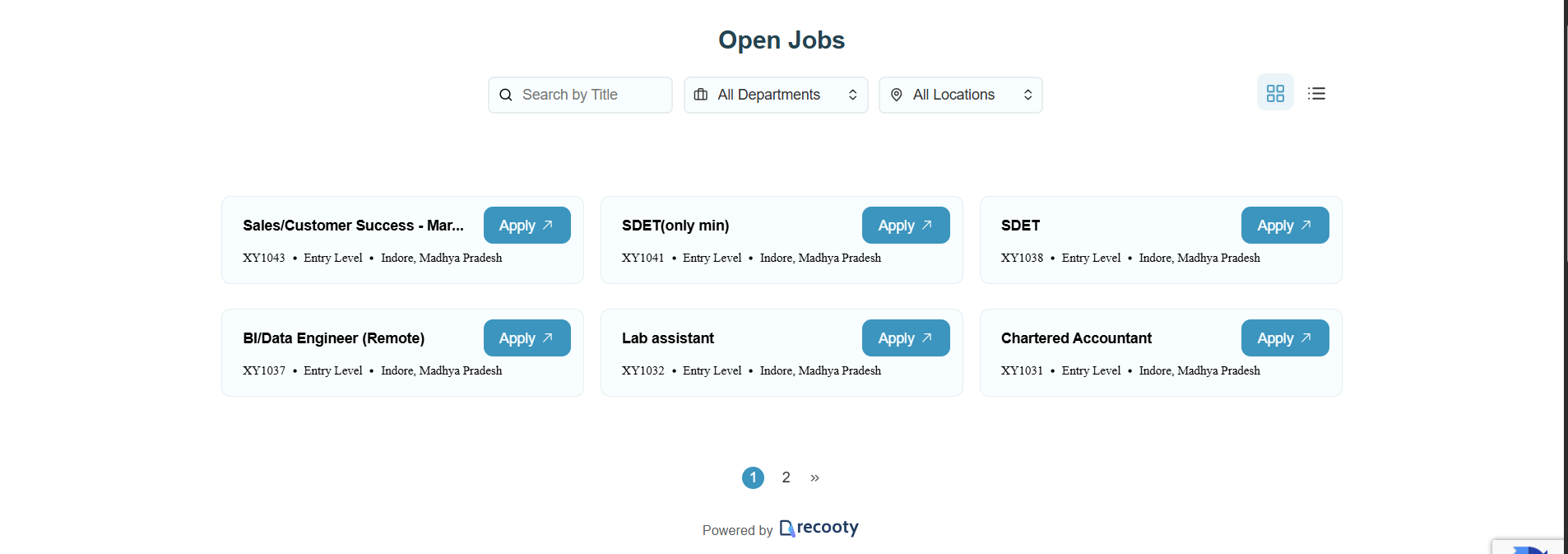
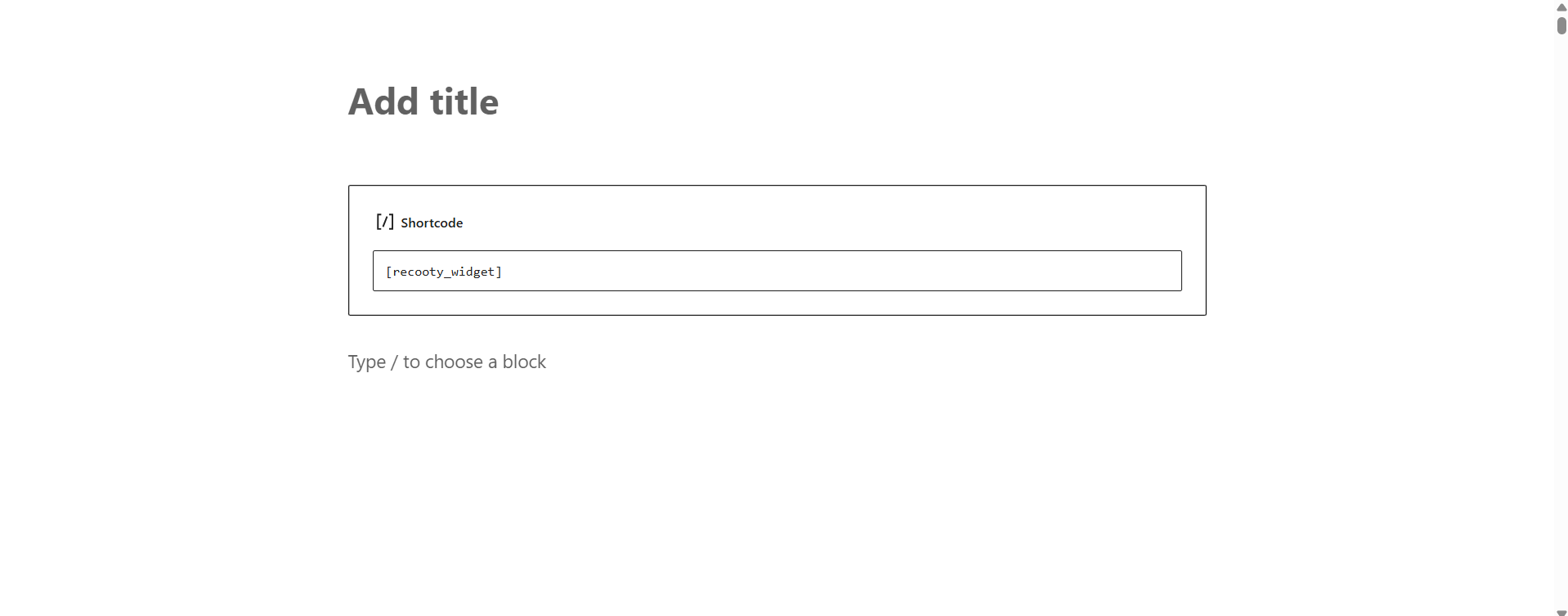
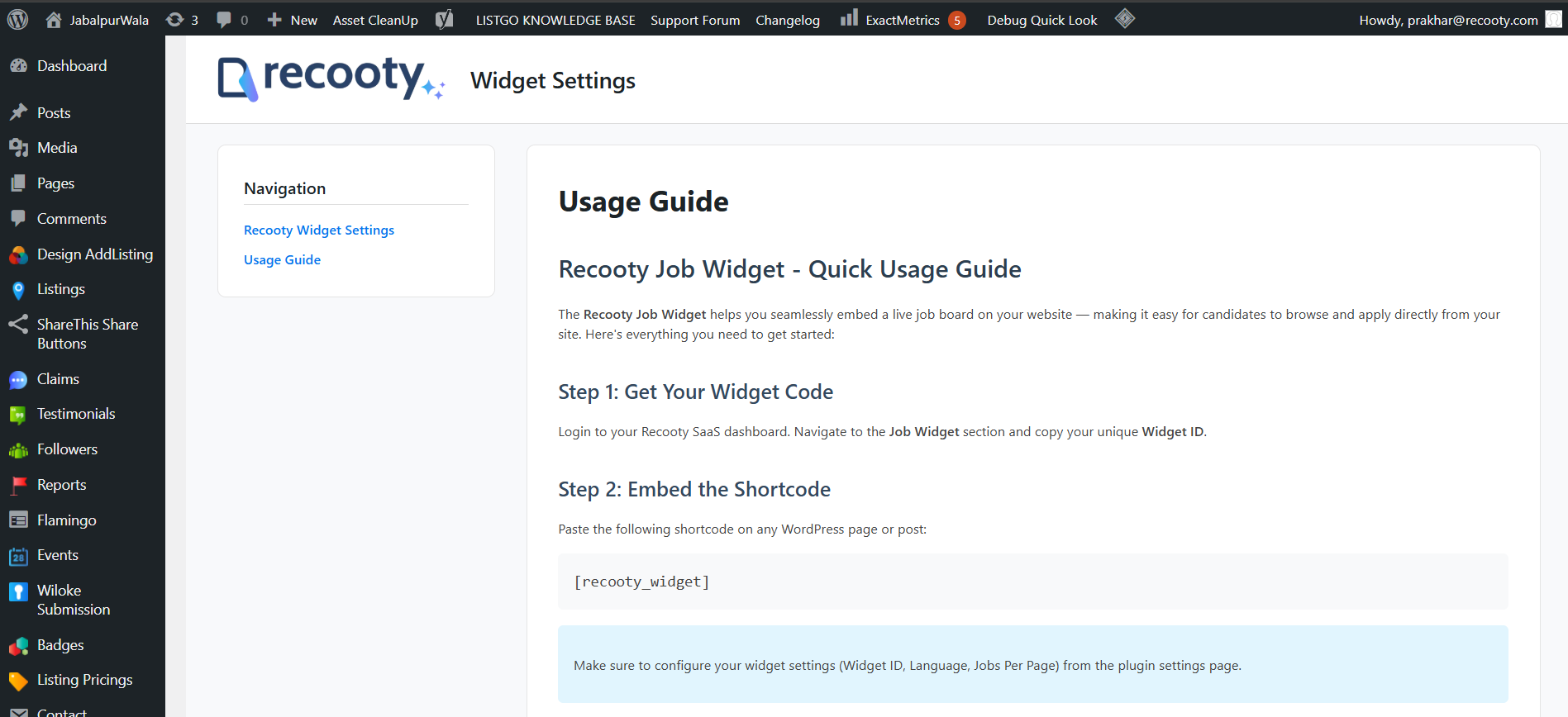
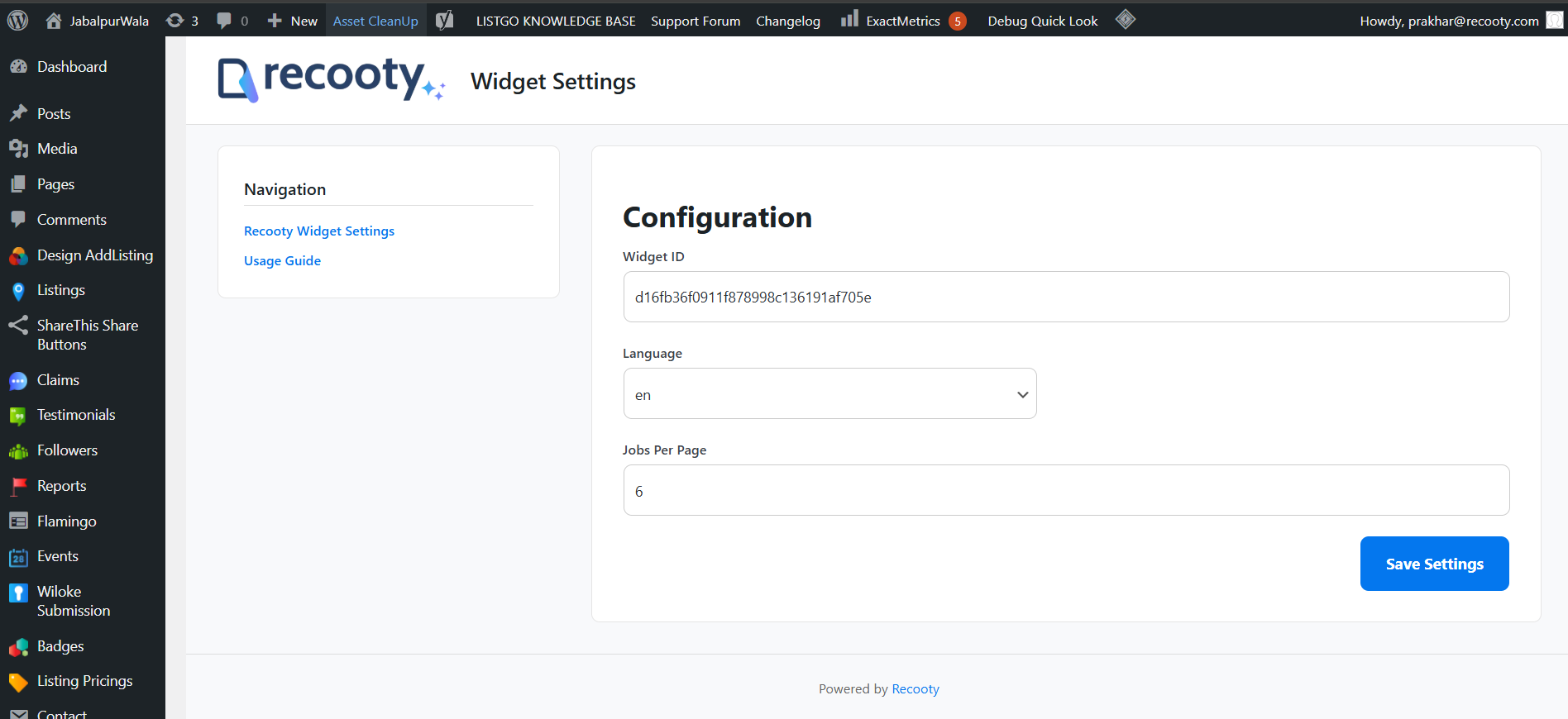
For developers
Is this your plugin? Show off the numbers.
Add a live badge to your site, docs or GitHub README. It updates on its own — no account needed.
FAQ
Recooty AI Job Widget: quick answers
Straight answers, pulled from live WordPress.org data.
Live data from WordPress.org · checked Oct 11, 2026
Is Recooty AI Job Widget free?
Yes. Recooty AI Job Widget is free to download and use from the official WordPress.org plugin directory.
Is Recooty AI Job Widget safe to use in 2026?
Recooty AI Job Widget shows warning signs in 2026 — compare the alternatives below before installing. Was last updated 12 months ago, and scores 36/100 on our health check.
How many websites use Recooty AI Job Widget?
Recooty AI Job Widget is active on <10 WordPress websites and has been downloaded 634 times since it launched in October 2025. It was downloaded 64 times in the last 30 days.
Does Recooty AI Job Widget work with WordPress 7.1?
Recooty AI Job Widget is officially tested up to WordPress 6.8.11, while the latest release is 7.1.3. It may still work, but try it on a staging site first.
What PHP version does Recooty AI Job Widget need?
Recooty AI Job Widget requires PHP 7.0 or higher. Most hosts run PHP 8.x today, so it works on any modern WordPress hosting.
When was Recooty AI Job Widget last updated?
The latest version, 1.0.0, was released on October 17, 2025 (12 months ago).
Who makes Recooty AI Job Widget?
Recooty AI Job Widget is developed and maintained by Recooty.
Powered by PageForge
Want thousands of pages that rank like these? Build them in an afternoon.
This directory runs on the same engine as PageForge. Turn any spreadsheet, CSV or API into thousands of fast, SEO-ready WordPress pages — with schema, internal links and AI-written copy baked in.
- CSV, Google Sheets & API data sources
- AI content, schema & internal links per page
- Works with Elementor, Gutenberg, Yoast & Rank Math
- Free on WordPress.org — no credit card


