


Ready POS for WooCommerce
Ready POS adds a point-of-sale interface to your WooCommerce store. Process in-person sales from a fullscreen terminal that syncs inventory and orders with your online store in real time.

Use with caution
Ready POS for WooCommerce works, but test it on a staging site before relying on it in 2026. Was last updated 4 months ago, and scores 49/100 on our health check.
- Small user base (<10 active installs)
- Very few reviews so far
How does it stack up?
Side-by-side on installs, updates, ratings & support


Daily downloads
Download spikes usually follow a new release — each site that auto-updates counts as a download.
Rankings
Where Ready POS for WooCommerce stands todayWordPress.org search rankings
Live position in the plugin search, top 100| Keyword | Position |
|---|---|
| cash register | #58 |
| point-of-sale | >100 |
| pos | >100 |
| retail | >100 |
| woocommerce | >100 |
About Ready POS for WooCommerce
From the official readme · v1.0.0Description
Ready POS adds a point-of-sale interface to your WooCommerce store. Process in-person sales from a fullscreen terminal that syncs inventory and orders with your online store in real time.
Source Code
The source code for all compiled JavaScript and CSS assets is publicly available on GitHub:
https://github.com/Johuniq/ready-pos
The unminified source files are located in the src/ directory of the repository. To build from source:
- Clone:
git clone https://github.com/Johuniq/ready-pos.git - Install:
npm install && composer install - Build:
npm run build
Features
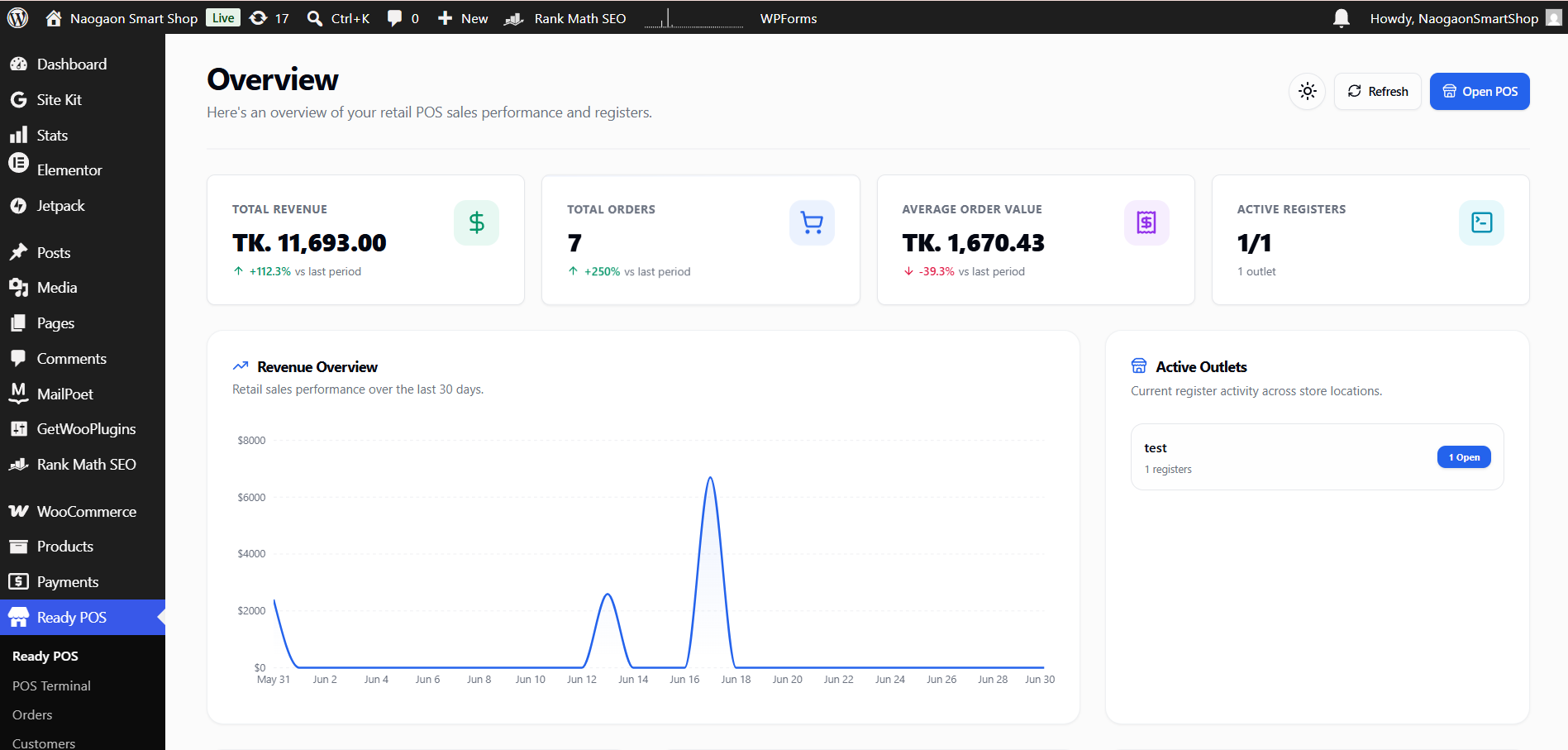
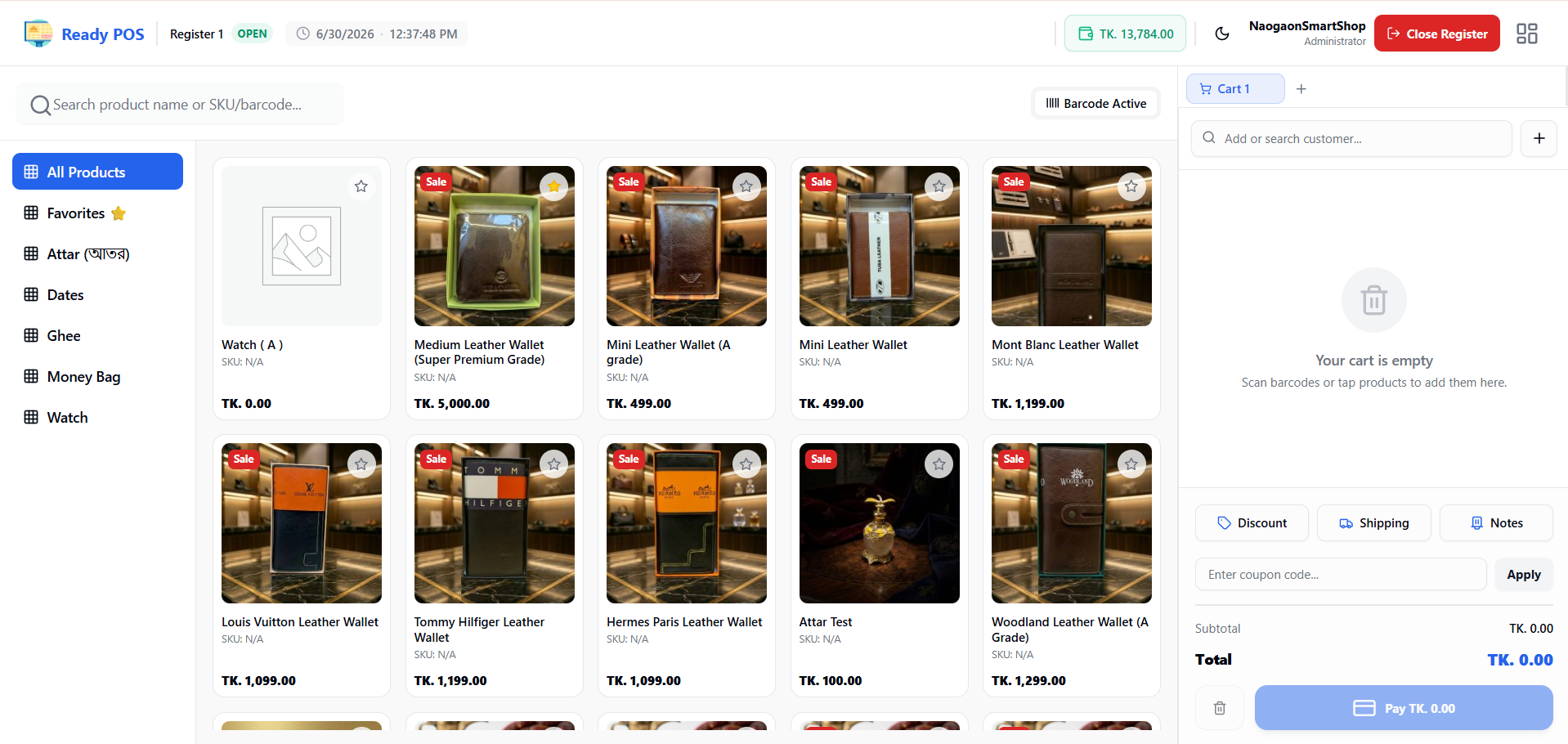
- POS Terminal – Fullscreen checkout interface with product grid, cart, and payment
- Inventory Sync – POS sales update WooCommerce stock in real time
- Multi-Outlet – Create outlets and registers for each location
- Register Sessions – Track opening cash, sales, and closing reconciliation
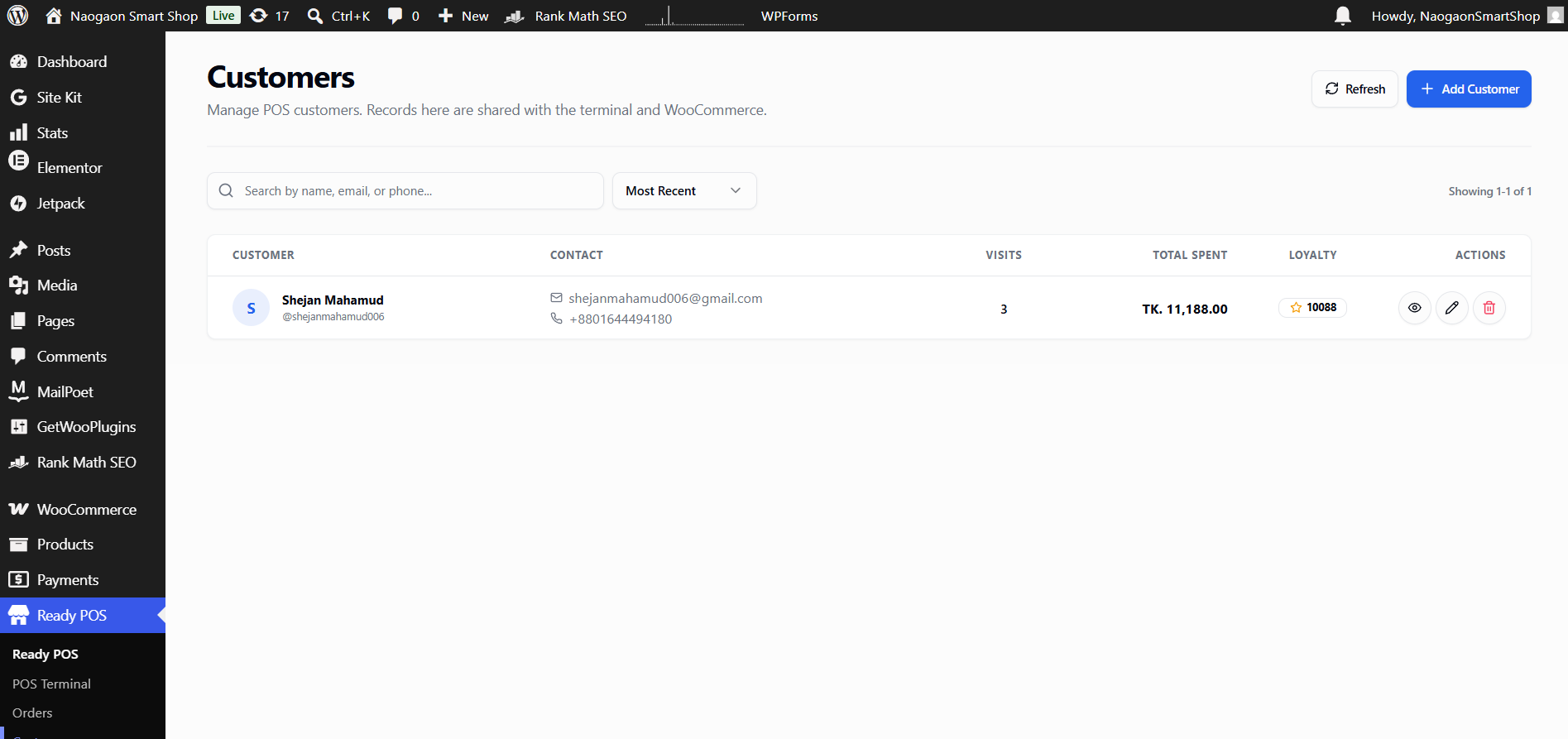
- Customer Management – Guest checkout and quick customer search
- Cash & Card Payments – Accept multiple payment methods
- Receipt Printing – Browser-based receipt printing with customizable layout
- Barcode Scanning – Keyboard-emulation barcode scanner support
- Variable Products – Select product variations with attribute picker
- Multi-Cart – Hold and switch between multiple carts
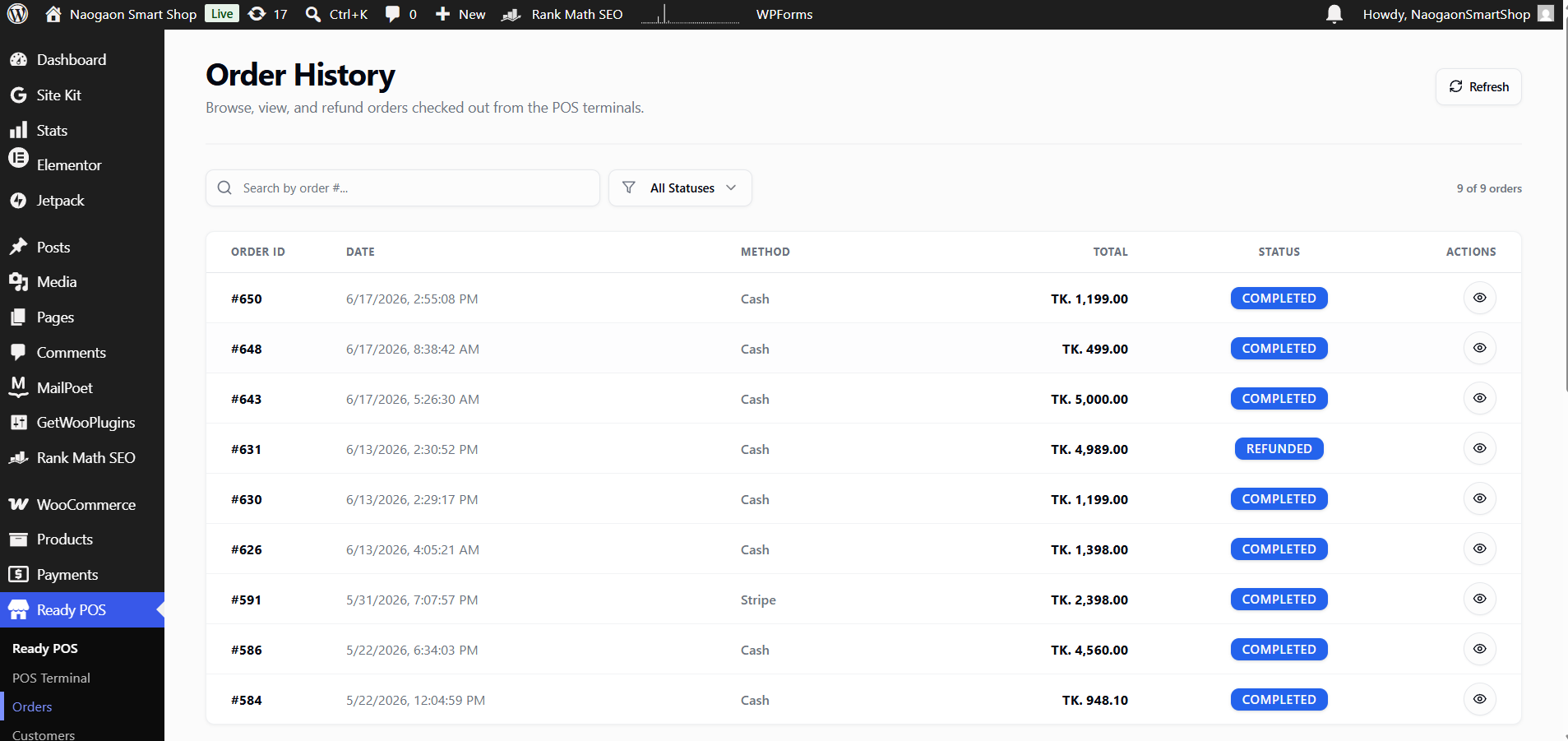
- Order History – View and manage POS transactions
- Refunds – Process full or partial refunds from the POS
- Discounts & Tax – Cart-level discounts and per-outlet tax rates
- Audit Logging – Track POS actions for accountability
Requirements
- WordPress 5.8 or higher
- WooCommerce 6.0 or higher
- PHP 7.4 or higher
- Modern web browser
Privacy Policy
Ready POS stores all data locally in your WordPress database. No customer or transaction data is sent to external servers. Plugin update checks follow the standard WordPress.org privacy policy.
Credits
Ready POS is built with React, Tailwind CSS, Radix UI, Jotai, Laravel Eloquent ORM (via wp-eloquent), and Vite.
License
Ready POS is free software: you can redistribute it and/or modify it under the terms of the GNU General Public License as published by the Free Software Foundation, either version 2 of the License, or any later version.
Ready POS is distributed in the hope that it will be useful, but WITHOUT ANY WARRANTY; without even the implied warranty of MERCHANTABILITY or FITNESS FOR A PARTICULAR PURPOSE. See the GNU General Public License for more details.
You should have received a copy of the GNU General Public License along with Ready POS. If not, see https://www.gnu.org/licenses/gpl-2.0.html.
Installation
Automatic Installation
- Log in to your WordPress dashboard
- Navigate to Plugins > Add New
- Search for “Ready POS”
- Click Install Now and then Activate
Manual Installation
- Download the plugin zip file
- Navigate to Plugins > Add New > Upload Plugin
- Choose the zip file and click Install Now
- Click Activate Plugin
After Activation
- Complete the onboarding wizard to configure your first outlet and register
- Ensure your WooCommerce products have stock quantities set
- Navigate to the POS terminal to start selling
Changelog
1.0.0
- Initial release
- POS terminal with product search and cart
- WooCommerce inventory synchronization
- Multi-outlet and register management
- Register session tracking
- Cash and card payment support
- Receipt printing
- Barcode scanner support (keyboard emulation)
- Variable product support
- Multi-cart functionality
- Order history and refund processing
- Role-based access control
- Audit logging
- Per-outlet tax configuration
- Cart-level discounts
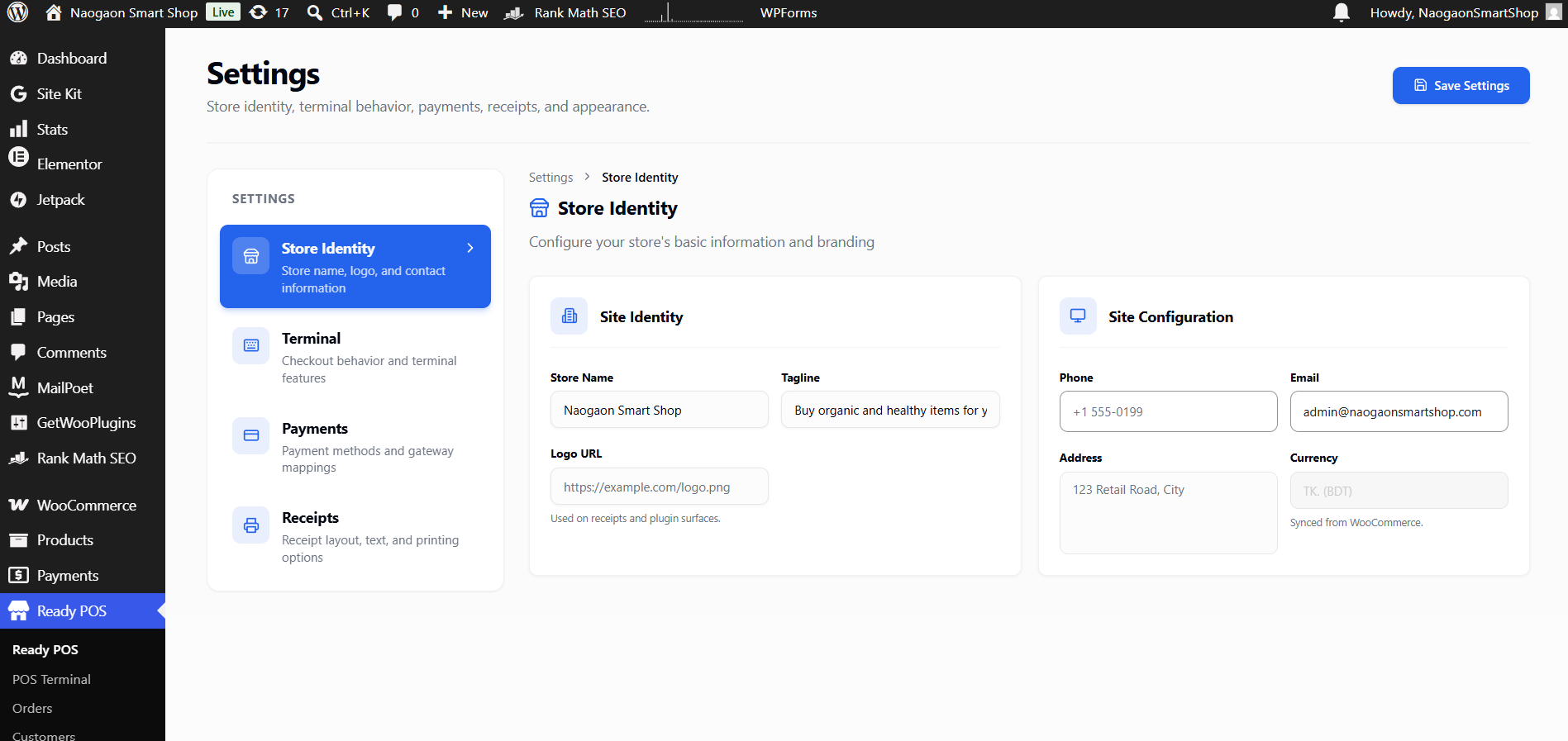
Screenshots
For developers
Is this your plugin? Show off the numbers.
Add a live badge to your site, docs or GitHub README. It updates on its own — no account needed.
Best Ready POS for WooCommerce alternatives
All cash register plugins →FAQ
Ready POS for WooCommerce: quick answers
Straight answers, pulled from live WordPress.org data.
Live data from WordPress.org · checked Oct 28, 2026
Is Ready POS for WooCommerce free?
Yes. Ready POS for WooCommerce is free to download and use from the official WordPress.org plugin directory.
Is Ready POS for WooCommerce safe to use in 2026?
Ready POS for WooCommerce works, but test it on a staging site before relying on it in 2026. Was last updated 4 months ago, and scores 49/100 on our health check.
How many websites use Ready POS for WooCommerce?
Ready POS for WooCommerce is active on <10 WordPress websites and has been downloaded 280 times since it launched in June 2026. It was downloaded 65 times in the last 30 days.
Does Ready POS for WooCommerce work with WordPress 7.1?
Ready POS for WooCommerce is officially tested up to WordPress 7.0.7, while the latest release is 7.1.3. It may still work, but try it on a staging site first.
What PHP version does Ready POS for WooCommerce need?
Ready POS for WooCommerce requires PHP 7.4 or higher. Most hosts run PHP 8.x today, so it works on any modern WordPress hosting.
When was Ready POS for WooCommerce last updated?
The latest version, 1.0.0, was released on July 1, 2026 (4 months ago).
Who makes Ready POS for WooCommerce?
Ready POS for WooCommerce is developed and maintained by johuniqlabs.
What are the best alternatives to Ready POS for WooCommerce?
The most popular alternatives to Ready POS for WooCommerce are OpenPOS Lite (60+ installs), Elementary POS WP Plugin (30+ installs) and MultiPOS (10+ installs).
Powered by PageForge
Want thousands of pages that rank like these? Build them in an afternoon.
This directory runs on the same engine as PageForge. Turn any spreadsheet, CSV or API into thousands of fast, SEO-ready WordPress pages — with schema, internal links and AI-written copy baked in.
- CSV, Google Sheets & API data sources
- AI content, schema & internal links per page
- Works with Elementor, Gutenberg, Yoast & Rank Math
- Free on WordPress.org — no credit card


