



Random Quote – Daily Inspirational Quotes for WordPress
Random Quote is a powerful yet lightweight WordPress plugin that brings daily inspiration to your website through carefully curated quotes from the ZenQuotes API. Perfect for blogs, business websites, or any platform…

Consider an alternative
Random Quote shows warning signs in 2026 — compare the alternatives below before installing. It runs on 60+ sites and was last updated 2 years ago, and scores 28/100 on our health check.
- Small user base (60+ active installs)
- Very few reviews so far
- No update in over a year
- Only tested up to WordPress 6.7 (latest is 7.1)
How does it stack up?
Side-by-side on installs, updates, ratings & support



Daily downloads
Download spikes usually follow a new release — each site that auto-updates counts as a download.
Rankings
Where Random Quote stands todayWordPress.org search rankings
Live position in the plugin search, top 100| Keyword | Position |
|---|---|
| quote | >100 |
| random quote | #20 |
| shortcode | >100 |
Version adoption
Share of active sites per release.
About Random Quote
From the official readme · v1.1.0Description
Random Quote is a powerful yet lightweight WordPress plugin that brings daily inspiration to your website through carefully curated quotes from the ZenQuotes API. Perfect for blogs, business websites, or any platform seeking to engage visitors with meaningful content.
Key Features
- Daily Fresh Quotes – Automatically fetches and displays new inspirational quotes every 24 hours
-
Multiple Integration Options:
- Modern Gutenberg Block for visual integration
- Classic [wpprq_quote] shortcode support
-
Performance Optimized:
- Smart 24-hour quote caching
- Minimal API requests
- Lightweight and fast loading
Check out our other Plugins
Enhance your WordPress site with our other powerful plugins:
- Smart Password Protect – Secure your WordPress site with password protection and IP whitelisting.
- Redirect After Logout – Redirect users to a custom page after logging out for enhanced user experience.
- Access Defender – Advanced security plugin to protect your WordPress site from unauthorized access and malicious attacks.
- Contributors Gallery – Showcase your WordPress contributors in a beautiful and customizable gallery layout.
- Product Spotlight Badge – Highlight your WooCommerce products with eye-catching badges to boost sales.
Please Note: This plugin relies on the ZenQuotes API to fetch the daily quotes. By using this plugin, you agree to the ZenQuotes API Terms and Conditions and Privacy Policy. Your website will send a request to the ZenQuotes API to retrieve a quote, and the API’s servers may log certain data such as IP addresses as part of their normal operations.
Privacy Policy
Random Quote uses Appsero SDK to collect some telemetry data upon user’s confirmation. This helps us to troubleshoot problems faster & make product improvements.
Appsero SDK does not gather any data by default. The SDK only starts gathering basic telemetry data when a user allows it via the admin notice. We collect the data to ensure a great user experience for all our users.
Integrating Appsero SDK DOES NOT IMMEDIATELY start gathering data, without confirmation from users in any case.
Learn more about how Appsero collects and uses this data.
API Credits
The plugin uses the ZenQuotes API (https://zenquotes.io/) to fetch daily inspirational quotes.
License
This plugin is licensed under the GNU General Public License v2 or later.
Installation
Via WordPress Repository (Recommended):
- Log in to your WordPress Dashboard
- Navigate to Plugins > Add New
- Search for “Random Quote”
- Click “Install Now” and wait for the installation to complete
- Click “Activate” to enable the plugin
- Start using the plugin by adding the Gutenberg block or shortcode
Manual Installation:
- Download the plugin zip file from WordPress.org
- Log in to your WordPress Dashboard
- Navigate to Plugins > Add New > Upload Plugin
- Choose the downloaded zip file and click “Install Now”
- After installation, click “Activate”
- Begin using the plugin’s features
How to Use
Using Gutenberg Block (Recommended):
1. Create or edit a post/page
2. Click the ‘+’ button to add a new block
3. Search for “Random Quote”
4. Select the Random Quote block
5. The quote will automatically appear in the editor
6. Customize the appearance using block settings
Using Shortcode:
1. Edit any post, page, or widget
2. Add the shortcode [wpprq_quote] where you want the quote to appear
3. Save your changes
4. The quote will be displayed on your page
Frequently asked questions
How often does the quote update?
The plugin fetches a new quote daily from the ZenQuotes API. The quote is cached for 24 hours to optimize performance and reduce API calls.
Can I customize the quote’s appearance?
Yes! The Gutenberg block provides basic styling options. For advanced customization, you can use custom CSS to style the quote container.
Does the plugin work with page builders?
Yes, you can use the shortcode [wpprq_quote] with any page builder that supports shortcodes.
Does the plugin store any user data?
The plugin itself does not store any user data. However, when fetching a quote from the ZenQuotes API, certain data such as IP addresses may be logged by the API provider.
Is the plugin GDPR compliant?
Yes, the plugin is GDPR compliant. It only processes the minimum data necessary for functionality and clearly discloses any data collection through Appsero SDK (which is opt-in only).
Changelog
Major update with Gutenberg block support and performance improvements.
1.1.0
- Added Gutenberg block support for easier quote integration
- Improved code organization with PSR-4 autoloading
- Optimized API calls with 24-hour quote caching
- Enhanced performance by minimizing API requests
1.0.2
- Added integration with AppSero for tracking plugin usage and updates.
1.0.1
- Update Description.
1.0.0
- Initial release.
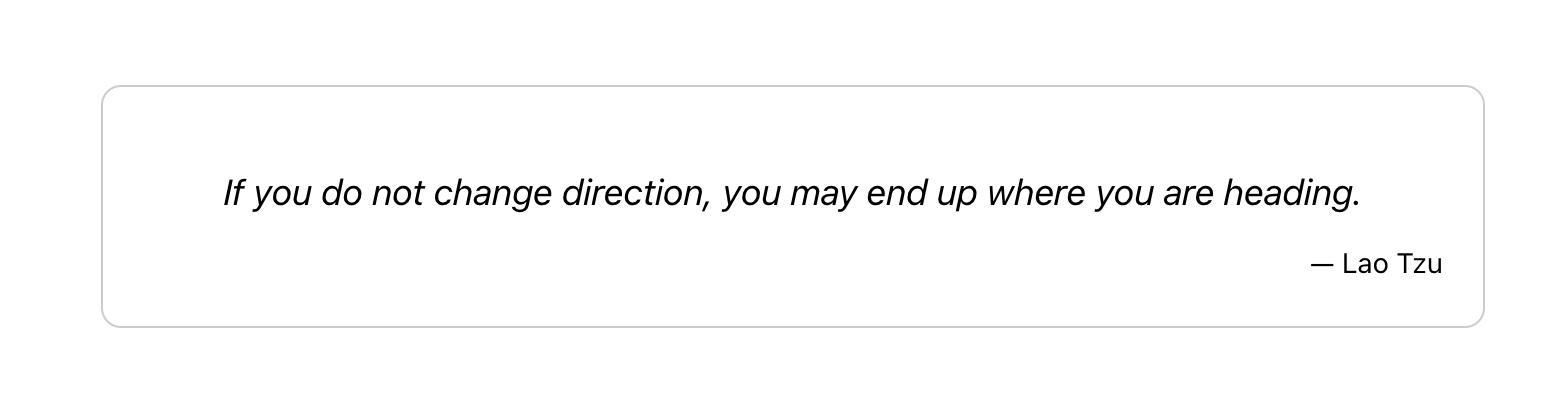
Screenshots
For developers
Is this your plugin? Show off the numbers.
Add a live badge to your site, docs or GitHub README. It updates on its own — no account needed.
Best Random Quote alternatives
All quote plugins →





FAQ
Random Quote: quick answers
Straight answers, pulled from live WordPress.org data.
Live data from WordPress.org · checked Sep 30, 2026
Is Random Quote free?
Yes. Random Quote is free to download and use from the official WordPress.org plugin directory.
Is Random Quote safe to use in 2026?
Random Quote shows warning signs in 2026 — compare the alternatives below before installing. It runs on 60+ sites and was last updated 2 years ago, and scores 28/100 on our health check.
How many websites use Random Quote?
Random Quote is active on 60+ WordPress websites and has been downloaded 2,244 times since it launched in August 2024. It was downloaded 72 times in the last 30 days.
Does Random Quote work with WordPress 7.1?
Random Quote is officially tested up to WordPress 6.7.9, while the latest release is 7.1.2. It may still work, but try it on a staging site first.
What PHP version does Random Quote need?
Random Quote requires PHP 7.0 or higher. Most hosts run PHP 8.x today, so it works on any modern WordPress hosting.
When was Random Quote last updated?
The latest version, 1.1.0, was released on March 13, 2025 (2 years ago).
Who makes Random Quote?
Random Quote is developed and maintained by Huzaifa Al Mesbah.
What are the best alternatives to Random Quote?
The most popular alternatives to Random Quote are YITH Request a Quote for Wo… (10K+ installs), eCommerce Product Catalog (7K+ installs) and Request a Quote for WooComm… (6K+ installs).
Powered by PageForge
Want thousands of pages that rank like these? Build them in an afternoon.
This directory runs on the same engine as PageForge. Turn any spreadsheet, CSV or API into thousands of fast, SEO-ready WordPress pages — with schema, internal links and AI-written copy baked in.
- CSV, Google Sheets & API data sources
- AI content, schema & internal links per page
- Works with Elementor, Gutenberg, Yoast & Rank Math
- Free on WordPress.org — no credit card


