


Quick Display Products Details Hover For WooCommerce
Quick Display Products Details Hover is a WordPress plugin designed to enhance the user experience on WooCommerce websites by allowing users to view product details via hover. It provides a convenient way for users to…

Use with caution
Quick Display Products Details… works, but test it on a staging site before relying on it in 2026. Was last updated 2 months ago, and scores 60/100 on our health check.
- Tested with the latest WordPress (7.1)
- Small user base (<10 active installs)
- Very few reviews so far
Daily downloads
Download spikes usually follow a new release — each site that auto-updates counts as a download.
Rankings
Where Quick Display Products Deta… stands todayWordPress.org search rankings
Live position in the plugin search, top 100| Keyword | Position |
|---|---|
| Quick Display Products Details Hover | #62 |
| Woocommerce Management Products Details Hover | #69 |
About Quick Display Products Details Hover Fo…
From the official readme · v1.1.0Description
Quick Display Products Details Hover is a WordPress plugin designed to enhance the user experience on WooCommerce websites by allowing users to view product details via hover. It provides a convenient way for users to get quick insights into products without needing to navigate away from the current page.
This plugin adds a hover effect to product names, triggering a pop-up window that displays detailed information about the product, including its description, price, and other relevant details. Users can easily access this information by simply hovering over the product name.
With Quick Display Products Details Hover, website owners can enhance the usability of their WooCommerce stores and provide users with a seamless browsing experience. Store managers can choose which product fields appear, customize labels, build reusable product groups, and place them using shortcodes.
Configuration
- After activating the plugin, navigate to WooCommerce -> Quick Display Products Details Hover in your WordPress dashboard.
- Click on Add New to create a new hover configuration.
- Enter a name for your configuration and save it.
- After saving, you will see a shortcode like
[qdpdh_cptqpdh_shortcode post_id="97"]. Copy this shortcode.
Using the Shortcode
- Navigate to the WooCommerce product where you want to display the quick product details.
- Edit the product and scroll down to the Quick Display Products Details Hover metabox.
- Select the configuration name you created from the dropdown list in the metabox.
- Save the product.
- Paste the copied shortcode
[qdpdh_cptqpdh_shortcode post_id="97"]into the product description or any other place where you want the quick product details to appear.
Customization Tips
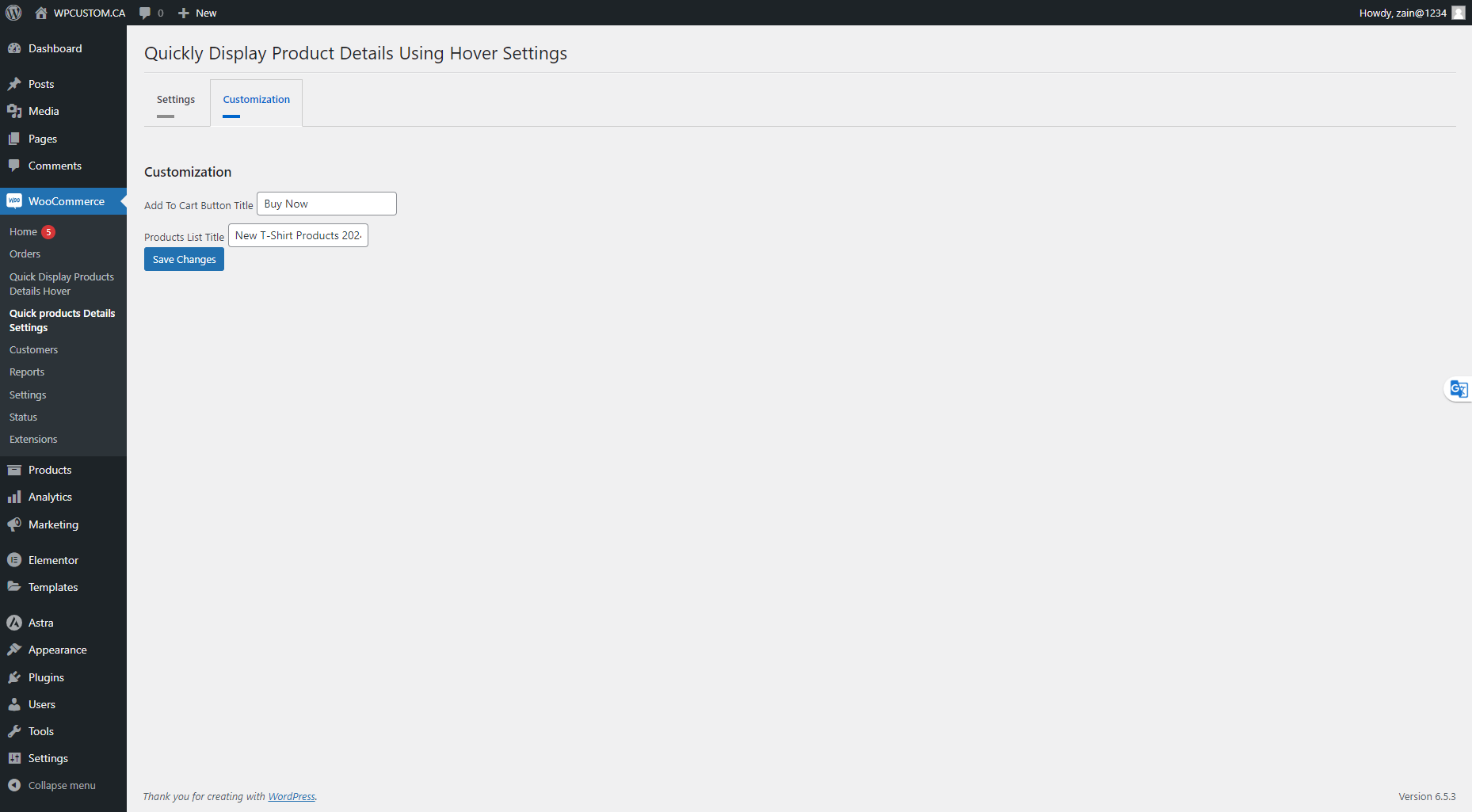
- Quickly Display Product Details Using Hover Settings:
- Navigate to the settings page.
- Choose which labels you do not want to show to your users by simply toggling the on/off switches.
- Save your changes.
- Video Tutorial: For a visual guide, watch the video below:
By following these steps, you can easily configure and customize the Quick Display Products Details Hover plugin to fit your WooCommerce store’s needs.
Installation
Prerequisites
- Ensure that WooCommerce is installed and activated on your WordPress site.
Using the WordPress Dashboard
- Navigate to ‘Plugins’ -> ‘Add New’.
- Search for ‘WooCommerce’ and install it if it’s not already installed.
- After installing WooCommerce, search for ‘Quick Display Products Details Hover For WooCommerce’.
- Click ‘Install Now’.
- Activate the plugin on the Plugin dashboard.
Changelog
1.1.0
- Added a valid WordPress.org short description.
- Added a redesigned admin dashboard with product and configuration statistics.
- Updated compatibility metadata for WordPress 7.1 and PHP 7.4 or newer.
- Fixed admin script loading and strengthened settings permissions.
- Corrected the feature description to match the plugin functionality.
1.0.1
- Previous public release.
Screenshots




For developers
Is this your plugin? Show off the numbers.
Add a live badge to your site, docs or GitHub README. It updates on its own — no account needed.
FAQ
Quick Display Products Details Hove…: quick answers
Straight answers, pulled from live WordPress.org data.
Live data from WordPress.org · checked Oct 18, 2026
Is Quick Display Products Details… free?
Yes. Quick Display Products Details… is free to download and use from the official WordPress.org plugin directory.
Is Quick Display Products Details… safe to use in 2026?
Quick Display Products Details… works, but test it on a staging site before relying on it in 2026. Was last updated 2 months ago, and scores 60/100 on our health check.
How many websites use Quick Display Products Details…?
Quick Display Products Details… is active on <10 WordPress websites and has been downloaded 923 times since it launched in June 2024. It was downloaded 49 times in the last 30 days.
Does Quick Display Products Details… work with WordPress 7.1?
Yes. The developer has tested Quick Display Products Details… up to WordPress 7.1.3, the latest release. It requires WordPress 6.8 or newer.
What PHP version does Quick Display Products Details… need?
Quick Display Products Details… requires PHP 7.4 or higher. Most hosts run PHP 8.x today, so it works on any modern WordPress hosting.
When was Quick Display Products Details… last updated?
The latest version, 1.1.0, was released on August 15, 2026 (2 months ago).
Who makes Quick Display Products Details…?
Quick Display Products Details… is developed and maintained by wpcustom.ca.
Powered by PageForge
Want thousands of pages that rank like these? Build them in an afternoon.
This directory runs on the same engine as PageForge. Turn any spreadsheet, CSV or API into thousands of fast, SEO-ready WordPress pages — with schema, internal links and AI-written copy baked in.
- CSV, Google Sheets & API data sources
- AI content, schema & internal links per page
- Works with Elementor, Gutenberg, Yoast & Rank Math
- Free on WordPress.org — no credit card


