



Quick Playground
Simplify creation of WordPress Playground test, staging, and demo sites. Specify the theme, plugins and content from the WP admin dashboard.

Solid choice
Quick Playground is a solid plugin choice in 2026, with a few things worth checking first. It runs on 10+ sites and was last updated 2 months ago, and scores 62/100 on our health check.
- Tested with the latest WordPress (7.1)
- Small user base (10+ active installs)
- Very few reviews so far
How does it stack up?
Side-by-side on installs, updates, ratings & support



Daily downloads
Download spikes usually follow a new release — each site that auto-updates counts as a download.
Rankings
Where Quick Playground stands todayWordPress.org search rankings
Live position in the plugin search, top 100| Keyword | Position |
|---|---|
| demo | >100 |
| playground | #14 |
| staging | >100 |
| testing | >100 |
Version adoption
Share of active sites per release.
About Quick Playground
From the official readme · v1.3.6Description
The Quick Playground plugin provides a safe and convenient way to test new designs and features for your WordPress website, or to create demos and share proposed design changes. It creates a clone of your website’s home page and key content, allowing you to experiment with plugins, themes, and design changes without affecting your live website.
The plugin takes advantage of WordPress Playground, the innovative software that simulates a complete PHP/WordPress/database server environment running in your web browser for testing and experimentation. Quick Playground simplifies the creation of Playground Blueprints, which define steps such as installing themes and plugins and loading content. No need to hand-code JSON or arrange for code to be served from Github.
This plugin is ideal for developers and designers who want to test new ideas without disrupting their live website.
Features:
-
Clone your website’s home page and key content for testing purposes. For performance reasons, the plugin does not attempt to clone your entire database.
-
Experiment with themes and plugins, including unpublished custom code.
-
Test new block theme design customizations in a WordPress Playground environment before implementing them on your live site.
-
Save changes for future playground sessions, allowing you to keep experimenting.
-
Create demo environments separate from your live website content, for example to showcase themes, plugins, or hosting services.
-
Sync changes back to your live website. For example, you can prototype block theme changes in Playground and copy the updated templates or template parts back to the live site.
-
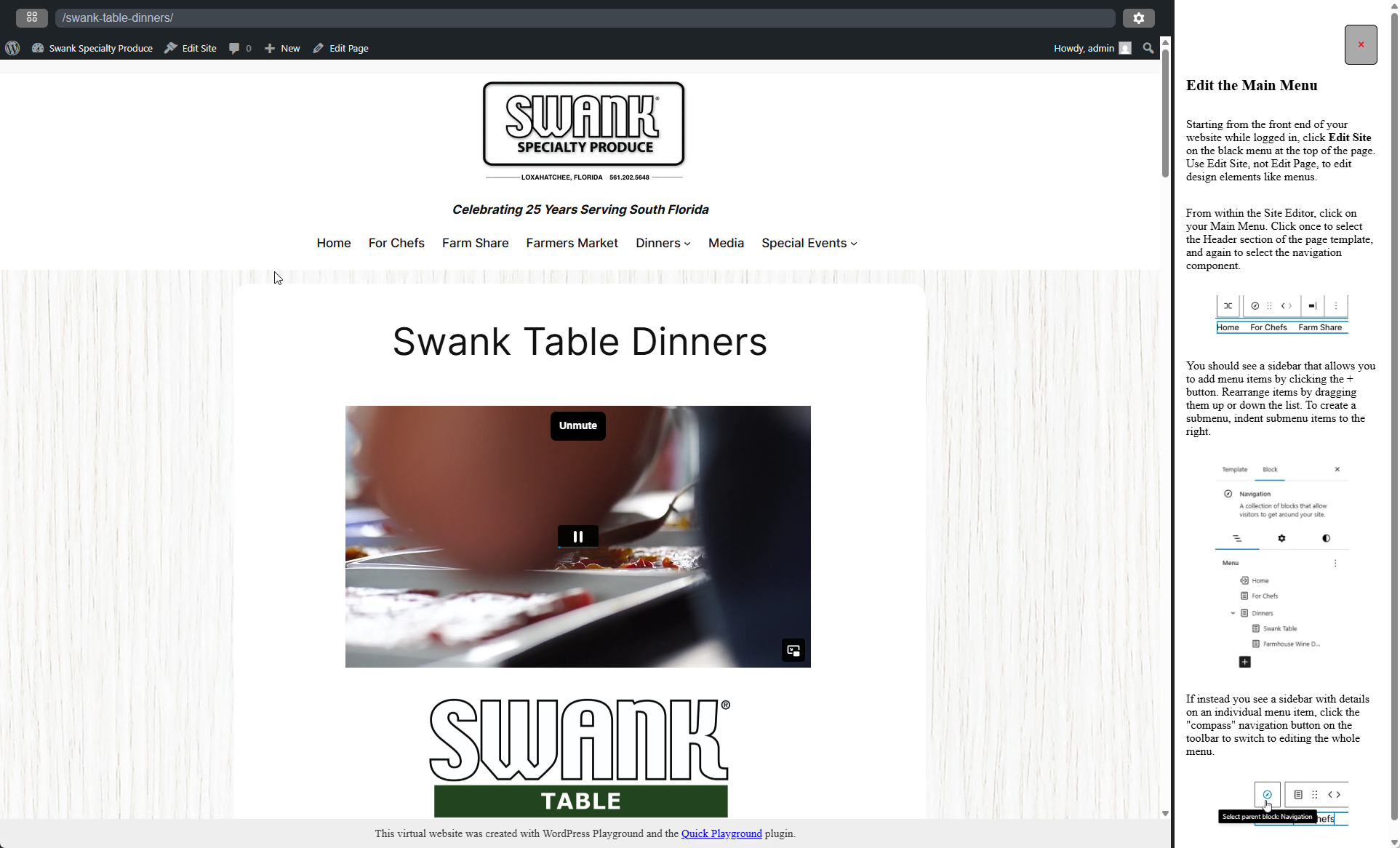
Define pop-up prompts / help tips to be displayed on any front end or admin page within the playground environment.
-
Works on WordPress multisite (clones the individual site, not the whole network). The multisite network administrator can set default themes and plugins to include or exclude.
Note: some of these features were previously reserved for a “Pro” version but are now available for free. You’re welcome.
Learn more at quickplayground.com
Developer Friendly Features
How it Works
-
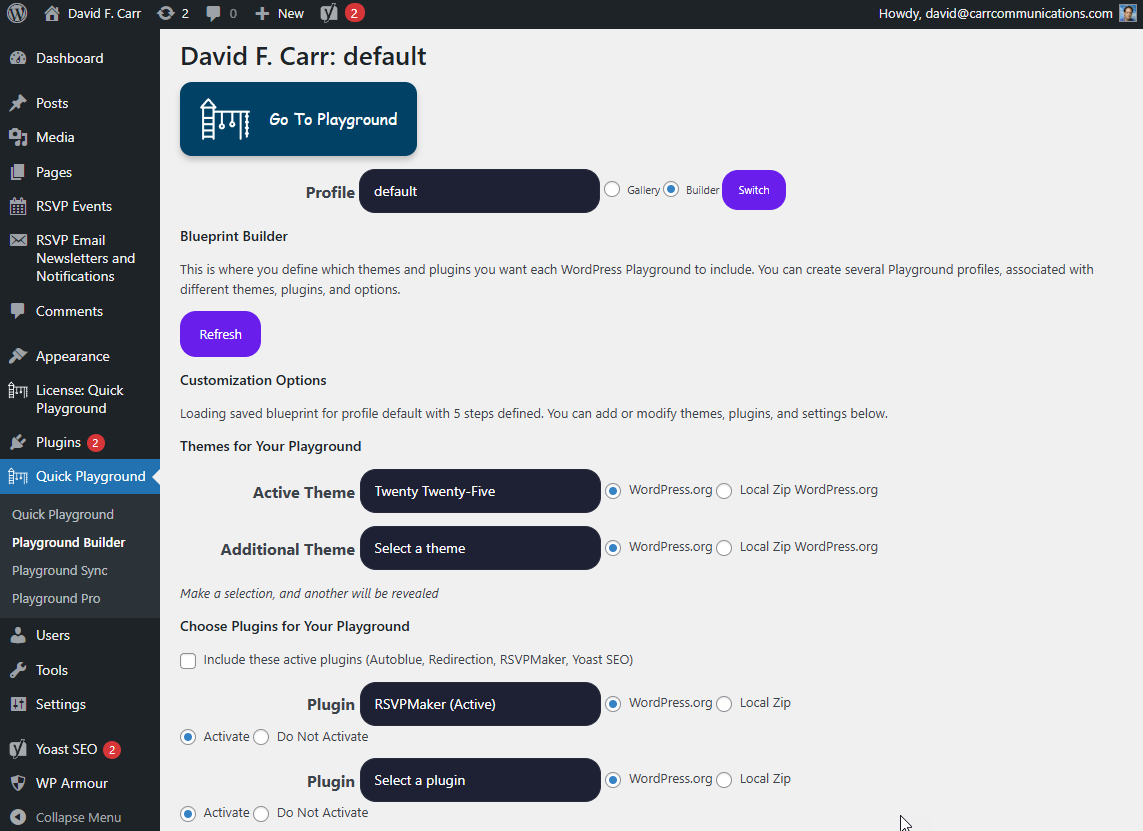
You can create multiple Playground profiles, each of which can specify different themes, plugins, playgrounds, content, and settings. The Playground Blueprint is created for you, stored on your server as a PHP associative array, and served to the Playground as JSON file with the same data hierarchy.
-
When a Playground is launched, it loads the themes, plugins, and content specified in your BluePrint. Any custom themes and plugins not in the WordPress repository will be archived on your server as ZIP files and downloaded on demand.
-
Quick Playground loads a copy of itself into the Playground environment and assists with copying over content.
-
If you obtain a Pro license key, a plugin with additional capabilities for saving and syncing content will be loaded into the Playground (not your live website).
License
This plugin is licensed under the GPLv2 or later. See the GNU General Public License for more details.
External services
Users may configure Quick Playground to display content from other websites that also run Quick Playground.
Installation
-
Upload the plugin files to the
/wp-content/plugins/quick-playgrounddirectory, or install the plugin through the WordPress plugins screen. -
Activate the plugin through the ‘Plugins’ screen in WordPress.
-
Navigate to “Quick Playground” (between Appearance and Plugins on the dashboard).
Frequently asked questions
What is the WordPress Playground?
The WordPress Playground is a version of WordPress software that runs in your web browser without requiring a server. It allows you to test themes, plugins, and design changes in a safe environment.
Can I sync changes back to my live website?
Yes, the plugin includes an experimental feature for syncing changes back to your live website. However, this feature is still under development and should be used with caution.
Is my live website affected by the changes I make in the Playground?
No, the Playground environment is completely separate from your live website. Changes made in the Playground do not affect your live website unless you explicitly sync them back.
Changelog
1.3.4
- Added a current_user_can(‘manage_options’) test to qckply_zip_theme and qckply_zip_plugin
1.3.2
- Additional security checks for sync between playground and live site.
1.3.1
- Additional security checks.
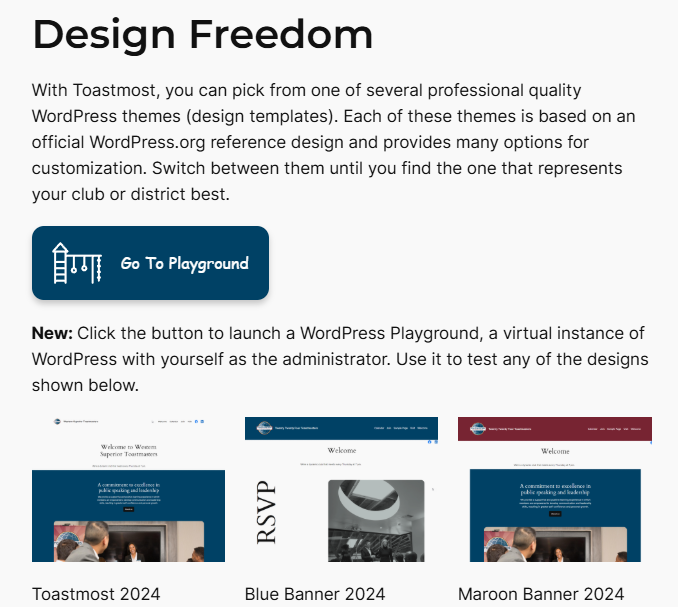
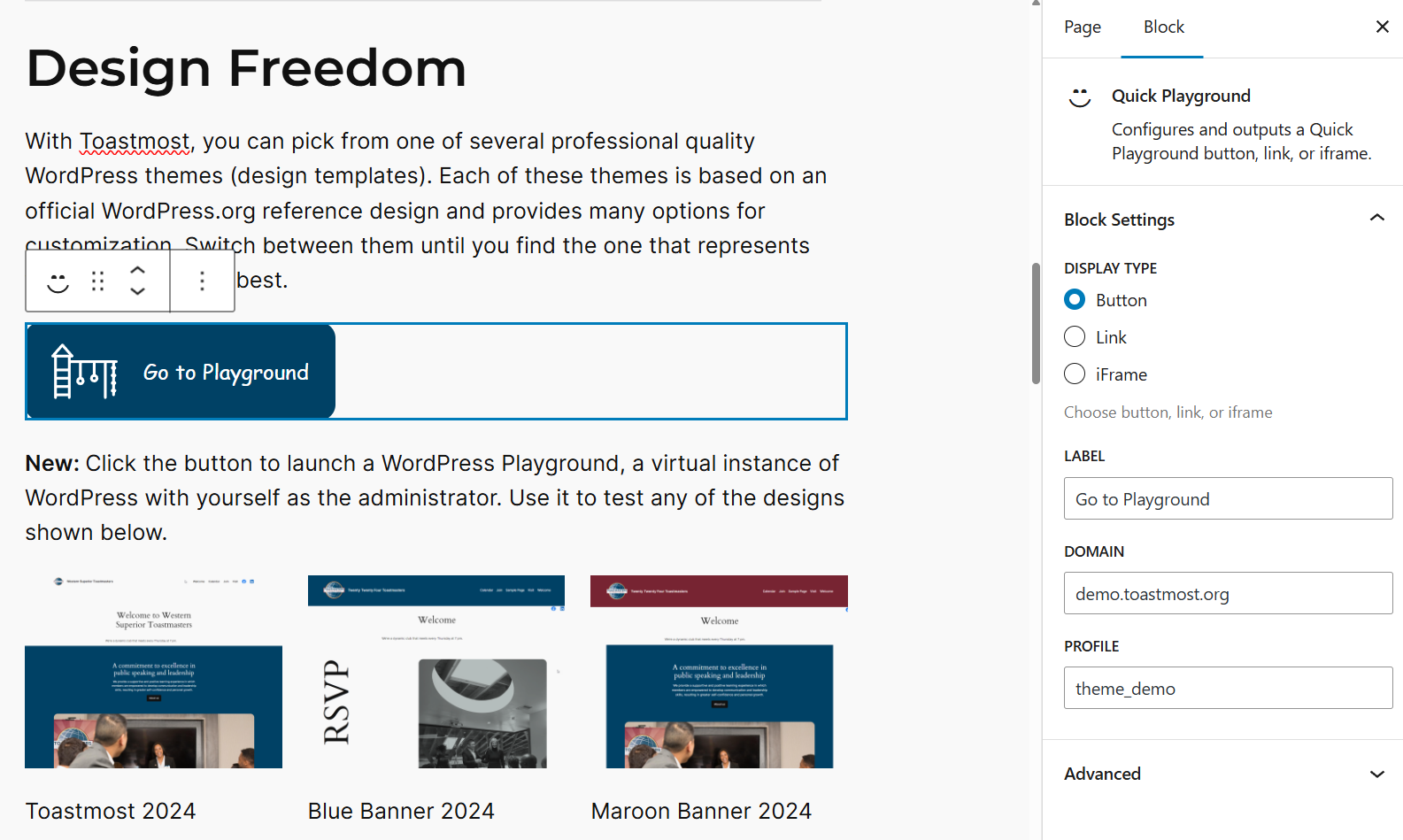
- Update to Quick Playground block to support overriding the default theme for a profile and displaying a theme screenshot or other image with the Go to Playground button.
1.3
- Security change for sync code. Must be manually copied from the live site to the Playground instance.
1.2.1
- Improved sync functionality for saving images
- Added ob_start() / ob_clean() to API response functions to supress unwanted output.
1.2
- Image handling and database query optimizations
Screenshots
For developers
Is this your plugin? Show off the numbers.
Add a live badge to your site, docs or GitHub README. It updates on its own — no account needed.
Best Quick Playground alternatives
All demo plugins →




FAQ
Quick Playground: quick answers
Straight answers, pulled from live WordPress.org data.
Live data from WordPress.org · checked Oct 8, 2026
Is Quick Playground free?
Yes. Quick Playground is free to download and use from the official WordPress.org plugin directory.
Is Quick Playground safe to use in 2026?
Quick Playground is a solid plugin choice in 2026, with a few things worth checking first. It runs on 10+ sites and was last updated 2 months ago, and scores 62/100 on our health check.
How many websites use Quick Playground?
Quick Playground is active on 10+ WordPress websites and has been downloaded 2,030 times since it launched in September 2025. It was downloaded 190 times in the last 30 days.
Does Quick Playground work with WordPress 7.1?
Yes. The developer has tested Quick Playground up to WordPress 7.1.3, the latest release. It requires WordPress 6.2 or newer.
When was Quick Playground last updated?
The latest version, 1.3.6, was released on August 24, 2026 (2 months ago).
Who makes Quick Playground?
Quick Playground is developed and maintained by davidfcarr.
What are the best alternatives to Quick Playground?
The most popular alternatives to Quick Playground are Starter Templates & Sites P… (70K+ installs), Rara One Click Demo Import (20K+ installs) and Envo Extra (20K+ installs).
Powered by PageForge
Want thousands of pages that rank like these? Build them in an afternoon.
This directory runs on the same engine as PageForge. Turn any spreadsheet, CSV or API into thousands of fast, SEO-ready WordPress pages — with schema, internal links and AI-written copy baked in.
- CSV, Google Sheets & API data sources
- AI content, schema & internal links per page
- Works with Elementor, Gutenberg, Yoast & Rank Math
- Free on WordPress.org — no credit card


