


QuantityPro for WooCommerce
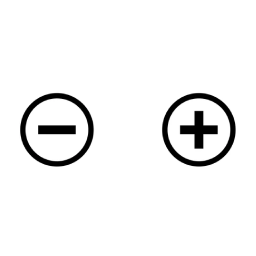
Add customizable plus and minus buttons to WooCommerce product quantity selectors for enhanced user experience.

Use with caution
QuantityPro for WooCommerce works, but test it on a staging site before relying on it in 2026. It runs on 60+ sites, is rated 5/5 and was last updated 10 months ago, and scores 47/100 on our health check.
- Small user base (60+ active installs)
- Very few reviews so far
- Only tested up to WordPress 6.8 (latest is 7.1)
How does it stack up?
Side-by-side on installs, updates, ratings & support



Daily downloads
Download spikes usually follow a new release — each site that auto-updates counts as a download.
Rankings
Where QuantityPro for WooCommerce stands todayWordPress.org search rankings
Live position in the plugin search, top 100| Keyword | Position |
|---|---|
| e-commerce | >100 |
| minus | #17 |
| plus | >100 |
| quantity | >100 |
| woocommerce | >100 |
Version adoption
Share of active sites per release.
Rating breakdown
★★★★★★★★★★ 5 from 1 reviews
About QuantityPro for WooCommerce
From the official readme · v1.0.0Description
QuantityPro for WooCommerce is a lightweight WooCommerce plugin that enhances the product quantity selection experience by adding intuitive plus (+) and minus (-) buttons to quantity input fields on product pages and shopping carts.
This plugin works seamlessly with WooCommerce and provides a better user interface for customers to adjust product quantities without manually typing numbers. The buttons respect minimum and maximum quantity constraints set for each product.
Key Features
- ✓ Adds plus and minus buttons to product quantity selectors
- ✓ Fully responsive design optimized for mobile devices
- ✓ Clean, modern aesthetic that integrates with any storefront design
- ✓ Zero configuration – just install and activate
- ✓ Lightweight and performance-optimized
- ✓ No modifications to WooCommerce templates
- ✓ Respects product minimum and maximum quantity settings
- ✓ Compatible with WooCommerce HPOS (High Performance Order Storage)
- ✓ Works on both product pages and shopping cart
- ✓ Compatible with WordPress 5.8+ and PHP 7.4+
How It Works
Once activated, the plugin automatically:
1. Adds a minus (-) button before the quantity input field
2. Adds a plus (+) button after the quantity input field
3. Allows customers to increment/decrement quantity with simple clicks
4. Respects product-level quantity limits (min/max)
No additional setup or configuration required!
Additional Notes
Requirements
- WordPress 4.6 or higher
- PHP 7.2 or higher
- WooCommerce 3.0 or higher
Support
For support, feature requests, or bug reports, please visit the plugin’s support forum or contact the author.
License
This plugin is licensed under the GPLv3 license. See the LICENSE file for details.
Credits
Developed by Bonny Elangbam
Support
For questions, feature requests, or bug reports, please visit:
https://wordpress.org/support/plugin/quantitypro-for-woocommerce/
Installation
Automatic Installation
- Go to Plugins > Add New in your WordPress dashboard
- Search for “QuantityPro for WooCommerce”
- Click Install Now and then Activate
- Visit any WooCommerce product page to see the quantity buttons
Manual Installation
- Download the plugin and unzip it
- Upload the
quantitypro-for-woocommercefolder to/wp-content/plugins/directory - Go to Plugins screen in WordPress and find the plugin
- Click Activate Plugin
- Visit any WooCommerce product page or cart to see the quantity buttons
Frequently asked questions
Do I need to configure anything?
No! Once activated, the plugin works automatically. No configuration needed.
Will this work with my theme?
Yes, this plugin is designed to work with any WordPress theme that uses WooCommerce.
Does this plugin modify WooCommerce files?
No, the plugin uses WordPress hooks and filters. It does not modify any core WooCommerce files or templates.
Can customers still manually enter quantities?
Yes, customers can still click on the quantity input field and type a number directly.
What versions of WooCommerce does this support?
The plugin is tested and compatible with WooCommerce 3.0 and above, up to WooCommerce 8.0.
Is this plugin mobile-friendly?
Yes, the plugin includes responsive CSS that optimizes button sizes and spacing for mobile devices.
Does it support product quantity limits?
Yes, the plugin fully respects minimum and maximum quantity settings configured for each product in WooCommerce.
Will this affect my site performance?
No, the plugin is lightweight and optimized for performance. It adds minimal CSS and uses jQuery (which WordPress includes by default).
Changelog
1.0.0
- Initial release
- Add plus and minus buttons to WooCommerce quantity selectors
- Mobile responsive design
- Full HPOS compatibility
- WordPress 6.4 tested
Screenshots

For developers
Is this your plugin? Show off the numbers.
Add a live badge to your site, docs or GitHub README. It updates on its own — no account needed.
Best QuantityPro for WooCommerce alternatives
All e-commerce plugins →





FAQ
QuantityPro for WooCommerce: quick answers
Straight answers, pulled from live WordPress.org data.
Live data from WordPress.org · checked Oct 5, 2026
Is QuantityPro for WooCommerce free?
Yes. QuantityPro for WooCommerce is free to download and use from the official WordPress.org plugin directory.
Is QuantityPro for WooCommerce safe to use in 2026?
QuantityPro for WooCommerce works, but test it on a staging site before relying on it in 2026. It runs on 60+ sites, is rated 5/5 and was last updated 10 months ago, and scores 47/100 on our health check.
How many websites use QuantityPro for WooCommerce?
QuantityPro for WooCommerce is active on 60+ WordPress websites and has been downloaded 682 times since it launched in November 2025. It was downloaded 78 times in the last 30 days.
Does QuantityPro for WooCommerce work with WordPress 7.1?
QuantityPro for WooCommerce is officially tested up to WordPress 6.8.10, while the latest release is 7.1.2. It may still work, but try it on a staging site first.
What PHP version does QuantityPro for WooCommerce need?
QuantityPro for WooCommerce requires PHP 7.4 or higher. Most hosts run PHP 8.x today, so it works on any modern WordPress hosting.
When was QuantityPro for WooCommerce last updated?
The latest version, 1.0.0, was released on November 26, 2025 (10 months ago).
Who makes QuantityPro for WooCommerce?
QuantityPro for WooCommerce is developed and maintained by Bonny Elangbam.
What are the best alternatives to QuantityPro for WooCommerce?
The most popular alternatives to QuantityPro for WooCommerce are WCBoost – Wishlist (40K+ installs), Klarna for WooCommerce (20K+ installs) and Ecwid by Lightspeed Ecommer… (20K+ installs).
Powered by PageForge
Want thousands of pages that rank like these? Build them in an afternoon.
This directory runs on the same engine as PageForge. Turn any spreadsheet, CSV or API into thousands of fast, SEO-ready WordPress pages — with schema, internal links and AI-written copy baked in.
- CSV, Google Sheets & API data sources
- AI content, schema & internal links per page
- Works with Elementor, Gutenberg, Yoast & Rank Math
- Free on WordPress.org — no credit card


