


QODE Quick View for WooCommerce
QODE Quick View for WooCommerce helps you boost conversions & sales by providing visitors with handy pop-up product previews on product list pages.

Safe pick
Yes — QODE Quick View for WooCommerce is a safe, well-maintained plugin to use in 2026. It runs on 10K+ sites, is rated 5/5 and was last updated 2 days ago, and scores 80/100 on our health check.
- Proven at scale on 10K+ active sites
- Actively developed — last update 2 days ago
- Tested with the latest WordPress (7.1)
- Momentum — downloads up 30.2% vs the previous 30 days
- Very few reviews so far
How does it stack up?
Side-by-side on installs, updates, ratings & support

Daily downloads
Download spikes usually follow a new release — each site that auto-updates counts as a download.
Rankings
Where QODE Quick View for WooComm… stands todayWordPress.org search rankings
Live position in the plugin search, top 100| Keyword | Position |
|---|---|
| product popup | #89 |
| product quick view | #3 |
| quick view | #3 |
| quickview | #5 |
| WooCommerce LightBox | #14 |
Version adoption
Share of active sites per release.
Rating breakdown
★★★★★★★★★★ 5 from 1 reviews
About QODE Quick View for WooCommerce
From the official readme · v1.1.2Description
Boost Your Conversion Rates with QODE Quick View
Turn your product listing pages into eye-catching, full-blown single product presentations.
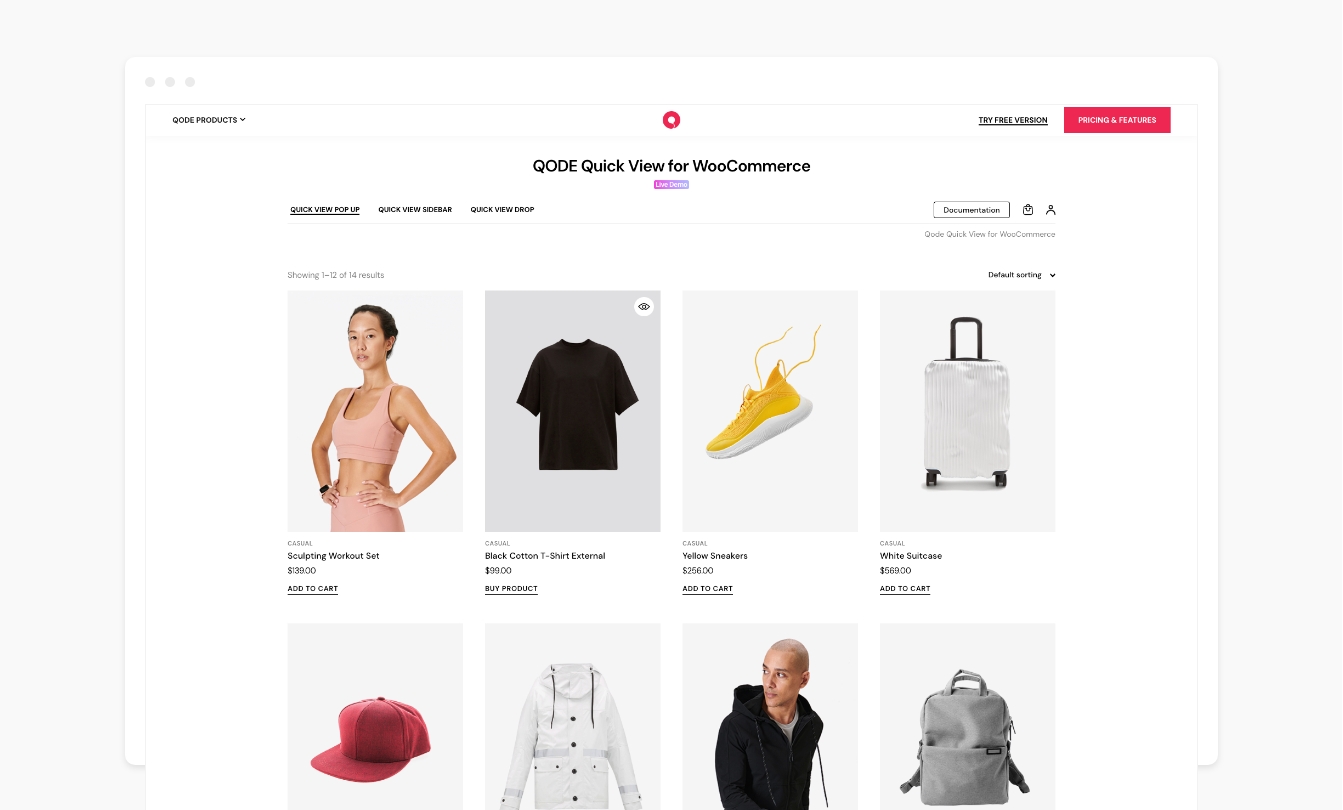
QODE Quick View for WooCommerce provides you with a simple, user-friendly way to display compact forms dedicated to showcasing your single products in great detail. Quick View forms are triggered with a single click right from the product list, without ever leaving the page.
Check out QODE Quick View Demo
Fully Optimized for Viewing on Mobile Devices Too
Thanks to its full mobile optimization, the QODE Quick View can be accessed via any mobile device without any compromise in terms of the visuals and features, expanding the reach of this supremely practical eCommerce element once reserved only for desktop users.
Key features:
- Display the Quick View button in loops, which can be optionally disabled for mobile devices
- Open-ended Quick View button stylization, custom button labels and adjustable close icons
Get Even More With Premium!
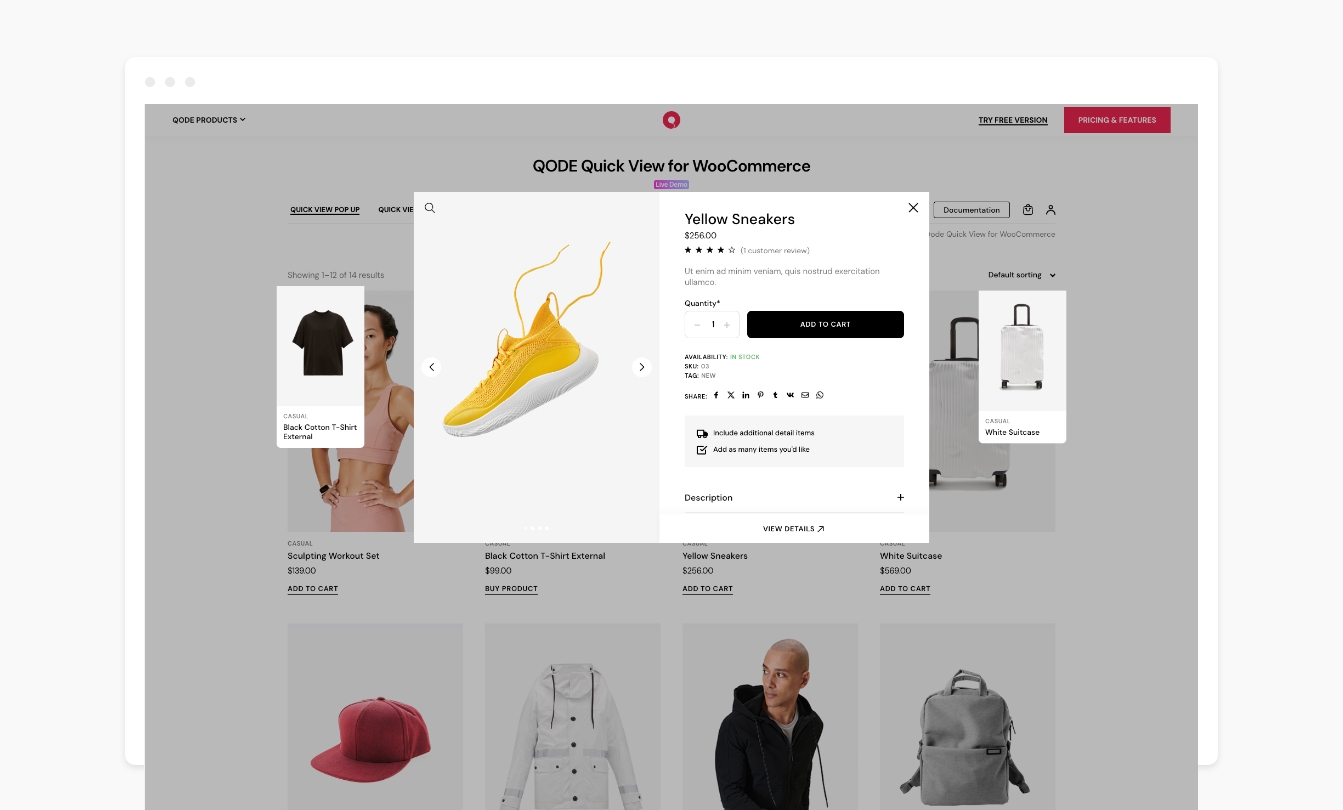
The Premium version of the QODE Quick View for WooCommerce plugin provides you with three attention-grabbing Quick View form appearance styles to choose from – standard Pop-up, Sidebar Quick View, and cascading Drop Quick View form.
The size and appearance of the form can be easily adjusted thanks to the extensive set of customization options, and it can feature image galleries with thumbnails or sliders and optional image zoom on hover.
On top of that, the customization of the Quick View button appearance in lists is completely open-ended, allowing you to compose button & icon styles of your own.
The QODE Quick View for WooCommerce Premium lets you include a number of additional features inside your Quick Forms, providing you with a neat way to present your shoppers with all the relevant info relating to a product in a straightforward manner.
You can choose additional product information & features you wish to display, including the product category, rating, price, meta info, description, product tabs, a fixed ‘View Details’ button, instantly loading AJAX-powered adding to cart, additional information items, adjustable social share icons, as well as suggested products.
Documentation & Support
- Check out our step-by-step user guide on how to install and use QODE Quick View for WooCommerce.
- You can also submit a topic to the support forum at and our support team will be glad to help you out.
Privacy Policy
We use our services
Qode’s CDN – The domain https://export.qodethemes.com is a service from which we retrieve the list of all Qode plugins displayed in the admin dashboard.
Qode’s API – The domain https://api.qodeinteractive.com is an API that’s called when a user deactivates the plugin, to retrieve the reason for deactivation. Upon deactivating the plugin, the users are prompted for a reason for doing so. They also have the option to deactivate without providing a reply. The data obtained from the users who respond to the question is collected to improve the plugin. After the analysis of said data, the plugin is upgraded and enhanced in such a way as to fulfill the users’ expectations.
We use third party services for the purposes of sharing posts on their respective platforms. We do not store any of the data sent to those services. Here’s a list of the services used and their corresponding privacy policies:
Facebook – https://www.facebook.com/privacy/policy/
X – https://twitter.com/en/privacy#update
LinkedIn – https://www.linkedin.com/legal/privacy-policy
Pinterest – https://policy.pinterest.com/en/privacy-policy
Tumblr – https://www.tumblr.com/privacy/en
VK – https://m.vk.com/privacy?api_view=1&lang=en
WhatsApp – https://www.whatsapp.com/legal/privacy-policy
Looking for more?
Feel free to try out some of our other products:
Qi Theme
Qi Addons for Elementor
Qi Blocks for Gutenberg
QODE Wishlist for WooCommerce
QODE Variation Swatches for WooCommerce
QODE Compare for WooCommerce
QODE Product Extra Options for WooCommerce
QODE Optimizer
Installation
From your WordPress dashboard
- Go to your WordPress Dashboard -> Plugins -> Add New
- Search for QODE Quick View for WooCommerce
- Activate QODE Quick View for WooCommerce from your Plugins page.
- Enjoy 🙂
From wordpress.org
- Download QODE Quick View for WooCommerce.
- Upload the qode-quick-view-for-woocommerce directory to your ‘/wp-content/plugins/’ directory, using your favorite method (ftp, sftp, scp, etc…)
- Activate QODE Quick View for WooCommerce from your Plugins page.
- Enjoy 🙂
Changelog
1.1.2 – 21-01-2025
- Changed the pro plugin URL to point to the WooCommerce marketplace
1.1.1 – 24-10-2024
- Fixed undefined constants
1.1 – 24-10-2024
- Improved WordPress coding standards
- Minor fixes
1.0.6 – 14-10-2024
- Improved framework
- Minor fixes
1.0.5 – 26-09-2024
- Improved Admin deactivation notice style
- Improved framework
- Minor fixes
1.0.4 – 04-06-2024
- Added additional plugin action links
- Updated plugin pot file
- Minor fixes
Screenshots


For developers
Is this your plugin? Show off the numbers.
Add a live badge to your site, docs or GitHub README. It updates on its own — no account needed.
Best QODE Quick View for WooCommer… alternatives
All product popup plugins →FAQ
QODE Quick View for WooCommerce: quick answers
Straight answers, pulled from live WordPress.org data.
Source: WordPress.org
Is QODE Quick View for WooCommerce free?
Yes. QODE Quick View for WooCommerce is free to download and use from the official WordPress.org plugin directory. The developer also sells premium add-ons or a Pro version with extra features.
Is QODE Quick View for WooCommerce safe to use in 2026?
Yes — QODE Quick View for WooCommerce is a safe, well-maintained plugin to use in 2026. It runs on 10K+ sites, is rated 5/5 and was last updated 2 days ago, and scores 80/100 on our health check.
How many websites use QODE Quick View for WooCommerce?
QODE Quick View for WooCommerce is active on 10K+ WordPress websites and has been downloaded 90,613 times since it launched in May 2024. It was downloaded 1,602 times in the last 30 days.
Does QODE Quick View for WooCommerce work with WordPress 7.1?
Yes. The developer has tested QODE Quick View for WooCommerce up to WordPress 7.1.5, the latest release. It requires WordPress 6.3 or newer.
What PHP version does QODE Quick View for WooCommerce need?
QODE Quick View for WooCommerce requires PHP 7.4 or higher. Most hosts run PHP 8.x today, so it works on any modern WordPress hosting.
When was QODE Quick View for WooCommerce last updated?
The latest version, 1.1.2, was released on November 16, 2026 (2 days ago).
Who makes QODE Quick View for WooCommerce?
QODE Quick View for WooCommerce is developed and maintained by Qode.
What are the best alternatives to QODE Quick View for WooCommerce?
The most popular alternatives to QODE Quick View for WooCommerce are QuickSwish (300+ installs) and ASPL Quick View for WooComm… (<10 installs).
Powered by PageForge
One template and a spreadsheet. A real page for every search.
PageForge turns each row of a CSV into a WordPress page with its own title, URL, SEO fields and schema, built on the layout you already designed. Free on WordPress.org.
- CSV and XLSX, plus Google Sheets on Professional and Enterprise
- Its own title, URL, SEO fields and schema for every page
- Works with the block editor, Elementor, Divi and Avada
- Free on WordPress.org, no credit card