


Push Agent
Free web push notifications for WordPress, plus WooCommerce order-status notifications for your customers.

Solid choice
Push Agent is a solid plugin choice in 2026, with a few things worth checking first. Is rated 5/5 and was last updated 2 months ago, and scores 67/100 on our health check.
- Tested with the latest WordPress (7.1)
- Small user base (<10 active installs)
- Very few reviews so far
How does it stack up?
Side-by-side on installs, updates, ratings & support



Daily downloads
Download spikes usually follow a new release — each site that auto-updates counts as a download.
Rankings
Where Push Agent stands todayWordPress.org search rankings
Live position in the plugin search, top 100| Keyword | Position |
|---|---|
| browser notifications. | >100 |
| order notifications | >100 |
| push notifications | #79 |
| web push | #56 |
| woocommerce | >100 |
Rating breakdown
★★★★★★★★★★ 5 from 1 reviews
About Push Agent
From the official readme · v2.2.0Description
Push Agent lets your visitors subscribe to browser notifications with one click, and lets you send them news, offers and updates from your Push Agent dashboard at app.pushagent.net. Shops on WooCommerce can also notify customers automatically when their order status changes.
One plugin does both. Paste your access token and you’re live; WooCommerce features appear only when WooCommerce is installed.
Web push notifications
- No code to paste: the plugin adds the Push Agent script to every page.
- Creates the
pushagent-sw.jsservice worker in your site’s root folder automatically (and serves it through WordPress if the folder isn’t writable). - A friendly “Allow notifications” card for new visitors; you choose how many seconds to wait before it appears, and “Not now” hides it for 3 days.
- Send to all subscribers or target them by country, device and browser; schedule notifications for later (from your Push Agent dashboard).
- Works in Chrome, Edge, Firefox, Opera, Samsung Internet and Safari.
- Standard Web Push. No Firebase and no Google account needed.
WooCommerce order updates (Push Agent Growth plan)
Send customers a browser notification when their order status changes, for example “Packing” or “Handed to courier”.
- Works with every order status, including custom statuses added by other plugins.
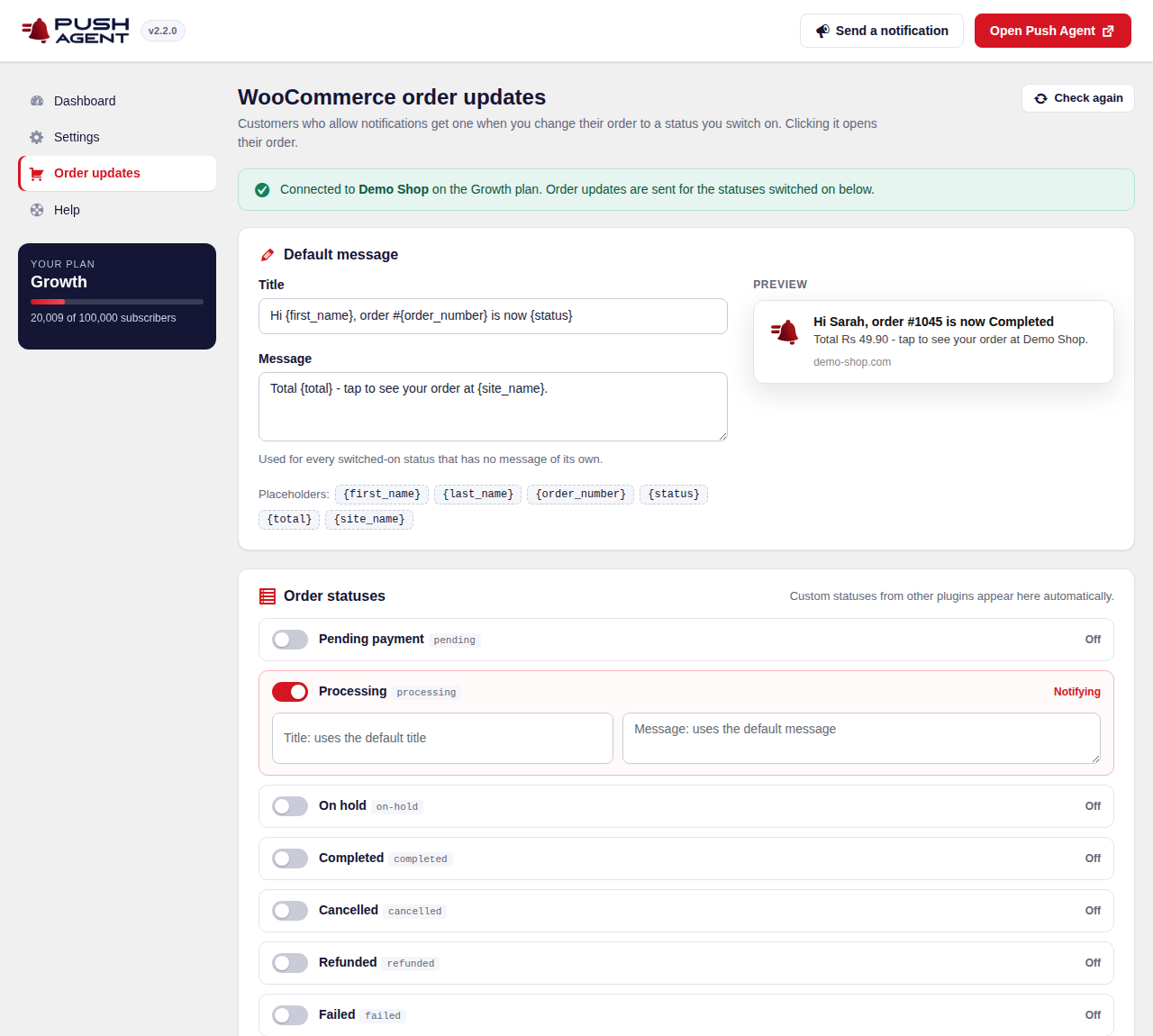
- Switch each status on or off, and write your own messages with placeholders like {first_name}, {order_number}, {status} and {total}. A live preview shows how the notification will look.
- A “Get updates about this order” box on the order confirmation page asks at the best moment.
- Every send is recorded as an order note, on the plugin dashboard and in your Push Agent dashboard.
- Customers are identified by a scrambled code made from their email with your API key. The email itself is never sent to Push Agent.
- Compatible with WooCommerce High-Performance Order Storage (HPOS).
A dashboard inside WordPress
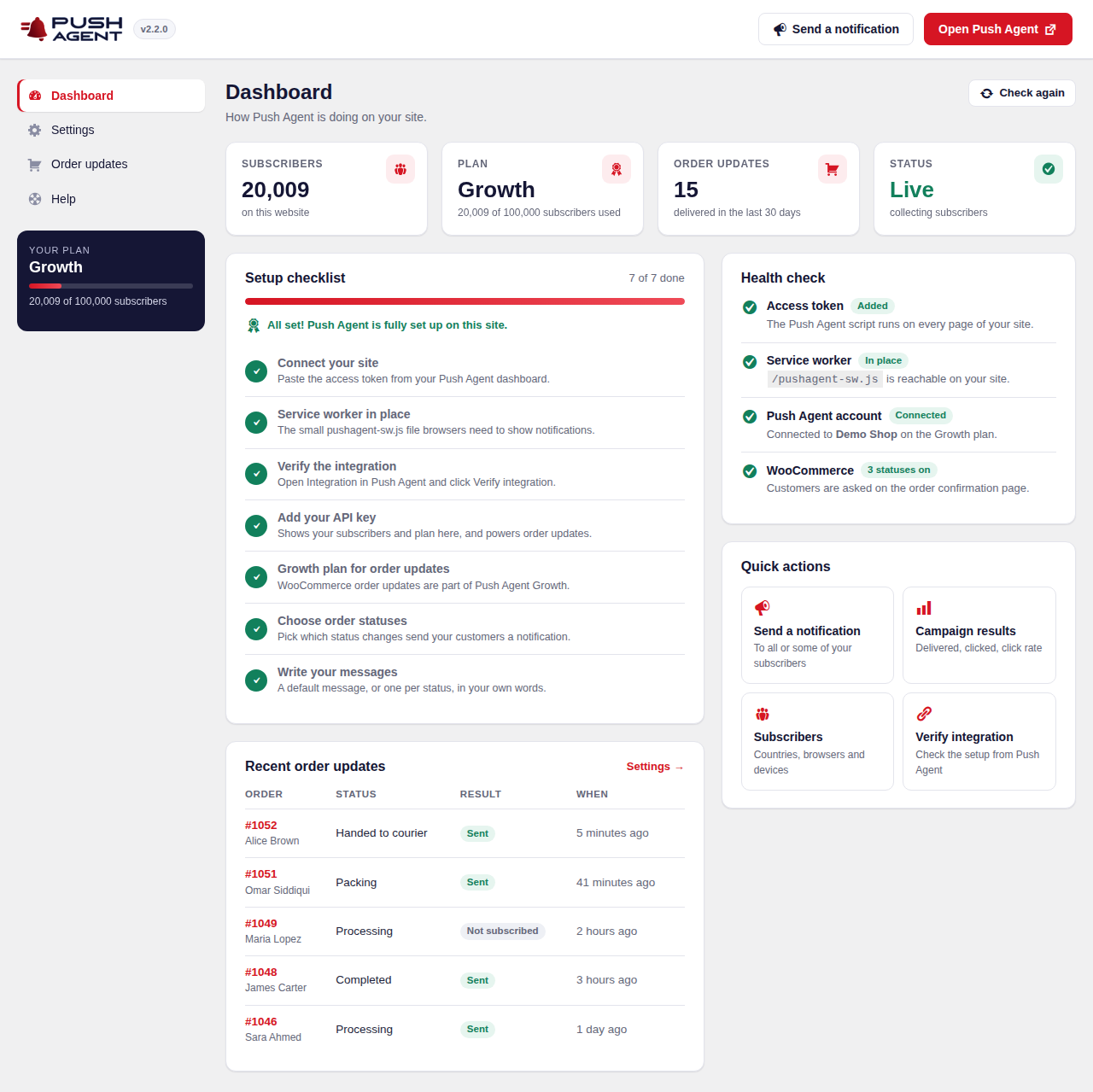
- See your subscribers, your plan and the order updates delivered in the last 30 days at a glance.
- A setup checklist and a health check tell you exactly what is done and what still needs attention.
- Quick links to send a notification, see campaign results and manage subscribers.
Your site must use HTTPS for browsers to allow push notifications (localhost works for testing).
External service
This plugin relies on the Push Agent service at app.pushagent.net, run by the makers of this plugin. It is needed to store subscriptions and deliver notifications. What is sent, and when:
- Every front-end page loads a script from app.pushagent.net. When a visitor clicks “Allow”, their browser’s push subscription (an address from the browser’s push service) and the browser language are sent to Push Agent, which also records the visitor’s IP address and browser user agent to note their approximate city and country and their browser and device type (used for targeting and statistics). Nothing is stored for visitors who don’t subscribe.
- For logged-in customers and on the order confirmation page (only when WooCommerce order updates are switched on), a scrambled customer code is attached to the subscription. It is a one-way code made from the customer’s email and your API key; the email itself is not sent.
- When an order changes to a status you switched on, the plugin sends Push Agent the notification title and message you wrote (with the placeholders filled in, so it can include the customer’s first name, last name, order number, status and total if you use those placeholders), a link to the order, and the customer codes.
- When you open the plugin’s admin screens with an API key saved, the plugin asks Push Agent which website and plan the key belongs to, and for your subscriber and order-update counts (cached for 10 minutes).
Service website: pushagent.net. Privacy policy: pushagent.net/privacy-policy.
Installation
- Install and activate the plugin.
- Sign in at app.pushagent.net (it’s free) and add your website.
- Open Integration and copy your access token.
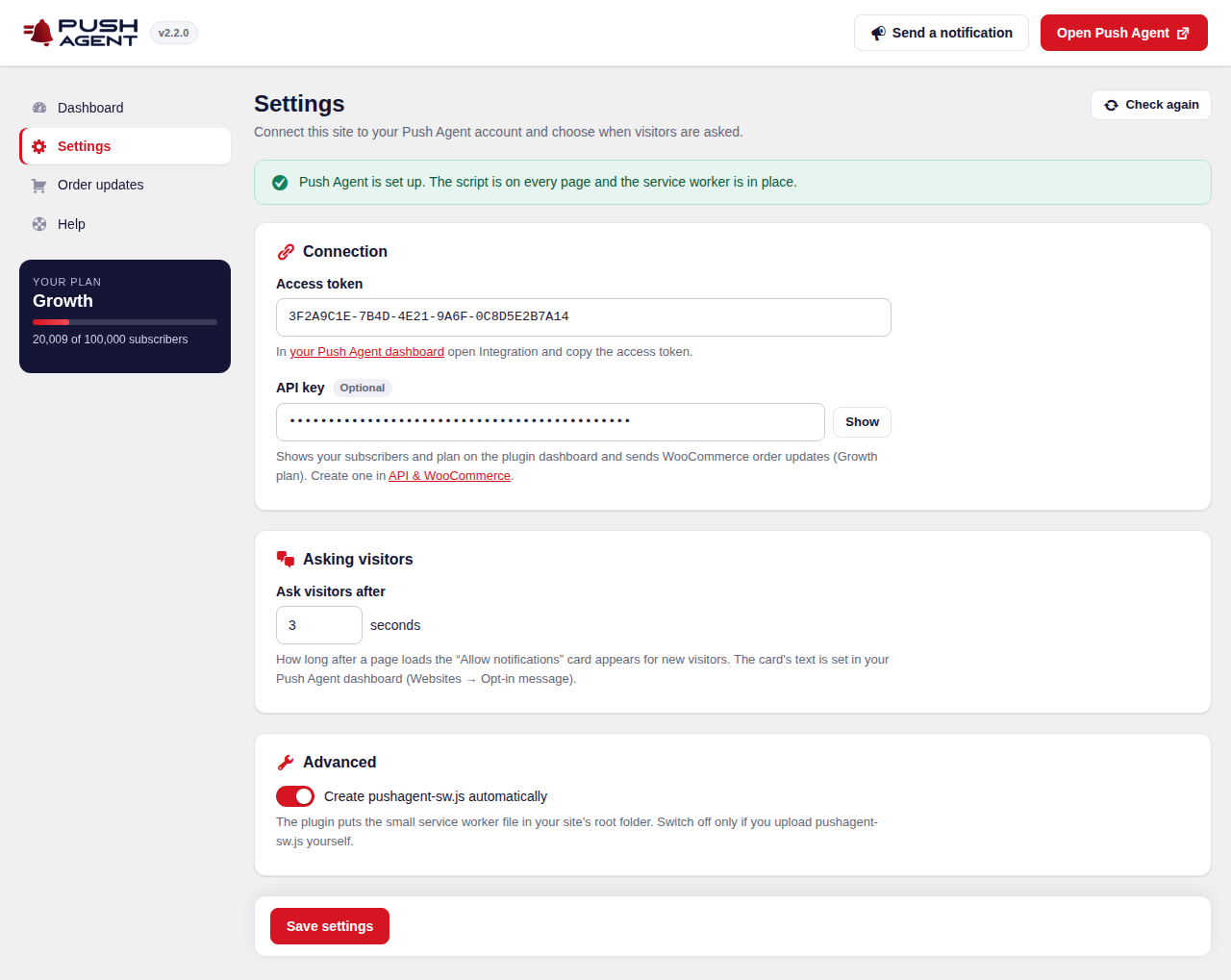
- In WordPress go to Push Agent → Settings, paste the token and click Save settings.
- Back in the Push Agent dashboard, click Verify integration. The plugin’s Push Agent → Dashboard shows a checklist of anything left to do.
Set up WooCommerce order updates
- In your Push Agent dashboard open API & WooCommerce and create an API key (Growth plan or higher).
- In WordPress go to Push Agent → Settings, paste the API key and save.
- Open Push Agent → Order updates, switch on the statuses you want and write your messages.
Changelog
A new Push Agent menu with a dashboard, setup checklist and redesigned settings. Your settings are kept.
2.2.0
- New: Push Agent menu with its own Dashboard showing subscribers, plan, order updates sent, a setup checklist and a health check.
- New: Recent order updates on the dashboard.
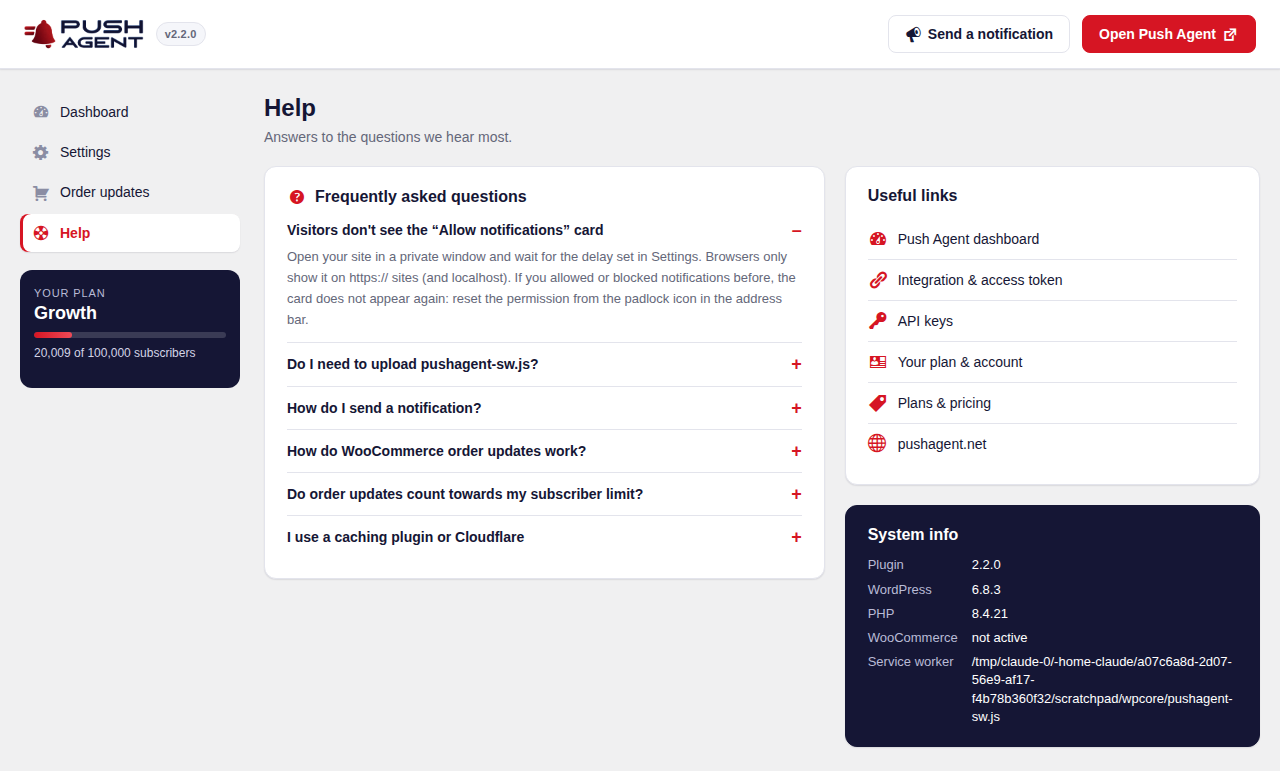
- New: Help screen with answers to common questions.
- Improved: Redesigned Settings and Order updates screens, with an on/off switch per order status, clickable placeholders and a live notification preview.
- Improved: The Push Agent address is no longer a setting; the plugin always connects to app.pushagent.net.
- The old Settings → Push Agent page now redirects to the new screens. Your settings are kept.
2.1.0
- New: WooCommerce order updates – notify customers when their order status changes (Push Agent Growth plan).
- Supports custom order statuses, your own messages per status, and a “Get updates about this order” box after checkout.
- Compatible with WooCommerce High-Performance Order Storage.
2.0.0
- Rebuilt for the new Push Agent (app.pushagent.net) with standard Web Push.
- Your access token is kept when you update.
- Creates pushagent-sw.js automatically.
- New settings: when to ask visitors, and a status check on the settings page.
- Existing subscribers are moved over silently the next time they visit.
1.0.1
- Help screenshots updated.
1.0.0
- First release.
Screenshots
For developers
Is this your plugin? Show off the numbers.
Add a live badge to your site, docs or GitHub README. It updates on its own — no account needed.
Best Push Agent alternatives
All browser notifications. plugins →




FAQ
Push Agent: quick answers
Straight answers, pulled from live WordPress.org data.
Source: WordPress.org
Is Push Agent free?
Yes. Push Agent is free to download and use from the official WordPress.org plugin directory.
Is Push Agent safe to use in 2026?
Push Agent is a solid plugin choice in 2026, with a few things worth checking first. Is rated 5/5 and was last updated 2 months ago, and scores 67/100 on our health check.
How many websites use Push Agent?
Push Agent is active on <10 WordPress websites and has been downloaded 1,634 times since it launched in August 2022. It was downloaded 98 times in the last 30 days.
Does Push Agent work with WordPress 7.1?
Yes. The developer has tested Push Agent up to WordPress 7.1.5, the latest release. It requires WordPress 4.7 or newer.
What PHP version does Push Agent need?
Push Agent requires PHP 5.6 or higher. Most hosts run PHP 8.x today, so it works on any modern WordPress hosting.
When was Push Agent last updated?
The latest version, 2.2.0, was released on October 3, 2026 (2 months ago).
Who makes Push Agent?
Push Agent is developed and maintained by Push Agent.
What are the best alternatives to Push Agent?
The most popular alternatives to Push Agent are CleverPush (200+ installs), PushAI (100+ installs) and EasyPusher (60+ installs).
Powered by PageForge
One template and a spreadsheet. A real page for every search.
PageForge turns each row of a CSV into a WordPress page with its own title, URL, SEO fields and schema, built on the layout you already designed. Free on WordPress.org.
- CSV and XLSX, plus Google Sheets on Professional and Enterprise
- Its own title, URL, SEO fields and schema for every page
- Works with the block editor, Elementor, Divi and Avada
- Free on WordPress.org, no credit card