


ProductByte for WooCommerce
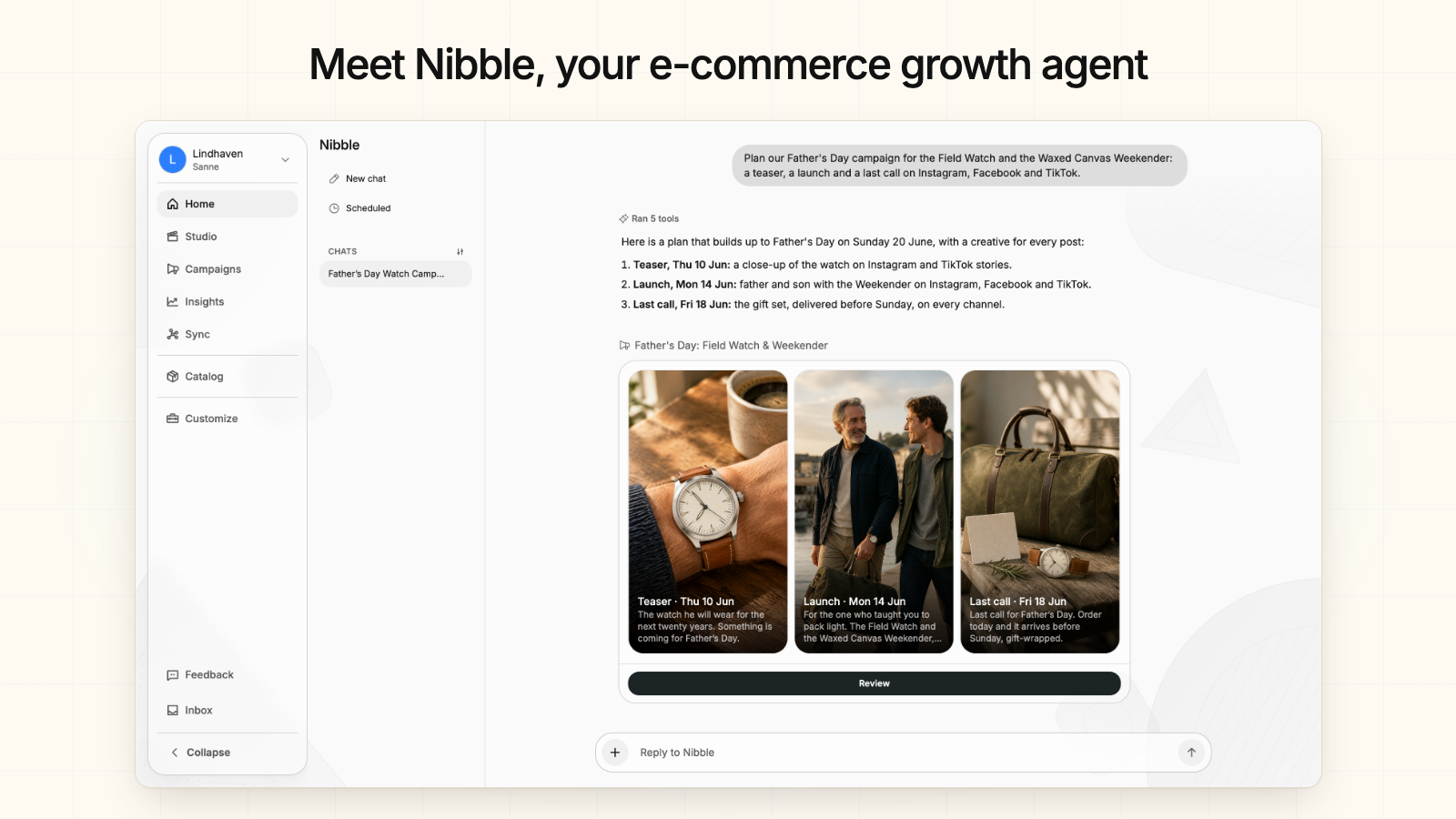
Meet Nibble, your e-commerce growth agent. Sell your WooCommerce products on bol.com and Google Shopping, and run campaigns from your catalog.

Use with caution
ProductByte for WooCommerce works, but test it on a staging site before relying on it in 2026. Was last updated 6 days ago, and scores 59/100 on our health check.
- Actively developed — last update 6 days ago
- Small user base (<10 active installs)
- Very few reviews so far
How does it stack up?
Side-by-side on installs, updates, ratings & support


Daily downloads
Download spikes usually follow a new release — each site that auto-updates counts as a download.
Rankings
Where ProductByte for WooCommerce stands todayWordPress.org search rankings
Live position in the plugin search, top 100| Keyword | Position |
|---|---|
| AI Marketing | >100 |
| bol.com | #12 |
| Marketplace | >100 |
| product feed | >100 |
| woocommerce | >100 |
About ProductByte for WooCommerce
From the official readme · v2.1.3Description
ProductByte connects your WooCommerce store to Nibble, your e-commerce growth agent. Ask Nibble to plan a campaign, make a creative, list products on a marketplace, or report on your sales, all from your WooCommerce catalog.
Nibble works across four parts of ProductByte:
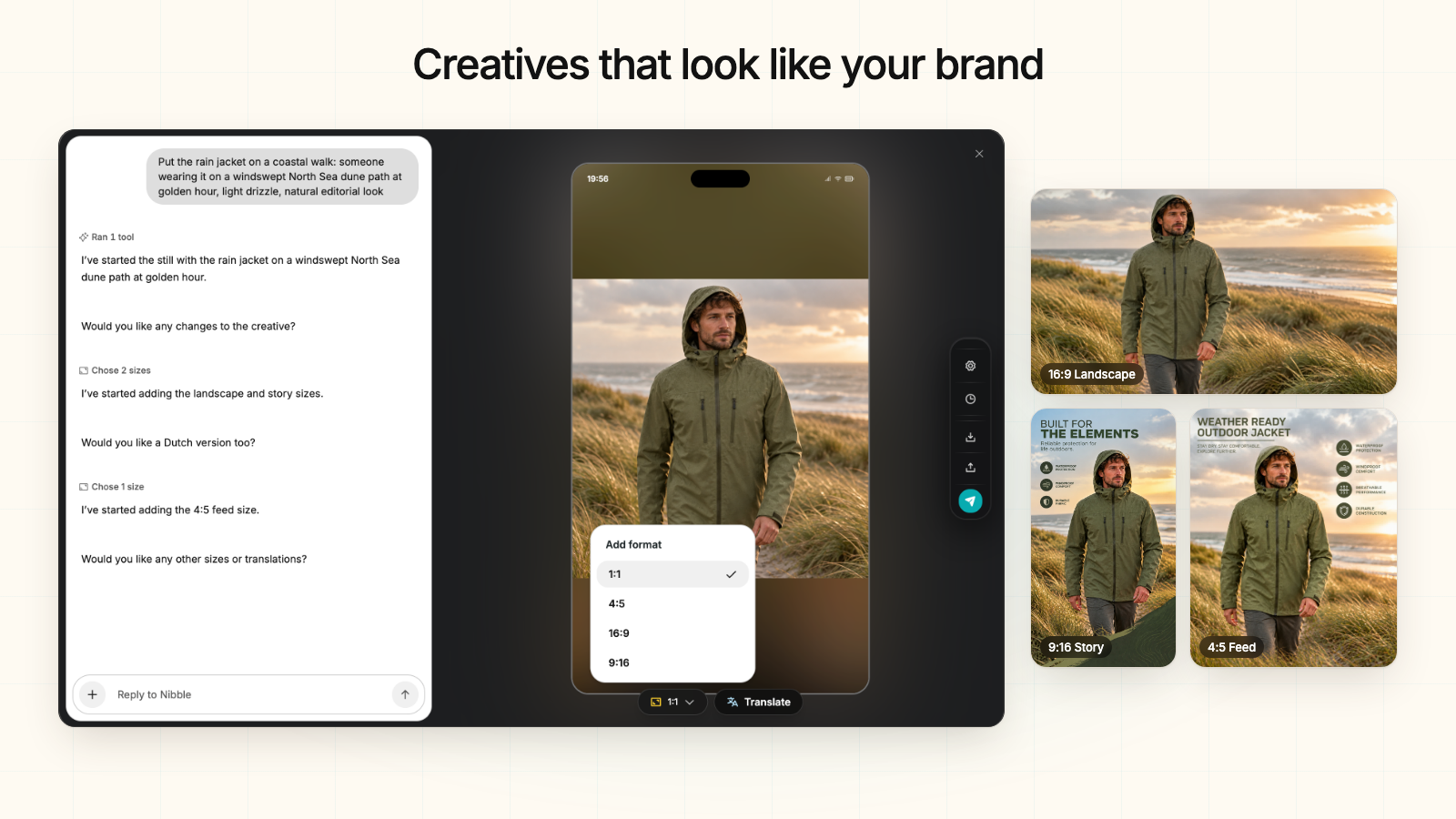
- Creative Studio makes product photos, lifestyle scenes, and carousels in every size and language you post in.
- Campaign Management publishes one post to every social channel and launches the ads you approve.
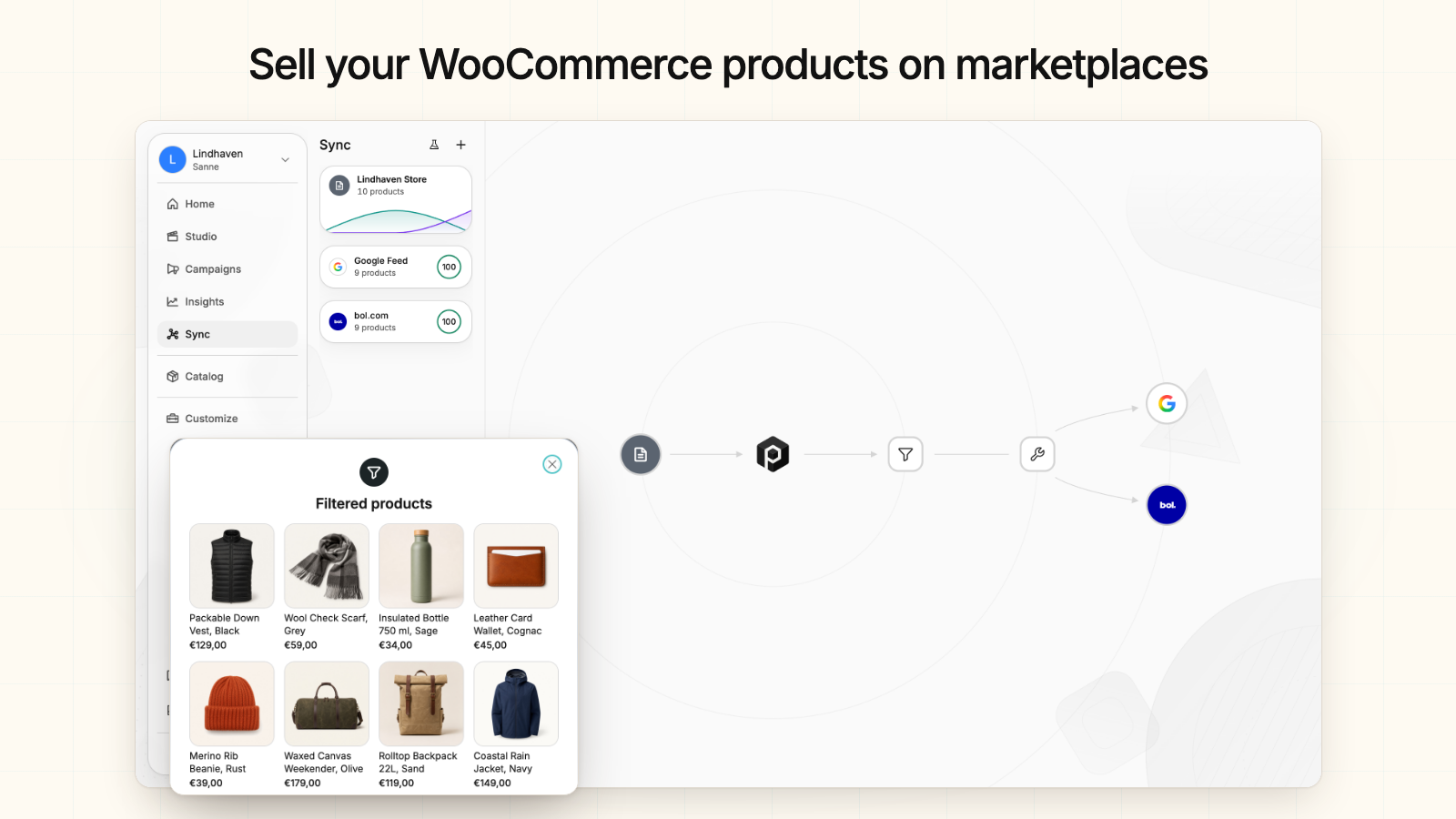
- Sync lists your WooCommerce products on bol.com and Google Shopping and keeps them up to date.
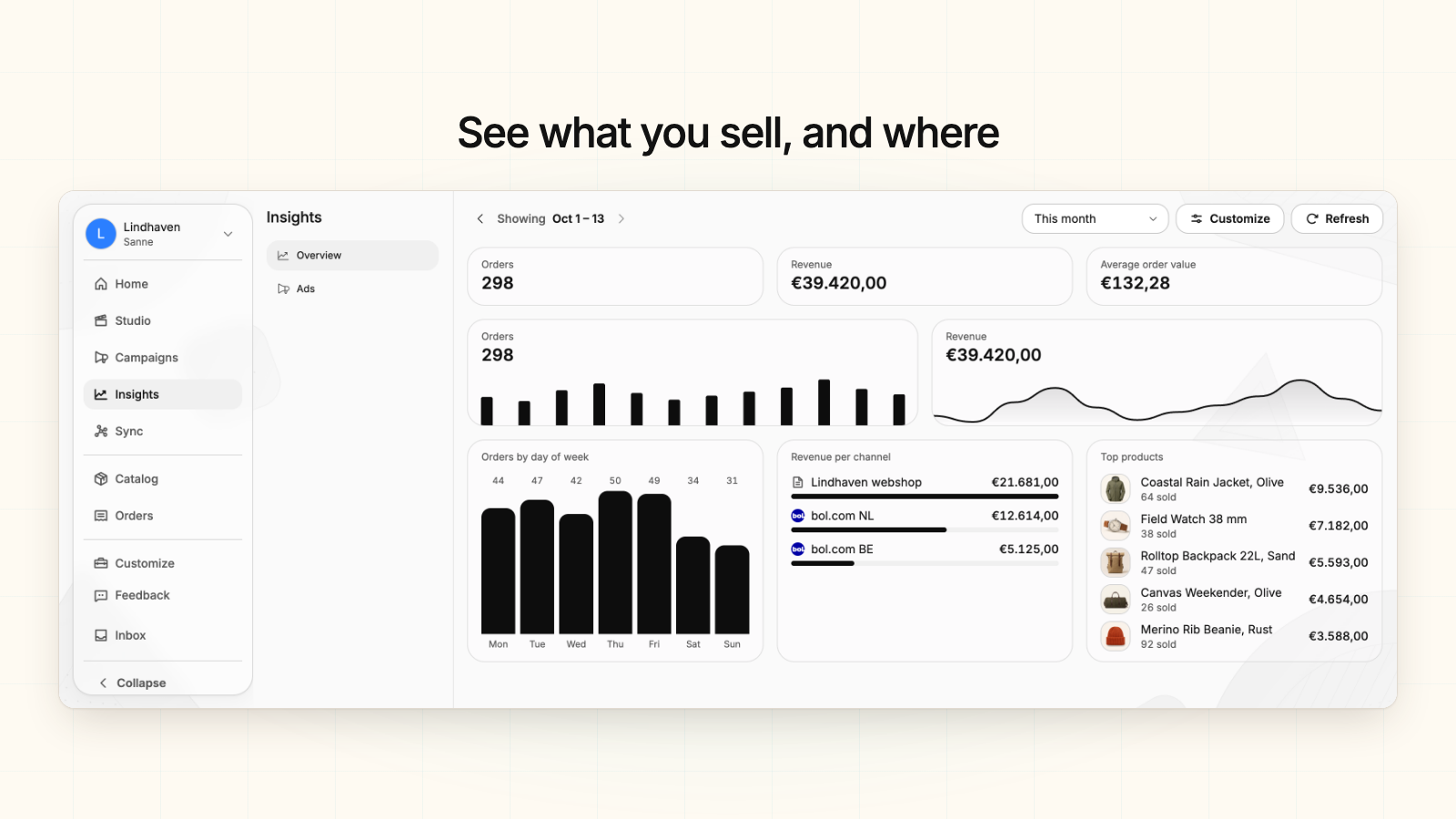
- Insights shows what you sell, how your posts and ads perform, and whether your syncs run.
Use it to:
- List your WooCommerce products on bol.com and Google Shopping, the whole catalog or a filtered selection
- Let stock follow WooCommerce: when stock changes in your store, Sync passes it on to bol.com and Google
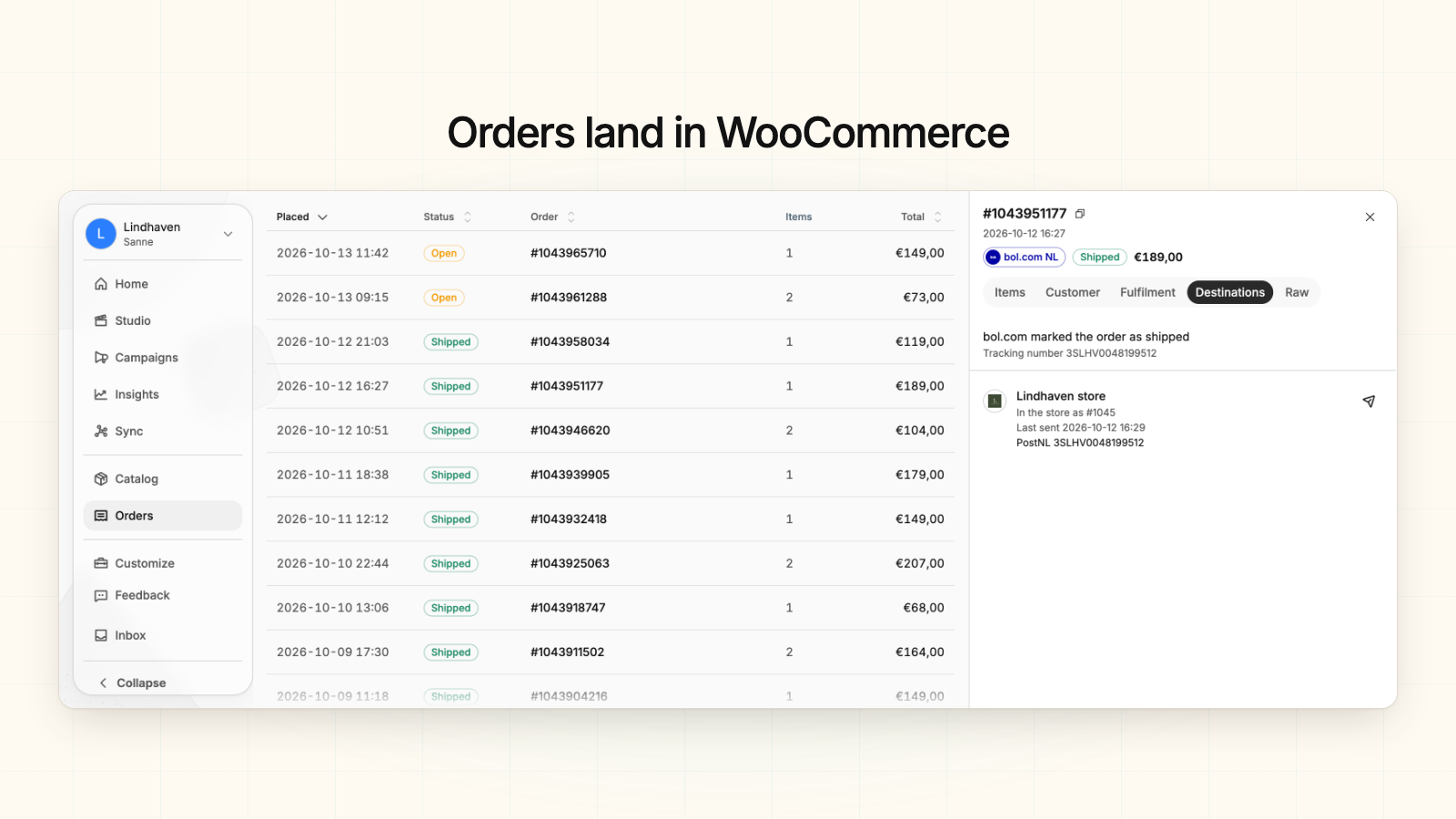
- Receive bol.com orders as WooCommerce orders, and choose whether they lower stock and send store emails
- Send tracking back: ship from WooCommerce and the tracking code reaches bol.com
- Turn a product photo into lifestyle scenes, carousels, and posts for Instagram, Facebook, TikTok, X, and more
- Connect from WordPress with one click instead of creating API keys by hand
How it works
- Install and activate the plugin
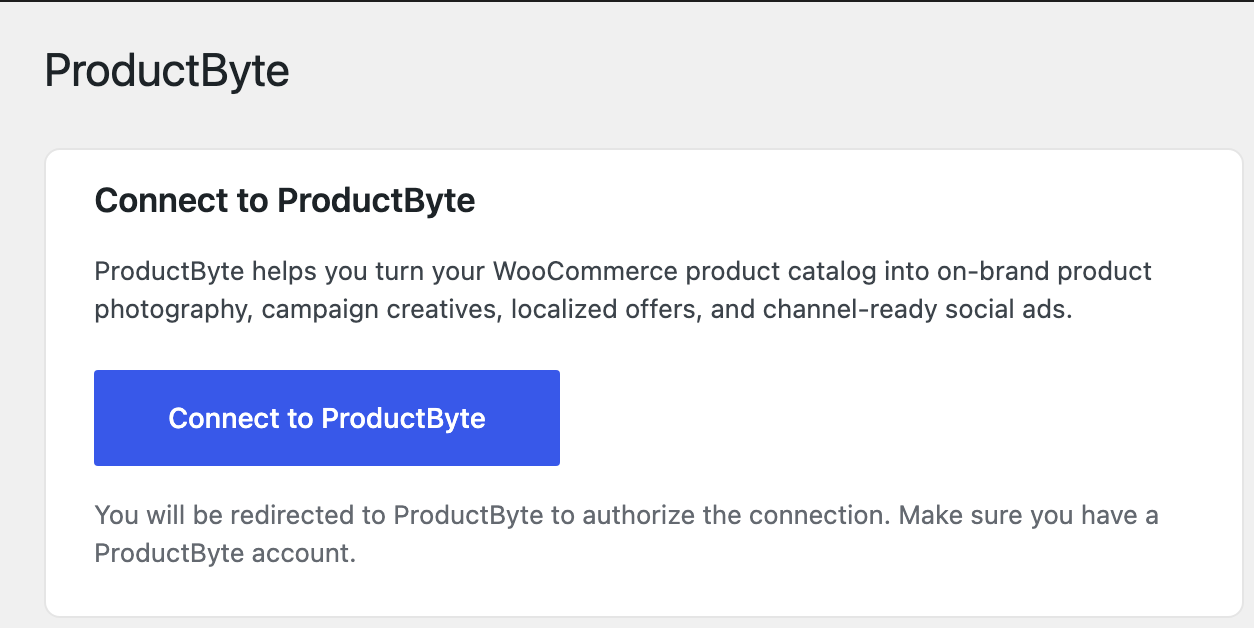
- Go to WooCommerce > ProductByte and click “Connect to ProductByte”
- Log in to ProductByte, choose a project, and authorize the connection
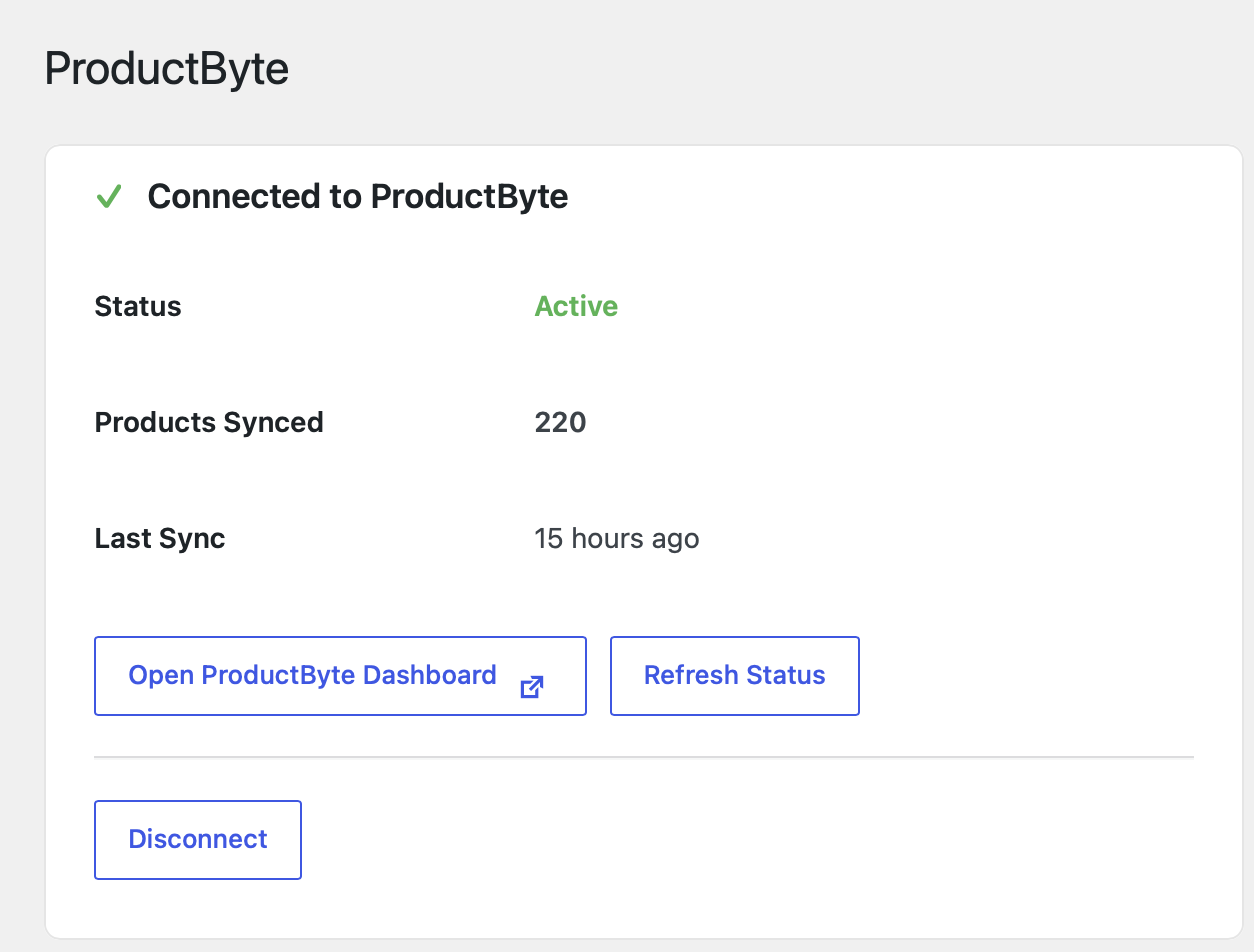
- Your products are imported and stay up to date when you change them in WooCommerce
- In ProductByte, add bol.com or Google Shopping as a Sync destination, and turn on orders to WooCommerce if you sell on bol.com
Requirements
- WordPress 5.3 or higher
- WooCommerce 5.0 or higher
- PHP 7.4 or higher
- A store that ProductByte can reach over HTTPS from the internet
- A ProductByte account (sign up free)
External service and data
This plugin connects your WooCommerce store to ProductByte, an external service. Data goes both ways: the plugin and your store send data to ProductByte, and ProductByte reads from and writes to your store through a WooCommerce REST API key that the plugin creates for the connection.
What the plugin sends to ProductByte (app.productbyte.com):
- When you connect: your store URL and name, the plugin version, and the read/write WooCommerce REST API key created for the connection
- When the ProductByte page in WooCommerce loads or you refresh it: the connection ID, a connection secret, and the plugin version, to fetch the connection status, product count, and last sync time
- When you disconnect: a request to remove the connection. The plugin then deletes the API key it created
What ProductByte reads from your store:
- Products and variations, such as names, descriptions, prices, SKUs, images, categories, attributes, stock, and product meta data
- Orders, if you bring them into ProductByte, such as status, products, totals, and the customer’s name, billing and shipping address, email, and phone
- Store details, such as store name, address, country, currency, and sender email address
- For stores that receive marketplace orders: the store language, tax settings and rates, and existing customers, looked up by email
- Tracking numbers that a supported shipping plugin, or an order field you choose, saves on your orders
What ProductByte writes to your store:
- Webhooks that tell ProductByte (agents.productbyte.io) when products or orders change. ProductByte removes them when you turn them off or delete the connection
- Marketplace orders, if you turn on orders to WooCommerce: the buyer’s name, company, billing and shipping address, email, and phone, the ordered products, totals, status, and a private order note. When the order ships or is cancelled on the marketplace, ProductByte updates its status
- Order meta data that tells this plugin whether a marketplace order may send store emails and lower stock, and the date of the sale
- Customer accounts for marketplace buyers, only if you choose to create them
- Product edits that you apply in ProductByte, such as name, descriptions, prices, and stock quantity. Nothing changes in your store until you apply an edit
ProductByte sends your product data and stock to the marketplaces and channels you connect in ProductByte, such as bol.com and Google Merchant Center, and sends tracking numbers to the marketplace the order came from.
You need a ProductByte account to use the service. ProductByte’s terms and privacy policy are available here:
- Terms of Service: https://productbyte.com/terms
- Privacy Policy: https://productbyte.com/privacy
Installation
Automatic Installation
- Go to Plugins > Add New in your WordPress admin
- Search for “ProductByte for WooCommerce”
- Click “Install Now” and then “Activate”
- Go to WooCommerce > ProductByte to connect your store
Manual Installation
- Download the plugin zip file
- Go to Plugins > Add New > Upload Plugin
- Choose the zip file and click “Install Now”
- Activate the plugin
- Go to WooCommerce > ProductByte to connect your store
Frequently asked questions
Do I need a ProductByte account?
Yes, you need a ProductByte account to use this plugin. You can sign up for free.
Is my data secure?
You connect with a one-time authorization from your WordPress admin, so you never copy API keys by hand. ProductByte stores your WooCommerce API credentials encrypted and uses them only for the reads and writes listed under “External service and data”.
How often are products synced?
Products are imported when you first connect. After that, WooCommerce tells ProductByte when a product changes, so stock and product changes reach your Sync destinations without waiting for the next import. You can also import again from ProductByte at any time.
What do I need to receive marketplace orders in WooCommerce?
Plugin version 2.1.0 or later, a bol.com account connected in ProductByte, and products whose SKU or GTIN matches the marketplace offer. To send tracking back, ship with a plugin that saves the tracking number on the order, such as WooCommerce Shipment Tracking, Advanced Shipment Tracking, PostNL, MyParcel, or DHL, or name the order field that holds it.
Can I disconnect my store?
Yes, you can disconnect at any time from WooCommerce > ProductByte. This will remove the connection and delete stored credentials.
Changelog
Major update with simplified one-click connection. Existing connections will continue to work.
2.1.3
- Changed: The plugin links to its page on productbyte.com and describes what ProductByte does today
2.1.2
- Fixed: A store whose connection was deleted in ProductByte no longer shows as connected — the plugin forgets the connection and offers to connect again. The WooCommerce API key stays, because ProductByte may still send orders with it; revoke it under WooCommerce > Settings > Advanced > REST API if nothing uses it
2.1.1
- Fixed: An order ProductByte writes into the store now carries the date the sale was made, not the moment it was mirrored — WooCommerce refuses a date over its REST API, so the plugin sets it once the order exists
- Fixed: An order created as paid is dated paid when the sale was made, so its revenue falls in the period it belongs to
2.1.0
- Added: Orders ProductByte writes into the store carry email and stock flags, and the plugin honours them — a mirrored marketplace order sends no emails and moves no stock unless the merchant chose otherwise
- Added: The plugin reports its version to ProductByte on every call
2.0.3
- Changed: The generated WooCommerce API key is now Read/Write, so ProductByte can register order webhooks on the store
2.0.2
- Changed: ProductByte API calls now use the FAPI endpoints
- Removed: Unused inbound webhook receiver
Screenshots

For developers
Is this your plugin? Show off the numbers.
Add a live badge to your site, docs or GitHub README. It updates on its own — no account needed.
Best ProductByte for WooCommerce alternatives
All AI Marketing plugins →FAQ
ProductByte for WooCommerce: quick answers
Straight answers, pulled from live WordPress.org data.
Live data from WordPress.org · checked Oct 21, 2026
Is ProductByte for WooCommerce free?
Yes. ProductByte for WooCommerce is free to download and use from the official WordPress.org plugin directory.
Is ProductByte for WooCommerce safe to use in 2026?
ProductByte for WooCommerce works, but test it on a staging site before relying on it in 2026. Was last updated 6 days ago, and scores 59/100 on our health check.
How many websites use ProductByte for WooCommerce?
ProductByte for WooCommerce is active on <10 WordPress websites and has been downloaded 557 times since it launched in July 2026. It was downloaded 213 times in the last 30 days.
Does ProductByte for WooCommerce work with WordPress 7.1?
ProductByte for WooCommerce is officially tested up to WordPress 7.0.7, while the latest release is 7.1.3. It may still work, but try it on a staging site first.
What PHP version does ProductByte for WooCommerce need?
ProductByte for WooCommerce requires PHP 7.4 or higher. Most hosts run PHP 8.x today, so it works on any modern WordPress hosting.
When was ProductByte for WooCommerce last updated?
The latest version, 2.1.3, was released on October 15, 2026 (6 days ago).
Who makes ProductByte for WooCommerce?
ProductByte for WooCommerce is developed and maintained by ProductByte.
What are the best alternatives to ProductByte for WooCommerce?
The most popular alternatives to ProductByte for WooCommerce are AI Marketing Expert (2K+ installs), Woppy (10+ installs) and WordoBot Marketing Manager (<10 installs).
Powered by PageForge
Want thousands of pages that rank like these? Build them in an afternoon.
This directory runs on the same engine as PageForge. Turn any spreadsheet, CSV or API into thousands of fast, SEO-ready WordPress pages — with schema, internal links and AI-written copy baked in.
- CSV, Google Sheets & API data sources
- AI content, schema & internal links per page
- Works with Elementor, Gutenberg, Yoast & Rank Math
- Free on WordPress.org — no credit card


