


MKL Product Configurator for WooCommerce – 2D & 3D Live Preview
Build 2D and 3D product configurators for WooCommerce. Customers design their product with a live preview, then buy it or request a quote.

Safe pick
Yes — MKL Product Configurator for Wo… is a safe, well-maintained plugin to use in 2026. It runs on 2K+ sites, is rated 4.8/5 and was last updated 1 day ago, and scores 91/100 on our health check.
- Loved by users — 4.8/5 from 42 reviews
- Actively developed — last update 1 day ago
- Tested with the latest WordPress (7.1)
- Momentum — downloads up 35.5% vs the previous 30 days
How does it stack up?
Side-by-side on installs, updates, ratings & support



Daily downloads
Download spikes usually follow a new release — each site that auto-updates counts as a download.
Rankings
Where MKL Product Configurator fo… stands todayWordPress.org search rankings
Live position in the plugin search, top 100| Keyword | Position |
|---|---|
| 3D Configurator | #1 |
| product builder | #43 |
| product customizer | #12 |
| request a quote | #15 |
| woocommerce | >100 |
Version adoption
Share of active sites per release.
Rating breakdown
★★★★★★★★★★ 4.8 from 42 reviews
About MKL Product Configurator for WooCommerce
From the official readme · v2.2.0Description
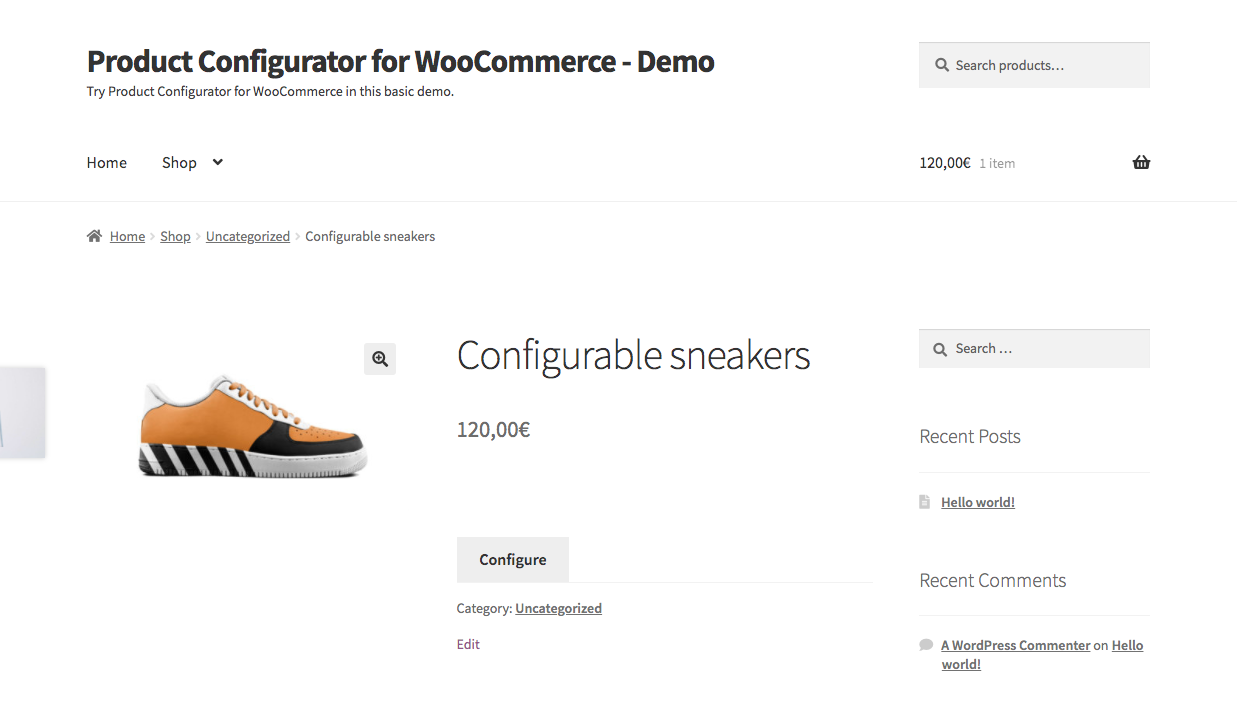
Product Configurator for WooCommerce turns any WooCommerce product into an interactive product builder. Every option a customer picks updates a live preview, so they see exactly what they are buying before they add it to the cart — in 2D or in 3D.
- 2D product configurator – Stack transparent image layers exported from Photoshop, 3D renders or product photography, across several views (front, side, back…).
- 3D product configurator – Upload a glTF / GLB model and let customers rotate, zoom and configure it in real time: show or hide parts, swap materials and colors, move components.
Add colors and swatches, conditional logic, pricing rules, form fields, file uploads and linked WooCommerce products, and replace hundreds of product variations and images with a single configurable product. Build a configurator once and share it across your whole catalog with global configurators and global layers.
Sell made-to-order products on quote. Customers can request a quote for exactly what they configured, picture included. You price it and send it from the admin, and they accept and pay online. No separate quote plugin needed.
No coding and no bulky setup: the configurator works with any WooCommerce theme, and everything is managed from a visual editor in the WordPress admin.
New in version 2.1: request a quote, and configure orders from the admin.
New in version 2: 3D configurator, global configurators and global layers. Read what’s new in v2
Perfect for:
- Bikes, bicycles and other vehicles
- Furniture, sofas and lighting
- Custom jewelry and watches
- Clothing, shoes and accessories
- Electronics, computers and simulators
- Industrial, B2B and made-to-order products
- Any product you sell in many combinations
🎮 Check out the live demos
🛠️ Set up a sandbox with admin access
Have feedback, ideas, or found a bug? Report issues on GitHub or use the support forum.
Features
2D and 3D visual configurators
- 2D Layered Images – Compose product previews from transparent PNG layers—no need to create an image for every combination.
- 3D Models – Configure glTF / GLB models in real time. Each choice can show, hide or move a part of the model, or change its material.
- Multiple Views – Show several angles of a 2D product, or saved camera views of a 3D model, each framing the part that matters.
- Realistic 3D Scenes – HDRI or cubemap environments, six light types, and soft or real-time shadows.
- Fast Loading – 3D scripts only load on products that use them, and secondary models can load on demand.
- Configuration Image in the Cart – The cart, orders and quotes show a picture of the configured product, in 2D or 3D.
- Live Text Overlay (via add-on) – Let customers preview custom text with your fonts and colors—ideal for engraving, embroidery, and personalization.
- 3D Premium (via add-on) – Clickable hotspots, model animations, augmented reality (“View in your space”), parts that snap onto anchors, and photo-style postprocessing.
Reuse configurators across your catalog
- Global Configurators – Share one configurator between many products. Edit it once and every product using it is updated. Assign it product by product or to whole categories, and detach a single product with “Make local copy” when it needs to differ.
- Global Layers – Build a layer once, such as a fabric range or a color palette, and import it into any configurator. Changes reach every product using it, and any product can disconnect to customize its own copy.
Request a quote
- Request a Quote Button – Next to Add to cart or instead of it, site-wide or per product, with a request form you can reorder, relabel and translate.
- Quotes Your Way – Receive requests by email, keep them in their own list in the admin, or create them as WooCommerce orders.
- Price and Send Quotes – Adjust the configuration, set your price, add a message and email the quote, with a full history of each request.
- Quotes for Phone and Email Leads – Configure a product for a customer from the admin and send them the quote.
- Customer Quote Page – Customers follow their requests from a private link or from My account, and accept and pay, decline, or ask for a change.
- Quote PDF (via add-on) – Attach a branded PDF of the quote to the emails, and let customers download it.
- Edit Orders from the Admin – Change the configuration of an order line, or add a configured product to an order.
Create smart configuration flows
- Multi-Step Configurator – Split complex product builds into multiple steps for a guided product selection experience.
- Required Selections – Make sure customers choose an option before they can add the product to the cart.
- B2B – Built-in quote requests, and compatible with quote plugins, tiered pricing and wholesale prices. A configured product keeps its choices, price and preview image in the quote, the cart and the order.
- Conditional Logic (via add-on) – Show/hide options dynamically depending on user selections. Perfect for complex logic flows.
- Form Fields (via add-on) – Let users enter text, numbers, or upload files—ideal for personalized orders.
Connect to WooCommerce
- Price per Option (via add-on) – Assign additional pricing to individual options (great for premium upgrades).
- Custom Pricing Formulas (via add-on) – Calculate advanced prices dynamically based on user input and selected options.
- Inventory & Stock Management (via add-on) – Track inventory per option inside the configurator, or by linking to actual WooCommerce products.
- Linked Products (via add-on) – Link any configurator choice to a real product in your WooCommerce shop:
- Add real components to the cart
- Track SKUs and inventory
- Support ERP/warehouse integration
- Build composite/bundled products
- Use or override linked product pricing
- Order Data Your Tools Can Read – Store the configuration as one plain-text order meta per layer, ready for exports, invoices and ERP integrations.
Ready for your shop
- No development required — works out of the box on any Woo store
- Multilingual – Compatible with WPML and Polylang, with translatable layers and choices.
- Developer Friendly – Includes hooks, filters, a JavaScript API, and a clean, commented codebase to adapt it to your needs.
- Accessible – Full keyboard use, including the 3D view, screen-reader friendly labels and live announcements, validation errors shown in-page with links to each field
Shortcodes
-
Configurator Button:
[mkl_configurator_button product_id=1 classes=”button primary”]
Optional content:
[mkl_configurator_button product_id=1]Button text[/mkl_configurator_button] -
Inline Configurator:
[mkl_configurator product_id=1 classes=”your-css-class”]
Configurator templates
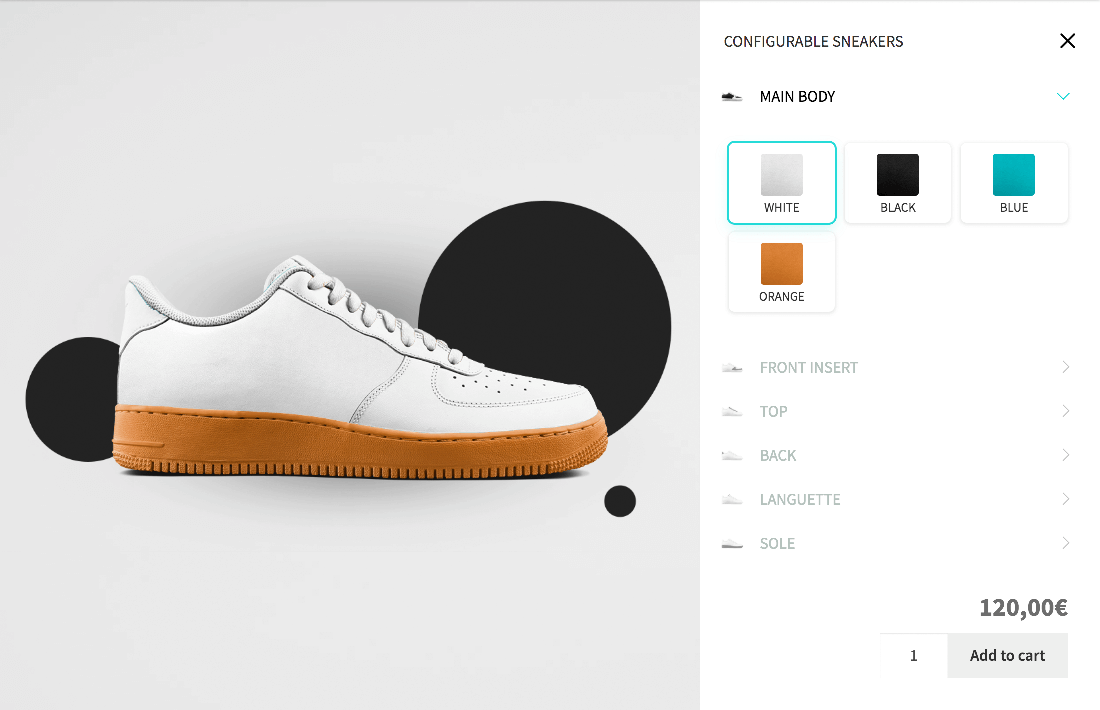
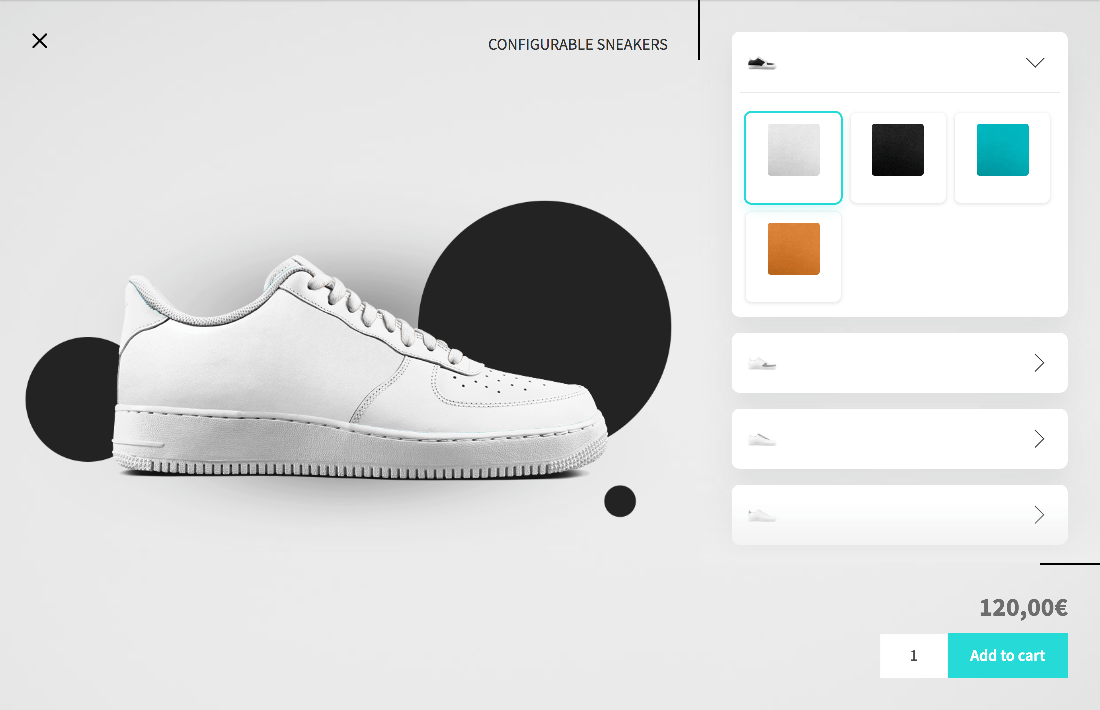
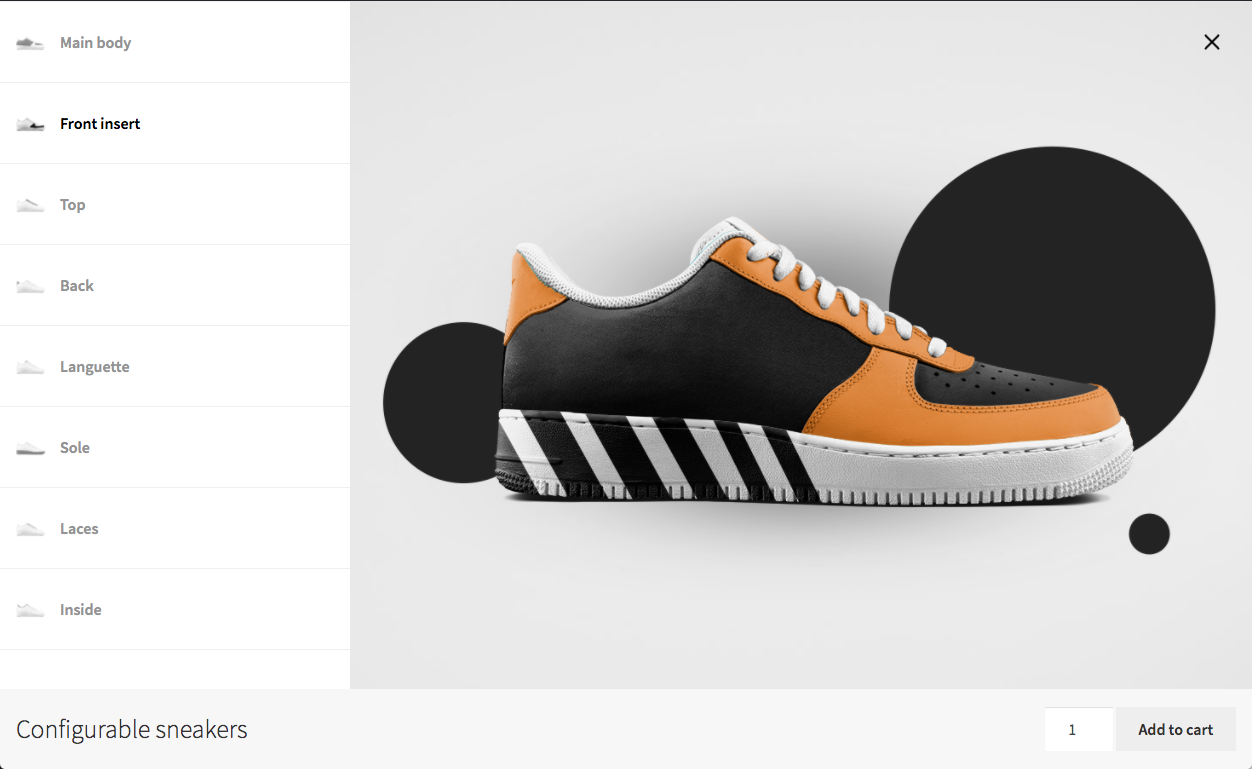
- Includes 9 built-in high quality themes (see Screenshots)
- Easily create your own theme for full control
- Supports WordPress Customizer (Appearance > Customize) to change visual styles
Premium features
The core plugin is fully functional. Extend it with these premium features:
- 3D Premium – Hotspots, animations, augmented reality, parts that snap onto anchors and photo-quality rendering for 3D configurators
- Extra Price – Add custom pricing to options
- Save Your Design – Save feature – Let users save their designs
- Save Your Design – Share feature – Let users share their designs, copy a link or email their configuration
- Save Your Design – Presets feature – Create configuration presets for direct access
- Save Your Design – PDF download – Users can download their configuration as PDF, and quotes come with a PDF
- Multiple Choice – Enable multi-select per layer
- Linked Products & Stock Management – Link options to WooCommerce products, track inventory, sync with ERP
- Conditional Logic – Build complex products: dynamically show, hide, or auto-select items based on conditions
- Form Fields – Add forms to collect extra input, upload files and perform price calculations, in the configurator or the quote request form
- Text Overlay – Let users preview personalized text in real time
💬 For custom development or tailored integrations, contact me here.
Installation
There are 3 different ways to install this plugin, as with any other wordpress.org plugin.
Using the WordPress dashboard
- Navigate to the ‘Add New’ in the plugins dashboard
- Search for ‘Product Configurator for WooCommerce’
- Click ‘Install Now’
- Activate the plugin on the Plugin dashboard
- Go to the FAQs and watch the “getting started” video
Uploading in WordPress Dashboard
- Download the latest version of this plugin
- Navigate to the ‘Add New’ in the plugins dashboard
- Navigate to the ‘Upload’ area
- Select the zip file (from step 1.) from your computer
- Click ‘Install Now’
- Activate the plugin in the Plugin dashboard
Using FTP
- Download the latest version of this plugin from https://wordpress.org/plugins/
- Unzip the zip file, which will extract the product-configurator-for-woocommerce directory to your computer
- Upload the product-configurator-for-woocommerce directory to the /wp-content/plugins/ directory in your web space
- Activate the plugin in the Plugin dashboard
Changelog
2.2.0 What's new: New Canvas viewer. Layer masks from image alpha, choice colours drawn into those masks, a separate image order per view, and local overrides on global layers. 2.1.0 Built in Quote Request feature 2.0.0 Major update: 3D configurator, global layers and global configurators. Configurator data moves to a new storage format, converted automatically. Back up your site before updating.
2.2.0 – 16/Nov/2026
- FEATURE: Layer masks – use image alpha to create masks for layers.
- FEATURE: A layer can draw its choices’ Color hex code in its mask, instead of images
- FEATURE: Each view can have its own image order (canvas viewer)
- FEATURE: Introduced a new Canvas based viewer
- FEATURE: Possibility to locally override data in a Global layer
- TWEAK: Image order screen: the view, the order’s state and its actions in one bar
- TWEAK: Duplicating a global layer in the editor keeps the global layer reference
- TWEAK: Pixi loads in the background, only for the canvas viewer
- TWEAK: Compatibility with WordPress 7.2
- DEV: Zone editor, mask picker and masks on canvas items, for add-ons
- DEV: PC.fe.viewer.shown_choices filter, and a Fix images hook for images kept by add-ons
- FIX: Product editor running out of memory on unmigrated configurators when Advanced Dynamic Pricing is active
- FIX: Conditions export
2.1.0 – 04/Nov/2026
- FEATURE: Request a quote: customers request a quote for their configuration, with a form you can customize
- FEATURE: Quote requests sent by email only, kept in Product Configurator > Quote requests, or created as WooCommerce orders
- FEATURE: “Quote only” or no quote requests, per product
- FEATURE: Quote request screen: edit the configuration, price and send the quote, link a customer account, see the history
- FEATURE: Create quote requests for your customers from the admin
- FEATURE: Customer page and My account tab to follow quote requests, with “Find my requests” for lost links
- FEATURE: Customers accept and pay, decline, or ask for a change to a quote
- FEATURE: Edit the configuration of order lines, and add configured products to orders, from the admin
- FEATURE: “Edit configuration” link in the Cart and Checkout blocks
- TWEAK: 3D views: one “Camera target” setting replaces the target object and camera focus settings
- TWEAK: 3D views set to “Use the camera exactly as saved” no longer move when choices change
- FIX: The first 3D view was framed on hidden variants of the model
- DEV: Quote request REST API,
PC.fe.quoteandmkl_pc_create_quote_request() - DEV: Hooks for quote requests (
mkl_pc/quote_request/…) and for configuring orders (mkl_pc/configuration_editor/…)
2.0.1 – 24/Oct/2026
- FEATURE: 3D views: added a “Visible objects” option to “Camera target (model)”. The view turns around and frames the whole product as the customer has configured it, and follows along when a choice adds or removes a part. New views use it by default; the empty option, now labelled “Saved camera target”, still turns around the point saved with the view
- TWEAK: Removed option
Bothin settingConfiguration meta data - TWEAK: A 3D view that fits its target may now start further out than the maximum zoom distance, so it always shows the whole target, on narrow screens too. The customer can zoom back out as far as the view started, but no further
- TWEAK: 3D settings > Saved views: “Set current view to selected angle” is now “Save current view”, next to a new “Back to saved view” button that shows the selected view again as customers see it. The preview names the view on show, its framing and camera target, and whether the camera has moved since
- TWEAK: Added 3D Premium to the Add-ons tab, and the documentation links now point to docs.wc-product-configurator.com
- DEV: Added the filter
mkl_pc_3d_routed_extensions, to change which file types are stored in the configurator_assets/3D folder - FIX: Only Block related Add to cart button (Other add to cart buttons would be disabled on the page, if they were inside a form.cart element)
- FIX: A 3D view with a “Camera target (model)” but no object or camera focus turned around the point saved with the view, often the floor or the origin, so the product sat off-centre. It now turns around and frames that model, or everything shown while the model is not part of the configuration
- FIX: A 3D view set to fit its target could crop the thin end of a part, such as the end of a tube, past the edge of the view. The fit now always includes the outermost points of every part
- FIX: 3D models are no longer clipped when they are much larger or smaller than a few metres, such as a model exported from Fusion 360 in millimetres. The camera’s visible depth range now follows the model’s size and distance, on the product page, in cart and quote images, and in the admin preview
- FIX: 3D models loaded asynchronously, or moved into place by an anchor, now cast the fake ground shadow. The shadow only covered the models loaded at start-up
- FIX: Variable products in “Variations share the same layers, choices are set per variation” mode: each variation’s conditional logic is read from and saved to the variation again, as before 2.0.0. Every variation used the parent’s conditions, usually none, so the layers they hide were all shown and added to the cart, and the variation’s Conditional settings were empty
- FIX: Same mode: the data migration now completes for every variation. A variation’s configurator asked for the migration again after each save, and once the parent was migrated, a variation not yet saved since the update showed no choices, in the editor and on the product page. It now shows its existing choices until it is saved, gets the migration notice, and is only offered “Delete legacy data” once its migration has been verified
- FIX: Clicking the configure button again while the configurator’s data is still loading no longer throws “Cannot read properties of null (reading ‘open’)”, and a load that failed can be retried with another click
- FIX: The “Start product’s configurator” button in the Configurator tab is only shown when variations share the same configuration. When they don’t, each variation is configured from its own row in Variations
- FIX: Editing several variations: the Save button now appears in the second variation’s configurator, which updated the first variation’s hidden one. Each variation keeps its own unsaved choices and conditions when its configurator is closed, to be saved when it is opened again, and no longer opens another variation with them marked as changed. Unsaved layer edits are no longer lost when another variation’s configurator is opened
- FIX: 3D models and environment maps (glb, gltf, bin, hdr and exr files) are stored in the configurator_assets/3D folder from every uploader, including “Select new model”, the HDRI picker and Media > Add New. They went to the dated upload folders unless they were uploaded from the two model pickers. “Select new model” now opens the model picker, which only accepts models and ZIP files containing one
- FIX: Upgrading to 2.0 stored the “Enable Draco compression support” default in a form the settings page shows as unchecked, so the next save of the settings turned Draco off. The same applied to “Show the selected label in the layer header”, “Automatically scroll to the top of the opened layer”, “Show Edit configuration link in the cart and checkout” and “Show view configuration link in the order details”, set by earlier upgrades. Updating to 2.0.1 stores all of them as checked, on stores that have not saved their settings since
- FIX: Updating to 2.0.1 clears the cached configurations, so the variation fixes above reach the product page without saving each product again
2.0.0 – 12/Oct/2026
- FEATURE: 3D configurator. Set a product’s Configurator type to “3D configurator” to configure a glTF / GLB model: layers and choices are bound to named objects in the model, and show, hide, move or change the material of them. The scene supports HDRI and cubemap environments, six light types, eager or lazy model loading, and a camera position per view, which can be imported from the model’s own cameras. Customers can rotate and zoom the model, including with the keyboard, and the cart, orders and quotes show a screenshot of the configured model
- FEATURE: Global layers. Turn any layer into a global layer with “Make Global”, then import it into other products with “Import global layer”. Products link to the shared layer, so a change made once with “Edit original” reaches every product using it, and “Disconnect from global layer” turns it back into a local layer on one product. Global layers are listed under Product Configurator > Global Layers
- FEATURE: Global configurators. A product’s Configurator source can now be Local or Global: products set to Global share one configurator, stored under Product Configurator > Global configurators, so a change applies to all of them at once. Create one from scratch or with “Turn into global configurator”, assign it per product or by product category (subcategories included), and use “Make local copy” to detach a single product
- FEATURE: Added a “Configuration meta data” setting, to store the configuration as one meta per layer instead of a single meta holding every choice. Individual metas are plain text, so exports, invoices and ERP integrations can read them without parsing markup
- THEME: New EV theme, with automatic angle switch on scroll
- PERFORMANCE: Added performance settings, grouping the caching, asynchronous loading and GZIP options in a new Performance section with two new options. “Only render the images the configurator is showing” keeps one image per layer in the viewer instead of one per choice, which makes large configurations lighter and angle changes faster (on for new installs, off for existing stores). “Clear cached configurations when a page cache is cleared” makes the purge triggered by WP Rocket, LiteSpeed Cache and WP-Optimize optional: it stays on, and turning it off avoids rebuilding every configuration at once when the page cache is cold
- TWEAK: The classic cart and checkout list one row per layer when the configuration is stored individually, to match the cart and checkout blocks
- DEV: Added
mkl_pc_get_configuration_meta_mode()and the filtermkl_pc/configuration_meta_mode, to set the mode per product - DEV: Added the filters
mkl_pc/order_created/individual_meta/key,mkl_pc/order_created/individual_meta/valueandmkl_pc/order_created/individual_meta/keep_html - FIX: Cart items, orders and quotes now render the configuration image that was saved with them, instead of resolving it against the product’s current configurator data. Editing a configurator no longer changes or breaks the image of configurations placed before the edit – including edits that renumber layer or choice IDs, such as turning a layer into a global one. The current data is still used as the fallback, for configurations saved without an image and for images that have since been deleted
- DEV: Added
MKL\PC\Choice::$source,set_source()andis_stored(), to tell a configuration restored from a cart item, an order or a quote from one being configured right now - FIX: Cart items, orders and quotes keep the layer and choice names they were saved with, instead of re-reading them from the product. Renaming a layer or a choice no longer rewrites configurations placed before the rename, and layers whose IDs changed no longer render as blank rows
- FIX: On multilingual sites, the saved layer and choice names are only used in the language the customer configured in. The admin now sees an order placed in another language with the product’s own names, instead of the customer’s translation: the order’s Configuration is rebuilt in the admin’s language – on the order page and in the admin emails TranslatePress sends in the admin’s language, such as New order – while the customer’s order pages and emails keep the one saved at checkout
- FIX: The same applies to the individual layer metas: they are displayed in the admin’s language on the order page and in admin emails. Orders keep a hidden
_configurator_individual_metamap of which layer each meta was made from - DEV: The configurator saves the language with each choice (
lang), and addedMKL\PC\Choice::saved_in_current_language()and the filtermkl_pc/choice/saved_in_current_language - FIX: Configurations now save the order their layers are composited in, so the stacking of the configuration image survives the product’s layers being reordered. Configurations saved before this update keep the order the configurator saved them in, rather than having their layers scattered through the stack
- DEV: Added
MKL\PC\Choice::get_saved_image_id(),get_saved()andget_image_order(), and the filtersmkl_pc/choice/image_id,mkl_pc/choice/source,mkl_pc/choice/saved_valueandmkl_pc/choice/verify_saved_image - DEV: Added
MKL\PC\Utils::sort_layers_for_merging(), replacing the three copies of the private_order_images()comparator, and the JS filterPC.fe.save_data.parse_choices.image_order
1.7.6 – 5/Oct/2026
- SECURITY: Prevent PHP object injection via configurator data — reject non-JSON saves and do not unserialize objects on read
1.7.5 – 11/Aug/2026
- TWEAK: Improve Mobile CSS in the theme Clean, reducing animations to improve performance
- TWEAK: Delay automatic close of choices after selection, to reduce simultaneous layout changes
- TWEAK: Fix inconsistent styling for the summary in Float, when using steps
- FIX: Prevent empty/broken media library entries when configuration image generation fails; reuse existing attachments when the file already exists
Screenshots
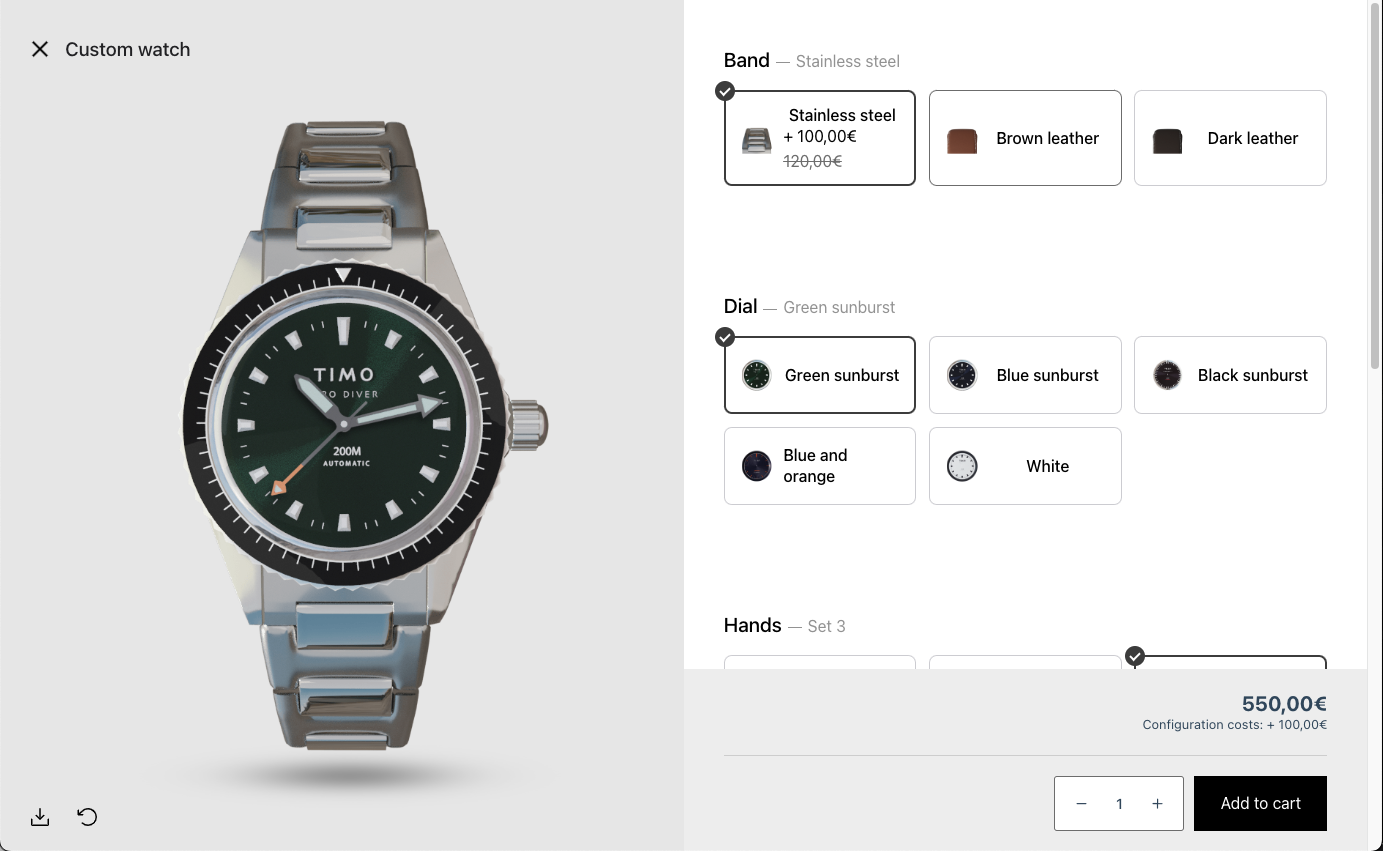
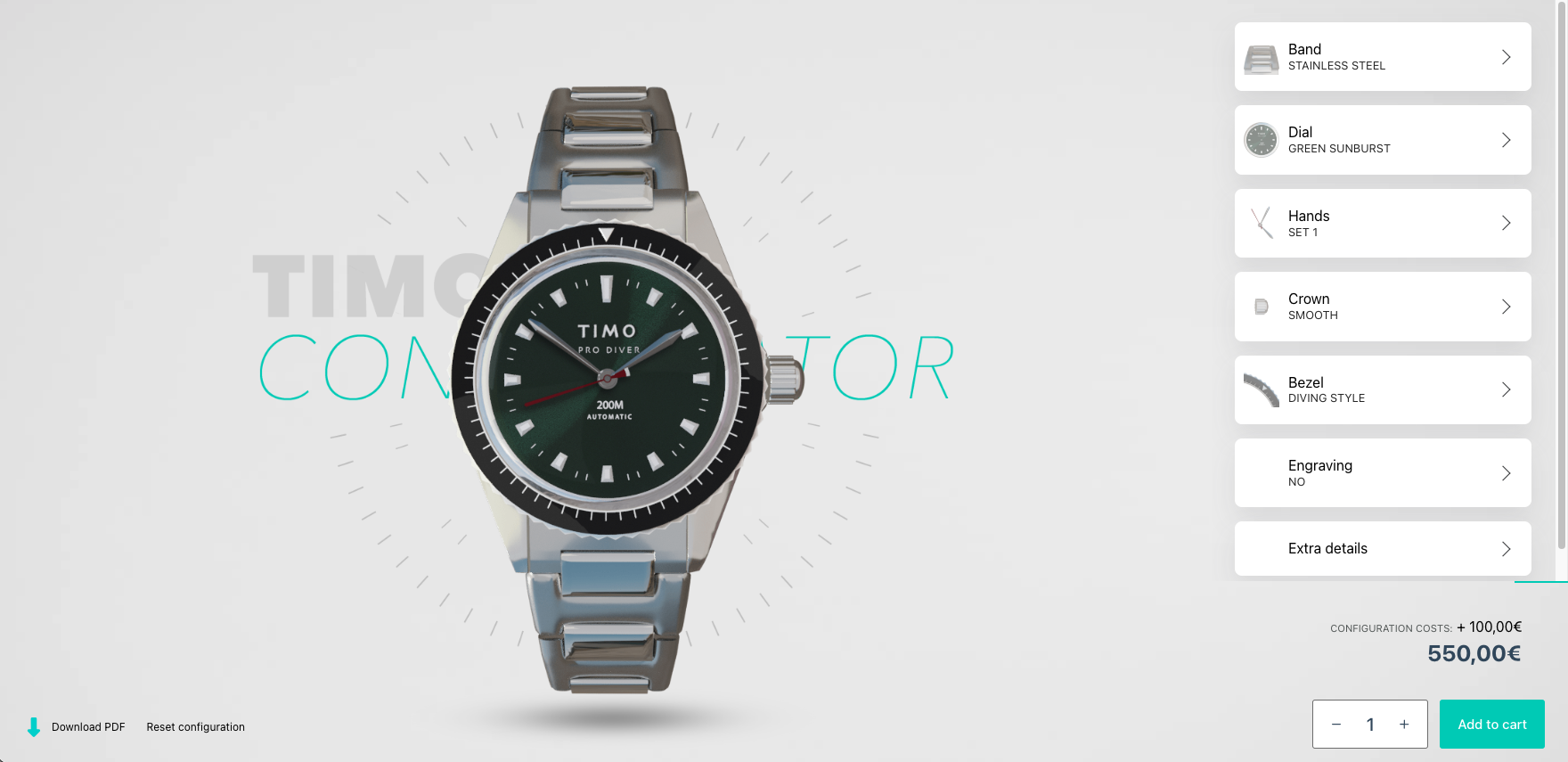
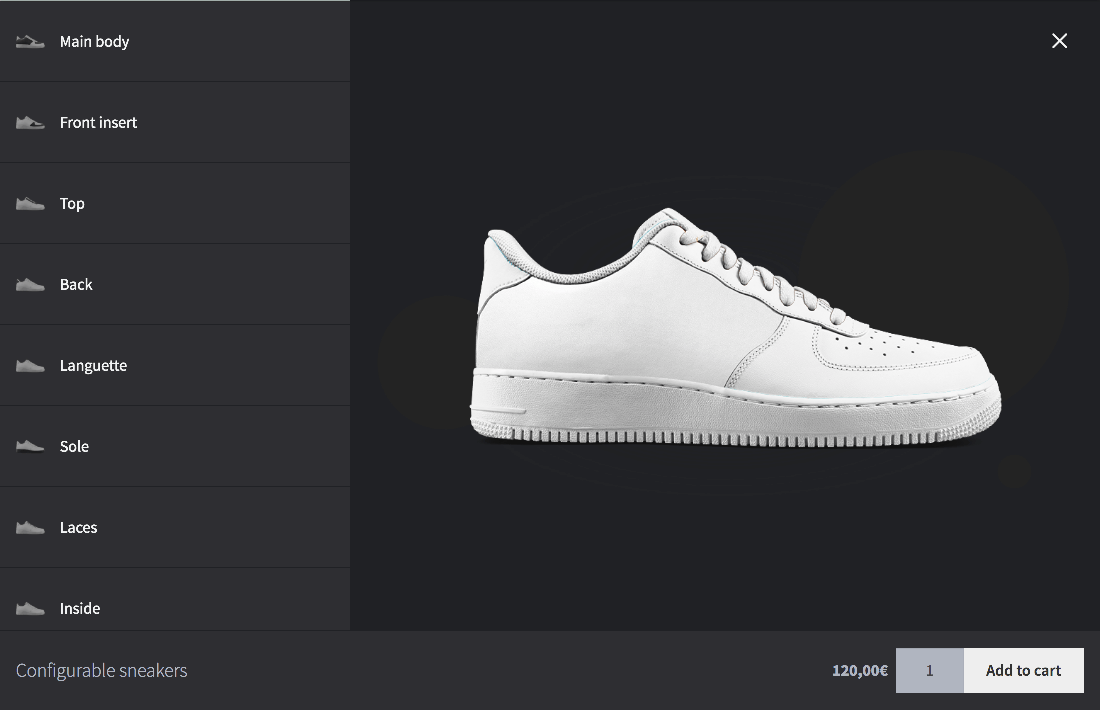
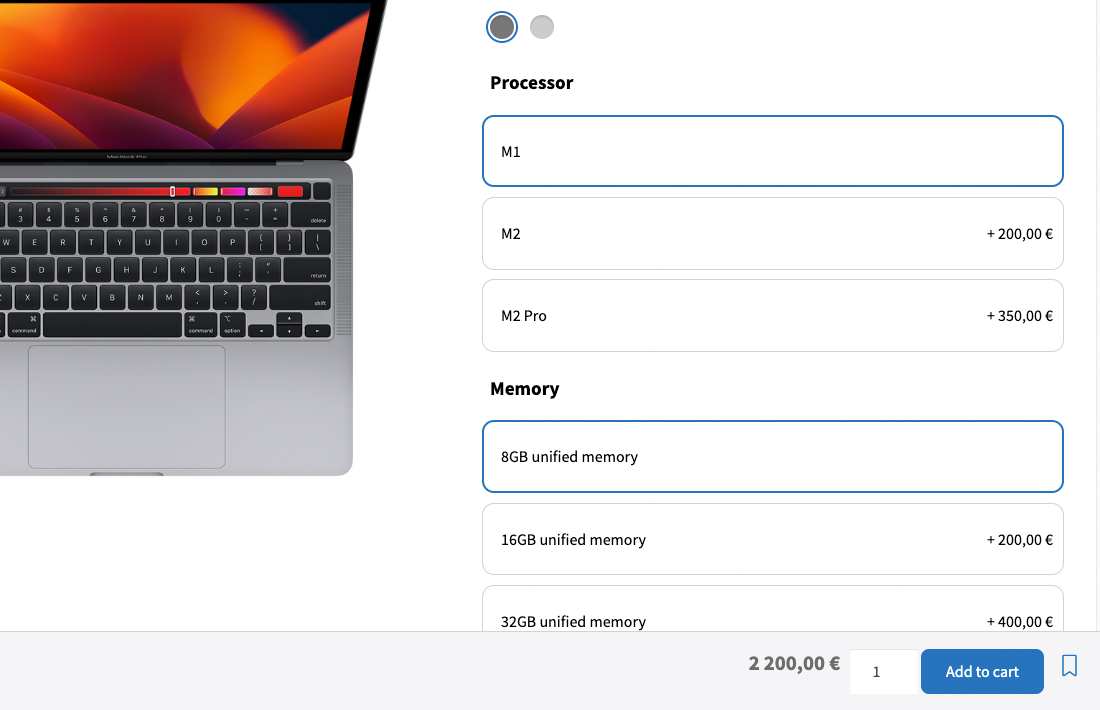
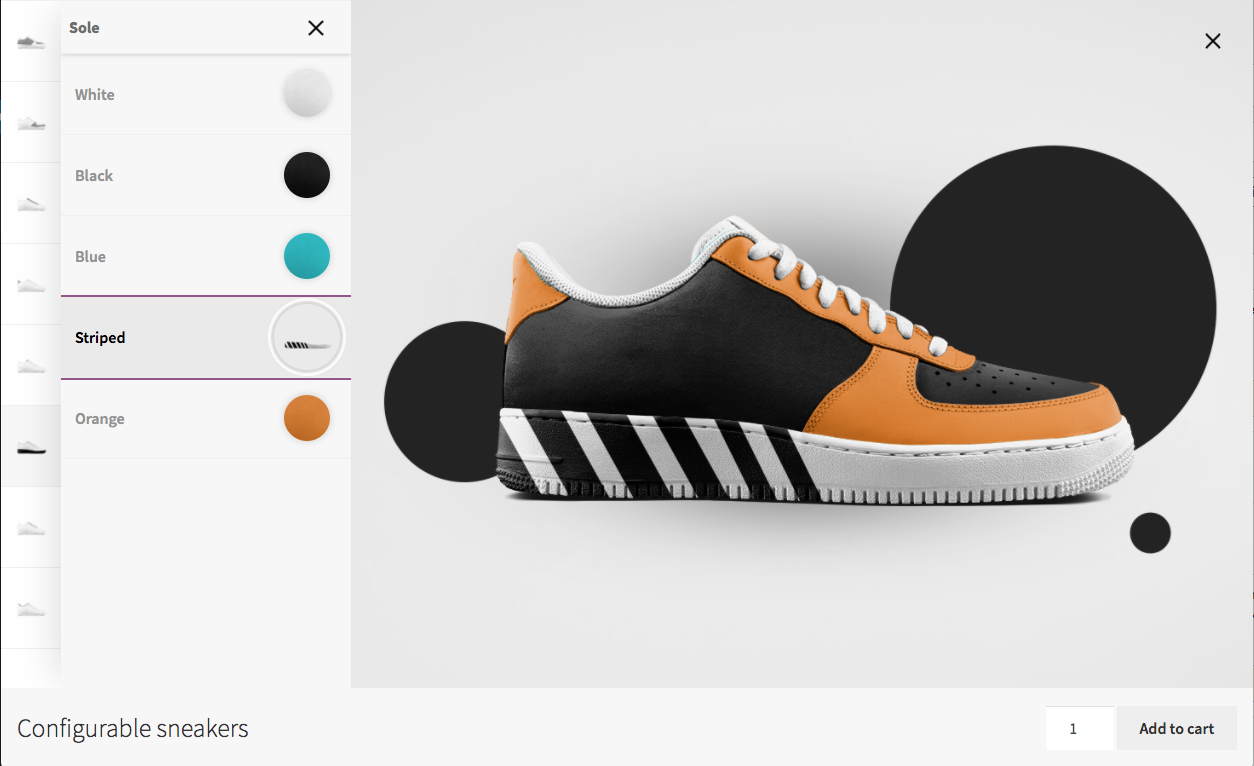
For developers
Is this your plugin? Show off the numbers.
Add a live badge to your site, docs or GitHub README. It updates on its own — no account needed.
Best MKL Product Configurator for… alternatives
All 3D Configurator plugins →


FAQ
MKL Product Configurator for WooCom…: quick answers
Straight answers, pulled from live WordPress.org data.
Live data from WordPress.org · checked Nov 17, 2026
Is MKL Product Configurator for Wo… free?
Yes. MKL Product Configurator for Wo… is free to download and use from the official WordPress.org plugin directory.
Is MKL Product Configurator for Wo… safe to use in 2026?
Yes — MKL Product Configurator for Wo… is a safe, well-maintained plugin to use in 2026. It runs on 2K+ sites, is rated 4.8/5 and was last updated 1 day ago, and scores 91/100 on our health check.
How many websites use MKL Product Configurator for Wo…?
MKL Product Configurator for Wo… is active on 2K+ WordPress websites and has been downloaded 166,419 times since it launched in March 2020. It was downloaded 5,598 times in the last 30 days.
Does MKL Product Configurator for Wo… work with WordPress 7.1?
Yes. The developer has tested MKL Product Configurator for Wo… up to WordPress 7.2, the latest release. It requires WordPress 6.0 or newer.
What PHP version does MKL Product Configurator for Wo… need?
MKL Product Configurator for Wo… requires PHP 7.4 or higher. Most hosts run PHP 8.x today, so it works on any modern WordPress hosting.
When was MKL Product Configurator for Wo… last updated?
The latest version, 2.2.0, was released on November 16, 2026 (1 day ago).
Who makes MKL Product Configurator for Wo…?
MKL Product Configurator for Wo… is developed and maintained by mklacroix.
What are the best alternatives to MKL Product Configurator for Wo…?
The most popular alternatives to MKL Product Configurator for Wo… are STAGGS (400+ installs), Elfsquad Product Configurat… (20+ installs) and Simplio3D Product Configura… (10+ installs).
Powered by PageForge
Want thousands of pages that rank like these? Build them in an afternoon.
This directory runs on the same engine as PageForge. Turn any spreadsheet, CSV or API into thousands of fast, SEO-ready WordPress pages — with schema, internal links and AI-written copy baked in.
- CSV, Google Sheets & API data sources
- AI content, schema & internal links per page
- Works with Elementor, Gutenberg, Yoast & Rank Math
- Free on WordPress.org — no credit card


