



Price Guard – Hide Price & Add to Cart for WooCommerce
Hide WooCommerce prices and the Add to Cart button, and replace them with a Request a Quote button. Catalog mode for B2B and wholesale stores.

Solid choice
Price Guard is a solid plugin choice in 2026, with a few things worth checking first. It runs on 200+ sites and was last updated 3 months ago, and scores 65/100 on our health check.
- Tested with the latest WordPress (7.1)
- Small user base (200+ active installs)
- Very few reviews so far
How does it stack up?
Side-by-side on installs, updates, ratings & support



Daily downloads
Download spikes usually follow a new release — each site that auto-updates counts as a download.
Rankings
Where Price Guard stands todayWordPress.org search rankings
Live position in the plugin search, top 100| Keyword | Position |
|---|---|
| b2b | >100 |
| catalog mode | #87 |
| hide price | #31 |
| request a quote | #65 |
| wholesale | >100 |
Version adoption
Share of active sites per release.
About Price Guard
From the official readme · v1.1.0Description
Price Guard turns your WooCommerce shop into a catalog. Hide product prices, remove the Add to Cart button, and replace them with your own button so visitors get in touch instead of checking out.
Not every store should sell online at a fixed price. Wholesale suppliers negotiate. Trade counters price by account. Custom manufacturers quote per project. Distributors are contractually barred from showing retail prices in public. Price Guard covers all of these without touching your product data: your prices stay exactly where they are, they just stop being shown.
What Price Guard does
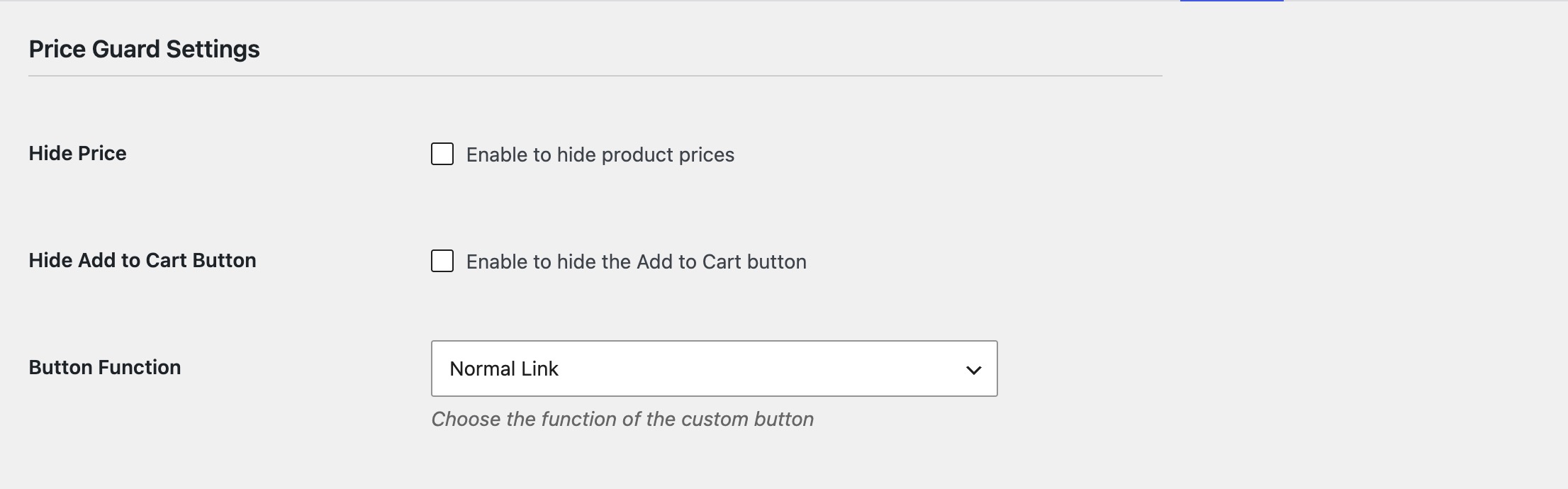
- Hide product prices across the shop, category pages, and single product pages.
- Show your own wording instead – “Call for pricing”, “Login to see price”, “Request a quote”, or anything you like.
- Hide the Add to Cart button and make products unpurchasable, so nothing can be ordered at the wrong price.
- Add your own button in its place, with your own label and link – a contact page, a quote form, a phone number, or a Calendly booking.
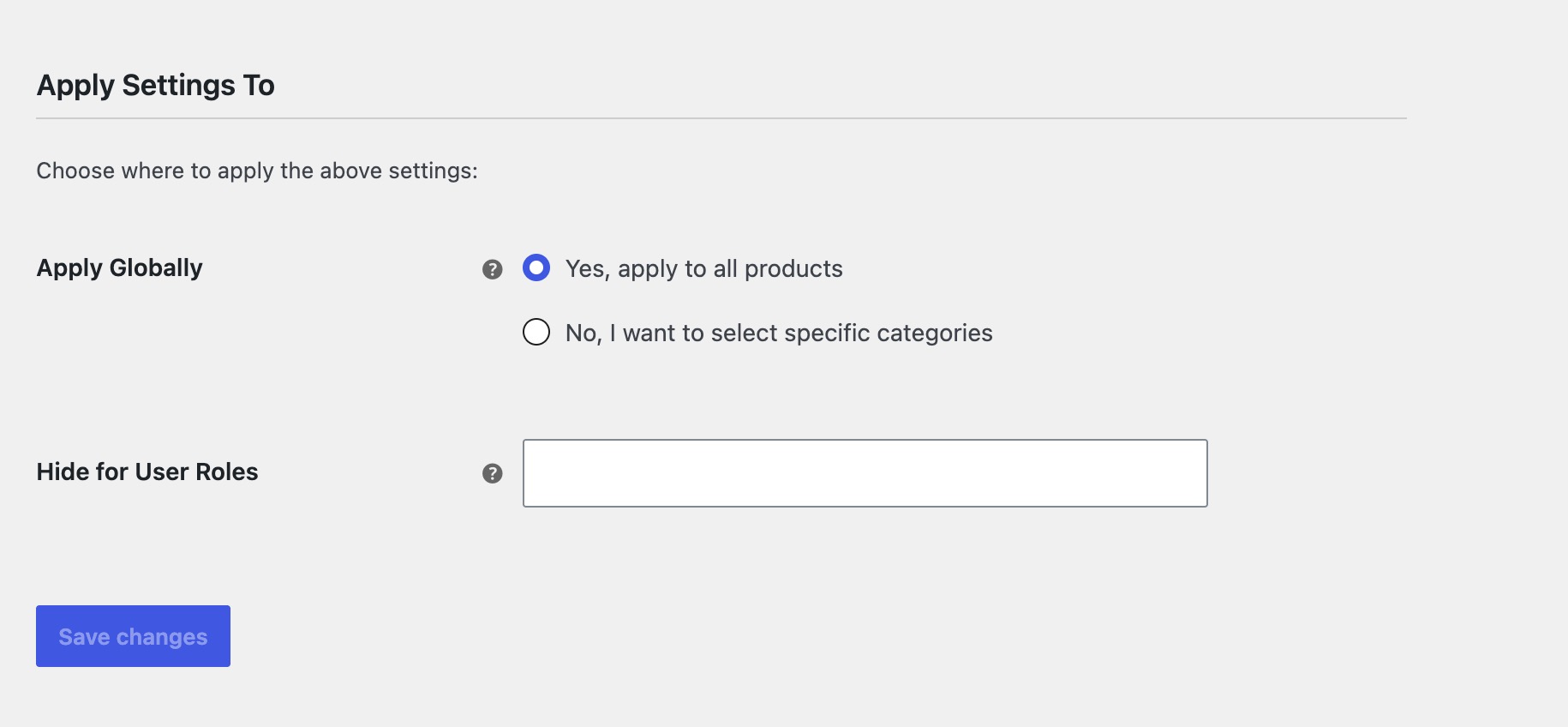
- Choose who sees what. Hide prices from logged-out visitors only, from specific user roles, or from everyone.
- Apply everywhere or by category, so part of your catalog can stay a normal shop.
Hide prices from guests, show them to customers
The most common setup for a wholesale store: pick Guest under Hide for User Roles, and prices disappear for logged-out visitors while approved customers who sign in see them normally. No separate wholesale plugin, no duplicate catalog.
You can target any role the same way – hide from subscriber but show to wholesale_customer, or hide from everyone by leaving the selection empty.
Full catalog mode
Enable both Hide Price and Hide Add to Cart and your store becomes a browsable product catalog. Customers still see products, images, descriptions and specifications – they just contact you instead of buying. Useful for:
- Wholesale and B2B suppliers who price per account
- Trade-only and distributor catalogs
- Made-to-order and custom manufacturing
- High-value equipment sold after a conversation
- Stores that must hide RRP under supplier agreements
Built to stay out of the way
Price Guard uses WooCommerce’s own filters rather than overriding templates, so it works with virtually any theme and does not need template edits. It is compatible with WooCommerce High-Performance Order Storage (HPOS), adds no front-end scripts, and stores nothing beyond a handful of options.
Requirements
WooCommerce must be installed and active.
Installation
- Install through Plugins > Add New, or upload the
price-guard-for-woocommercefolder to/wp-content/plugins/. - Activate the plugin on the Plugins screen.
- Go to WooCommerce > Settings > Price Guard.
- Enable Hide Price and/or Hide Add to Cart, set your replacement text and button, and save.
Changelog
Hide Price Text and user role targeting now work. Options that had no effect have been removed. Existing setups are unchanged.
1.1.0
- New: “Hide Price Text” now works – show your own wording in place of the price instead of a blank space.
- New: “Hide for User Roles” now works – target guests, customers, or any role. Leave it empty to hide from everyone.
- Removed settings that were displayed but had no effect (country targeting, popup button mode, per-product toggle).
- Updated compatibility with WordPress 7.1 and WooCommerce 11.0.1.
- Maintenance: plugin ownership moved to Camerce.
1.0.0
- Initial release
Screenshots
For developers
Is this your plugin? Show off the numbers.
Add a live badge to your site, docs or GitHub README. It updates on its own — no account needed.
Best Price Guard alternatives
All b2b plugins →




FAQ
Price Guard: quick answers
Straight answers, pulled from live WordPress.org data.
Live data from WordPress.org · checked Nov 17, 2026
Is Price Guard free?
Yes. Price Guard is free to download and use from the official WordPress.org plugin directory.
Is Price Guard safe to use in 2026?
Price Guard is a solid plugin choice in 2026, with a few things worth checking first. It runs on 200+ sites and was last updated 3 months ago, and scores 65/100 on our health check.
How many websites use Price Guard?
Price Guard is active on 200+ WordPress websites and has been downloaded 2,460 times since it launched in September 2024. It was downloaded 195 times in the last 30 days.
Does Price Guard work with WordPress 7.1?
Yes. The developer has tested Price Guard up to WordPress 7.1.4, the latest release. It requires WordPress 5.0 or newer.
What PHP version does Price Guard need?
Price Guard requires PHP 7.2 or higher. Most hosts run PHP 8.x today, so it works on any modern WordPress hosting.
When was Price Guard last updated?
The latest version, 1.1.0, was released on August 31, 2026 (3 months ago).
Who makes Price Guard?
Price Guard is developed and maintained by camerce.
What are the best alternatives to Price Guard?
The most popular alternatives to Price Guard are Wholesale Suite (20K+ installs), B2BKing (10K+ installs) and Leadinfo (7K+ installs).
Powered by PageForge
Want thousands of pages that rank like these? Build them in an afternoon.
This directory runs on the same engine as PageForge. Turn any spreadsheet, CSV or API into thousands of fast, SEO-ready WordPress pages — with schema, internal links and AI-written copy baked in.
- CSV, Google Sheets & API data sources
- AI content, schema & internal links per page
- Works with Elementor, Gutenberg, Yoast & Rank Math
- Free on WordPress.org — no credit card


