


Prevent XSS Vulnerability
This WP plugin blocks XSS by encoding harmful URL characters & safely handling HTML in $_GET. Customizable settings for enhanced website security.

Consider an alternative
Prevent XSS Vulnerability shows warning signs in 2026 — compare the alternatives below before installing. It runs on 6K+ sites, is rated 5/5 and was last updated 1 year ago, and scores 39/100 on our health check.
- Momentum — downloads up 49.6% vs the previous 30 days
- No update in over a year
- Only tested up to WordPress 6.8 (latest is 7.1)
How does it stack up?
Side-by-side on installs, updates, ratings & support


Daily downloads
Download spikes usually follow a new release — each site that auto-updates counts as a download.
Rankings
Where Prevent XSS Vulnerability stands todayWordPress.org search rankings
Live position in the plugin search, top 100| Keyword | Position |
|---|---|
| attack | >100 |
| cross-site scripting | #14 |
| security | >100 |
| vulnerability | #14 |
| xss | #3 |
Version adoption
Share of active sites per release.
Rating breakdown
★★★★★★★★★★ 5 from 7 reviews
About Prevent XSS Vulnerability
From the official readme · v2.1.0Description
This plugin helps safeguard your website against two common types of Cross-Site Scripting (XSS) vulnerabilities:
- Reflected XSS: This happens when harmful scripts are hidden in a website’s URL. If a user clicks a link with such a script, it can run in their browser, potentially stealing their data or taking control of their system.
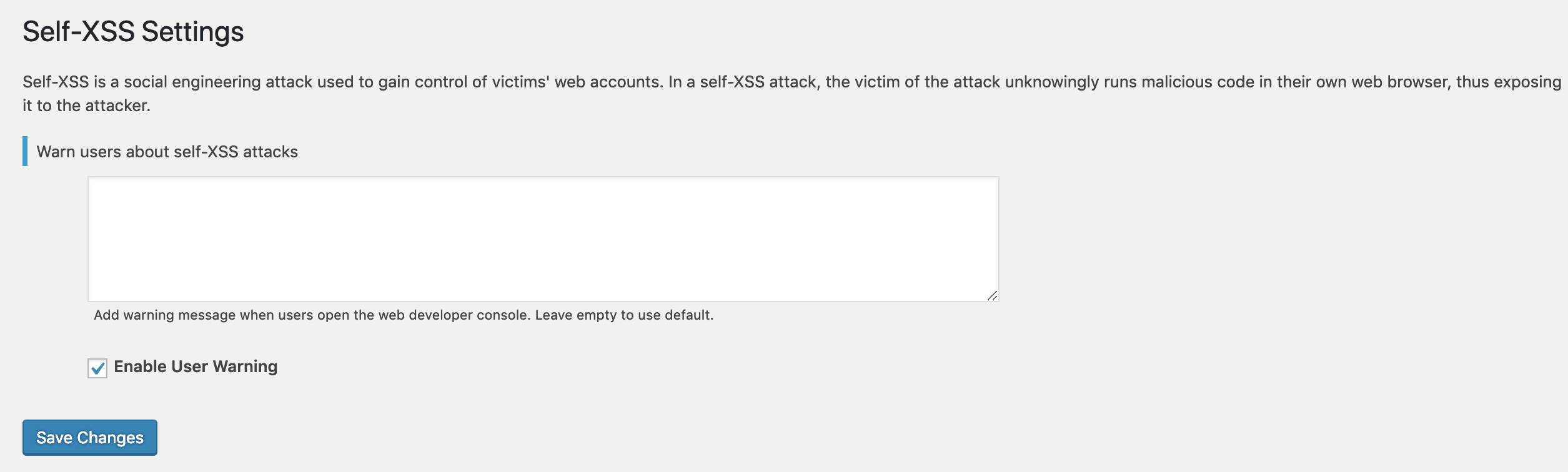
- Self-XSS: This occurs when a user’s own input on your website is displayed back to them in an unsafe way, allowing malicious scripts to run in their browser.
This plugin provides several layers of protection:
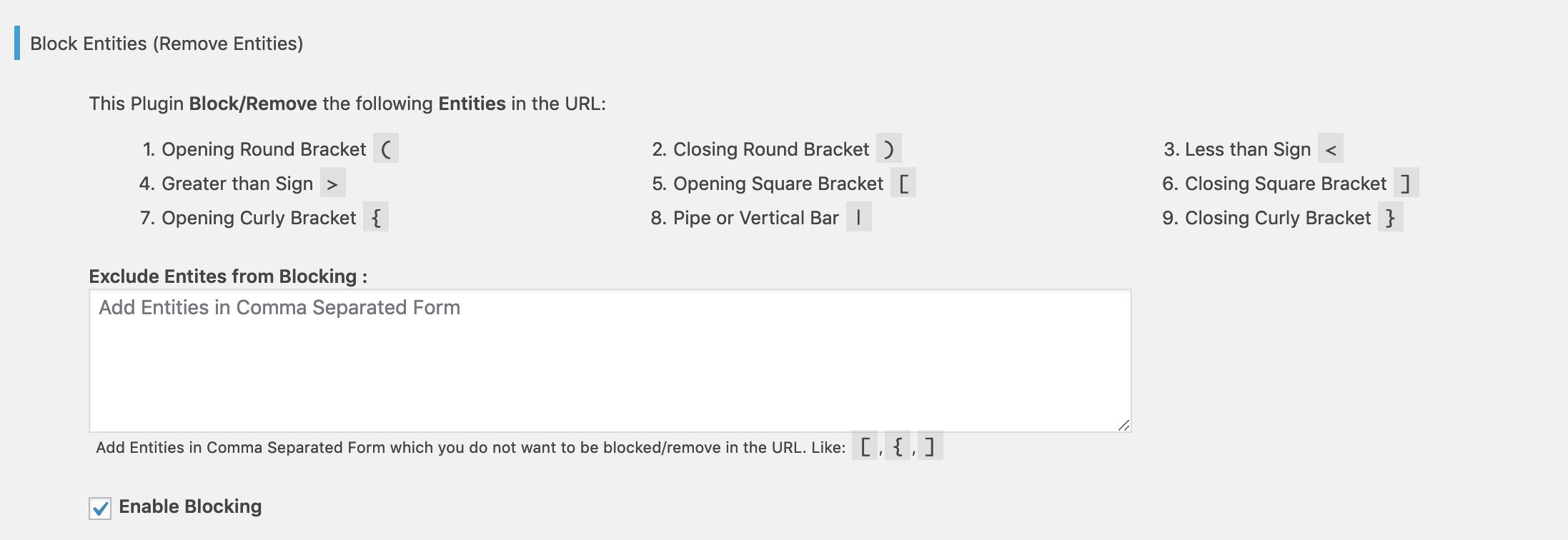
Blocking: When active, the plugin checks URLs for specific characters. If it finds any of these characters in the URL, it redirects the user to prevent a potential XSS attack. You can customize which characters to block or allow.
- Opening Round Bracket
( - Closing Round Bracket
) - Less than Sign
< - Greater than Sign
> - Opening Square Bracket
[ - Closing Square Bracket
] - Opening Curly Bracket
{ - Pipe or Vertical Bar
| - Closing Curly Bracket
}
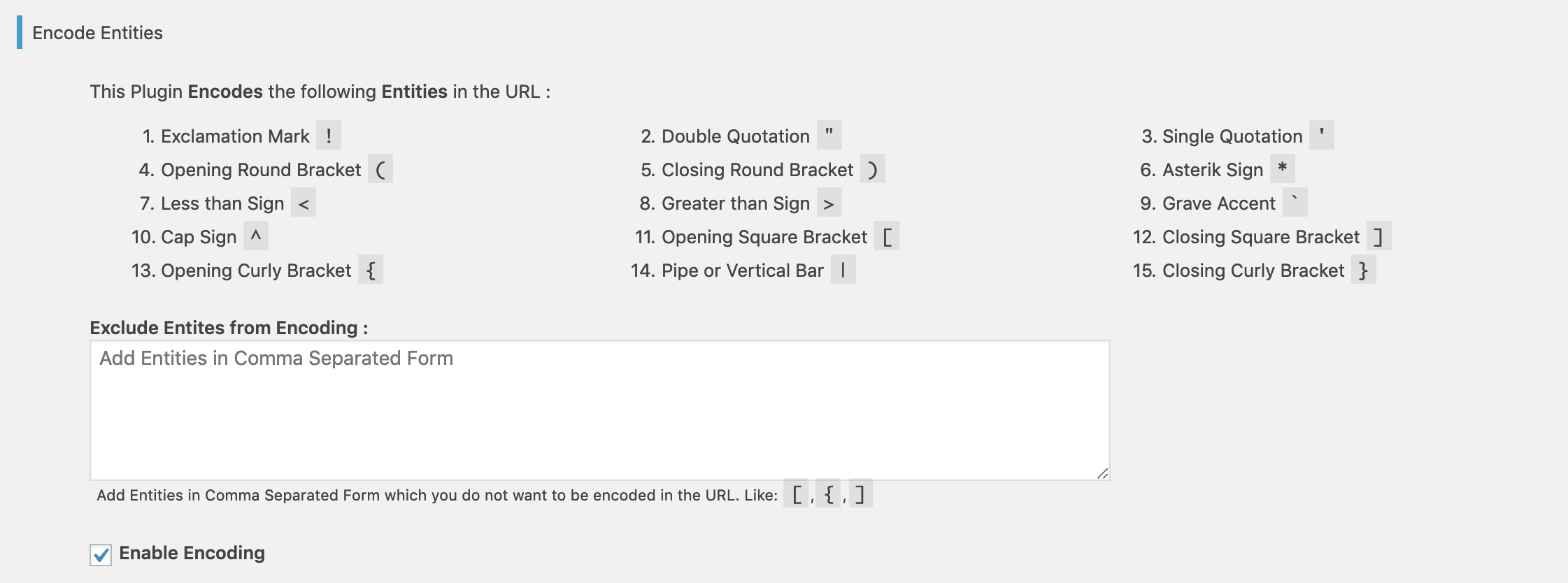
Encoding: For an extra layer of security, the plugin encodes certain characters found in URL parameters. This stops harmful code from running, even if it’s present in the URL. You can also choose to exclude specific parameters from being encoded.
- Exclamation Mark
! - Double Quotation
" - Single Quotation
' - Opening Round Bracket
( - Closing Round Bracket
) - Asterisk Sign
* - Less than Sign
< - Greater than Sign
> - Grave Accent “`
- Cap Sign
^ - Opening Square Bracket
[ - Closing Square Bracket
] - Opening Curly Bracket
{ - Pipe or Vertical Bar
| - Closing Curly Bracket
}
Escaping HTML in $_GET: This plugin automatically makes HTML characters safe within the $_GET variable. This is vital if your website pulls data from URLs and displays it as part of your web page. It helps prevent malicious scripts from being injected through user-provided input.
Important Notes:
- After activating the plugin, thoroughly test your website forms, especially if you use WooCommerce. Make sure the plugin doesn’t interfere with your shopping cart and checkout processes.
- We welcome bug reports for this plugin on GitHub: https://github.com/samiahmedsiddiqui/prevent-xss-vulnerability/issues. Please remember that GitHub is for bug reports only, not general support.
By using this plugin and following these recommendations, you can significantly improve your website’s defense against XSS attacks.
Installation
You can install this plugin either through your WordPress dashboard or manually via FTP.
From within WordPress
- Go to ‘Plugins > Add New’.
- Search for
Prevent XSS Vulnerability. - Click “Activate” for
Prevent XSS Vulnerabilityon your Plugins page. - Then, follow the after activation steps below.
Manually
- Upload the
prevent-xss-vulnerabilityfolder to the/wp-content/plugins/directory. - Activate Prevent XSS Vulnerability through the ‘Plugins’ menu in WordPress.
- Then, follow the after activation steps below.
After activation
- Go to the
Prevent XSS Vulnerabilitypage in your WordPress Admin Dashboard. - Adjust the settings to fit your website’s needs.
- That’s it! You’re done.
Changelog
2.1.0 – July 03, 2025
- Key Changes & Improvements:
- Enhanced Console Visibility: The prominent “Stop!” message now appears in a much larger (48px), bold, red font with a black text shadow to grab immediate attention. The main warning message also uses a larger, more readable font (20px).
- Improved Console Grouping: The entire Self-XSS warning is now grouped within a
console.group('Self-XSS Warning')block. This keeps all related messages together in the developer console, making the warning stand out and preventing it from getting lost among other console output.
Earlier versions
- For a detailed changelog of earlier versions, please refer to the separate
changelog.txtfile.
Screenshots


For developers
Is this your plugin? Show off the numbers.
Add a live badge to your site, docs or GitHub README. It updates on its own — no account needed.
Best Prevent XSS Vulnerability alternatives
All attack plugins →FAQ
Prevent XSS Vulnerability: quick answers
Straight answers, pulled from live WordPress.org data.
Source: WordPress.org
Is Prevent XSS Vulnerability free?
Yes. Prevent XSS Vulnerability is free to download and use from the official WordPress.org plugin directory.
Is Prevent XSS Vulnerability safe to use in 2026?
Prevent XSS Vulnerability shows warning signs in 2026 — compare the alternatives below before installing. It runs on 6K+ sites, is rated 5/5 and was last updated 1 year ago, and scores 39/100 on our health check.
How many websites use Prevent XSS Vulnerability?
Prevent XSS Vulnerability is active on 6K+ WordPress websites and has been downloaded 82,949 times since it launched in August 2017. It was downloaded 1,210 times in the last 30 days.
Does Prevent XSS Vulnerability work with WordPress 7.1?
Prevent XSS Vulnerability is officially tested up to WordPress 6.8.13, while the latest release is 7.1.5. It may still work, but try it on a staging site first.
What PHP version does Prevent XSS Vulnerability need?
Prevent XSS Vulnerability requires PHP 5.6 or higher. Most hosts run PHP 8.x today, so it works on any modern WordPress hosting.
When was Prevent XSS Vulnerability last updated?
The latest version, 2.1.0, was released on July 22, 2025 (1 year ago).
Who makes Prevent XSS Vulnerability?
Prevent XSS Vulnerability is developed and maintained by Sami Ahmed Siddiqui.
What are the best alternatives to Prevent XSS Vulnerability?
The most popular alternatives to Prevent XSS Vulnerability are WP Smart Security (20+ installs), Login Protection (10+ installs) and SeCWurity WP Login (10+ installs).
Powered by PageForge
One template and a spreadsheet. A real page for every search.
PageForge turns each row of a CSV into a WordPress page with its own title, URL, SEO fields and schema, built on the layout you already designed. Free on WordPress.org.
- CSV and XLSX, plus Google Sheets on Professional and Enterprise
- Its own title, URL, SEO fields and schema for every page
- Works with the block editor, Elementor, Divi and Avada
- Free on WordPress.org, no credit card