


Press3D
Display interactive 3D models (STL, OBJ, GLB, GLTF) with Gutenberg blocks and shortcodes.

Solid choice
Press3D is a solid plugin choice in 2026, with a few things worth checking first. It runs on 40+ sites, is rated 5/5 and was last updated 1 month ago, and scores 70/100 on our health check.
- Tested with the latest WordPress (7.1)
- Small user base (40+ active installs)
- Very few reviews so far
How does it stack up?
Side-by-side on installs, updates, ratings & supportDaily downloads
Download spikes usually follow a new release — each site that auto-updates counts as a download.
Rankings
Where Press3D stands todayWordPress.org search rankings
Live position in the plugin search, top 100| Keyword | Position |
|---|---|
| .obj | #6 |
| 3d | >100 |
| 3D viewer | #77 |
| gltf | #6 |
| stl | #8 |
Version adoption
Share of active sites per release.
Rating breakdown
★★★★★★★★★★ 5 from 1 reviews
About Press3D
From the official readme · v1.2.1Description
Press3D is a powerful and feature-rich WordPress plugin that enables you to display interactive 3D models directly on your website. Built with the industry-standard Three.js library, it provides a professional-grade 3D viewing experience with extensive customization options.
Supported 3D Model Formats:
- STL – Popular for 3D printing and CAD models (binary and ASCII)
- OBJ – Universal 3D format compatible with most 3D software
- GLB – Binary glTF format (recommended for best web performance)
- GLTF – Text-based glTF format with separate asset files
Key Features:
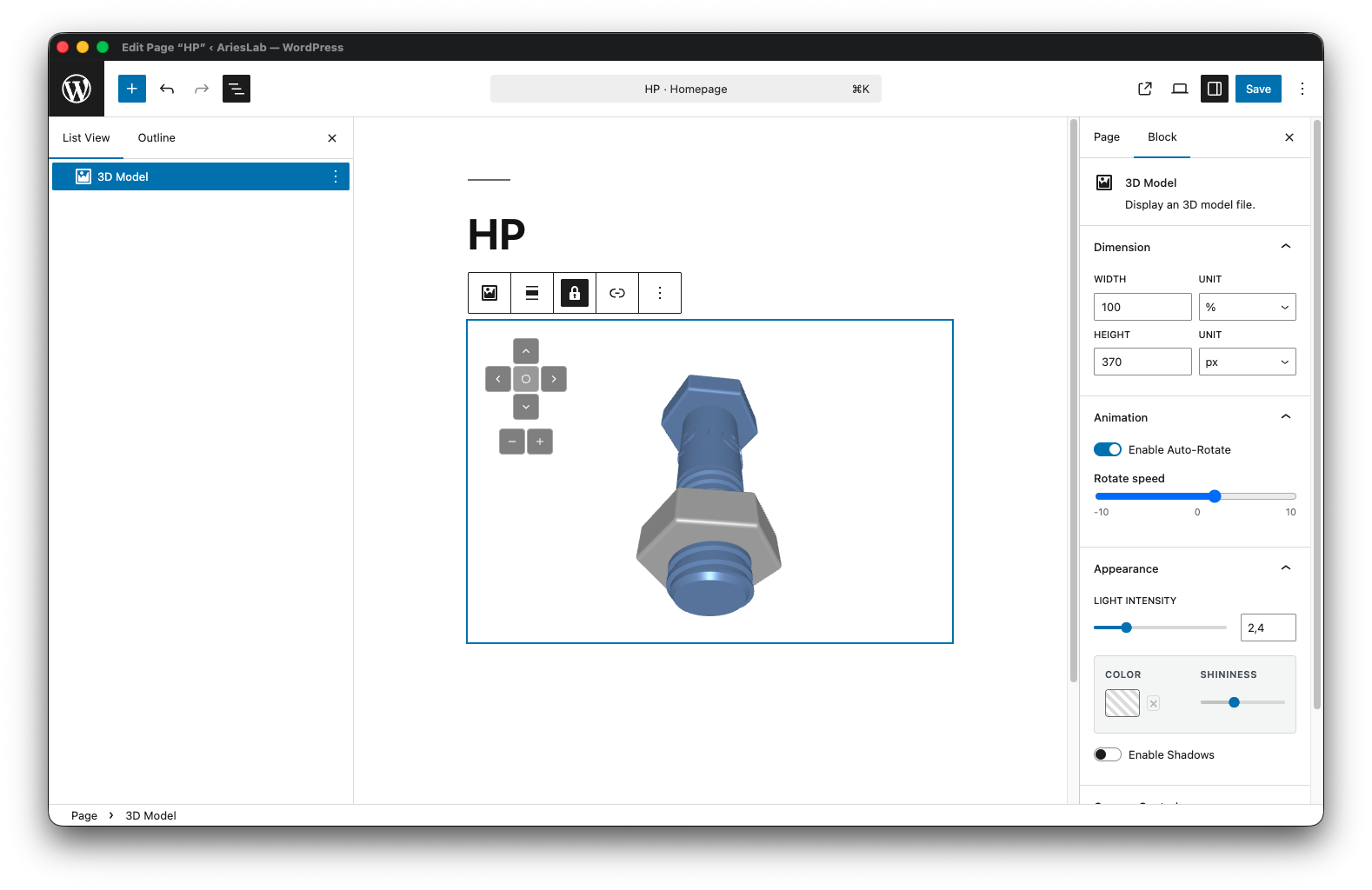
- Gutenberg Block Integration – Native WordPress block editor support with live preview
- Shortcode Support – Use
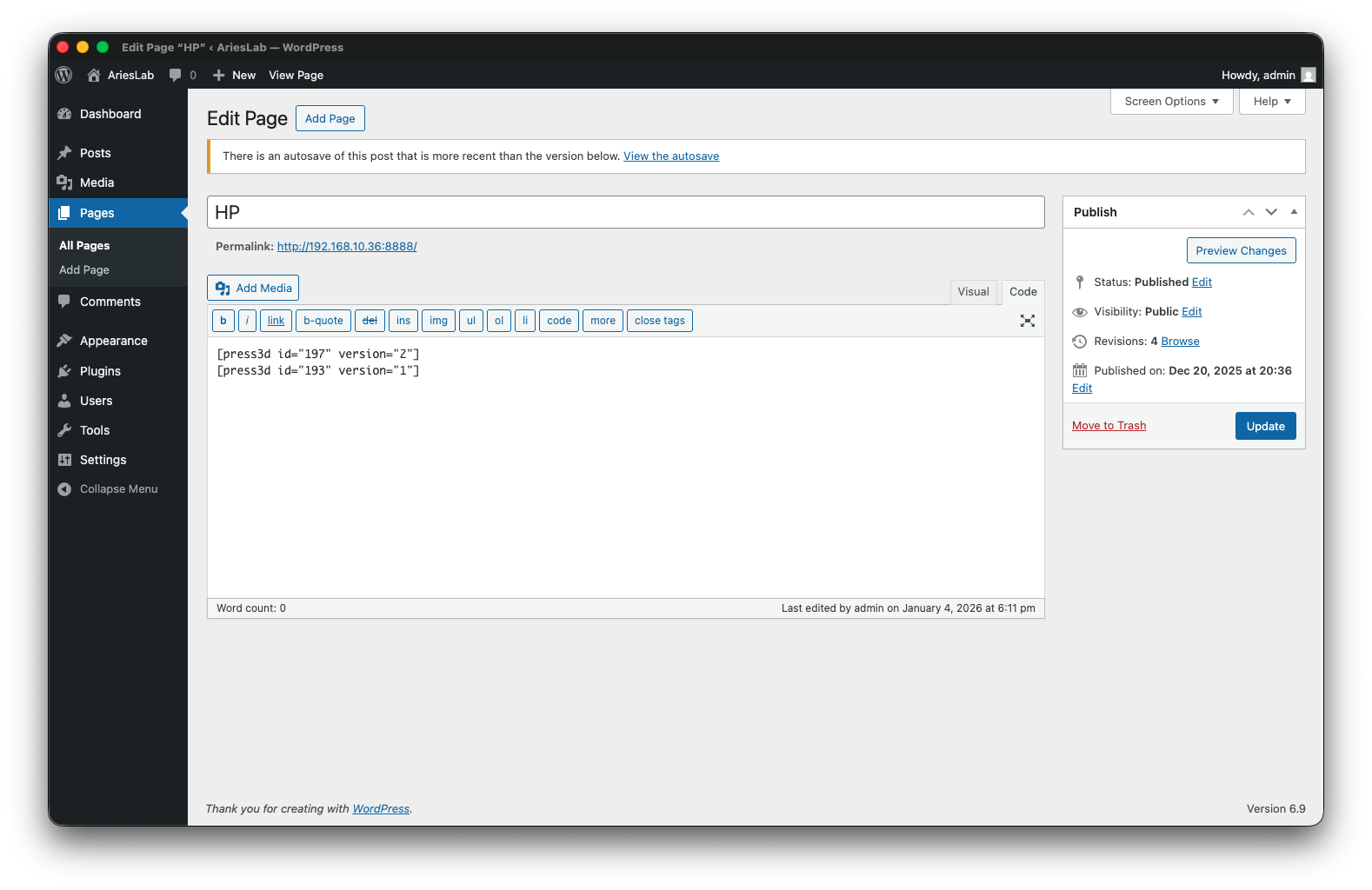
[press3d id="123" version="1"]anywhere in your content with version control - Interactive 3D Viewer – Rotate, zoom, and pan with mouse or touch controls
- Camera State Persistence – Saves and restores exact camera position and orientation
- Auto-Rotate Mode – Automatic dual-axis model rotation (X/Y) with adjustable speed (-10 to +10)
- Material Customization – Control colors, shininess/metalness (0-1 scale)
- Lighting Control – Adjustable light intensity (0-10 range) with ambient + directional lighting
- Shadow Support – Enable realistic shadows for your 3D models
- Camera Controls – Option to enable or disable user camera interaction
- Multiple Loading Animations – Choose from Spinner, Progress Bar, 3D Cube, or None
- Responsive Design – Automatic canvas resizing for all screen sizes and devices
- Mobile-Friendly – Touch controls for rotation, zoom, and pan on tablets and phones
- Accessibility Ready – ARIA labels, alt text support, and keyboard navigation
- WordPress Media Library – Upload models directly through standard media uploader
- Dimension Controls – Set custom width/height with multiple units (px, %, em, rem, vw, vh)
- Translation Ready – Full internationalization support (text domain: press3d)
Perfect for:
- Product showcases and e-commerce 3D product views
- Architectural visualization and real estate
- Educational content and scientific models
- Engineering and CAD model presentations
- 3D printing file previews
- Medical and anatomical models
- Art and sculpture portfolios
- Game assets and character models
Source Code
The source code for this plugin is available in the src and assets/src directories.
Installation
Automatic Installation:
- Log in to your WordPress admin panel
- Go to Plugins → Add New
- Search for “Press3D”
- Click “Install Now” and then “Activate”
Manual Installation:
- Download the plugin ZIP file
- Go to Plugins → Add New → Upload Plugin
- Choose the downloaded file and click “Install Now”
- Activate the plugin through the Plugins menu
Using the Plugin:
- Go to Settings → Press3D to configure default options
- In the block editor, add a “Press3D Model” block (find it in the Media category)
- Upload your 3D model file (STL, OBJ, GLB, or GLTF) via the media library
- Customize viewer settings in the block inspector panel
- Publish your page/post to display the interactive 3D model
Using Shortcodes:
After uploading a model to the Media Library:
1. Click on the model attachment to open Attachment Details
2. Click the “3D model shortcode” button to configure viewer settings
3. Copy the generated shortcode (e.g., [press3d id="123" version="2"])
4. Paste the shortcode anywhere in your posts, pages, or widgets
The shortcode format is: [press3d id="123" version="2"] where:
– id is the attachment ID
– version is the model version number (supports multiple versions of the same model)
Frequently asked questions
What 3D model formats are supported?
Press3D supports four major 3D formats: STL, OBJ, GLB, and GLTF. GLB (binary glTF) is recommended for best web performance and file size.
Is the plugin compatible with the Gutenberg block editor?
Yes! Press3D includes a native Gutenberg block with live preview, full inspector controls, and real-time 3D viewer in the editor.
Can I use shortcodes instead of blocks?
Absolutely! Use the shortcode [press3d id="123" version="2"] where 123 is your media attachment ID. Shortcodes also support versioning with the version parameter: [press3d id="123" version="2"].
Does it work with Classic Editor?
Yes, the shortcode works in both Gutenberg and Classic Editor.
What is the recommended file size for 3D models?
For optimal performance and page load times, we recommend keeping model files under 10MB. Consider using GLB format with compression for larger models.
Can I customize the appearance of the 3D viewer?
Yes! You can control: – Model color – Light intensity (0-10 scale) – Shininess/metalness (0-1 scale, affects roughness and metalness) – Auto-rotate speed (-10 to +10) and dual-axes (X, Y) – Loading animation style (Spinner, Progress Bar, 3D Cube, or None) – Viewer dimensions (width/height with multiple units)
Does the camera position save?
Yes! Press3D saves the exact camera state (position, target, up vector) so when you refresh the page, the 3D model appears exactly as you positioned it.
Is Three.js library included?
Yes, the Three.js library is bundled with the plugin and optimized for WordPress.
Are there any server requirements?
You need PHP 7.4 or higher and WordPress 6.6 or higher. The plugin uses standard WordPress APIs and doesn’t require special server configurations.
Does it work on mobile devices?
Yes! Press3D is fully responsive with touch controls for rotation, zoom, and pan on tablets and smartphones.
Can I use this plugin commercially?
Yes, Press3D is licensed under GPLv2 or later, which allows commercial use.
Is the plugin accessible?
Yes, Press3D includes ARIA labels, alt text support for screen readers, keyboard navigation, and semantic HTML structure.
Why are my STL models rotated differently than in other viewers?
Press3D automatically rotates STL models -90° around the X-axis to match the Y-up orientation standard used by most 3D software.
Can I set default settings for all models?
Yes! Go to Settings → Press3D where you can configure: – Default model color – Default zoom level – Default canvas width and height – Loading animation style (Spinner, Progress Bar, 3D Cube, or None)
How do I access model metadata programmatically?
Press3D exposes model metadata via WordPress REST API.
Changelog
Confirmed compatibility with WordPress 7.1.
1.2.1
- Confirmed compatibility with WordPress 7.1.
1.2.0
- Security update: Added server-side sanitization of linkUrl in Shortcode renderer as defense-in-depth against XSS (covers legacy data stored before 1.1.0).
- Added support for dual-axis auto-rotation (choose between X and Y axes or both).
- Improved 3D model rotation logic (fixed off-center pivoting for models with misaligned local origins).
- Fixed GLB model memory leaks, preventing model duplication during preset loading.
1.1.0
- Security update: Fixed Stored XSS vulnerability in 3D Model block (CVE-2026-1985).
- Added global default settings for Zoom, Width, and Height.
- Added Czech (cs_CZ) and German (de_DE) translations.
1.0.2
- Fixed remaining issues from the plugin review (escaping).
- Removed unused methods from Utils class.
1.0.1
- Fixed issues from the plugin review (remote assets, security).
1.0.0
- Initial release.
Screenshots


For developers
Is this your plugin? Show off the numbers.
Add a live badge to your site, docs or GitHub README. It updates on its own — no account needed.
Best Press3D alternatives
All .obj plugins →| Rank | Plugin | Active installs |
|---|---|---|
| 1 |
 Easy 3D Viewer
Easy to use WordPress/WooCommerce product 3D viewer.
Easy 3D Viewer
Easy to use WordPress/WooCommerce product 3D viewer.
|
1K+ |
| 3 |
 Xtrad Viewer
The Xtrad Viewer WordPress plugin allows you to edit and display true 3D Scenes on…
Xtrad Viewer
The Xtrad Viewer WordPress plugin allows you to edit and display true 3D Scenes on…
|
10+ |
FAQ
Press3D: quick answers
Straight answers, pulled from live WordPress.org data.
Live data from WordPress.org · checked Oct 5, 2026
Is Press3D free?
Yes. Press3D is free to download and use from the official WordPress.org plugin directory.
Is Press3D safe to use in 2026?
Press3D is a solid plugin choice in 2026, with a few things worth checking first. It runs on 40+ sites, is rated 5/5 and was last updated 1 month ago, and scores 70/100 on our health check.
How many websites use Press3D?
Press3D is active on 40+ WordPress websites and has been downloaded 998 times since it launched in January 2026. It was downloaded 155 times in the last 30 days.
Does Press3D work with WordPress 7.1?
Yes. The developer has tested Press3D up to WordPress 7.1.2, the latest release. It requires WordPress 6.6 or newer.
What PHP version does Press3D need?
Press3D requires PHP 7.4 or higher. Most hosts run PHP 8.x today, so it works on any modern WordPress hosting.
When was Press3D last updated?
The latest version, 1.2.1, was released on September 2, 2026 (1 month ago).
Who makes Press3D?
Press3D is developed and maintained by arieslab.
What are the best alternatives to Press3D?
The most popular alternatives to Press3D are Easy 3D Viewer (1K+ installs) and Xtrad Viewer (10+ installs).
Powered by PageForge
Want thousands of pages that rank like these? Build them in an afternoon.
This directory runs on the same engine as PageForge. Turn any spreadsheet, CSV or API into thousands of fast, SEO-ready WordPress pages — with schema, internal links and AI-written copy baked in.
- CSV, Google Sheets & API data sources
- AI content, schema & internal links per page
- Works with Elementor, Gutenberg, Yoast & Rank Math
- Free on WordPress.org — no credit card


