



Press This
Posting images, links, and cat gifs will never be the same.

Solid choice
Press This is a solid plugin choice in 2026, with a few things worth checking first. It runs on 5K+ sites, is rated 3.7/5 and was last updated 1 month ago, and scores 68/100 on our health check.
- Tested with the latest WordPress (7.1)
How does it stack up?
Side-by-side on installs, updates, ratings & support


Daily downloads
Download spikes usually follow a new release — each site that auto-updates counts as a download.
Rankings
Where Press This stands todayWordPress.org search rankings
Live position in the plugin search, top 100| Keyword | Position |
|---|---|
| Bookmarklet | #1 |
| gutenberg | >100 |
| photo post | #45 |
| post | >100 |
| Quick Post | #64 |
Version adoption
Share of active sites per release.
Rating breakdown
★★★★★★★★★★ 3.7 from 25 reviews
About Press This
From the official readme · v2.0.2Description
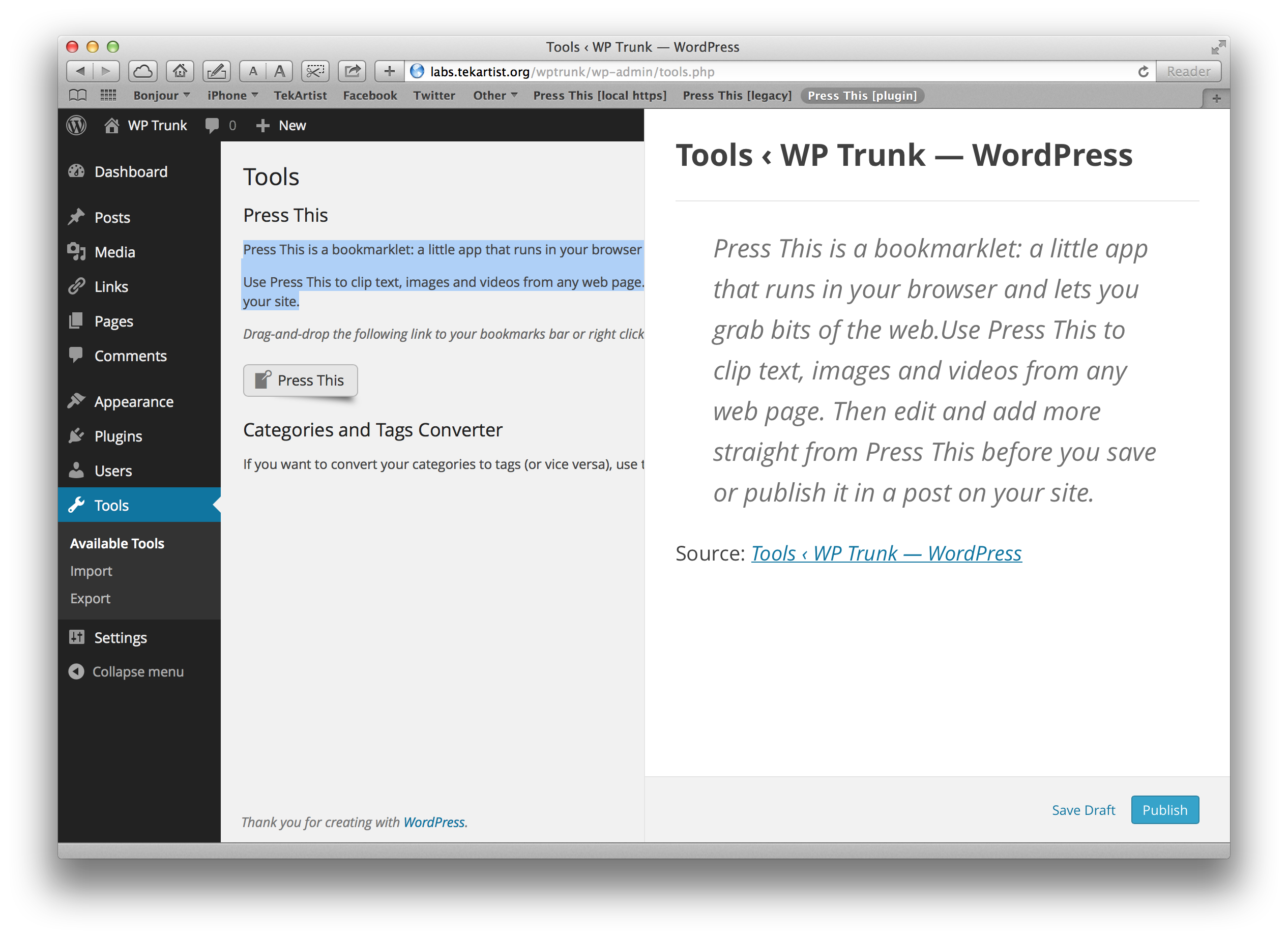
Press This is a little tool that lets you grab bits of the web and create new posts with ease.
It will even allow you to choose from images or videos included on the page and use them in your post.
Use Press This as a quick and lightweight way to highlight another page on the web.
Version 2.0 – Gutenberg Block Editor
Press This 2.0 brings the modern WordPress block editor experience to the bookmarklet popup. You can now compose posts using familiar blocks like Paragraph, Heading, Image, Quote, List, and Embed.
New Features:
- Gutenberg Block Editor – Full block editor integration for a consistent WordPress editing experience
- Smart Post Format Suggestions – Automatically suggests Video, Quote, or Link formats based on content
- Enhanced Content Extraction – Improved scraping with JSON-LD structured data support
- Client-Side Only Scraping – All content extraction happens in your browser for better privacy and security
- Featured Image Support – Set any scraped image as your post’s featured image
- Improved Media Grid – Better thumbnail display with support for video and audio embeds
Filters for Developers
Press This 2.0 includes new filters for customization:
press_this_allowed_blocks– Customize which blocks are available in the editorpress_this_post_format_suggestion– Modify the auto-suggested post format
See the Developer Documentation section below for details.
Contributing
Bugs and PRs can be submitted via https://github.com/WordPress/press-this .
Developer Documentation
New Hooks and Filters in 2.0
press_this_allowed_blocks
Customize which blocks are available in the Press This editor.
add_filter( 'press_this_allowed_blocks', function( $blocks ) {
    // Add the gallery block
    $blocks[] = 'core/gallery';

    // Remove the embed block
    $blocks = array_filter( $blocks, function( $block ) {
        return $block !== 'core/embed';
    } );

    return $blocks;
} );
Default blocks: core/paragraph, core/heading, core/image, core/quote, core/list, core/list-item, core/embed
press_this_post_format_suggestion
Modify or override the auto-suggested post format based on content.
add_filter( 'press_this_post_format_suggestion', function( $suggested_format, $data ) {
    // If the URL contains 'podcast', suggest audio format
    if ( ! empty( $data['u'] ) && strpos( $data['u'], 'podcast' ) !== false ) {
        return 'audio';
    }

    return $suggested_format;
}, 10, 2 );
The $data array contains scraped content including:
– u – Source URL
– s – Selected text
– t – Page title
– _images – Array of image URLs
– _embeds – Array of embed URLs
– _meta – Meta tag data
– _jsonld – JSON-LD structured data
Preserved Hooks from 1.x
All existing hooks continue to work:
press_this_redirect_in_parent– Control post-save redirect behaviorpress_this_save_post– Filter post data before savingpress_this_save_redirect– Filter redirect URL after saveenable_press_this_media_discovery– Toggle media scrapingpress_this_data– Filter the complete scraped data arraypress_this_suggested_html– Filter default content templatesshortcut_link– Customize the bookmarklet URL
History
WordPress, from the earliest days, included some way to bring in snippets from other websites for you to post on your own.
The original “Press It” was removed from WordPress 2.5 and a new “Press This” added in 2.6. It existed pretty much unchanged until WordPress 4.2, which completely refreshed Press This.
In WordPress 4.9, Press This was spun out to a “canonical plugin” — an official plugin from WordPress.org so sites who wanted to use it could, but streamline more niche functionality out of Core. This was previously done with the Importers.
In version 2.0, Press This was modernized to use the Gutenberg block editor, bringing it in line with the modern WordPress editing experience while maintaining backward compatibility with existing installations.
Installation
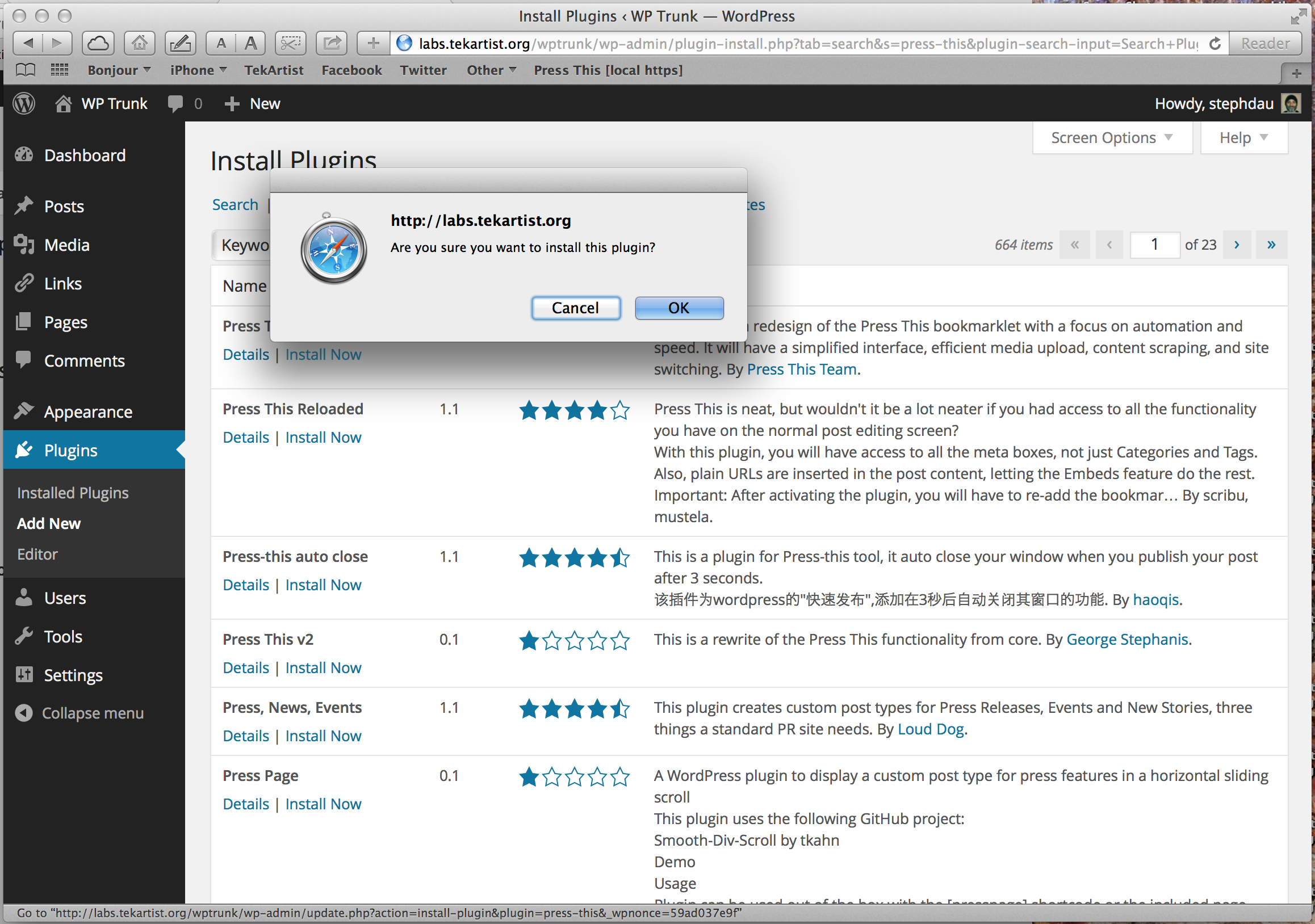
- Install the plugin via your wp-admin dashboard via Plugins->Add New as normal.
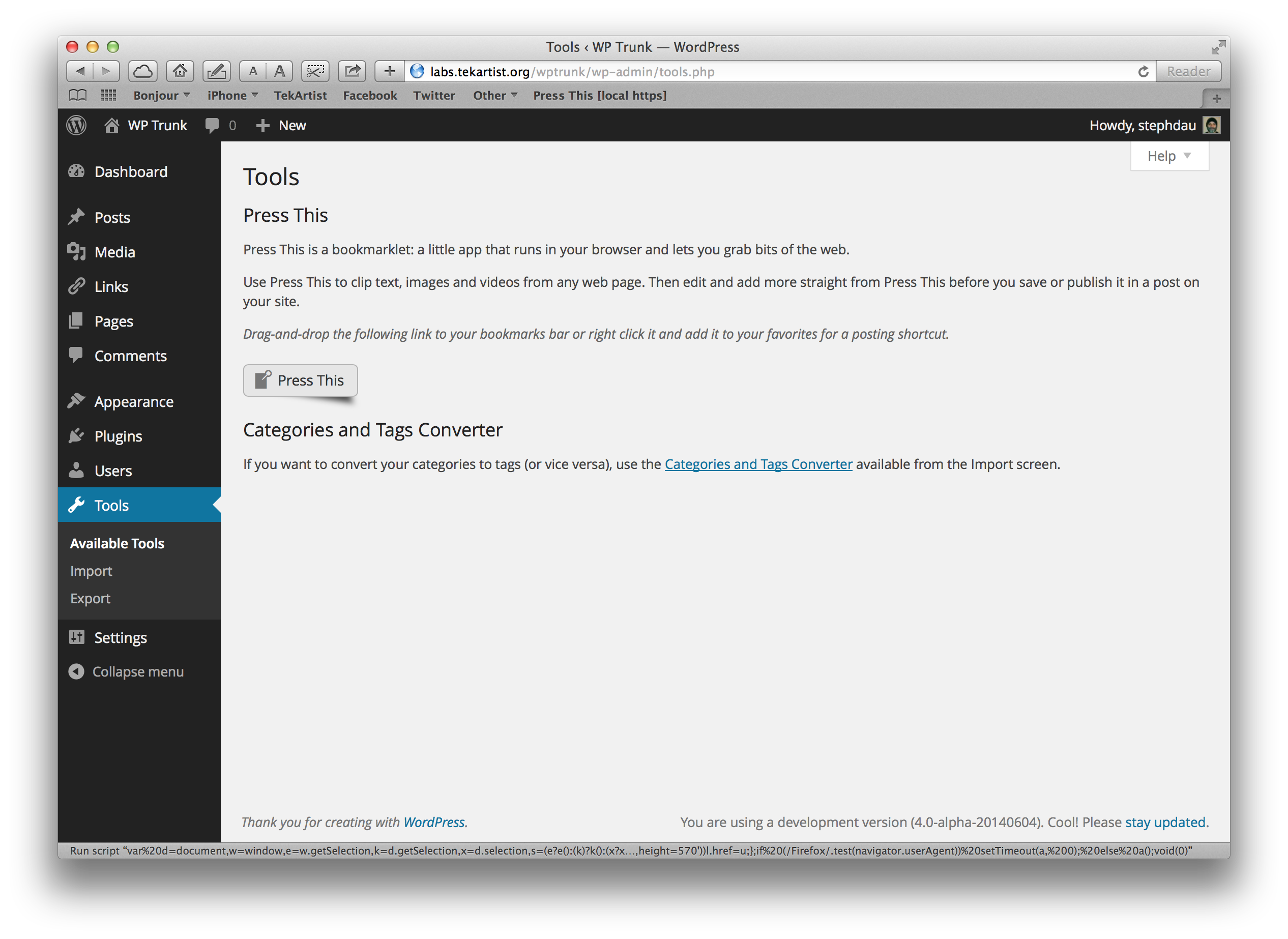
- Visit the Tools page of wp-admin for additional installation steps.
Frequently asked questions
Is Press This compatible with my existing bookmarklet?
Yes! Existing bookmarklets from version 1.x will continue to work. However, we recommend updating your bookmarklet to get the enhanced features of version 2.0. An upgrade prompt will appear when using an older bookmarklet.
Which blocks are available in Press This?
By default, Press This includes: Paragraph, Heading, Image, Quote, List, and Embed blocks. Developers can customize this using the press_this_allowed_blocks filter.
Can I still use the full WordPress editor?
Absolutely! Click the “Standard Editor” option in the publish dropdown to save your draft and continue editing in the full WordPress block editor.
Changelog
Bug fixes, new keyboard shortcuts, and undo/redo support.
2.0.2
- New: Undo/redo support in the block editor (Ctrl+Z / Ctrl+Shift+Z)
- New: Block transform keyboard shortcuts (e.g. heading, list, quote)
- New: Rich text format keyboard shortcuts via format-library (bold, italic, link, etc.)
- New: Bookmarklet now preserves HTML formatting in text selections
- Fix: Critical error when saving posts with external images in REST context
- Fix: Scraped media inserting at bottom of post instead of cursor position
- Fix: Quote block unwrap losing nested inner blocks
- Fix: Category panel styles not loading and stale search filter results
- Fix: Stale state in category toggle handler
- Change: Removed auto-suggestion of link post format
- Change: Restored category search filter using Gutenberg components
2.0.1
- New: Gutenberg block editor replaces TinyMCE for modern editing experience
- New: Smart post format auto-suggestion based on content type
- New:
press_this_allowed_blocksfilter for customizing available blocks - New:
press_this_post_format_suggestionfilter for customizing format suggestions - New: JSON-LD structured data extraction for better content discovery
- New: Open Graph video metadata extraction for improved embed detection
- New: Featured image selection from scraped images
- New: Alternate canonical URL detection via hreflang
- Improved: Client-side only content extraction (removed server-side scraping)
- Improved: Media grid with video/audio type indicators
- Improved: Bookmarklet version detection with upgrade prompts
- Improved: Title extraction now checks JSON-LD headline
- Improved: Description extraction now checks JSON-LD description
- Compatibility: All 1.x hooks and filters preserved
- Compatibility: Legacy bookmarklet URL format continues to work
- Requires: WordPress 6.9 or higher
- Requires: PHP 7.4 or higher
1.1.2
- Fixes the styling of the .press-this .modal-close class (props https://github.com/crishnakh)
- Bumps the Tested up to version to 6.7.1
1.1.1
- Corrects an issue with the packaging of the plugin for SVN.
1.1.0
- Restores the bookmarklet functionality previously found in WordPress 4.8 and prior verions.
1.0
- Initial release as a plugin. Previously part of WordPress itself.
Screenshots
For developers
Is this your plugin? Show off the numbers.
Add a live badge to your site, docs or GitHub README. It updates on its own — no account needed.
Best Press This alternatives
All Bookmarklet plugins →




FAQ
Press This: quick answers
Straight answers, pulled from live WordPress.org data.
Live data from WordPress.org · checked Sep 27, 2026
Is Press This free?
Yes. Press This is free to download and use from the official WordPress.org plugin directory.
Is Press This safe to use in 2026?
Press This is a solid plugin choice in 2026, with a few things worth checking first. It runs on 5K+ sites, is rated 3.7/5 and was last updated 1 month ago, and scores 68/100 on our health check.
How many websites use Press This?
Press This is active on 5K+ WordPress websites and has been downloaded 108,420 times since it launched in June 2014. It was downloaded 813 times in the last 30 days.
Does Press This work with WordPress 7.1?
Yes. The developer has tested Press This up to WordPress 7.1.2, the latest release. It requires WordPress 6.9 or newer.
What PHP version does Press This need?
Press This requires PHP 7.4 or higher. Most hosts run PHP 8.x today, so it works on any modern WordPress hosting.
When was Press This last updated?
The latest version, 2.0.2, was released on August 20, 2026 (1 month ago).
Who makes Press This?
Press This is developed and maintained by WordPress.org.
What are the best alternatives to Press This?
The most popular alternatives to Press This are LH Add Media From Url (2K+ installs), Press This Reloaded (100+ installs) and Add Media from URL (20+ installs).
Powered by PageForge
Want thousands of pages that rank like these? Build them in an afternoon.
This directory runs on the same engine as PageForge. Turn any spreadsheet, CSV or API into thousands of fast, SEO-ready WordPress pages — with schema, internal links and AI-written copy baked in.
- CSV, Google Sheets & API data sources
- AI content, schema & internal links per page
- Works with Elementor, Gutenberg, Yoast & Rank Math
- Free on WordPress.org — no credit card


