



Powerkit – Supercharge your WordPress Site
Essential components for every WordPress site: share buttons, social links, social media integrations, galleries, lazyload, custom widgets, and more.

Solid choice
Powerkit is a solid plugin choice in 2026, with a few things worth checking first. It runs on 10K+ sites, is rated 4.5/5 and was last updated 2 months ago, and scores 63/100 on our health check.
- Proven at scale on 10K+ active sites
How does it stack up?
Side-by-side on installs, updates, ratings & support



Daily downloads
Download spikes usually follow a new release — each site that auto-updates counts as a download.
Rankings
Where Powerkit stands todayWordPress.org search rankings
Live position in the plugin search, top 100| Keyword | Position |
|---|---|
| gallery | >100 |
| lazyload | #5 |
| share buttons | #47 |
| slider | >100 |
| social links | #76 |
Version adoption
Share of active sites per release.
Rating breakdown
★★★★★★★★★★ 4.5 from 14 reviews
About Powerkit
From the official readme · v3.1.1Description
We’ve been developing premium WordPress themes for a few years and have always been lacking essentials things in the WordPress core.
There’re numerous plugins in the WordPress repository, however if you install them all, there’s inconsistency in their backend and frontend styles and possible plugin conflicts.
That’s why we created Powerkit, essentials components for every WordPress blog or magazine.
Components have modular structure and can be enabled or disabled with a single click. They have been thoroughly tested and play well together.
Social Integrations
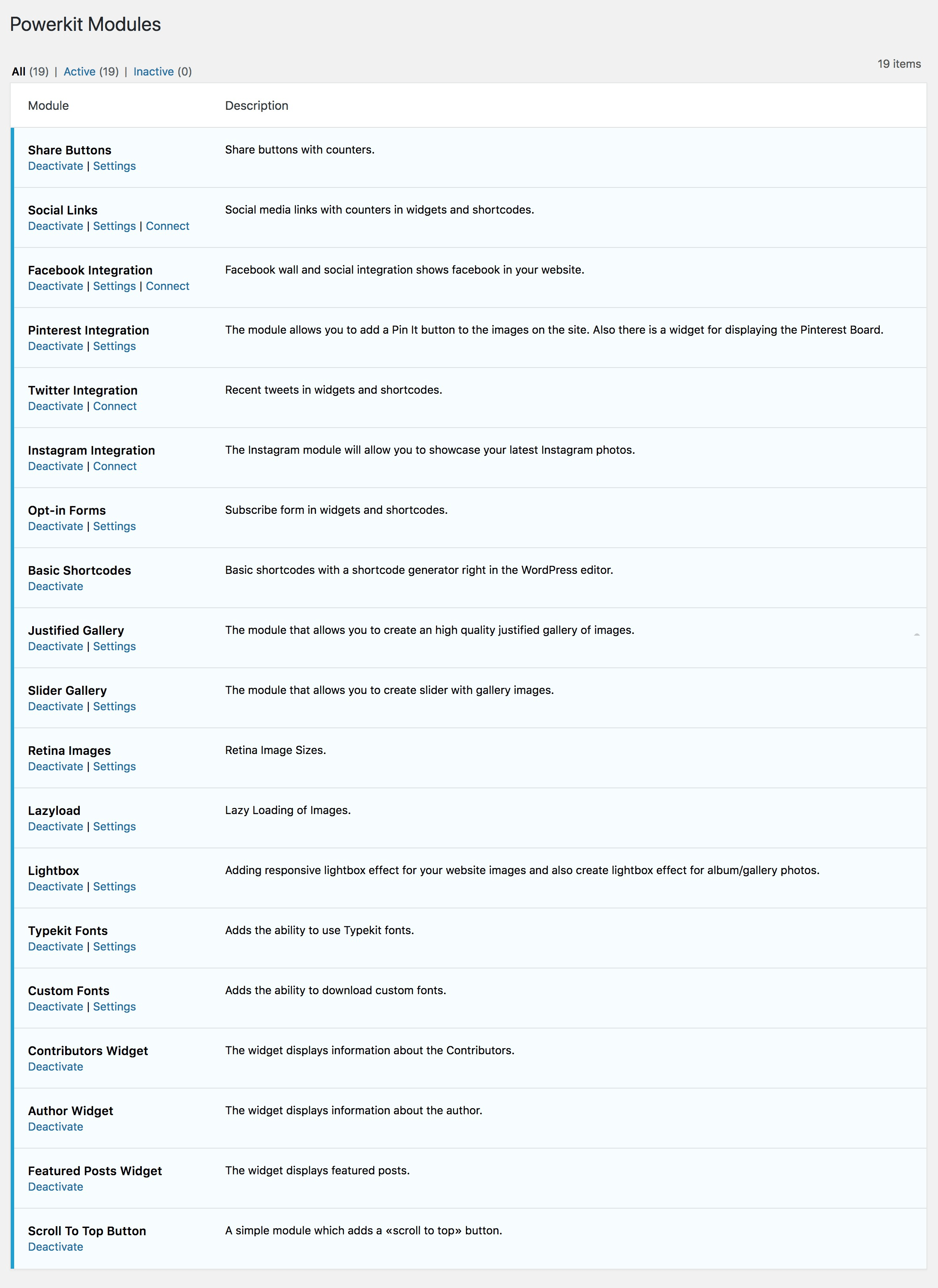
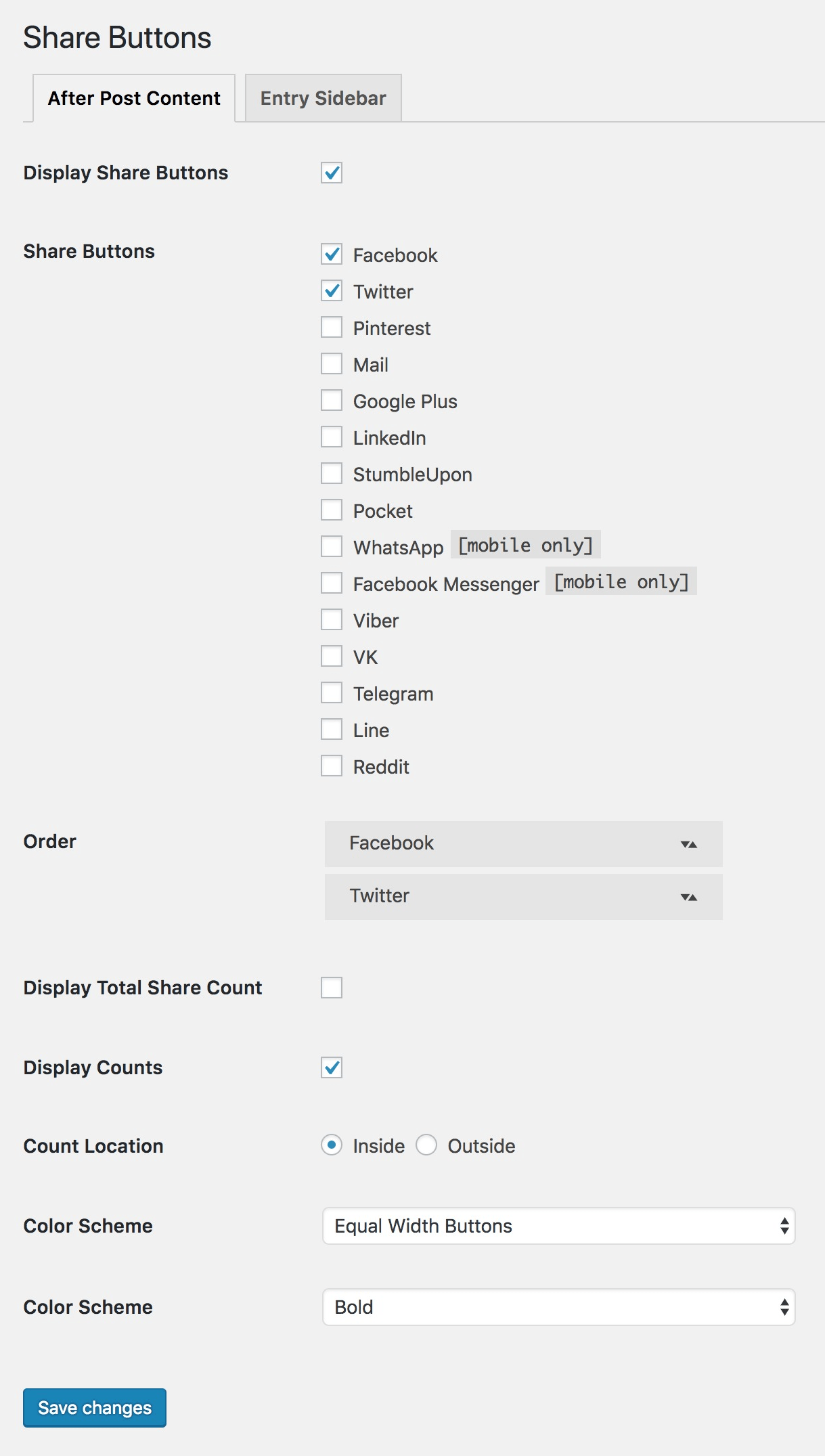
- Share Buttons
- Social Links
- Facebook Integration
- Pinterest Integration
- Twitter Integration
- Instagram Integration
Marketing
- Opt-In Forms
Content Presentation
- Basic Shortcodes
- Justified Gallery
- Slider Gallery
- Lightbox
- Typekit Fonts
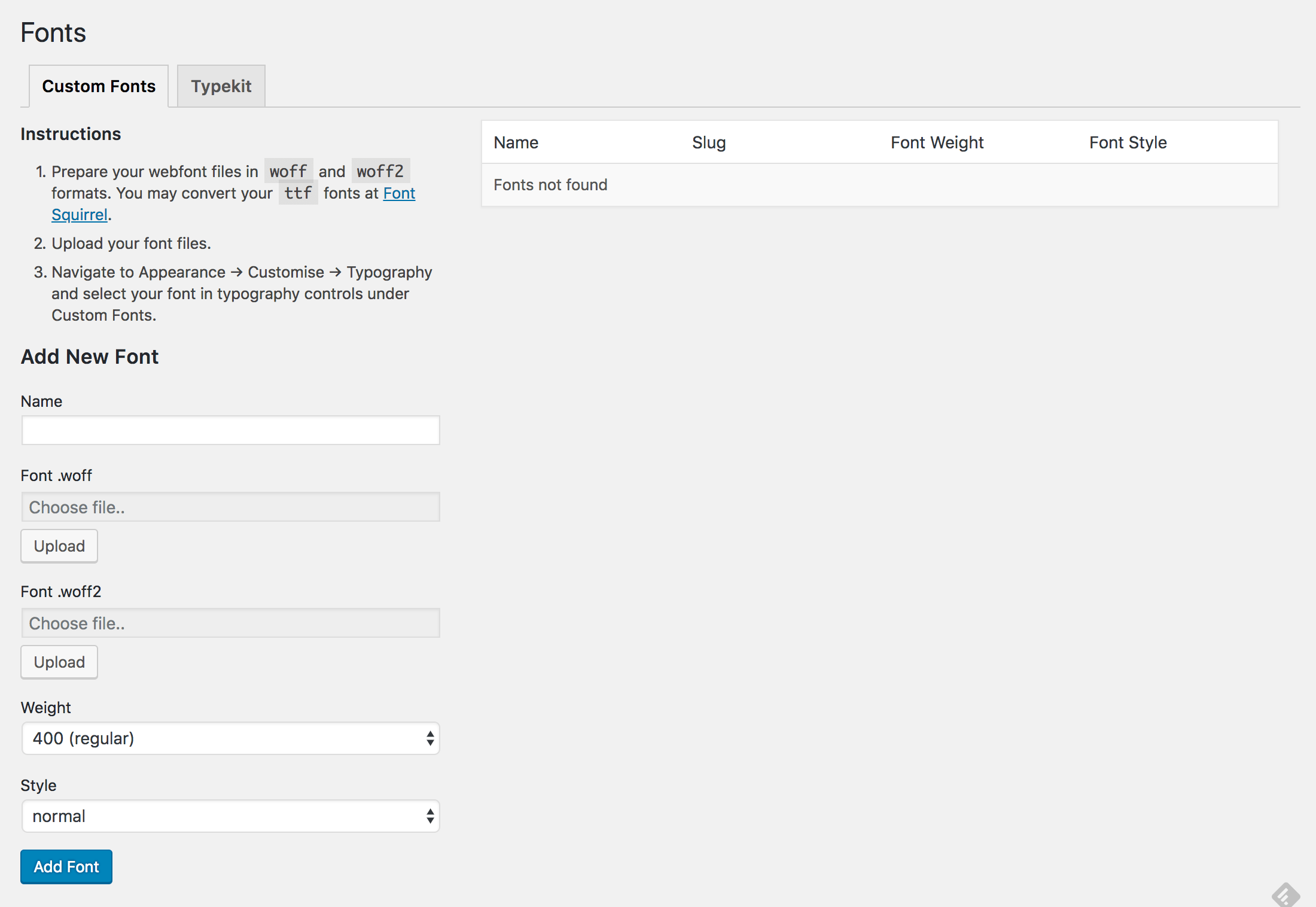
- Custom Fonts
Image Optimization
- Retina Images
- Lazyload
Utilities
- Contributors Widget
- Author Widget
- Featured Posts Widget
- Scroll To Top Button
Installation
- Upload
powerkitto the/wp-content/plugins/directory - Activate the plugin through the ‘Plugins’ menu in WordPress
- Enable or disable modules in the Powerkit menu
Frequently asked questions
Is it free?
Yes, Powerkit is free both for personal and commercial use. You may even bundle Powerkit with your own WordPress themes.
I feel lost. Where can I find the complete plugin documentation?
The complete docs can be found here.
Can I extend Powerkit?
Sure! Powerkit is developer-friendly. There’re numerous hooks and filters, so extending Powerkit and integrating it with your theme is easy. Please refer to our documentation for developers.
Changelog
3.1.1
- Security fix: patched Stored XSS in the Separator shortcode ‘style’ attribute (CVE-2026-15644). The value is now validated against the list of CSS border styles.
- Security fix: patched Stored XSS in the Progress Bar shortcode ‘height’, ‘value’ and ‘color’ attributes. Dimensions are cast to numbers and the color is sanitized as a CSS class name.
- Security fix: patched Stored XSS in the Progress Bar shortcode when “Display value” is enabled — the value was written into the page as HTML instead of text.
- Security fix: patched Stored XSS in the Tabs shortcode ‘nav’ and ‘type’ attributes. Both are now sanitized as CSS class names.
- All four issues required contributor-level access or above. Rendering of existing content is unchanged.
- Security hardening: the author name in post meta and the admin-only warning notices are now filtered before output, so an error message returned by a remote API can no longer inject markup into an administrator’s screen.
- Security hardening: request values on the settings, Connect, Fonts, Custom Fonts, Post Format, Post Views, Featured Categories and Share Buttons admin screens are now consistently unslashed and sanitized. No change to any saved value.
3.1.0
- Improved PHP 8.1–8.3 compatibility: prevented a fatal error that could occur when a third-party plugin registers an invalid callback on a WordPress user-query hook (e.g. pre_user_query). The user lookup now fails safe instead of taking down the site.
- The Author Box and Contributors blocks no longer query the site’s user list on front-end requests — that list is only needed for the block editor’s author/contributor dropdown, so front-end pages are lighter and unaffected by that class of third-party errors.
3.0.9
- Security fix: patched Stored XSS in the Slider and Justified Gallery shortcode attributes (attribute values are now escaped on output — same class of issue as CVE-2026-2390)
- Security fix: added a capability check to the module activate/deactivate handler so only administrators can toggle modules
- Security fix: added capability checks to the Opt-In Forms integration-refresh AJAX handlers (Kit, MailChimp, MailerLite)
- Security improvement: added capability checks to the Post Format UI gallery/oEmbed AJAX handlers, restricted the Table of Contents preview REST route to editors, and escaped the Table of Contents anchor-link URL
3.0.8
- Added compatibility with WordPress 7.0
- Moved all Powerkit settings pages under a single Powerkit menu (fixes duplicate “Fonts” and “Connect” menu items in WordPress 7.0)
- Improved security and code quality: output escaping, input sanitization, prepared database queries, and direct file access protection (WordPress Plugin Check compliance)
- Updated icon font for improved compatibility
- Fixed Scroll to Top button visibility with overlapping elements
3.0.7
- Security improvement: apply esc_attr() to all attribute values in Lazy Load image reconstruction (defense in depth, follow-up to CVE-2026-2390)
3.0.6
- Improved performance: Tippy script is now loaded only for logged-in users
Screenshots

For developers
Is this your plugin? Show off the numbers.
Add a live badge to your site, docs or GitHub README. It updates on its own — no account needed.
Best Powerkit alternatives
All gallery plugins →



FAQ
Powerkit: quick answers
Straight answers, pulled from live WordPress.org data.
Live data from WordPress.org · checked Sep 26, 2026
Is Powerkit free?
Yes. Powerkit is free to download and use from the official WordPress.org plugin directory.
Is Powerkit safe to use in 2026?
Powerkit is a solid plugin choice in 2026, with a few things worth checking first. It runs on 10K+ sites, is rated 4.5/5 and was last updated 2 months ago, and scores 63/100 on our health check.
How many websites use Powerkit?
Powerkit is active on 10K+ WordPress websites and has been downloaded 974,860 times since it launched in May 2018. It was downloaded 8,526 times in the last 30 days.
Does Powerkit work with WordPress 7.1?
Powerkit is officially tested up to WordPress 7.0.6, while the latest release is 7.1.2. It may still work, but try it on a staging site first.
What PHP version does Powerkit need?
Powerkit requires PHP 5.4 or higher. Most hosts run PHP 8.x today, so it works on any modern WordPress hosting.
When was Powerkit last updated?
The latest version, 3.1.1, was released on July 31, 2026 (2 months ago).
Who makes Powerkit?
Powerkit is developed and maintained by codesupplyco.
What are the best alternatives to Powerkit?
The most popular alternatives to Powerkit are Smart Slider 3 (800K+ installs), Slider, Gallery, and Carous… (500K+ installs) and Photo Gallery, Sliders, Pro… (300K+ installs).
Powered by PageForge
Want thousands of pages that rank like these? Build them in an afternoon.
This directory runs on the same engine as PageForge. Turn any spreadsheet, CSV or API into thousands of fast, SEO-ready WordPress pages — with schema, internal links and AI-written copy baked in.
- CSV, Google Sheets & API data sources
- AI content, schema & internal links per page
- Works with Elementor, Gutenberg, Yoast & Rank Math
- Free on WordPress.org — no credit card


