


TableOn – WordPress Posts Table Filterable
TABLEON - Posts Table Filterable: WordPress plugin for displaying and filter posts and their custom post types in table format.

Solid choice
TableOn is a solid plugin choice in 2026, with a few things worth checking first. It runs on 200+ sites, is rated 4.6/5 and was last updated 1 month ago, and scores 75/100 on our health check.
- Tested with the latest WordPress (7.1)
- Momentum — downloads up 19% vs the previous 30 days
- Small user base (200+ active installs)
How does it stack up?
Side-by-side on installs, updates, ratings & support



Daily downloads
Download spikes usually follow a new release — each site that auto-updates counts as a download.
Rankings
Where TableOn stands todayWordPress.org search rankings
Live position in the plugin search, top 100| Keyword | Position |
|---|---|
| filter | >100 |
| posts filter | #69 |
| posts table | #10 |
| table | #53 |
| tableon | #1 |
Version adoption
Share of active sites per release.
Rating breakdown
★★★★★★★★★★ 4.6 from 15 reviews
About TableOn
From the official readme · v1.0.8Description
WordPress Posts Table Filterable – (TABLEON) – WordPress plugin for displaying and filter wordpress posts and their custom post types in table format. WP Tables makes focus for your customers on the things they want to get, nothing superfluous, just what the client wants, and full attention to what is offered!
Latest PHP 8.x.x – FULL COMPATIBILITY!
This plugin is FREE, no limitations in features, but can be extended by free and premium extensions.
Demo site: demo.posts-table.com.
WP Posts Table Features:
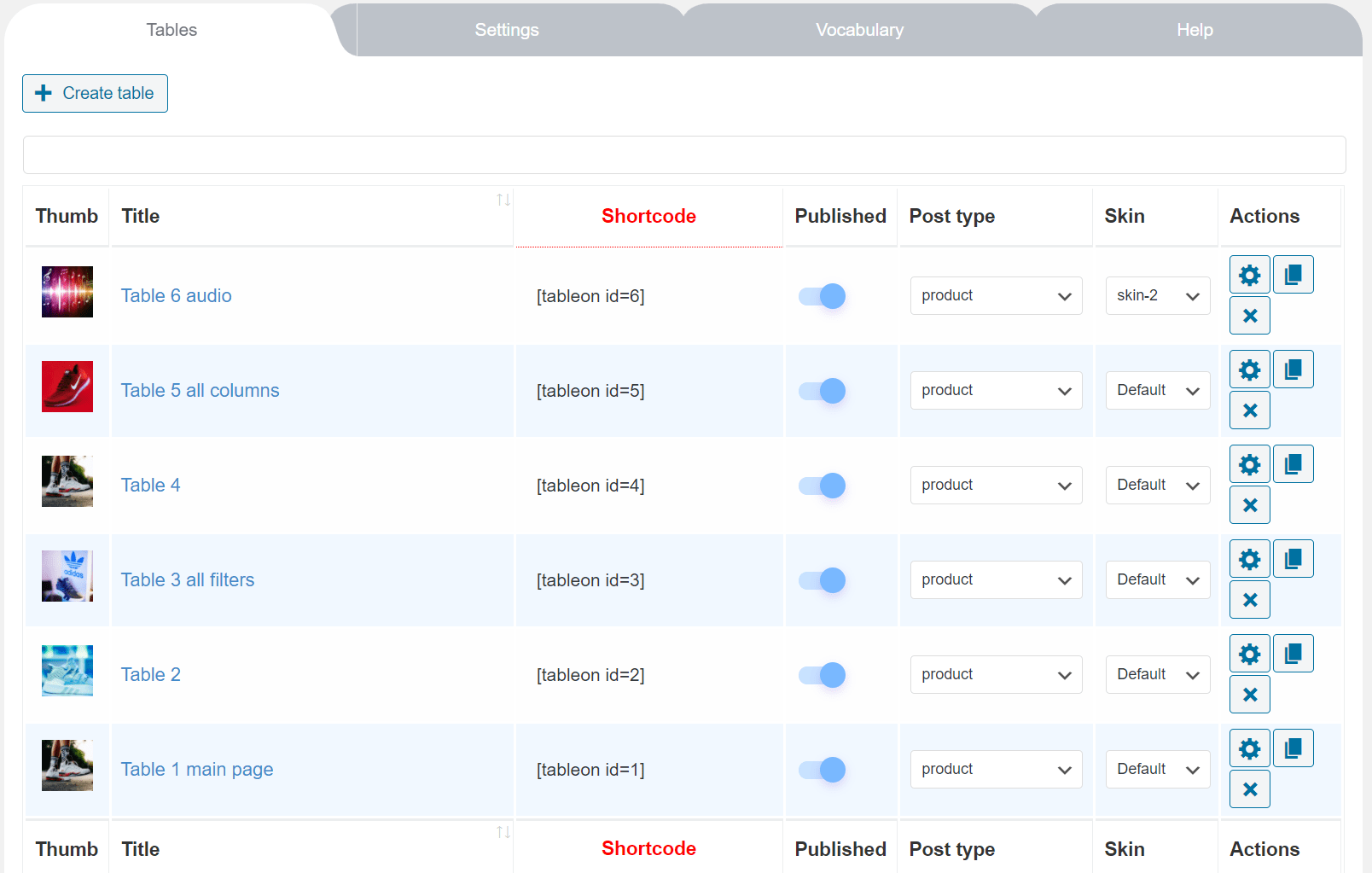
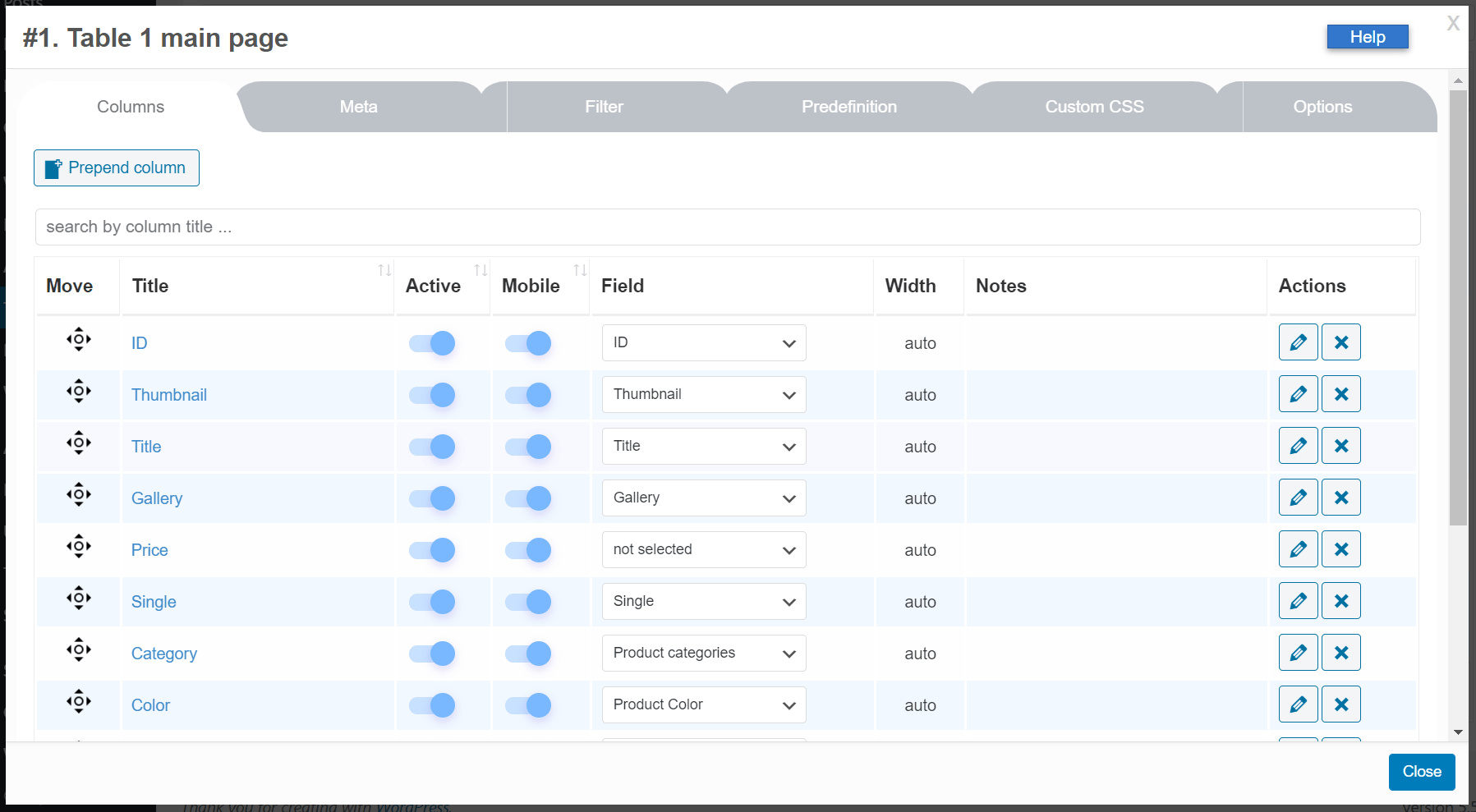
✅ Columns constructor
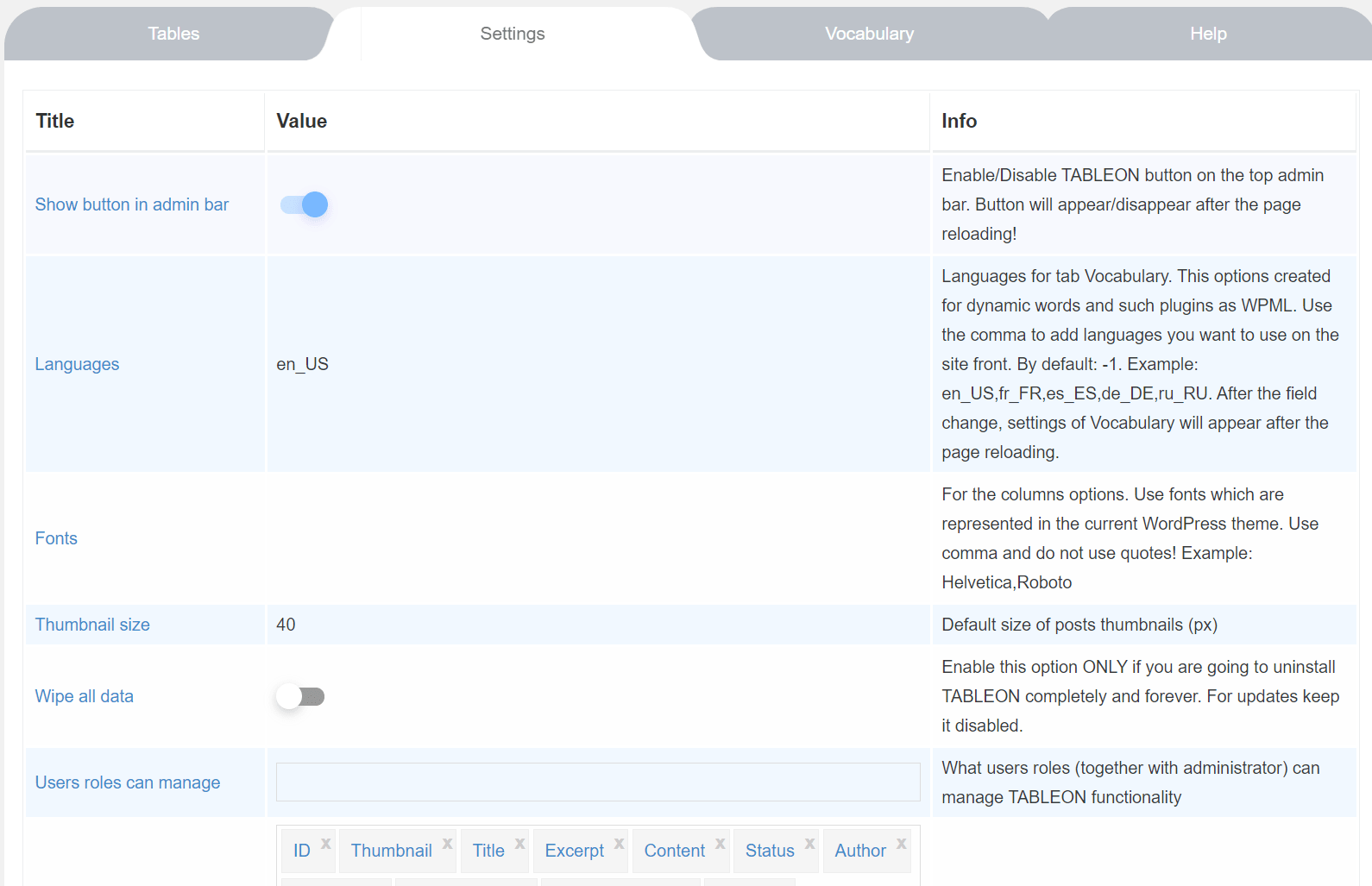
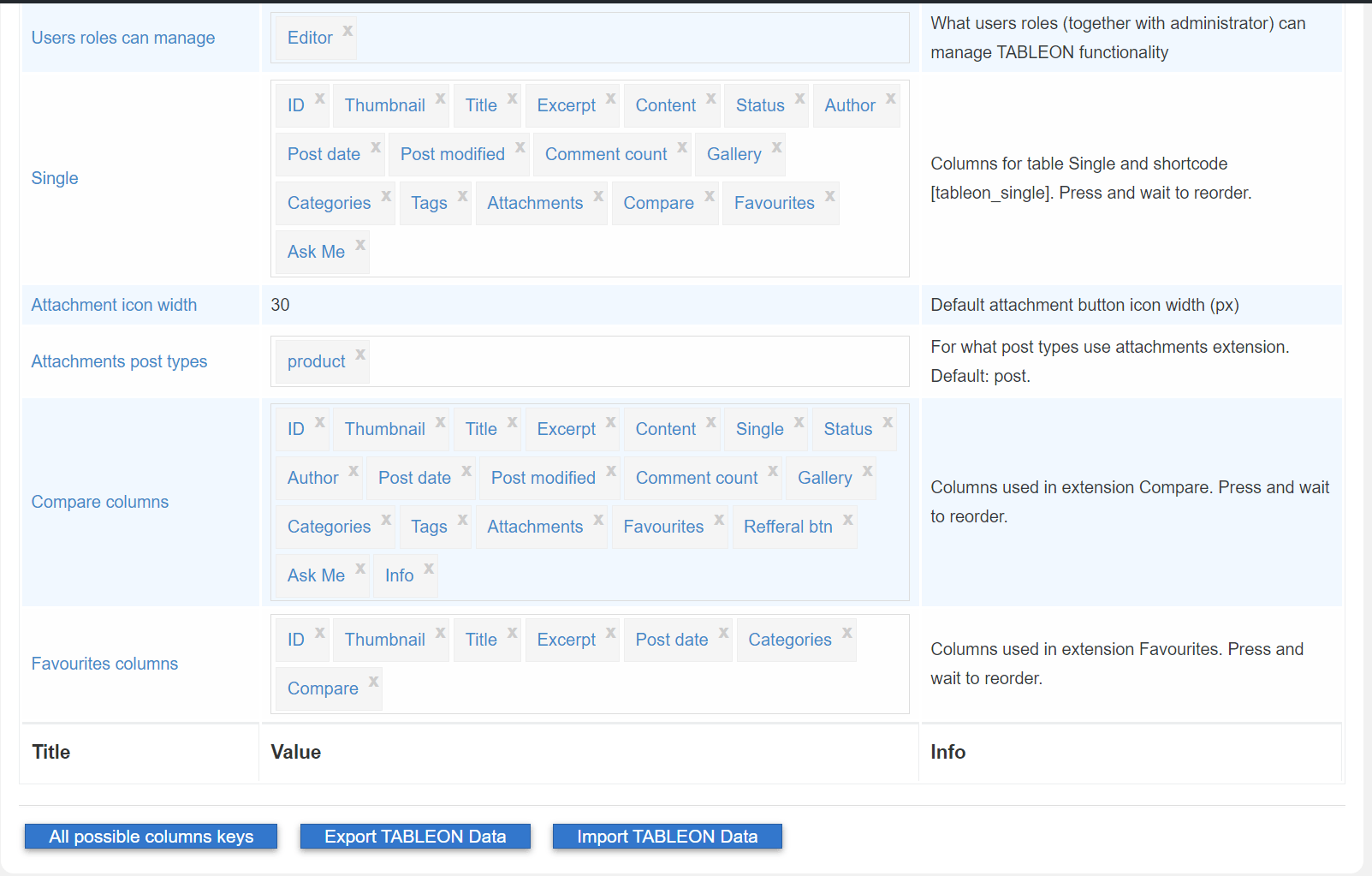
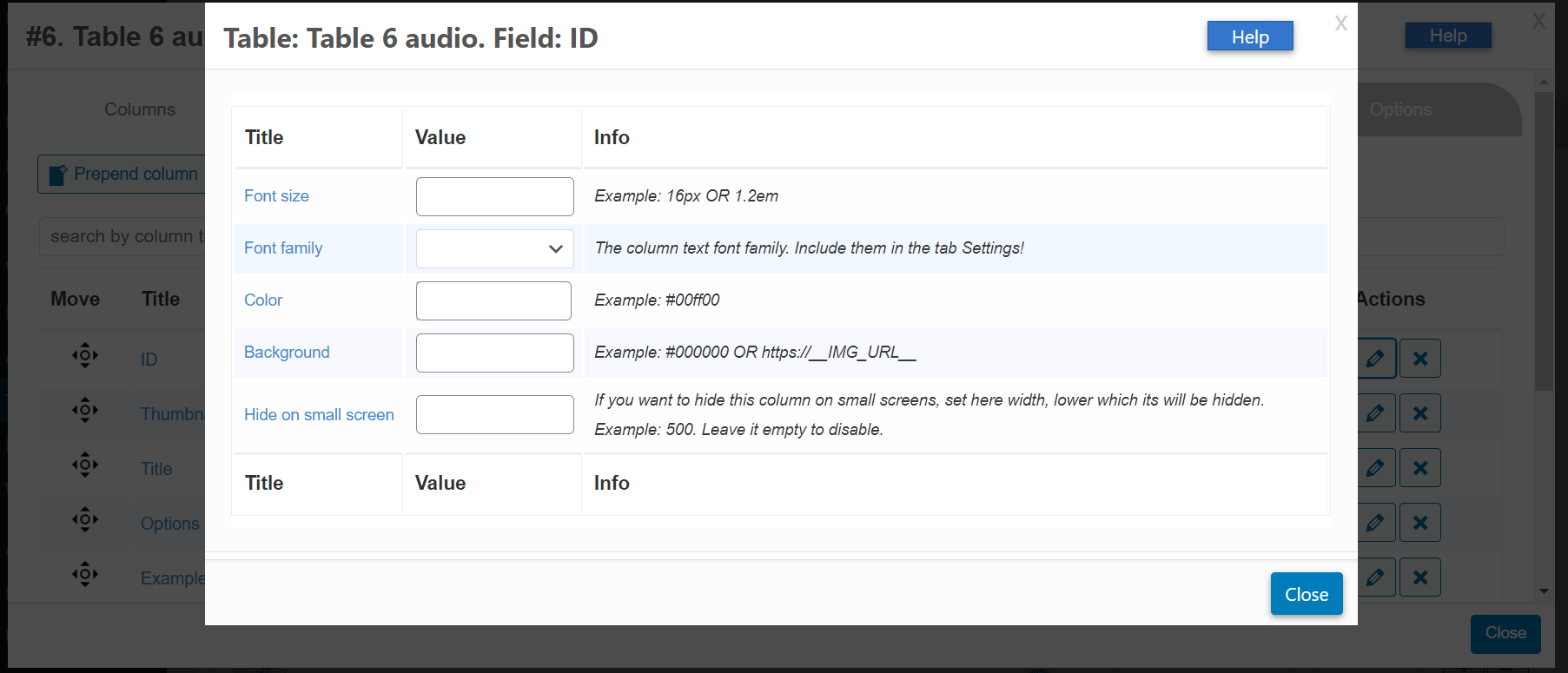
✅ Options for: columns customizations, thumbnail size, columns width and many more (screens below)
✅ Neat shortcode [tableon] with heap of attributes for flexibility
✅ More than 10 predefined column fields is possible to display
✅ Possibility to create custom columns
✅ Skins for each table. On the same web page can be represented some posts tables with the different skins. Create your own skins by CSS.
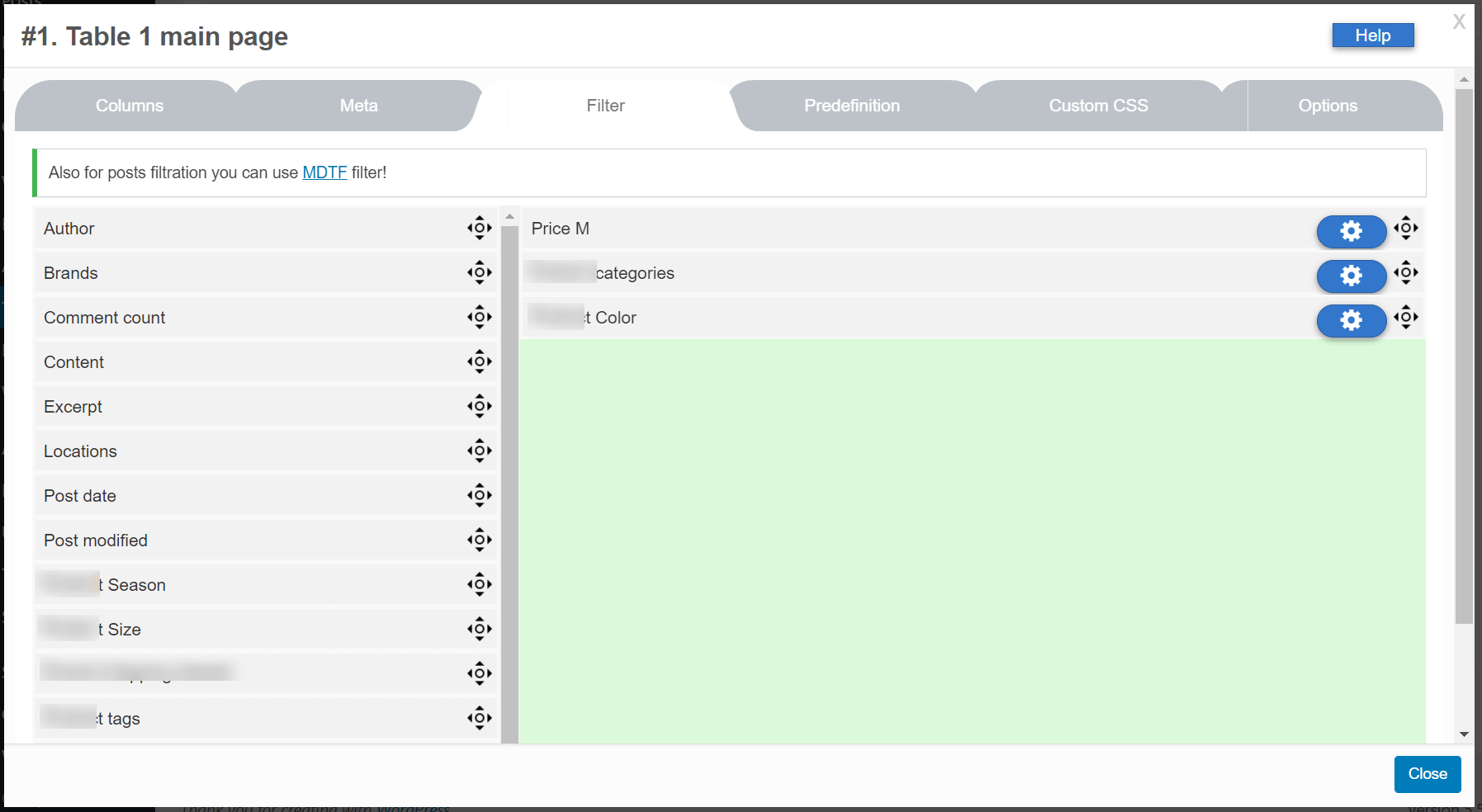
✅ Powerful posts filter constructor
✅ Big variety of filter elements by: post_title, content, excerpt, category, tags, taxonomy, meta fields, etc…
✅ Filters can be represented as: dropdown, multi drop-down, range sliders, textinput, calendars
✅ Predefinition mechanism: show to your customers predefined and relevant set of posts as in the table, so in the popup.
✅ More than 10 ways of the posts sorting
✅ Shortcode [tableon_drop_down] allows to show the table below on the textinput when user searching the posts by its title. Place it on the shop header and let your customers find the posts they want to buy
✅ Power feature as remote tables which gives ability to spread your shop posts to any another sites even created on pure HTML without any CMS, what allows you get more sells and also realize your own referral program
✅ Column “Gallery” – smooth CSS gallery to showcase the best of your posts. Also a post gallery can be represented by shortcode tableon_gallery
✅ FREE ext. Shortcode [tableon_favourites] allows to show the table with selected posts by the current user
✅ Premium ext. Shortcode [tableon_attachments] allows to show the table with post attachment for the current post on its single page or any another one
✅ Premium ext. Shortcode [tableon_compare] allows to show the table with selected compared posts by the current user or predefined by shop admin
✅ Shortcode tableon_single allows to show the table with a post parameters for any one selected ones
✅ Ability to use Load More button instead of pagination
✅ Ability to show multi vendors their posts using attribute param author: [tableon author=23]
✅ Ability to create custom columns, for example such as Ask manager about the post using any contact form plugins
✅ Responsivity: all the posts tables have an option for compact view on mobile devices (option: “Compact view width”)!
✅ Big and flexible set of options for each post table, some of them: Show Sorting Dropdown, Sorting Dropdown Fields, Compact view width, Use load more button, Hide filter form, Show print button, Default order by, Per page drop-down position, Per page drop-down position, Per page values, Per page default
✅ Set of options for each post column, some basic: Width, Font size, Font family, Color, Background, Hide on small screen
✅ Ability to create custom columns specially for your business (by PHP code)
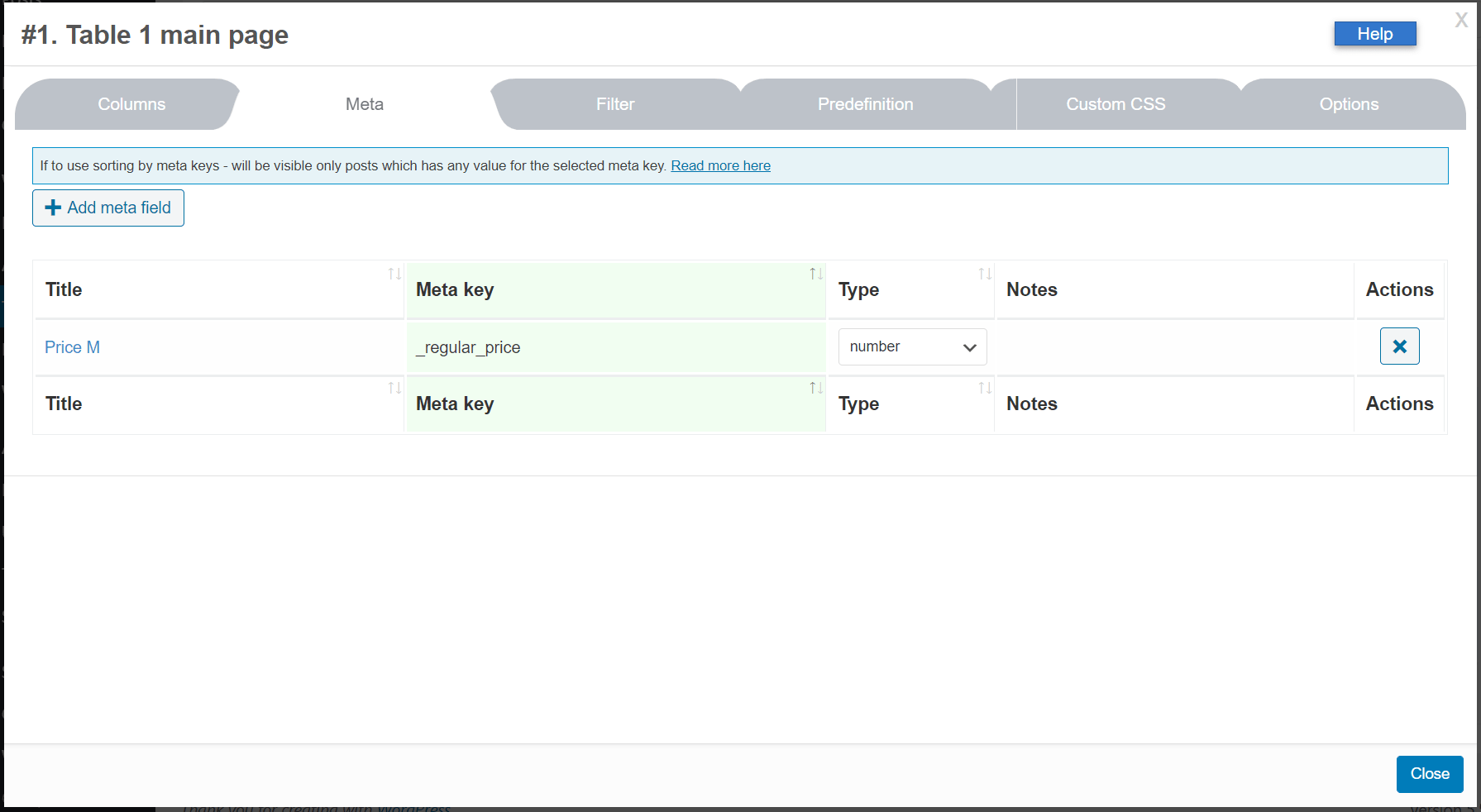
✅ Ability to add meta fields data in the table columns using in-built constructor
✅ Ability to show a post table in the popup on click. Show tables in popup in your shop text content with relevant predefined tables. Unlimited count of tables in popup per page can be created!
✅ Caching table of posts mechanism
✅ Print button
✅ Mobile compact view option
✅ CSS editor
✅ Pagination
✅ Compatible with MDTF (redirect mode)
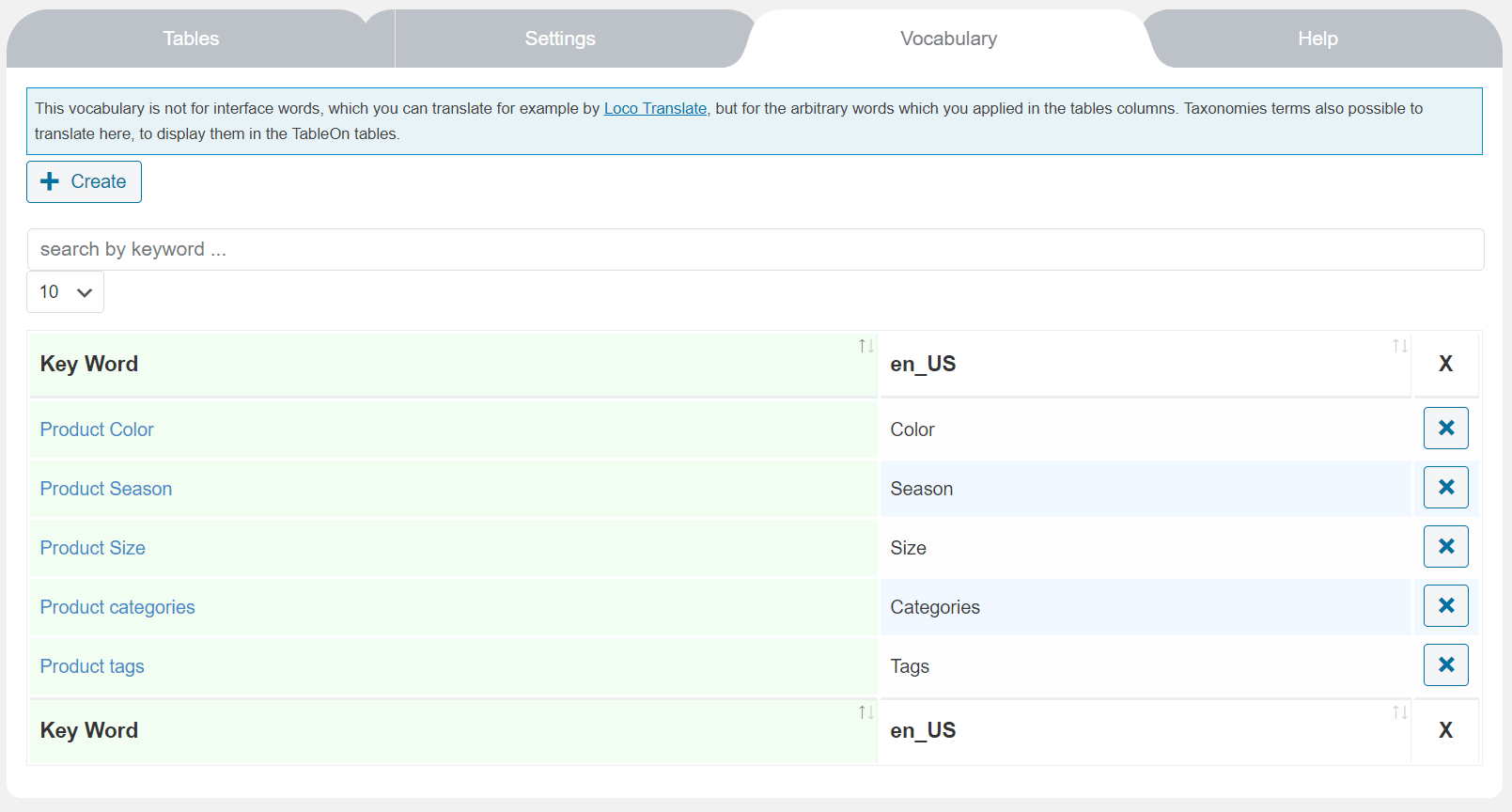
✅ WPML
✅ Works in Elementor and Page builder page content
✅ no jQuery – 100% pure JavaScript
✅ ✔ Strong technical support which each day works with tones of code!
- Documentation
- This plugin is FREE as is. Premium extensions can be bought here: https://pluginus.net/product-category/tableon/
Make your site more profitable with next powerful scripts:
✅ WPBE – WordPress Posts Bulk Editor Professional: is WordPress plugin for managing and bulk edit WordPress posts, pages and custom post types data in robust and flexible way! Be professionals with managing data of your site!
✅ WPCS – WordPress Currency Switcher: is a WordPress plugin that allows to switch currencies and get their rates converted in the real time on your site!
✅ WOOF – Products Filter for WooCommerce: products filter plugin for WooCommerce that allows your customers filter products by categories, attributes, products tags, products custom taxonomies and price – a must have plugin for your WooCommerce online store!
✅ BEAR – WooCommerce Bulk Editor and Products Manager Professional: WordPress plugin for managing and bulk edit WooCommerce Products data in the reliable and flexible way! Be professionals with managing data of your e-shop!
✅ WOOCS – Currency Switcher for WooCommerce: is WooCommerce multi currency plugin, that allows your site visitors switch products prices currencies according to set currencies rates in the real time and pay in the selected currency (optionally). Allows to add any currency for WooCommerce store!
✅ WOOT – WooCommerce Products Table: is WordPress plugin for WooCommerce products, created for displaying and filter shop products in the table format.
On the screenshots below displayed also premium extensions functionality: Compare, Attachments
License
This plugin is copyright pluginus.net © 2012-2026 with GPLv2 by realmag777.
This program is free software; you can redistribute it and/or modify it under the terms of the GNU General Public License as published by the Free Software Foundation; either version 2 of the License, or (at your option) any later version.
This program is distributed in the hope that it will be useful, but WITHOUT ANY WARRANTY. See the GNU General Public License for more details.
Installation
- Download to your plugin directory or simply install via WordPress admin interface.
- Activate.
- Use.
Changelog
1.0.8
- Security update, thanks to Oly Hossen and patchstack.com
- Fixed: tables not displayed on block themes
1.0.7
- 1 security fix, thanks to Athiwat Tiprasaharn (Jitlada) and wordfence.com
1.0.6
- 1 security fix, thanks to hhhai and patchstack.com
1.0.5.1
- critical js errors with shortcode [tableon id=1 use_load_more=1 mode=’json’ is_front=1] and https://demo.posts-table.com/custom-set-of-the-tables/
1.0.5
- 1 security fix, thanks to Itthidej Aramsri (Boeing777) and wordfence.com
1.0.4.4
- 1 security fix, thanks to LVT-tholv2k and patchstack.com
Screenshots

For developers
Is this your plugin? Show off the numbers.
Add a live badge to your site, docs or GitHub README. It updates on its own — no account needed.
Best TableOn alternatives
All filter plugins →





FAQ
TableOn: quick answers
Straight answers, pulled from live WordPress.org data.
Source: WordPress.org
Is TableOn free?
Yes. TableOn is free to download and use from the official WordPress.org plugin directory.
Is TableOn safe to use in 2026?
TableOn is a solid plugin choice in 2026, with a few things worth checking first. It runs on 200+ sites, is rated 4.6/5 and was last updated 1 month ago, and scores 75/100 on our health check.
How many websites use TableOn?
TableOn is active on 200+ WordPress websites and has been downloaded 11,583 times since it launched in November 2020. It was downloaded 696 times in the last 30 days.
Does TableOn work with WordPress 7.1?
Yes. The developer has tested TableOn up to WordPress 7.1.5, the latest release. It requires WordPress 4.9 or newer.
What PHP version does TableOn need?
TableOn requires PHP 7.4 or higher. Most hosts run PHP 8.x today, so it works on any modern WordPress hosting.
When was TableOn last updated?
The latest version, 1.0.8, was released on October 23, 2026 (1 month ago).
Who makes TableOn?
TableOn is developed and maintained by PluginUs.NET.
What are the best alternatives to TableOn?
The most popular alternatives to TableOn are HUSKY (80K+ installs), Search & Filter (40K+ installs) and Allow HTML in Category Desc… (8K+ installs).
Powered by PageForge
One template and a spreadsheet. A real page for every search.
PageForge turns each row of a CSV into a WordPress page with its own title, URL, SEO fields and schema, built on the layout you already designed. Free on WordPress.org.
- CSV and XLSX, plus Google Sheets on Professional and Enterprise
- Its own title, URL, SEO fields and schema for every page
- Works with the block editor, Elementor, Divi and Avada
- Free on WordPress.org, no credit card