


Podcast Blocks
Podcast Blocks makes it easy to turn any WordPress site into a full-featured podcast website. Add the Podcast Episode Gutenberg block to any post, upload or link your audio or video file, and the site will take over…

Solid choice
Podcast Blocks is a solid plugin choice in 2026, with a few things worth checking first. Was last updated 4 weeks ago, and scores 64/100 on our health check.
- Actively developed — last update 4 weeks ago
- Tested with the latest WordPress (7.1)
- Small user base (<10 active installs)
- Very few reviews so far
- Needs PHP 8.1 or newer
How does it stack up?
Side-by-side on installs, updates, ratings & support


Daily downloads
Download spikes usually follow a new release — each site that auto-updates counts as a download.
Rankings
Where Podcast Blocks stands todayWordPress.org search rankings
Live position in the plugin search, top 100| Keyword | Position |
|---|---|
| apple | >100 |
| blocks | >100 |
| gutenberg | >100 |
| itunes | #28 |
| podcast | #80 |
About Podcast Blocks
From the official readme · v0.9.5Description
Podcast Blocks makes it easy to turn any WordPress site into a full-featured podcast website. Add the Podcast Episode Gutenberg block to any post, upload or link your audio or video file, and the site will take over from there.
This truly is a simple podcasting plugin with the intent to stay simple and lightweight and does not require a paid subscription to use it.
ATTENTION: This version is intended for new podcasts. Migrating from an existing podcasting WordPress plugin such as PowerPress is not available in this release.
Features
- Podcast Episode block — Upload or link audio and video files directly from the block editor. Uploaded files are saved in
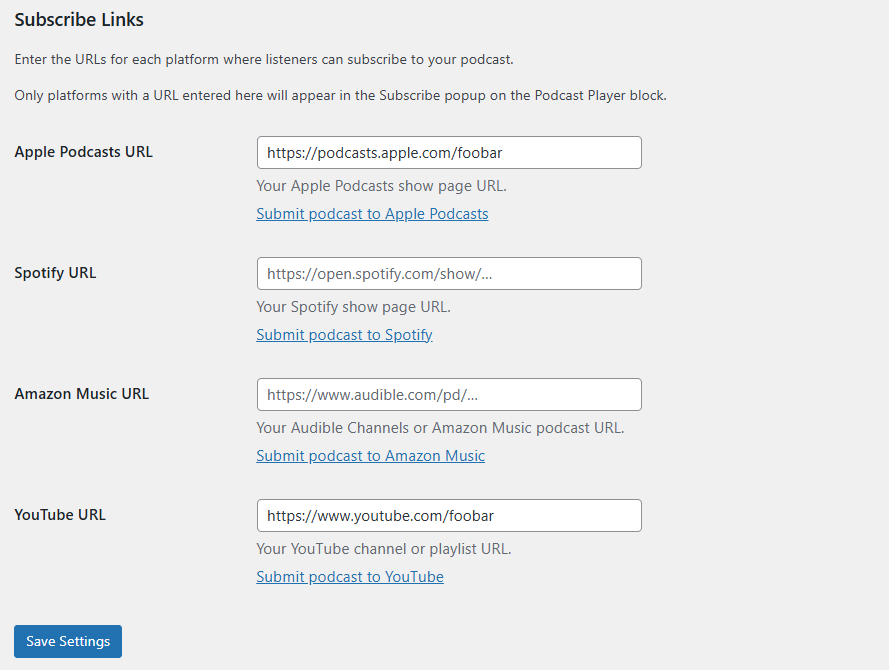
wp-content/uploadsorganized by year and month, exactly the same way the standard WordPress media library works. - Apple Podcasts RSS extensions — The plugin automatically adds the iTunes XML namespace and channel-level tags (author, owner, artwork, categories, explicit flag) to your RSS2 feed so your podcast appears correctly in Apple Podcasts, Spotify, and other podcast directories.
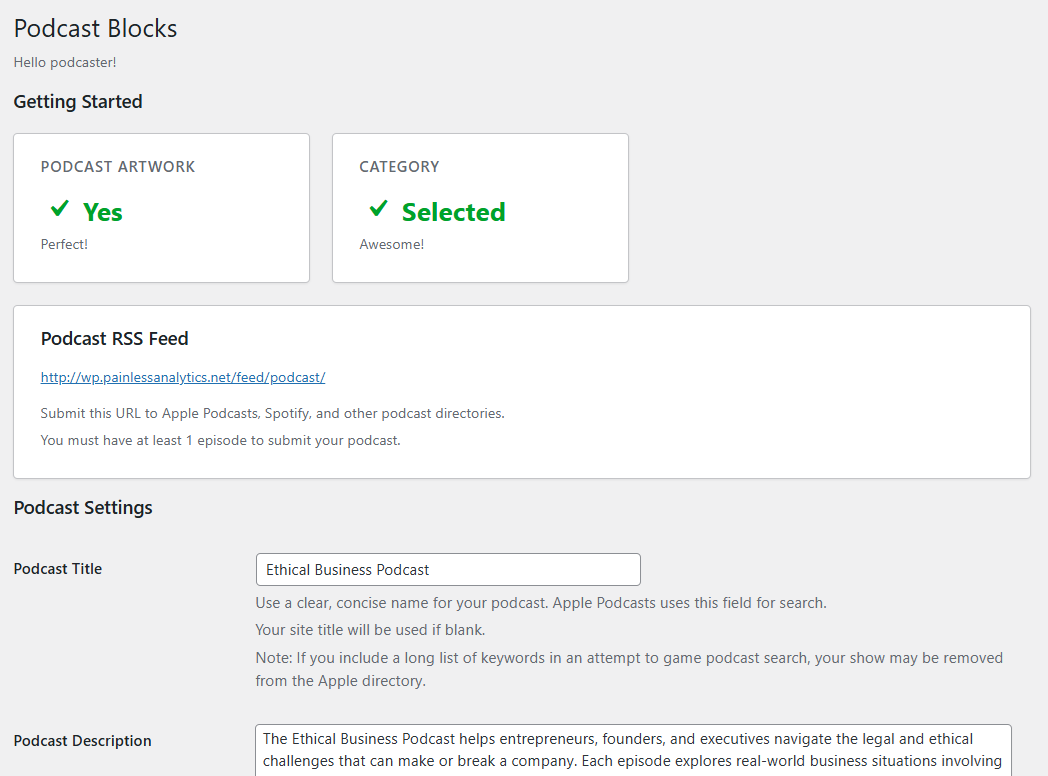
- Settings page — Configure podcast title, description, author, contact email, website URL, language, explicit-content flag, primary and secondary iTunes categories, and your show artwork — all from a dedicated Podcast Blocks menu in wp-admin.
- Easy Show artwork upload — Upload a square show image (600×600 to 1400×1400 px, PNG or JPG) via the native WordPress media uploader. A size warning is shown if the selected image is outside the Apple Podcasts recommended dimensions.
- Smart Podcast Show Notes — Show notes are now formatted with only the appropriate HTML tags for Apple podcasts, links are exposed so they can be clicked in most applications, and paragraphs are separated with new lines consistently.
Installation
- Upload the
podcast-blocksfolder to/wp-content/plugins/. - Activate the plugin through the Plugins menu in WordPress.
- Navigate to Podcast Blocks in the left-hand admin menu and fill in your podcast information including show artwork.
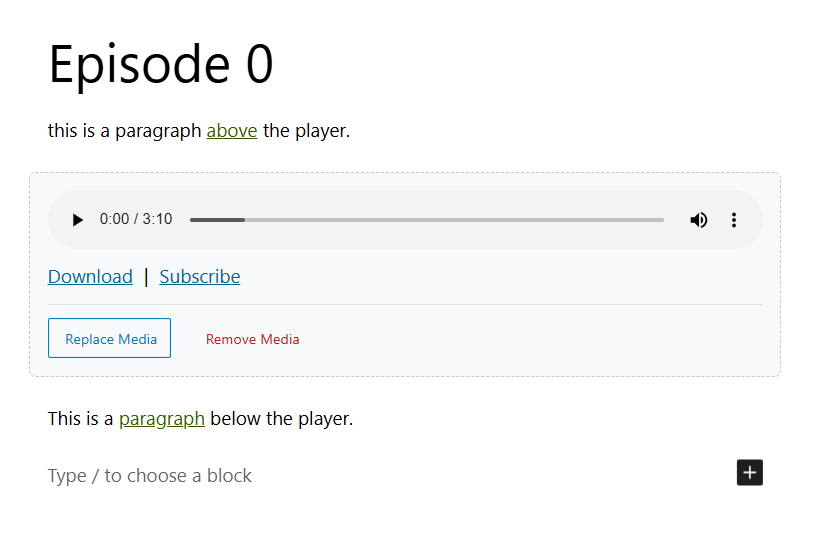
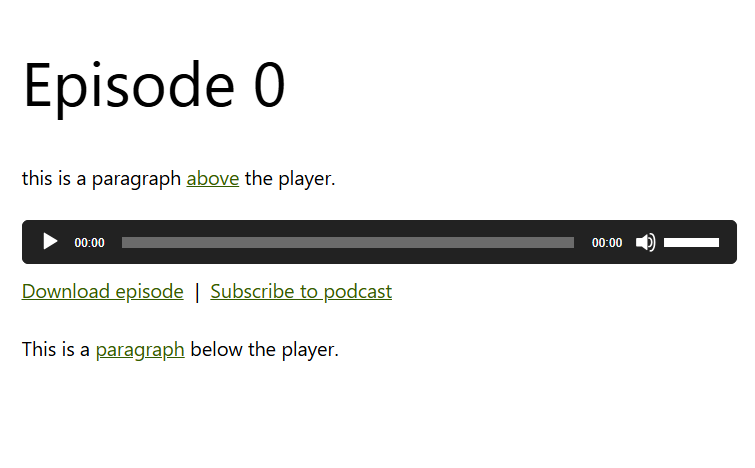
- Create or edit any post, insert the Podcast Episode block, and upload or link your audio or video file.
- Your Podcast feed at
https://example.com/feed/podcast/includes iTunes-compatible channel tags and a proper<enclosure>element on each episode post.
Frequently asked questions
Didn’t you cofound Blubrry Podcasting and are the software architect who created PowerPress? Why make another podcasting plugin?
Yes, that is me! After leaving Blubrry in 2022, I spent time talking to podcasters about what frustrated them most. The most common answer was clear: podcasting on WordPress should be simple. So I built Podcast Blocks with exactly that goal.
How easy is it to podcast with Podcast Blocks?
INSANELY EASY! 1 – Install and enable the plugin, fill out the required settings, and click save. 2 – Create a blog post, add the Podcast Episode block to your page where you want the player to appear, select your media file then publish. 3 – Submit your podcast feed to the podcast directories.
Which RSS feed URL do I submit to podcast directories?
Use the podcast only feed: https://example.com/feed/podcast/ (or ?feed=podcast).
Can I link to a file hosted on a CDN, podcast service, or another server?
Yes. Enter any publicly accessible URL in the Media URL field in the block sidebar.
What audio and video formats are supported?
Audio — MP3, M4A, AAC, OGG/OGA, FLAC, WAV video — MP4, M4V, WebM, OGV, MOV.
Can I use more than one Podcast Episode block per post?
The plugin stores one enclosure per post (the most recently saved block’s media URL). For podcast feeds, each post should contain one episode.
Where is the show artwork stored?
The artwork is uploaded to the WordPress media library and referenced by attachment ID, so it benefits from all standard WordPress image management and CDN offloading.
Are transcripts (VTT/SRT) supported?
Yes. You can upload VTT or SRT transcript files.
Can I migrate to your plugin from another Podcasting plugin?
Not currently. This version of Podcast Blocks is intended for a brand new podcast.
Changelog
Initial release — no upgrade steps required.
0.9.5
- Released 2026-09-13
- Tested up to WordPress 7.1
0.9.4
- Released 2026-07-07
- Added Apple Podcasts Verify Token to the Podcast block settings, allowing users to verify their podcast ownership with Apple Podcasts.
- Allow SRT and VTT transcript files to be uploaded via the media library
0.9.3
- Released 2026-05-24
- Tested up to WordPress 7.0
0.9.2
- Released 2026-05-18
- Added new “Smart Podcast Show Notes” feature. Show notes are now formatted for better readability on the most popular podcast platforms and applications.
0.9.1
Release skipped.
0.9.0
- Released 2026-05-11
- First public release of Podcast Blocks plugin.
Screenshots
For developers
Is this your plugin? Show off the numbers.
Add a live badge to your site, docs or GitHub README. It updates on its own — no account needed.
Best Podcast Blocks alternatives
All apple plugins →



FAQ
Podcast Blocks: quick answers
Straight answers, pulled from live WordPress.org data.
Live data from WordPress.org · checked Oct 8, 2026
Is Podcast Blocks free?
Yes. Podcast Blocks is free to download and use from the official WordPress.org plugin directory.
Is Podcast Blocks safe to use in 2026?
Podcast Blocks is a solid plugin choice in 2026, with a few things worth checking first. Was last updated 4 weeks ago, and scores 64/100 on our health check.
How many websites use Podcast Blocks?
Podcast Blocks is active on <10 WordPress websites and has been downloaded 489 times since it launched in May 2026. It was downloaded 124 times in the last 30 days.
Does Podcast Blocks work with WordPress 7.1?
Yes. The developer has tested Podcast Blocks up to WordPress 7.1.3, the latest release. It requires WordPress 6.5 or newer.
What PHP version does Podcast Blocks need?
Podcast Blocks requires PHP 8.1 or higher. Most hosts run PHP 8.x today, so it works on any modern WordPress hosting.
When was Podcast Blocks last updated?
The latest version, 0.9.5, was released on September 13, 2026 (4 weeks ago).
Who makes Podcast Blocks?
Podcast Blocks is developed and maintained by Angelo Mandato.
What are the best alternatives to Podcast Blocks?
The most popular alternatives to Podcast Blocks are Podcast Subscribe Buttons (4K+ installs), Publish To Apple News (4K+ installs) and Smart App Banner (600+ installs).
Powered by PageForge
Want thousands of pages that rank like these? Build them in an afternoon.
This directory runs on the same engine as PageForge. Turn any spreadsheet, CSV or API into thousands of fast, SEO-ready WordPress pages — with schema, internal links and AI-written copy baked in.
- CSV, Google Sheets & API data sources
- AI content, schema & internal links per page
- Works with Elementor, Gutenberg, Yoast & Rank Math
- Free on WordPress.org — no credit card


