



Plugin Organizer
Change plugin order and selectively enable/disable plugins on each post/page.

Solid choice
Plugin Organizer is a solid plugin choice in 2026, with a few things worth checking first. It runs on 10K+ sites, is rated 4.7/5 and was last updated 1 month ago, and scores 74/100 on our health check.
- Proven at scale on 10K+ active sites
- Loved by users — 4.7/5 from 227 reviews
- Tested with the latest WordPress (7.1)
Daily downloads
Download spikes usually follow a new release — each site that auto-updates counts as a download.
Rankings
Where Plugin Organizer stands todayWordPress.org search rankings
Live position in the plugin search, top 100| Keyword | Position |
|---|---|
| disable plugins by post or page | #9 |
| plugin load order | #9 |
| plugin organizer | #1 |
| turn off plugins for post or page | #3 |
Version adoption
Share of active sites per release.
Rating breakdown
★★★★★★★★★★ 4.7 from 227 reviews
About Plugin Organizer
From the official readme · v10.2.6Description
This plugin allows you to do the following:
1. Change the order that your plugins are loaded.
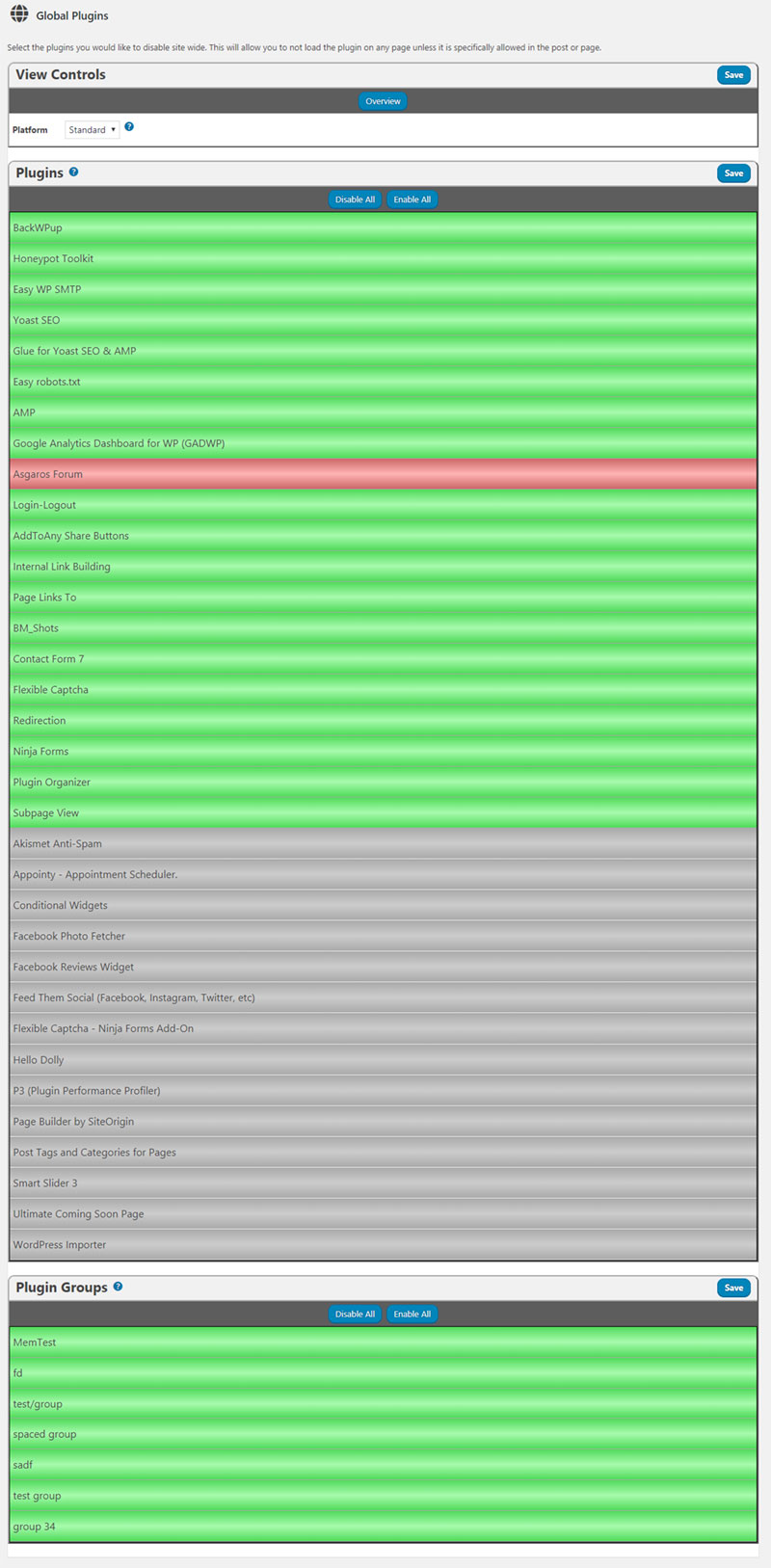
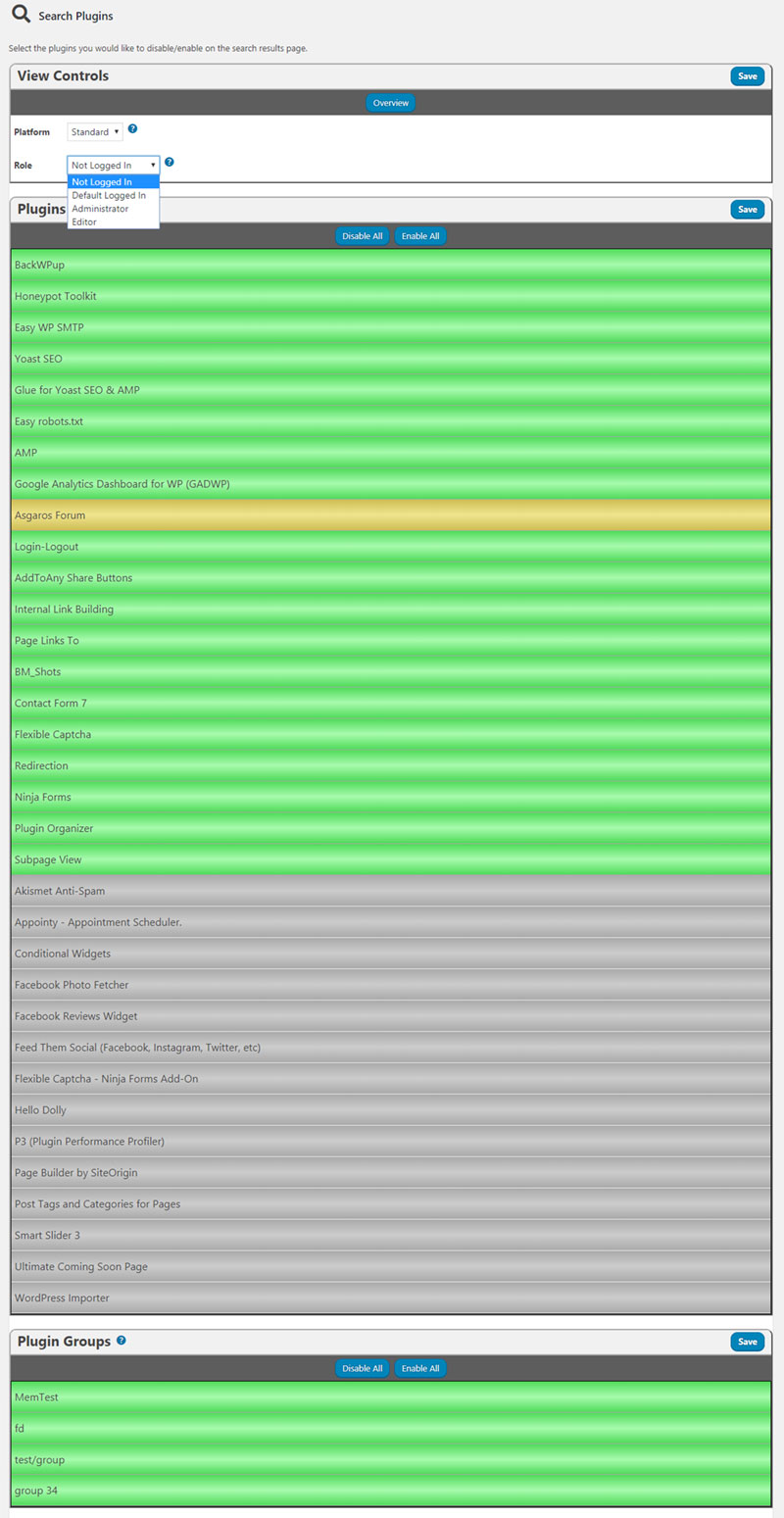
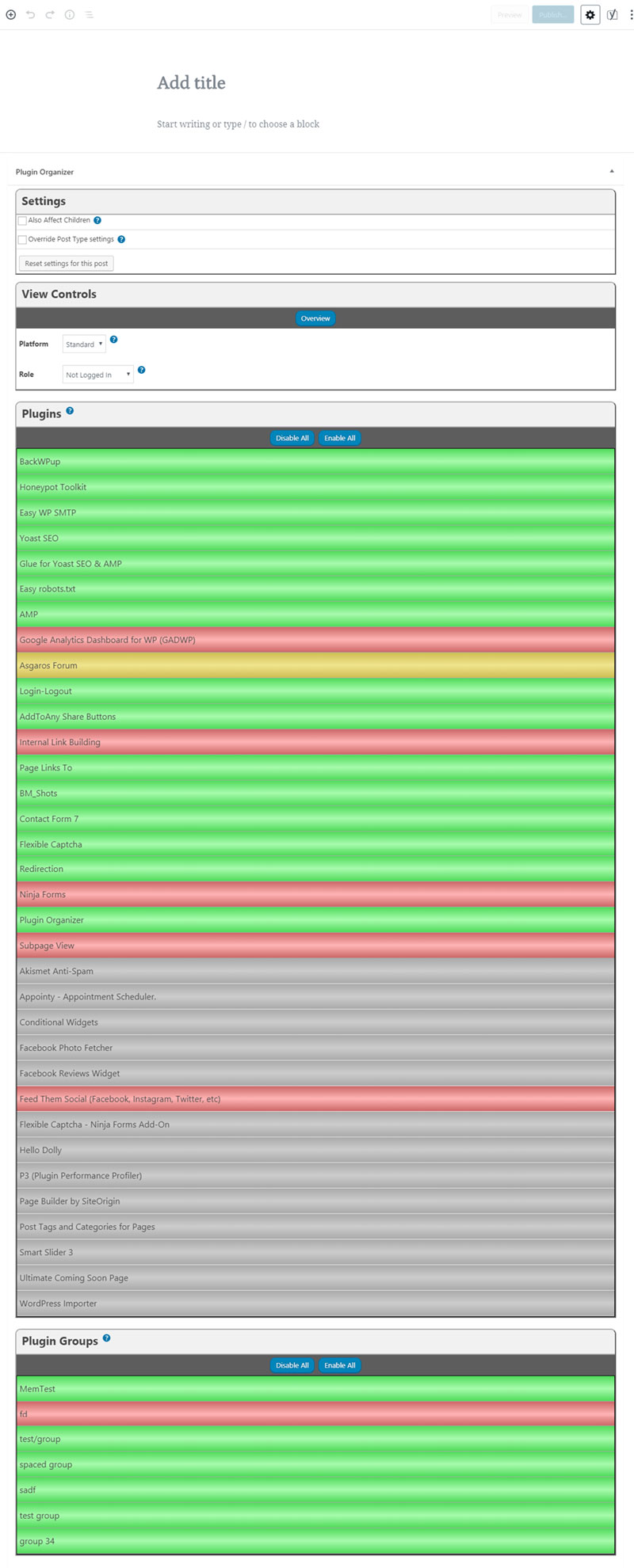
2. Selectively disable plugins by any post type or wordpress managed URL.
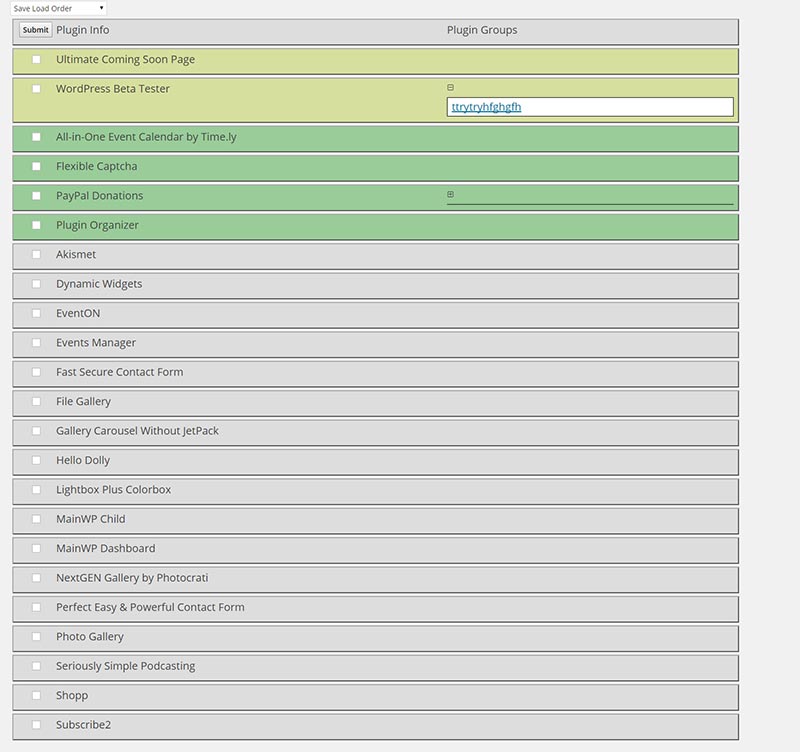
3. Adds grouping to the plugin admin age.
WARNING: Reordering or disabling plugins can have catastrophic affects on your site. It can cause issues with plugins and can render your site inaccessible.
Installation
- Extract the downloaded Zip file.
- Upload the ‘plugin-organizer’ directory to the
/wp-content/plugins/directory - Activate the plugin through the ‘Plugins’ menu in WordPress
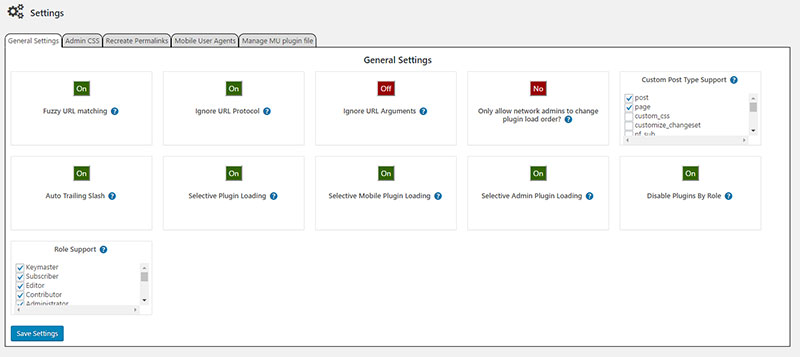
- Use the menu item under settings in the WordPress admin called Plugin Organizer to get the plugin set up.
IMPORTANT: To enable selective plugin loading you must move the /wp-content/plugins/plugin-organizer/lib/PluginOrganizerMU.class.php file to /wp-content/mu-plugins or wherever your mu-plugins folder is located. If the mu-plugins directory does not exist you can create it. The plugin will attempt to create this directory and move the file itself when activated. Depending on your file permissions it may not be successful.
Note: If you are having troubles you can view the documentation by going to https://www.sterup.com/wordpress-plugins/plugin-organizer/documentation/
Frequently asked questions
Can Plugin Organizer be used with caching plugins?
The simple answer. Yes. But you must understand how your caching plugin and Plugin Organizer do what they do. If your caching plugin creates a minified version of the javascript files loaded on a page then there is the potential that Plugin Organizer will cause the caching plugin to constantly recreate the minified javascript files. The above example explains how load time and caching can be affected with a caching plugin that creates minified javascript files. It basically renders the caching plugin useless. There are different ways that caching plugins work and they can work together with…
How do I disable plugins on the WordPress admin?
Follow the documentation page for disable plugins on wp-admin.
I upgraded and the metabox has disappeared from the post edit screen where I can enable/disable plugins.
Go to the Plugin Organizer settings page and click the button under selective plugin loading to turn it on. During the upgrade process selective plugin loading got turned off.
How do I enable the selective plugin loading functionality?
Go to the Plugin Organizer settings page and click the button under selective plugin loading to turn it on. Then visit your homepage. Finally return to the Plugin Organizer settings page and see if the button is still set to on. If it is not then you are running an old version of the MU component. Copy the PluginOrganizerMU.class.php file to the mu-plugins folder then deactivate and reactivate the plugin. Repeat these steps to ensure that the plugin is working. Remember that you will need to update the PluginOrganizerMU.class.php file whenever the plugin is updated and check your settings…
Does this plugin work with wordpress multi-site?
Yes it has been tested on several multi-site installs. Both subdomain and sub folder types.
Does this plugin work with custom post types?
Yes it has been tested with custom post types. You can add support for your custom post types on the settings page.
Does this only apply to WP MU or all types of WP installs?
“IMPORTANT: To enable selective plugin loading you must move the /wp-content/plugins/plugin-organizer/lib/PluginOrganizerMU.class.php file to /wp-content/mu-plugins or wherever your mu-plugins folder is located. If the mu-plugins directory does not exist you can create it. The plugin will attempt to create this directory and move the file itself when activated. Depending on your file permissions it may not be successful.” The mu-plugins folder contains “Must Use” plugins that are loaded before regular plugins. The mu is not related to WordPress MU. This was added to regular WordPress in 3.0 I…
In what instance would this plugin be useful?
Example 1: If you have a large number of plugins and don’t want them all to load for every page you can disable the unneeded plugins for each individual page. Or you can globally disable them and enable them for each post or page you will need them on. Example 2: If you have plugins that conflict with eachother then you can disable the plugins that are conflicting for each indivdual post or page. Example 3: If you have plugins that conflict with eachother then you can disable the plugins globally and activate them only on posts or pages where they will be used. Note: If you are having…
How do I target the homepage of my site if it isn’t a page post type?
Create a plugin filter with your home page url. Like https://www.sterup.com/. Then enable or disable the plugins you want with that filter.
Can I use wildcards in a plugin filter permalink?
Yes. You can use limited wildcards in the permalink structure. For instance you can match the url https://www.sterup.com/some/pretty/permalink/ by entering https://www.sterup.com/some//permalink/. You can also match the url by entering https://www.sterup.com//pretty/permalink/ as the permalink. The only character that is recognized is the * character. It can only replace one piece of the url in between the / characters.
Can I enable/disable plugins based on post type?
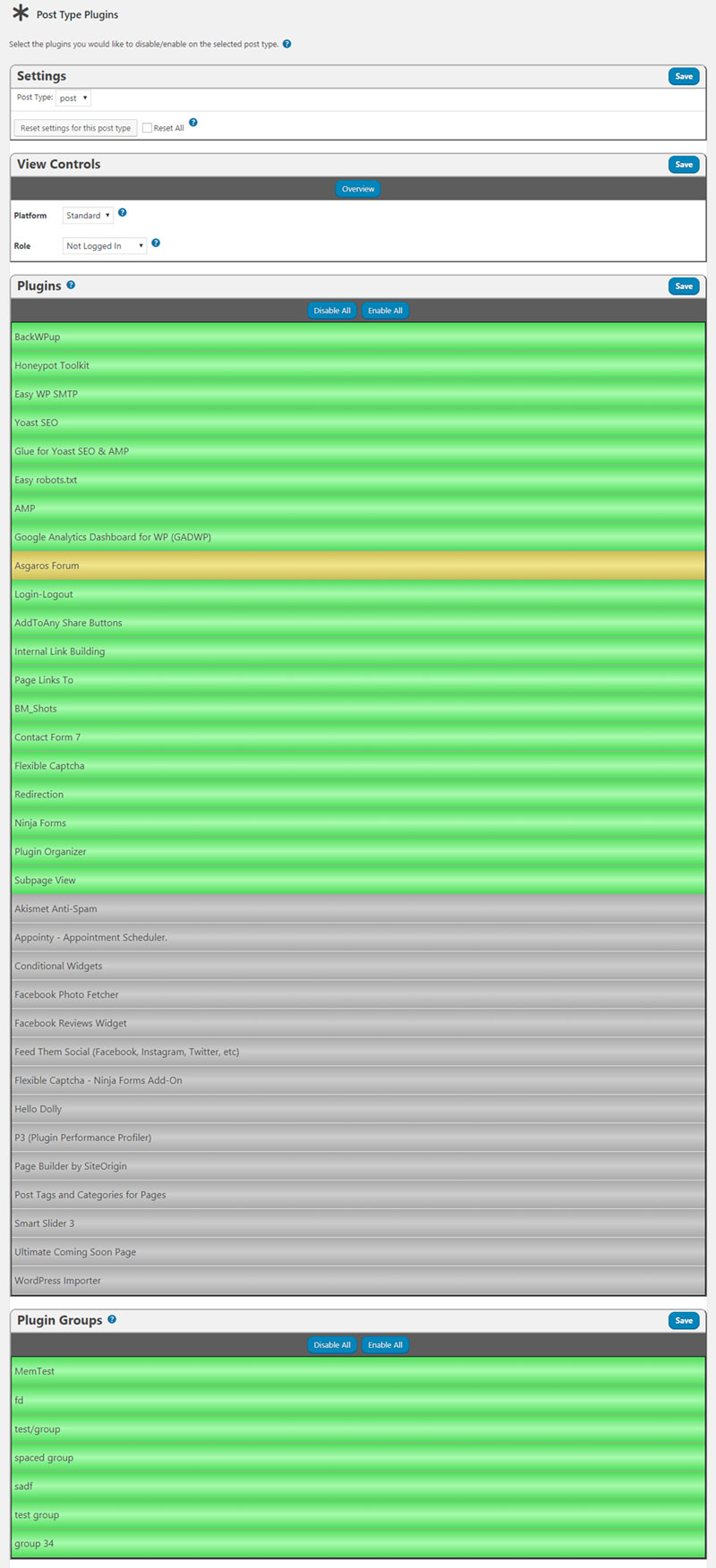
Yes. Go to the Post Type Plugins page under Plugin Organizer in the admin menu. Here you can select the post type you want to change and disable/enable plugins for that post type as long as the setting hasn’t been overridden on the individual posts.
How do I disable a plugin on the front end and still have it enabled on the admin pages?
To load a plugin only in the admin you need to enable selective plugin loading for the admin areas and fuzzy url matching. Then globally disable the plugin you want to turn off on the front end. Next create a plugin filter with the permalink set to your admin url. Like https://www.sterup.com/wp-admin/. Then enable the plugin for that plugin filter and select also affect children. Now the plugin should only be loaded in the admin.
Can I disable plugins by role?
Yes. Go to the Plugin Organizer settings page and check the box next to each of the roles you want to be able to disable/enable plugins with. THen a separate container will appear on the post edit screen for you to disable/enable plugins with.
I have disabled a form plugin globally and enabled it on a specific page where it is used. The plugin loads on the page but then it doesn’t work when I submit the form.
When the form is submitted it is not submitting to the page you are viewing. It is submitting to an ajax endpoint. Which is a different URL. You need to enable the plugin on that URL to get the form working. Here are 2 examples of how to do that. Caldera Forms: https://wordpress.org/support/topic/conflict-w-caldera-forms-like-emilybkk-posted/ Contact Form 7: https://wordpress.org/support/topic/conflict-with-contact-form-7-4/
Changelog
Fixed missing nonce and capability validation for ajax functions.
10.2.6
Fixed missing nonce and capability validation for ajax functions.
10.2.5
Fixed possible SQL injection on the plugin search page.
10.2.4
Fixed possible SQL injection on the plugin search page.
10.2.3
Removed all references to WP Spamshield since the plugin no longer exists and is no longer a threat to Plugin Organizer users
Fixed a few typos in the settings help text
Moved debug messages to the browser console to prevent display problems
Removed custom CSS settings because they are no longer needed with console debug messages
10.2.2
Fixing plugin update, activation, and deactivation issue that causes plugin order to be reset.
10.2.1
Replacing missing PO-admn-global.css file that was missing from last update
Fixing deprecation warning on global plugins page if no global plugins are set.
Screenshots
For developers
Is this your plugin? Show off the numbers.
Add a live badge to your site, docs or GitHub README. It updates on its own — no account needed.
FAQ
Plugin Organizer: quick answers
Straight answers, pulled from live WordPress.org data.
Live data from WordPress.org · checked Sep 28, 2026
Is Plugin Organizer free?
Yes. Plugin Organizer is free to download and use from the official WordPress.org plugin directory.
Is Plugin Organizer safe to use in 2026?
Plugin Organizer is a solid plugin choice in 2026, with a few things worth checking first. It runs on 10K+ sites, is rated 4.7/5 and was last updated 1 month ago, and scores 74/100 on our health check.
How many websites use Plugin Organizer?
Plugin Organizer is active on 10K+ WordPress websites and has been downloaded 796,123 times since it launched in December 2010. It was downloaded 4,145 times in the last 30 days.
Does Plugin Organizer work with WordPress 7.1?
Yes. The developer has tested Plugin Organizer up to WordPress 7.1.2, the latest release. It requires WordPress 6.0 or newer.
When was Plugin Organizer last updated?
The latest version, 10.2.6, was released on August 23, 2026 (1 month ago).
Who makes Plugin Organizer?
Plugin Organizer is developed and maintained by Jeff Sterup.
Powered by PageForge
Want thousands of pages that rank like these? Build them in an afternoon.
This directory runs on the same engine as PageForge. Turn any spreadsheet, CSV or API into thousands of fast, SEO-ready WordPress pages — with schema, internal links and AI-written copy baked in.
- CSV, Google Sheets & API data sources
- AI content, schema & internal links per page
- Works with Elementor, Gutenberg, Yoast & Rank Math
- Free on WordPress.org — no credit card


