



Pixelmole Campaign Scheduler
Schedule website campaigns with reusable content, page builder templates, shortcodes and the WordPress editor.

Solid choice
Pixelmole Campaign Scheduler is a solid plugin choice in 2026, with a few things worth checking first. Was last updated 3 weeks ago, and scores 64/100 on our health check.
- Actively developed — last update 3 weeks ago
- Tested with the latest WordPress (7.1)
- Small user base (<10 active installs)
- Very few reviews so far
How does it stack up?
Side-by-side on installs, updates, ratings & support



Daily downloads
Download spikes usually follow a new release — each site that auto-updates counts as a download.
Rankings
Where Pixelmole Campaign Scheduler stands todayWordPress.org search rankings
Live position in the plugin search, top 100| Keyword | Position |
|---|---|
| campaigns | >100 |
| content scheduler | >100 |
| dynamic content | >100 |
| scheduled content | >100 |
| seasonal content | >100 |
About Pixelmole Campaign Scheduler
From the official readme · v1.0.2Description
Pixelmole Campaign Scheduler is a visual WordPress content scheduler that helps you schedule reusable content and automate website campaigns, seasonal updates, temporary notices and recurring website content.
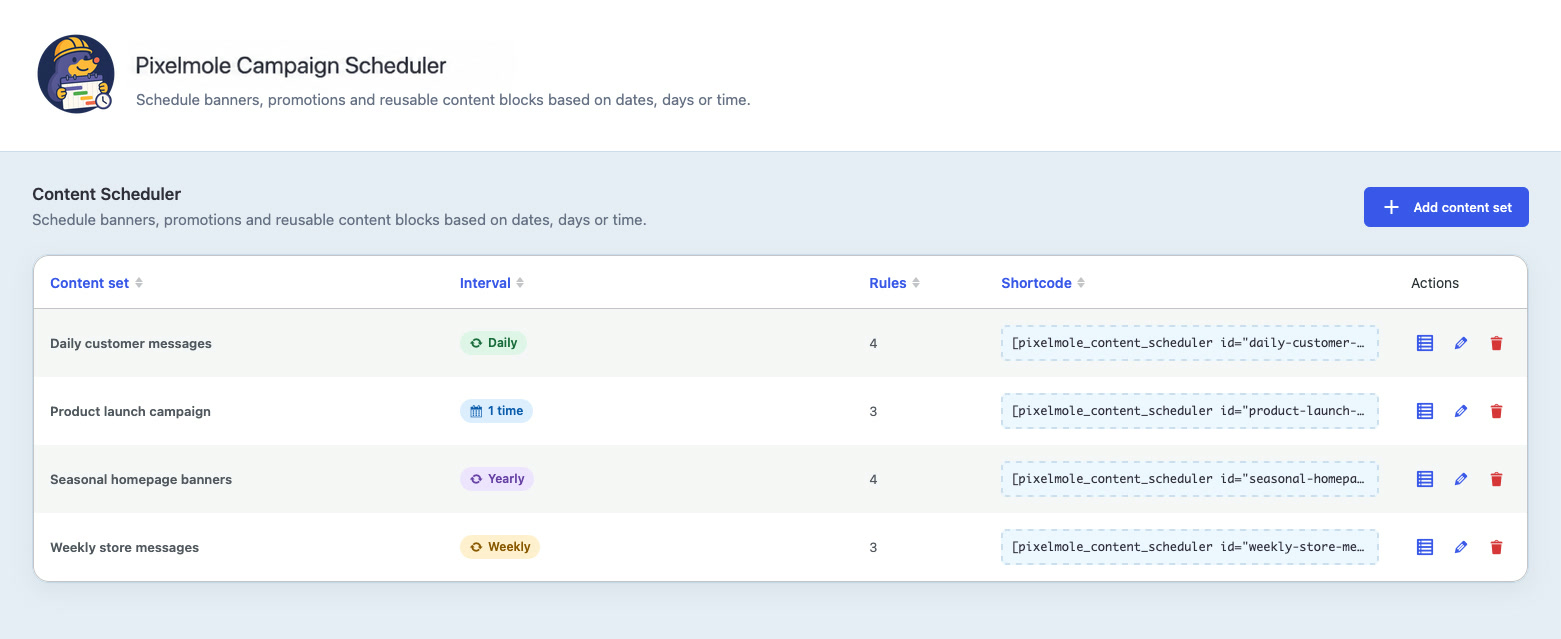
Create a content set for a reusable location such as a homepage banner, announcement or promotion. Add campaign variations, choose when each variation should appear and let the plugin automatically switch the scheduled content by date, weekday or time. When no rule is active, the content set can display its default content.
Use Pixelmole Campaign Scheduler to:
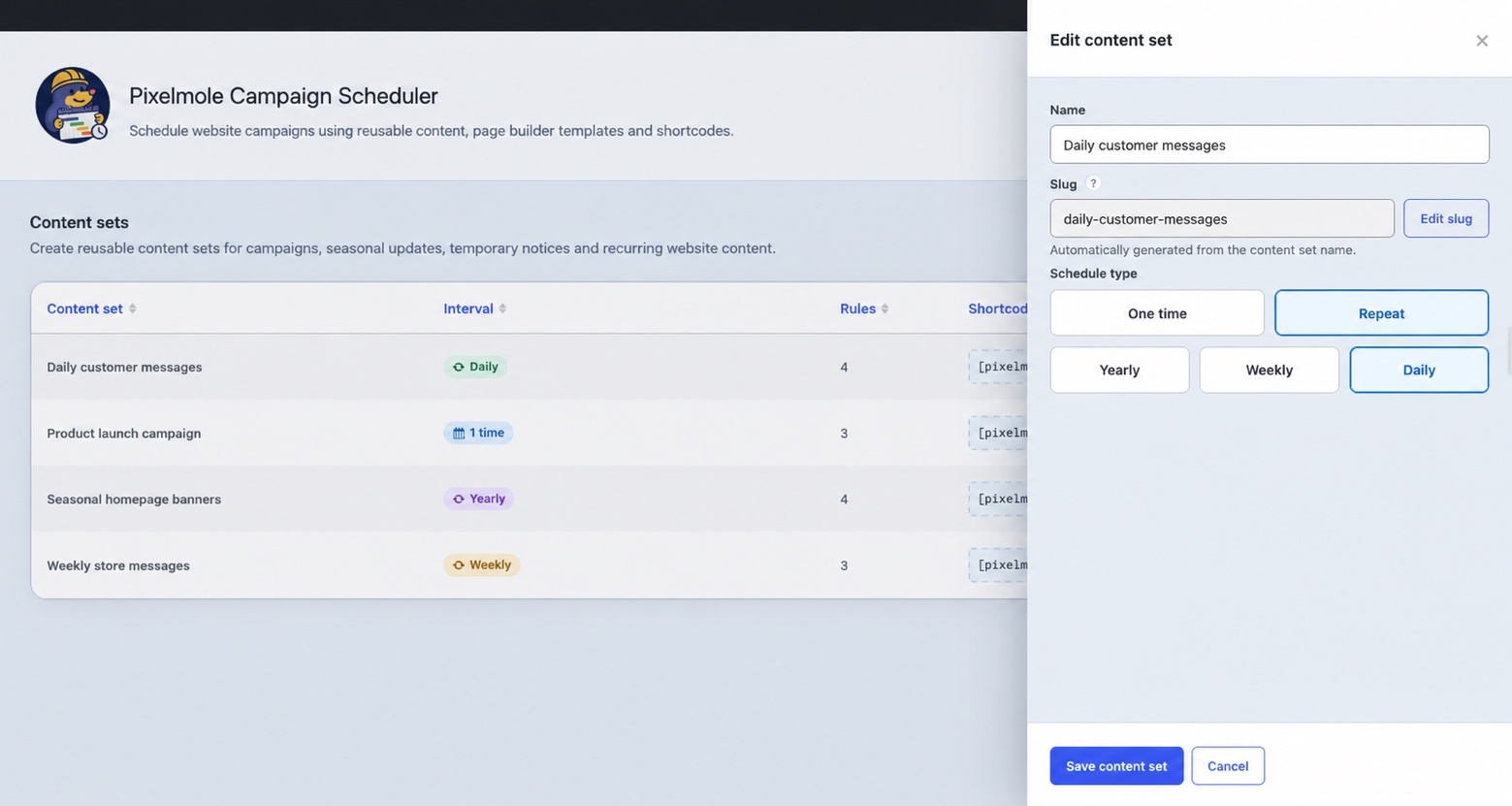
- Schedule content once or on yearly, weekly and daily recurring schedules.
- Create seasonal campaigns, holiday messages and vacation notices.
- Run temporary promotions and automatically restore default content afterward.
- Automate recurring website updates without repeatedly editing pages.
- Select reusable page builder templates as dynamic content sources.
- Schedule Flatsome UX Blocks when Flatsome is installed.
- Schedule Elementor templates when Elementor is installed.
- Render another shortcode as the content source.
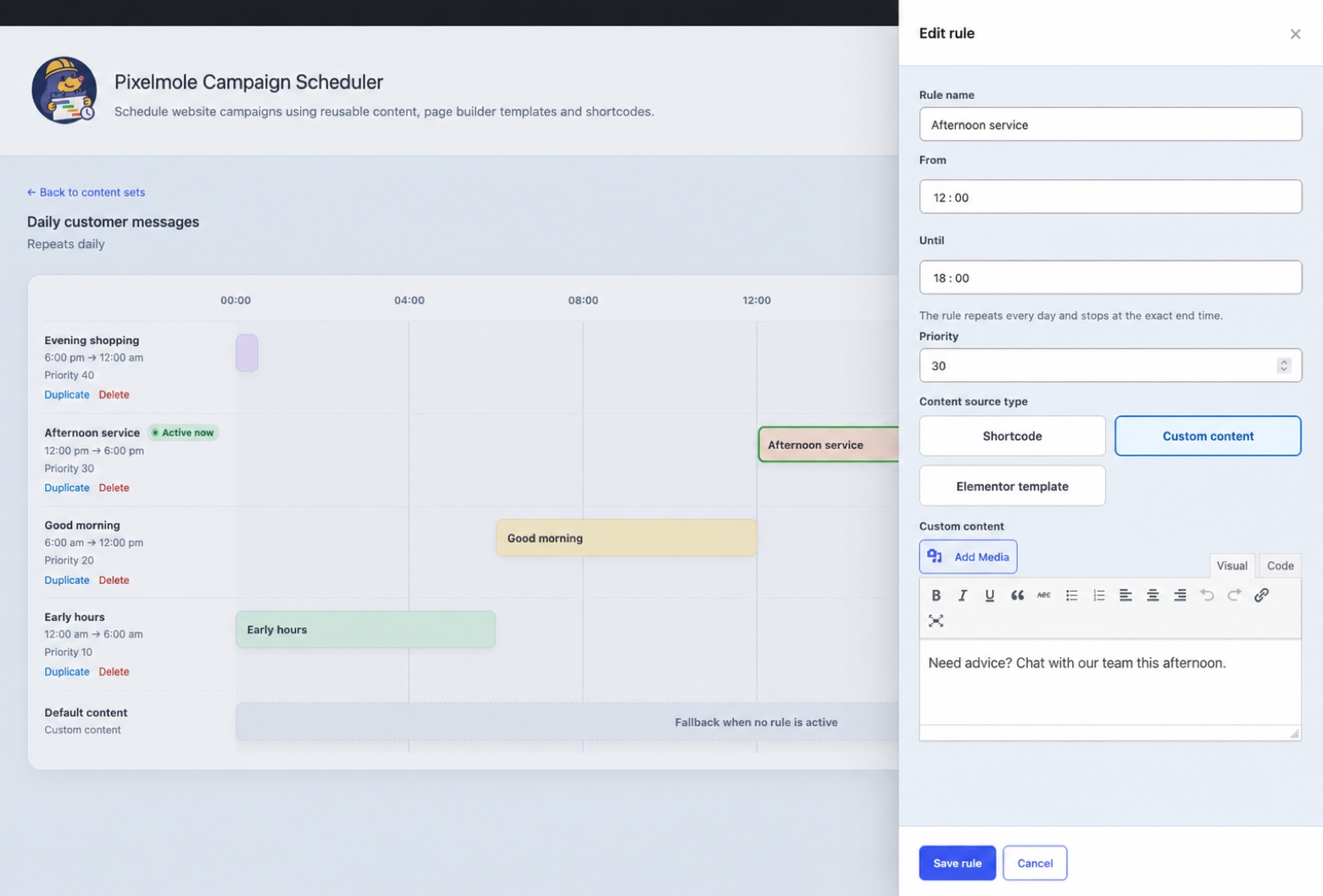
- Create reusable content with the built-in WordPress editor.
- Resolve overlapping scheduled content predictably with rule priorities.
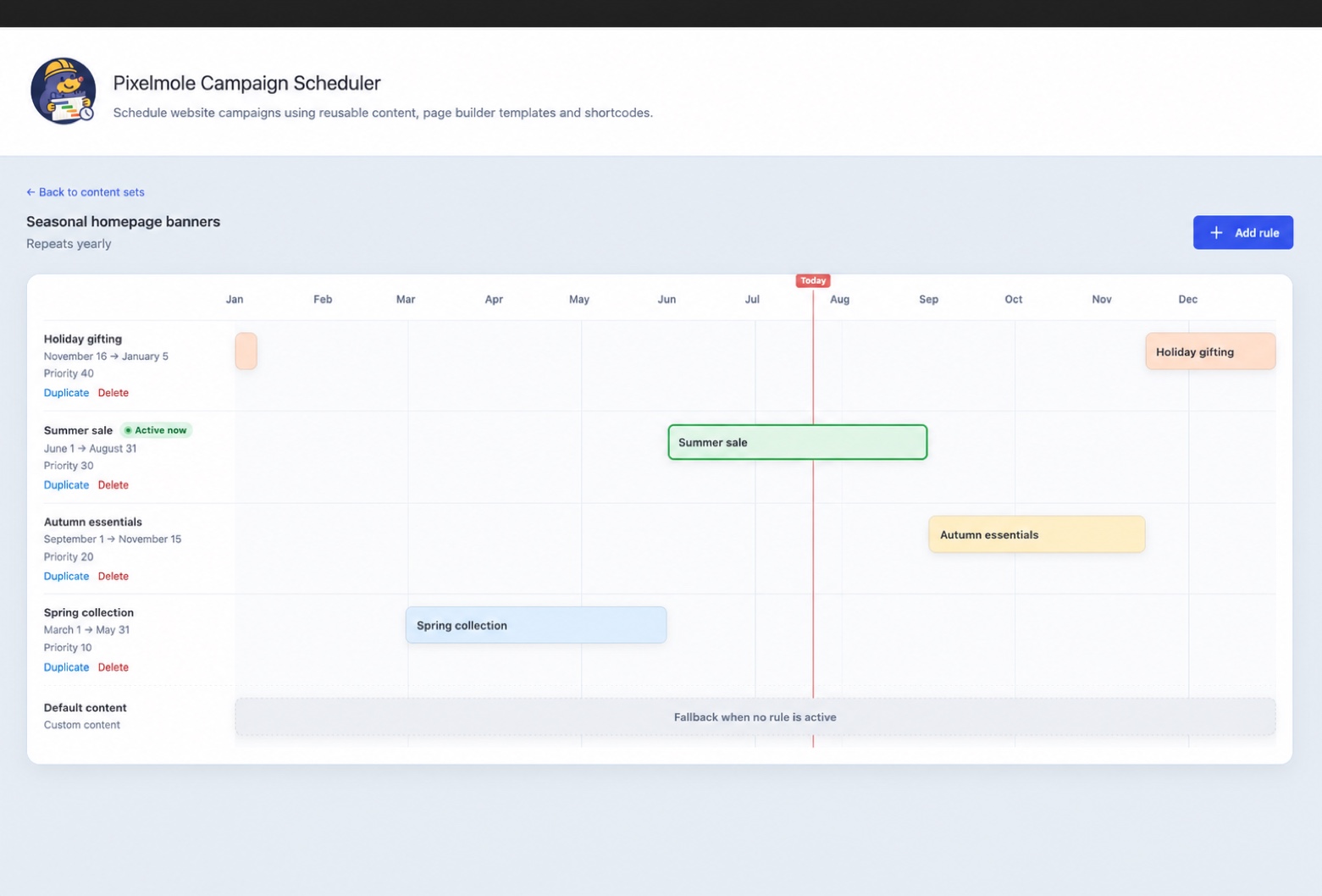
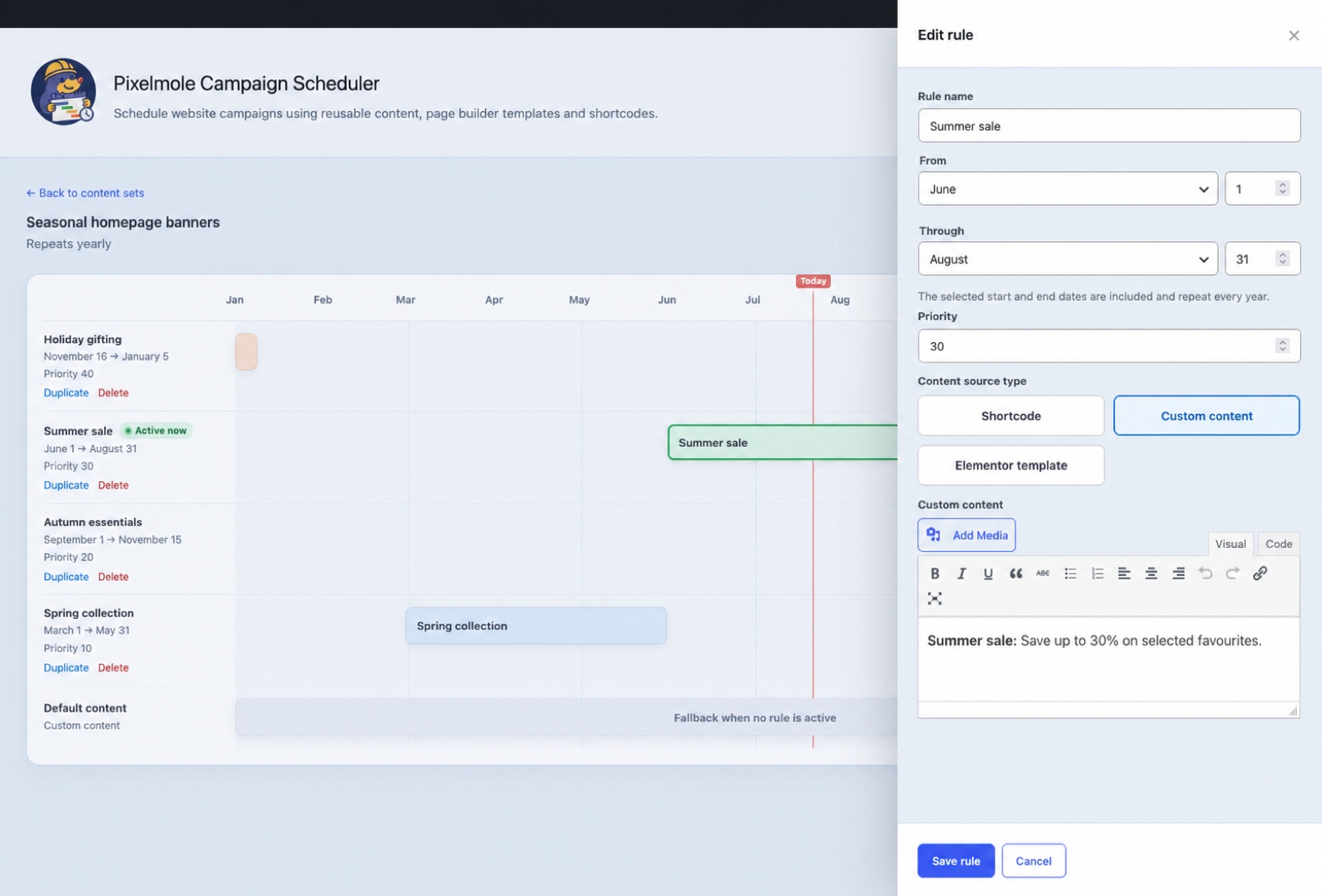
- Review schedules on a visual timeline with an active-rule indicator.
Each content set provides a shortcode that can be placed in a page, post, widget or template:
[pixelmole_campaign_scheduler id="homepage-banner"]
The id value is the content-set slug shown in the Campaign Scheduler interface.
Schedule behaviour
- One-time rules include their start moment and exclude their end moment.
- Yearly rules include both selected calendar dates and may cross New Year.
- Weekly rules include both selected weekdays and may cross the week boundary.
- Daily rules include the start time, exclude the end time and may cross midnight.
- When rules overlap, the highest priority wins. At equal priority, the oldest rule wins.
- Calculations use the timezone configured under Settings > General in WordPress.
Content sources
- Shortcodes are rendered through WordPress and protected against direct scheduler recursion.
- Custom content is sanitized with the WordPress allowed-post-HTML rules. Saving custom content additionally requires the
unfiltered_htmlcapability by default. - Flatsome UX Blocks are offered only when the Flatsome block post type and shortcode are available.
- Elementor reusable templates are offered only when Elementor and its template library are available.
The management capability defaults to manage_options and can be changed with the pixelmole_campaign_scheduler_manage_capability filter. The custom-content capability can be changed with pixelmole_campaign_scheduler_custom_html_capability.
Privacy
The plugin stores schedule configuration and administrator-authored content. It does not collect visitor data, set tracking cookies, send telemetry or make external requests. Content entered by administrators may itself contain personal information; site owners remain responsible for that content.
Installation
- Upload the
pixelmole-campaign-schedulerdirectory to/wp-content/plugins/or install its release ZIP. - Activate the plugin through the Plugins screen.
- Open Campaign Scheduler in the WordPress admin menu.
- Create a content set, configure its default content and add scheduling rules.
- Copy the generated shortcode into a page, post, widget or template.
Frequently asked questions
Why does scheduled output appear stale?
Full-page caches may store shortcode output beyond a schedule boundary. Configure the page-cache lifetime or exclusions so the affected page is refreshed when its scheduled content changes. The plugin deliberately does not add persistent object caching because every render is time-sensitive.
What happens when an integration is deactivated?
The corresponding source option disappears from the editor and existing integrated sources safely return empty output until the integration is available again.
Is data removed when I uninstall the plugin?
No. Version 1.0 preserves content sets and rules by default to prevent accidental campaign-data loss. Developers building a private distribution can deliberately change the DELETE_DATA_ON_UNINSTALL constant before packaging if deletion is required.
Does it support multisite?
The database tables are created per site. Network-wide activation and uninstall behaviour must be validated for your intended multisite setup before deployment.
Changelog
Content-set titles now link directly to their management pages, existing rules can be deleted from the edit panel after confirmation, and timeline rows are ordered by their start value.
1.0.2
- Made content-set titles in the overview table link directly to their management pages.
- Added a delete action to the edit-rule panel with an accessible confirmation modal.
- Ordered timeline rows from the earliest to the latest start value without changing rule priority.
- Aligned the default-content panel actions with Cancel before Save default content.
- Added full rule-title tooltips to timeline blocks for narrow schedule ranges.
- Added CSS fixes.
1.0.1
- Filtered rendered shortcode, Flatsome UX Block and Elementor template output with the WordPress allowed-post-HTML rules while retaining required page-builder styles.
1.0.0
- Added persistent content sets, rules and default content.
- Added one-time, yearly, weekly and daily matching.
- Added deterministic overlap priority and active-rule timeline feedback.
- Added shortcode, custom content, Flatsome UX Block and Elementor template sources.
- Added accessible sliding dialogs, validation, toast feedback and duplicate protection.
- Added secure CRUD actions, configurable capabilities and explicit data-retention policy.
Screenshots
For developers
Is this your plugin? Show off the numbers.
Add a live badge to your site, docs or GitHub README. It updates on its own — no account needed.
Best Pixelmole Campaign Scheduler alternatives
All campaigns plugins →




FAQ
Pixelmole Campaign Scheduler: quick answers
Straight answers, pulled from live WordPress.org data.
Live data from WordPress.org · checked Oct 18, 2026
Is Pixelmole Campaign Scheduler free?
Yes. Pixelmole Campaign Scheduler is free to download and use from the official WordPress.org plugin directory.
Is Pixelmole Campaign Scheduler safe to use in 2026?
Pixelmole Campaign Scheduler is a solid plugin choice in 2026, with a few things worth checking first. Was last updated 3 weeks ago, and scores 64/100 on our health check.
How many websites use Pixelmole Campaign Scheduler?
Pixelmole Campaign Scheduler is active on <10 WordPress websites and has been downloaded 252 times since it launched in August 2026. It was downloaded 121 times in the last 30 days.
Does Pixelmole Campaign Scheduler work with WordPress 7.1?
Yes. The developer has tested Pixelmole Campaign Scheduler up to WordPress 7.1.3, the latest release. It requires WordPress 6.2 or newer.
What PHP version does Pixelmole Campaign Scheduler need?
Pixelmole Campaign Scheduler requires PHP 7.4 or higher. Most hosts run PHP 8.x today, so it works on any modern WordPress hosting.
When was Pixelmole Campaign Scheduler last updated?
The latest version, 1.0.2, was released on September 25, 2026 (3 weeks ago).
Who makes Pixelmole Campaign Scheduler?
Pixelmole Campaign Scheduler is developed and maintained by Pixelmole.
What are the best alternatives to Pixelmole Campaign Scheduler?
The most popular alternatives to Pixelmole Campaign Scheduler are GatewayAPI (300+ installs), Diller Loyalty (80+ installs) and Sendmachine for WordPress (60+ installs).
Powered by PageForge
Want thousands of pages that rank like these? Build them in an afternoon.
This directory runs on the same engine as PageForge. Turn any spreadsheet, CSV or API into thousands of fast, SEO-ready WordPress pages — with schema, internal links and AI-written copy baked in.
- CSV, Google Sheets & API data sources
- AI content, schema & internal links per page
- Works with Elementor, Gutenberg, Yoast & Rank Math
- Free on WordPress.org — no credit card


