



Pagination by BestWebSoft – Customizable WordPress Content Splitter and Navigation Plugin
A lightweight and powerful pagination plugin for WordPress that adds fully customizable pagination to your posts, pages, blog, search results, archive, category, tags, and author pages. Choose from numeric, “Load More”…

Use with caution
Pagination by BestWebSoft works, but test it on a staging site before relying on it in 2026. It runs on 5K+ sites, is rated 4.8/5 and was last updated 10 months ago, and scores 60/100 on our health check.
- Loved by users — 4.8/5 from 45 reviews
- Only tested up to WordPress 6.9 (latest is 7.1)
Daily downloads
Download spikes usually follow a new release — each site that auto-updates counts as a download.
Rankings
Where Pagination by BestWebSoft stands todayWordPress.org search rankings
Live position in the plugin search, top 100| Keyword | Position |
|---|---|
| custom pagination block | #7 |
| multiple navigation | #6 |
| multiple pages | #68 |
| pagination | #3 |
| pagination block | #2 |
Version adoption
Share of active sites per release.
Rating breakdown
★★★★★★★★★★ 4.8 from 45 reviews
About Pagination by BestWebSoft
From the official readme · v1.2.7Description
A lightweight and powerful pagination plugin for WordPress that adds fully customizable pagination to your posts, pages, blog, search results, archive, category, tags, and author pages. Choose from numeric, “Load More”, or infinite scroll styles, and customize their appearance and behavior.
Perfect for WordPress users who want better content organization, enhanced SEO, and a smoother user journey.
Free Features
- Automatically add pagination to:
- Home
- Blog
- Archive
- Search results
- Paginated posts/pages
- Seamless integration with:
- Insert pagination via function into:
- Comments PHP template
- Theme or plugin PHP files
- Flexible positioning:
- Above content
- Below content
- Both above and below
- Manual placement via function
- Customize Next/Previous arrows and add scroll to top
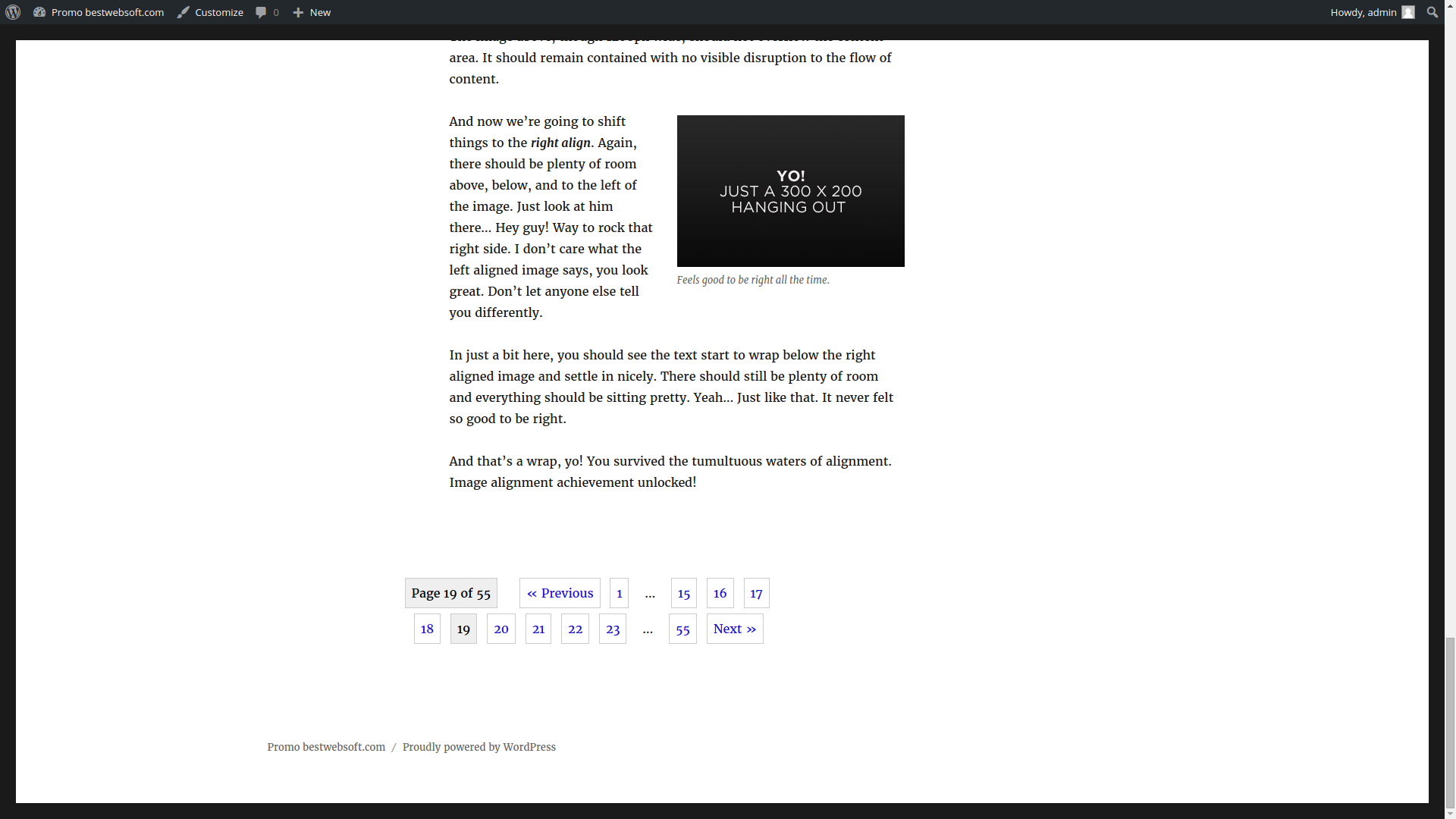
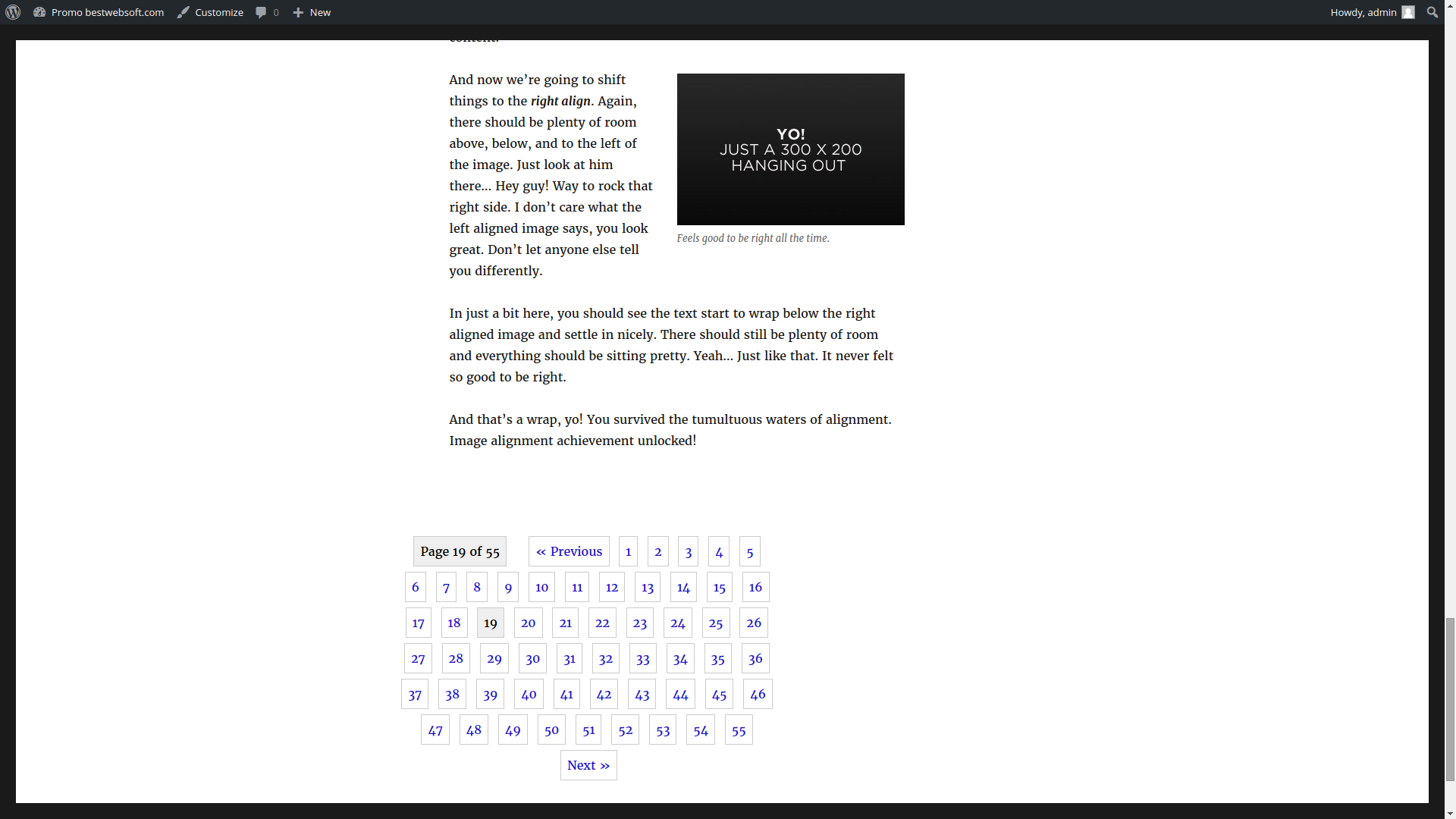
- Display “Page X of Y” indicator
- Choose pagination layout:
- Full numeric (1,2,3,4,5,6)
- Short numeric (1,2…5,6)
- Selectively hide pagination for:
- Default themes
- Paginated posts or pages
- Comments
- Custom templates
- Set width and alignment (left, center, right) with custom margins
- Customize pagination styles:
- Hover color
- Background color
- Current page background color
- Text color
- Current page text color
- Border color
- Border width and radius
- Several ready-made templates to choose from
- Add custom HTML/CSS via plugin settings
- Fully compatible with latest WordPress version
- Intuitive interface – no coding required
- Step-by-step guides and video tutorials included
Pro Features
All Free version features plus:
- Automatically add pagination to:
- WooCommerce Shop
- Select pagination type:
- Numeric
- “Load More” button
- Infinite scroll
- Next/Previous only
- “Load More” after initial content load
- Divi theme compatibility [NEW]
- Scroll Progress Bar option [NEW]
- Priority support within 1 business day (Support Policy)
Have a feature request? Let us know! Suggest a Feature
Documentation & Videos
Help & Support
Need help? Visit our Help Center — our friendly Support Team is here for you: https://support.bestwebsoft.com/
Translation
Available languages:
- French (fr_FR)
- German (de_DE)
- Portuguese (pt_PT)
- Hebrew (he_IL)
- Russian (ru_RU)
- Ukrainian (uk)
Want to improve or add a translation? Send us your PO/MO files. Use Poedit for editing translation files.
Recommended Plugins
Installation
- Upload the
paginationfolder to the/wp-content/plugins/directory. - Activate the plugin via the “Plugins” menu in your WordPress dashboard.
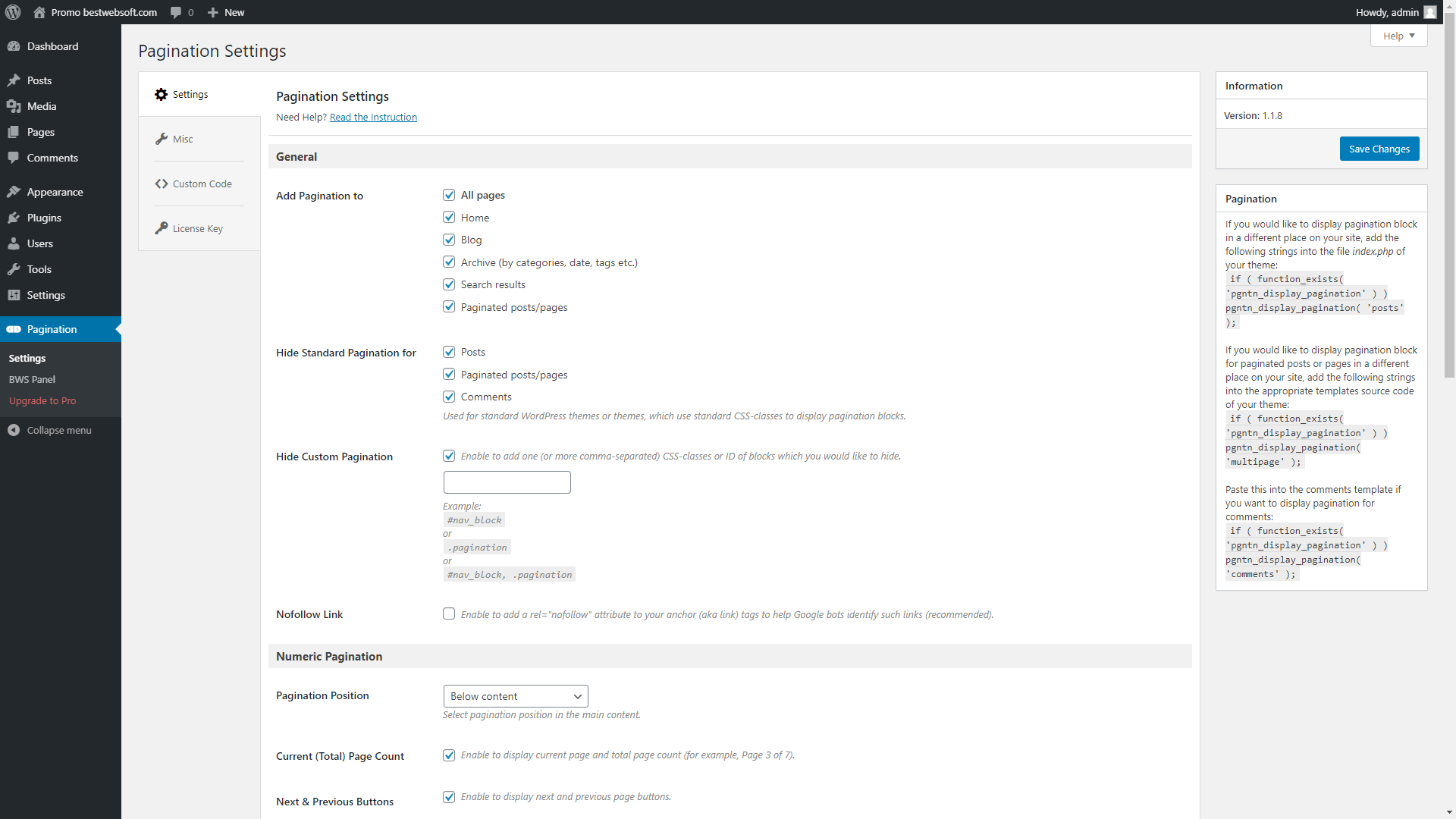
- Go to “Pagination” in the admin menu and configure your settings.
Frequently asked questions
Where are the plugin settings?
Go to the WordPress admin area and click “Pagination” in the sidebar menu.
Can I disable my theme’s default pagination?
Yes, in the Hide Pagination section, you can override or disable the built-in pagination of your theme.
How do I remove the custom pagination block?
In the Hide Pagination block, enter the CSS class or ID of the element you want to exclude and check the “Custom” box.
Why isn’t the pagination showing up on some pages?
Your theme might not be built to support custom pagination. Contact Support and we’ll help.
How do I use Pagination with custom post types or custom queries?
Use: Replace $second_query with your custom WP_Query variable.
How to enable pagination in the Divi theme?
Open Pagination Settings. Set “Posts selector” to #content-area div.
How to enable pagination in the Avada theme?
Open Pagination Settings. Set “Posts selector” to .fusion-posts-container.
What info should I provide for support?
Before contacting support, make sure your issue hasn’t been addressed on our forum. Provide: A link to the affected page Plugin name and version WordPress version System status report (how to get it)
Changelog
The compatibility with new WordPress version updated. New features added. Usability improved.
V1.2.7 – 24.10.2025
- Update : All functionality was updated for WordPress 6.8.2
- Update : BWS Panel section was updated.
- PRO : Ability to display pagination in the WooCommerce Shop has been added.
- NEW : Several ready-made templates to choose from has been added.
V1.2.6 – 25.02.2025
- Update : All functionality was updated for WordPress 6.7
- Update : BWS Panel section was updated.
- PRO : Progress Bar option was added.
- NEW : Scroll to top option was added.
V1.2.4 – 04.09.2023
- Update : All functionality was updated for WordPress 6.3
- Update : BWS Panel section was updated.
- Update : Improved compatibility with the Twenty-Three theme.
V1.2.3 – 22.03.2023
- Update : All functionality was updated for WordPress 6.1.1
- Update : BWS Panel section was updated.
- Update : French translation added.
- Update : German translation added.
- Bugfix : Security issues have been fixed.
V1.2.2 – 26.04.2022
- Bugfix : Deactivation Feedback fix.
V1.2.1 – 22.03.2022
- Update : BWS Panel section was updated.
- Update : All functionality was updated for WordPress 5.9.
Screenshots
For developers
Is this your plugin? Show off the numbers.
Add a live badge to your site, docs or GitHub README. It updates on its own — no account needed.
FAQ
Pagination by BestWebSoft: quick answers
Straight answers, pulled from live WordPress.org data.
Live data from WordPress.org · checked Sep 26, 2026
Is Pagination by BestWebSoft free?
Yes. Pagination by BestWebSoft is free to download and use from the official WordPress.org plugin directory.
Is Pagination by BestWebSoft safe to use in 2026?
Pagination by BestWebSoft works, but test it on a staging site before relying on it in 2026. It runs on 5K+ sites, is rated 4.8/5 and was last updated 10 months ago, and scores 60/100 on our health check.
How many websites use Pagination by BestWebSoft?
Pagination by BestWebSoft is active on 5K+ WordPress websites and has been downloaded 186,796 times since it launched in May 2015. It was downloaded 523 times in the last 30 days.
Does Pagination by BestWebSoft work with WordPress 7.1?
Pagination by BestWebSoft is officially tested up to WordPress 6.9.9, while the latest release is 7.1.2. It may still work, but try it on a staging site first.
When was Pagination by BestWebSoft last updated?
The latest version, 1.2.7, was released on December 3, 2025 (10 months ago).
Who makes Pagination by BestWebSoft?
Pagination by BestWebSoft is developed and maintained by bestwebsoft.
Powered by PageForge
Want thousands of pages that rank like these? Build them in an afternoon.
This directory runs on the same engine as PageForge. Turn any spreadsheet, CSV or API into thousands of fast, SEO-ready WordPress pages — with schema, internal links and AI-written copy baked in.
- CSV, Google Sheets & API data sources
- AI content, schema & internal links per page
- Works with Elementor, Gutenberg, Yoast & Rank Math
- Free on WordPress.org — no credit card


