


Ovulation Calculator
Ovulation calculator: find your fertile window and the next 6 months of ovulation dates. Responsive form with a block, a shortcode and custom colors.

Solid choice
Ovulation Calculator is a solid plugin choice in 2026, with a few things worth checking first. It runs on 200+ sites, is rated 4/5 and was last updated 3 weeks ago, and scores 73/100 on our health check.
- Actively developed — last update 3 weeks ago
- Tested with the latest WordPress (7.1)
- Momentum — downloads up 160.2% vs the previous 30 days
- Small user base (200+ active installs)
- Very few reviews so far
How does it stack up?
Side-by-side on installs, updates, ratings & support



Daily downloads
Download spikes usually follow a new release — each site that auto-updates counts as a download.
Rankings
Where Ovulation Calculator stands todayWordPress.org search rankings
Live position in the plugin search, top 100| Keyword | Position |
|---|---|
| calculator | #23 |
| fertility | #1 |
| ovulation | #1 |
| ovulation calculator | #1 |
| pregnancy | #6 |
Version adoption
Share of active sites per release.
Rating breakdown
★★★★★★★★★★ 4 from 4 reviews
About Ovulation Calculator
From the official readme · v1.2.1Description
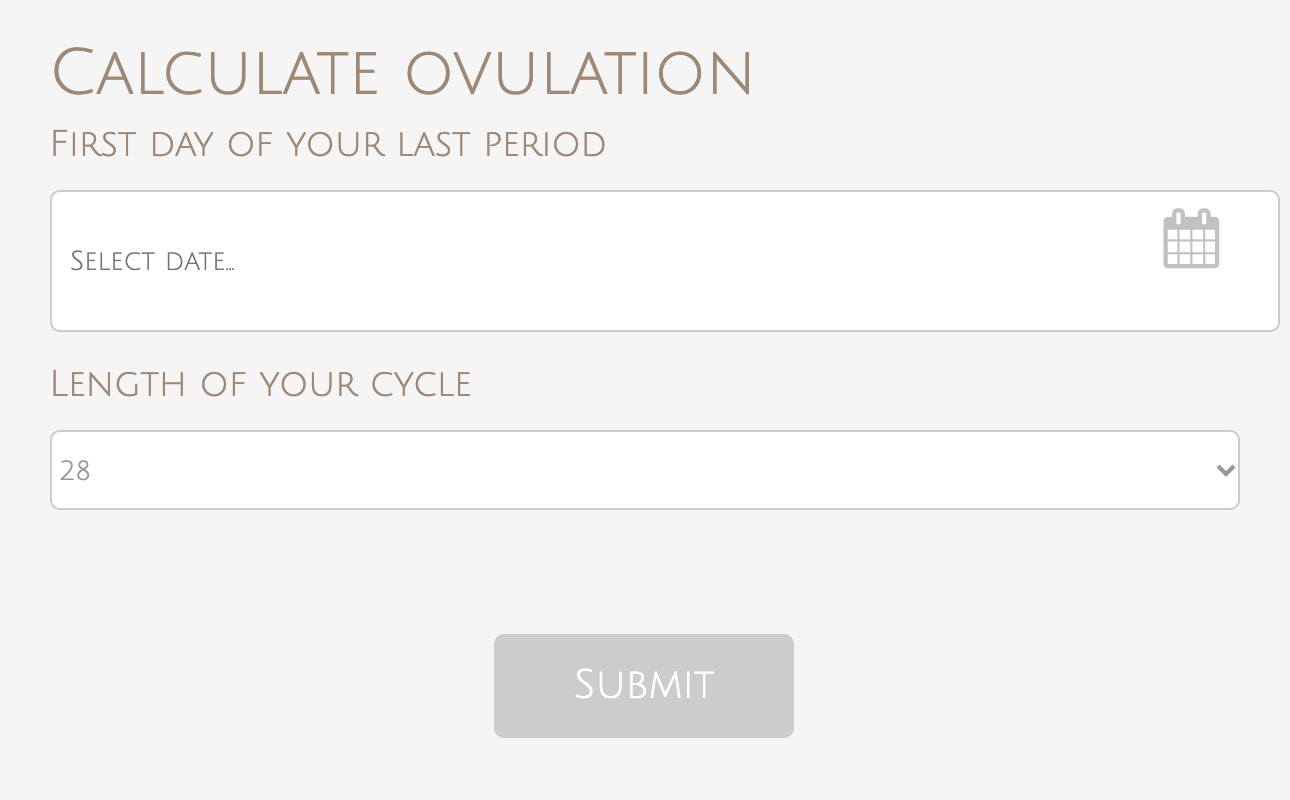
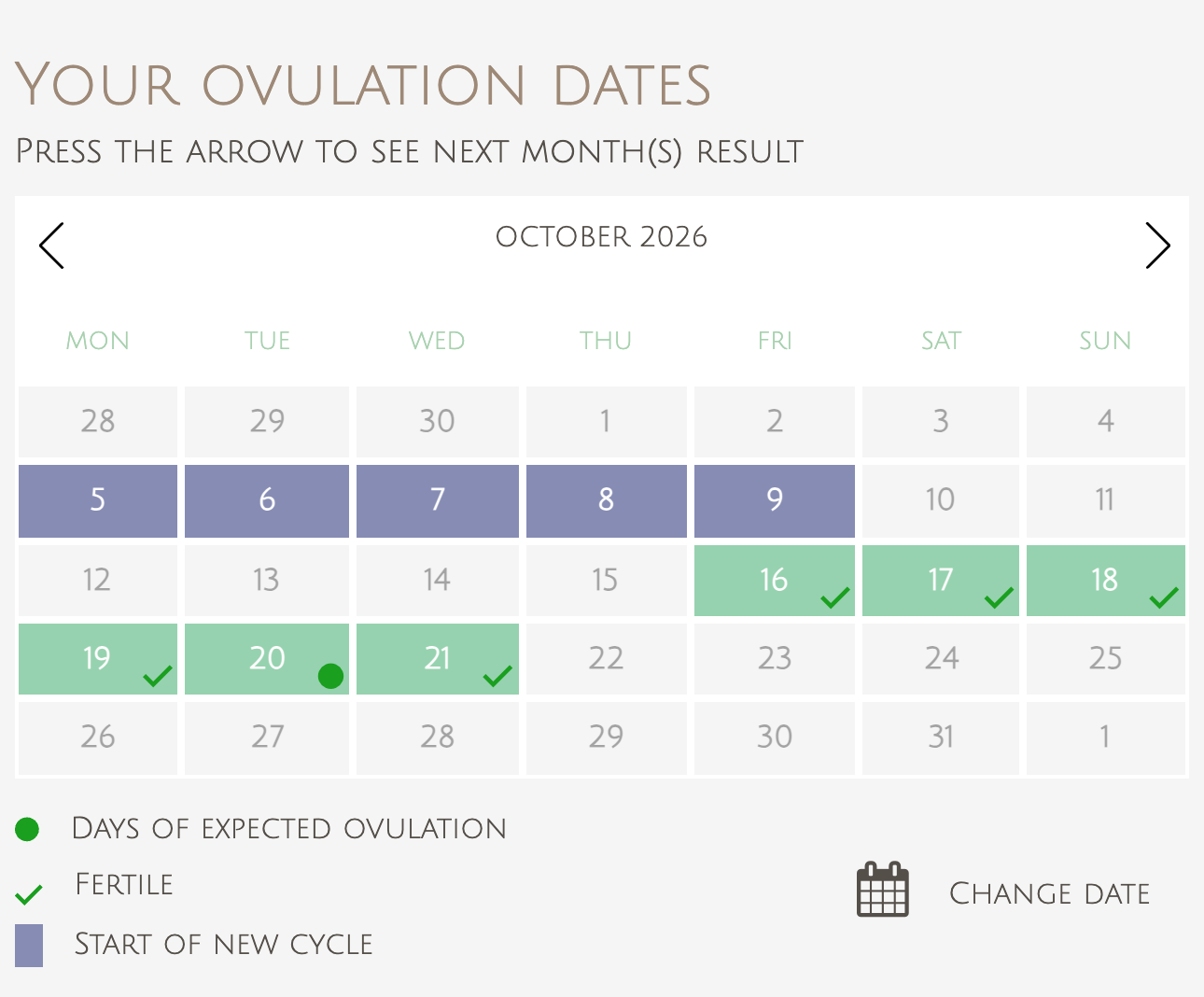
Ovulation Calculator adds a simple ovulation and fertility calculator to your WordPress site. A visitor picks the first day of her last period and the length of her cycle, and the plugin shows a calendar that marks the expected fertile days and the period dates for the next six cycles. Put it in a page, a post or a sidebar with a Gutenberg block or a shortcode.
The form and the results are mobile friendly and responsive, so the calculator works on desktop, tablet and phone.
Features
- Shows fertile days, expected ovulation days and period dates for the next 6 months on a calendar
- Inputs: first day of the last period and cycle length (20 to 45 days)
- Gutenberg block “Ovulation Calculator” with a live preview, plus the classic shortcode
- Responsive form and results
- Translation-ready: the admin and the default texts can be translated
- Settings page to edit every text of the calculator, including month and day names, so you can translate it into any language
- Color scheme settings for the calendar, buttons and markers
- “Change date” button to calculate again
- Results are not stored on your site
How to use
In the block editor, add the “Ovulation Calculator” block (Widgets category). Or add the shortcode to a page, post or text widget:
[ovulationcalculator]
Then open the Ovulation Calculator section in the WordPress admin menu to change the wording, translate the labels and choose the colors.
Who it is for
Women’s health and pregnancy blogs, parenting sites, clinics and fertility coaches that want to give readers a quick way to estimate their fertile window.
Disclaimer
The ovulation dates are estimates based on the cycle length entered and are for information only. They are not medical advice and should not be used as a method of contraception.
External services
This plugin does not call any external service and loads no remote scripts, styles or fonts. The calculator title or an icon next to it links to https://www.calculator.io/ovulation-calculator/ (or its translation for the site language); the link is only followed when a visitor clicks it, and no data is sent.
Installation
- Upload the plugin directory to the
/wp-content/plugins/directory - Activate the plugin through the ‘Plugins’ menu in WordPress
- Go to Ovulation Calculator section in WordPress dashboard and enter details.
Changelog
Fixes calendar cells overflowing on themes without border-box sizing.
1.2.1
- Fix: calendar cells overflowed on themes without border-box sizing.
1.2.0
- New: Gutenberg block “Ovulation Calculator” with a live preview.
- Translation-ready: admin screens, default texts and image descriptions can be translated. Texts you saved on the settings page are kept as they are.
- A review reminder in the admin after two weeks, dismissible.
- Requires WordPress 5.5 or later.
1.1.2
- Security: escape all settings and request values printed on the page, fixing a reflected XSS in the “Change date” button; validate the submitted cycle length and date.
- Security: sanitize the settings on save (colors must be hex); calculator results are no longer stored in the options table, so concurrent visitors cannot see each other’s results.
- Internal: prefix all global names, add direct-access guards and license headers, enqueue the calculator script data with wp_add_inline_script.
1.1.1
- Tested with WordPress 7.1. Outbound credit links now carry rel=”nofollow”.
1.1
- Removed: Julie Fonts
1.0.4.1
- Updated deactivation code
- Supports php 8.0
Screenshots


For developers
Is this your plugin? Show off the numbers.
Add a live badge to your site, docs or GitHub README. It updates on its own — no account needed.
Best Ovulation Calculator alternatives
All calculator plugins →




FAQ
Ovulation Calculator: quick answers
Straight answers, pulled from live WordPress.org data.
Source: WordPress.org
Is Ovulation Calculator free?
Yes. Ovulation Calculator is free to download and use from the official WordPress.org plugin directory.
Is Ovulation Calculator safe to use in 2026?
Ovulation Calculator is a solid plugin choice in 2026, with a few things worth checking first. It runs on 200+ sites, is rated 4/5 and was last updated 3 weeks ago, and scores 73/100 on our health check.
How many websites use Ovulation Calculator?
Ovulation Calculator is active on 200+ WordPress websites and has been downloaded 9,309 times since it launched in April 2019. It was downloaded 588 times in the last 30 days.
Does Ovulation Calculator work with WordPress 7.1?
Yes. The developer has tested Ovulation Calculator up to WordPress 7.1.5, the latest release. It requires WordPress 5.5 or newer.
What PHP version does Ovulation Calculator need?
Ovulation Calculator requires PHP 7.4 or higher. Most hosts run PHP 8.x today, so it works on any modern WordPress hosting.
When was Ovulation Calculator last updated?
The latest version, 1.2.1, was released on October 27, 2026 (3 weeks ago).
Who makes Ovulation Calculator?
Ovulation Calculator is developed and maintained by Mortgage Calculator.
What are the best alternatives to Ovulation Calculator?
The most popular alternatives to Ovulation Calculator are Cost Calculator Builder (20K+ installs), Cost Calculator for Contact… (5K+ installs) and Mortgage Calculator (4K+ installs).
Powered by PageForge
One template and a spreadsheet. A real page for every search.
PageForge turns each row of a CSV into a WordPress page with its own title, URL, SEO fields and schema, built on the layout you already designed. Free on WordPress.org.
- CSV and XLSX, plus Google Sheets on Professional and Enterprise
- Its own title, URL, SEO fields and schema for every page
- Works with the block editor, Elementor, Divi and Avada
- Free on WordPress.org, no credit card