


Outpath Solutions Image Cube
A lightweight rotating 3D cube built from your logo or six different images. Pure CSS, no front-end JavaScript.

Use with caution
Outpath Solutions Image Cube works, but test it on a staging site before relying on it in 2026. Was last updated 3 months ago, and scores 55/100 on our health check.
- Small user base (<10 active installs)
- Very few reviews so far
How does it stack up?
Side-by-side on installs, updates, ratings & support

Daily downloads
Download spikes usually follow a new release — each site that auto-updates counts as a download.
Rankings
Where Outpath Solutions Image Cube stands todayWordPress.org search rankings
Live position in the plugin search, top 100| Keyword | Position |
|---|---|
| 3d | >100 |
| animation | >100 |
| block | >100 |
| cube | #29 |
| logo | >100 |
About Outpath Solutions Image Cube
From the official readme · v2.3.0Description
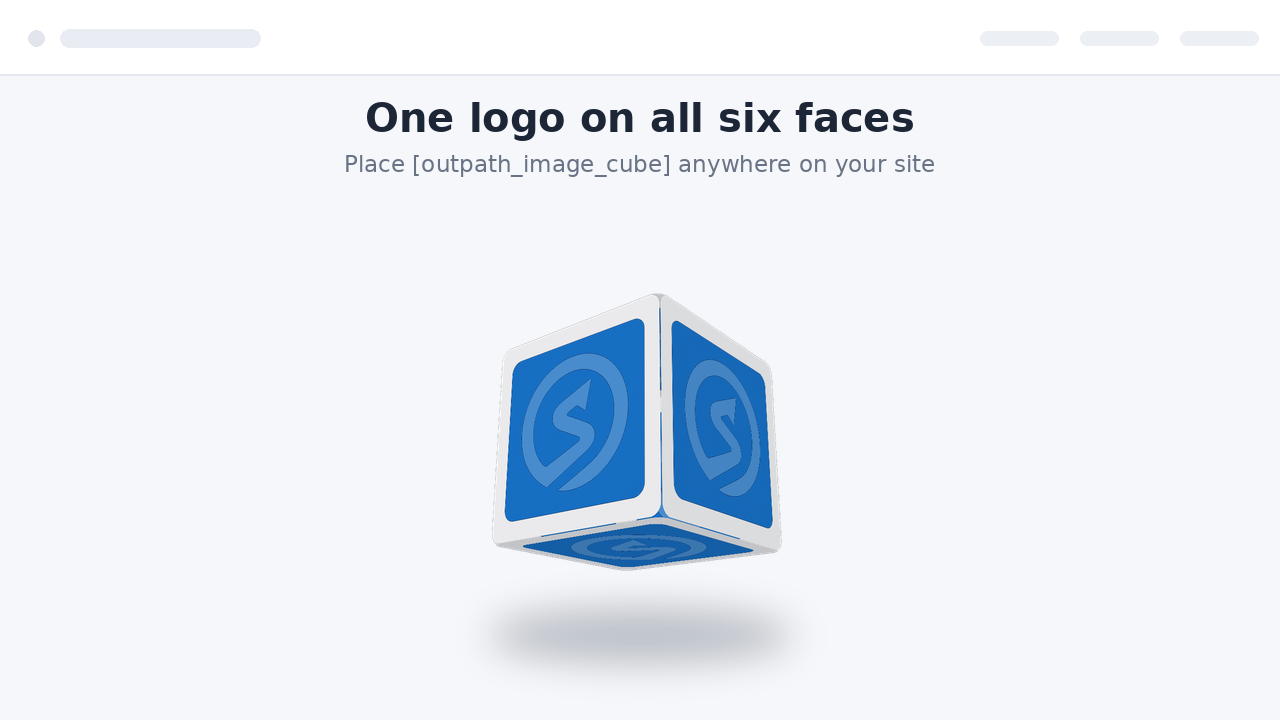
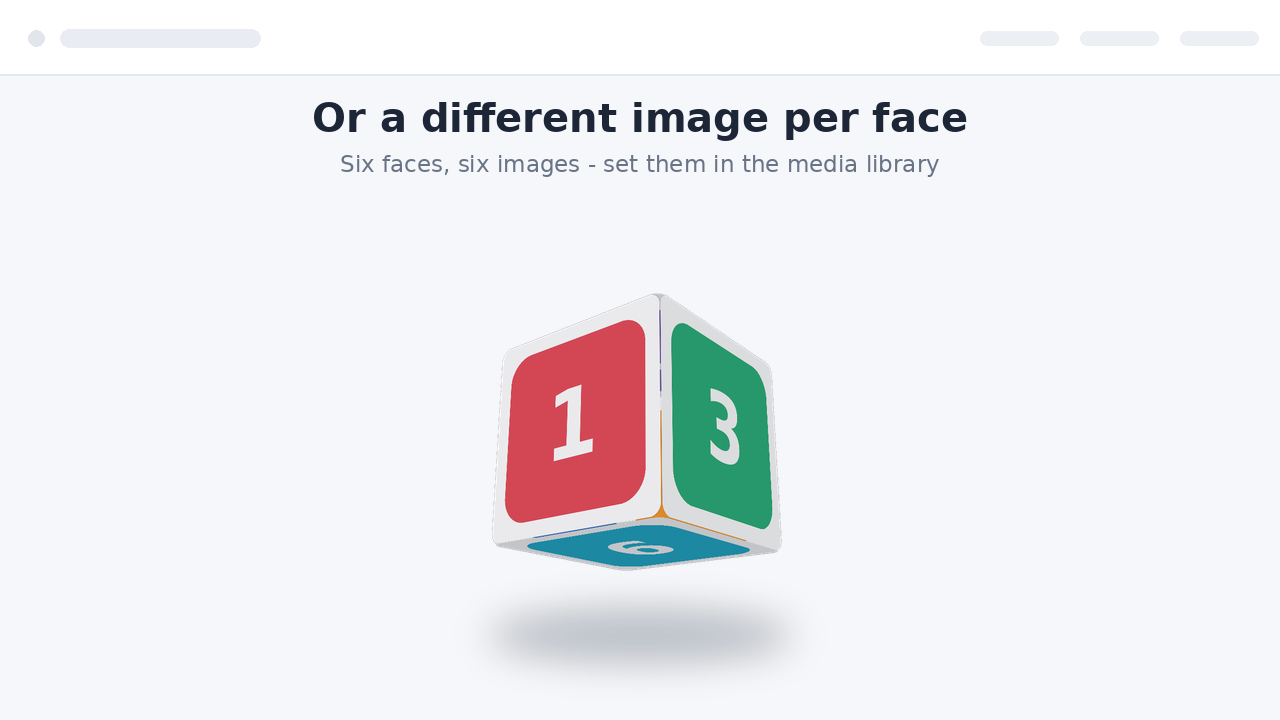
Outpath Solutions Image Cube displays a smooth, rotating 3D cube on your site. Use a single logo on all six faces, or set a different image per face. The animation uses pure CSS 3D transforms, so no JavaScript library is loaded on the front end and the cube stays fast and lightweight.
Features
- Rotating 3D cube built from one logo or six different images.
- Shortcode [outpath_image_cube] and a matching block with a live preview in the editor.
- Independent horizontal and vertical rotation speeds for a tumbling effect.
- Choose images straight from the WordPress media library.
- Responsive images with automatic srcset (uses attachment IDs).
- Live preview on the settings page.
- Extra options: pause on hover, reverse direction, adjustable perspective, ground shadow and rounded corners.
- Adjustable size and speed, globally or per shortcode.
- Respects the visitor’s “reduce motion” preference.
- Accessible: add a description for screen readers, or leave the cube decorative.
Installation
- Upload the plugin folder to
/wp-content/plugins/, or install the ZIP via Plugins → Add New → Upload Plugin. - Activate the plugin through the “Plugins” screen in WordPress.
- Go to Settings → Outpath Image Cube, choose your default image and, optionally, a different image per face.
- Place the shortcode
[outpath_image_cube]in any page, post or widget, or add the Outpath Image Cube block.
Frequently asked questions
How do I change the cube on a single page only?
Pass attributes to the shortcode, for example: [outpath_image_cube size="300" speed="8" vspeed="12"].
Can I use different images per face in the shortcode?
Yes. Use attachment IDs: [outpath_image_cube img1="42" img2="43" img="10"], where img is the fallback used for any face you leave empty.
Which extra options are available?
pause=”true” pauses rotation on hover, direction="reverse" reverses it, perspective="4" controls the depth effect (1-12, lower is stronger), shadow="true" adds a soft ground shadow and radius="12" rounds the corners.
Is there a block, or only a shortcode?
Both. Search for “Outpath Image Cube” in the block inserter, or use the shortcode.
Does it load JavaScript on my site?
No. The front-end animation is pure CSS. JavaScript is only used in the admin and the block editor.
Does it respect reduced-motion settings?
Yes. Visitors who enable “reduce motion” in their system see a static, tilted cube instead of the animation.
Changelog
Internal names were updated for uniqueness. Re-select your images after upgrading.
2.3.0
- Renamed all functions, options, constants, handles and CSS classes to a single consistent plugin prefix.
- Removed the generic legacy shortcodes; use [outpath_image_cube].
2.2.0
- Renamed to Outpath Solutions Image Cube with unique prefixes throughout.
- Primary shortcode is now [outpath_image_cube].
- Translations are handled through translate.wordpress.org; bundled translation files removed.
2.1.0
- Added a block with a live preview in the editor.
- New options: pause on hover, direction, perspective, ground shadow and rounded corners.
- Added uninstall cleanup that removes all plugin options on deletion.
2.0.0
- Store attachment IDs instead of URLs; responsive images with srcset.
- Optional different image per face.
- Live preview on the settings page.
- Accessibility: optional screen-reader description, decorative by default.
- Shortcode values are clamped to safe ranges.
1.0.0
- Initial release: rotating cube from a single logo via shortcode.
Screenshots


For developers
Is this your plugin? Show off the numbers.
Add a live badge to your site, docs or GitHub README. It updates on its own — no account needed.
Best Outpath Solutions Image Cube alternatives
All 3d plugins →





FAQ
Outpath Solutions Image Cube: quick answers
Straight answers, pulled from live WordPress.org data.
Live data from WordPress.org · checked Oct 19, 2026
Is Outpath Solutions Image Cube free?
Yes. Outpath Solutions Image Cube is free to download and use from the official WordPress.org plugin directory.
Is Outpath Solutions Image Cube safe to use in 2026?
Outpath Solutions Image Cube works, but test it on a staging site before relying on it in 2026. Was last updated 3 months ago, and scores 55/100 on our health check.
How many websites use Outpath Solutions Image Cube?
Outpath Solutions Image Cube is active on <10 WordPress websites and has been downloaded 191 times since it launched in July 2026. It was downloaded 55 times in the last 30 days.
Does Outpath Solutions Image Cube work with WordPress 7.1?
Outpath Solutions Image Cube is officially tested up to WordPress 7.0.7, while the latest release is 7.1.3. It may still work, but try it on a staging site first.
What PHP version does Outpath Solutions Image Cube need?
Outpath Solutions Image Cube requires PHP 7.2 or higher. Most hosts run PHP 8.x today, so it works on any modern WordPress hosting.
When was Outpath Solutions Image Cube last updated?
The latest version, 2.3.0, was released on July 31, 2026 (3 months ago).
Who makes Outpath Solutions Image Cube?
Outpath Solutions Image Cube is developed and maintained by outpathsolutions.
What are the best alternatives to Outpath Solutions Image Cube?
The most popular alternatives to Outpath Solutions Image Cube are Panorama (2K+ installs), Easy 3D Viewer (1K+ installs) and 3D Viewer Block (1K+ installs).
Powered by PageForge
Want thousands of pages that rank like these? Build them in an afternoon.
This directory runs on the same engine as PageForge. Turn any spreadsheet, CSV or API into thousands of fast, SEO-ready WordPress pages — with schema, internal links and AI-written copy baked in.
- CSV, Google Sheets & API data sources
- AI content, schema & internal links per page
- Works with Elementor, Gutenberg, Yoast & Rank Math
- Free on WordPress.org — no credit card


