



Order Status History for WooCommerce
Speed up your daily processing of orders by getting to know more about who's ordering. Themed order status color swatches, Reports, CSV, free.

Use with caution
Order Status History for WooCom… works, but test it on a staging site before relying on it in 2026. It runs on 900+ sites, is rated 5/5 and was last updated 9 months ago, and scores 54/100 on our health check.
- Small user base (900+ active installs)
- Only tested up to WordPress 6.9 (latest is 7.1)
How does it stack up?
Side-by-side on installs, updates, ratings & support



Daily downloads
Download spikes usually follow a new release — each site that auto-updates counts as a download.
Rankings
Where Order Status History for Wo… stands todayWordPress.org search rankings
Live position in the plugin search, top 100| Keyword | Position |
|---|---|
| order status | #13 |
| past orders | #4 |
| woocommerce history | #8 |
| woocommerce order history | #4 |
| woocommerce orders | >100 |
Version adoption
Share of active sites per release.
Rating breakdown
★★★★★★★★★★ 5 from 14 reviews
About Order Status History for WooCommerce
From the official readme · v2.0.2Description
Order Status History for WooCommerce (OSHWOO) speeds up your daily analysis and processing of orders. Unobtrusive visual cues in all the orders screens show when someone has ordered from your shop before, your (most) repeating customers, and spurts of unusual activity (like customers with due payments and cancellations).
Main features
- A graphical add-on for WooCommerce. Simply install and you’re ready to go
- For each Order in the Orders table, get additional data displayed, like: has a customer ordered before, repeatedness, and unusual behavior (e.g. due payments and cancellations)
- The newly added Order history column is also sortable. The Shop Manager now can easily discern their most repeating customers, or those with the most issues, for example
- Shows Order history statuses as color swatches in 3 different places: the Orders page, the Edit Order page, and the Users page
- Status colors are fully customizable, including the default WooCommerce statuses. Many color themes also available, inspired from major shopping carts
- Can work in conjunction with, or replace altogether, the default WooCommerce status swatches
- Fully supports Guest, registered Customer, and mixed Guest / Customer Orders
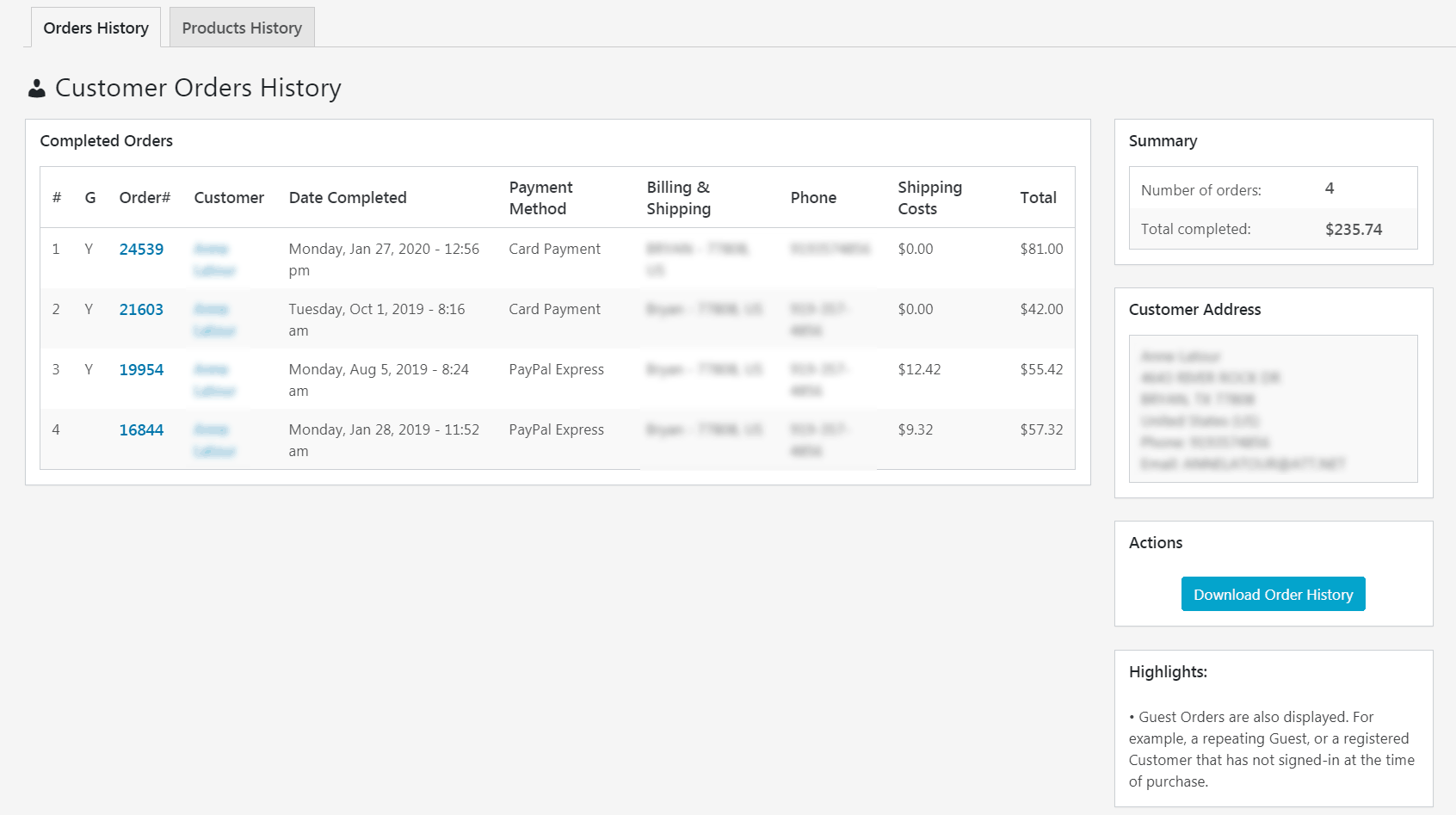
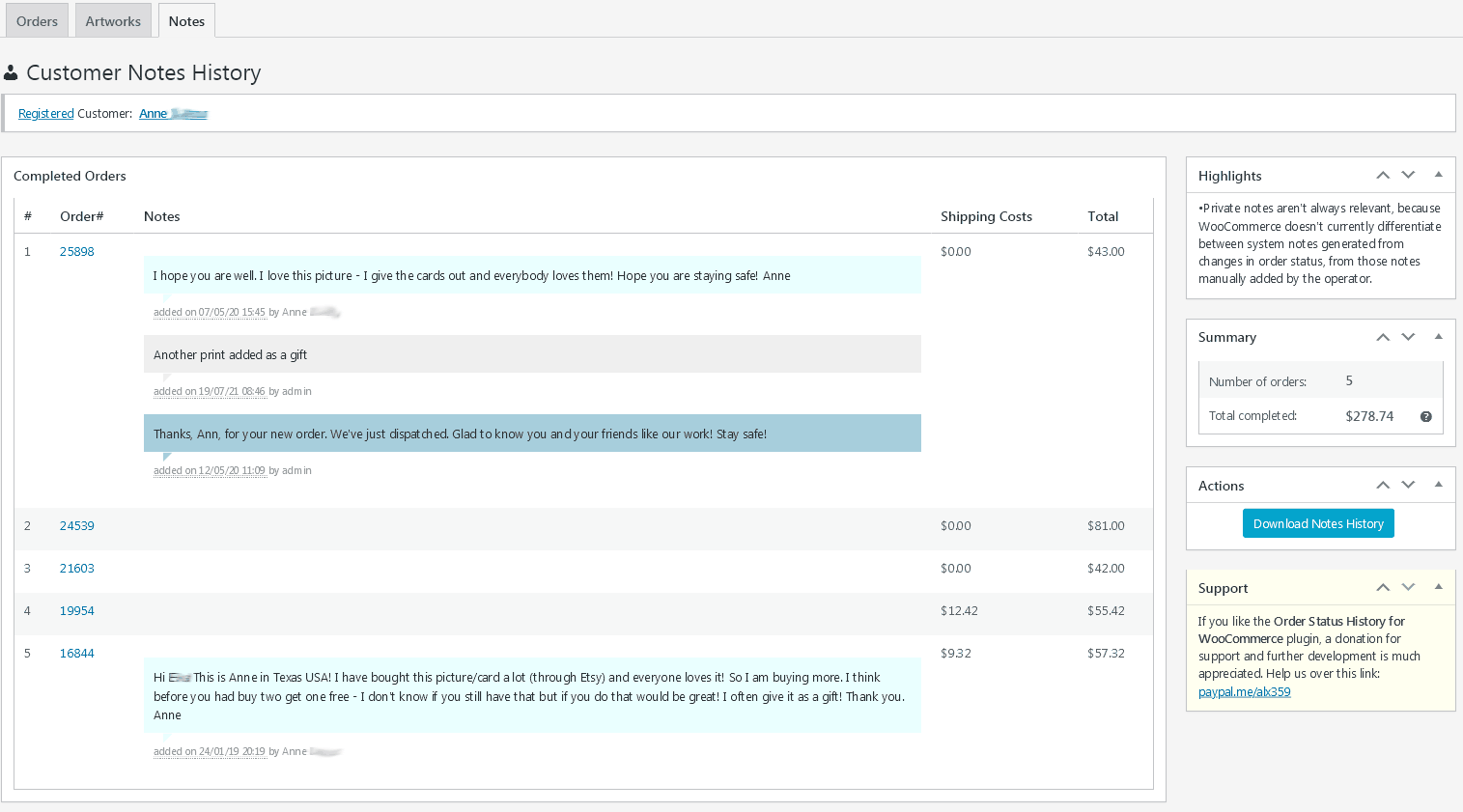
- Detailed reports of past Orders, purchased Products, and all notes sent to Customer or private, for any registered or Guest Customer
- CSV export of Orders, Products, and Notes reports
- Support of composite products within Reports
- Multi-currency support, with some extra usability features
- Translation-ready
- Completely free, with no limitations. Donations welcome.
Installation
Installing Order Status History for WooCommerce is straightforward. As with any other WP plugin, installation can be done either by searching the WP plugin repository, or via the “Plugins > Add New” screen in your WP Dashboard using the following steps:
- Download the plugin from wordpress.org
- Upload the ZIP file through the ‘Plugins > Add New > Upload’ screen in your WordPress Dashboard
- Activate the plugin through the ‘Plugins’ menu in WordPress
Frequently asked questions
Just had a sale, but its status isn’t showing up, and others seem randomly inaccurate. What’s going on?
Since version 1.8, the history queries are cached via transients, which dramatically improves speed and lowers DB calls during the display of the Orders and Users screens. The trade-off though is that the Orders history column information might be at times inaccurate, as is now rebuilt with some delay of up to 1 hour. If that’s an issue to you, the Bulk action -> Rebuild history cache allows updating the history cache manually. Additionally, filter oshwoo_cache_ttl, (goes into functions.php), can help control the baseline of how long the cache stays fresh before going stale and rebuilding…
What is this plugin and for whom is it for?
Order Status History for WooCommerce enhances the Orders & Users screens. It can bring some useful customer historical data in a graphically intuitive way. Targeted toward Shop Managers in their daily decision-making and order fulfillment tasks.
Does everything work? Is it there a ‘Pro’ version?
There’s no ‘Pro’ version, nor a planned one. Everything works with no limitations, completely free of charge. No strings attached.
Is this plugin supported?
No further features are planned at this time, but we will make the effort to address bugs and incompatibilities when time permits. Hit the Support section for common usage questions.
Changelog
Initial release
2.0.2 – 2026-01-06
- FIX: Customer info in Product and Notes History pages was getting supressed by some plugins (e.g. Booster)
- FIX: “Function _load_textdomain_just_in_time was called incorrectly” warning with latest php
2.0.1 – 2025-12-31
- Tested compatibility with latest versions of WP and Woo
2.0 – 2024-01-28
- NEW: finally, compatibility with HPOS (Major codebase refactoring. Consider this version as still in Beta, so please report of any issues)
- FIX: aggregate orders inconsistency in the ‘All Users’ table. Now registered customers purchasing as guests are also counted against their total orders made
- Tested compatibility with latest WP/WC
1.8.6.2 – 2022-08-13
- FIX: Customer Products History has tweaked component support to properly handle some edge cases that may produce fatal errors
- FIX: the donation notice box wasn’t showing up. Thanks alex28
- Tested compatibility with latest versions of WP and Woo
1.8.6.1 – 2022-02-26
- FIX: with the cached queries code forgot to properly tweak the case of orders entered manually with still incomplete information (thanks joshgem)
1.8.6 – 2022-02-24
- NEW: filter
oshwoo_cache_ttl, (goes intofunctions.php), can help control the baseline of how long the cache stays fresh before going stale and rebuilding itself (default is 1h) - FIX: updated language strings for translations
Screenshots





For developers
Is this your plugin? Show off the numbers.
Add a live badge to your site, docs or GitHub README. It updates on its own — no account needed.
Best Order Status History for WooC… alternatives
All order status plugins →




FAQ
Order Status History for WooCommerce: quick answers
Straight answers, pulled from live WordPress.org data.
Live data from WordPress.org · checked Oct 8, 2026
Is Order Status History for WooCom… free?
Yes. Order Status History for WooCom… is free to download and use from the official WordPress.org plugin directory.
Is Order Status History for WooCom… safe to use in 2026?
Order Status History for WooCom… works, but test it on a staging site before relying on it in 2026. It runs on 900+ sites, is rated 5/5 and was last updated 9 months ago, and scores 54/100 on our health check.
How many websites use Order Status History for WooCom…?
Order Status History for WooCom… is active on 900+ WordPress websites and has been downloaded 13,892 times since it launched in April 2020. It was downloaded 298 times in the last 30 days.
Does Order Status History for WooCom… work with WordPress 7.1?
Order Status History for WooCom… is officially tested up to WordPress 6.9.10, while the latest release is 7.1.3. It may still work, but try it on a staging site first.
What PHP version does Order Status History for WooCom… need?
Order Status History for WooCom… requires PHP 7.0 or higher. Most hosts run PHP 8.x today, so it works on any modern WordPress hosting.
When was Order Status History for WooCom… last updated?
The latest version, 2.0.2, was released on January 7, 2026 (9 months ago).
Who makes Order Status History for WooCom…?
Order Status History for WooCom… is developed and maintained by alx359.
What are the best alternatives to Order Status History for WooCom…?
The most popular alternatives to Order Status History for WooCom… are Custom Order Status Manager… (30K+ installs), Custom Order Status for Woo… (10K+ installs) and Order Tracking (3K+ installs).
Powered by PageForge
Want thousands of pages that rank like these? Build them in an afternoon.
This directory runs on the same engine as PageForge. Turn any spreadsheet, CSV or API into thousands of fast, SEO-ready WordPress pages — with schema, internal links and AI-written copy baked in.
- CSV, Google Sheets & API data sources
- AI content, schema & internal links per page
- Works with Elementor, Gutenberg, Yoast & Rank Math
- Free on WordPress.org — no credit card


