


Optimus – WordPress Image Optimizer
Effective image compression and optimization during the upload process. Smart, automatic and reliable.

Use with caution
Optimus works, but test it on a staging site before relying on it in 2026. It runs on 30K+ sites, is rated 4.2/5 and was last updated 7 months ago, and scores 59/100 on our health check.
- Proven at scale on 30K+ active sites
- Momentum — downloads up 23.1% vs the previous 30 days
- Only tested up to WordPress 6.9 (latest is 7.1)
How does it stack up?
Side-by-side on installs, updates, ratings & support



Daily downloads
Download spikes usually follow a new release — each site that auto-updates counts as a download.
Rankings
Where Optimus stands todayWordPress.org search rankings
Live position in the plugin search, top 100| Keyword | Position |
|---|---|
| image optimizer | #12 |
| images | >100 |
| Optimize image | #33 |
| webp | #65 |
| wordpress image optimizer | #8 |
Version adoption
Share of active sites per release.
Rating breakdown
★★★★★★★★★★ 4.2 from 69 reviews
About Optimus – WordPress Image Optimizer
From the official readme · v1.6.3Description
WordPress Image Optimizer
Optimus reduces the file size of uploaded media files automatically. Depending on the image and format, reductions in size of up to 70% are possible. Several kilobytes can be saved per image—these savings contribute positively to the performance of the blog website. What’s most impressive about the compression technology: the quality of the images is maintained.
There are three different versions of Optimus:
- Optimus (Free) as base version with limitations (e.g. max of 100kb)
- Optimus HQ (Premium) with expanded functionality for personal projects
- Optimus HQ PRO (Premium) as professional solution for customer websites
More details about the features and the pricing model on optimus.io
How does it work?
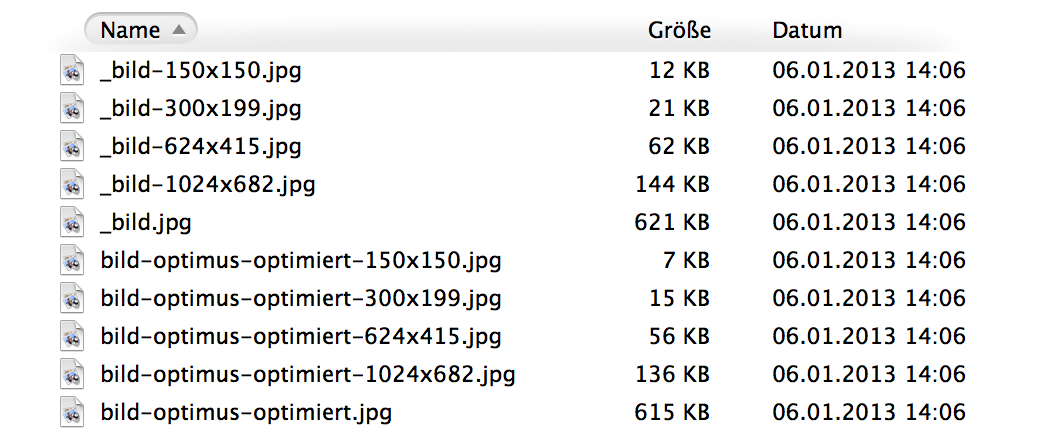
During the uploading process of images to the media library, the Optimus plugin simultaneously sends the images to the Optimus server, where the incoming material is processed and sent back in optimized form. Afterwards, the Optimus plugin saves the image version with a reduced file size in the media library.
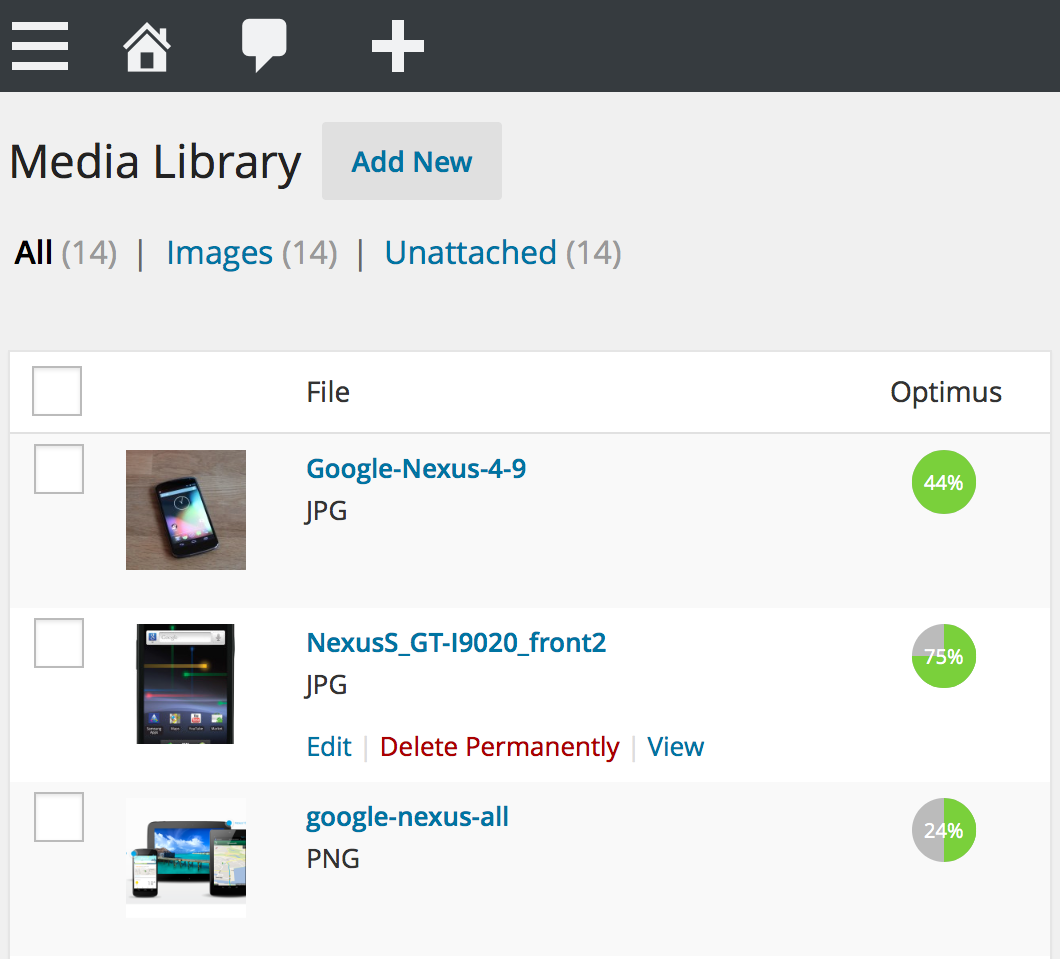
The optimization of images – including thumbnails – is conducted in the background and outside of the view of the user. The image compression gains per file are displayed by Optimus within the media library in form of a percentage value, see screenshot.
Superfluous information that is saved by image processing programs and is not even necessary for displaying the image is extracted from image files. This way, the quality of the graphics remains intact while the image size can be reduced significantly. If you wish, Optimus keeps all author, EXIF and copyright information contained within the photos — the compressional gains will be correspondingly lower.
Optimus supports the conversion of images to the new WebP image format.
It is recommended to use the WordPress Cache Enabler plugin to integrate the converted WebP images.
Features
- Progressive JPEGs
- Reduction of file size during the upload
- Optimization of all preview images of a photo
- No adjustments to code necessary
- Optional: no removal of EXIF and IPTC metadata
- Optional: HTTPS connection for the image transfer (Optimus HQ)
- Optional: conversion to the WebP image format (Optimus HQ)
- Faster load times for blog pages
- Support for WooCommerce
- WordPress multisite-support
- Bulk optimization (optimize existing images)
Privacy
- After the image optimization and transfer process, the Optimus server immediately deletes all the temporarily stored files. No files are stored!
- The Optimus servers are located in Germany.
Tips
- Photos should always be saved as JPEGs rather than PNGs. The PNG format works well for illustrations, JPEG on the other hand is the right choice for photographs. Another reason: the size reduction always works more quickly for JPEGs.
- Your images have been optimized using Desktop tools such as ImageOptim (Mac) or PNGGauntlet (Win) before you upload them? Optimus has the significant benefit of also minimizing the thumbnails (=preview images) created by WordPress. After all, themes almost always integrate thumbnails rather than original images.
System Requirements
- PHP >=5.6
- WordPress >=4.6
- Allow outbound connections
Storage Utilization
- Backend: ~ 0,19 MB
- Frontend: ~ 0,01 MB
Website
Author
Changelog
1.6.3
- WordPress 6.1 compatibility
1.6.2
- WordPress 6.0 compatibility
1.6.1
- Fix bulk image optimization (#13 @tg247)
1.6.0
- Skip missing files
- Added wpcli command for bulk optimization
- Added option to append instead of replace file extension for webp files
1.5.0
- Unsupported image types are now gracefully skipped
- Renamed setting names and greyed out inapplicable settings to avoid confusion
- Increased size limit for Optimus HQ to 10MB
- Licences can now easily be extended
- Optimize images uploaded through the REST API
1.4.9
- Formatting updates
Screenshots
For developers
Is this your plugin? Show off the numbers.
Add a live badge to your site, docs or GitHub README. It updates on its own — no account needed.
Best Optimus alternatives
All image optimizer plugins →





FAQ
Optimus – WordPress Image Optimizer: quick answers
Straight answers, pulled from live WordPress.org data.
Live data from WordPress.org · checked Sep 26, 2026
Is Optimus free?
Yes. Optimus is free to download and use from the official WordPress.org plugin directory.
Is Optimus safe to use in 2026?
Optimus works, but test it on a staging site before relying on it in 2026. It runs on 30K+ sites, is rated 4.2/5 and was last updated 7 months ago, and scores 59/100 on our health check.
How many websites use Optimus?
Optimus is active on 30K+ WordPress websites and has been downloaded 700,838 times since it launched in October 2012. It was downloaded 1,267 times in the last 30 days.
Does Optimus work with WordPress 7.1?
Optimus is officially tested up to WordPress 6.9.9, while the latest release is 7.1.2. It may still work, but try it on a staging site first.
What PHP version does Optimus need?
Optimus requires PHP 5.6 or higher. Most hosts run PHP 8.x today, so it works on any modern WordPress hosting.
When was Optimus last updated?
The latest version, 1.6.3, was released on March 2, 2026 (7 months ago).
Who makes Optimus?
Optimus is developed and maintained by KeyCDN.
What are the best alternatives to Optimus?
The most popular alternatives to Optimus are Smush (1M+ installs), Nexter Extension (10K+ installs) and Cloudinary (5K+ installs).
Powered by PageForge
Want thousands of pages that rank like these? Build them in an afternoon.
This directory runs on the same engine as PageForge. Turn any spreadsheet, CSV or API into thousands of fast, SEO-ready WordPress pages — with schema, internal links and AI-written copy baked in.
- CSV, Google Sheets & API data sources
- AI content, schema & internal links per page
- Works with Elementor, Gutenberg, Yoast & Rank Math
- Free on WordPress.org — no credit card


