


We’re Open!
Opening hours for your business, a joy to manage and highly customizable. Conditional excerpts; conditional/replacement text; Structured Data for SEO.

Use with caution
We’re Open! works, but test it on a staging site before relying on it in 2026. It runs on 5K+ sites, is rated 5/5 and was last updated 9 months ago, and scores 59/100 on our health check.
- Loved by users — 5/5 from 45 reviews
- Only tested up to WordPress 6.9 (latest is 7.1)
How does it stack up?
Side-by-side on installs, updates, ratings & support



Daily downloads
Download spikes usually follow a new release — each site that auto-updates counts as a download.
Rankings
Where We’re Open! stands todayWordPress.org search rankings
Live position in the plugin search, top 100| Keyword | Position |
|---|---|
| business hours | #4 |
| open hours | #1 |
| open times | #5 |
| Opening Hours | #1 |
| opening times | #2 |
Version adoption
Share of active sites per release.
Rating breakdown
★★★★★★★★★★ 5 from 45 reviews
About We’re Open!
From the official readme · v2.6Description
Control all aspects of your business’ opening hours with this very easy management tool with multiple display options and conditional text while open or closed with renewed content upon status changes. This plugin offers a high degree of customization and can be placed almost anywhere using a shortcode or widget.
Features:
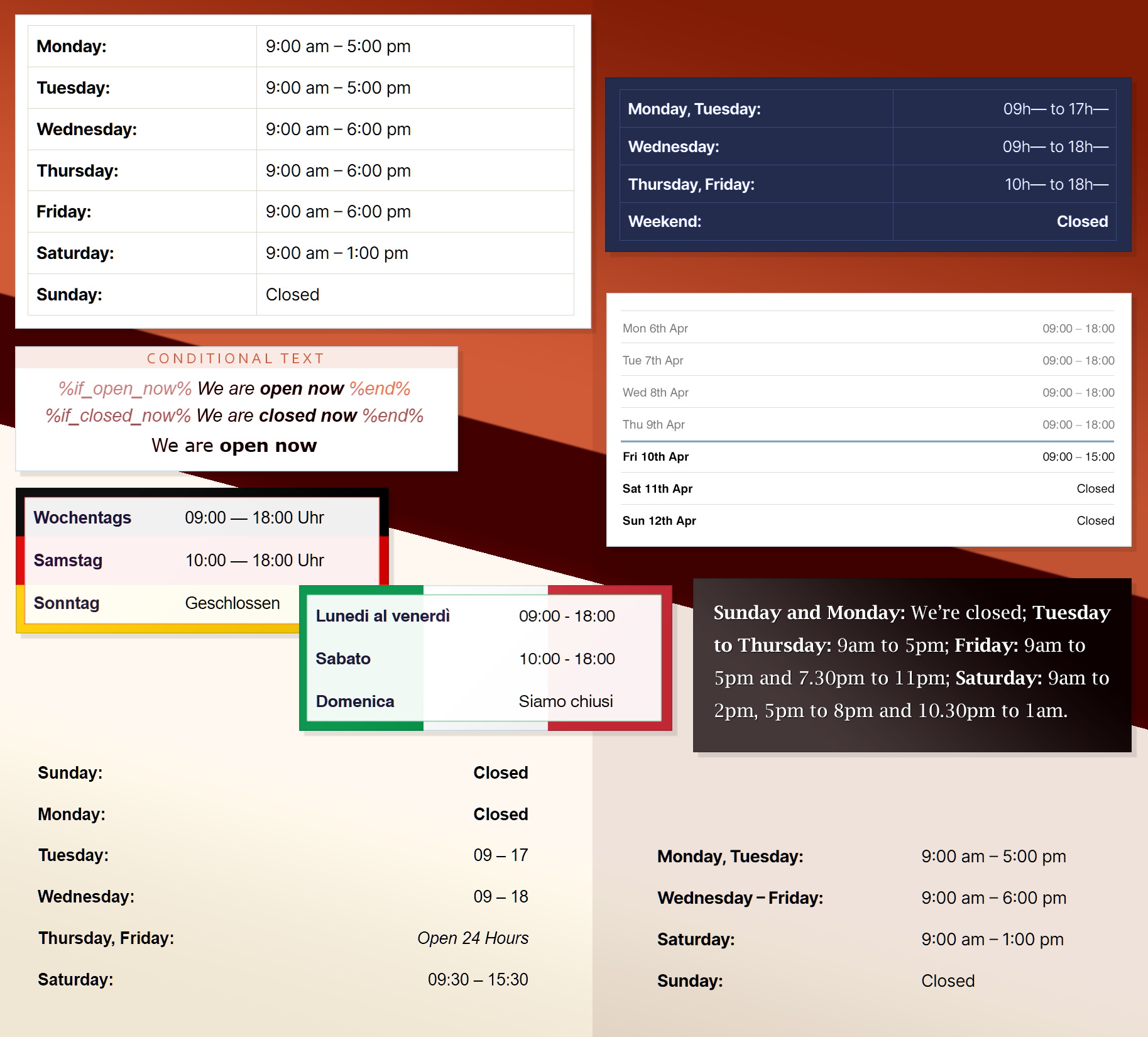
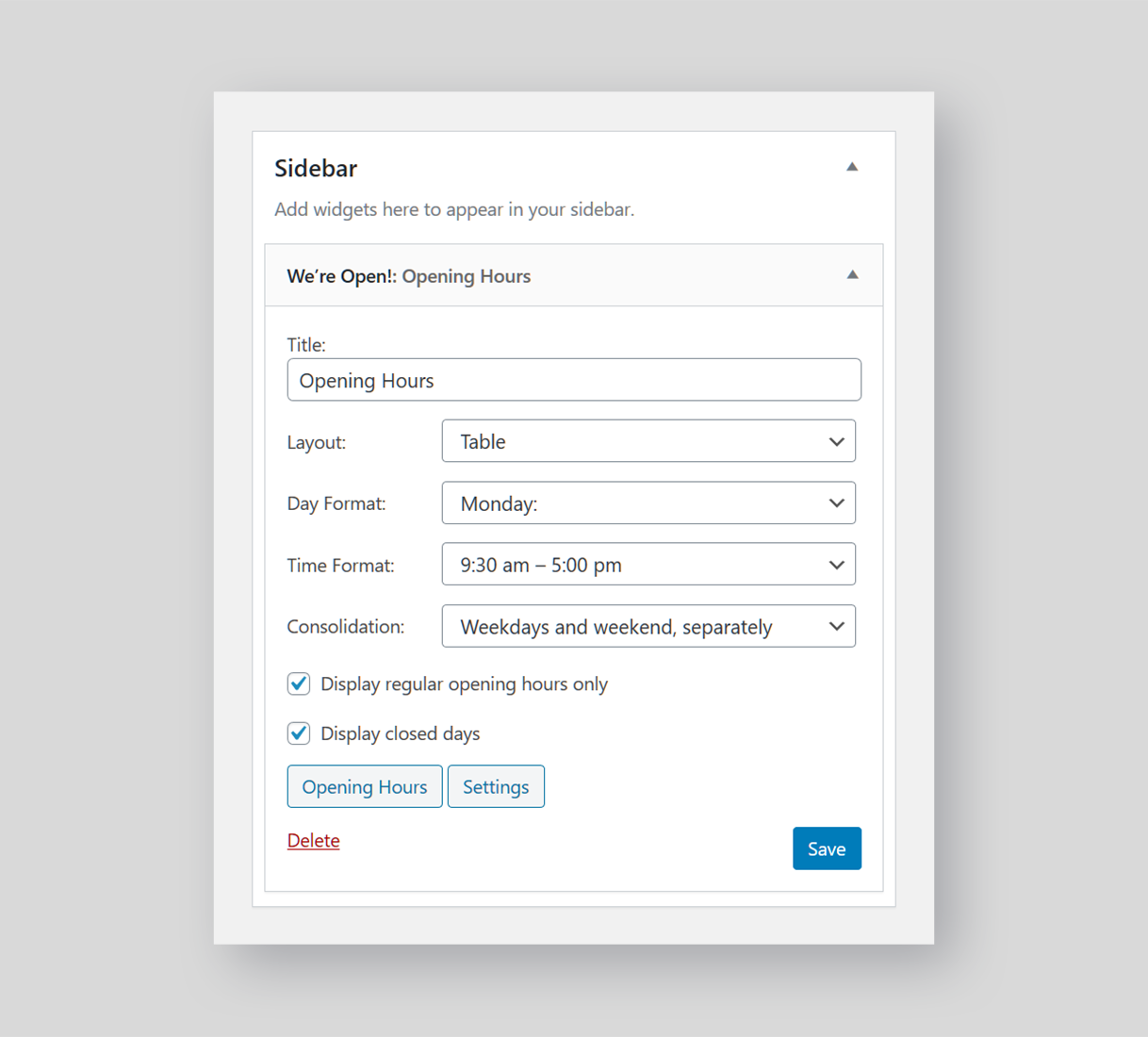
- Shortcode and Widget to display your opening hours in a wide variety of formats
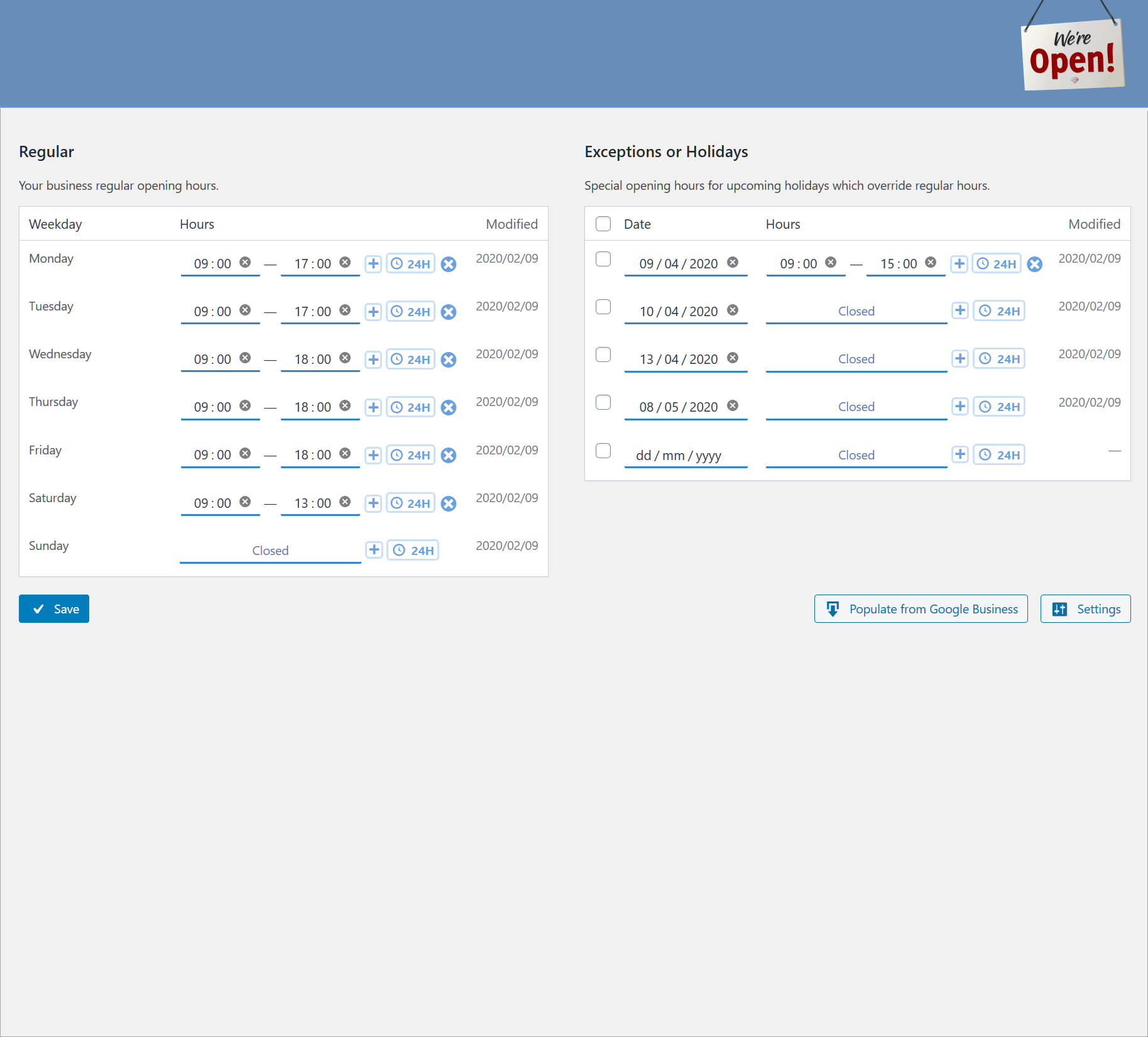
- Responsive interface to quickly set regular opening hours separate from special opening hours for public holidays
- Set up to 3 groups of opening times per day
- Set 24 hour opening times
- Set a date range for a temporary closure of your business
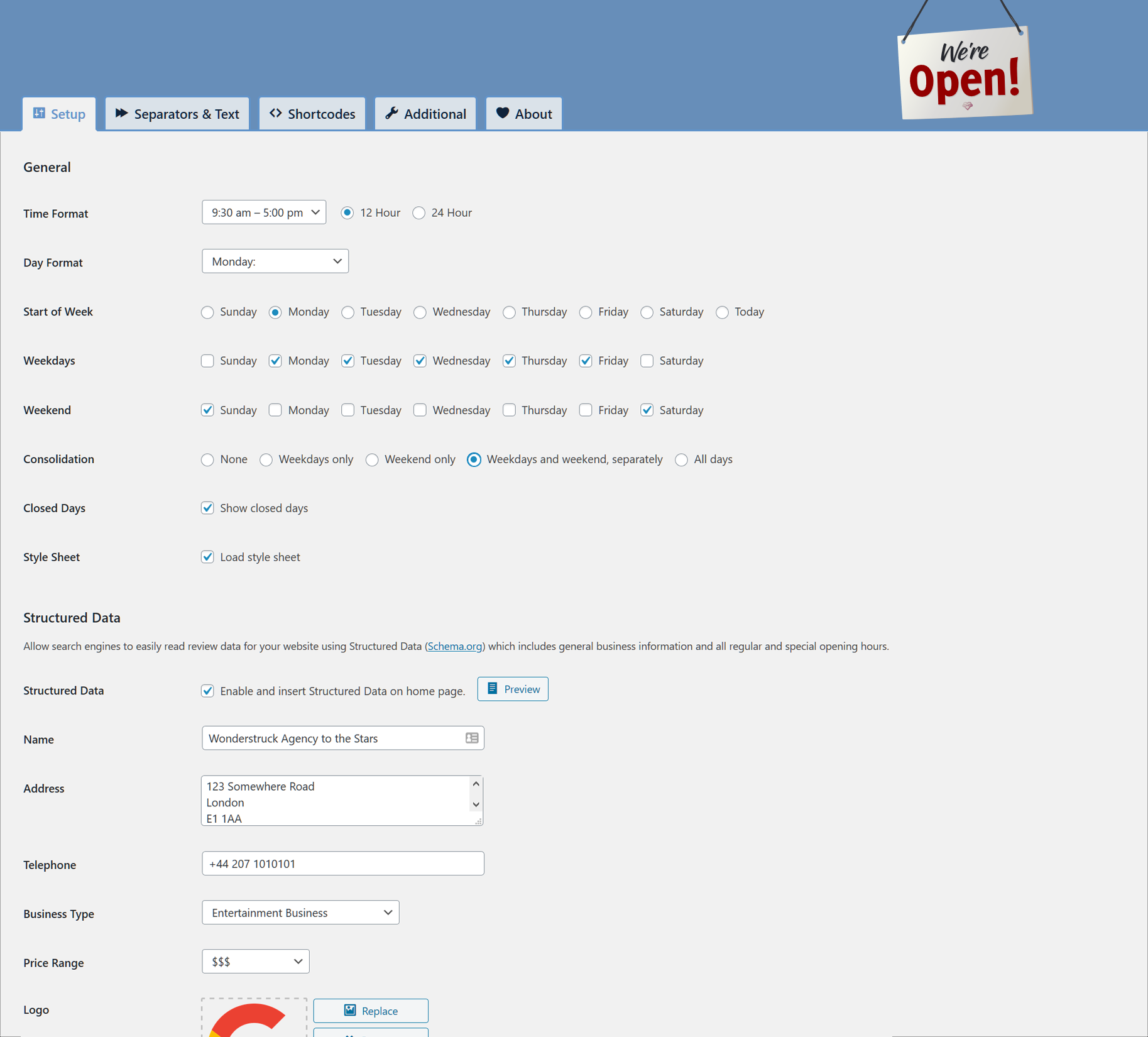
- Consolidation of hours with options for:
- Just weekdays,
- Just the weekend,
- Separate weekdays and the weekend,
- Full consolidation
- Very high level of customization such as:
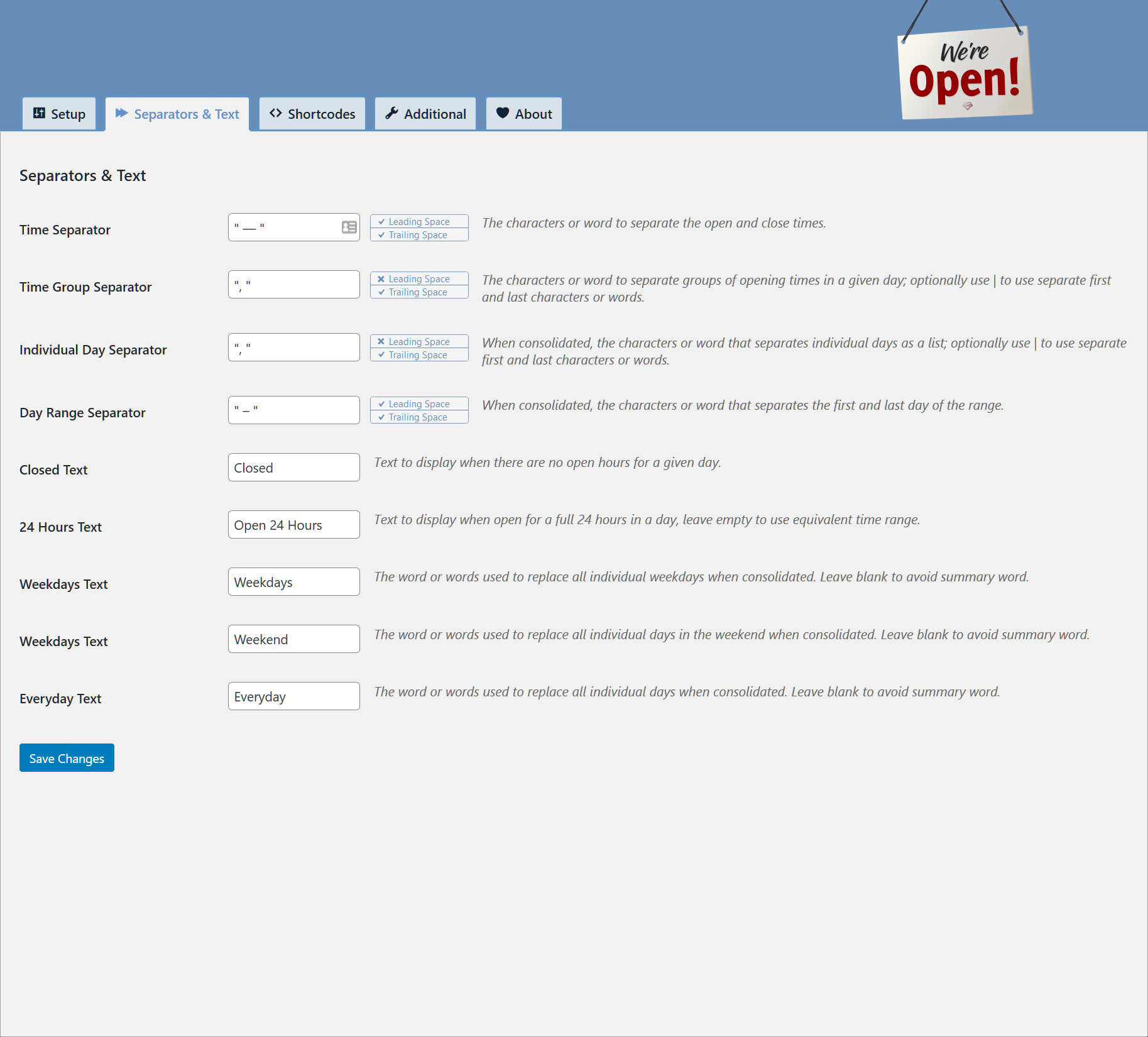
- Separator characters,
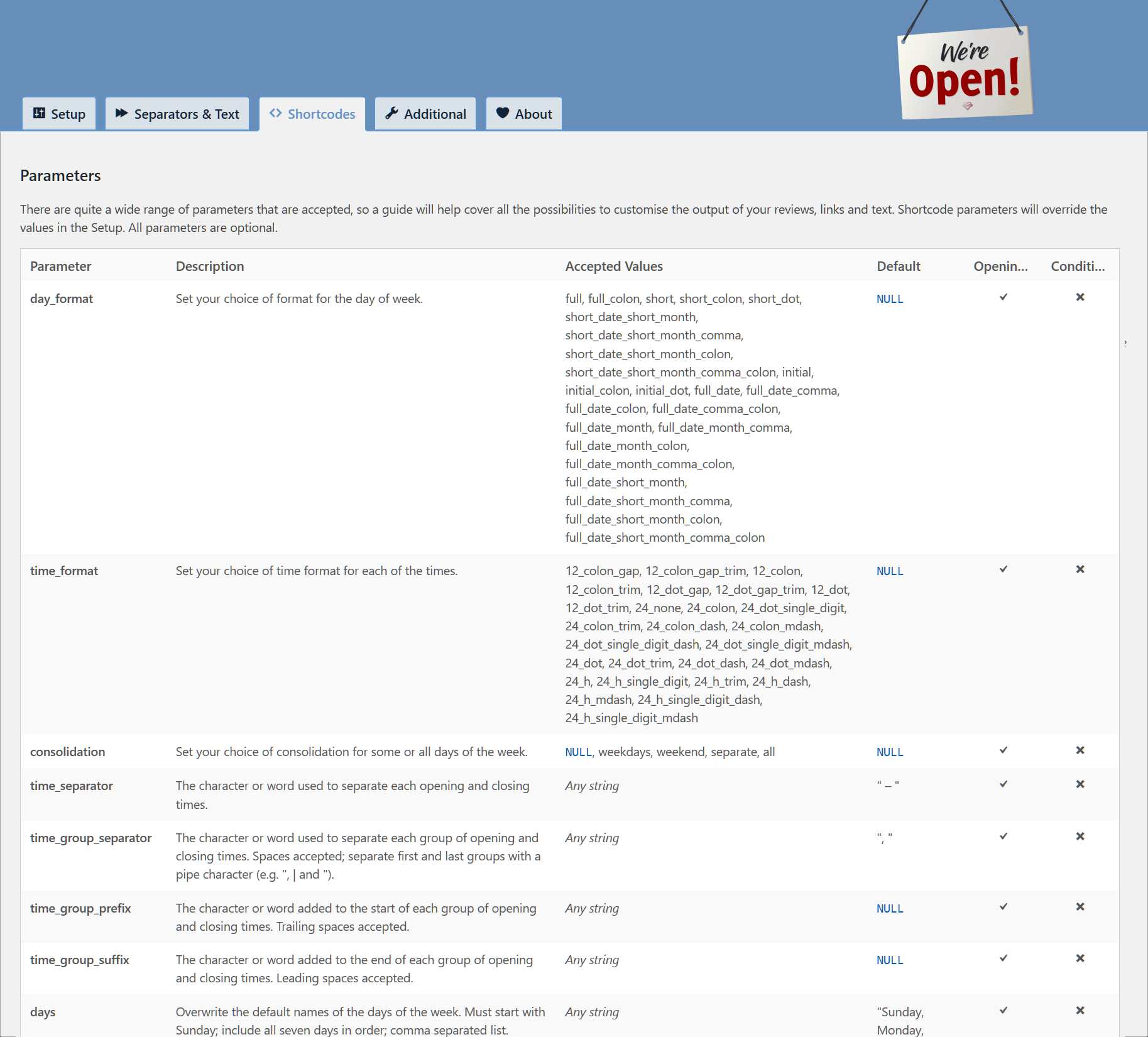
- Extensive day and time formatting,
- Prefix and suffix for each group of times,
- Local language day names with option to overwrite,
- Consolidation words,
- Hiding of closed days,
- Start the week to any day including the current day,
- Regular or special opening hours only,
- Separate day/date formatting for regular and special opening hours,
- Date labeling and notes for special opening hours,
- Date ranges, and much more…
- Option to refresh opening hours or reload the page at the start of each day
- HTML classes to give high-level of design customization (e.g. past, today, tomorrow, future, special)
- Right To Left (RTL) language support
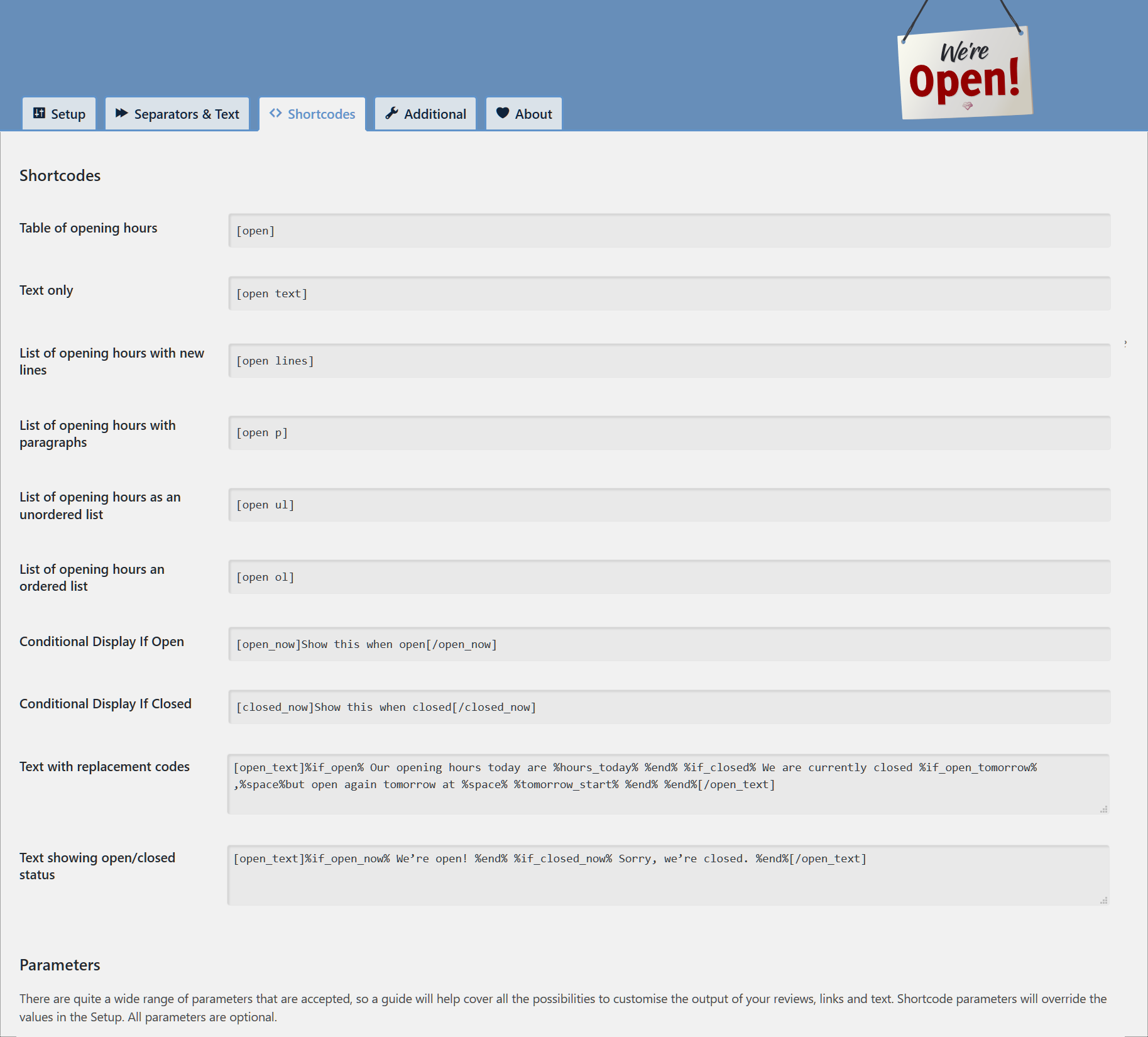
- Conditional shortcode to show content only when open, closed or special opening hours
- Automatic data refreshing or page reload occurring with a change of open or closed status
- Conditionally show HTML containing special opening hours – only when this is available
- Conditional text with variables (e.g. show text or HTML relevant to current open status)
- Structured Data (Schema.org) support to give accurate information about opening hours to search engines and services such as Google My Business and it assists with SEO
- Populate and synchronize opening hours from Google My Business (Google API Key, Place ID, Google Billing Account are required)
- A comprehensive and free plugin with no upgrades for additional functionality
Demo:
We have a comprehensive showcase of the shortcode’s design and functionality on our Demonstration Website.
- Basic Shortcode
- Table designs
- Opening hours as text
- Consolidation
- Conditional shortcodes
- Conditional special opening hours
- Labels and notes
- Replacement text and logic
- Replacement text reference
Recommendations:
- If populating from Google, I would recommend setting your business in Google and finding your Place ID.
- And if used more than once, create a Google Billing Account to receive your substantial free API Request allocation.
This is just my second public plugin and all comments are very welcome. It is a sister plugin to Reviews and Rating – Google My Business.
Getting started with Google Places API
In order to retrieve your opening hours from Google My Business, you will need a Google API Key, locate your Place ID and set your billing information. With the Billing details, you’ll receive a substantial free allocation, ample enough to use this feature for free.
Installation
- Upload the plugin files to the
/wp-content/plugins/opening-hoursdirectory, or install the plugin through the WordPress plugins screen directly. - Activate the plugin through the ‘Plugins’ screen in WordPress
- Use the Settings→We’re Open! screen to configure the plugin
- Insert a shortcode into any page, post or use the widget to place throughout your website
Frequently asked questions
Nothing is showing up, what is wrong?
You’ll need to go to Settings→We’re Open! to set some required settings before you can start using this plugin on the front end.
The current open or closed status is sometimes wrong. How do I fix this?
This can happen when the time zone in WordPress is not set correctly. It is very important that your time zone is accurate. Go to Settings→General; set your time zone to the nearest city that shares your time zone (rather than GMT +/– hours). Check the current time using the conditional text shortcode: [open_text]%now%[/open_text].
I use a caching service. How can I ensure my opening hours are current?
You can refresh content using the shortcode parameter: update=”immediate” to force an immediate update to the displayed information.
The time is out by an hour. What should I try to fix?
A common mistake is to set the time zone in WordPress using hours from GMT when it’s more reliable to use your geographic location (e.g. Europe/Paris). Using the geographic location option considers daylight saving time.
How can I keep the opening hours with Google My Business current?
Enable Structured Data. It works very well to inform Google My Business of your complete opening hours, including special opening hours and temporary closures. Alternatively, you may wish to update your opening hours from Google My Business using the Places API (New). This method requires a Google API Key and Place ID (single location) and doesn’t consider special opening hours or temporary closures.
Can I use my own words for “closed”, “today”, “tomorrow”, “midday”, “midnight” or label the actual holidays?
Yes, you can set most of these words in the settings or all of these using a shortcode parameter. Labels to replace the day names or dates in special opening hours are available in the Dashboard.
Can I have my holiday opening hours appear only when relevant?
Yes, this is possible by using the [open_special] shortcode. Enclose your special opening times, and any HTML such as a heading, to have this appear only when it’s needed.
Is this plugin fully GDPR compliant?
Yes.
How do I get a Google API Key if I want to populate or synchronize from my Google My Business listing?
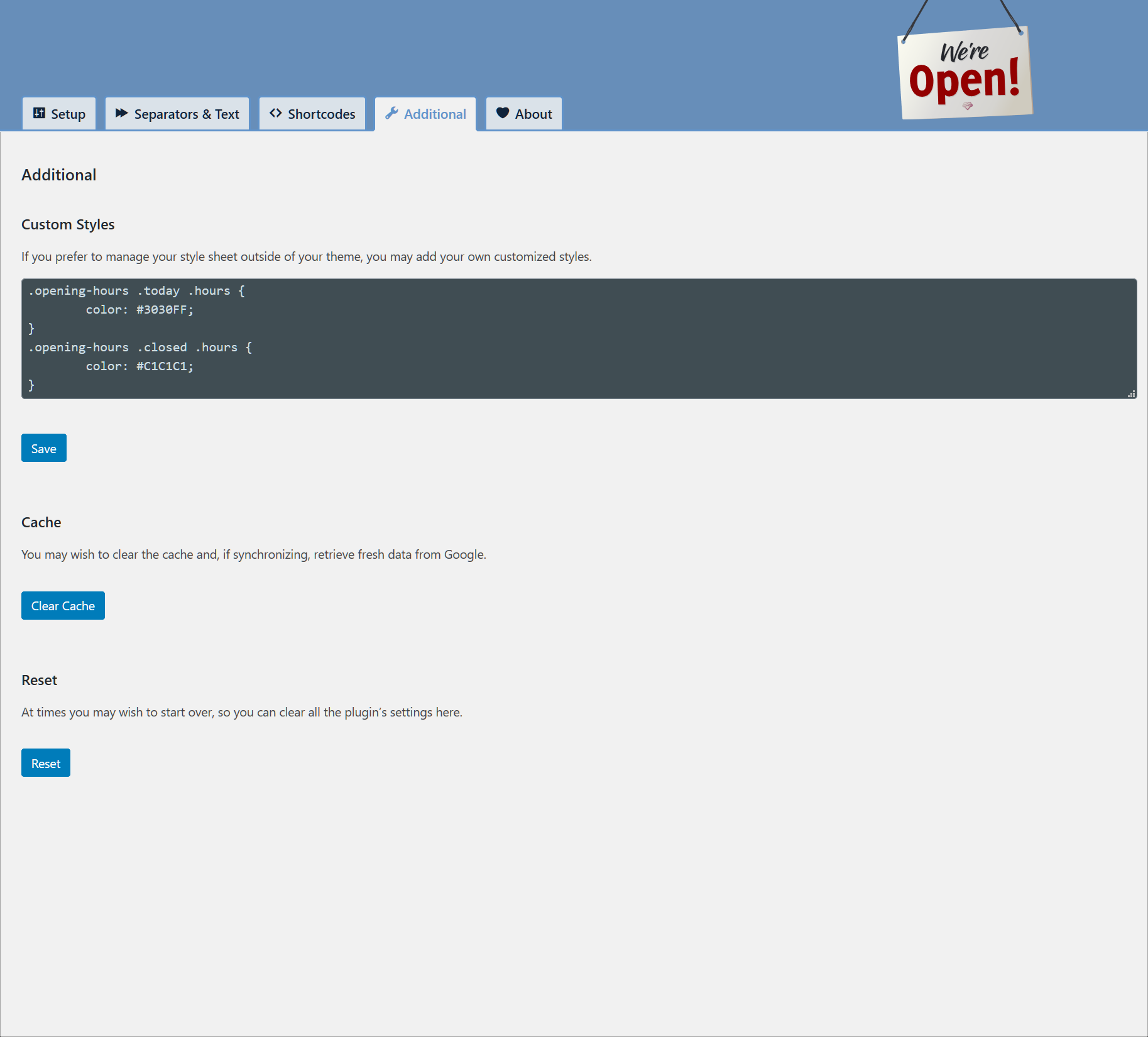
All the details for collecting your Google API Key can be found using our visual guide. Once your Project is set, you will need a new API Key with access to Place API (New). As a restriction, set your host’s IP Address (not your website’s URL). A more detailed guide is available in the Additional tab of Settings→We’re Open!. The Google API Key is required for this plugin to load the data from the Google Places API (New).
How do I find my Place ID?
You can locate your unique Place ID using Google’s: Place ID Finder. Only specific locations are supported; not coverage areas.
Can I have multiple sets of opening hours?
Sorry, this is not supported by this plugin with only one set of opening hours available. Requests to extend this functionality are welcome, but there is no time-line for this development.
Changelog
2.6
- Updated count parameter limit to 400 days for special opening hours
- Tested with WordPress 6.9
2.5
- Fixed missing variables in open_text Shortcode
2.4
- Added Bluesky link in About
- Fixed _load_textdomain_just_in_time warning caused by consolidation types
- Fixed handling of 24-hours covering multiple days
- Improved weekdays and weekend selection
- Improved wp_display_text method
- Tested with WordPress 6.8.3
2.3
- Added text replacement logic and variables for notes (Thanks to @jfinkle)
- Fixed _load_textdomain_just_in_time warning
- Tested with WordPress 6.7.1
2.2
- Fixed handling of single quotes in open_text (Thanks to @bmc38119)
- Updated all API references to have Places API (New)
- Tested with WordPress 6.6.2
2.1
- Clean up of code and markup indentation
Screenshots
For developers
Is this your plugin? Show off the numbers.
Add a live badge to your site, docs or GitHub README. It updates on its own — no account needed.
Best We’re Open! alternatives
All business hours plugins →





FAQ
We’re Open!: quick answers
Straight answers, pulled from live WordPress.org data.
Live data from WordPress.org · checked Sep 26, 2026
Is We’re Open! free?
Yes. We’re Open! is free to download and use from the official WordPress.org plugin directory.
Is We’re Open! safe to use in 2026?
We’re Open! works, but test it on a staging site before relying on it in 2026. It runs on 5K+ sites, is rated 5/5 and was last updated 9 months ago, and scores 59/100 on our health check.
How many websites use We’re Open!?
We’re Open! is active on 5K+ WordPress websites and has been downloaded 129,236 times since it launched in August 2008. It was downloaded 716 times in the last 30 days.
Does We’re Open! work with WordPress 7.1?
We’re Open! is officially tested up to WordPress 6.9.9, while the latest release is 7.1.2. It may still work, but try it on a staging site first.
What PHP version does We’re Open! need?
We’re Open! requires PHP 5.2.4 or higher. Most hosts run PHP 8.x today, so it works on any modern WordPress hosting.
When was We’re Open! last updated?
The latest version, 2.6, was released on January 4, 2026 (9 months ago).
Who makes We’re Open!?
We’re Open! is developed and maintained by Noah Hearle.
What are the best alternatives to We’re Open!?
The most popular alternatives to We’re Open! are Business Hours Indicator (8K+ installs), ITBoffins Live Opening Hour… (100+ installs) and Orivo Business Hours Block (80+ installs).
Powered by PageForge
Want thousands of pages that rank like these? Build them in an afternoon.
This directory runs on the same engine as PageForge. Turn any spreadsheet, CSV or API into thousands of fast, SEO-ready WordPress pages — with schema, internal links and AI-written copy baked in.
- CSV, Google Sheets & API data sources
- AI content, schema & internal links per page
- Works with Elementor, Gutenberg, Yoast & Rank Math
- Free on WordPress.org — no credit card


