


One Click Start
One Click Start automates the boring setup tasks every developer repeats — from cleanup to configuration and plugin installation — all in one go.

Use with caution
One Click Start works, but test it on a staging site before relying on it in 2026. It runs on 10+ sites and was last updated 6 months ago, and scores 51/100 on our health check.
- Small user base (10+ active installs)
- Very few reviews so far
How does it stack up?
Side-by-side on installs, updates, ratings & support


Daily downloads
Download spikes usually follow a new release — each site that auto-updates counts as a download.
Rankings
Where One Click Start stands todayWordPress.org search rankings
Live position in the plugin search, top 100| Keyword | Position |
|---|---|
| bulk install | >100 |
| one click setup | >100 |
| one click start | #43 |
| one-click | >100 |
| Wordpress Automation | >100 |
Version adoption
Share of active sites per release.
About One Click Start
From the official readme · v1.0.1Description
Time-saving tool for every new WordPress project.
One Click Start automates the boring setup tasks every developer repeats — from cleanup to configuration and plugin installation — all in one go.
Perfect for developers, agencies, and freelancers who build multiple websites and want a consistent, reliable starting point.
Key Highlights
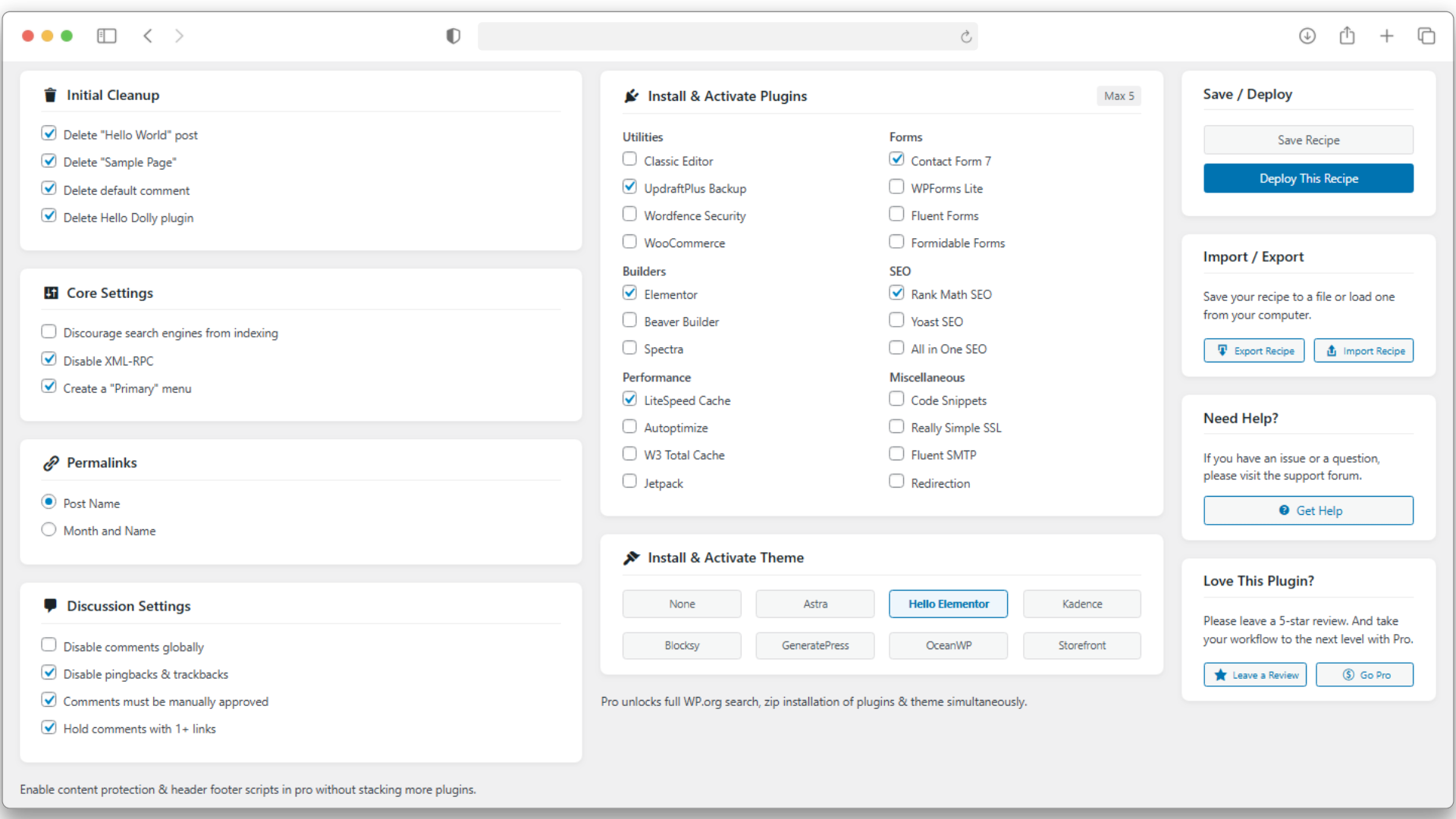
- Automated Setup: Delete default posts, pages, comments, and bundled plugins like Hello Dolly in seconds.
- Core Configuration: Set permalinks, disable comments, and adjust comment moderation, search engine visibility, and disable XML-RPC.
- Bulk Plugin & Theme Installation: Choose from a curated list of popular developer themes and plugins to install automatically.
- Recipe Export/Import: Save your setup as a JSON recipe and reuse it across projects for consistent workflows.
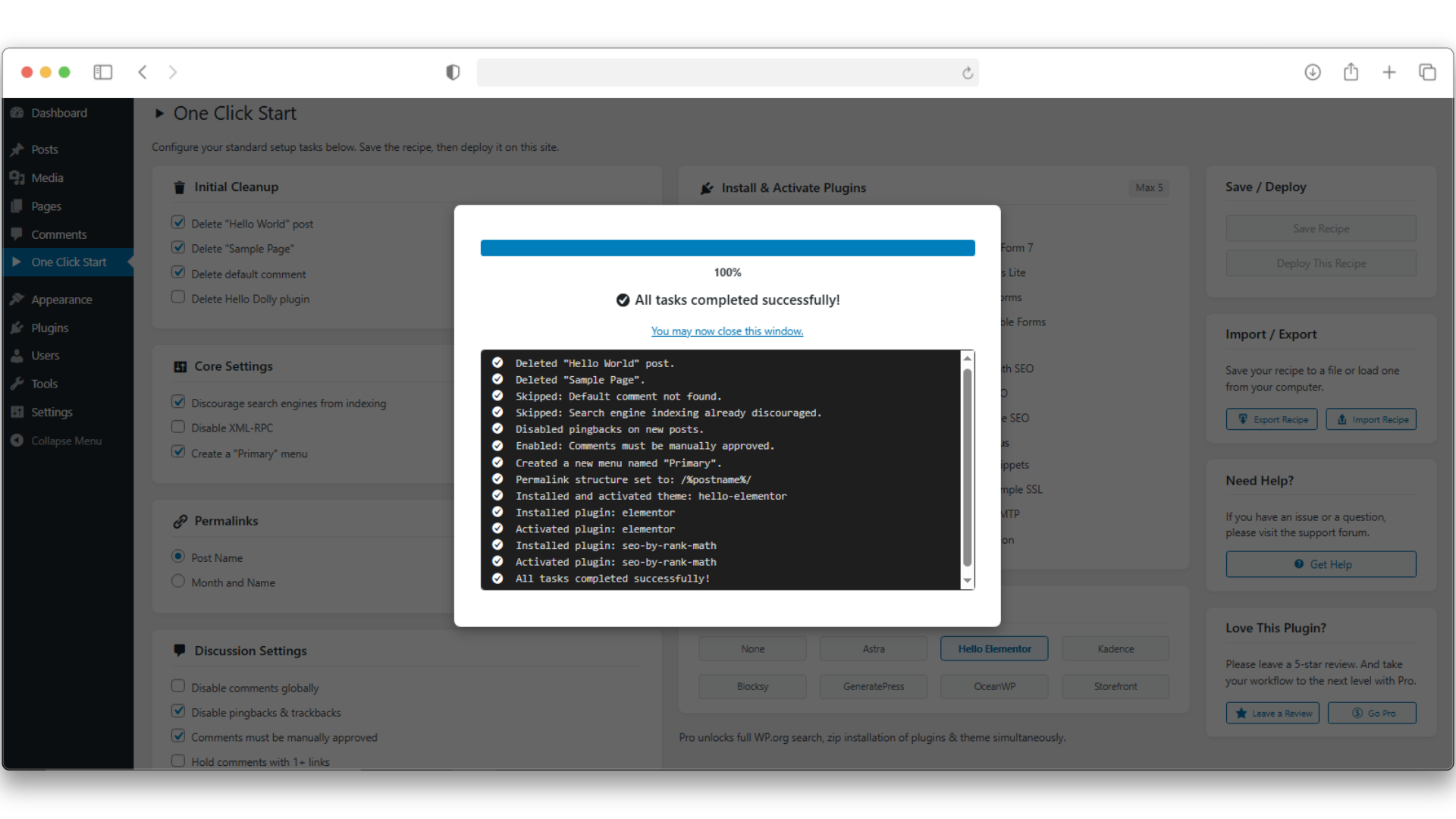
- Developer-Friendly: Built with a robust batch handler that avoids timeouts and shows real-time progress.
This plugin is lightweight, modern, and designed for professionals who value automation and consistency.
One Click Start lets you focus on building — not setting up basic things again & again.
Want to Supercharge Workflow? Try One Click Start Pro
Take your workflow to the next level with One Click Start Pro, built for agencies and professional developers.
Pro Adds:
- Live Plugin & Theme Search: Instantly find and add any plugin or theme from the WordPress.org repository.
- Premium ZIP Uploads: Include your paid plugins and themes directly in your setup recipe.
- Header & Footer Scripts: Add analytics, verification tags, or tracking codes without extra plugins.
- Advanced Content Protection: Disable right-click, selection, and shortcuts for visitors with one click.
- Enhanced Task Engine: Handles large or complex recipes faster and more reliably with auto-skip feature if an error occur.
👉 Explore the Pro Version — or continue enjoying the free version forever.
(Fully optional — One Click Start Free remains powerful and maintained.)
Installation
- Upload the
one-click-startfolder to the/wp-content/plugins/directory. - Activate the plugin through the ‘Plugins’ menu in WordPress.
- Open One Click Start in your admin sidebar to build or import your recipe.
Changelog
1.0.0
- Initial public release.
1.0.1
- Improved import security.
Screenshots
For developers
Is this your plugin? Show off the numbers.
Add a live badge to your site, docs or GitHub README. It updates on its own — no account needed.
Best One Click Start alternatives
All bulk install plugins →FAQ
One Click Start: quick answers
Straight answers, pulled from live WordPress.org data.
Source: WordPress.org
Is One Click Start free?
Yes. One Click Start is free to download and use from the official WordPress.org plugin directory.
Is One Click Start safe to use in 2026?
One Click Start works, but test it on a staging site before relying on it in 2026. It runs on 10+ sites and was last updated 6 months ago, and scores 51/100 on our health check.
How many websites use One Click Start?
One Click Start is active on 10+ WordPress websites and has been downloaded 707 times since it launched in September 2025. It was downloaded 42 times in the last 30 days.
Does One Click Start work with WordPress 7.1?
One Click Start is officially tested up to WordPress 7.0.9, while the latest release is 7.1.5. It may still work, but try it on a staging site first.
What PHP version does One Click Start need?
One Click Start requires PHP 7.4 or higher. Most hosts run PHP 8.x today, so it works on any modern WordPress hosting.
When was One Click Start last updated?
The latest version, 1.0.1, was released on June 2, 2026 (6 months ago).
Who makes One Click Start?
One Click Start is developed and maintained by haas_ib.
What are the best alternatives to One Click Start?
The most popular alternatives to One Click Start are WPCore Plugin Manager (9K+ installs), Pluginer (formerly Instalis… (10+ installs) and WPBulkify (<10 installs).
Powered by PageForge
One template and a spreadsheet. A real page for every search.
PageForge turns each row of a CSV into a WordPress page with its own title, URL, SEO fields and schema, built on the layout you already designed. Free on WordPress.org.
- CSV and XLSX, plus Google Sheets on Professional and Enterprise
- Its own title, URL, SEO fields and schema for every page
- Works with the block editor, Elementor, Divi and Avada
- Free on WordPress.org, no credit card