


oik batchmove
The oik-batchmove plugin enables you to perform mass updates to the categories assigned to posts. It also enables you to republish posts.

Consider an alternative
oik batchmove shows warning signs in 2026 — compare the alternatives below before installing. It runs on 60+ sites, is rated 5/5 and was last updated 1 year ago, and scores 41/100 on our health check.
- Small user base (60+ active installs)
- Very few reviews so far
- No update in over a year
- Only tested up to WordPress 6.8 (latest is 7.1)
How does it stack up?
Side-by-side on installs, updates, ratings & support



Daily downloads
Download spikes usually follow a new release — each site that auto-updates counts as a download.
Rankings
Where oik batchmove stands todayWordPress.org search rankings
Live position in the plugin search, top 100| Keyword | Position |
|---|---|
| category | >100 |
| change | >100 |
| republish | #16 |
| scheduled republish | #7 |
Version adoption
Share of active sites per release.
Rating breakdown
★★★★★★★★★★ 5 from 1 reviews
About oik batchmove
From the official readme · v2.5.3Description
This plugin enables you to filter posts in a particular category and then apply mass updates to selected posts.
Actions supported:
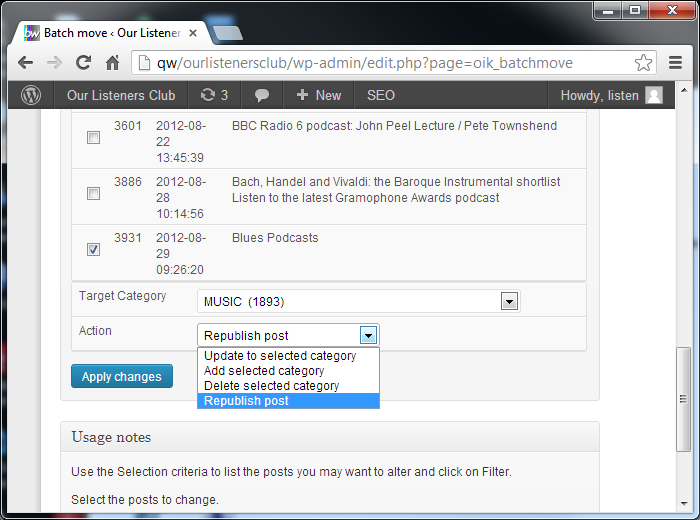
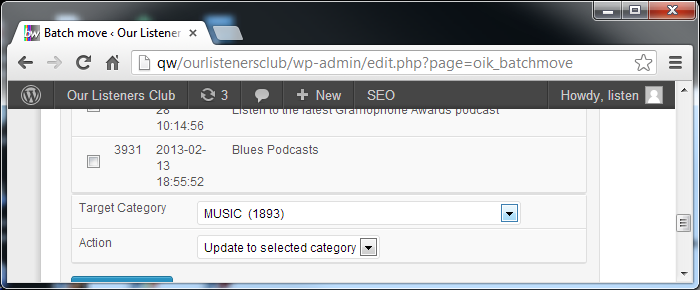
- Update to selected category – Delete the currently filtered category and set a new Target Category for the selected posts
- Add selected category – Adds the Target Category to the selected posts
- Delete selected category – Deletes the currently filtered category from the selected posts
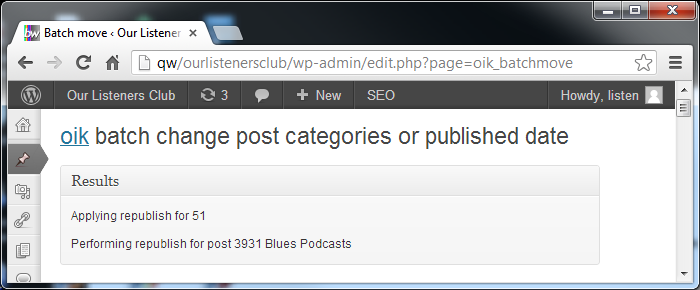
- Republish – update the post date to the current time stamp.
- Republish – alter the post date by adding or subtracting defined amounts
- Update post meta – set the values for simple post meta fields
- WordPress SEO hide – update WordPress SEO post meta to “hide” posts
- WordPress SEO unhide – update WordPress SEO post meta to “unhide” posts
Scheduled republishing:
- Scheduled republishing using WordPress CRON
- Category republishing of the oldest post in selected Categories
- Tag republishing of the oldest post with selected Tags
- Republicizing using Jetpack publicize.
Frequently asked questions
Installation
Upload the contents of the oik-batchmove plugin to the `/wp-content/plugins/oik-batchmove’ directory Activate the oik-batchmove plugin through the ‘Plugins’ menu in WordPress Visit Posts > Batch move or Oik options > Batch move to start changing post’s categories or publication dates.
How do I use it?
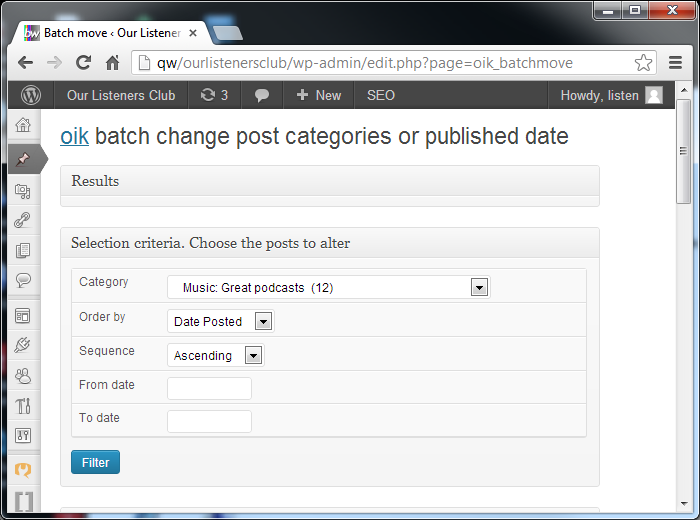
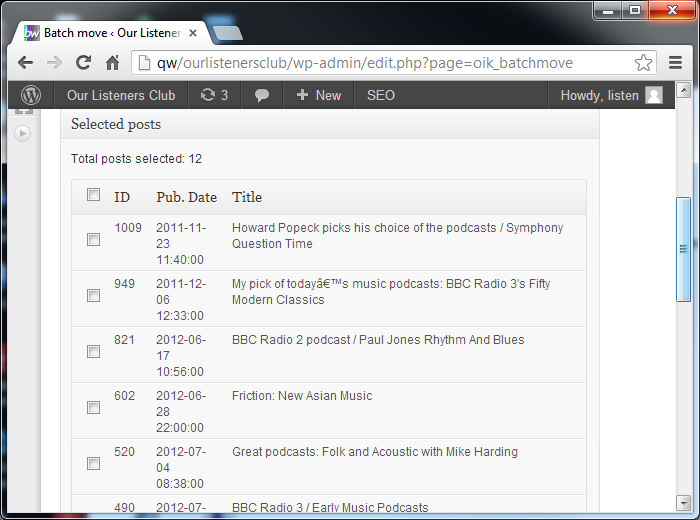
Visit Posts > Batch move Use the Selection criteria to list the posts you may want to alter and click on Filter. Select the posts to change. Select the target category, choose the Action to perform, click on Apply changes.
How do I use scheduled republishing?
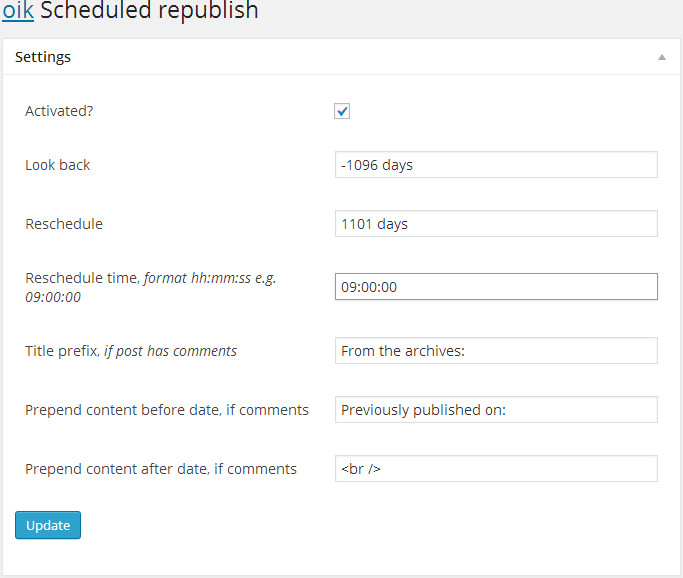
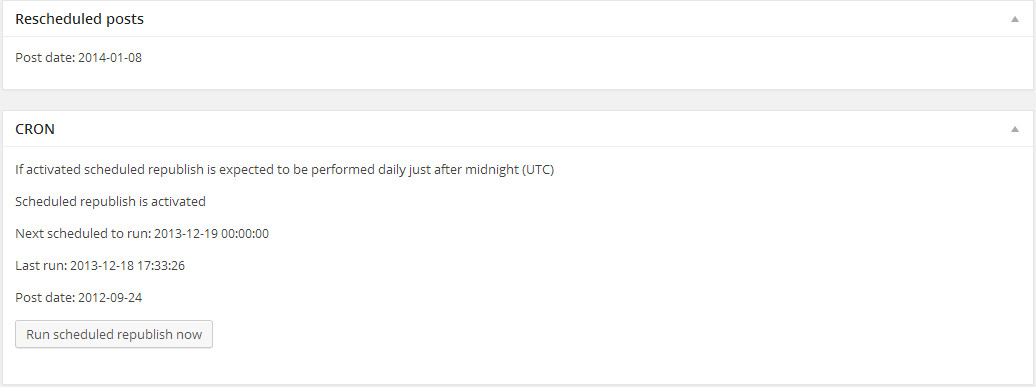
To enable scheduled republishing: Activate the oik-batchmove plugin Visit oik options > Scheduled republish to enter the settings you want to use. Ensure Activated? is checked Click on Update This will enable the WordPress CRON scheduling to perform scheduled republishing on a daily basis. To disable scheduled republishing: With the oik-batchmove plugin activated Visit oik options > Scheduled republish Ensure Activated? is unchecked Click on Update This will stop the WordPress CRON scheduling from performing scheduled republishing.
How do I see what’s going to be republished?
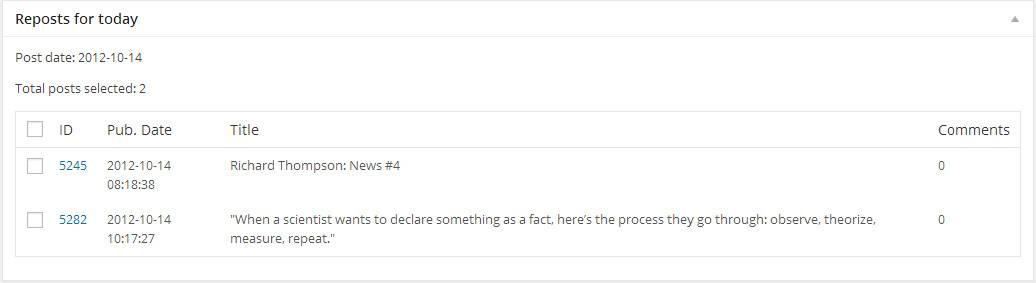
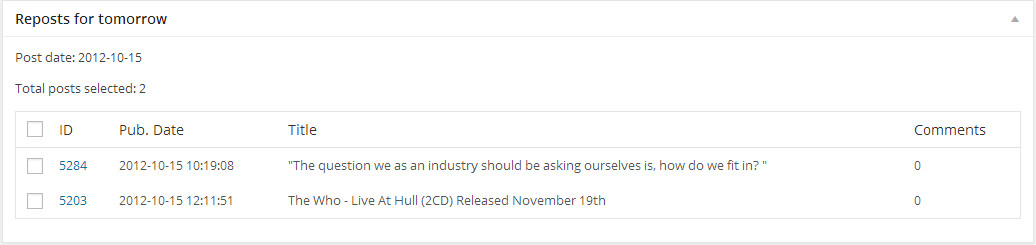
The “Reposts for today” box shows the posts that have not yet been republished. When Scheduled republish is not activated then this will list the posts that were published on the date determined by applying “look back” to the current date. When Scheduled republish is activated you would not expect to see any posts until you change the “look back” value. The “Reposts for tomorrow” box shows you the posts that may be republished in the next scheduled invocation.
My time zone is not GMT (UTC+0)
This scenario has not been tested.
How can I exclude posts?
If you have the oik-fields plugin then you can set the “Do not republish” checkbox. Any post which has this checkbox ticked will be ignored by both Scheduled batchmove, Category republish and Tag republish.
Will my posts be re-publicized to Facebook and Twitter?
Yes, using Jetpack publicize.
oik-batchmove may not be fully functional
I get a message that says: oik-batchmove may not be fully functional. Please install and activate the required version of this plugin: oik version 4.0 This message is asking you to install and activate the oik base plugin. There should be a link: Install oik – this means that oik is not installed. Click on the link to download the latest version of oik Activate oik base plugin – this means that the oik base plugin is not activated. Click on the link to activate the installed version of oik Upgrade oik – this means that the activated version of oik is not at or higher than the required level…
Why do I need oik?
The oik base plugin provides APIs (Application Programming Interfaces) which deliver 90% of the functionality that makes this plugin work. oik provides a lot of stuff, which is mostly dormant until you really need it.
Which version of oik do I need?
The oik-batchmove plugin is dependent upon oik v3.1, or higher.
Are there similar plugins?
Yes, Bulk Move On the plus side, Bulk Move supports Custom Taxonomies and switching between Categories and Tags. It may not support Scheduled republishing or Category/Tag specific republishing logic.
Further reading
If you want to read more about the oik plugins then please visit the oik plugin “the oik plugin – for often included key-information”
Changelog
Update for support for PHP 8.3 and PHP 8.4. Tested with WordPress 6.8.2
2.5.3
- Changed: Update tests for PHPUnit 10 & 11 #6
- Tested: With WordPress 6.8.2 and WordPress Multisite
- Tested: With PHP 8.3 and PHP 8.4
- Tested: With PHPUnit 9.6, 10 & 11
2.5.2
- Changed: Support PHP 8.1 and PHP 8.2 #5
- Tested: With WordPress 6.4-RC1 and WordPress Multisite
- Tested: With PHP 8.0, PHP 8.1 and PHP 8.2
- Tested: With PHPUnit 9.6
2.5.1
- Fixed: Avoid Notices in Scheduled republish,[github bobbingwide oik-batchmove issues 4]
- Tested: With WordPress 6.0.1 to 6.3
- Tested: With PHPUnit 9
- Tested: With PHP 8.0
2.5.0
- Changed: Updated to be compatible with oik v4.0.0,[github bobbingwide oik-batchmove issues 3]
- Tested: With WordPress 5.4.1
- Tested: With PHPUnit 8
- Tested: With PHP 7.3 and PHP 7.4
2.4.3
- Changed: Now depends on oik v3.1 or higher
- Tested: With WordPress 4.7.3
- Tested: With PHP 7.1
2.4.2
- Tested: with WordPress 4.5.
- Changed: Depends on oik v3.0.0 or higher
Screenshots
For developers
Is this your plugin? Show off the numbers.
Add a live badge to your site, docs or GitHub README. It updates on its own — no account needed.
Best oik batchmove alternatives
All category plugins →


FAQ
oik batchmove: quick answers
Straight answers, pulled from live WordPress.org data.
Live data from WordPress.org · checked Oct 12, 2026
Is oik batchmove free?
Yes. oik batchmove is free to download and use from the official WordPress.org plugin directory.
Is oik batchmove safe to use in 2026?
oik batchmove shows warning signs in 2026 — compare the alternatives below before installing. It runs on 60+ sites, is rated 5/5 and was last updated 1 year ago, and scores 41/100 on our health check.
How many websites use oik batchmove?
oik batchmove is active on 60+ WordPress websites and has been downloaded 8,549 times since it launched in September 2013. It was downloaded 90 times in the last 30 days.
Does oik batchmove work with WordPress 7.1?
oik batchmove is officially tested up to WordPress 6.8.11, while the latest release is 7.1.3. It may still work, but try it on a staging site first.
When was oik batchmove last updated?
The latest version, 2.5.3, was released on August 14, 2025 (1 year ago).
Who makes oik batchmove?
oik batchmove is developed and maintained by bobbingwide.
What are the best alternatives to oik batchmove?
The most popular alternatives to oik batchmove are Pages with category and tag (50K+ installs), Search & Filter (50K+ installs) and PublishPress Taxonomies (40K+ installs).
Powered by PageForge
Want thousands of pages that rank like these? Build them in an afternoon.
This directory runs on the same engine as PageForge. Turn any spreadsheet, CSV or API into thousands of fast, SEO-ready WordPress pages — with schema, internal links and AI-written copy baked in.
- CSV, Google Sheets & API data sources
- AI content, schema & internal links per page
- Works with Elementor, Gutenberg, Yoast & Rank Math
- Free on WordPress.org — no credit card


