

Notificator – Alerts & Notifications
Turn WordPress events into dashboard alerts, with optional mobile push and MQTT delivery.

Use with caution
Notificator works, but test it on a staging site before relying on it in 2026. Was last updated 2 months ago, and scores 60/100 on our health check.
- Tested with the latest WordPress (7.1)
- Small user base (<10 active installs)
- Very few reviews so far
How does it stack up?
Side-by-side on installs, updates, ratings & support


Daily downloads
Download spikes usually follow a new release — each site that auto-updates counts as a download.
Rankings
Where Notificator stands todayWordPress.org search rankings
Live position in the plugin search, top 100| Keyword | Position |
|---|---|
| alerts | >100 |
| hooks | >100 |
| monitoring | >100 |
| MQTT | #4 |
| Notifications | >100 |
About Notificator – Alerts & Notifications
From the official readme · v1.4.0Description
Notificator is the official WordPress plugin of the Notificator Project. It helps site administrators notice important WordPress events without watching logs or writing a complete monitoring integration.
Discover events exposed by WordPress and installed plugins, choose the events that matter, and decide how each notification should be delivered. Dashboard notifications work entirely inside WordPress and do not require an account or API key.
For remote delivery, connect an optional Notificator API key. The Notificator mobile app can then receive push alerts and display notification details on your phone, while MQTT can deliver events to connected devices through your own HiveMQ Cloud cluster.
Prefer a browser? The Notificator web dashboard (beta) is the central place to create your account, manage WordPress Plugin API keys, read connected notifications, monitor supported devices, and manage your saved MQTT connection. It shares your account with the mobile app, so you can use the same credentials everywhere. Mobile push still needs the mobile app; local WordPress dashboard alerts remain inside wp-admin.
Download Notificator Project for iPhone or iPad from the Apple App Store. The Android app is coming to Google Play and is not publicly available yet.
Optional email alerts are controlled as an account preference from the web dashboard or mobile app. Mobile push and MQTT remain the per-notification remote delivery choices in WordPress.
What you can do
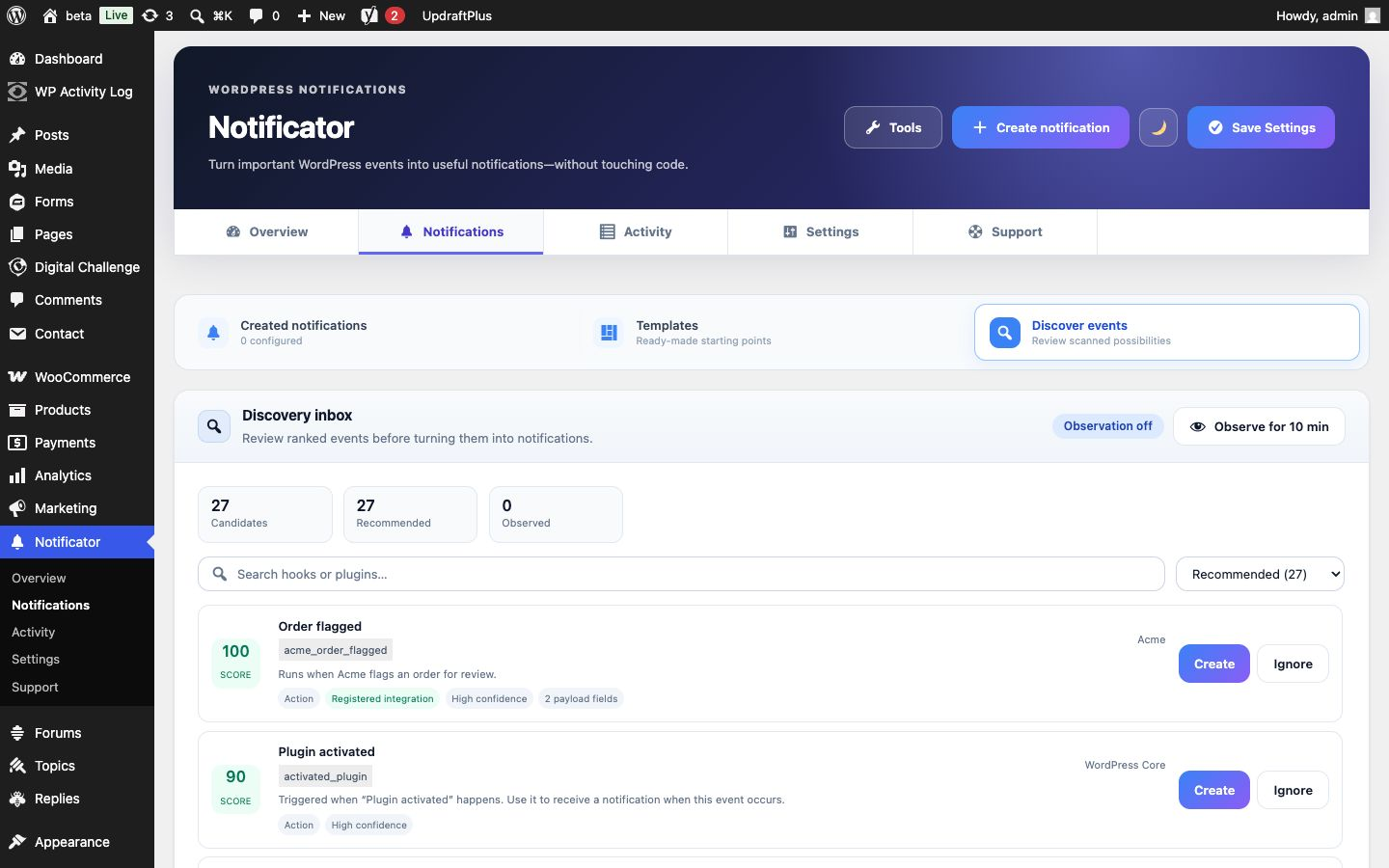
- Discover actions and filters in WordPress Core and installed plugins.
- Review likely events in a ranked inbox with source, confidence, and noise information.
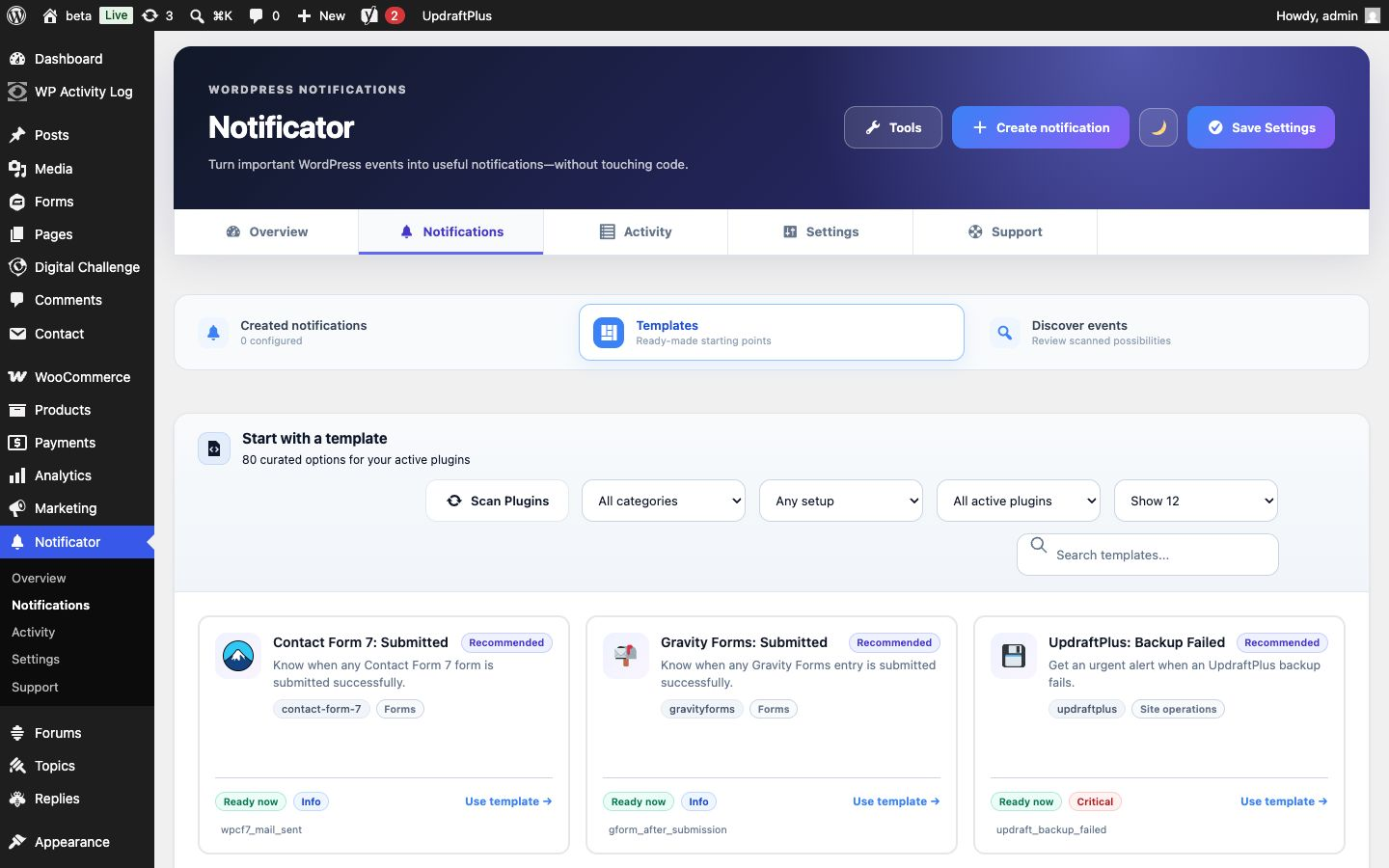
- Start from ready-made templates or create a notification from scratch.
- Deliver each event to the WordPress dashboard, mobile push, MQTT, or a combination.
- Add conditions so a notification is sent only when its event data matches your rules.
- Add placeholders, priority, and throttling to make alerts more useful and less noisy.
- Export notification configurations as JSON and reuse them across WordPress sites.
- Manage notifications and review delivery status from one activity workspace.
- Register well-described events and templates from another plugin or theme.
- Use the Notificator web dashboard (beta) to manage your account, API keys, connected notifications, devices, and account-level delivery settings.
Events, templates, and notifications
These three terms describe different stages:
- An event is something that can happen in WordPress, such as a user signing in or an order changing status. Discovering or registering an event does not start monitoring it.
- A template is a ready-made starting configuration for an event. Applying a template opens a draft that you can review and change.
- A notification is the saved rule that listens for an event. Only enabled notifications can create alerts.
Safer hook discovery
Scanning runs locally in resumable background batches, processes one plugin at a time, limits per-plugin file and execution work, reuses unchanged results, and prevents overlapping jobs. Existing discoveries remain available until a new scan finishes. Discovery separates likely events from registrations and dynamic patterns. Optional observation samples traffic and batches database writes; it records approximate counts, argument types, and execution context, but not argument values.
Support Development
If Notificator is useful to you, you can support its continued development through Buy Me a Coffee or GitHub Sponsors. Donations are optional and do not unlock features or priority access.
For other ways to contribute or support the platform, get in touch.
External Services
Notificator can connect to the Notificator service, operated by Notificator Project, to deliver notifications outside WordPress. This connection is optional. Dashboard-only notifications do not use the service.
The plugin connects to the Notificator API at https://wpnotif.notificator-project.com only when an administrator tests an API key, an enabled notification requests Mobile push or MQTT delivery, or a previously configured website monitor is sent to the service. The plugin does not load executable code, fonts, stylesheets, images, or other assets from this or any other remote service.
Data sent to the service
For authentication and request security, the request includes the enabled API key, site origin, timestamp, nonce, and HMAC signature.
For a triggered notification, the request can include:
- Notification title, body, priority, source, rendered notes, hook name, and notification name.
- Mobile push and MQTT delivery choices.
- Site URL and name, WordPress and plugin versions, and event timestamp.
- Administrator-configured placeholder values.
- For a configured website monitor, its name, URL, HTTP method, and enabled state.
- If a HiveMQ Cloud connection is enabled, its hostname, WSS port and path, publisher username and password, and topic prefix. These values are sent only for MQTT-enabled requests so the API can connect to that broker.
Raw hook arguments, WordPress database contents, and user exports are not sent wholesale.
How the service uses the data
The service validates the API key and allowed domains. Notification content may be encrypted with the account’s public key and stored in Supabase for the Notificator app. Depending on account settings, it can use Expo for push, the account’s saved or locally configured HiveMQ cluster for MQTT, and Resend for email. Push previews may be generic while full content remains encrypted. Account-managed HiveMQ credentials remain encrypted server-side and are never returned to WordPress.
Use of the remote service is subject to the information published by Notificator Project, its documentation, and its privacy policy.
HiveMQ Cloud is an independent third-party service. Its plans, limits, terms, and availability are controlled by HiveMQ. See https://www.hivemq.com/products/mqtt-cloud-broker/ and https://docs.hivemq.com/hivemq-cloud/quick-start-guide.html.
Privacy
Notificator does not add analytics or advertising tracking.
The plugin stores configuration, discovery metadata, activity, dashboard-toast data, and temporary delivery jobs in the WordPress database. A custom MQTT password is encrypted in a separate, non-autoloaded option. Scan caches may be stored in uploads. Observation stores counts and type metadata, not argument values.
Remote delivery is opt-in per notification and requires an enabled API key. Administrators control the notification text and placeholders and are responsible for avoiding unnecessary personal or sensitive information.
Deleting the plugin through WordPress removes plugin data as described in the FAQ.
Development
Human-readable TypeScript, SCSS, and PHP source code, along with build scripts and development instructions, is available in the Notificator GitHub repository.
The minified files in assets/dist are generated from assets/js and assets/src. Run npm ci followed by npm run build to reproduce them.
Installation
- Install and activate Notificator.
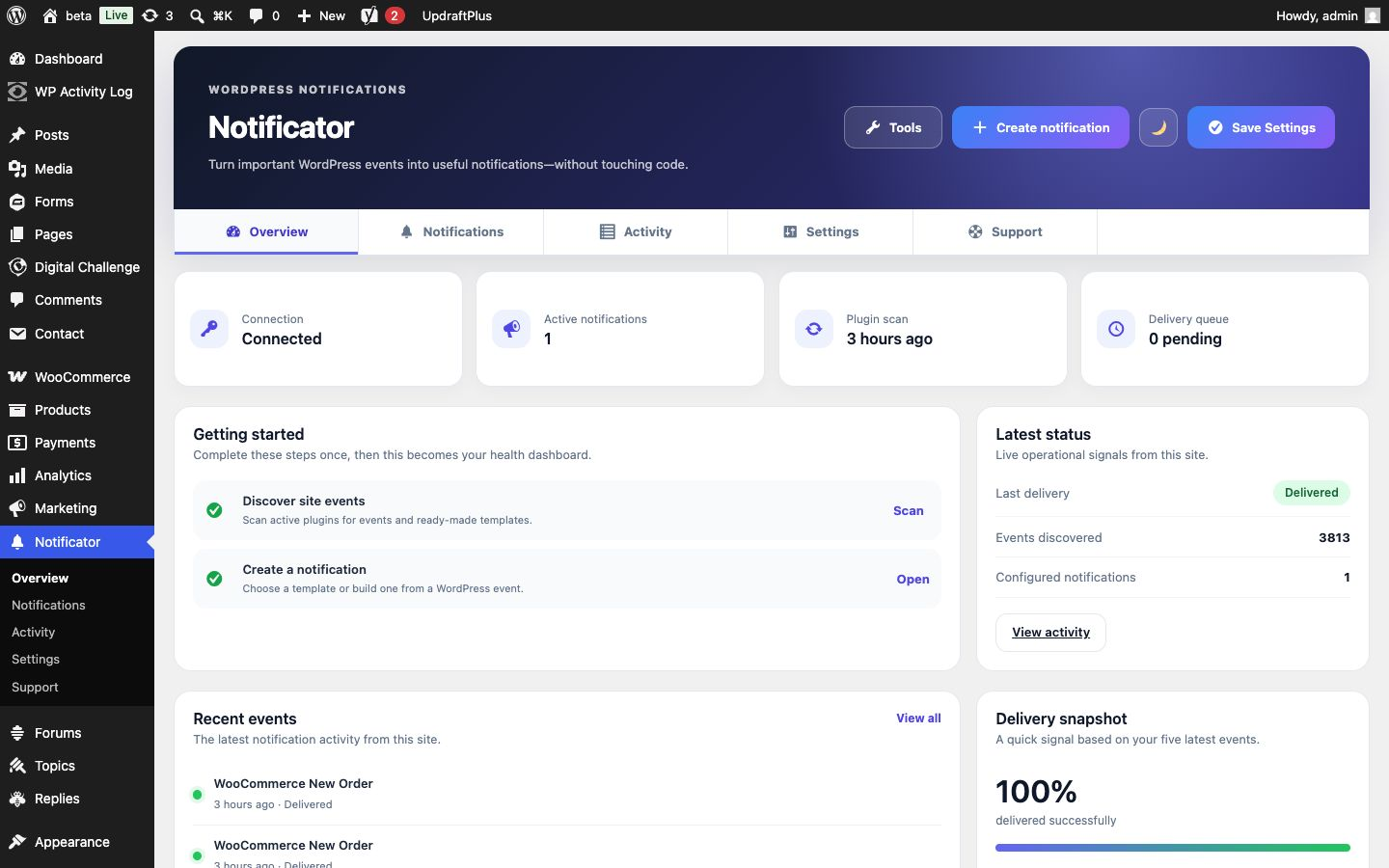
- Open Notificator > Overview in wp-admin.
- Select Scan plugins to discover available site events.
- Apply a template or create a notification from a discovered event.
- Keep Dashboard enabled to receive alerts inside WordPress.
- Use the web dashboard (beta) or Notificator mobile app to create an account and WordPress Plugin API key, then add and enable that key in Settings.
- Enable Mobile push or MQTT on the notifications that need remote delivery.
- Optional: under Settings > MQTT broker, use the saved HiveMQ Cloud connection from your Notificator account or connect a local HiveMQ Cloud cluster and use the same topic prefix in your device firmware.
No API key is required for setup, discovery, templates, activity, or dashboard notifications.
Changelog
1.4.0
- Separates WordPress admin alerts from Notificator dashboard and mobile app delivery.
- Keeps account inbox delivery enabled by default when an API key is available, even when mobile push is disabled.
- Updates delivery controls immediately after an API key is added or enabled without requiring a page reload.
- Adds an opt-in Live activity view that refreshes activity results in place while preserving filters and scroll position.
- Clarifies delivery labels and channel guidance throughout the notification editor.
1.3.0
- Adds a redesigned dashboard with consistent panels, controls, settings pages, discovery views, and notification workflows.
- Adds account-managed MQTT connections: saved HiveMQ credentials are detected and used automatically when an API key is enabled.
- Adds an account MQTT status check, account connection testing, clearer connection states, and a local broker fallback.
- Improves event discovery, ranked recommendations, plugin filtering, AJAX scanning, and notification creation.
- Improves accessibility, responsive layout, light and dark theme styling, and release documentation.
1.2.1
- Declares compatibility with WordPress 7.1.
- Adds official App Store links and clearer WordPress Plugin API key guidance.
1.2
- Adds first-class support for connecting a user-owned HiveMQ Cloud cluster.
- Encrypts the MQTT password locally and excludes it from exports, diagnostics, logs, and saved retry jobs.
- Sends MQTT credentials only in memory for an enabled MQTT delivery or explicit connection test.
- Adds an MQTT connection test and clearer delivery-readiness feedback.
- Reorganizes Settings into consistent, more readable sections and tabs.
- Improves settings typography, contrast, responsive behavior, and in-place controls.
- Removes the implicit default MQTT broker and defaults new topic prefixes to
notificator-project.
1.1.16
- Prevents saved field metadata from selecting or invoking runtime object methods.
- Resolves supported WooCommerce and Contact Form 7 object fields through explicit server-side handlers.
- Removes obsolete getter-method metadata from built-in templates and adds a trusted PHP filter for custom integrations.
1.1.5
- Prompts for a new discovery scan when a plugin is activated after the last successful scan.
- Identifies newly activated plugins directly in the Overview scan step.
- Hides the first-time scan prompt immediately after event discovery completes, without requiring a page reload.
- Marks the Overview discovery step complete and refreshes its scan summary immediately after a successful scan.
- Refreshes the Discovery inbox, event cards, filters, and totals in place when a scan finishes.
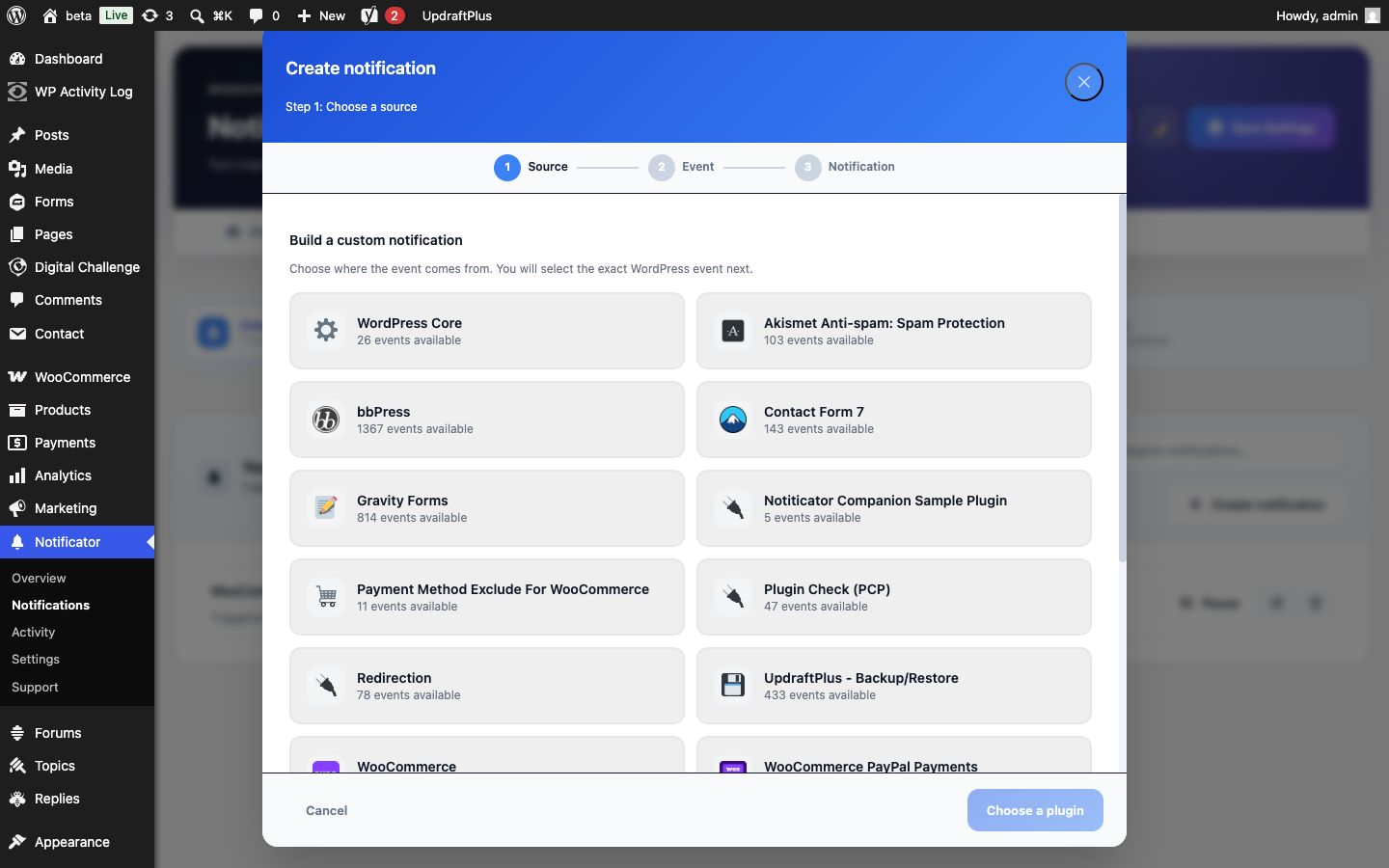
Screenshots
For developers
Is this your plugin? Show off the numbers.
Add a live badge to your site, docs or GitHub README. It updates on its own — no account needed.
Best Notificator alternatives
All alerts plugins →



FAQ
Notificator – Alerts & Notifications: quick answers
Straight answers, pulled from live WordPress.org data.
Source: WordPress.org
Is Notificator free?
Yes. Notificator is free to download and use from the official WordPress.org plugin directory.
Is Notificator safe to use in 2026?
Notificator works, but test it on a staging site before relying on it in 2026. Was last updated 2 months ago, and scores 60/100 on our health check.
How many websites use Notificator?
Notificator is active on <10 WordPress websites and has been downloaded 455 times since it launched in August 2026. It was downloaded 85 times in the last 30 days.
Does Notificator work with WordPress 7.1?
Yes. The developer has tested Notificator up to WordPress 7.1.5, the latest release. It requires WordPress 5.0 or newer.
What PHP version does Notificator need?
Notificator requires PHP 7.2 or higher. Most hosts run PHP 8.x today, so it works on any modern WordPress hosting.
When was Notificator last updated?
The latest version, 1.4.0, was released on October 14, 2026 (2 months ago).
Who makes Notificator?
Notificator is developed and maintained by Vagelis.
What are the best alternatives to Notificator?
The most popular alternatives to Notificator are Advanced Notifications (100+ installs), Scheduled Announcements Wid… (100+ installs) and News Ticker (100+ installs).
Powered by PageForge
One template and a spreadsheet. A real page for every search.
PageForge turns each row of a CSV into a WordPress page with its own title, URL, SEO fields and schema, built on the layout you already designed. Free on WordPress.org.
- CSV and XLSX, plus Google Sheets on Professional and Enterprise
- Its own title, URL, SEO fields and schema for every page
- Works with the block editor, Elementor, Divi and Avada
- Free on WordPress.org, no credit card