


Nomad World Map
Create your own custom travel map. Link locations on the map to blog posts and share your travel plans.

Use with caution
Nomad World Map works, but test it on a staging site before relying on it in 2026. It runs on 600+ sites, is rated 4.7/5 and was last updated 10 years ago, and scores 43/100 on our health check.
- Loved by users — 4.7/5 from 50 reviews
- Small user base (600+ active installs)
- No update in 10 years
- Only tested up to WordPress 4.6 (latest is 7.1)
How does it stack up?
Side-by-side on installs, updates, ratings & support



Daily downloads
Download spikes usually follow a new release — each site that auto-updates counts as a download.
Rankings
Where Nomad World Map stands todayWordPress.org search rankings
Live position in the plugin search, top 100| Keyword | Position |
|---|---|
| Google Maps | >100 |
| route | >100 |
| travel | >100 |
| travel blog | >100 |
| Trip | >100 |
Version adoption
Share of active sites per release.
Rating breakdown
★★★★★★★★★★ 4.7 from 50 reviews
About Nomad World Map
From the official readme · v1.3.1Description
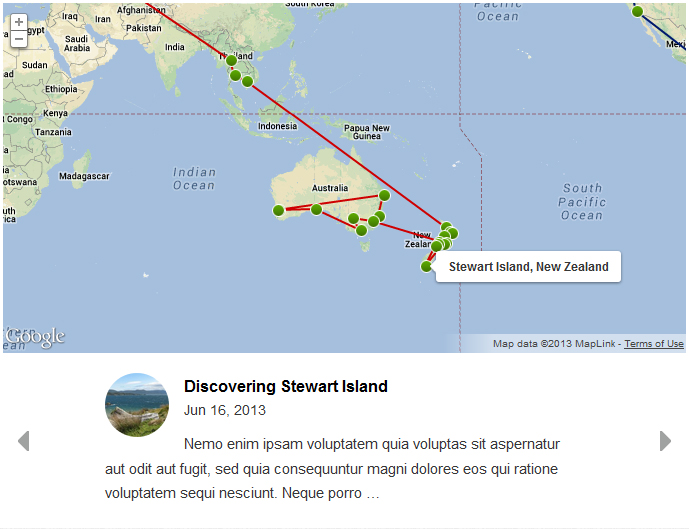
For each location that is added to the map you can set the type of content you want to show. Either the excerpt of a blog post, a short custom description or only the travel dates.
The location content itself is shown in a carousel underneath the map. When you slide through the carousel the map will automatically zoom to the location that is linked to the visible content.
Features include:
- Create multiple independent maps
- Add multiple maps to the same page
- A sidebar widget that can show your last location
- Show a list of visited locations with optional arrival and departure dates
- Set custom thumbnails for each location
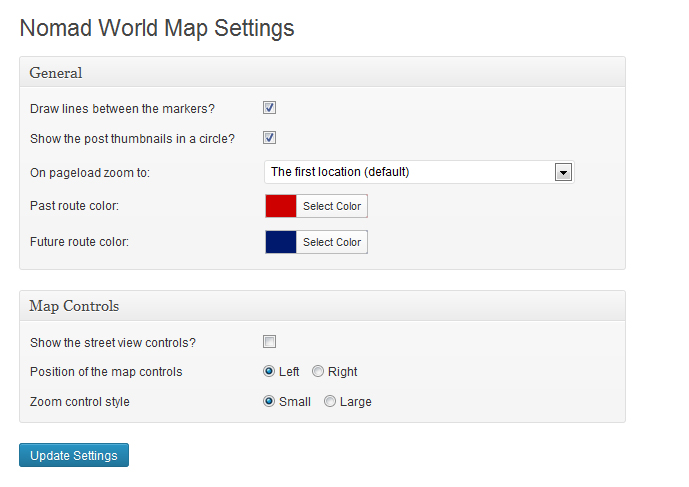
- Set custom line colors for the past and future travel routes
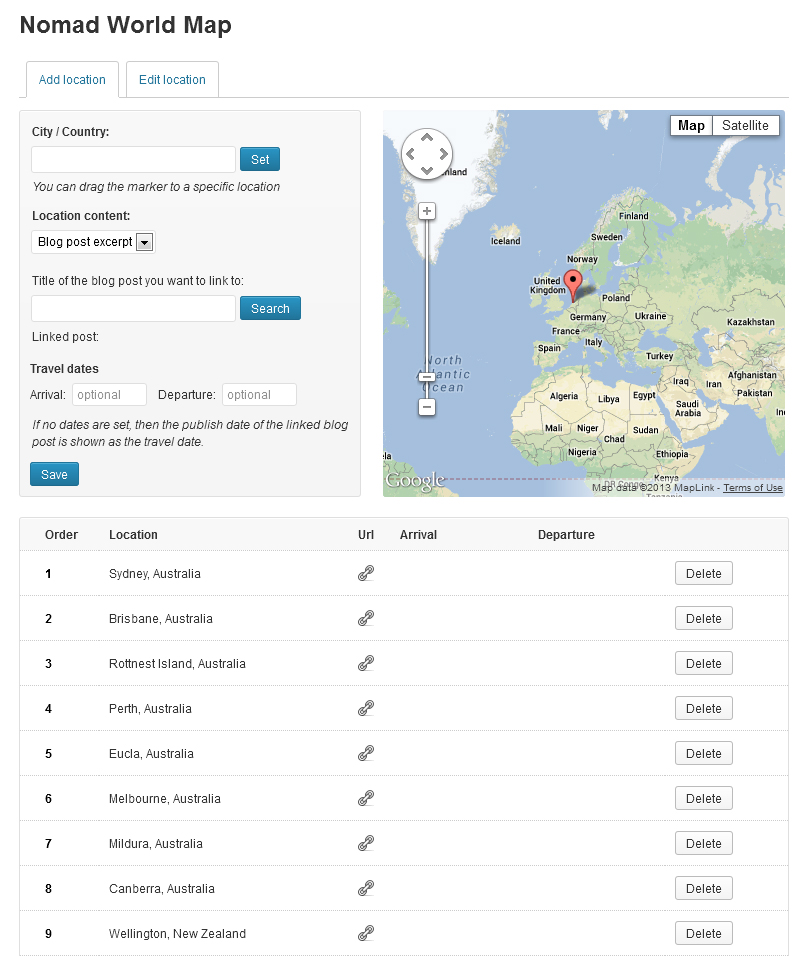
- Rearrange the order of the travel route by dragging the items up or down in the route list.
- Specify if you want the map to zoom to the first or last location of your travel route.
- Choose from three different content types for each location. Either link to a blog post, write a custom description or show the travel dates.
If you want to contribute to the development of this plugin, you can do so through GitHub.
Installation
- Upload the
nomad-world-mapfolder to the/wp-content/plugins/directory - Activate the plugin through the ‘Plugins’ menu in WordPress
- Create your route on the map under ‘Nomad Map’
- Add the map to a page with this shortcode: [nwm_map]
Changelog
1.3.1
- Few minor bug fixed
1.3.0
- Fixed the Google API compatibility bug
- Title of the post you want to link to form field also accepts post ID now
1.2.31
- Fixed the post id not being saved when the location content was set to “post excerpt” ( if you have tried to link blog post to locations but the excerpt was missing. Then you need to edit the location under “Route Editor -> Edit location” and search for the blog post again and then update the location )
- Fixed sometimes not being able to add new routes after creating a new map
- Fixed several php notices breaking the route editor when WP_DEBUG was enabled
- Fixed the linked url not showing up correctly in the location list in the route editor
- Restricted the width of the location position dropdown
- Added Swedish (sv_SE) translations, via Elger
1.2.30
- Fixed the location thumbnails breaking when the images are loaded from another domain
- Fixed the js script sometimes breaking in IE
- Fixed the date translations not working for custom posts
- Fixed the date description text sometimes disappearing when switching between ‘Add location’ and ‘Edit Location’
- Fixed a compatibility issue with the Advanced Custom Fields plugin, reported by ShaneShipston
- Several code improvements supplied by ShaneShipston
- Added the option to define where a new location is inserted in the route list when you create/edit an entry
- Added the option to hide the tooltip on initial page load when the content is set to be shown in the tooltips
- Added Polish (pl_PL) and Dutch (nl_NL) translations
1.2.21
- Fixed an issue where on some servers the map would remain empty
- Fixed the flags in the route editor not being saved properly
- Fixed the map cache not being flushed after updating from 1.1.4 to 1.2.x.
1.2.2
- Fixed an issue with the widget options in WP 3.8 not working properly
Screenshots
For developers
Is this your plugin? Show off the numbers.
Add a live badge to your site, docs or GitHub README. It updates on its own — no account needed.
Best Nomad World Map alternatives
All Google Maps plugins →





FAQ
Nomad World Map: quick answers
Straight answers, pulled from live WordPress.org data.
Live data from WordPress.org · checked Oct 2, 2026
Is Nomad World Map free?
Yes. Nomad World Map is free to download and use from the official WordPress.org plugin directory.
Is Nomad World Map safe to use in 2026?
Nomad World Map works, but test it on a staging site before relying on it in 2026. It runs on 600+ sites, is rated 4.7/5 and was last updated 10 years ago, and scores 43/100 on our health check.
How many websites use Nomad World Map?
Nomad World Map is active on 600+ WordPress websites and has been downloaded 41,251 times since it launched in August 2013. It was downloaded 122 times in the last 30 days.
Does Nomad World Map work with WordPress 7.1?
Nomad World Map is officially tested up to WordPress 4.6.30, while the latest release is 7.1.2. It may still work, but try it on a staging site first.
When was Nomad World Map last updated?
The latest version, 1.3.1, was released on August 30, 2016 (10 years ago).
Who makes Nomad World Map?
Nomad World Map is developed and maintained by worldnomadmap.
What are the best alternatives to Nomad World Map?
The most popular alternatives to Nomad World Map are WP Go Maps (300K+ installs), iframe (60K+ installs) and WP Maps (60K+ installs).
Powered by PageForge
Want thousands of pages that rank like these? Build them in an afternoon.
This directory runs on the same engine as PageForge. Turn any spreadsheet, CSV or API into thousands of fast, SEO-ready WordPress pages — with schema, internal links and AI-written copy baked in.
- CSV, Google Sheets & API data sources
- AI content, schema & internal links per page
- Works with Elementor, Gutenberg, Yoast & Rank Math
- Free on WordPress.org — no credit card


