


NNFP – Passwordless Email OTP Login
No Need For Password is a WordPress authentication plugin that enables users to log in and register using a one-time password (OTP) sent to their email address. Traditional passwords are not required.

Use with caution
NNFP works, but test it on a staging site before relying on it in 2026. It runs on 20+ sites, is rated 5/5 and was last updated 8 months ago, and scores 46/100 on our health check.
- Small user base (20+ active installs)
- Very few reviews so far
- Only tested up to WordPress 6.9 (latest is 7.1)
Daily downloads
Download spikes usually follow a new release — each site that auto-updates counts as a download.
Rankings
Where NNFP stands todayWordPress.org search rankings
Live position in the plugin search, top 100| Keyword | Position |
|---|---|
| acf supported | #83 |
| otp base login | #7 |
| passwordless login | #39 |
| security | >100 |
| user login and registration | >100 |
Version adoption
Share of active sites per release.
Rating breakdown
★★★★★★★★★★ 5 from 1 reviews
About NNFP – Passwordless Email OTP Login
From the official readme · v1.0.2Description
No Need For Password – WordPress OTP Login Plugin
No Need For Password is a WordPress authentication plugin that enables users to log in and register using a one-time password (OTP) sent to their email address. Traditional passwords are not required.
The plugin is developed by Ramesh Kumar , a web developer and technical lead with over a decade of experience building WordPress plugins, custom systems, and scalable web solutions. His background includes hands-on development and leading engineering teams on complex projects.
This plugin is designed for WordPress websites that prioritize usability, simplified authentication flows, and reduced dependency on password-based systems—often required in modern custom website development projects.
Perfect for:
– Blogs
– Membership sites
– WooCommerce stores
– SaaS-style WordPress websites
No external services. No third-party APIs. Everything runs inside WordPress.
🔐 Key Features
Here are list of features that you enjoy by getting hands on password-free authentication plugin:
- Passwordless login via email OTP
- Automatic user registration for new emails
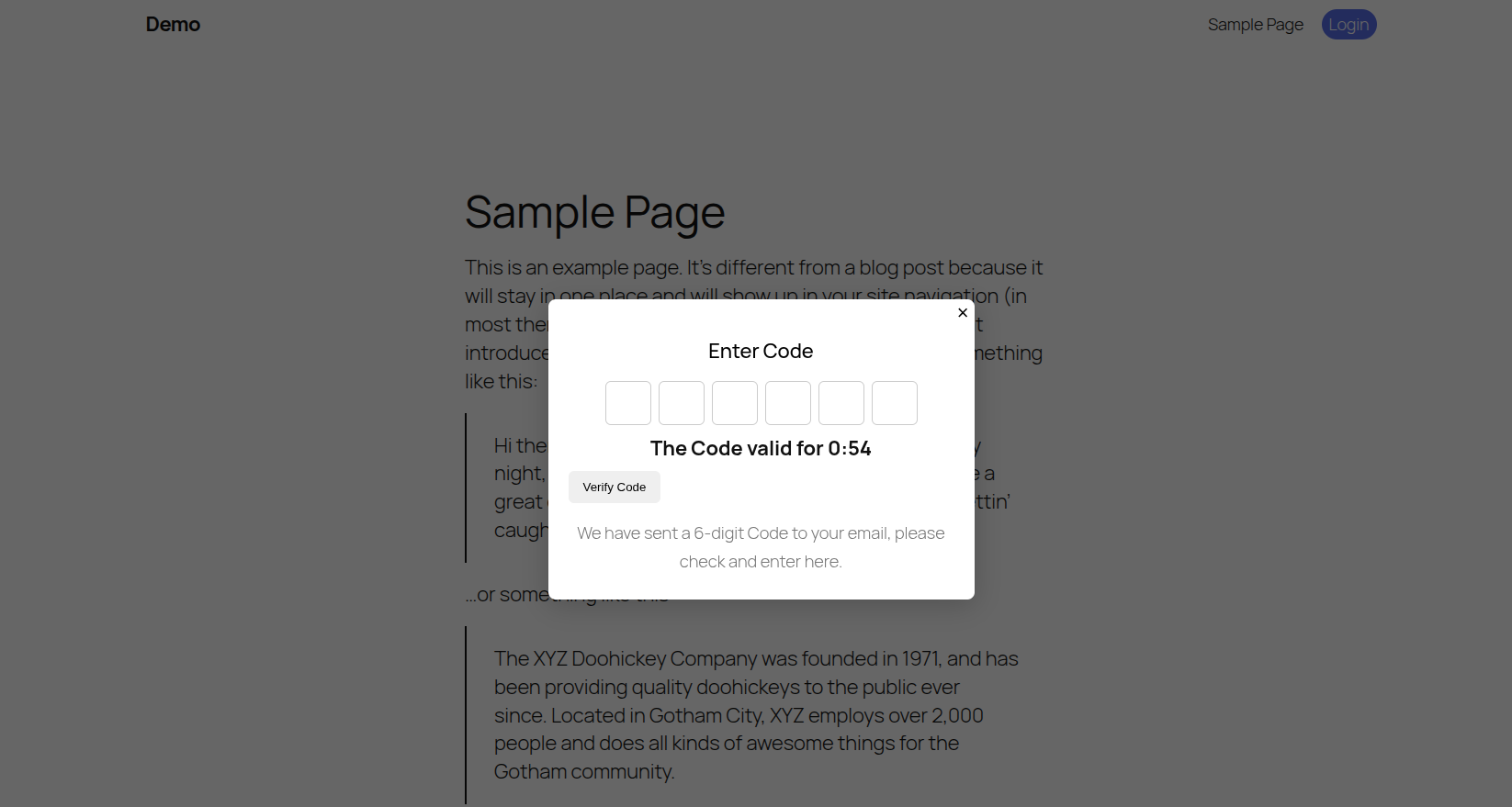
- Secure OTP with expiry time
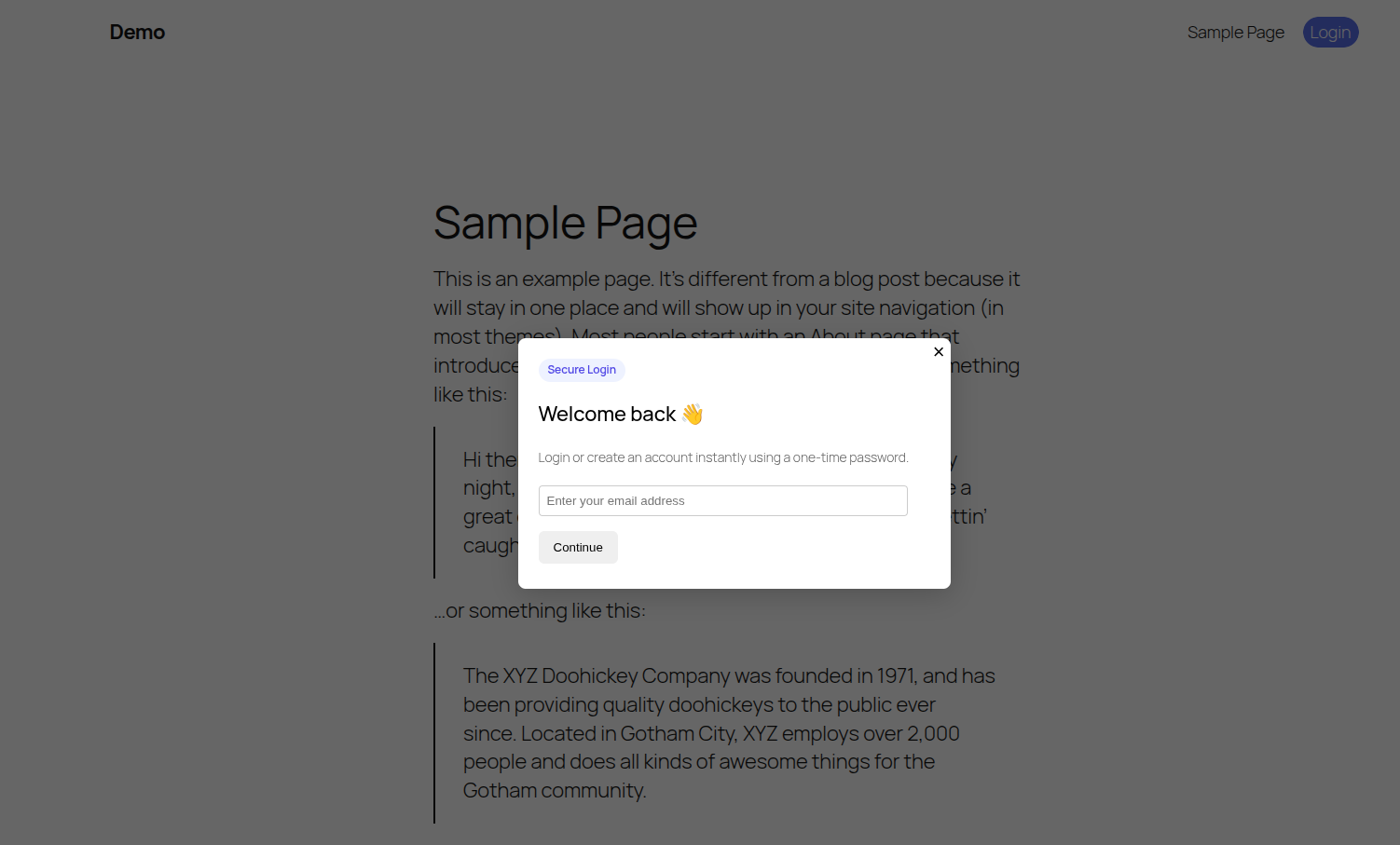
- Login popup with clean UI
- Logout link for logged-in users
- Gutenberg & Full Site Editing (FSE) compatible
- Works with block themes like Twenty Twenty-Three
- ACF support for user registration fields
- AJAX-based (no page reloads)
- Lightweight & fast
- Developer-friendly and extensible
- Compatible with modern block themes
These OTP-based WordPress login plugin features are great choice for modern websites.
🚀 How It Works
Below are 5 easy step to working process of secure email OTP login for WordPress plugin
- User clicks Login
- Enters email address
- Receives a 6-digit OTP by email
- Enters OTP
- Logged in instantly
No passwords. No reset links. No friction.
👨💻 Who Is It For?
Here are top cases where this No Need For Password by Ramesh is ideal choice:
- Membership websites
- WooCommerce stores
- Blogs and communities
- SaaS-style WordPress apps
- Anyone who wants password-free authentication
🧱 Shortcodes
Use these shortcodes anywhere on your site:
Login button
[nnfp_login_button]
Login page container
[nnfp_login_form]
Registration popup button
[nnfp_register_popup_button]
Registration form
[nnfp_registration_form]
🎨 Theme Compatibility
This plugin works with:
– Classic themes
– Block themes (Full Site Editing)
– Twenty Twenty-Three
– Twenty Twenty-Four
– Most modern WordPress themes
No theme files need to be edited.
🔌 ACF Integration (Optional)
If Advanced Custom Fields (ACF) is installed:
– User registration fields are automatically detected
– ACF values are saved to the user profile after OTP verification
ACF is optional — the plugin works perfectly without it.
🔒 Security
- OTP is time-limited
- Nonce protection on all AJAX requests
- Sanitized and validated user input
- Uses WordPress authentication APIs
- No passwords stored or transmitted
👨💻 Developer Friendly
Hooks and filters can be added easily.
Clean class-based architecture.
No hard dependencies.
Support
For support, feature requests, or bug reports:
https://github.com/developer-ramesh
Installation
- Upload the plugin folder to
/wp-content/plugins/ - Activate No Need For Password from the Plugins page
- Add
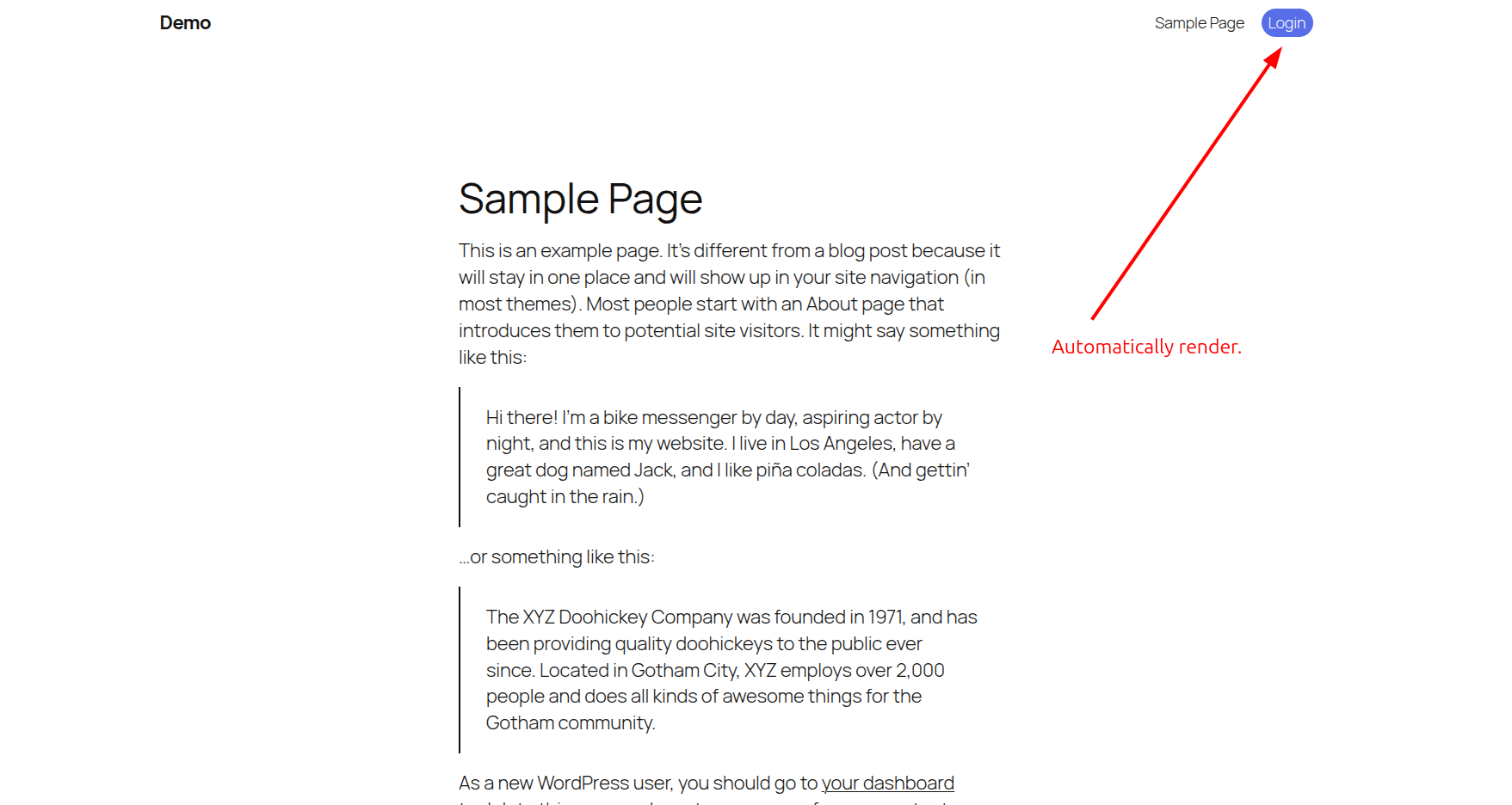
[nnfp_login_button]where you want the login button (This will also render in the top header automatically) - Done 🎉
Frequently asked questions
Does this replace the default WordPress login?
No. The default /wp-login.php still works unless you disable it separately.
Will this work with WooCommerce?
Yes. Logged-in users behave exactly like normal WordPress users.
Is email required?
Yes. Email is used as the login identifier.
Does this plugin store passwords?
No. This plugin is completely passwordless.
Can I customize the popup design?
Yes. You can override styles via CSS.
Is it GDPR-friendly?
Yes. No third-party services or tracking is used.
Changelog
First stable release.
1.0.0
- Initial release
- Passwordless login via email OTP
- Registration support
- ACF integration
- Gutenberg & FSE compatibility
Screenshots
For developers
Is this your plugin? Show off the numbers.
Add a live badge to your site, docs or GitHub README. It updates on its own — no account needed.
FAQ
NNFP – Passwordless Email OTP Login: quick answers
Straight answers, pulled from live WordPress.org data.
Live data from WordPress.org · checked Sep 29, 2026
Is NNFP free?
Yes. NNFP is free to download and use from the official WordPress.org plugin directory.
Is NNFP safe to use in 2026?
NNFP works, but test it on a staging site before relying on it in 2026. It runs on 20+ sites, is rated 5/5 and was last updated 8 months ago, and scores 46/100 on our health check.
How many websites use NNFP?
NNFP is active on 20+ WordPress websites and has been downloaded 722 times since it launched in January 2026. It was downloaded 99 times in the last 30 days.
Does NNFP work with WordPress 7.1?
NNFP is officially tested up to WordPress 6.9.9, while the latest release is 7.1.2. It may still work, but try it on a staging site first.
What PHP version does NNFP need?
NNFP requires PHP 7.4 or higher. Most hosts run PHP 8.x today, so it works on any modern WordPress hosting.
When was NNFP last updated?
The latest version, 1.0.2, was released on February 10, 2026 (8 months ago).
Who makes NNFP?
NNFP is developed and maintained by Ramesh Kumar.
Powered by PageForge
Want thousands of pages that rank like these? Build them in an afternoon.
This directory runs on the same engine as PageForge. Turn any spreadsheet, CSV or API into thousands of fast, SEO-ready WordPress pages — with schema, internal links and AI-written copy baked in.
- CSV, Google Sheets & API data sources
- AI content, schema & internal links per page
- Works with Elementor, Gutenberg, Yoast & Rank Math
- Free on WordPress.org — no credit card


