


Muut – Commenting and Forums Re-Imagined
Muut represents a complete re-imagination of what internet discussion forums and commenting should be. It’s a modern, fast, highly scalable discussion platform that you can embed onto your WordPress website, and…

Consider an alternative
Muut shows warning signs in 2026 — compare the alternatives below before installing. It runs on 50+ sites, is rated 3.9/5 and was last updated 11 years ago, and scores 33/100 on our health check.
- Small user base (50+ active installs)
- No update in 10 years
- Only tested up to WordPress 4.8 (latest is 7.1)
How does it stack up?
Side-by-side on installs, updates, ratings & support



Daily downloads
Download spikes usually follow a new release — each site that auto-updates counts as a download.
Rankings
Where Muut stands todayWordPress.org search rankings
Live position in the plugin search, top 100| Keyword | Position |
|---|---|
| commenting | >100 |
| comments | >100 |
| forum | >100 |
| realtime | >100 |
| social | >100 |
Version adoption
Share of active sites per release.
Rating breakdown
★★★★★★★★★★ 3.9 from 19 reviews
About Muut – Commenting and Forums Re-Imagined
From the official readme · v3.0.6Description
Muut represents a complete re-imagination of what internet discussion forums and commenting should be. It’s a modern, fast, highly scalable discussion platform that you can embed onto your WordPress website, and personalize with css to match the design of your site.
Starting at just $16 a month, you have a discussion platform that offers unlimited posts, comments, users, threads — and we never charge you based on usage. That means you’ll never be punished by having to pay more for a successful community.
Whether you’re setting up for the first time or have just updated to the new version of the plugin, you’re going to love what we’ve done to make implementing Muut in your WordPress website easy and flexible.
Why Muut?
- Unified system for both forums and commenting. Same users and design
- Full featured forums makes your WordPress site conversational
- Flat or threaded commenting for small or big topics
- Real-time. No page reloads – posts, replies, likes and users appear in real-time
- Spam filtering, email notifications and 20+ different language versions
Built For WordPress
- Skinnable style the discussion directly from the WordPress CSS editor
- Focus on content. Text focused, uncluttered and linear user interface
- Comes with five widgets, all of which update in real-time
- Single Sign-On. Use the WordPress login, users and avatars
Optimized for SEO
- Micro format optimized static content
- Static content served from your domain
- Custom S3 bucket support for Developer accounts
- Escaped fragment support for Google
New! Widget Details
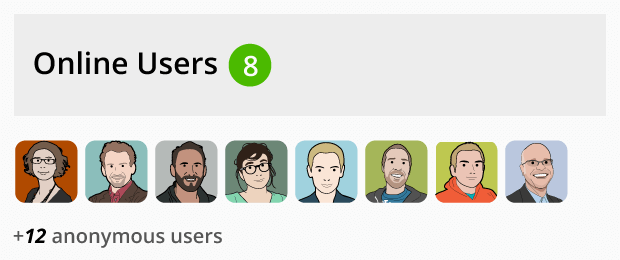
- Online Users – Now the Online Users list isn’t limited to just your main forum page and channel embeds. You can use the Online Users widget on any of your pages to show who is currently logged in (and how many other people are viewing the site). Watch users’ portraits appear on the fly as they sign in to join the discussion.
- Latest Comments – Since Muut is so great to use as the commenting system on your posts and pages, the Latest Comments widget keeps track of which posts have received the latest comments and who made them, and all the users on your website can see it update in real-time as they participate in the discussions on all your posts.
- Trending Topics – If you want to help users stay on top of which posts are getting the most activity on your forum, the Trending Posts widget does just that, with real-time updates to comments and likes—not to mention the trademark Muut green “currently typing” circle.
- Discussion Channel – You can now embed a single specific channel in your website’s sidebar. Users can watch and join the discussion without having to stop browsing the rest of your website.
- My Feed – By using the My Feed widget, users can keep track of all the activity on all the discussions they’ve joined and postes they’ve made right in your website’s sidebars.
You can find more information about Muut at our website and read the full plugin documentation. For more information about why we do what we do, check out our Manifesto and see our pricing page for details on the features available on your Muut subscription.
Installation
- From your website admin, visit Plugins > Add New
- Search for “Muut”
- Click Install Now
- Activate the plugin
- Visit the Muut menu item on the Admin navigation
- Set your forum settings
- Create pages and posts integrating Muut by using the Muut panel added to the editor!
Getting Help
If you need help with any aspect of integrating with the plugin, feel free to check out the full plugin documentation, visit our forum, or you can submit a support request here.
Changelog
The update to version 3.0.6 contains some updates to the widgets as they are handled on cached websites as well as speed optimizations.
3.0.6
Notes
- Improved the functionality of widgets in relation to websites with caching enabled.
- Improved performance on websites with large numbers of posts and pages displaying large numbers of them at once.
3.0.5
Notes
- Added option in plugin settings for signed embeds to dynamically fetch the signature info for websites that us caching plugins so that pages with Muut can be cached properly, but they still need to expire at least once every 24 hours.
- Comment Counts are cached to decrease the API calls to the Muut servers.
Bug Fixes
- Base domains with “:” in them (such as for ports) have that replaced with “_” in the comment path generation.
3.0.4
Notes
- S3 bucket now accepts just the bucket name rather than the full URL. Should adjust transparently, but a very small group of users may need to change by hand (the plugin will notify).
Bug Fixes
- Fixed problem where SEO link was not displaying for some signed communities.
- Added admin notifications for small permissions problems, such as unwriteable .htaccess or inaccessible uploads directory.
- Various small bug fixes.
3.0.3.1
Notes
- Added filter
muut_latest_comments_show_avatarto allow not-showing the avatars in the Latest Comments widget; defaults to true.
Bug Fixes
- Fixed some errors with the Latest Comments widget such that not all posts necessarily were being registered as changing, such as if domain name was changing.
3.0.3
Features, UX, Improvements
- Added support for new WordPress Twenty-Fifteen theme.
- Updated default Forum Template.
- Added “old” directory under templates to house older template versions for reference.
Notes
- Added filter for Federated Identity user avatar
muut_fedid_user_avatar_url. Filters avatar URL and passes User ID and User object as arguments.
Bug Fixes
- Forum name more strictly validated, to prevent corrupted .htaccess file.
- Fixed PHP Notice that displays when shortcodes are being used.
3.0.2.3
Features, UX, Improvements
- Added back the Custom S3 Bucket Support.
- Added support for signed embeds separate from SSO/Federated Identities (for secure embedding).
Notes
- Webhooks: ‘post’ webhook now also stores the body content (replies already were).
Bug Fixes
- Various small fixes.
Screenshots




For developers
Is this your plugin? Show off the numbers.
Add a live badge to your site, docs or GitHub README. It updates on its own — no account needed.
Best Muut alternatives
All commenting plugins →



FAQ
Muut: quick answers
Straight answers, pulled from live WordPress.org data.
Live data from WordPress.org · checked Oct 5, 2026
Is Muut free?
Yes. Muut is free to download and use from the official WordPress.org plugin directory.
Is Muut safe to use in 2026?
Muut shows warning signs in 2026 — compare the alternatives below before installing. It runs on 50+ sites, is rated 3.9/5 and was last updated 11 years ago, and scores 33/100 on our health check.
How many websites use Muut?
Muut is active on 50+ WordPress websites and has been downloaded 32,765 times since it launched in April 2014. It was downloaded 80 times in the last 30 days.
Does Muut work with WordPress 7.1?
Muut is officially tested up to WordPress 4.8.0, while the latest release is 7.1.2. It may still work, but try it on a staging site first.
When was Muut last updated?
The latest version, 3.0.6, was released on November 2, 2015 (11 years ago).
Who makes Muut?
Muut is developed and maintained by Paul.
What are the best alternatives to Muut?
The most popular alternatives to Muut are Comments (100+ installs), Gossiped Comments (90+ installs) and Optin Comment Notifications (50+ installs).
Powered by PageForge
Want thousands of pages that rank like these? Build them in an afternoon.
This directory runs on the same engine as PageForge. Turn any spreadsheet, CSV or API into thousands of fast, SEO-ready WordPress pages — with schema, internal links and AI-written copy baked in.
- CSV, Google Sheets & API data sources
- AI content, schema & internal links per page
- Works with Elementor, Gutenberg, Yoast & Rank Math
- Free on WordPress.org — no credit card


