


Moowa Media Manager
Protect selected media and review unused media before permanent deletion.

Solid choice
Moowa Media Manager is a solid plugin choice in 2026, with a few things worth checking first. Was last updated 2 weeks ago, and scores 64/100 on our health check.
- Actively developed — last update 2 weeks ago
- Tested with the latest WordPress (7.1)
- Small user base (<10 active installs)
- Very few reviews so far
How does it stack up?
Side-by-side on installs, updates, ratings & support



Daily downloads
Download spikes usually follow a new release — each site that auto-updates counts as a download.
Rankings
Where Moowa Media Manager stands todayWordPress.org search rankings
Live position in the plugin search, top 100| Keyword | Position |
|---|---|
| attachments | >100 |
| cleanup | >100 |
| media | >100 |
| media library | >100 |
About Moowa Media Manager
From the official readme · v1.0.0Description
By Moowa® Studios.
Product: Moowa Media Manager.
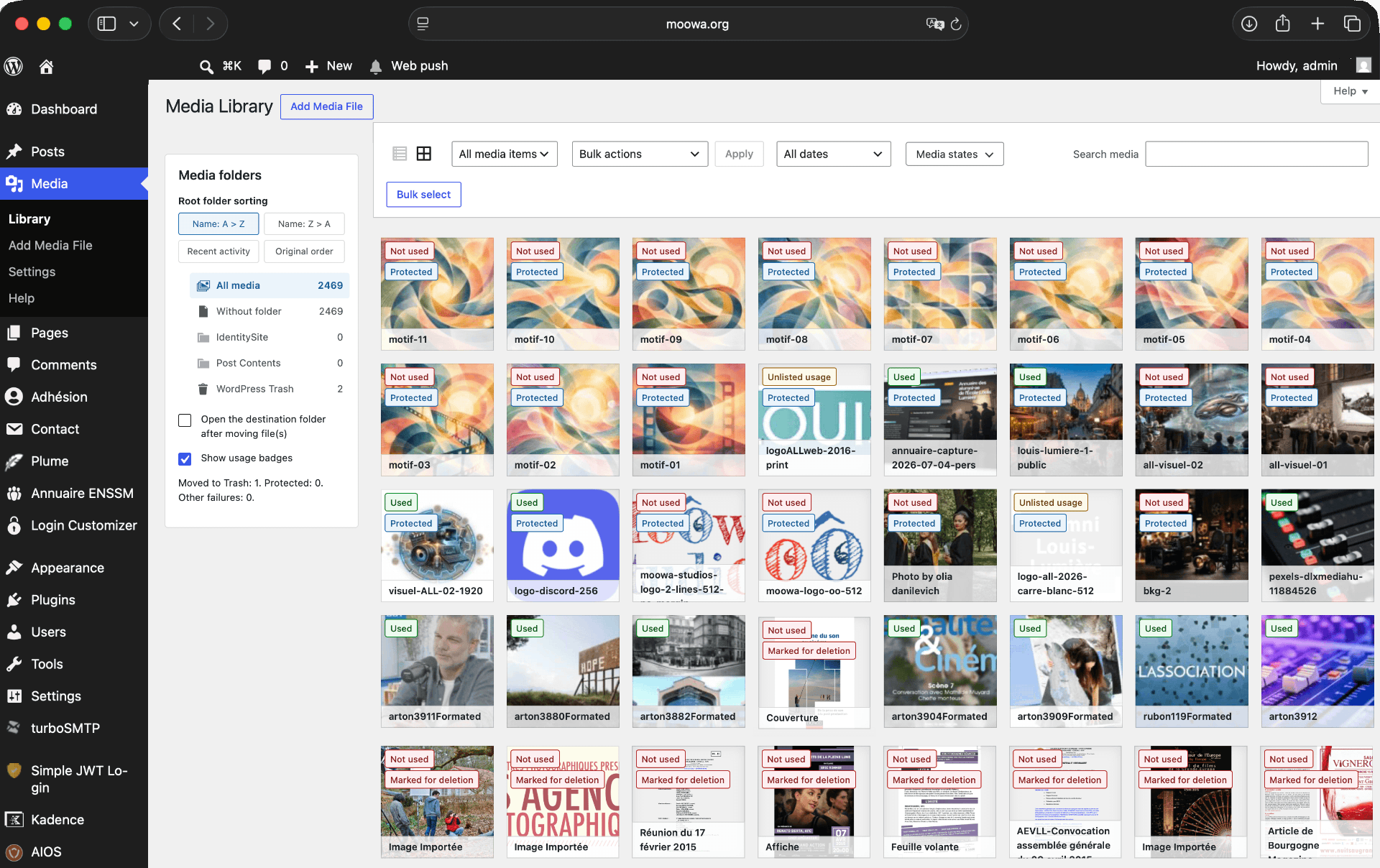
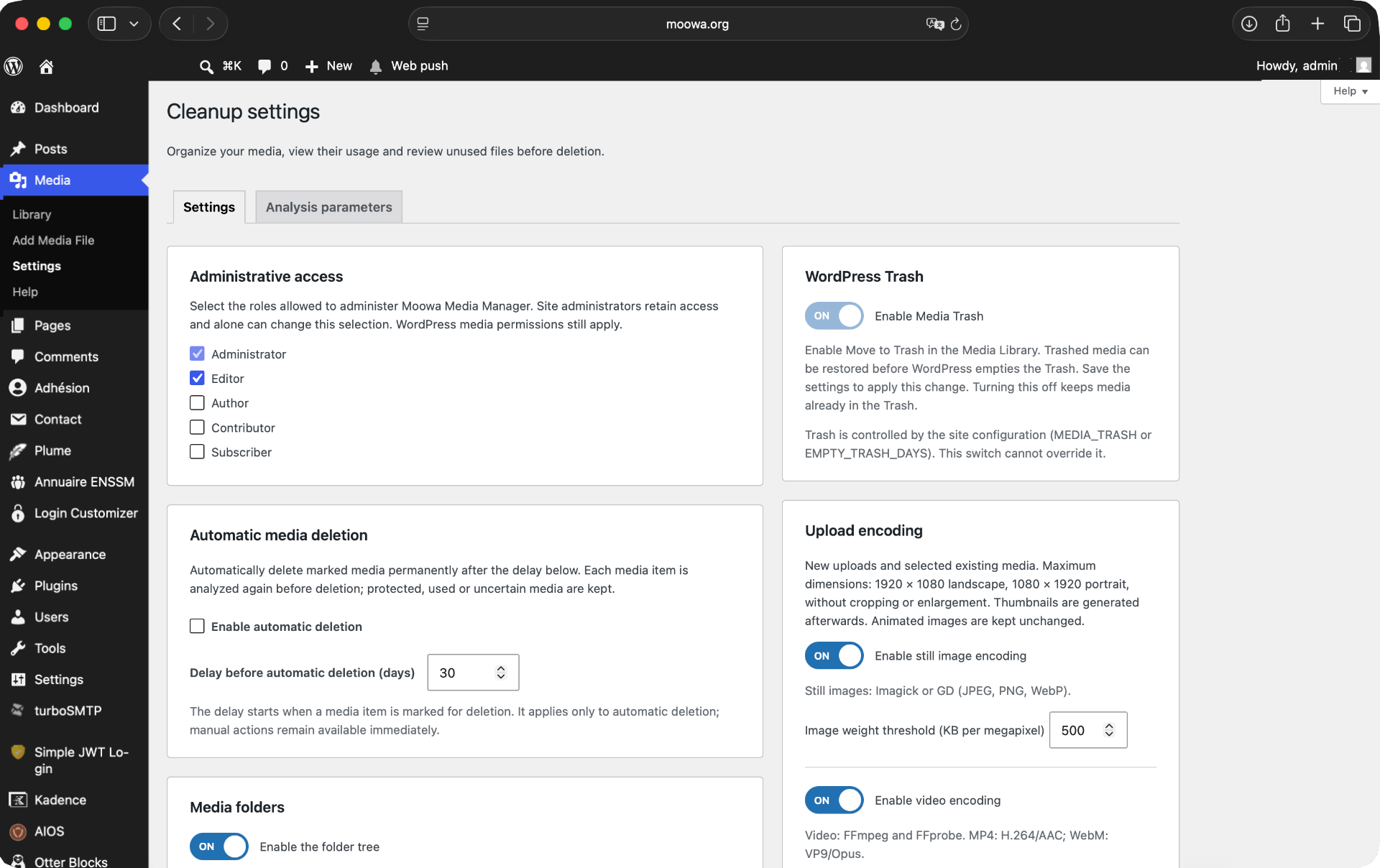
Native Media Library list actions for protection, conservative usage analysis, reversible marking, and reviewed permanent deletion. Files remain available during the configurable waiting period. English source strings are ready for community translations through WordPress.org. No FileBird dependency. Automatic cleanup is disabled by default and requires explicit activation in Settings.
Unknown database references and incomplete scans block marking. Detection covers standard WordPress data, FSE templates, registered patterns and current-site custom tables. External, opaque and dynamically constructed references cannot be guaranteed.
Requirements and privacy
The core media management features require WordPress 6.5 or later and PHP 7.4 or later.
Optional image encoding uses WordPress image editors (Imagick or GD) with JPEG, PNG and WebP support. Some PNG transparency and bit-depth cases require Imagick. Optional video encoding requires locally installed FFmpeg and FFprobe, PHP process execution, H.264/AAC codecs for MP4, and VP9/Opus codecs for WebM. These binaries are not bundled or downloaded by the plugin. Hosting execution limits may prevent video processing. Each encoding feature is disabled by default and is unavailable when its dependencies are missing.
Encoding retains only the first video and optional first audio stream. Subtitles and additional audio tracks are not retained in the encoded output. Original retention is enabled by default; review this setting before encoding.
Processing takes place on the site’s server. The plugin does not send media or analysis data to an external service. The Help page includes optional external links for contributions (Stripe) and support; they are opened only when clicked.
Deactivation keeps plugin data. Uninstallation keeps data by default; the explicit cleanup option removes most plugin data while keeping media files and retained originals.
Installation
- Upload the moowa-media-manager folder to wp-content/plugins.
- Activate the plugin.
- Open Media > Library in list view.
- Protect selected media, then analyze displayed or selected media in grid view.
Screenshots
For developers
Is this your plugin? Show off the numbers.
Add a live badge to your site, docs or GitHub README. It updates on its own — no account needed.
Best Moowa Media Manager alternatives
All attachments plugins →




FAQ
Moowa Media Manager: quick answers
Straight answers, pulled from live WordPress.org data.
Source: WordPress.org
Is Moowa Media Manager free?
Yes. Moowa Media Manager is free to download and use from the official WordPress.org plugin directory.
Is Moowa Media Manager safe to use in 2026?
Moowa Media Manager is a solid plugin choice in 2026, with a few things worth checking first. Was last updated 2 weeks ago, and scores 64/100 on our health check.
How many websites use Moowa Media Manager?
Moowa Media Manager is active on <10 WordPress websites and has been downloaded 340 times since it launched in November 2026. It was downloaded 351 times in the last 30 days.
Does Moowa Media Manager work with WordPress 7.1?
Yes. The developer has tested Moowa Media Manager up to WordPress 7.1.5, the latest release. It requires WordPress 6.5 or newer.
What PHP version does Moowa Media Manager need?
Moowa Media Manager requires PHP 7.4 or higher. Most hosts run PHP 8.x today, so it works on any modern WordPress hosting.
When was Moowa Media Manager last updated?
The latest version, 1.0.0, was released on November 5, 2026 (2 weeks ago).
Who makes Moowa Media Manager?
Moowa Media Manager is developed and maintained by Moowa® Studios.
What are the best alternatives to Moowa Media Manager?
The most popular alternatives to Moowa Media Manager are Export media with selected… (40K+ installs), File Upload Types by WPForms (40K+ installs) and Lightbox with PhotoSwipe (20K+ installs).
Powered by PageForge
One template and a spreadsheet. A real page for every search.
PageForge turns each row of a CSV into a WordPress page with its own title, URL, SEO fields and schema, built on the layout you already designed. Free on WordPress.org.
- CSV and XLSX, plus Google Sheets on Professional and Enterprise
- Its own title, URL, SEO fields and schema for every page
- Works with the block editor, Elementor, Divi and Avada
- Free on WordPress.org, no credit card