


Metadata Viewer
A plugin or theme developer can view metadata by this plugin easily.

Use with caution
Metadata Viewer works, but test it on a staging site before relying on it in 2026. It runs on 500+ sites, is rated 5/5 and was last updated 5 months ago, and scores 55/100 on our health check.
- Small user base (500+ active installs)
- Very few reviews so far
- Only tested up to WordPress 6.9 (latest is 7.1)
How does it stack up?
Side-by-side on installs, updates, ratings & supportDaily downloads
Download spikes usually follow a new release — each site that auto-updates counts as a download.
Rankings
Where Metadata Viewer stands todayWordPress.org search rankings
Live position in the plugin search, top 100| Keyword | Position |
|---|---|
| custom post type meta | >100 |
| meta viewer | #2 |
| metadata | #6 |
| post meta | >100 |
| user meta | #99 |
Version adoption
Share of active sites per release.
Rating breakdown
★★★★★★★★★★ 5 from 2 reviews
About Metadata Viewer
From the official readme · v2.2.4Description
The Metadata Viewer plugin displays metadata keys and values for posts (posts, pages, custom post types), users, comments, taxonomy terms, WooCommerce products, and WooCommerce orders directly in admin edit screens — and on the Dokan vendor dashboard. It also includes an integrated realtime search feature.
Install one lightweight plugin to inspect metadata across common WordPress and WooCommerce object types from their native edit pages.
Features
- 👉 Posts Metadata Viewer
- 👉 Custom Post Types Metadata Viewer
- 👉 Pages Metadata Viewer
- 👉 Users Metadata Viewer
- 👉 Comments Metadata Viewer
- 👉 Taxonomy Terms Metadata Viewer
- 👉 WooCommerce Products Metadata Viewer
- 👉 WooCommerce Orders Metadata Viewer
- 👉 Dokan vendor dashboard: order & product metadata viewers
- 👉 HPOS-aware WooCommerce Orders metadata handling (supports sync on/off modes)
- 👉 Unified metadata table UI and realtime search across supported screens
Support
If you find this plugin useful, consider supporting its development through a donation.
Installation
FOR STANDARD INSTALLATION:
Installing this plugin is very easy just like any other WordPress plugin. Please follow these instructions:
1. In your WordPress admin panel, go to Plugins > New Plugin, search for “Metadata Viewer” and click on “Install Now”
2. Alternatively, download the plugin and upload the metadata-viewer.zip to your plugins directory, which usually is /wp-content/plugins/.
3. Activate the plugin from plugins page.
Changelog
2.2.4
- Applied
table-layout: fixedto the metadata table via a dedicatedtbl-fixedclass to prevent column-width clashes with host themes/plugins.
2.2.3
- Refreshed the readme feature list and documentation.
2.2.2
- Added order and product metadata viewers on the Dokan vendor dashboard (“Order Details” and “Edit Product” pages).
- Introduced a template loader so viewer markup lives in
templates/and is overridable via themetadata_viewer_templatefilter. - Made the metadata table search icon filterable.
2.2.1
- Added taxonomy term metadata viewer on taxonomy edit screens.
- Added comment metadata viewer on
comment.php?action=editcomment. - Improved WooCommerce order metadata loading with HPOS-aware behavior for sync enabled/disabled modes.
- Improved UI consistency by matching taxonomy and comment metadata sections with existing metadata box/table design.
- Added shared helper methods for metadata rendering and screen detection.
- Updated plugin documentation and feature list.
Screenshots


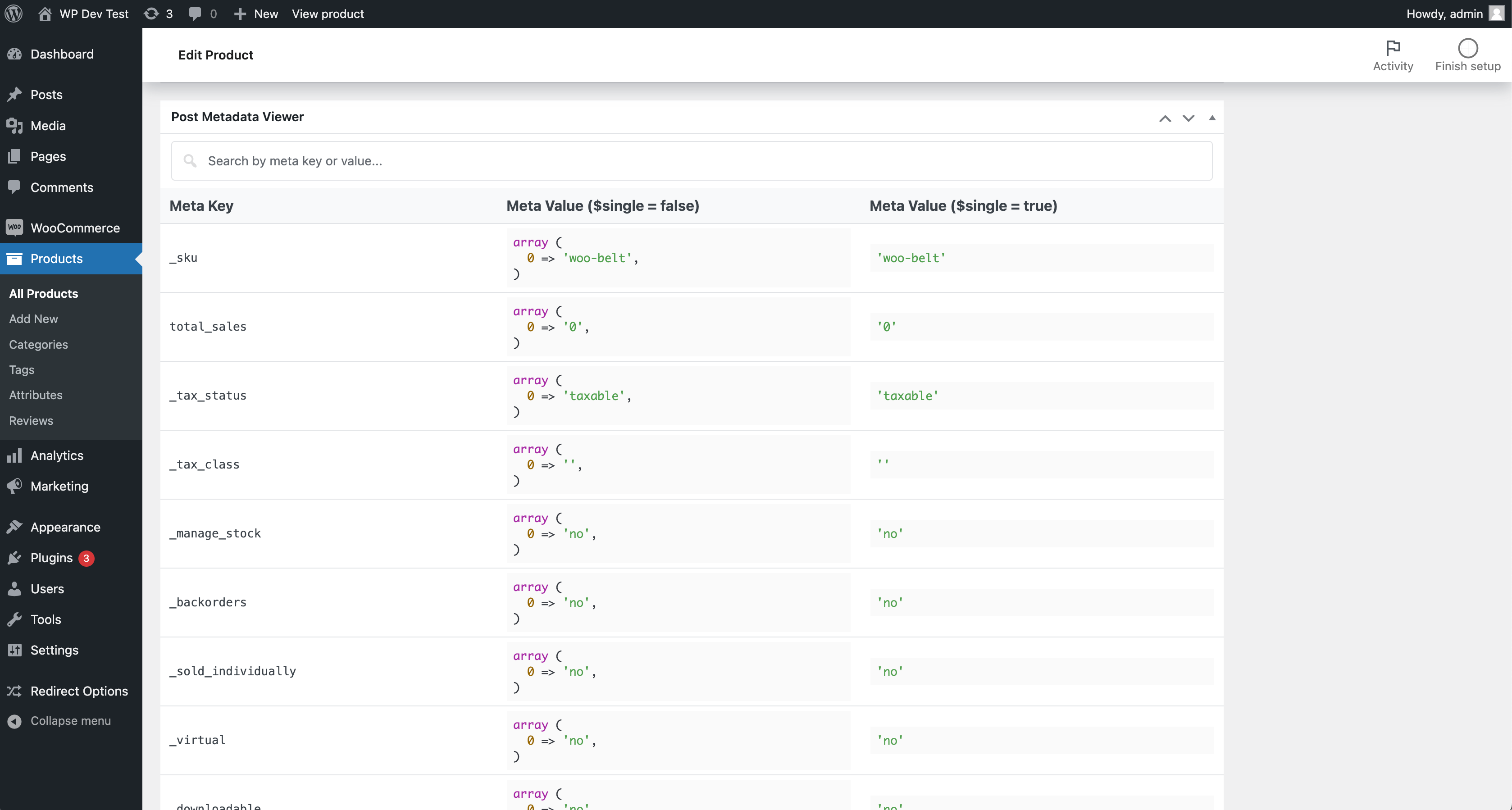
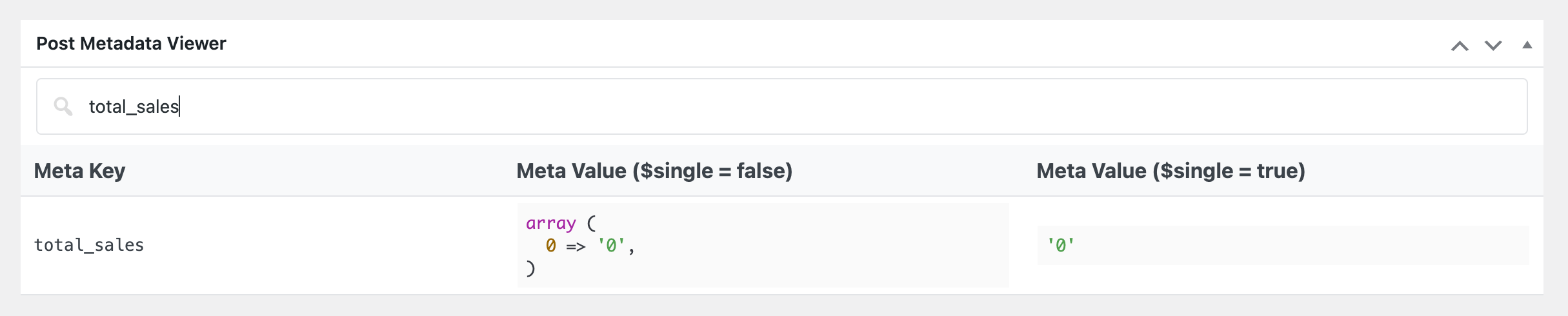
For developers
Is this your plugin? Show off the numbers.
Add a live badge to your site, docs or GitHub README. It updates on its own — no account needed.
Best Metadata Viewer alternatives
All custom post type meta plugins →| Rank | Plugin | Active installs |
|---|---|---|
| 2 |
 Ascendoor Metadata Manager
A great plugin to display all metadata related to the posts, pages, custom post types…
Ascendoor Metadata Manager
A great plugin to display all metadata related to the posts, pages, custom post types…
|
20+ |
FAQ
Metadata Viewer: quick answers
Straight answers, pulled from live WordPress.org data.
Live data from WordPress.org · checked Oct 8, 2026
Is Metadata Viewer free?
Yes. Metadata Viewer is free to download and use from the official WordPress.org plugin directory.
Is Metadata Viewer safe to use in 2026?
Metadata Viewer works, but test it on a staging site before relying on it in 2026. It runs on 500+ sites, is rated 5/5 and was last updated 5 months ago, and scores 55/100 on our health check.
How many websites use Metadata Viewer?
Metadata Viewer is active on 500+ WordPress websites and has been downloaded 4,819 times since it launched in April 2024. It was downloaded 285 times in the last 30 days.
Does Metadata Viewer work with WordPress 7.1?
Metadata Viewer is officially tested up to WordPress 6.9.10, while the latest release is 7.1.3. It may still work, but try it on a staging site first.
What PHP version does Metadata Viewer need?
Metadata Viewer requires PHP 7.4 or higher. Most hosts run PHP 8.x today, so it works on any modern WordPress hosting.
When was Metadata Viewer last updated?
The latest version, 2.2.4, was released on May 13, 2026 (5 months ago).
Who makes Metadata Viewer?
Metadata Viewer is developed and maintained by PluginizeLab.
What are the best alternatives to Metadata Viewer?
The most popular alternatives to Metadata Viewer are Ascendoor Metadata Manager (20+ installs).
Powered by PageForge
Want thousands of pages that rank like these? Build them in an afternoon.
This directory runs on the same engine as PageForge. Turn any spreadsheet, CSV or API into thousands of fast, SEO-ready WordPress pages — with schema, internal links and AI-written copy baked in.
- CSV, Google Sheets & API data sources
- AI content, schema & internal links per page
- Works with Elementor, Gutenberg, Yoast & Rank Math
- Free on WordPress.org — no credit card


