



Meow Lightbox
The elegant lightbox built for photographers. Fast, responsive, and displays your photos beautifully with EXIF data and maps. You'll love it! 💕

Safe pick
Yes — Meow Lightbox is a safe, well-maintained plugin to use in 2026. It runs on 10K+ sites, is rated 4.9/5 and was last updated 3 weeks ago, and scores 94/100 on our health check.
- Proven at scale on 10K+ active sites
- Loved by users — 4.9/5 from 187 reviews
- Actively developed — last update 3 weeks ago
- Tested with the latest WordPress (7.1)
- Needs PHP 8.1 or newer
How does it stack up?
Side-by-side on installs, updates, ratings & support



Daily downloads
Download spikes usually follow a new release — each site that auto-updates counts as a download.
Rankings
Where Meow Lightbox stands todayWordPress.org search rankings
Live position in the plugin search, top 100| Keyword | Position |
|---|---|
| exif | #7 |
| lightbox | #2 |
| photography | #4 |
| photoswipe | #3 |
| responsive | >100 |
Version adoption
Share of active sites per release.
Rating breakdown
★★★★★★★★★★ 4.9 from 187 reviews
About Meow Lightbox
From the official readme · v5.6.1Description
Meow Lightbox is the photographer’s choice for WordPress. Built from scratch for speed and elegance, it showcases your images beautifully while displaying EXIF data, GPS maps, and metadata—all in a clean, responsive interface.
Stop settling for bloated lightboxes that slow down your site! 😘
Meow Lightbox focuses on what photographers actually need: Beautiful Presentation and Technical Details. Choose between our custom engine or PhotoSwipe, both optimized for performance. Check out our official site to see it in action.
Core Features
📸 Responsive Design
Looks stunning on mobile, tablets, and desktop. Images adapt to screen size for optimal viewing on any device.
🎨 Dual Lightbox Engines
Switch between our custom Default Engine or PhotoSwipe. Both are optimized for speed and elegance, with full EXIF support.
📊 EXIF Data Display
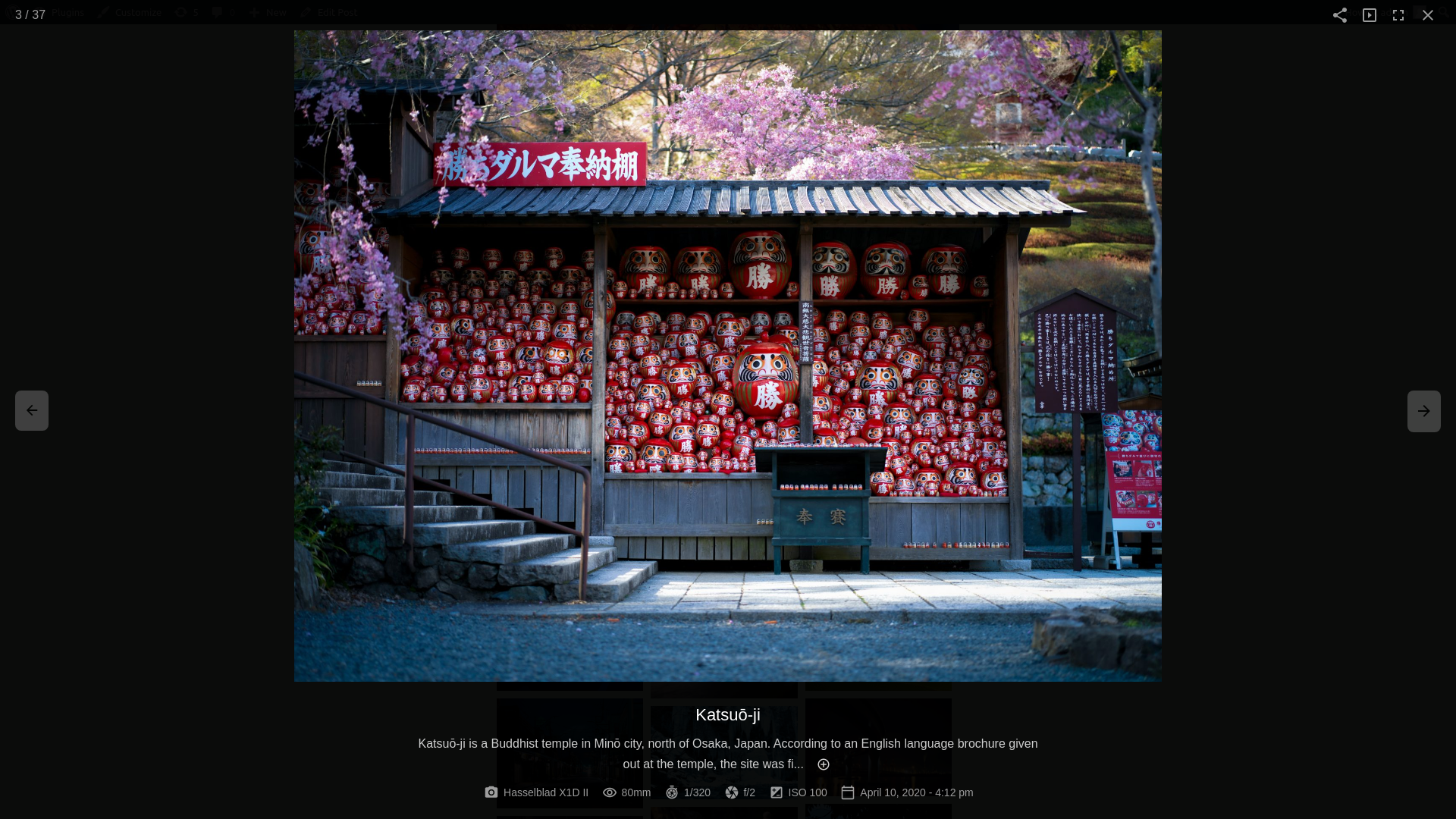
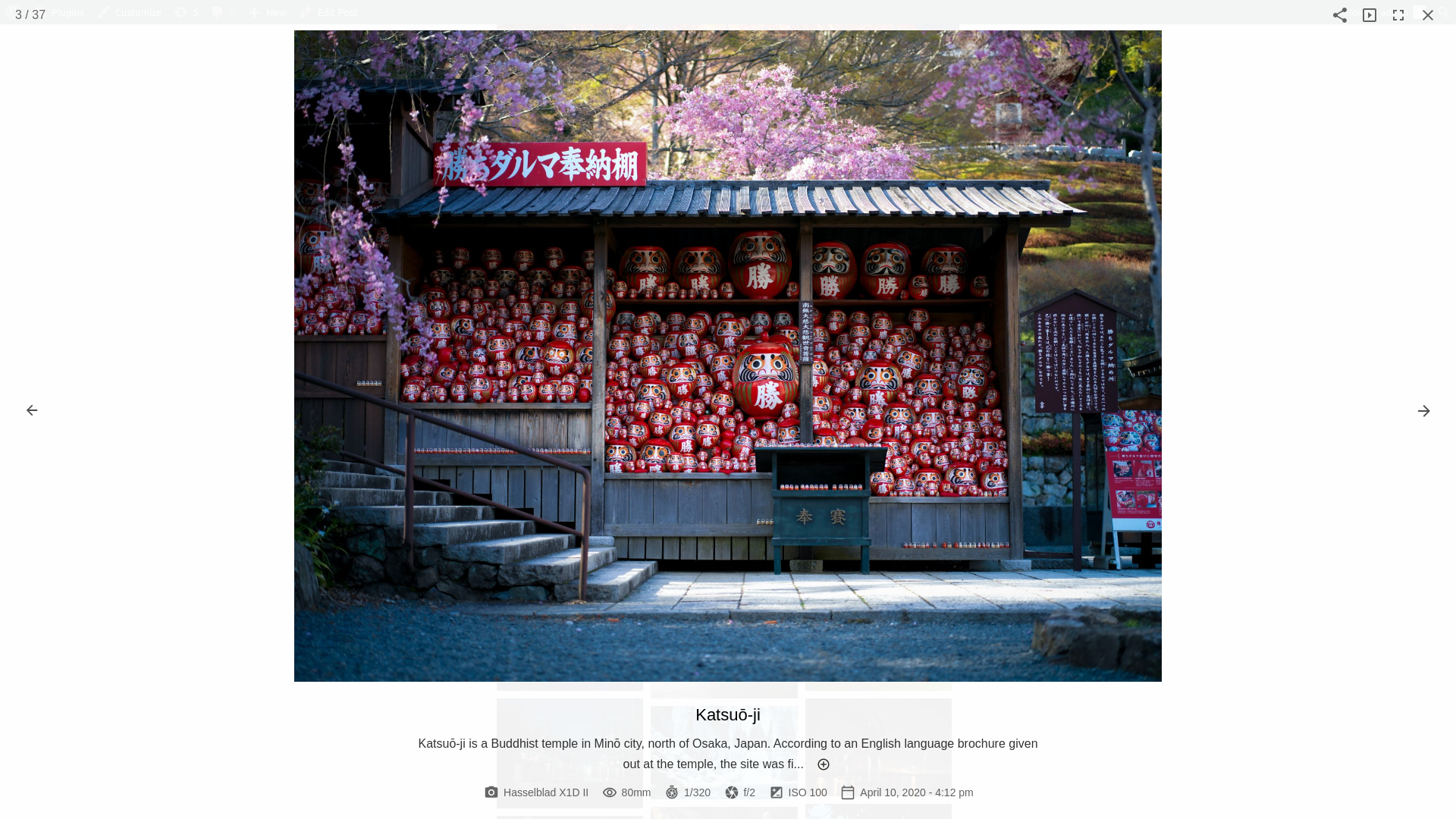
Show camera settings, lens info, shutter speed, aperture, ISO, and capture date—perfect for photography portfolios.
🗺️ GPS & Maps
Display shooting location with Google Maps or Leaflet integration when GPS data is available in your images.
📸 Photography Features
Your photos deserve to shine. Meow Lightbox displays them beautifully with all the technical details photographers love.
Image Information:
- Camera and Lens
- Shutter Speed & Aperture
- ISO and Focal Length
- Capture Date & Time
- Keywords and Metadata
- GPS Coordinates
Display Options:
- Responsive layout for all devices
- Fullscreen mode
- Zoom and pan on images
- Keyboard navigation
- Touch gestures on mobile
Gallery Support:
- Works with Meow Gallery
- Compatible with WordPress core galleries
- Supports WooCommerce product images
- Separate galleries mode
🎯 Lightbox Engines
Choose the engine that fits your needs best. Both are fast, elegant, and fully featured.
Default Engine:
- Custom-built for photographers
- Smooth zoom animations
- Clean, minimal interface
- Optimized for EXIF display
- Glass morphism design
PhotoSwipe:
- Industry-standard lightbox
- Touch-optimized gestures
- Smooth transitions
- Full EXIF integration
- Modern UI with caption support
Pro Features
- Deep-Linking: Share URLs that open specific images
- Slideshow: Auto-play through your gallery
- Social Sharing: Let visitors share your photos
- Animation: Beautiful open/close transitions
- Google Maps: Display shooting locations
- Priority Support
Why Meow Lightbox?
Performance First
No bloat, no unnecessary features. Just clean, fast code that showcases your photos beautifully.
Built for Photographers
EXIF data, GPS maps, and metadata display—everything photographers need in one elegant package.
Flexible
Works with any gallery plugin or WordPress core galleries. Choose your preferred lightbox engine.
Developer Friendly
Clean APIs, WordPress hooks, and filters. Extend it your way.
Constantly Evolving
Regular updates based on real photographer feedback. We listen, we improve.
Installation
- Upload
meow-lightboxto/wp-content/plugins/ - Activate through the ‘Plugins’ menu
- Visit Meow Lightbox in your admin menu
- Configure your preferences
- Start showcasing your photos! 🚀
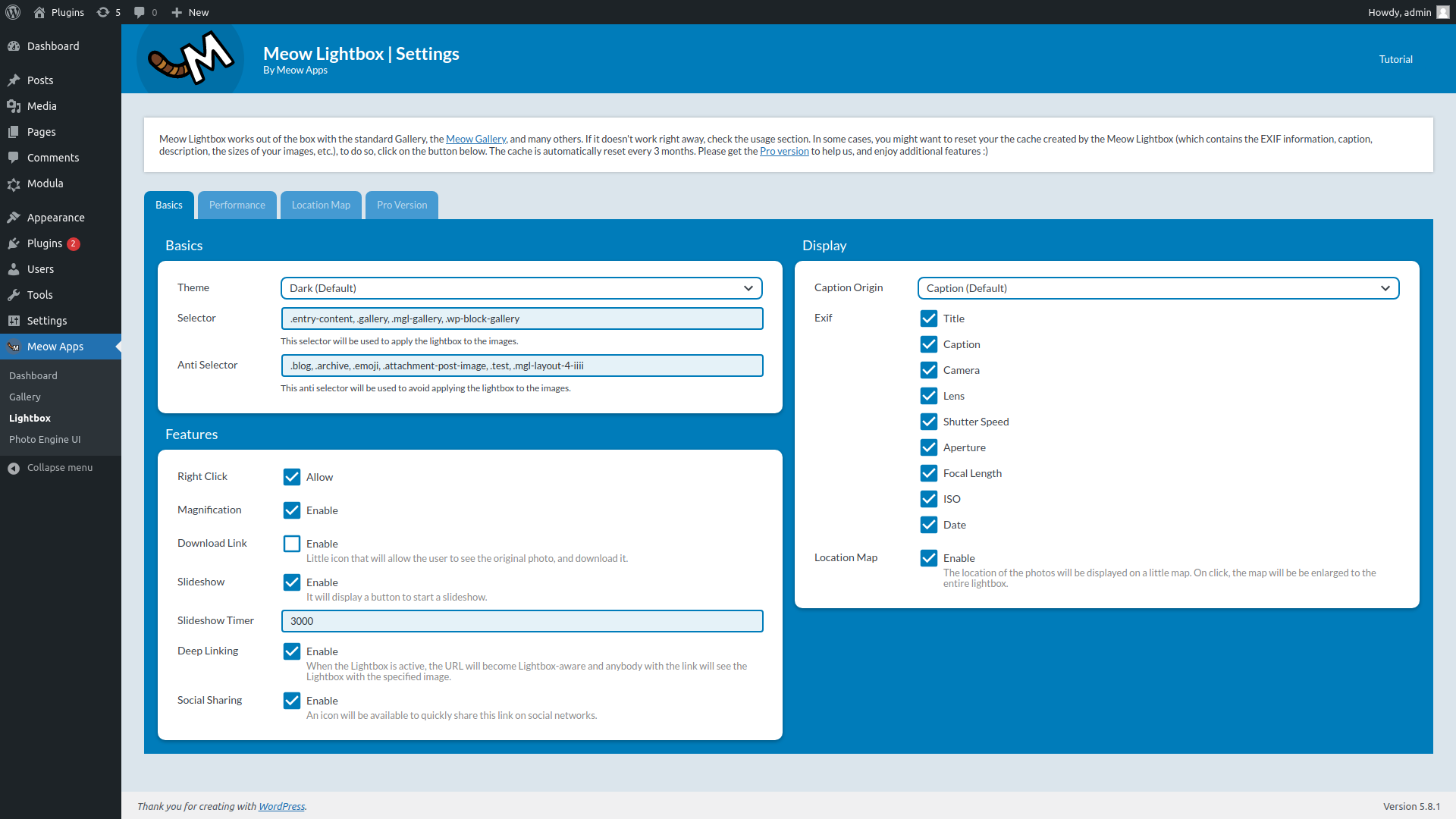
The lightbox activates for .entry-content, .gallery, and .mgl-gallery by default. Customize the selectors in settings if needed.
Frequently asked questions
Does this work with my gallery plugin?
Yes! Meow Lightbox works with WordPress core galleries, Meow Gallery, and most other gallery plugins. We recommend Meow Gallery for the best experience.
Can I choose which EXIF data to display?
Absolutely! You control exactly which EXIF fields appear: camera, lens, shutter speed, aperture, ISO, focal length, date, and keywords.
Which lightbox engine should I use?
Both are excellent! The Default Engine offers a custom-designed experience optimized for EXIF display. PhotoSwipe is industry-standard with touch-optimized gestures. Try both and see which you prefer!
Does this work with WooCommerce?
Yes! Meow Lightbox works great with WooCommerce product images.
Can I display GPS locations on a map?
Yes! If your images contain GPS data, you can display shooting locations using Google Maps or Leaflet (Pro feature).
Is this suitable for large photography websites?
Absolutely! Meow Lightbox is optimized for performance and works beautifully with sites of any size.
Does this support keyboard navigation?
Yes! Use arrow keys to navigate, ESC to close, and keyboard shortcuts for all controls.
What about multilingual sites?
Meow Lightbox works great with translation plugins and multilingual setups.
Changelog
5.6.1 (2026/09/04)
- Fix: Resolved a conflict with other plugins setting window.pswp that broke lightbox clicks.
- Fix: Declared imageSize and disableCache before the REST early return.
- Update: The License Issue badge now shows the actual reason instead of a generic label.
- Update: Cached image URLs are cleared automatically when Perfect Images changes its CDN settings.
- Update: Cleaned up unused imports, variables and indentation in the Meow Apps dashboard.
- 🎵 Discuss with others about Meow Lightbox on the Discord.
- 🌴 Keep us motivated with a little review here. Thank you!
- 🥰 If you want to help us, check our Patreon. Thank you!
5.6.0 (2026/08/20)
- Add: Diagnostics tab that automatically detects REST API issues.
- Update: Reworked the Meow Apps dashboard with a plugin board, AI site analysis and a bounded speed test.
- Update: Minimum PHP requirement is now 8.1.
- Update: Images added after page load are now detected with a mutation observer instead of timed re-rendering.
- Fix: GPS coordinates and lens data are cached in post meta so third-party plugins no longer overwrite captions and descriptions.
- Fix: 1px line appearing under the image in the lightbox.
- Update: PhotoSwipe is now vendored in the plugin instead of pulled from npm, making it easier to debug and patch.
5.5.9 (2026/07/30)
- Fix: EXIF filters now run on cached page data.
- Fix: Download button only appears when a download link exists.
- Fix: Added credentials and nonce to the regenerate image data request.
5.5.8 (2026/06/28)
- Fix: Resolved an issue where gallery infinite scroll could get stuck in a load more loop.
- Update: Removed placeholder image handling in the lightbox.
- Add: Translations support for the lightbox interface with additional language coverage.
- 🎵 Discuss with others about Meow Lightbox on the Discord.
- 🌴 Keep us motivated with a little review here. Thank you!
- 🥰 If you want to help us, check our Patreon. Thank you!
5.5.7 (2026/05/30)
- Update: Fullscreen is now a toolbar action, with “Start Fullscreen” available as a secondary option for mobile and desktop.
- Update: Date and Time are now separate settings in EXIF metadata display.
- Fix: Images without a lightbox ID but with a known cached URL now correctly load their metadata.
- Update: Simplified and refactored EXIF display functions.
5.5.6 (2026/05/07)
- Add: Dynamic aria-label updates for lightboxified images.
- Update: Removed default titles from next and previous buttons.
- Add: Internationalization support in lightbox components.
- Fix: Sub-pixel flickers in the lightbox display.
Screenshots
For developers
Is this your plugin? Show off the numbers.
Add a live badge to your site, docs or GitHub README. It updates on its own — no account needed.
Best Meow Lightbox alternatives
All exif plugins →





FAQ
Meow Lightbox: quick answers
Straight answers, pulled from live WordPress.org data.
Live data from WordPress.org · checked Sep 27, 2026
Is Meow Lightbox free?
Yes. Meow Lightbox is free to download and use from the official WordPress.org plugin directory.
Is Meow Lightbox safe to use in 2026?
Yes — Meow Lightbox is a safe, well-maintained plugin to use in 2026. It runs on 10K+ sites, is rated 4.9/5 and was last updated 3 weeks ago, and scores 94/100 on our health check.
How many websites use Meow Lightbox?
Meow Lightbox is active on 10K+ WordPress websites and has been downloaded 444,157 times since it launched in August 2016. It was downloaded 8,230 times in the last 30 days.
Does Meow Lightbox work with WordPress 7.1?
Yes. The developer has tested Meow Lightbox up to WordPress 7.1.2, the latest release. It requires WordPress 6.0 or newer.
What PHP version does Meow Lightbox need?
Meow Lightbox requires PHP 8.1 or higher. Most hosts run PHP 8.x today, so it works on any modern WordPress hosting.
When was Meow Lightbox last updated?
The latest version, 5.6.1, was released on September 4, 2026 (3 weeks ago).
Who makes Meow Lightbox?
Meow Lightbox is developed and maintained by Jordy Meow.
What are the best alternatives to Meow Lightbox?
The most popular alternatives to Meow Lightbox are Image Rotation Repair (7K+ installs), Image Rotation Fixer (1K+ installs) and WP Strip Image Metadata (700+ installs).
Powered by PageForge
Want thousands of pages that rank like these? Build them in an afternoon.
This directory runs on the same engine as PageForge. Turn any spreadsheet, CSV or API into thousands of fast, SEO-ready WordPress pages — with schema, internal links and AI-written copy baked in.
- CSV, Google Sheets & API data sources
- AI content, schema & internal links per page
- Works with Elementor, Gutenberg, Yoast & Rank Math
- Free on WordPress.org — no credit card


