



MediaHaven – Video Gallery, HLS Player & WooCommerce Product Videos
MediaHaven is a fast, lightweight WordPress video gallery plugin that helps you create responsive video galleries, display WooCommerce product videos, stream HLS content, and embed videos from YouTube, Vimeo, TikTok…

Solid choice
MediaHaven is a solid plugin choice in 2026, with a few things worth checking first. It runs on 30+ sites, is rated 5/5 and was last updated 1 month ago, and scores 75/100 on our health check.
- Tested with the latest WordPress (7.1)
- Small user base (30+ active installs)
How does it stack up?
Side-by-side on installs, updates, ratings & supportDaily downloads
Download spikes usually follow a new release — each site that auto-updates counts as a download.
Rankings
Where MediaHaven stands todayWordPress.org search rankings
Live position in the plugin search, top 100| Keyword | Position |
|---|---|
| HLS player | #17 |
| tiktok feed | #55 |
| video gallery | >100 |
| woocommerce product video | >100 |
| youtube gallery | >100 |
Version adoption
Share of active sites per release.
Rating breakdown
★★★★★★★★★★ 5 from 5 reviews
About MediaHaven
From the official readme · v1.7.6Description
MediaHaven is a fast, lightweight WordPress video gallery plugin that helps you create responsive video galleries, display WooCommerce product videos, stream HLS content, and embed videos from YouTube, Vimeo, TikTok, Bunny Stream, self-hosted files, and more. Built with performance in mind, it loads assets only when needed and keeps your site fast.
👉 Live Demo | 📄 Documentation | 🛟 Support | 🔓 Unlock Pro Features
🆓 Free Features
Video Gallery Builder
- WooCommerce product video tab — display a responsive video gallery in a dedicated tab on any WooCommerce product
- 10+ video sources — YouTube, Vimeo, TikTok, Twitch, Wistia, Dailymotion, Rumble, Facebook, Instagram, LinkedIn, HLS, self-hosted
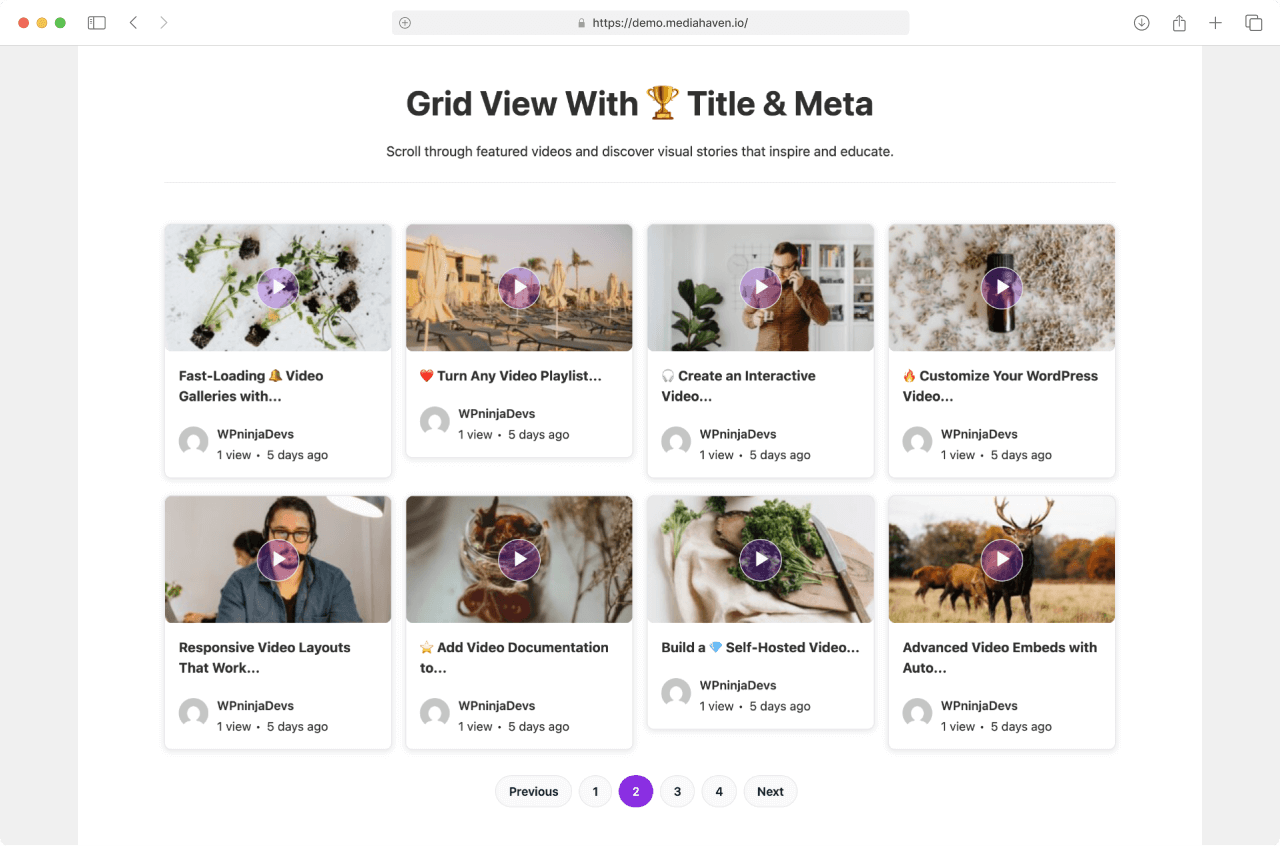
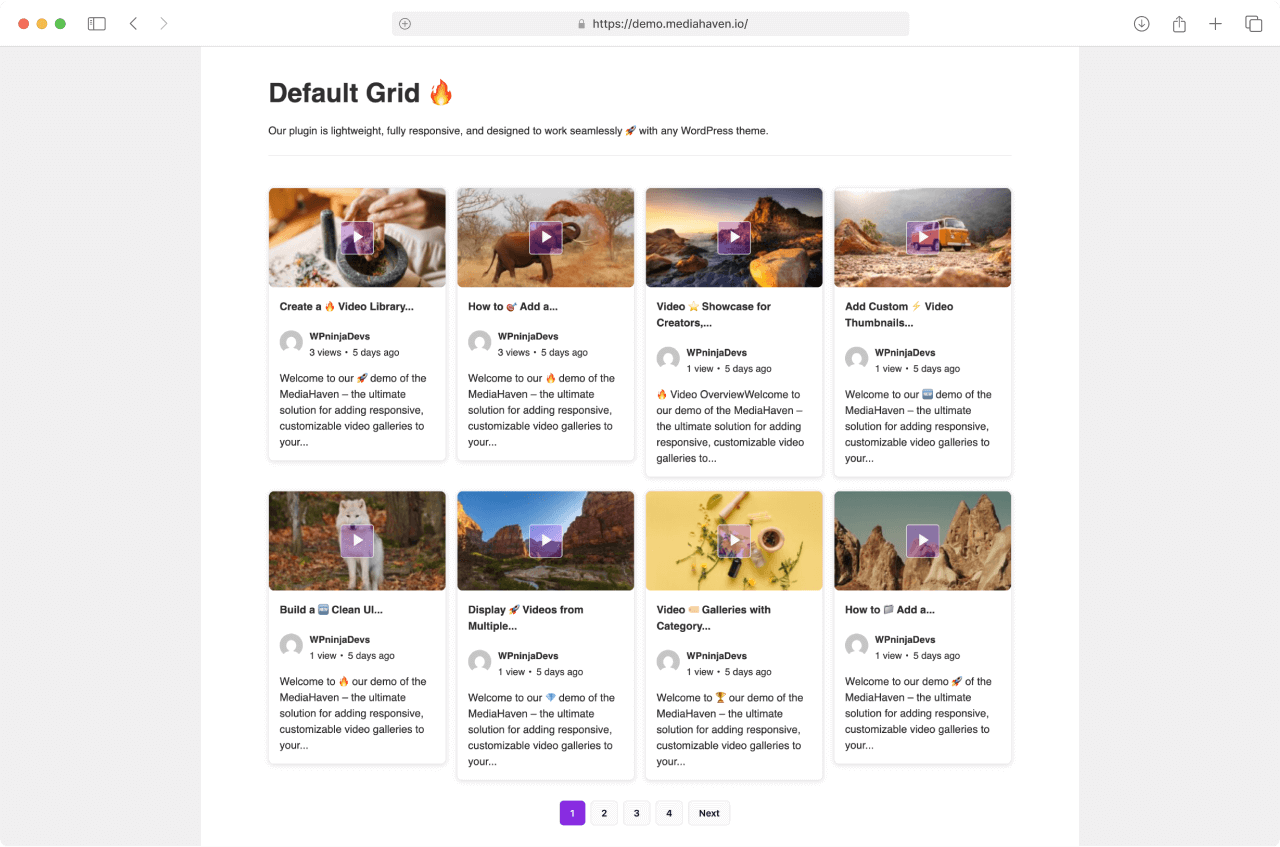
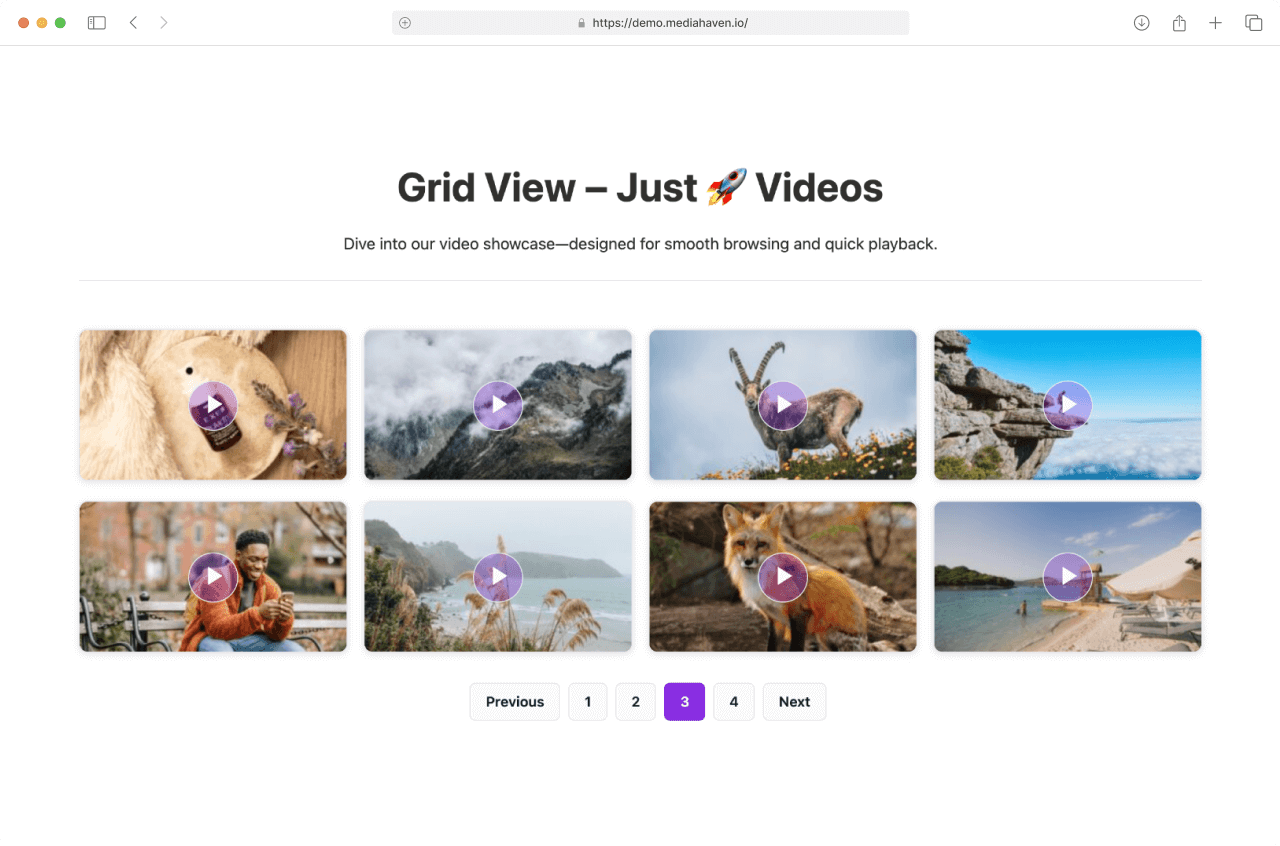
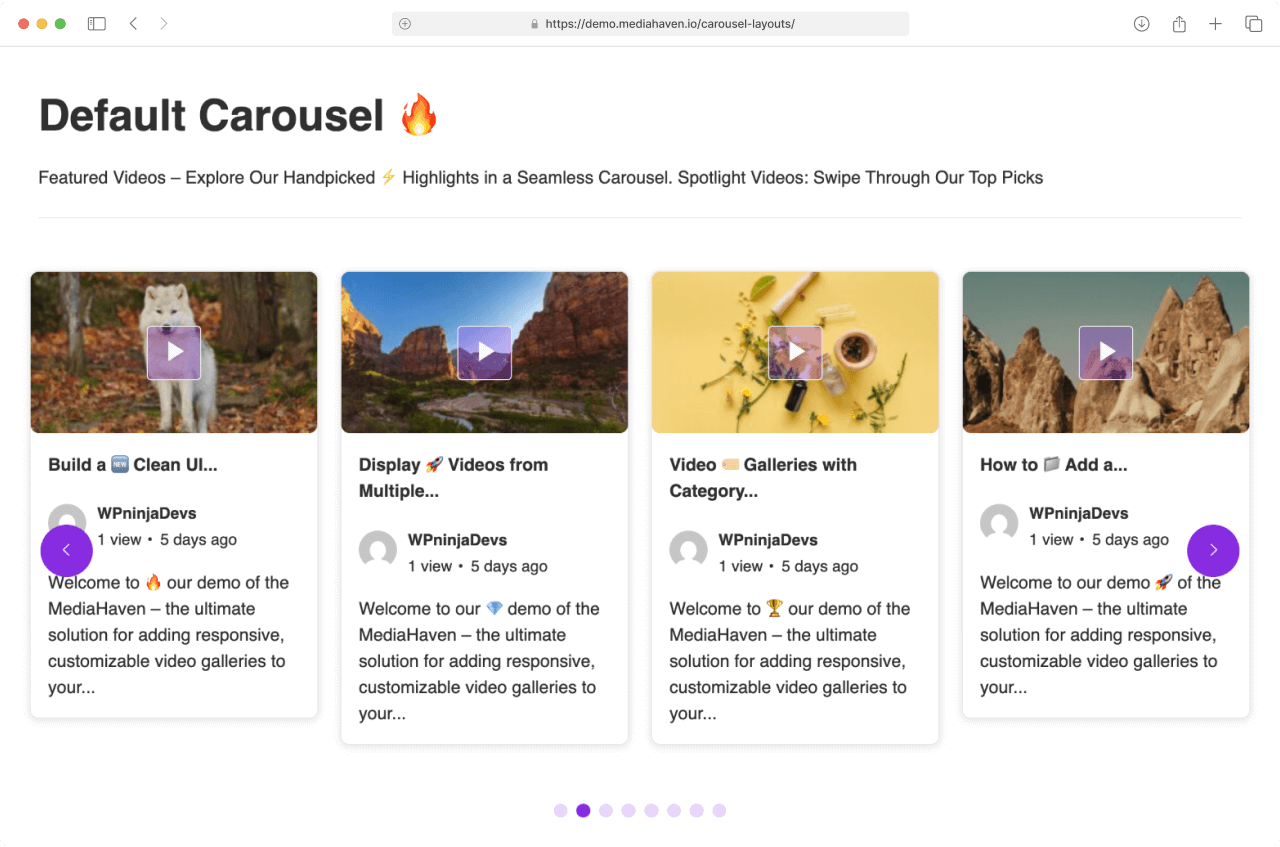
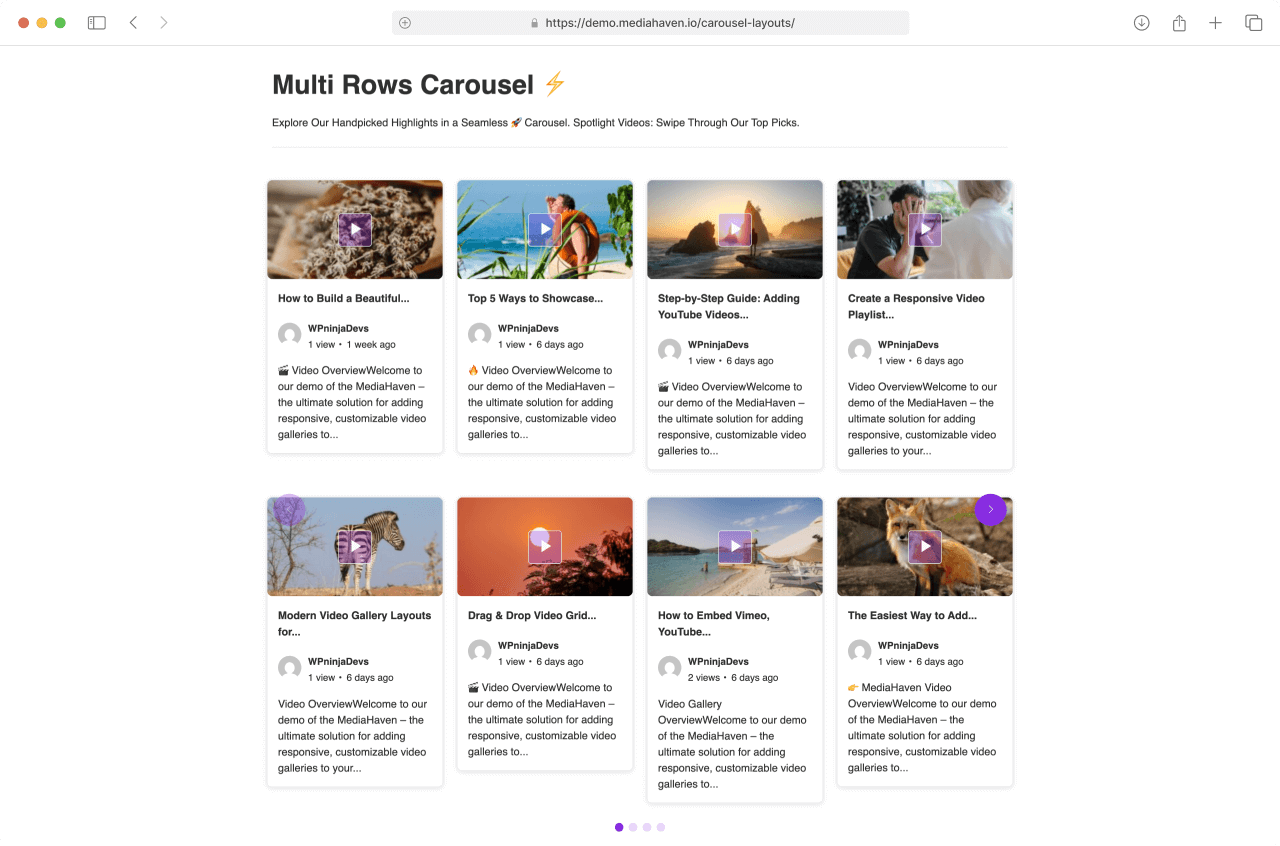
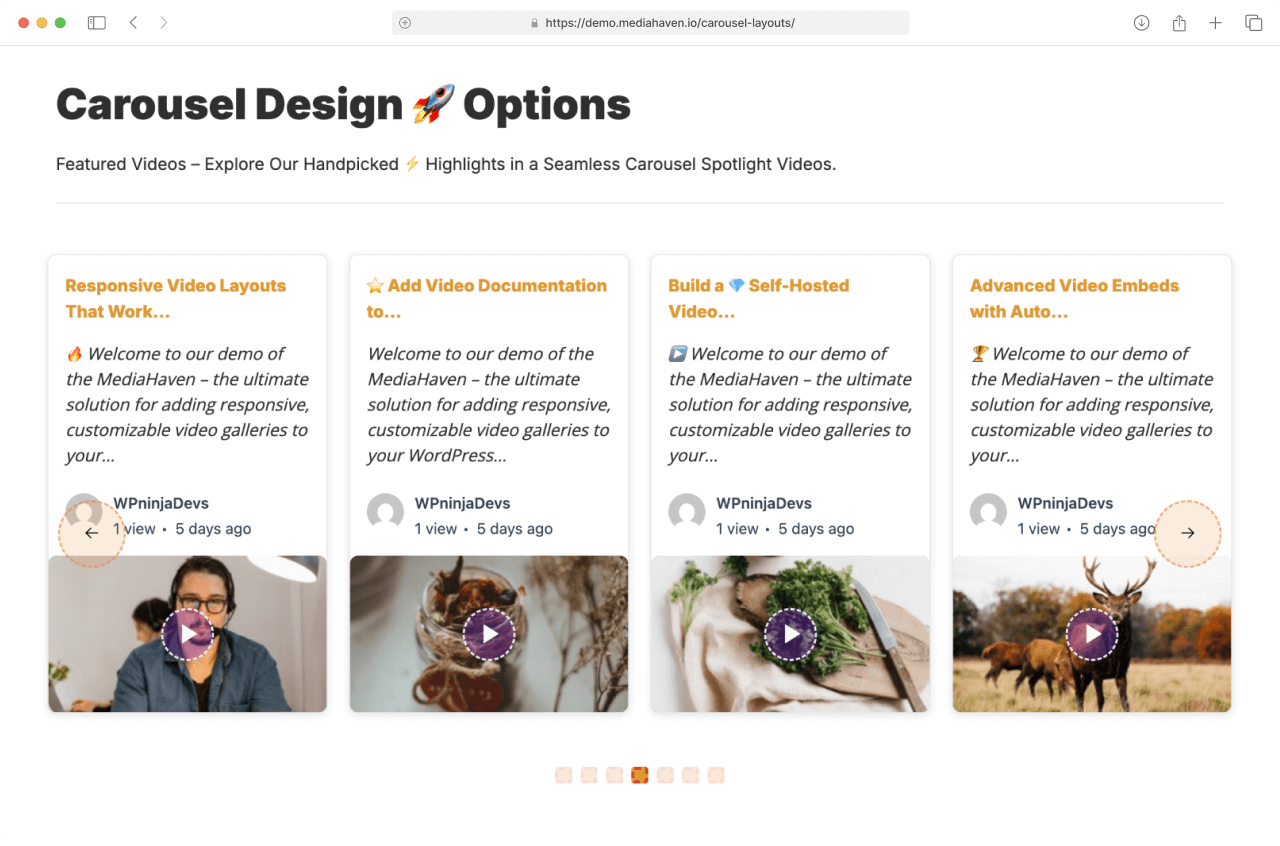
- Responsive video galleries (Grid, Carousel & Multi-row Carousel)
- Setup Wizard — guided onboarding to get your first gallery live fast
- Gutenberg Gallery Block – Easily insert and preview video galleries directly inside the block editor.
- Unlimited shortcode builder — create and embed as many galleries as you need
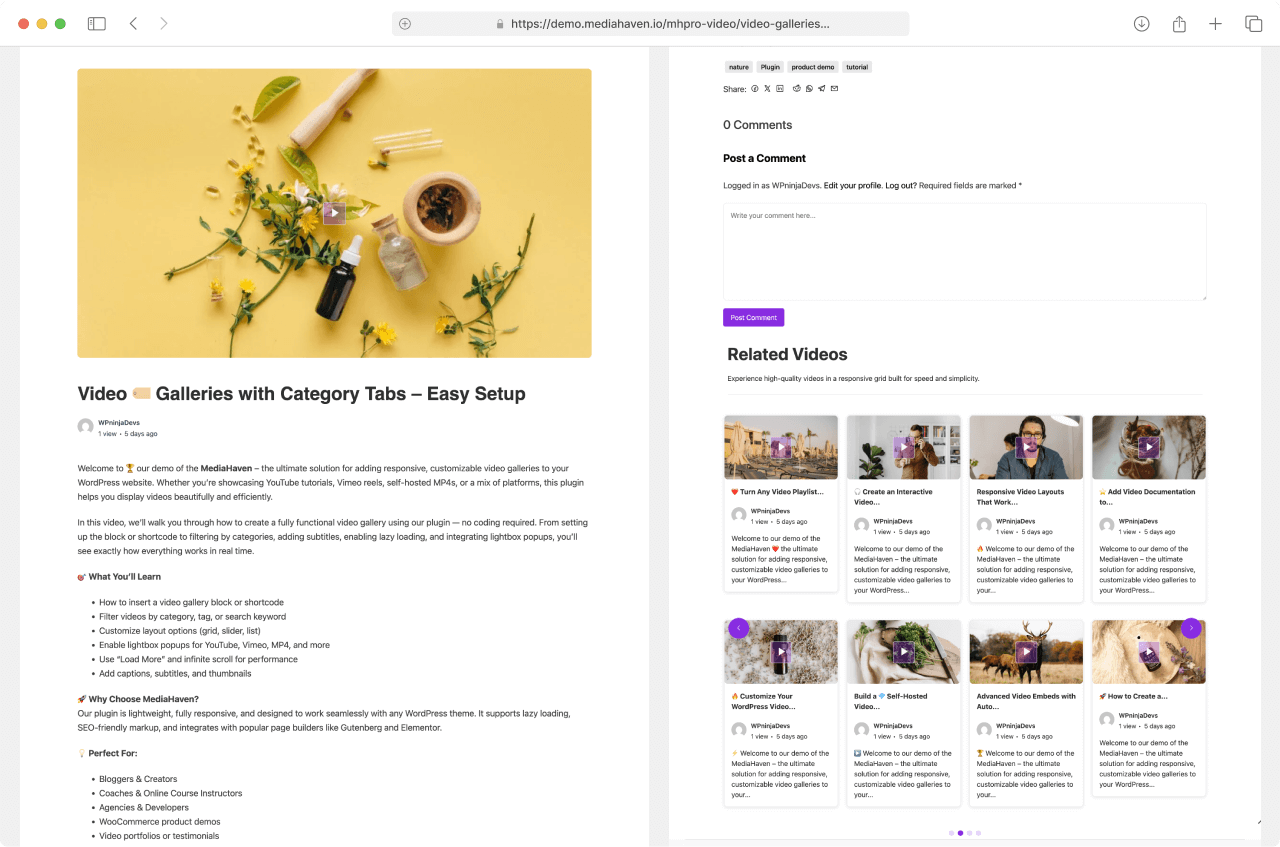
- Single video page templates — built-in templates for individual video pages
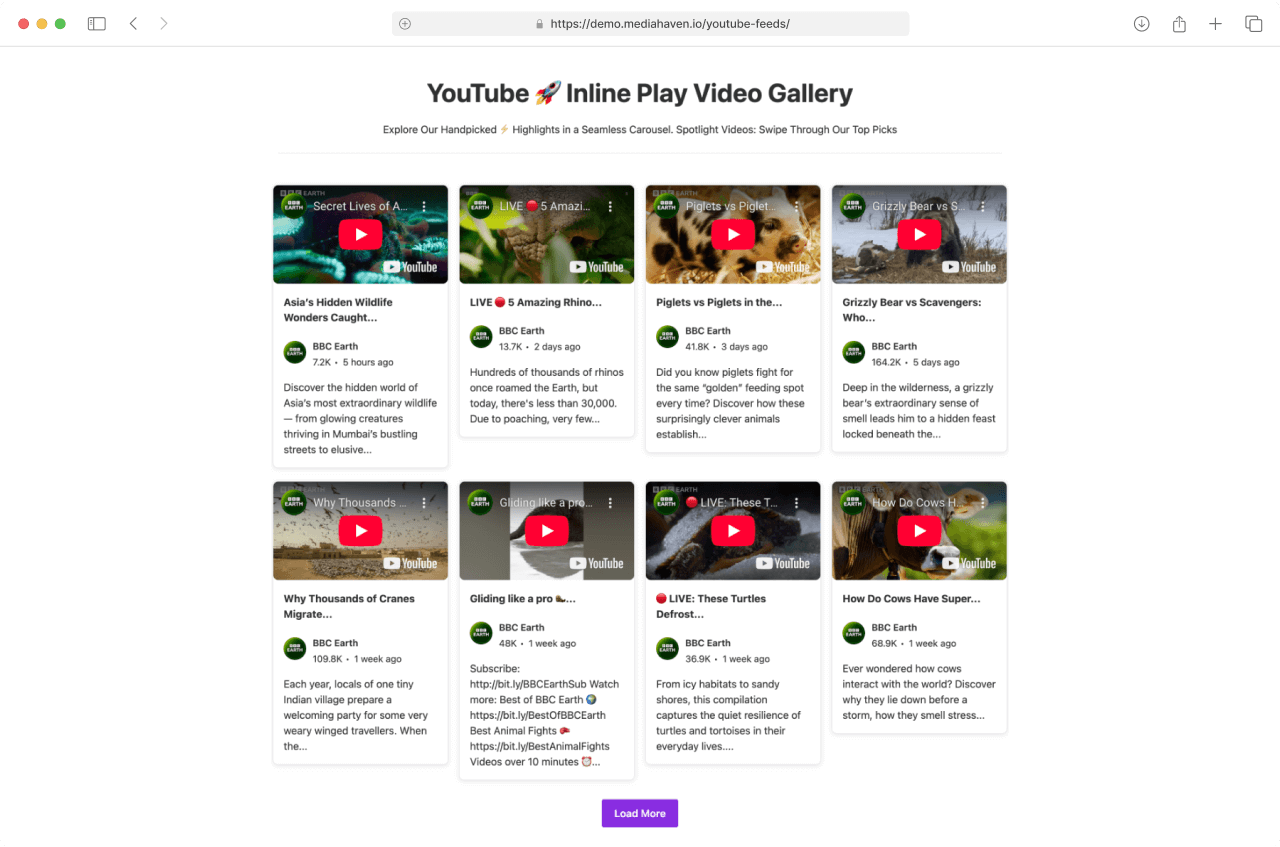
- AJAX Load More for YouTube Feeds — users load more videos without page reloads
- Live M3U8 stream support — embed and display live video streams
- Built-in lazy loading — images, videos, and iframes load only when needed
Performance & SEO
- Schema.org structured data — every gallery is search-engine ready
- Semantic HTML5 markup — WCAG-compliant accessibility built in
- Smart asset loading — plugin scripts load only where needed, per shortcode
- Built-in image optimizer — automatic compression with WebP support
- Smart caching — YouTube API data cached to reduce requests and load times
- Auto video view counter — tracks real views automatically
- AJAX like/dislike system — interactive engagement without page reloads
- Export & import — JSON and CSV support for easy gallery migration
Bunny Stream CDN — Automatic Secure HLS Video Hosting
Connects directly to affordable Bunny Stream — the world’s fastest video CDN — and automatically converts every video you sync into secure, adaptive HLS format
- Automatic HLS conversion
- Adaptive bitrate streaming
- Secure signed URLs
- Global CDN delivery
Video Subtitle Support
MediaHaven supports video subtitles for improved accessibility and SEO. Basic single-language subtitle support is available in the free version.
Keyboard Shortcuts for Video Playback
Control videos without a mouse — perfect for accessibility and power users:
- Space : Play or pause the video
- F : Toggle fullscreen mode
- M : Mute or unmute audio
- Left Arrow : Rewind video by 5 seconds
- Right Arrow : Fast-forward video by 5 seconds
- Up Arrow : Increase volume by 10%
- Down Arrow : Decrease volume by 10%
- 0–9 : Jump to a percentage of the video (0 = start, 9 = 90%)
💎 Pro Features
Unlock advanced WooCommerce video features, secure media delivery, video monetization, and powerful customization tools.
WooCommerce & Shoppable Videos
Turn your WooCommerce product gallery into an interactive video shopping experience.
- WooCommerce product videos
- WooCommerce product gallery videos
- Replace product images with videos
- Interactive shoppable videos
- Product cards, coupons & Add to Cart overlays
- WooCommerce hooks & automatic display rules
- FluentCart & SureCart compatibility
Video Access & Protection
- Video access control — Set access rules by category or individual video, with support for Public, Login Required, and Guest-only access. Individual video settings take priority over category-level access rules.
- Trailer video and featured image support with pro icon for restricted videos.
- Secure HLS streaming with Bunny Stream
Video Monetization
- VAST video advertising
- Display image, video, link, and text ads inside any self hosted video
- 9 ad positions — top left, top center, top right, middle left, middle center, middle right, bottom left, bottom center, bottom right
- Precise display timing — choose exactly when ads appear and for how long
- Clickable overlays & CTAs
Bunny Storage CDN
- Offload images, videos, audio & documents
- Global CDN delivery
- Secure token authentication
- Reduce hosting costs
- Improve Core Web Vitals
Advanced Video Gallery
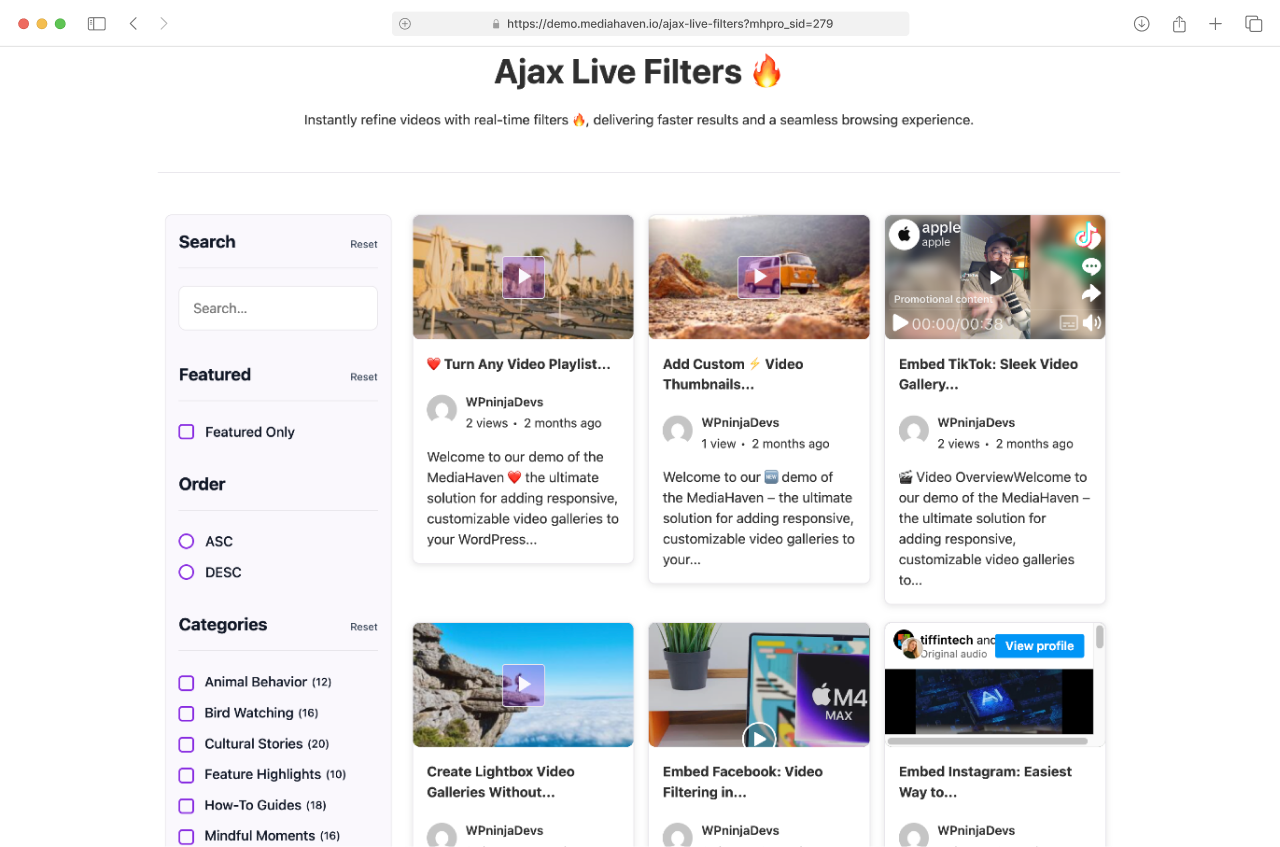
- AJAX live search, advanced filters by category, tag, most viewed, author, duration, resolution, and more, Infinite Scroll & Load More, and SEO-friendly filter URLs.
- Media Type option to display featured images and lightbox video support.
- Drag & drop video card sections — media, title, meta, description
- Custom player styles — control bar, volume bar, progress bar, play button colors
- Create engaging video playlists with an organized video list and seamless video switching.
Advanced Video Features
- Interactive video chapters
- Multi-language subtitles
- Full VTT support
- Responsive player customization
Who is MediaHaven For?
MediaHaven is built for anyone who takes video seriously on WordPress:
- Course creators & educators — secure HLS video, chapters, and subtitles make your courses professional and accessible
- WooCommerce & eCommerce store owners — Display product videos, replace product gallery images with videos, create shoppable video experiences, and increase conversions with interactive product demos.
- Marketers & agencies — build stunning YouTube & TikTok feed galleries for campaigns, embed shoppable product videos with clickable CTAs, and monetize self-hosted content with VAST ads
- YouTubers & content creators — display your channel feed beautifully with real-time views and likes
- Membership site owners — secure, non-downloadable video delivery with token authentication
- Podcasters with video — adaptive playback on every device and connection speed
- WordPress developers — clean code, Gutenberg block, shortcode builder, and full page builder compatibility
💡 A Note from the Developer
MediaHaven is built for the long term. We are continuously improving security, performance, scalability, and features — with a data structure designed to stay compatible with modern WordPress standards and future technologies.
If you find a bug, have a feature request, or just want to say hello — we would love to hear from you 📩 assist.wpninjadevs@gmail.com
MediaHaven integrates with Bunny.net for video hosting, streaming, and CDN delivery. If you sign up through one of our Bunny.net referral links, we may earn a commission at no additional cost to you. This helps support the continued development of MediaHaven.
Installation
- Upload the plugin folder to the ‘/wp-content/plugins/mediahaven-lite/’ directory.
- Activate the plugin through the “Plugins” menu in WordPress.
- Use the “MediaHaven Lite” menu in the admin sidebar to manage videos and settings.
- Go to MediaHaven → Add New to create your first video gallery.
- Copy the generated shortcode and paste it into any page,
post, or Gutenberg block.
Frequently asked questions
Is MediaHaven free? What do I get with the Pro version?
MediaHaven Lite is completely free and includes powerful features to get you started — including automatic secure HLS video streaming, Bunny Stream CDN, YouTube & TikTok feeds, responsive gallery layouts, AJAX load more, video view counter, like/dislike system, and more. The Pro version unlocks advanced features including: – Bunny Storage — offload ALL media to Bunny Cloud CDN – Ajax Live Filter with search, category, tag, and duration filtering – Drag & Drop layout builder for video cards and single pages – Shoppable video with VAST ads for self-hosted content – Interactive video chapters –…
Can I add videos to my WooCommerce product gallery?
Yes! MediaHaven Pro lets you replace static WooCommerce product images with engaging videos or display videos alongside existing gallery images. You can also: Display videos inside the native WooCommerce gallery Replace featured product images with videos Assign different video galleries to different products Display galleries before or after the product summary Add videos inside custom WooCommerce hooks Turn product videos into interactive shoppable experiences Perfect for: Product demonstrations Installation guides Unboxing videos Customer testimonials Product comparisons Fashion lookbooks…
Can I embed YouTube, Vimeo and self-hosted videos?
Absolutely. MediaHaven supports embedding videos from YouTube, Vimeo, TikTok, Twitch, Wistia, Dailymotion, Rumble, Facebook, Instagram, LinkedIn, and self-hosted HLS streams. Self-hosted videos support all major formats including MP4, WebM, MOV, MKV, AVI, and HLS / M3U8 streams. 👉 Take a look at the demo
Can I display YouTube videos using my Channel ID or Playlist ID?
Absolutely! You can effortlessly showcase unlimited YouTube videos from any Channel ID or Playlist ID. Enhance your display with creator avatars, likes, and view counts — all beautifully arranged in responsive Grid, Carousel, or Multi-row Carousel layouts. For even more flexibility, you can load unlimited videos with a “Load More” button. The feed is lightning fast and smartly cached to reduce YouTube API usage. Plus, you can add multiple YouTube API keys — the plugin will rotate them automatically to help avoid hitting usage limits. 👉 Take a look at the demo
Does MediaHaven automatically convert my videos to HLS format?
Yes — and this is one of MediaHaven’s most powerful free features. When you connect Bunny Stream and click Sync on any video, it is automatically converted to secure HLS (HTTP Live Streaming) format on Bunny Stream — no manual encoding or extra tools needed. You stay in full control of which videos get synced and when. This means: – 📶 Adaptive bitrate — video quality adjusts automatically to the viewer’s internet speed, even on slow 3G connections – 🔒 Encrypted delivery — videos can’t be hotlinked, scraped, or downloaded directly – 📱 Universal playback — works on every device and browser…
How do I set up Bunny Stream for video CDN delivery?
Setting up Bunny Stream with MediaHaven takes about 10 minutes and requires no technical experience. Create a free account at bunny.net Create a Stream Library and copy your API Key, Library ID, and CDN Hostname Enable Token Authentication in your Bunny Stream library Go to MediaHaven → Settings → Storage & CDN Select CDN under Serve From Select Bunny Stream as your Storage Provider Enter your Bunny Stream credentials and enable Secure Stream Playback Save Settings, upload a test video, then click Sync to push it to Bunny Stream or Storage 👉 Full setup guide
What is Bunny Storage and how is it different from Bunny Stream?
Both are part of the Bunny.net CDN platform but serve different purposes: Bunny Stream (Free) – Handles video files only – Automatically converts videos to secure HLS format – Adaptive bitrate streaming built in – Best for video-heavy WordPress sites Bunny Storage (Pro) – Offloads ALL media files — images, audio, documents, and videos – No automatic HLS conversion — files served as-is from CDN – Best for sites that want to offload their entire media library – Dramatically reduces server storage costs 👉 Upgrade to Pro for Bunny Storage
Can I offload all my WordPress media files to Bunny Cloud?
Yes — with the Pro version and Bunny Storage integration. Once connected, every media file you upload and hit sync — images, audio, documents, and videos — is automatically offloaded to Bunny’s global CDN. Your hosting server no longer stores or serves any media files, which means: 💰 Lower hosting costs — no more paying for growing server storage 🌍 Faster delivery globally — CDN serves files from the nearest location to each visitor 🚀 Better Core Web Vitals — faster media = higher Google rankings 🛡️ Secure delivery — token authentication protects all file types 👉 Upgrade to Pro
Can I use MediaHaven for shoppable video on my WooCommerce store?
Yes! With MediaHaven Pro’s VAST ad and overlay system, you can turn any self-hosted product video into a shoppable video experience — similar to TikTok Shop and Instagram Shopping, built directly into WordPress. You can display: – 🛍️ Clickable product cards inside videos – 📣 Promotional banners with discount codes – 🔗 Direct add-to-cart or product page links – 💥 Timed CTAs that appear at the perfect moment in the video Works with WooCommerce, FluentCart, SureCart, and any WordPress eCommerce platform. ⚠️ Important: Shoppable video and VAST ads work with self-hosted videos only — including…
Can I add video chapters to my videos?
Yes — with MediaHaven Pro. Interactive Video Chapters let you divide any self-hosted or HLS video into structured, clickable sections. Viewers can jump to any chapter instantly — perfect for: 🎓 Online course modules and tutorials 📋 Long-form training and webinar recordings 🎬 Product demos with multiple sections 📰 Documentary or interview content Chapters improve viewer engagement, watch time, and make your content more discoverable in search results. 👉 Live Demo
Can I add subtitles to my videos?
Yes — with MediaHaven Pro. Dynamic Video Subtitles let you add precise, timed subtitles to any video with full multi-language support. Benefits include: – ♿ Accessibility — WCAG-compliant for hearing-impaired viewers – 🌍 Global reach — support multiple languages for international audiences – 🔍 SEO boost — subtitle content is indexed by search engines – 📈 Higher engagement — studies show subtitles increase average watch time significantly 👉 Live Demo
Does MediaHaven support live video streaming?
Yes! MediaHaven supports live video streaming in M3U8 / HLS format. Simply add your live stream URL as the video source and it will play directly in the MediaHaven player — no third-party embed required. Perfect for: – Live webinars and events – Live course broadcasts – Live sports or event coverage – Live gaming streams via your own server
Can I filter and search videos without page reloads?
Yes — with the Ajax Live Filter (Pro). Visitors can instantly search and filter your entire video library without any page reloads, using: 🔍 Live search as you type 🏷️ Filter by category, tag, author, duration, resolution ⭐ Filter by featured videos 📄 Pagination — numbered, Load More, or Infinite Scroll 🔗 SEO-friendly filter URLs for better search visibility 👉 Live Demo
How fast is the MediaHaven video gallery plugin?
MediaHaven was built from the ground up with performance in mind: Bunny Stream CDN — videos served from the nearest global edge location to each viewer Smart asset loading — plugin CSS and JS load only on pages where galleries exist Built-in lazy loading — images, videos, and iframes load only when they enter the viewport Smart caching — YouTube API data cached locally to reduce requests Built-in image optimizer — automatic compression and thumbnail optimization built in. WebP conversion available in Pro. Clean optimized code — no bloat, no unnecessary requests
Is the plugin compatible with popular page builders?
Yes! MediaHaven works seamlessly with all major page builders: Elementor, WPBakery, Divi Builder, Beaver Builder, Gutenberg, Bricks Builder, and more. Simply create your gallery using the Shortcode Builder, then insert the generated shortcode into any page builder’s shortcode or text widget — no coding required.
Can I export and import my video galleries?
Yes. MediaHaven includes built-in Export & Import tools supporting both JSON and CSV formats — making it easy to: Migrate galleries between WordPress sites Back up your entire video library configuration Duplicate gallery setups across multiple projects Bulk import large video libraries quickly
What does “Seamless Image Optimization Built In” mean?
MediaHaven automatically optimizes all video thumbnail images behind the scenes — no extra plugins or manual steps needed. With the Pro version, the plugin can also automatically convert all thumbnails to the modern WebP format, which reduces file sizes by up to 35% without any quality loss — giving your site an additional speed and SEO boost. 🚀 Result: Faster page loads, improved Core Web Vitals, better SEO scores, and a smoother user experience — all handled automatically.
How many video galleries can I create?
Unlimited — there are no restrictions on the number of galleries you can create. Each gallery can have its own layout, video source, styling, and shortcode. Create one gallery or a hundred — the plugin handles it all without any performance impact thanks to smart asset loading.
Can I display a single video without title, description, or metadata?
Yes, absolutely. Use the built-in display options to toggle off any elements — title, description, publish date, meta, author — showing only the video itself. 👉 Take a look at the demo 🎥 Perfect for landing pages, hero sections, or anywhere you want the video to speak for itself without distractions.
Can I customize the video player to match my brand?
Yes — with MediaHaven Pro. You have full control over every visual aspect of the player: 🎨 Custom colors for play button, control bar, volume, and progress bar 🖱️ Drag & drop video card layout — arrange media, title, meta, and description sections in any order 🔤 Google Fonts support with full typography controls 🎨 Per-shortcode and global style overrides No coding needed — everything is point, click, and style.
Changelog
1.7.6 – Aug 20, 2026
- New: Added Playlist layout for displaying videos in an organized playlist interface. (Pro)
- New: Added playlist navigation with video selection and switching support. (Pro)
- New: Added playlist row and videos-per-page controls. (Pro)
- Fixed: Resolved asset loading issue in Gutenberg patterns.
- Fixed: Resolved the gallery preview issue in the Gutenberg block editor.
- Improved: Enhanced data validation and security checks.
- Tested: Confirmed compatibility with WordPress 7.1.
1.7.5 – Aug 7, 2026
- New: Added video lightbox (popup) support. (Pro)
- Fixed: Resolved multi-row field dependency issue.
- Fixed: Improved admin interface styling and layout.
1.7.4 – Aug 4, 2026
- New: Added category-based video access control with support for Public, Login Required, and Guest-only access. (Pro)
- New: Added single video Access Manager with higher priority than category access settings. (Pro)
- New: Added trailer video and featured image support with pro icon for restricted videos. (Pro)
- New: Added Media Type option to display videos or featured images. (Popup support coming in the next release.) (Pro)
- New: Added Original media aspect ratio option.
- New: Added option to display WooCommerce product descriptions in the product video gallery.
-
New: Added border styling controls for taxonomy fields.
-
Improved: Enhanced WooCommerce product video gallery UI and user experience.
- Improved: Optimized global style generation for better frontend performance.
- Improved: Improved WooCommerce product gallery code quality and maintainability.
- Improved: Enhanced settings tabs, field controls, and dependency handling.
- Improved: Renamed Global Style to Global Options for better clarity.
- Improved: Media height setting now supports custom values (e.g.
auto) using a text field. - Improved: Enhanced setup wizard experience.
- Improved: Updated plugin text domain.
-
Improved: Updated Freemius SDK.
-
Fixed: Fixed Original aspect ratio rendering issues.
- Fixed: Fixed category access and single video configuration issues.
- Fixed: Fixed popup gallery loading when using Plain permalink structure.
- Fixed: Fixed WooCommerce product gallery autoplay behavior.
- Fixed: Fixed setup wizard requirement checks.
- Fixed: Resolved various PHP errors and general stability improvements.
1.7.3 – Jul 12, 2026
- New: Added WooCommerce Product Videos to showcase video galleries on product pages.
- New: Display video galleries in Product Tabs, Before Summary, and After Summary.
- New: Assign video galleries to individual WooCommerce products.
- New: Turn WooCommerce product galleries into engaging video experiences. (Pro)
- New: Display videos alongside or in place of product gallery images. (Pro)
- New: Added interactive Shoppable Videos for WooCommerce products. (Pro)
- New: Added advanced WooCommerce placement options using native WooCommerce hooks. (Pro)
- New: Automatically assign video galleries by product category, tag, or across your entire store. (Pro)
- Improved: Enhanced WooCommerce compatibility and overall user experience.
- Improved: Faster WooCommerce gallery initialization and performance.
- Fixed: Minor bugs and UI improvements.
1.7.2 – Jul 1, 2026
- New: Added aspect ratio options for video playback, including 16:9, 4:3, 1:1, 4:5, 9:16, and 21:9.
- Improved: AJAX Live Filter performance for faster and smoother filtering. (Pro)
- Added: Shareable filter URLs for bookmarking and sharing filtered results. (Pro)
- Added: Sort videos by most viewed. (Pro)
- Improved: Checkbox and radio button styles in the AJAX Live Filter. (Pro)
- Improved: Cursor-based pagination for better performance with large video libraries. (Pro)
- Improved: Like/Dislike feature by replacing jQuery AJAX requests with the native Fetch API for better performance.
- Improved: YouTube feed “Load More” experience.
- Added: Loading spinner while fetching additional YouTube videos.
- Improved: YouTube feed loading performance and overall user experience.
- Improved: Overall styling and visual consistency.
- Fixed: Minor UI and layout issues.
1.7.1 – Jun 16, 2026
- Update: Readme file
Screenshots
For developers
Is this your plugin? Show off the numbers.
Add a live badge to your site, docs or GitHub README. It updates on its own — no account needed.
Best MediaHaven alternatives
All HLS player plugins →| Rank | Plugin | Active installs |
|---|---|---|
| 1 |
 PlayerJS – Free Custom HTML5 Video and Audio Player Builder
The official WordPress plugin for PlayerJS.com — a free online builder for custom HTML5…
PlayerJS – Free Custom HTML5 Video and Audio Player Builder
The official WordPress plugin for PlayerJS.com — a free online builder for custom HTML5…
|
1K+ |
FAQ
MediaHaven: quick answers
Straight answers, pulled from live WordPress.org data.
Live data from WordPress.org · checked Sep 27, 2026
Is MediaHaven free?
Yes. MediaHaven is free to download and use from the official WordPress.org plugin directory.
Is MediaHaven safe to use in 2026?
MediaHaven is a solid plugin choice in 2026, with a few things worth checking first. It runs on 30+ sites, is rated 5/5 and was last updated 1 month ago, and scores 75/100 on our health check.
How many websites use MediaHaven?
MediaHaven is active on 30+ WordPress websites and has been downloaded 2,856 times since it launched in July 2025. It was downloaded 153 times in the last 30 days.
Does MediaHaven work with WordPress 7.1?
Yes. The developer has tested MediaHaven up to WordPress 7.1.2, the latest release. It requires WordPress 5.9.0 or newer.
What PHP version does MediaHaven need?
MediaHaven requires PHP 7.4 or higher. Most hosts run PHP 8.x today, so it works on any modern WordPress hosting.
When was MediaHaven last updated?
The latest version, 1.7.6, was released on August 21, 2026 (1 month ago).
Who makes MediaHaven?
MediaHaven is developed and maintained by WPninjaDevs.
What are the best alternatives to MediaHaven?
The most popular alternatives to MediaHaven are PlayerJS (1K+ installs).
Powered by PageForge
Want thousands of pages that rank like these? Build them in an afternoon.
This directory runs on the same engine as PageForge. Turn any spreadsheet, CSV or API into thousands of fast, SEO-ready WordPress pages — with schema, internal links and AI-written copy baked in.
- CSV, Google Sheets & API data sources
- AI content, schema & internal links per page
- Works with Elementor, Gutenberg, Yoast & Rank Math
- Free on WordPress.org — no credit card


