


Media Focus Point
The Media Focus Point Plugin ensures the key area of an image or video stays visible, regardless of resizing or layout changes.

Safe pick
Yes — Media Focus Point is a safe, well-maintained plugin to use in 2026. It runs on 7K+ sites, is rated 5/5 and was last updated 3 weeks ago, and scores 88/100 on our health check.
- Actively developed — last update 3 weeks ago
- Tested with the latest WordPress (7.1)
- Momentum — downloads up 69.3% vs the previous 30 days
How does it stack up?
Side-by-side on installs, updates, ratings & support



Daily downloads
Download spikes usually follow a new release — each site that auto-updates counts as a download.
Rankings
Where Media Focus Point stands todayWordPress.org search rankings
Live position in the plugin search, top 100| Keyword | Position |
|---|---|
| background | #20 |
| focal | #1 |
| focus | #1 |
| image | >100 |
| video | >100 |
Version adoption
Share of active sites per release.
Rating breakdown
★★★★★★★★★★ 5 from 12 reviews
About Media Focus Point
From the official readme · v2.1.6Description
This plugin makes managing background images or videos effortless by allowing you to set a focus point that stays consistent. Regardless of how the media is resized or the background changes, the focus point ensures that the most important part of your media remains visible and centered.
Ideal for responsive designs and dynamic backgrounds, this tool ensures your media always looks polished and professional on any screen size or resolution.
🚀 See the plugin in action on WP Company
Installation
If you installed the plugin and set a focus point on your image or video it should work right away.
Most WordPress themes already use this standard WordPress method to render featured images.
💡 The plugin automatically adds an inline style attribute to the image element, such as:
style="object-position: 50% 38%;"
To display an image in your custom template with the focus point applied, you can use the following code snippet:
For featured images (post thumbnails):
<?php
    echo get_the_post_thumbnail('', 'full');
?>
For background images including the background-image:url():
<div class="myelement" style="<?= MFP_Background($image_id); ?>"></div>

<!-- Result -->
<div class="myelement" style="background-image:url('example.jpg');background-position: 45% 34%;background-size: cover;"></div>
To omit inline background-image, set second parameter to false:
<div class="myelement" style="<?= MFP_Background($image_id, false); ?>"></div>

<!-- Result -->
<div class="myelement" style="background-position: 45% 34%;background-size: cover;"></div>
For images from Advanced Custom Fields (ACF):
<?php
    echo wp_get_attachment_image( get_field('MY-CUSTOM-IMAGE'), 'full' );
?>
To ensure the image fills its element while maintaining the focus point, use the object-fit property in your CSS. For example:
img {
    height: 300px;
    width: 100%;
    object-fit: cover;
}
For custom video tags
<video src="/path/to/video.mp4" style="<?= MFP_Video_Style($video_id) ?>"></video>

<!-- Result -->
<video src="/path/to/video.mp4" style="object-position: 50% 50%;"></video>
Custom video function
<?php MFP_Video($video_id, 'controls autoplay', 'videoClass') ?>

<!-- Result -->
<video class="videoClass" controls autoplay style="object-position: 50% 50%; object-fit: cover;">
    <source src="/path/to/video.mp4">
</video>
Changelog
This is the first stable version of the plugin. Upgrade to enjoy the full functionality of setting and maintaining focus points for media backgrounds.
2.1.6
- Improve Cornerstone support for background images stored in CSS variables.
- Preserve focus points when Cornerstone applies a default centered background position.
2.1.5
- Add compatibility with Pro/Cornerstone image elements and background-image layers.
- Keep the selected focus point when Cornerstone generates background CSS.
- Keep the existing behavior unchanged for other themes.
2.1.4
- Load the Media Focus Point admin assets and overlay only on screens where attachments can be edited.
- Prevent the focus point overlay from being rendered on unrelated admin pages.
- Remove the invalid inline CSS rule from the admin overlay markup.
2.1.3
- Preserve the selected
object-positionon the generated<img>when Imagify displays images through<picture>tags.
2.1.2
- Stop forcing
object-fit: coverand a fixed height on ordinary and Gutenberg images. - Keep image sizing and cropping controlled by WordPress, Gutenberg, and the active theme.
2.1.1
- Updated the tested WordPress compatibility metadata for the 7.1 release branch, including WordPress 7.1.1.
Screenshots
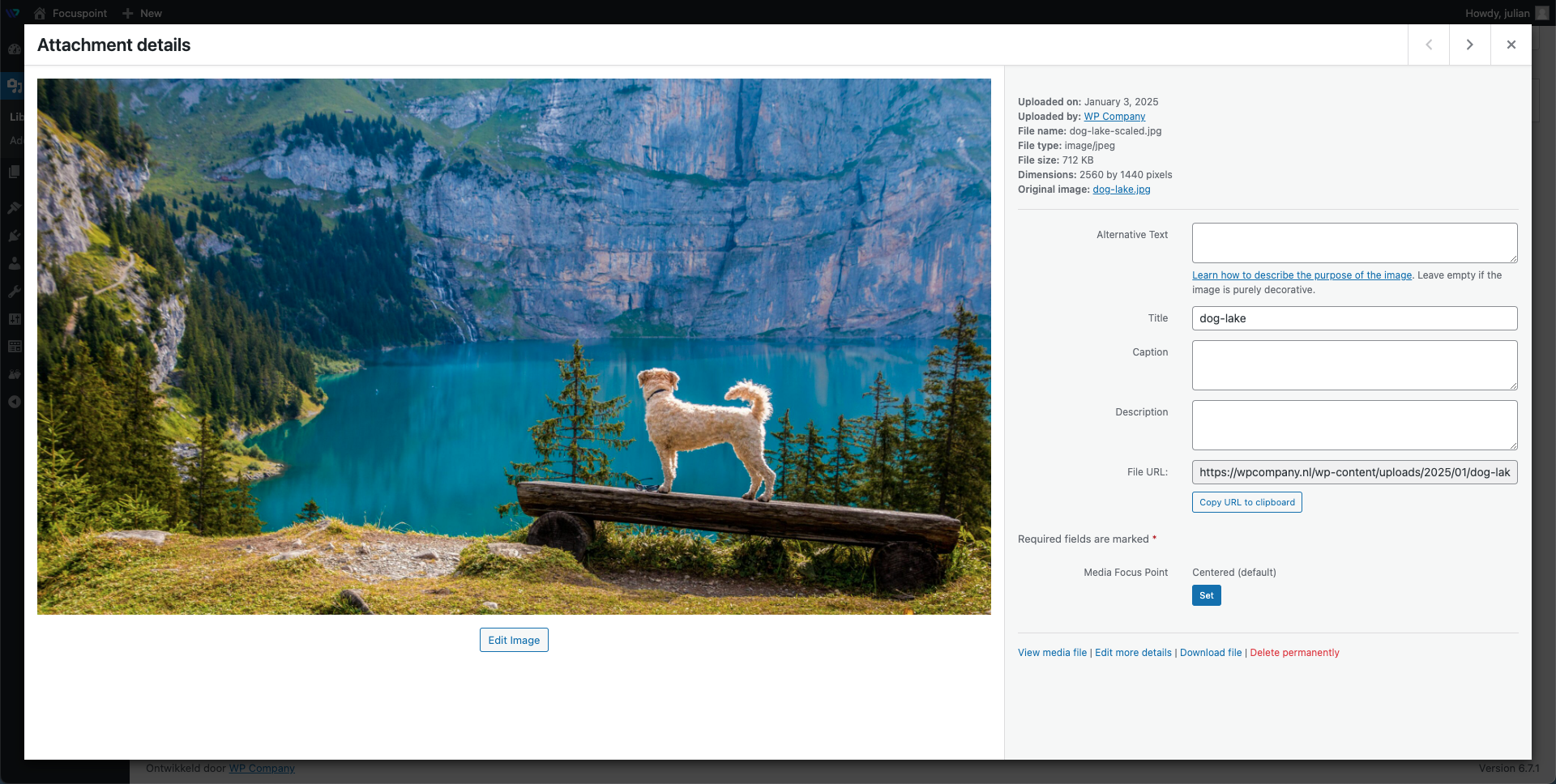
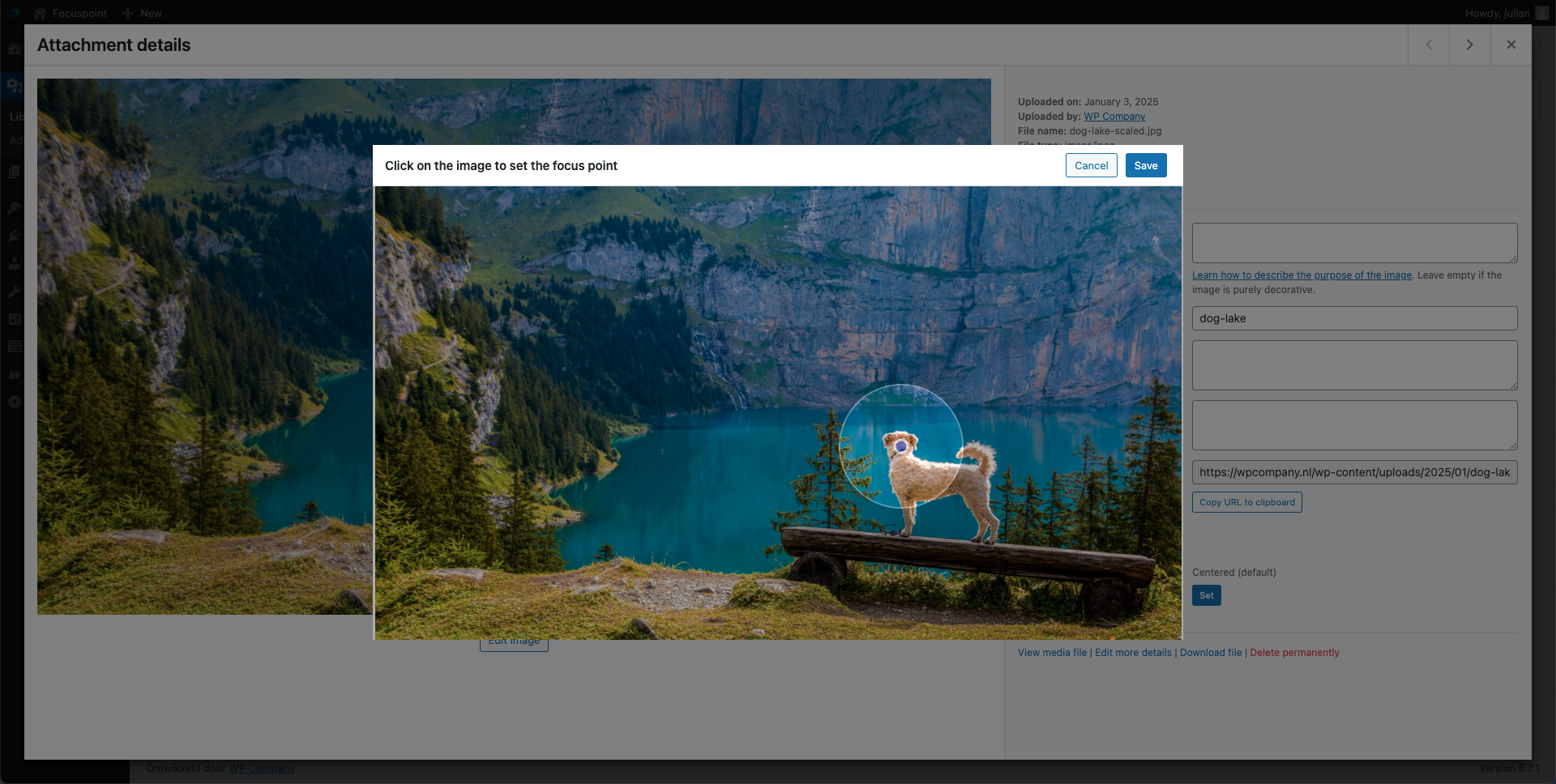

For developers
Is this your plugin? Show off the numbers.
Add a live badge to your site, docs or GitHub README. It updates on its own — no account needed.
Best Media Focus Point alternatives
All background plugins →




FAQ
Media Focus Point: quick answers
Straight answers, pulled from live WordPress.org data.
Source: WordPress.org
Is Media Focus Point free?
Yes. Media Focus Point is free to download and use from the official WordPress.org plugin directory.
Is Media Focus Point safe to use in 2026?
Yes — Media Focus Point is a safe, well-maintained plugin to use in 2026. It runs on 7K+ sites, is rated 5/5 and was last updated 3 weeks ago, and scores 88/100 on our health check.
How many websites use Media Focus Point?
Media Focus Point is active on 7K+ WordPress websites and has been downloaded 75,420 times since it launched in January 2025. It was downloaded 13,376 times in the last 30 days.
Does Media Focus Point work with WordPress 7.1?
Yes. The developer has tested Media Focus Point up to WordPress 7.1.5, the latest release. It requires WordPress 6.0 or newer.
What PHP version does Media Focus Point need?
Media Focus Point requires PHP 7.4 or higher. Most hosts run PHP 8.x today, so it works on any modern WordPress hosting.
When was Media Focus Point last updated?
The latest version, 2.1.6, was released on November 6, 2026 (3 weeks ago).
Who makes Media Focus Point?
Media Focus Point is developed and maintained by WP Company.
What are the best alternatives to Media Focus Point?
The most popular alternatives to Media Focus Point are Advanced WordPress Backgrou… (30K+ installs), Simple Full Screen Backgrou… (10K+ installs) and XO Post Background (1K+ installs).
Powered by PageForge
One template and a spreadsheet. A real page for every search.
PageForge turns each row of a CSV into a WordPress page with its own title, URL, SEO fields and schema, built on the layout you already designed. Free on WordPress.org.
- CSV and XLSX, plus Google Sheets on Professional and Enterprise
- Its own title, URL, SEO fields and schema for every page
- Works with the block editor, Elementor, Divi and Avada
- Free on WordPress.org, no credit card