



Media File Renamer: Rename Images & Files for SEO (AI-Powered)
Rename image files and media metadata for SEO and tidiness. Using AI, manually, in bulk, or in so many other ways!

Safe pick
Yes — Media File Renamer: Rename Imag… is a safe, well-maintained plugin to use in 2026. It runs on 40K+ sites, is rated 4.6/5 and was last updated 1 week ago, and scores 93/100 on our health check.
- Proven at scale on 40K+ active sites
- Loved by users — 4.6/5 from 449 reviews
- Actively developed — last update 1 week ago
- Tested with the latest WordPress (7.1)
- Momentum — downloads up 61.1% vs the previous 30 days
- Needs PHP 8.1 or newer
How does it stack up?
Side-by-side on installs, updates, ratings & support



Daily downloads
Download spikes usually follow a new release — each site that auto-updates counts as a download.
Rankings
Where Media File Renamer: Rename… stands todayWordPress.org search rankings
Live position in the plugin search, top 100| Keyword | Position |
|---|---|
| image seo | #11 |
| media | #8 |
| rename | #2 |
| rename images | #1 |
| seo | #25 |
Version adoption
Share of active sites per release.
Rating breakdown
★★★★★★★★★★ 4.6 from 449 reviews
About Media File Renamer: Rename Images & Fil…
From the official readme · v6.3.7Description
Media File Renamer is the smart, AI-powered solution for renaming your WordPress media files. It automatically gives your media files and their metadata (Title, ALT Text, Description) clean, SEO-friendly names. Whether you’re uploading new files or updating your entire media library, this plugin makes it easy.
It’s the perfect companion to SEO Engine for a complete SEO workflow! Explore our official site to get started.
Key Features
🤖 AI-Powered Renaming
Use AI Vision to analyze your images and generate meaningful filenames automatically. Smart suggestions help you pick the best name every time.
📁 Bulk Operations
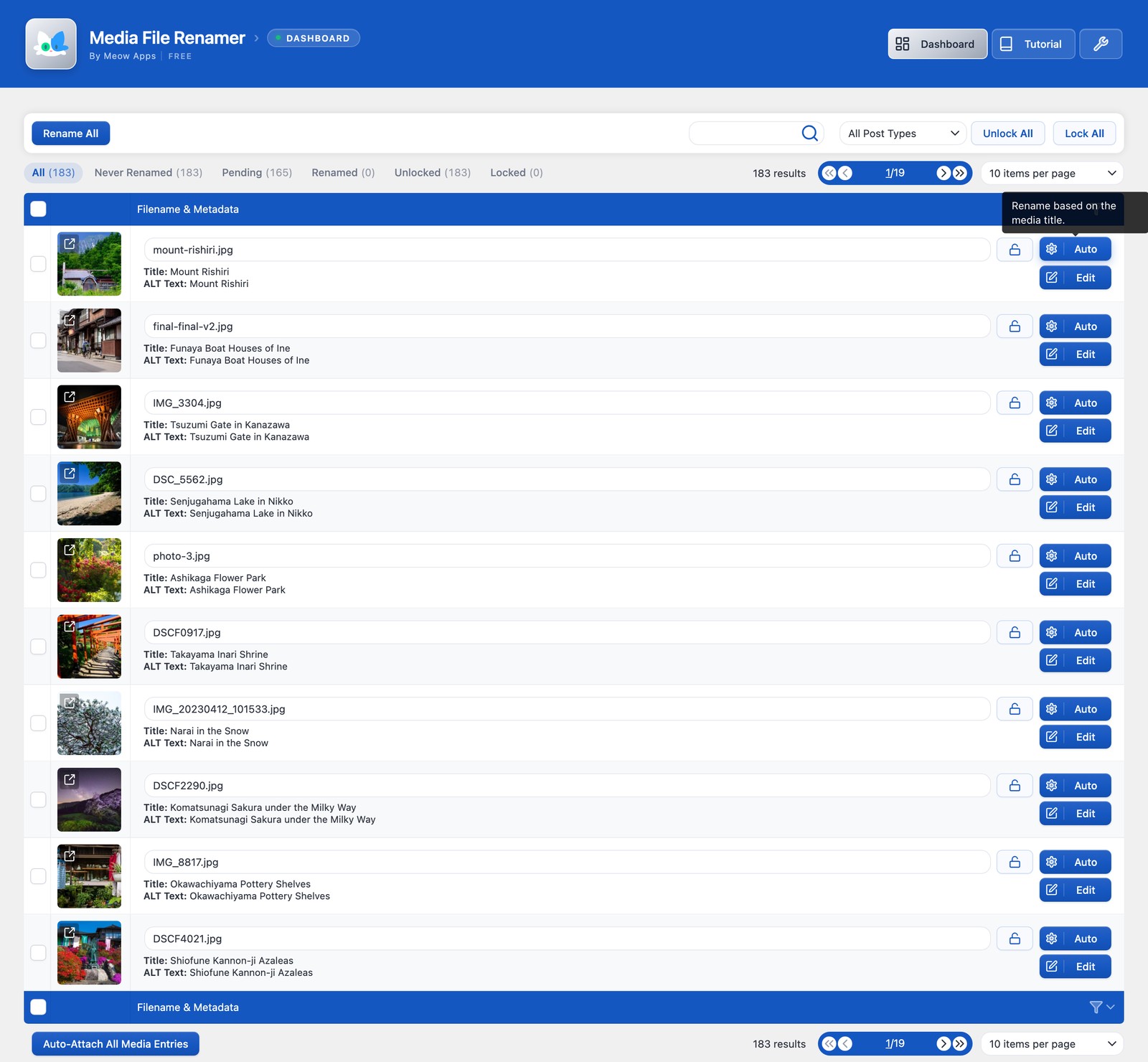
Rename your entire media library at once, or work through files one by one. Filter by status (Pending, Renamed, Locked) to stay organized.
🔄 Metadata Sync
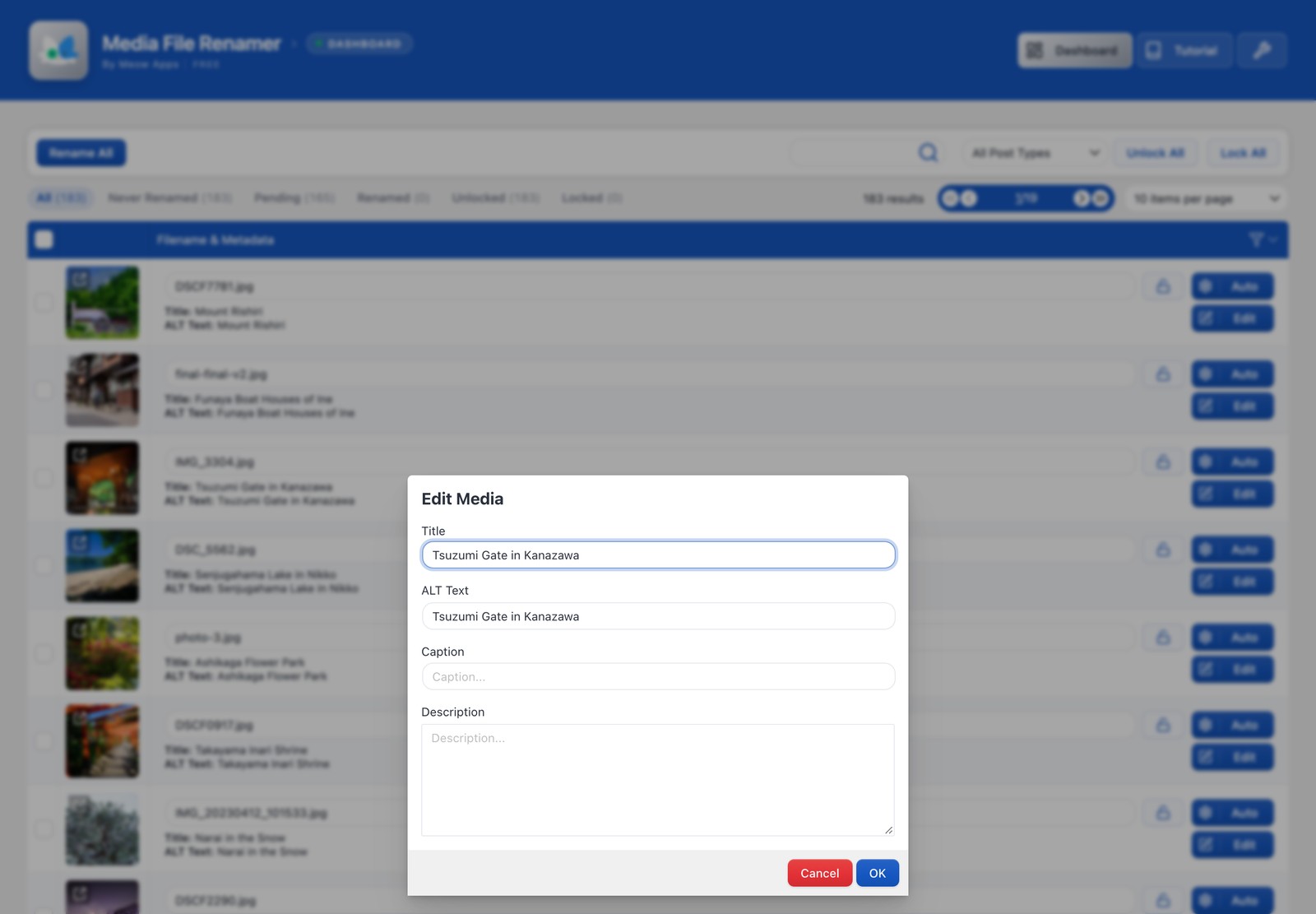
Automatically update Title, ALT Text, Caption, and Description after renaming. Keep everything consistent without the manual work.
🔒 Lock System
Lock files to prevent accidental renaming. Auto-lock after manual or automatic renames for extra safety.
Compatibility
Media File Renamer is compatible with a wide range of WordPress features and plugins, including support for Retina and WebP images, re-scaled images from WP 5.3 onwards, PDF Thumbnails, UTF8 files, and optimized images. It handles various encoding types, ensuring your media library is always organized. Some page builders like Avia Layout Builder may limit renaming due to encryption.
Pro Version
In the Pro Version, you’ll find many exciting features, like AI Vision and Suggestions for smart renaming, and anonymize your files for extra privacy. Easily move files across directories in bulk, sync metadata such as ALT texts and titles, and even number your files for better organization.
Important
Renaming or moving files can be risky, so it’s vital to take precautions and make a backup before using Media File Renamer. Start by renaming files individually to ensure page references update correctly, as some plugins might interfere with the process. If issues arise post-renaming, try clearing your cache to fix outdated references. Still facing problems? Use the Undo feature to revert filenames. For further assistance, visit our support page.
A Simpler Plugin
If you only need a simple field to modify the filename, you can also try Phoenix Media Rename. It’s simpler, and just does that. Yes, we are friends!
Installation
- Upload the plugin to your WordPress.
- Activate the plugin through the ‘Plugins’ menu.
- Try it with one file first! 🙂
Changelog
Replace the plugin with the new one. Nothing else is required! :)
6.3.7 (2026/11/10)
- Add: Manual Bulk rename with CSV import and a template generator, available in the Dashboard.
- Add: AI Engine is now shown as an On / Off switch in the settings, with a download icon to install it when missing.
- Update: Hovering the AI Engine switch lists its default models by their nice names, and clicking it opens the AI Engine dashboard.
- Update: Synced the common Meow Apps library.
6.3.6 (2026/11/03)
- Fix: Keep the correct file path in the metadata when moving a file from or to the uploads root.
6.3.5 (2026/10/30)
- Fix: Translated images kept the old file names of their sizes after a rename with WPML.
6.3.4 (2026/10/26)
- Add: Tutorial buttons on the Dashboard and Settings that open the tutorial on meowapps.com.
- Add: Meow Apps dashboard with Health, Errors and About tabs.
- Update: Every Renamer page now shares the same header row, with the page links, Tutorial, the Settings wrench and the version line.
- Update: Settings now show page builder parsers that are missing as “Not installed”.
- Fix: WebP and AVIF copies are kept next to the renamed image instead of being moved out of the uploads folder.
- Fix: The “All” filter in the Dashboard now lists both locked and unlocked media.
- Fix: Locked media is no longer included in the counts of the other states.
- Fix: Rename proposals typed in a row stay in place unless that row’s own file changes.
- Fix: PHP 8.5 deprecation notice in the REST API.
6.3.3 (2026/10/03)
- Add: New “Sync With Auto Method” option in the Dashboard’s Sync Fields, which updates the metadata using the automatic rename method without renaming the file.
- Update: The On Post Save behavior is now part of the regular Renaming Methods, with its own settings.
- Fix: Cached post IDs were removed to avoid renaming with an outdated attached post title.
6.3.2 (2026/09/26)
- Update: The license screen now shows the actual reason a license check failed instead of a generic error.
- Fix: License checks no longer hang the admin for minutes when the license server cannot be reached.
- Fix: WPML translated media is now renamed instead of the parent media.
Screenshots

For developers
Is this your plugin? Show off the numbers.
Add a live badge to your site, docs or GitHub README. It updates on its own — no account needed.
Best Media File Renamer: Rename Im… alternatives
All image seo plugins →





FAQ
Media File Renamer: Rename Images &…: quick answers
Straight answers, pulled from live WordPress.org data.
Live data from WordPress.org · checked Nov 17, 2026
Is Media File Renamer: Rename Imag… free?
Yes. Media File Renamer: Rename Imag… is free to download and use from the official WordPress.org plugin directory.
Is Media File Renamer: Rename Imag… safe to use in 2026?
Yes — Media File Renamer: Rename Imag… is a safe, well-maintained plugin to use in 2026. It runs on 40K+ sites, is rated 4.6/5 and was last updated 1 week ago, and scores 93/100 on our health check.
How many websites use Media File Renamer: Rename Imag…?
Media File Renamer: Rename Imag… is active on 40K+ WordPress websites and has been downloaded 3,554,396 times since it launched in January 2011. It was downloaded 78,362 times in the last 30 days.
Does Media File Renamer: Rename Imag… work with WordPress 7.1?
Yes. The developer has tested Media File Renamer: Rename Imag… up to WordPress 7.1.4, the latest release. It requires WordPress 6.0 or newer.
What PHP version does Media File Renamer: Rename Imag… need?
Media File Renamer: Rename Imag… requires PHP 8.1 or higher. Most hosts run PHP 8.x today, so it works on any modern WordPress hosting.
When was Media File Renamer: Rename Imag… last updated?
The latest version, 6.3.7, was released on November 10, 2026 (1 week ago).
Who makes Media File Renamer: Rename Imag…?
Media File Renamer: Rename Imag… is developed and maintained by Jordy Meow.
What are the best alternatives to Media File Renamer: Rename Imag…?
The most popular alternatives to Media File Renamer: Rename Imag… are Auto Image Attributes From… (100K+ installs), SEO Optimized Images (10K+ installs) and Image Alt Text (10K+ installs).
Powered by PageForge
Want thousands of pages that rank like these? Build them in an afternoon.
This directory runs on the same engine as PageForge. Turn any spreadsheet, CSV or API into thousands of fast, SEO-ready WordPress pages — with schema, internal links and AI-written copy baked in.
- CSV, Google Sheets & API data sources
- AI content, schema & internal links per page
- Works with Elementor, Gutenberg, Yoast & Rank Math
- Free on WordPress.org — no credit card


