



Media Carousel for Guten Blocks
The Media Carousel for Guten Blocks: Customize media display with captions, border radius, FancyBox, sliders, and navigation options.

Use with caution
Media Carousel for Guten Blocks works, but test it on a staging site before relying on it in 2026. It runs on 20+ sites and was last updated 4 months ago, and scores 52/100 on our health check.
- Small user base (20+ active installs)
- Very few reviews so far
How does it stack up?
Side-by-side on installs, updates, ratings & support



Daily downloads
Download spikes usually follow a new release — each site that auto-updates counts as a download.
Rankings
Where Media Carousel for Guten Bl… stands todayWordPress.org search rankings
Live position in the plugin search, top 100| Keyword | Position |
|---|---|
| carousel | >100 |
| gutenberg | >100 |
| media | >100 |
Version adoption
Share of active sites per release.
About Media Carousel for Guten Blocks
From the official readme · v1.0.4Description
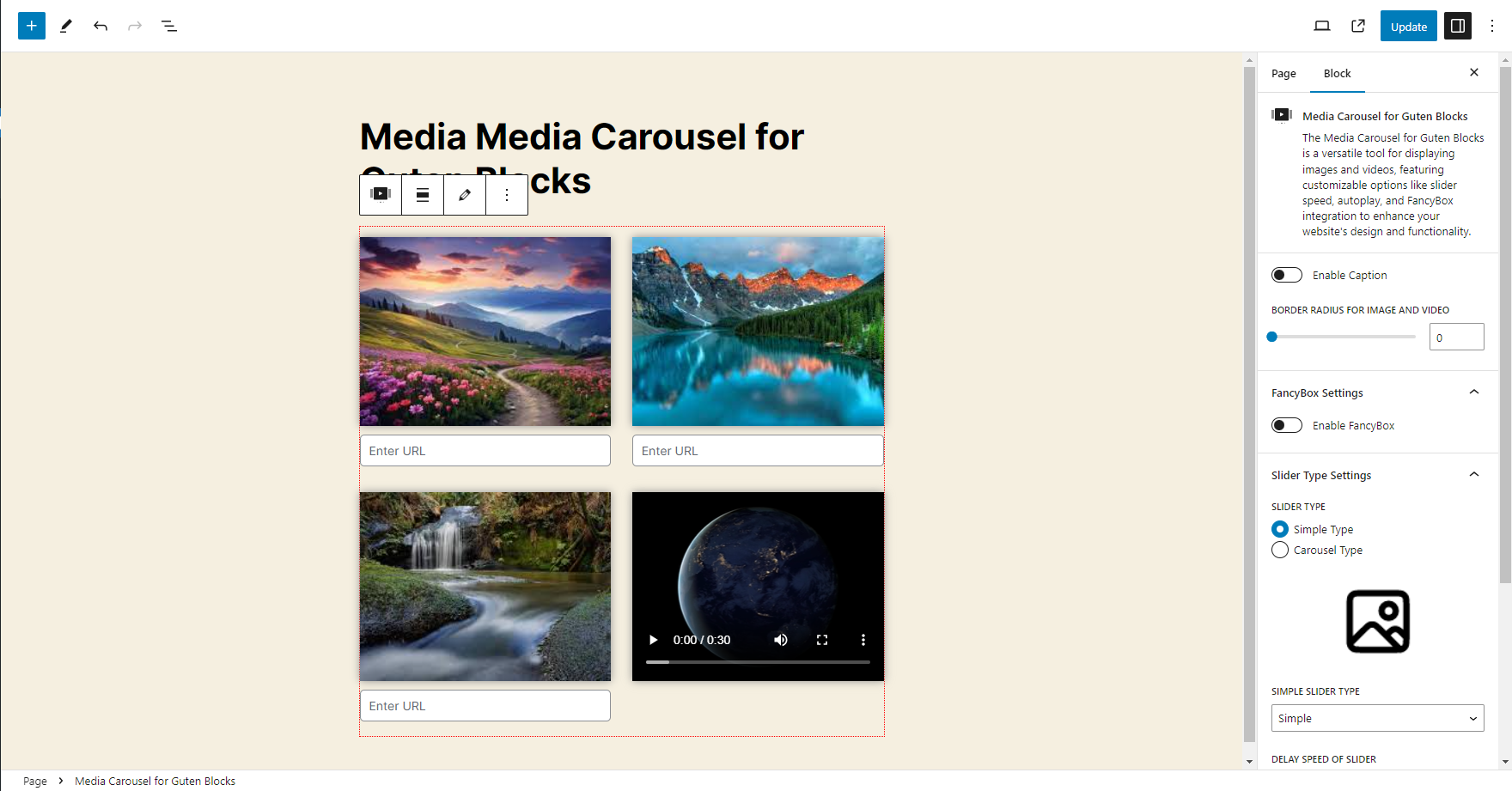
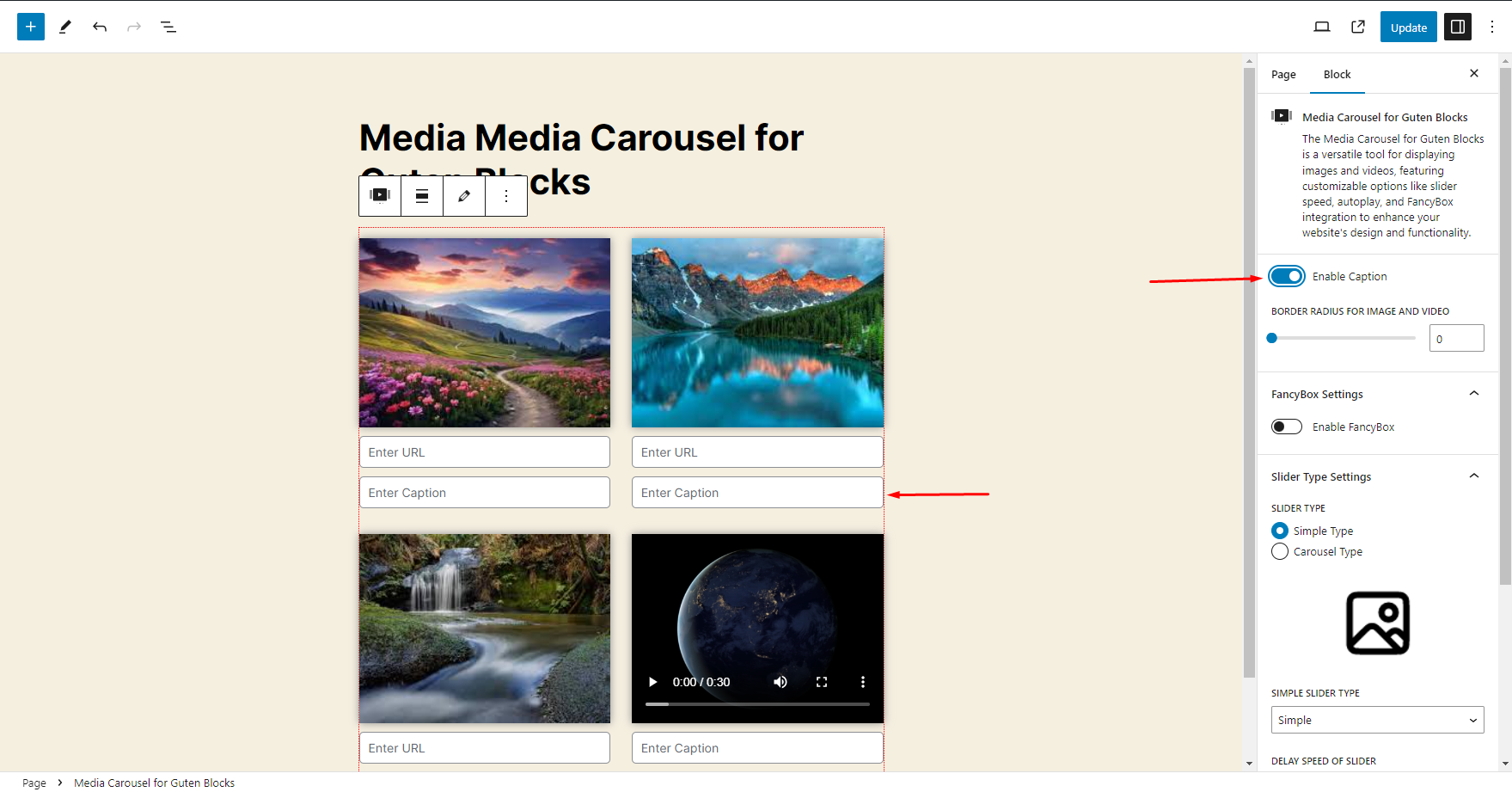
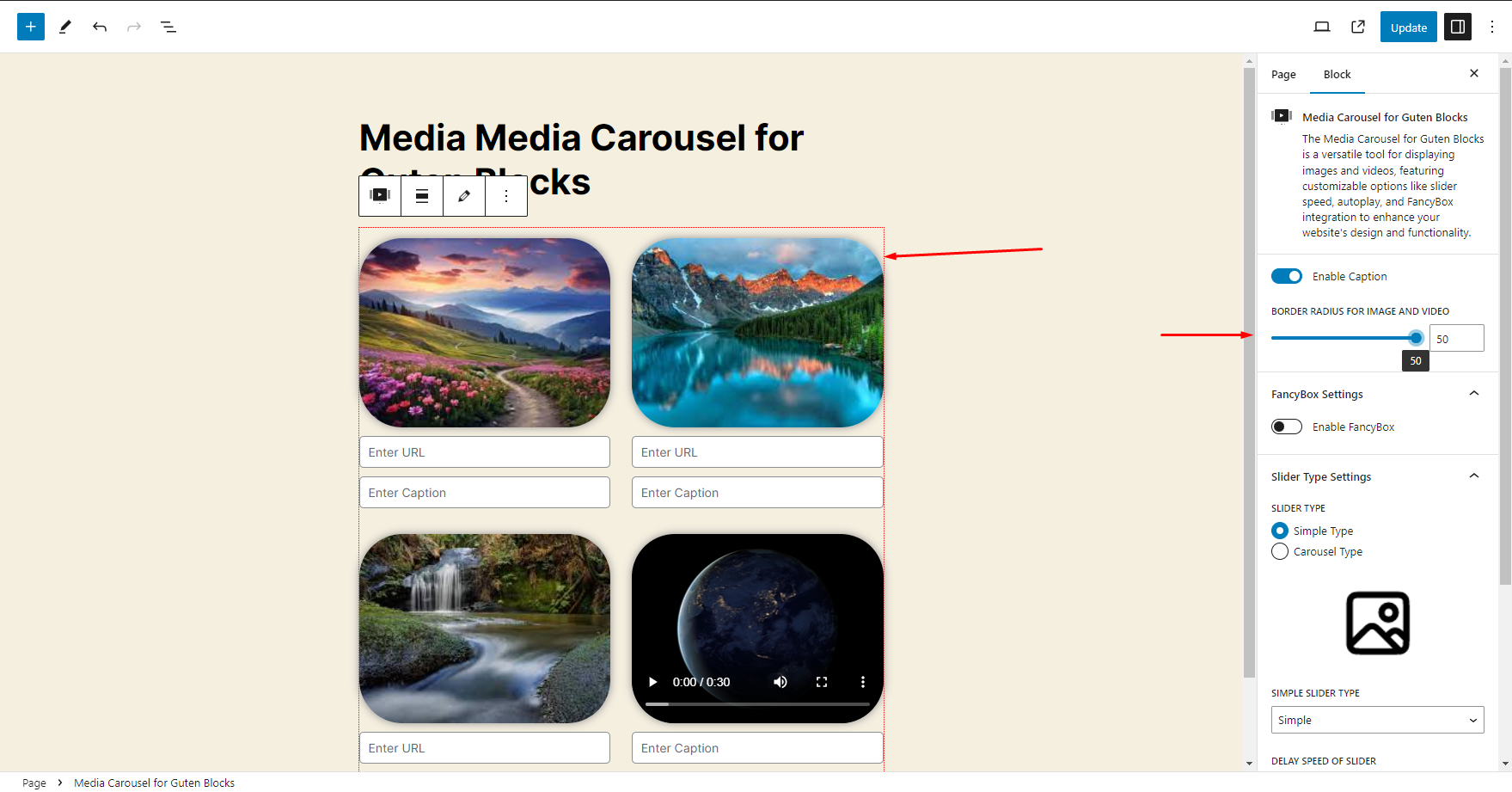
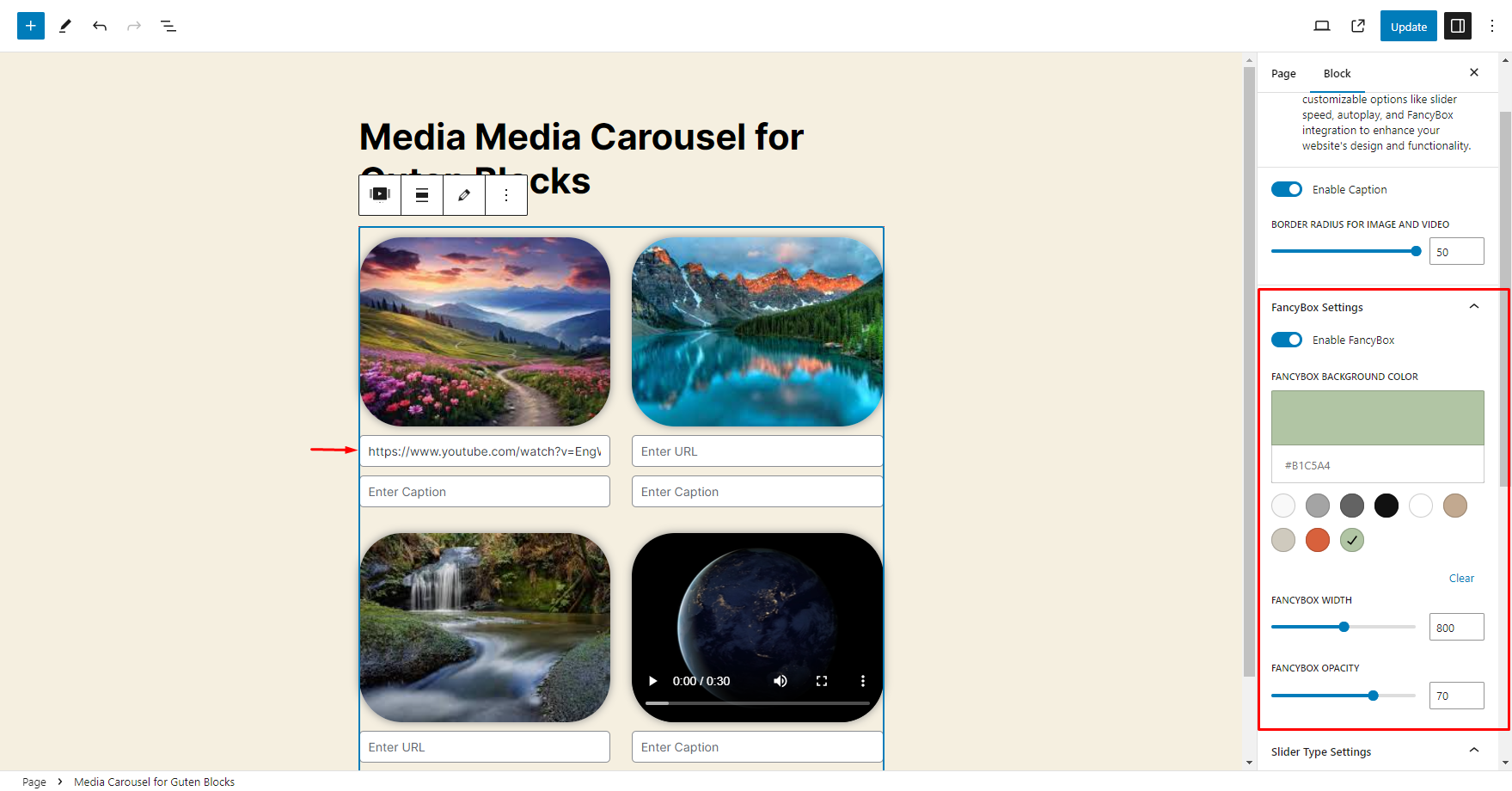
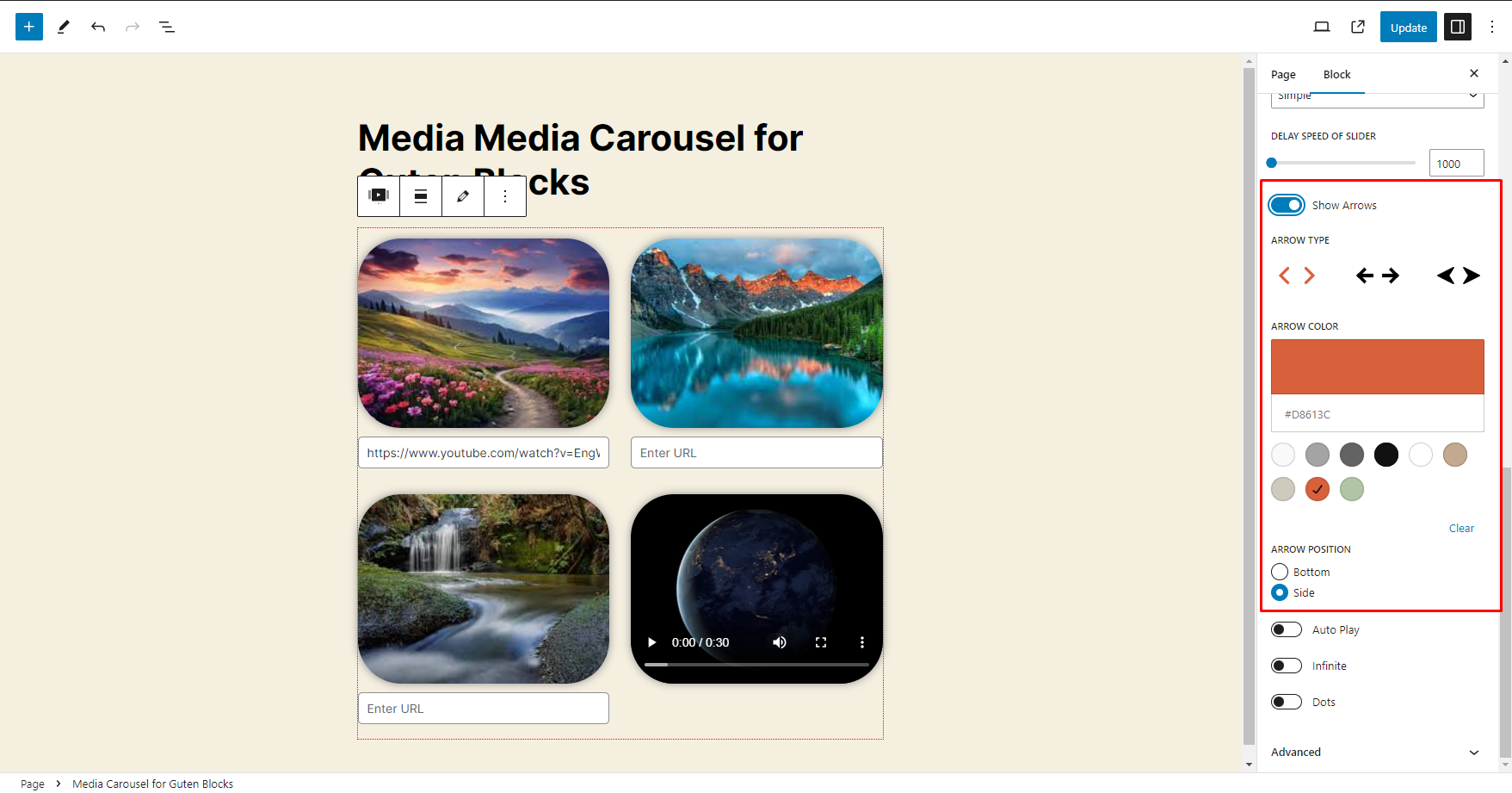
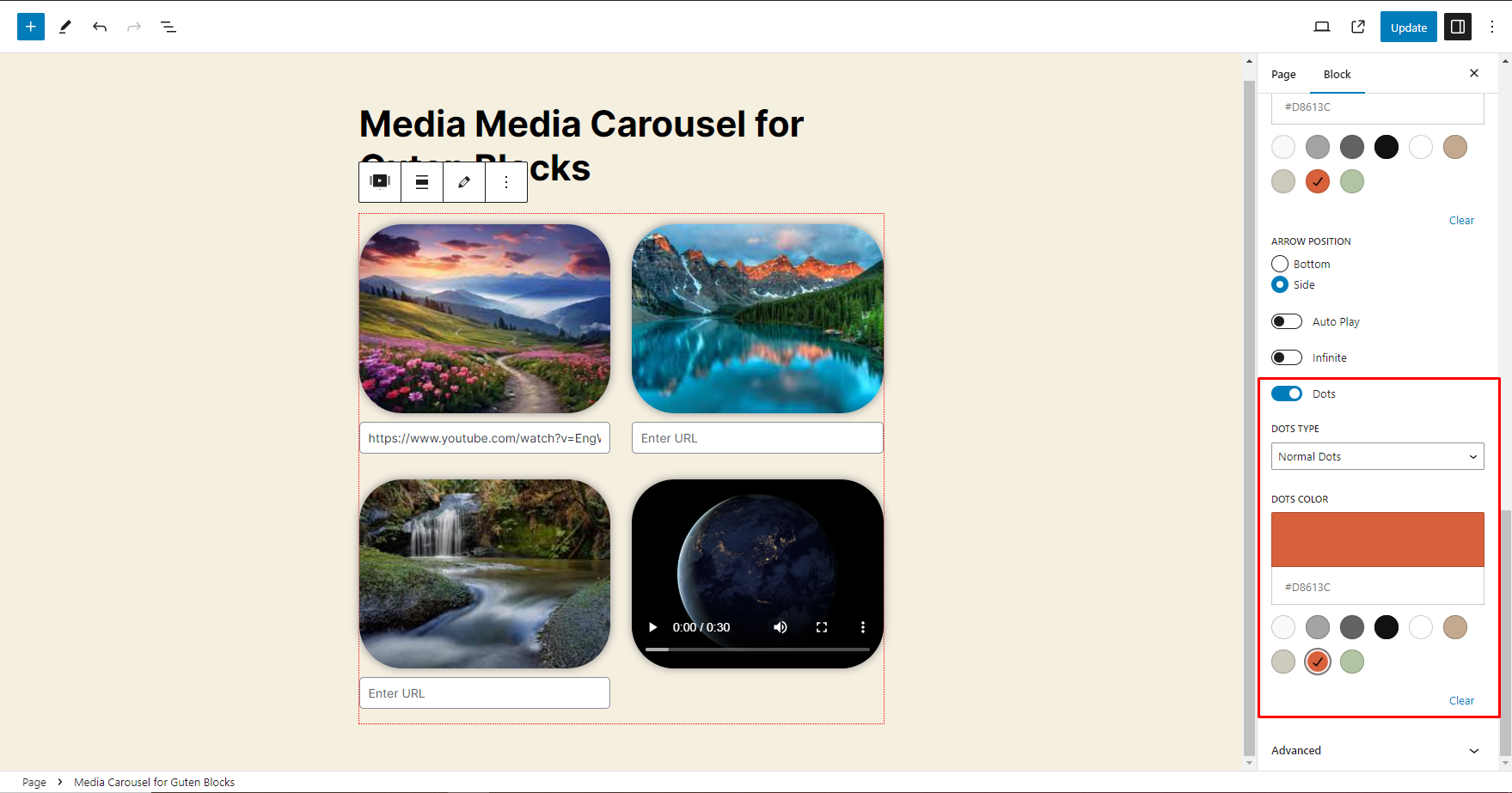
The Media Carousel for Guten Blocks is a versatile content block that enables users to dynamically upload and display images and videos. It offers a range of customizable features to enhance the presentation of media. Users can enable captions for their media, adjust the border radius for both images and videos, and utilize FancyBox settings to activate fancybox functionality for an enhanced viewing experience. The Slider Type settings provide options to choose the type of slider, adjust its speed, and configure autoplay and infinite loop features. Additionally, users can show or hide navigation arrows, with customizable styles and colors, and select the type and color of navigation dots to match their design preferences.
Plugin Requirement
PHP version : 7.4 and latest
WordPress : WordPress 5.9 and latest
OUR OTHER PLUGINS
- Abandoned Contact Form 7 Pro
- Accept 2 Checkout Payments Using Contact Form 7 Pro
- Accept Authorize.NET Payments Using Contact Form 7 Pro
- Accept Elavon Payments Using Contact Form 7 Pro
- Accept PayPal Payments Using Contact Form 7 Pro
- Accept Sagepay(Opayo) Payments Using Contact Form 7 Pro
- Accept Stripe Payments Using Contact Form 7 Pro
- Custom Product Options WooCommerce Pro
- Generate PDF Using Contact Form 7 Pro
- Smart Appointment & Booking Pro
- Smart Showcase for Google Reviews Pro
- User Registration Using Contact Form 7 Pro
Getting Help With WordPress
If you have any difficulties while using this Plugin, please feel free to contact us at support
We also offer custom WordPress extension development and WordPress theme design services to fulfill your e-commerce objectives.
Our professional impassioned WordPress experts provide profound and customer-oriented development of your project within short timeframes.
Thank you for choosing a Plugin developed by ZealousWeb!
Functionality
This plugin utilizes third-party libraries to enhance its functionality:
- Fancybox JS: https://cdn.jsdelivr.net/npm/@fancyapps/ui@5.0/dist/fancybox/fancybox.umd.js – Used to achieve lightbox functionality for displaying images and videos in a popup.
- Fancybox CSS: https://cdn.jsdelivr.net/npm/@fancyapps/ui@5.0/dist/fancybox/fancybox.css – Use to achieve lightbox functionality for images and videos in popup
- Slick JS: https://cdn.jsdelivr.net/npm/slick-carousel@1.8.1/slick/slick.min.js – Used to achieve slider functionality for images and videos.
- Slick CSS: https://cdn.jsdelivr.net/npm/slick-carousel@1.8.1/slick/slick.css – Used to achieve slider functionality for images and videos.
Installation
Installing the plugin is easy. Just follow these steps:
- From the dashboard of your site, navigate to Plugins –> Add New.
- Select the Upload option and hit “Choose File.”
- When the popup appears, select the gutenberg-media-carousel.zip file from your desktop.
- Follow the on-screen instructions and wait till the upload completes.
- When it’s finished, activate the plugin via the prompt. A message will display confirming activation was successful.
That’s it! Configure your settings as you see fit, and you’re on your way to creating visually appealing grids in Gutenberg.
e.g.
- Upload the plugin files to the
/wp-content/plugins/gutenberg-media-carouseldirectory, or install the plugin through the WordPress plugins screen directly. - Activate the plugin through the ‘Plugins’ screen in WordPress
Frequently asked questions
How to integrate Media Carousel for Guten blocks?
Add a new post or page. Click on the “+” icon to add a new block. Search for “Media Carousel for Guten blocks” and add the block to your content. Configure the block settings, including Upload Media, Media settings, Media options, etc. Publish or update your post/page to see the Media Carousel for Guten blocks in action.
What slider types are available in the Media Carousel for Guten Blocks?
There are two main slider types: Simple Slider and Carousel Slider.
What is the difference between the Simple Slider and Carousel Slider?
The Simple Slider provides straightforward transitions and minimalistic design, while the Carousel Slider offers a more dynamic display with multiple items visible at once and advanced features like center mode and lazy loading.
What is the FancyBox feature?
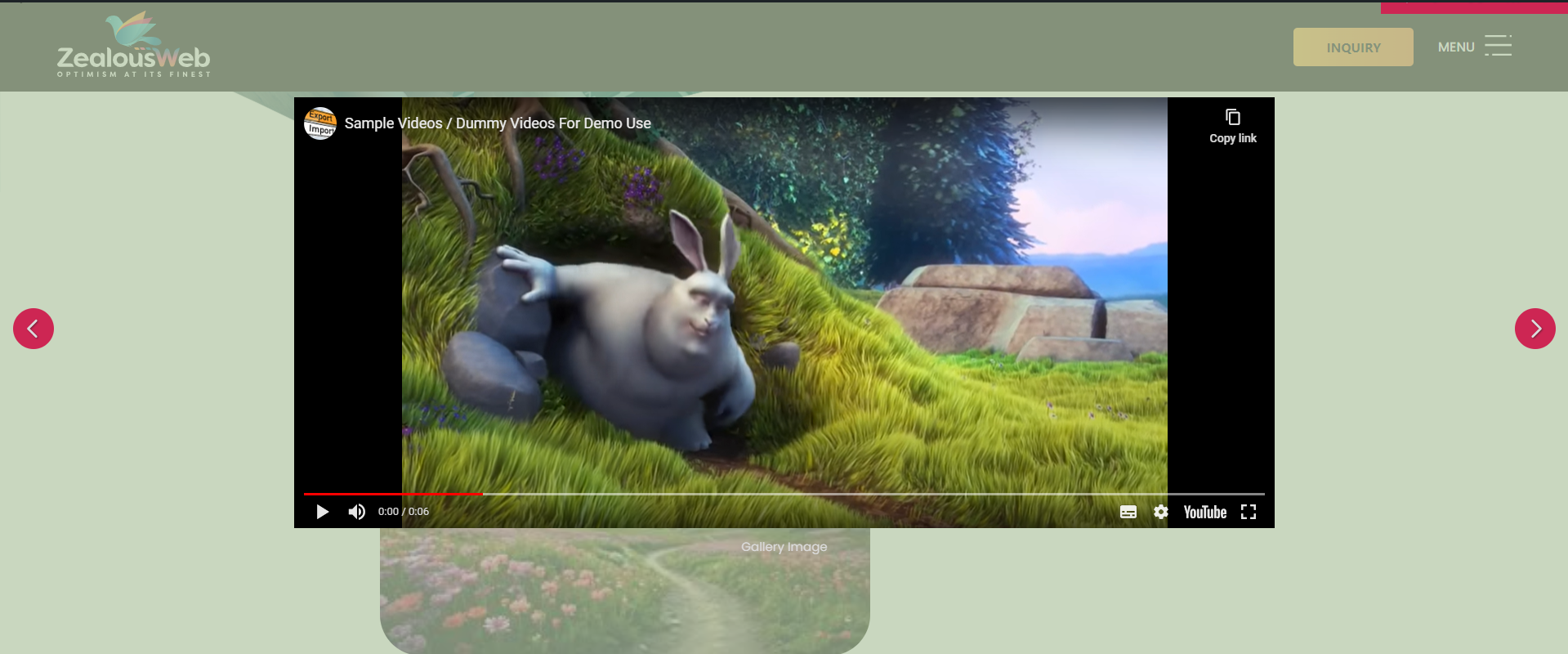
FancyBox allows users to view content, such as YouTube videos, in a larger, detailed pop-up window.
What is the purpose of navigation arrows in the carousel?
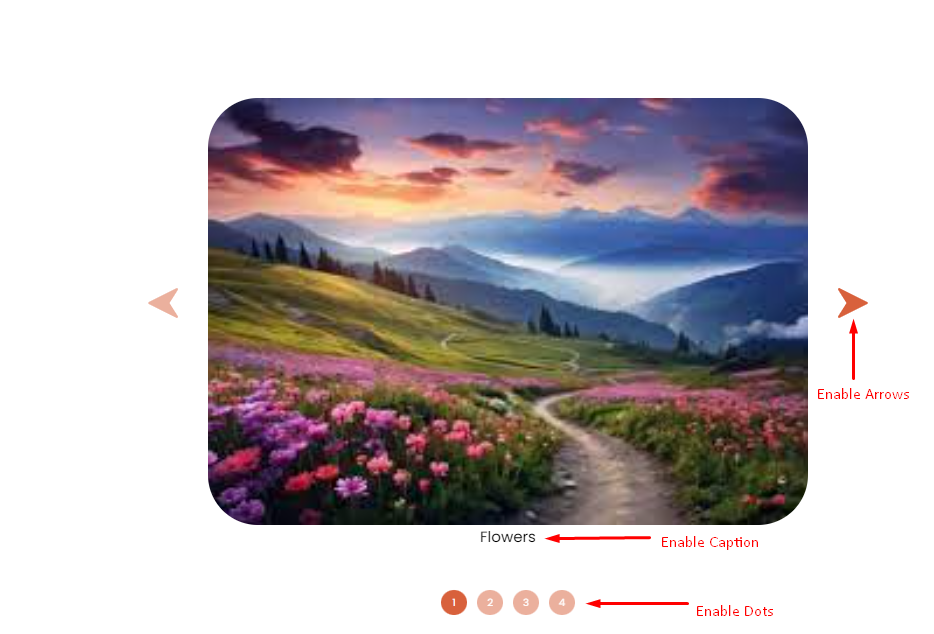
Navigation arrows allow users to manually cycle through the media items, enhancing user control and navigation.
What is the Caption feature in the Media Carousel?
The Caption feature allows users to add descriptive text to each media item, providing context and additional information.
What is the benefit of using navigation dots?
Navigation dots provide a visual indicator of the total number of media items and the current position within the carousel, enhancing user navigation.
Changelog
1.0.4
- Added a new “Open Support Ticket” button to provide quick and direct access to support.
1.0.3
- Added breakpoint options for Carousel (Desktop, Laptop, Tablet).
- Added Pause on Hover toggle (ON/OFF).
- Introduced Border Radius option (similar to Elementor).
- Added option to upload custom navigation arrows.
- Added Responsive Conditions for visibility:
(1) Hide on Desktop
(2) Hide on Tablet
(3) Hide on Mobile - Updated Caption section to support custom heading tags.
- Added Image Aspect Ratio option for better design flexibility.
- Added Text Color option for captions.
- Added option to hide carousel/slider arrows with responsive conditions:
(1) Hide on Desktop
(2) Hide on Tablet
(3) Hide on Mobile
1.0.2
- Minor changes – Doc update
1.0.1
- Minor workflow adjustments
1.0.0
- Release
Initial Release
Screenshots

For developers
Is this your plugin? Show off the numbers.
Add a live badge to your site, docs or GitHub README. It updates on its own — no account needed.
Best Media Carousel for Guten Bloc… alternatives
All carousel plugins →




FAQ
Media Carousel for Guten Blocks: quick answers
Straight answers, pulled from live WordPress.org data.
Live data from WordPress.org · checked Oct 12, 2026
Is Media Carousel for Guten Blocks free?
Yes. Media Carousel for Guten Blocks is free to download and use from the official WordPress.org plugin directory.
Is Media Carousel for Guten Blocks safe to use in 2026?
Media Carousel for Guten Blocks works, but test it on a staging site before relying on it in 2026. It runs on 20+ sites and was last updated 4 months ago, and scores 52/100 on our health check.
How many websites use Media Carousel for Guten Blocks?
Media Carousel for Guten Blocks is active on 20+ WordPress websites and has been downloaded 1,773 times since it launched in July 2024. It was downloaded 87 times in the last 30 days.
Does Media Carousel for Guten Blocks work with WordPress 7.1?
Media Carousel for Guten Blocks is officially tested up to WordPress 7.0.7, while the latest release is 7.1.3. It may still work, but try it on a staging site first.
What PHP version does Media Carousel for Guten Blocks need?
Media Carousel for Guten Blocks requires PHP 7.4 or higher. Most hosts run PHP 8.x today, so it works on any modern WordPress hosting.
When was Media Carousel for Guten Blocks last updated?
The latest version, 1.0.4, was released on June 4, 2026 (4 months ago).
Who makes Media Carousel for Guten Blocks?
Media Carousel for Guten Blocks is developed and maintained by ZealousWeb.
What are the best alternatives to Media Carousel for Guten Blocks?
The most popular alternatives to Media Carousel for Guten Blocks are Shortcodes Ultimate (400K+ installs), Carousel, Slider, Photo Gal… (70K+ installs) and Carousel Slider Block for G… (50K+ installs).
Powered by PageForge
Want thousands of pages that rank like these? Build them in an afternoon.
This directory runs on the same engine as PageForge. Turn any spreadsheet, CSV or API into thousands of fast, SEO-ready WordPress pages — with schema, internal links and AI-written copy baked in.
- CSV, Google Sheets & API data sources
- AI content, schema & internal links per page
- Works with Elementor, Gutenberg, Yoast & Rank Math
- Free on WordPress.org — no credit card


