


MarkDown Block
This block has the function of editing Markdown documents using SimpleMDE, and by parsing Markdown documents using marked, it can assign specific blocks to the converted HTML elements. This function allows users to…

Solid choice
MarkDown Block is a solid plugin choice in 2026, with a few things worth checking first. Was last updated 2 weeks ago, and scores 64/100 on our health check.
- Actively developed — last update 2 weeks ago
- Tested with the latest WordPress (7.1)
- Small user base (<10 active installs)
- Very few reviews so far
- Needs PHP 8.2 or newer
How does it stack up?
Side-by-side on installs, updates, ratings & support



Daily downloads
Download spikes usually follow a new release — each site that auto-updates counts as a download.
Rankings
Where MarkDown Block stands todayWordPress.org search rankings
Live position in the plugin search, top 100| Keyword | Position |
|---|---|
| block | >100 |
| blog | >100 |
| markdown | >100 |
| post | >100 |
About MarkDown Block
From the official readme · v2.2.0Description
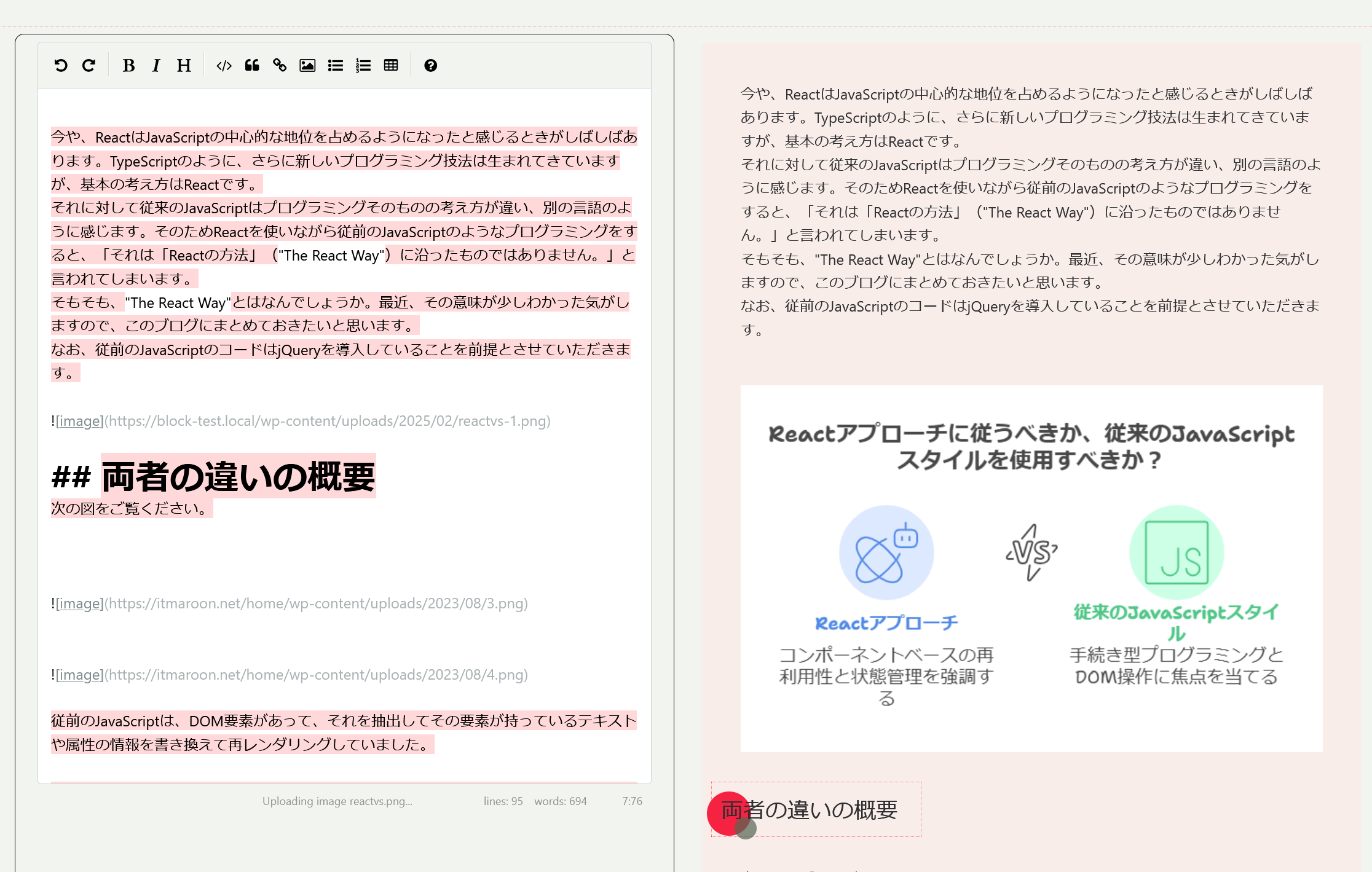
This block has the function of editing Markdown documents using SimpleMDE, and by parsing Markdown documents using marked, it can assign specific blocks to the converted HTML elements.
This function allows users to customize Markdown documents using the styling functions of the corresponding blocks, allowing for a wide range of styling.
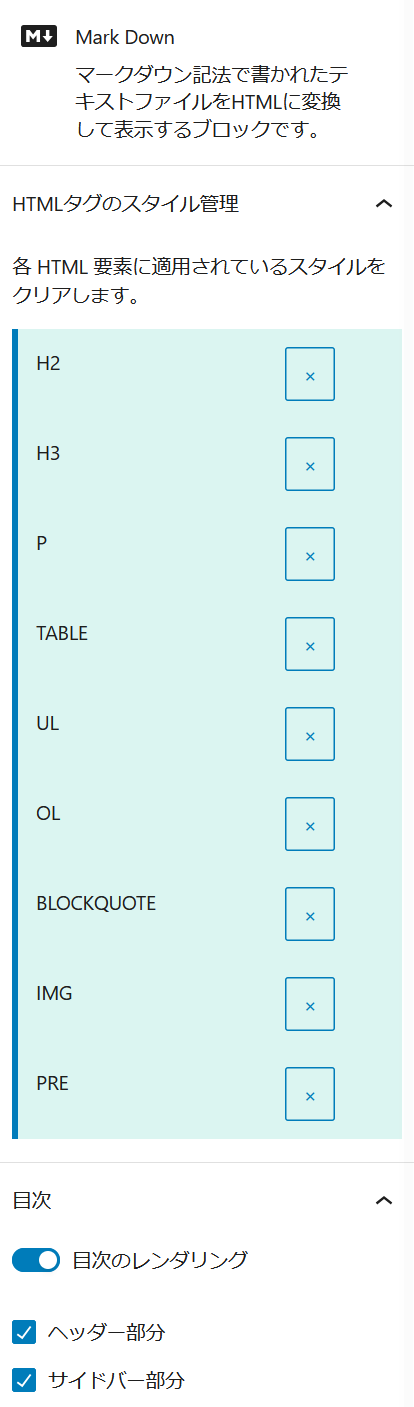
The following are the blocks that are applied when Markdown documents are parsed into HTML elements.
- H element: itmar/design-title
- P element: core/paragraph
- PRE element: itmar/code-highlight
- IMG element: core/image
- BLOCKQUOTE element: core/quote
- LI element: core/list
- TABLE element: core/table
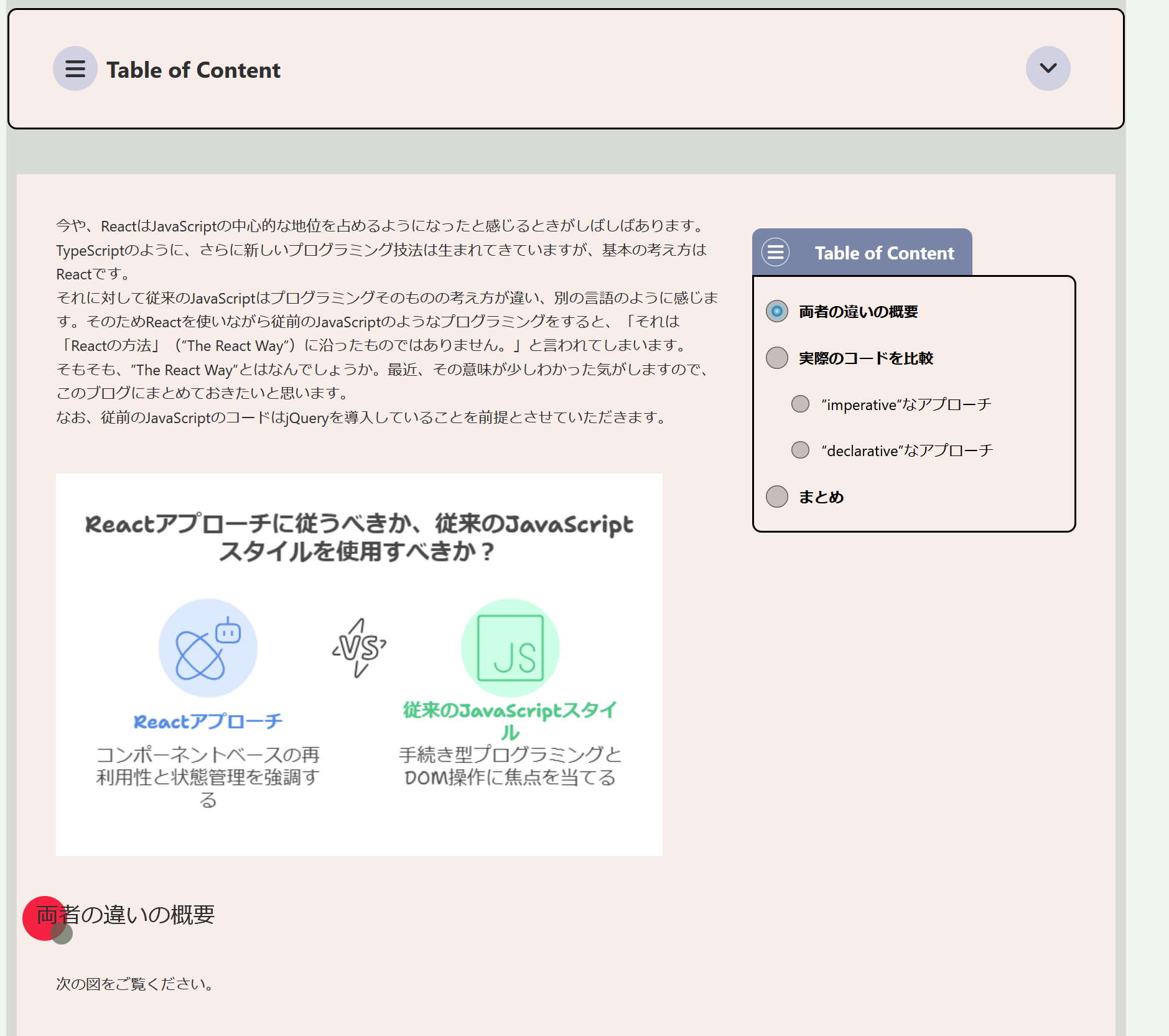
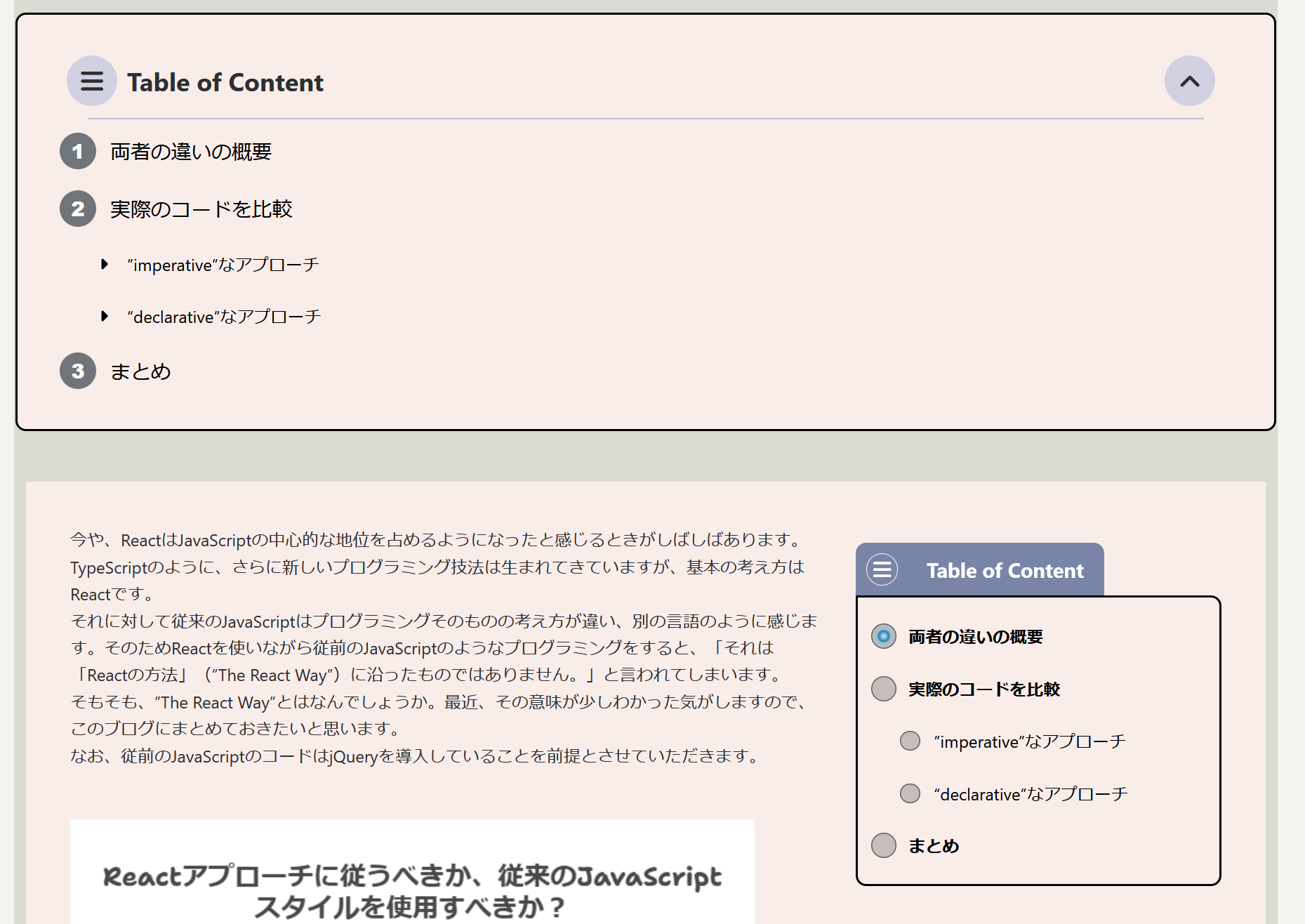
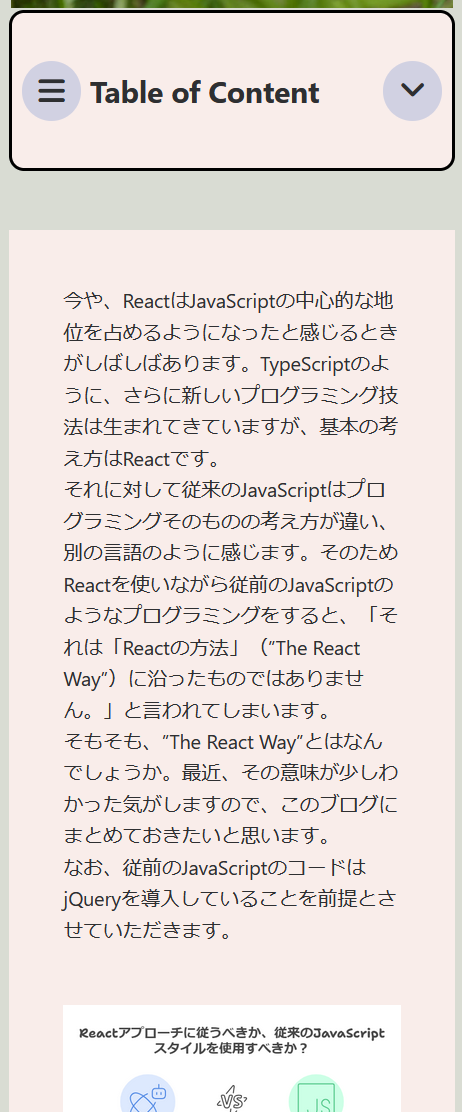
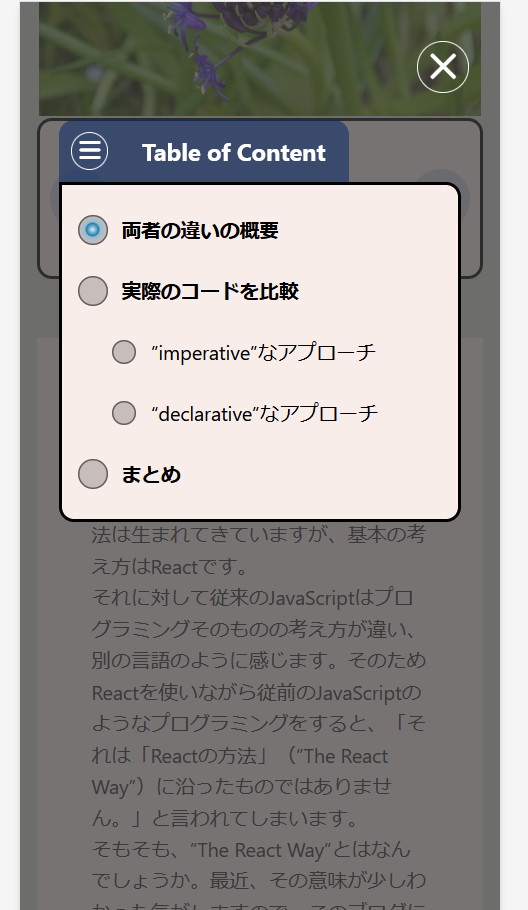
The H element is also generated as a table of contents, and has the function of displaying nested items according to level.
This plugin does not require any external resources (all scripts and styles are included locally)
Related Links
- markdown-block:Github
- block-class-package:GitHub
- block-class-package:Packagist
- itmar-block-packages:npm
- itmar-block-packages:GitHub
Arbitrary section
-
PHP class management is now done using Composer.
GitHub
Packagist -
I decided to make functions and components common to other plugins into npm packages, and install and use them from npm.
npm
GitHub
External services
- This plugin uses EasyMDE to implement the editing function of Markdown documents. This is an open source JavaScript library provided under the MIT license.
EasyMDE LICENSE
EasyMDE comes with a spell check feature.
When using this feature, it will try to load an external file (en_US.aff / en_US.dic) from a CDN. To avoid this, this plugin sets spellChecker: false, when instantiating EasyMDE, so that the external file will not be loaded. - This plugin uses marked to parse Markdown documents and convert them to HTML elements. This is an open source JavaScript library provided under the MIT license.
marked LICENSE
Installation
- From the WP admin panel, click “Plugins” -> “Add new”.
- In the browser input box, type “Markdown Block”.
- Select the “Markdown Block” plugin and click “Install”.
- Activate the plugin.
OR…
- Download the plugin from this page.
- Save the .zip file to a location on your computer.
- Open the WP admin panel, and click “Plugins” -> “Add new”.
- Click “upload”.. then browse to the .zip file downloaded from this page.
- Click “Install”.. and then “Activate plugin”.
Changelog
Rebuilt with the latest shared packages. No configuration changes are required.
2.2.0
- Added: on narrow screens (767px or less) the sidebar table of contents opens from a round button at the lower left, as a drawer that slides in from the left. Tap the button, the background or an item, or press Esc, to close it. On wider screens the table of contents stays beside the text. The button uses the theme color –itmar-accent-1.
- Improved: rebuilt with the latest shared packages (itmar-block-packages 3.4.0). No configuration changes are required.
- Compatibility: the button and the drawer are made in the browser, so blocks that are already saved are not affected and no post needs to be saved again. A table of contents moved with “Place sidebar TOC in” keeps working as before.
2.1.0
- Rebuilt with the latest shared packages; colors read the
--itmar-*role variables.
2.0.2
- Composer component fixed.
2.0.1
- Converted JavaScript to TypeScript.
1.1.0
- Regarding the method of loading composer components, a mechanism has been introduced that does not conflict with other plugins. Accordingly, the composer components have been updated.
- Operation check with WordPress 6.8
1.0.0
- Release
Screenshots
For developers
Is this your plugin? Show off the numbers.
Add a live badge to your site, docs or GitHub README. It updates on its own — no account needed.
Best MarkDown Block alternatives
All block plugins →





FAQ
MarkDown Block: quick answers
Straight answers, pulled from live WordPress.org data.
Source: WordPress.org
Is MarkDown Block free?
Yes. MarkDown Block is free to download and use from the official WordPress.org plugin directory.
Is MarkDown Block safe to use in 2026?
MarkDown Block is a solid plugin choice in 2026, with a few things worth checking first. Was last updated 2 weeks ago, and scores 64/100 on our health check.
How many websites use MarkDown Block?
MarkDown Block is active on <10 WordPress websites and has been downloaded 1,245 times since it launched in April 2025. It was downloaded 150 times in the last 30 days.
Does MarkDown Block work with WordPress 7.1?
Yes. The developer has tested MarkDown Block up to WordPress 7.1.5, the latest release. It requires WordPress 6.4 or newer.
What PHP version does MarkDown Block need?
MarkDown Block requires PHP 8.2 or higher. Most hosts run PHP 8.x today, so it works on any modern WordPress hosting.
When was MarkDown Block last updated?
The latest version, 2.2.0, was released on November 15, 2026 (2 weeks ago).
Who makes MarkDown Block?
MarkDown Block is developed and maintained by Isamu Takeda.
What are the best alternatives to MarkDown Block?
The most popular alternatives to MarkDown Block are Spectra Legacy (1M+ installs), Breadcrumb NavXT (700K+ installs) and PDF Embedder (300K+ installs).
Powered by PageForge
One template and a spreadsheet. A real page for every search.
PageForge turns each row of a CSV into a WordPress page with its own title, URL, SEO fields and schema, built on the layout you already designed. Free on WordPress.org.
- CSV and XLSX, plus Google Sheets on Professional and Enterprise
- Its own title, URL, SEO fields and schema for every page
- Works with the block editor, Elementor, Divi and Avada
- Free on WordPress.org, no credit card