


Mark Posts
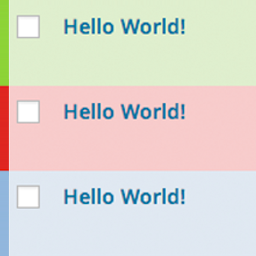
Mark and highlight posts, pages and posts of custom post types within the posts overview.

Safe pick
Yes — Mark Posts is a safe, well-maintained plugin to use in 2026. It runs on 1K+ sites, is rated 4.8/5 and was last updated 4 weeks ago, and scores 85/100 on our health check.
- Actively developed — last update 4 weeks ago
- Tested with the latest WordPress (7.1)
How does it stack up?
Side-by-side on installs, updates, ratings & support



Daily downloads
Download spikes usually follow a new release — each site that auto-updates counts as a download.
Rankings
Where Mark Posts stands todayWordPress.org search rankings
Live position in the plugin search, top 100| Keyword | Position |
|---|---|
| color | #58 |
| featured | #94 |
| Highlight | #26 |
| status | #56 |
| tag | >100 |
Version adoption
Share of active sites per release.
Rating breakdown
★★★★★★★★★★ 4.8 from 10 reviews
About Mark Posts
From the official readme · v2.2.6Description
Mark Posts plugin provides an easy way to mark and highlight posts, pages and posts of custom post types within the WordPress admin posts overview.
Features
- Set custom marker categories and colors
- Assign marker categories to posts/pages or any other post type
- View the highlighted posts within the posts overview
- Quick edit, bulk edit and/or edit all markers at once
- Dashboard widget with marker status count
- Optional custom setup via filters (check our wiki for instructions)
Live Demo
Try out the features of Mark Posts on the WordPress playground.
Support
Active development of this plugin is handled on GitHub. Always feel free to raise an issue.
Installation
Requirements
Using the latest version of WordPress and PHP is highly recommended.
- WordPress 4.1 or newer
- PHP 7.4 or newer (tested up to PHP 8.2)
Using WP-CLI
- Install and activate:
wp plugin install mark-posts --activate
Using Composer
- Install:
composer require hofmannsven/mark-posts - Activate the plugin on the plugin dashboard
Using WordPress
- Navigate to the plugins dashboard and select Add New
- Search for Mark Posts
- Click Install Now
- Activate the plugin on the plugin dashboard
Using SFTP
- Unzip the download package
- Upload the
mark-postsfolder to your plugins directory - Activate the plugin on the plugin dashboard
Frequently asked questions
How can I display the marker taxonomy terms on my website?
Check the Custom Marker Taxonomy Arguments wiki page for further information.
Can I set specific user roles for specific markers?
Check the Custom Marker Limits wiki page for further information.
Can I set custom parameters for the posts displayed on the dashboard?
Check the Custom Dashboard Queries wiki page for further information.
Can I export/import markers?
Check the Export & Import wiki page for further information.
Can I remove my custom post type from the plugin options?
Check the Reset Custom Post Types wiki page for further information.
I’m having issues getting the plugin to work what should I do?
Always feel free to raise an issue on GitHub.
Where can I get more information and support for this plugin?
Visit Mark Posts on GitHub.
Changelog
2.2.6
- Fixes a bug where the bulk edit nonce is not set
Thanks to René Eger for finding and reporting the issue
2.2.5
- Adds additional user capability checks (quick edit and bulk edit)
- Adds Laravel Pint code style fixer as a developer dependency
2.2.4
- Adds support for the WordPress playground
- Hides new internal post types by default
- Fixes broken access control vulnerability
Thanks @truonghuuphuc for discovering and responsibly disclosing this vulnerability
2.2.3
- Fixes the assignment of default colors when creating multiple new markers
2.2.2
- Hides internal (plugin) post types by default
2.2.1
- Refactors stray PHP short tags
- Prefixes generic function names
Screenshots


For developers
Is this your plugin? Show off the numbers.
Add a live badge to your site, docs or GitHub README. It updates on its own — no account needed.
Best Mark Posts alternatives
All color plugins →





FAQ
Mark Posts: quick answers
Straight answers, pulled from live WordPress.org data.
Live data from WordPress.org · checked Sep 29, 2026
Is Mark Posts free?
Yes. Mark Posts is free to download and use from the official WordPress.org plugin directory.
Is Mark Posts safe to use in 2026?
Yes — Mark Posts is a safe, well-maintained plugin to use in 2026. It runs on 1K+ sites, is rated 4.8/5 and was last updated 4 weeks ago, and scores 85/100 on our health check.
How many websites use Mark Posts?
Mark Posts is active on 1K+ WordPress websites and has been downloaded 18,076 times since it launched in April 2014. It was downloaded 305 times in the last 30 days.
Does Mark Posts work with WordPress 7.1?
Yes. The developer has tested Mark Posts up to WordPress 7.1.2, the latest release. It requires WordPress 4.1 or newer.
What PHP version does Mark Posts need?
Mark Posts requires PHP 7.0 or higher. Most hosts run PHP 8.x today, so it works on any modern WordPress hosting.
When was Mark Posts last updated?
The latest version, 2.2.6, was released on August 31, 2026 (4 weeks ago).
Who makes Mark Posts?
Mark Posts is developed and maintained by flymke.
What are the best alternatives to Mark Posts?
The most popular alternatives to Mark Posts are Central Color Palette (10K+ installs), ACF RGBA Color Picker (6K+ installs) and The Events Calendar: Catego… (4K+ installs).
Powered by PageForge
Want thousands of pages that rank like these? Build them in an afternoon.
This directory runs on the same engine as PageForge. Turn any spreadsheet, CSV or API into thousands of fast, SEO-ready WordPress pages — with schema, internal links and AI-written copy baked in.
- CSV, Google Sheets & API data sources
- AI content, schema & internal links per page
- Works with Elementor, Gutenberg, Yoast & Rank Math
- Free on WordPress.org — no credit card


