


Rich Text Formats Block
Magic Text Block enhances your WordPress Gutenberg editor with powerful text formatting options that go beyond the standard capabilities. This plugin brings creative typography and styling directly to your content…

Use with caution
Rich Text Formats Block works, but test it on a staging site before relying on it in 2026. It runs on 100+ sites and was last updated 4 months ago, and scores 53/100 on our health check.
- Small user base (100+ active installs)
- Very few reviews so far
How does it stack up?
Side-by-side on installs, updates, ratings & support



Daily downloads
Download spikes usually follow a new release — each site that auto-updates counts as a download.
Rankings
Where Rich Text Formats Block stands todayWordPress.org search rankings
Live position in the plugin search, top 100| Keyword | Position |
|---|---|
| gutenberg | >100 |
| rich text format | #7 |
| text effects | #47 |
Version adoption
Share of active sites per release.
About Rich Text Formats Block
From the official readme · v1.6.3Description
Magic Text Block enhances your WordPress Gutenberg editor with powerful text formatting options that go beyond the standard capabilities. This plugin brings creative typography and styling directly to your content creation workflow.
Key Features:
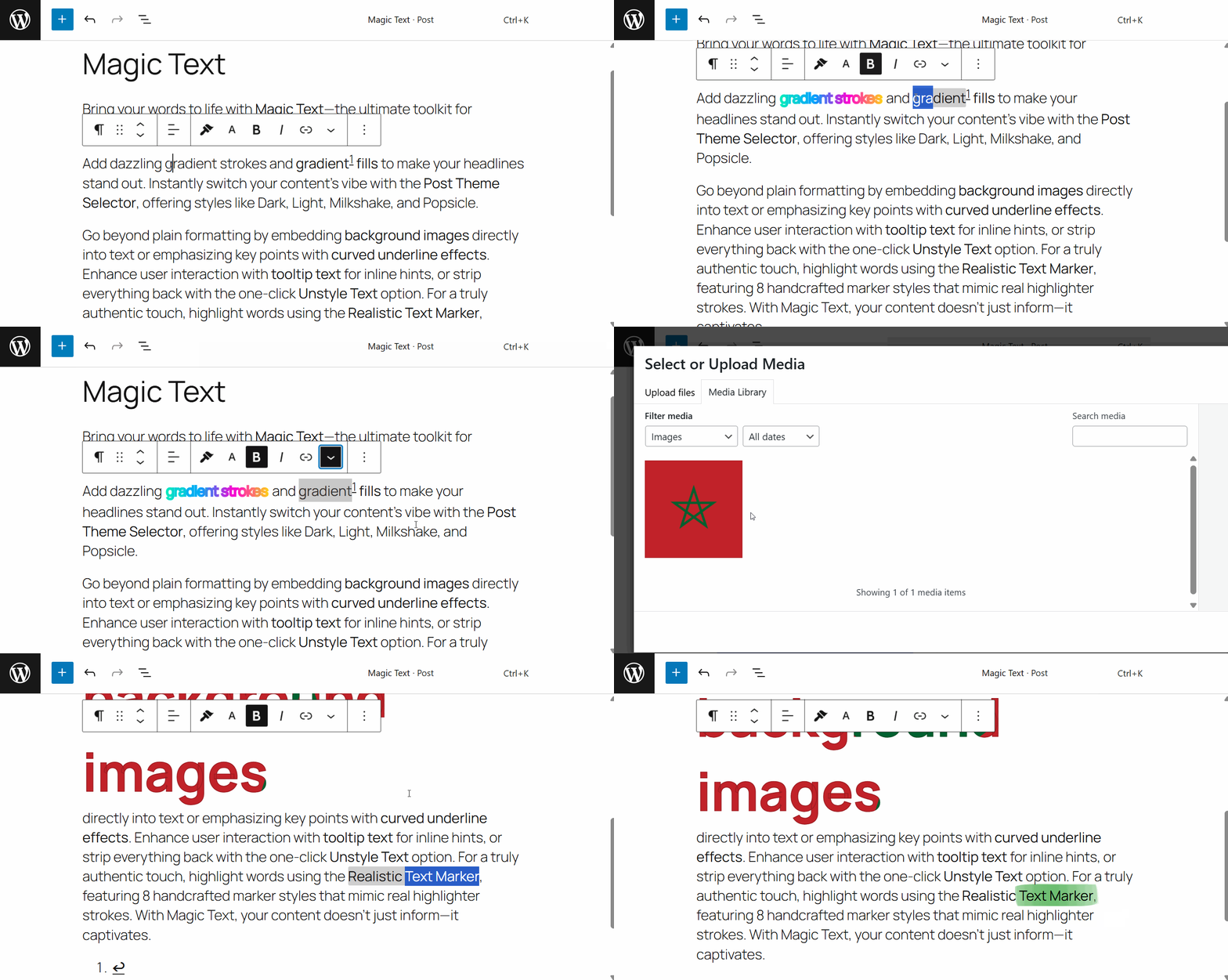
- Gradient Stroke Text: Apply beautiful gradient borders to your text that catch the eye and make headlines pop.
- Gradient Text Color: Transform ordinary text with vibrant gradient color fills that flow smoothly from one color to another.
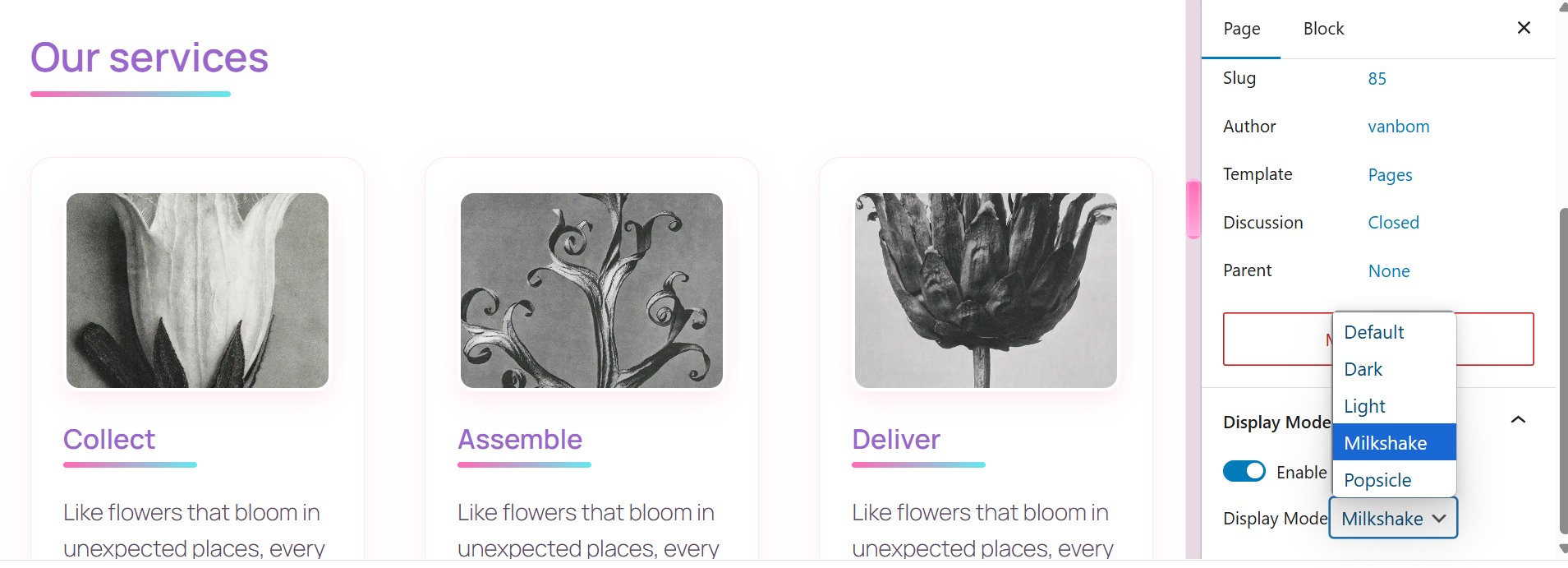
- Post Theme Selector: Apply custom themes (Dark, Light, Milkshake, Popsicle) to individual posts or pages, creating unique visual experiences for different content.
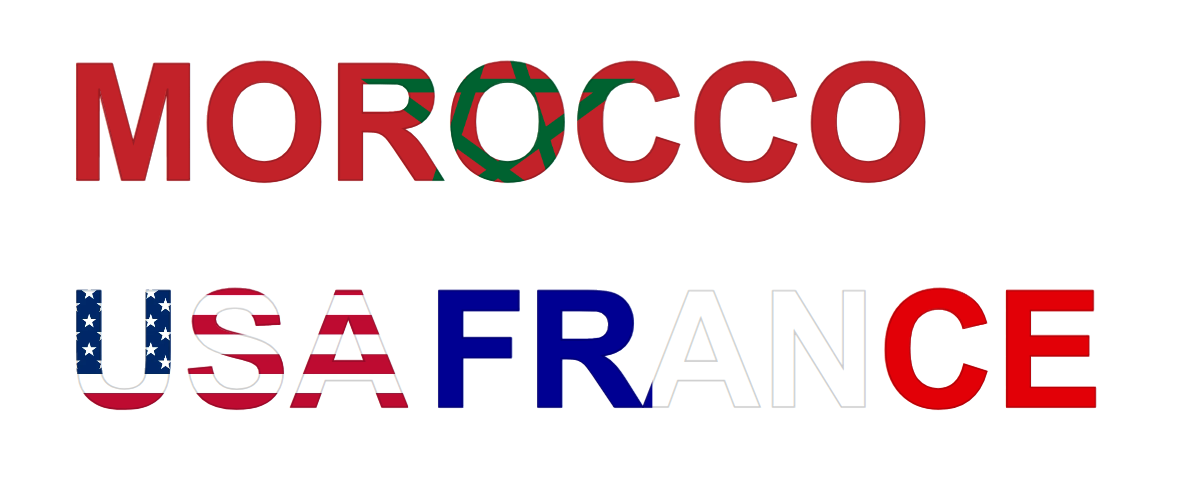
- Text Background Image: Select images from your media library to apply as backgrounds behind specific portions of text, creating striking visual effects.
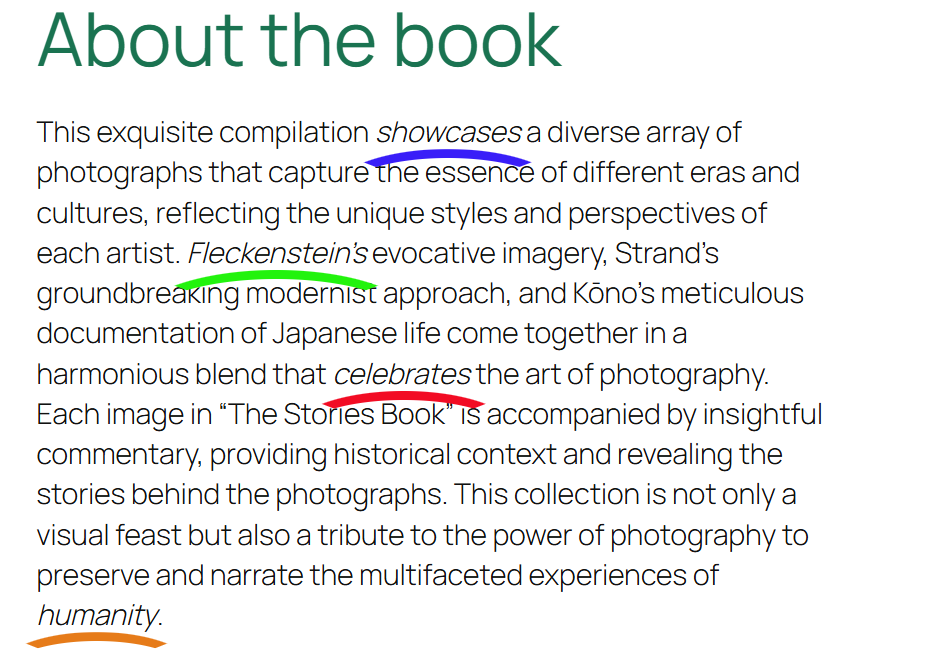
- Underline Effects: Apply decorative curved underline effects with customizable colors to highlight important text.
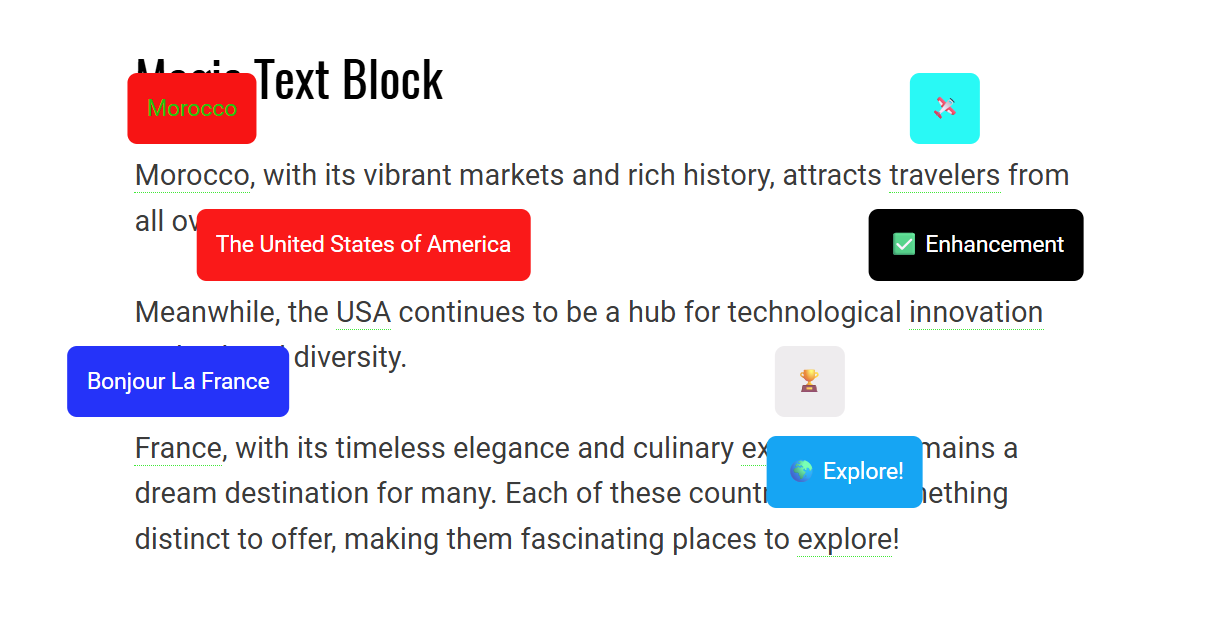
- Tooltip Text: Add customizable tooltip bubbles to text with your own message, background color, and text color—great for inline explanations or quick hints.
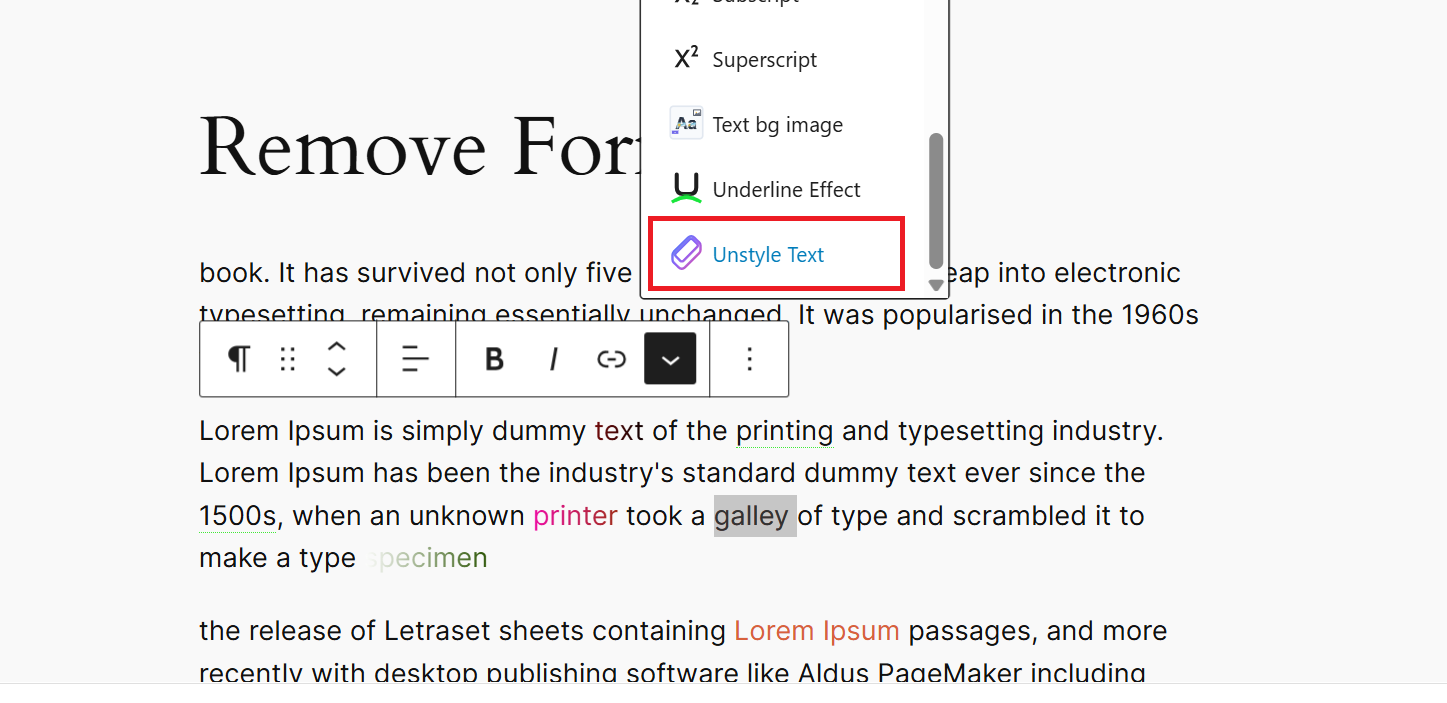
- Unstyle Text: Remove all formatting from selected text instantly.
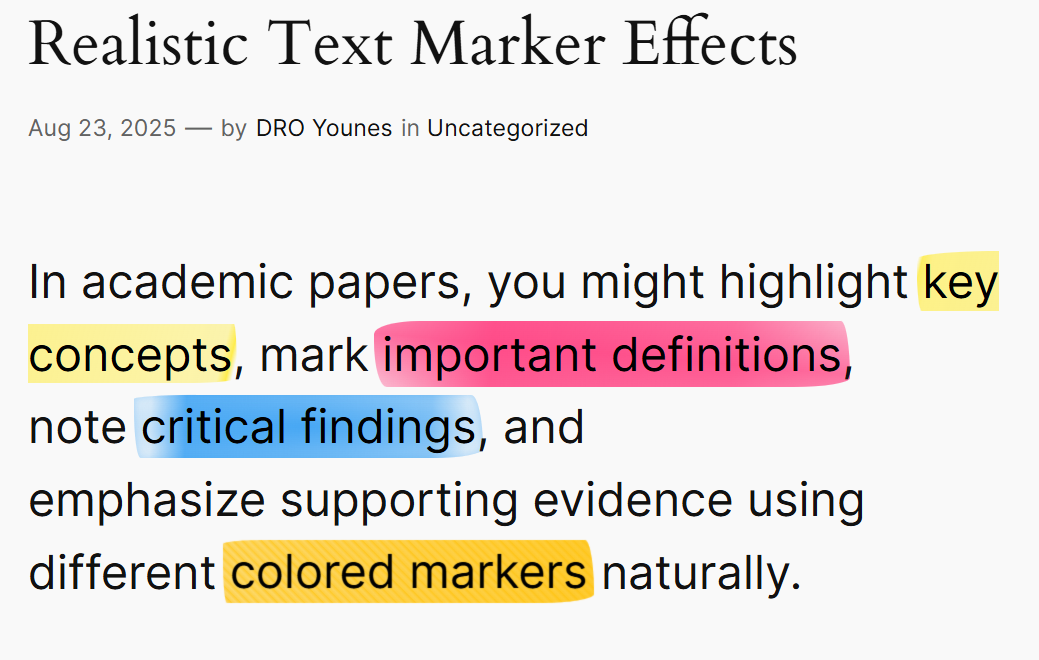
- Realistic Text Marker: Highlight text with authentic marker effects using 8 handcrafted styles (uneven, thick, messy, double, faded, wavy, textured) that simulate real highlighter strokes.
Perfect for bloggers, designers, and content creators looking to make their content stand out without requiring any coding knowledge. Simply select your text and apply the formatting options from the text toolbar.
Compatible with all WordPress themes and works seamlessly with the Gutenberg block editor.
This plugin’s code is available on GitHub. Please feel free to fork the repository and send a pull request. If you find a bug in the plugin, open an issue.
Video Tutorial
Watch our step-by-step guide on how to apply Magic Text Block formatting in WordPress! Learn how to enhance your text with gradient effects, background images, and stylish underlines.
📺 Watch the tutorial here:
Demo
Installation
Installation from within WordPress
- Visit Plugins > Add New.
- Search for Magic Text Block.
- Install and activate the plugin.
Manual installation
- Upload the plugin files to the
/wp-content/plugins/directory. - Activate the plugin through the Plugins screen in WordPress.
- Use the Gutenberg editor to access the Magic Text Block formatting options.
Frequently asked questions
How do I use the Magic Text Block?
Simply highlight the text you want to style in the Gutenberg editor, and choose the Magic Text Block options from the toolbar.
Where can I find the source JavaScript files?
The source code for this plugin, including the original JavaScript files used to build the block, is available in the GitHub repository: https://github.com/younes-dro/magic-text-block/tree/main/src/magic-text-block These files are not included in the plugin ZIP but are available in the public repository for transparency and contribution.
Can I customize the gradient colors?
Yes, the gradient colors are fully customizable through the editor interface.
Changelog
1.6.0
- Added Realistic Text Marker with 8 authentic highlighter styles and live preview selection interface
1.5.0
- Enhanced unstyle text format type with comprehensive formatting removal
- Added robust format detection using WordPress data store for unstyle feature
- Improved unstyle format removal to handle all registered format types instead of only active ones
1.4.1
- Fixed React DOM warnings by converting SVG attributes to proper JSX format
- Improved console output by eliminating invalid DOM property warnings
1.4.0
- Added custom SVG icons for all rich text format types
- New icons include: Tooltip, Text Background Image, Underline Effect, Gradient Text Color, and Gradient Stroke
1.3.1
Improve gradient color picker UI.
1.3.0
- Enhanced Tooltip Position options: added 4 new diagonal positions (top-left, top-right, bottom-left, bottom-right) for more precise tooltip placement.
Screenshots


For developers
Is this your plugin? Show off the numbers.
Add a live badge to your site, docs or GitHub README. It updates on its own — no account needed.
Best Rich Text Formats Block alternatives
All gutenberg plugins →





FAQ
Rich Text Formats Block: quick answers
Straight answers, pulled from live WordPress.org data.
Live data from WordPress.org · checked Oct 8, 2026
Is Rich Text Formats Block free?
Yes. Rich Text Formats Block is free to download and use from the official WordPress.org plugin directory.
Is Rich Text Formats Block safe to use in 2026?
Rich Text Formats Block works, but test it on a staging site before relying on it in 2026. It runs on 100+ sites and was last updated 4 months ago, and scores 53/100 on our health check.
How many websites use Rich Text Formats Block?
Rich Text Formats Block is active on 100+ WordPress websites and has been downloaded 2,197 times since it launched in May 2025. It was downloaded 131 times in the last 30 days.
Does Rich Text Formats Block work with WordPress 7.1?
Rich Text Formats Block is officially tested up to WordPress 7.0.7, while the latest release is 7.1.3. It may still work, but try it on a staging site first.
What PHP version does Rich Text Formats Block need?
Rich Text Formats Block requires PHP 7.4 or higher. Most hosts run PHP 8.x today, so it works on any modern WordPress hosting.
When was Rich Text Formats Block last updated?
The latest version, 1.6.3, was released on June 19, 2026 (4 months ago).
Who makes Rich Text Formats Block?
Rich Text Formats Block is developed and maintained by Younes.
What are the best alternatives to Rich Text Formats Block?
The most popular alternatives to Rich Text Formats Block are Classic Editor (8M+ installs), Classic Widgets (2M+ installs) and Advanced Editor Tools (1M+ installs).
Powered by PageForge
Want thousands of pages that rank like these? Build them in an afternoon.
This directory runs on the same engine as PageForge. Turn any spreadsheet, CSV or API into thousands of fast, SEO-ready WordPress pages — with schema, internal links and AI-written copy baked in.
- CSV, Google Sheets & API data sources
- AI content, schema & internal links per page
- Works with Elementor, Gutenberg, Yoast & Rank Math
- Free on WordPress.org — no credit card


