



Lockee
Add Lockee locks to your WordPress site to gamify your content and engage your visitors in a completely autonomous way.

Solid choice
Lockee is a solid plugin choice in 2026, with a few things worth checking first. It runs on 50+ sites, is rated 5/5 and was last updated 2 months ago, and scores 66/100 on our health check.
- Small user base (50+ active installs)
- Very few reviews so far
How does it stack up?
Side-by-side on installs, updates, ratings & support



Daily downloads
Download spikes usually follow a new release — each site that auto-updates counts as a download.
Rankings
Where Lockee stands todayWordPress.org search rankings
Live position in the plugin search, top 100| Keyword | Position |
|---|---|
| content | >100 |
| gamification | #20 |
| hide | >100 |
| lock | #38 |
| posts | >100 |
Version adoption
Share of active sites per release.
Rating breakdown
★★★★★★★★★★ 5 from 2 reviews
About Lockee
From the official readme · v3.1.9Description
This plugin allows you to lock the content of posts using a Lockee lock (initially available at https://lockee.fr). You can choose from various lock types and set a code to unlock the content.
With this plugin, you can create gamified experiences on your WordPress site by locking content and requiring users to unlock a lock to access it.
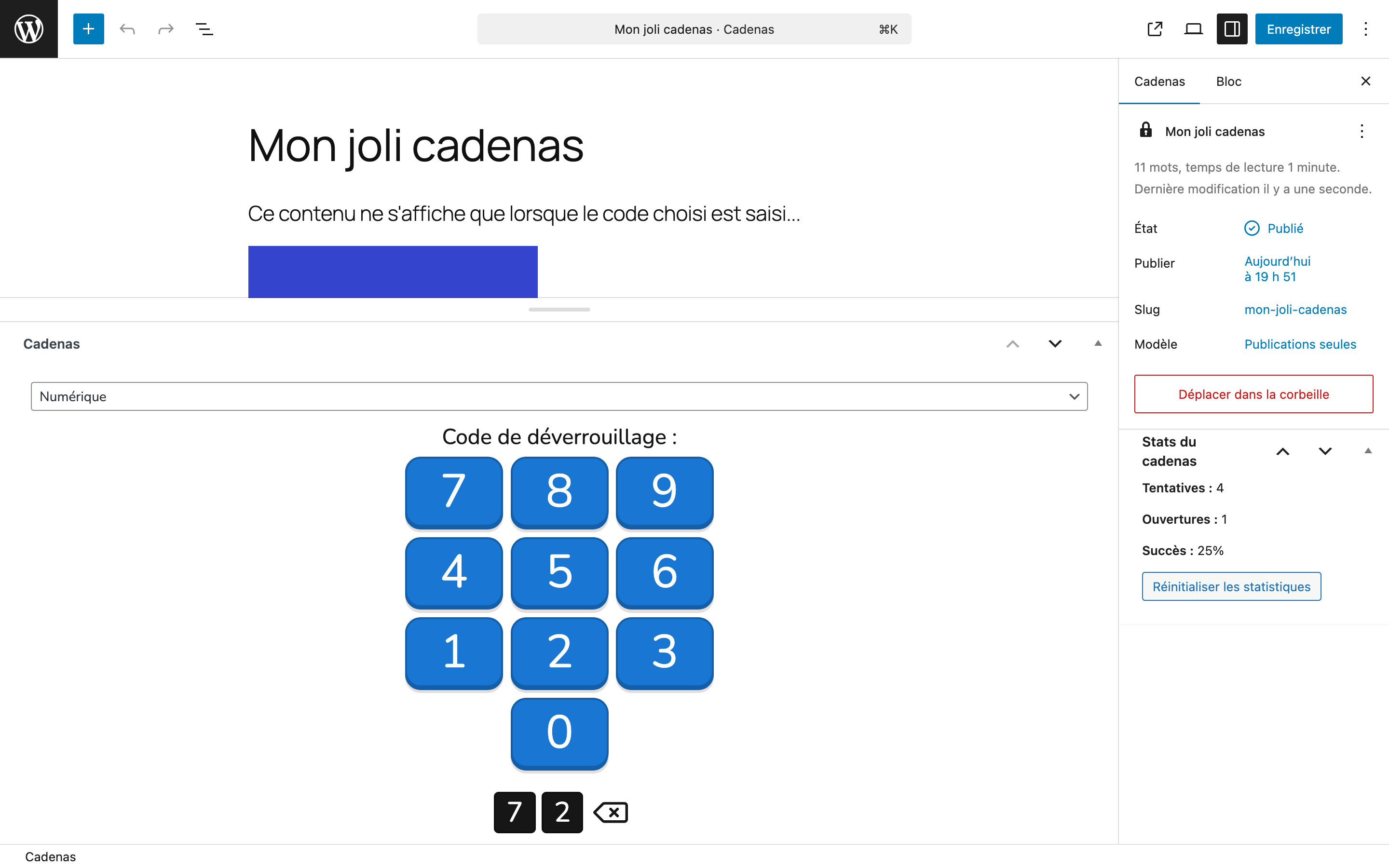
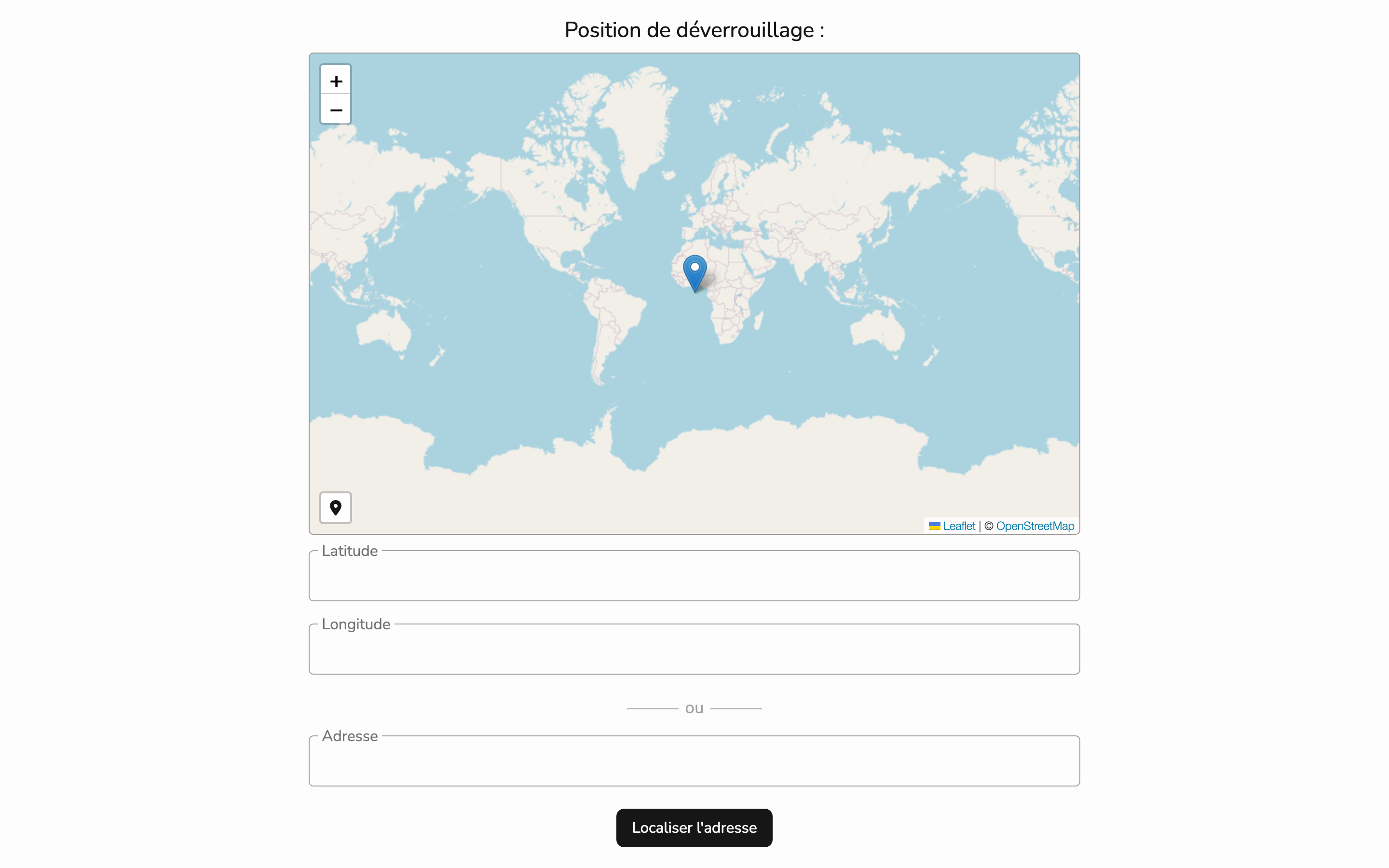
To do this, you can create a lock in the dashboard, choose the type of lock (e.g. numbers, colors, piano keys, etc.), and define the valid codes to enter to unlock the content. Once the lock is opened, the content is displayed.
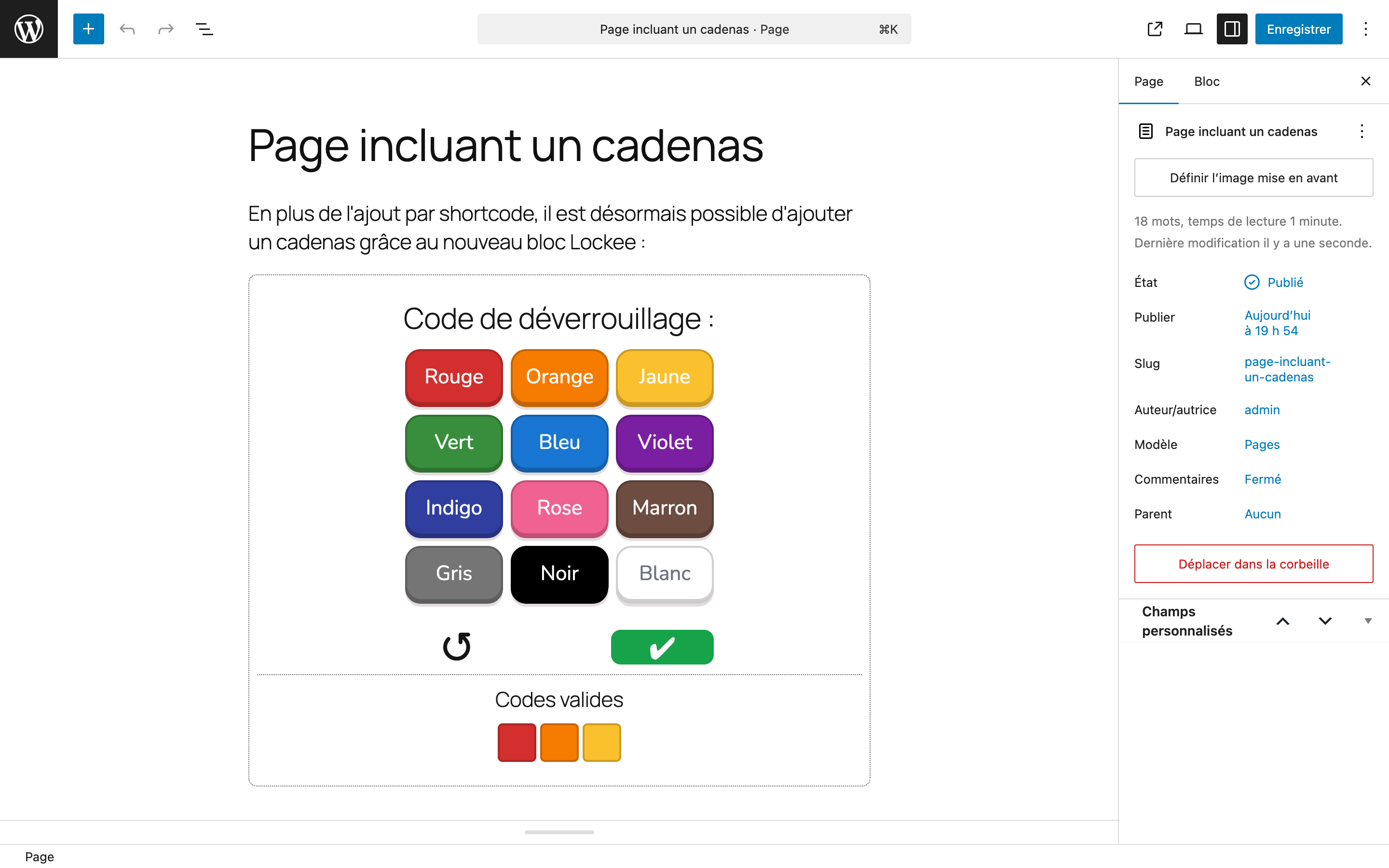
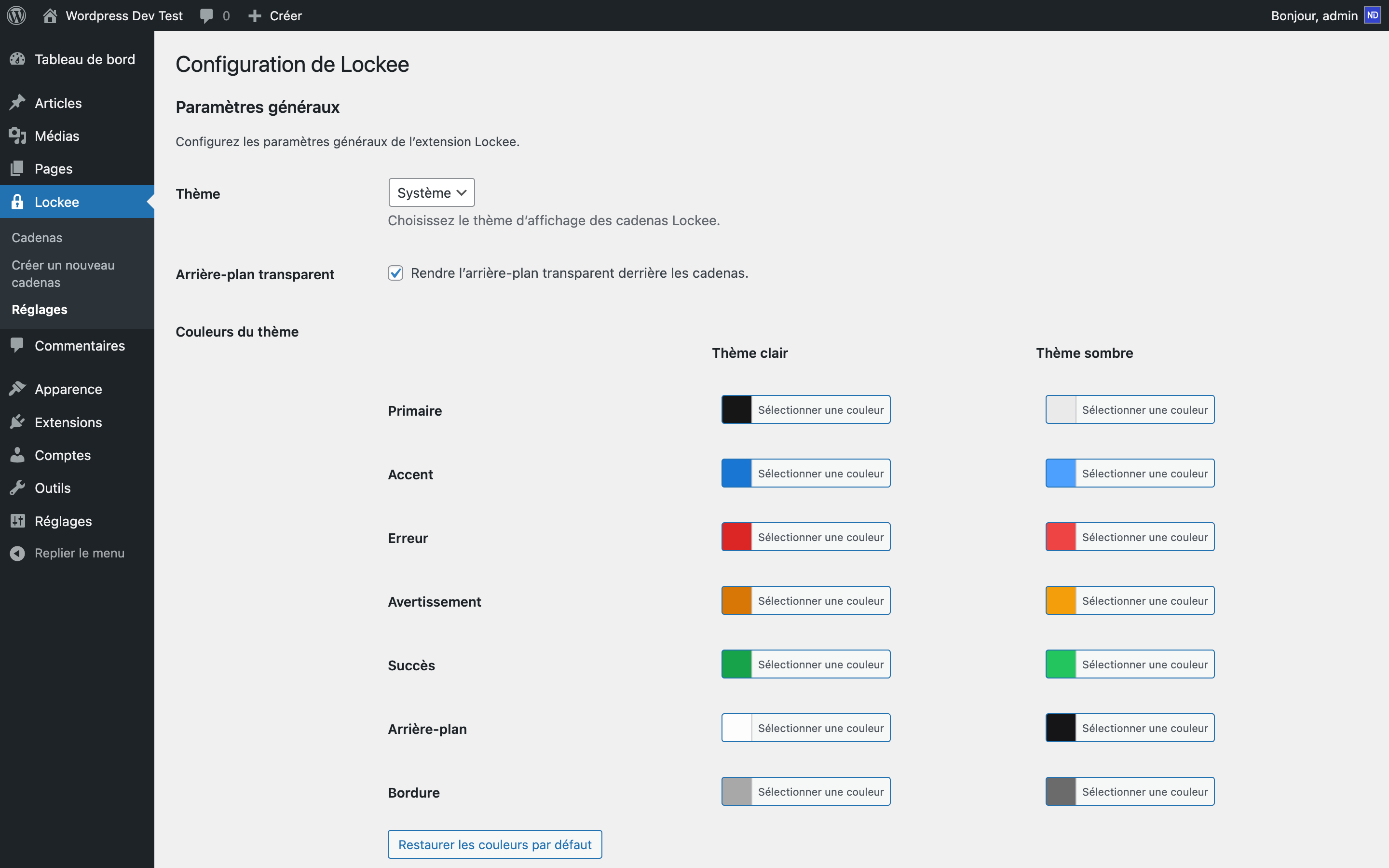
These locks can be displayed in your posts or pages using a shortcode or a block in the Gutenberg editor. You can also customize the appearance of the lock in the “Lockee settings” page, where you can choose themes and colors to match your site’s design.
You can also embed the lock on other websites using the provided iframe code, allowing you to share your locks with a wider audience.
Each lock includes a statistics feature that records the number of times it has been opened, allowing you to monitor user engagement and the effectiveness of your gamification strategies.
The plugin is self-hosted, meaning it does not rely on external services and is free to use for personal and commercial projects.
WARNING : Although this information is hidden from the public view, please note that the type of lock, the chosen code, and the hidden content are stored in plain text in the WordPress database. It is not recommended to use this plugin to store sensitive information or confidential content. Use it for gamification and content engagement purposes only.
Installation
- Download the plugin from the WordPress repository or upload it directly to your WordPress installation.
- Activate the plugin through the “Plugins” menu in WordPress.
- A new tab “Lockee” will appear in the dashboard, adding the new post type “Lock”. Create new locks by filling in the required fields, including the lock type and code.
- You can display the lock in your posts or pages using a shortcode or a block in the Gutenberg editor.
- Customize the lock appearance in the “Lockee settings” page, where you can choose themes and colors.
- If you have used this plugin before, you can migrate your existing locks to the new post type (in the “Locks Migration” page) or choose to continue using the metabox “Lock” in posts and pages (in the “Lockee settings” page).
Frequently asked questions
How do I add a lock to my post?
First, you must create a lock in the dashboard under the “Lockee” tab. Then, you can add a lock using the Gutenberg block or by inserting a shortcode into your post content.
Can I customize the appearance of the lock?
Yes, you can customize the lock’s appearance in the “Lockee settings” page. You can choose different themes and colors to match your site’s design.
Can I embed the lock on other websites?
Yes, you can embed the lock on other websites using the provided iframe code. This allows you to share your locks with a wider audience. (add /iframe to the lock URL to get the iframe code)
What happens if I have used this plugin before?
If you have used this plugin before, you can migrate your existing locks to the new post type (in the “Locks Migration” page) or choose to continue using the metabox “Lock” in posts and pages (in the “Lockee settings” page).
Is there a way to track how many times a lock has been opened?
Yes, the plugin includes a statistics feature that tracks how many times each lock has been opened. You can view these statistics in the publication edition panel under the “Lock stats” section.
What is the migration process?
The migration process is an operation that converts your existing locks to the post type “Lock”. It creates a new post type “Lock” for each lock set up in post or page and add this new lock to the original post or page (with a Gutenberg block). Also, it updates shortcodes replacing the old ID to the new one.
What happens if I don’t start the migration process?
If you don’t start the migration process, your existing locks will continue to work as they did before. However, you must activate the option to display the metabox “Lock” in posts and pages in the “Lockee settings” page. This will allow you to continue using the old format without converting your locks to the new post type.
Can I use this plugin free, even for commercial purposes?
Yes, this plugin is free to use, which allows you to use it for personal and commercial projects without any restrictions. The code is self-hosted and does not rely on external services.
Can I modify or redistribute the source code?
No, the code and the design of Lockee locks are not open source (owned by lockee.fr creator) so you cannot modify or redistribute it. However, you can use the plugin to create and manage locks on your WordPress site without any external dependencies. Thank’s you for respecting thoses terms of use.
I have a question or I want to report a bug, how can I do that?
You can report bugs or ask questions in the plugin’s support forum on the WordPress repository or by email to contact@lockee.fr. We will do our best to assist you and resolve any issues you may encounter.
How can I thanks the Lockee team?
We appreciate your support! If you find this plugin useful, you can show your appreciation by leaving a positive review on the WordPress repository. Your feedback helps us improve the plugin and encourages us to continue developing it.
Changelog
3.1.9
- Fixed lock permalinks disappearing when another plugin flushes rewrite rules.
3.1.8
- Updated to the last Lockee lock library.
- Add an option to choose the language of each lock.
- Add compatibility with WordPress 7.0.
3.1.7
- Removed iframe tags filtering in “lockee_content” to allow again the use of iframes in the lock content.
3.1.6
- Updated to the last Lockee lock library.
3.1.5
- Fixed some translations.
3.1.4
- Fixed bug in the “Locks Migration” page (using a non-existing function).
Screenshots
For developers
Is this your plugin? Show off the numbers.
Add a live badge to your site, docs or GitHub README. It updates on its own — no account needed.
Best Lockee alternatives
All content plugins →





FAQ
Lockee: quick answers
Straight answers, pulled from live WordPress.org data.
Live data from WordPress.org · checked Oct 11, 2026
Is Lockee free?
Yes. Lockee is free to download and use from the official WordPress.org plugin directory.
Is Lockee safe to use in 2026?
Lockee is a solid plugin choice in 2026, with a few things worth checking first. It runs on 50+ sites, is rated 5/5 and was last updated 2 months ago, and scores 66/100 on our health check.
How many websites use Lockee?
Lockee is active on 50+ WordPress websites and has been downloaded 11,568 times since it launched in February 2021. It was downloaded 268 times in the last 30 days.
Does Lockee work with WordPress 7.1?
Lockee is officially tested up to WordPress 7.0.0, while the latest release is 7.1.3. It may still work, but try it on a staging site first.
What PHP version does Lockee need?
Lockee requires PHP 7.0 or higher. Most hosts run PHP 8.x today, so it works on any modern WordPress hosting.
When was Lockee last updated?
The latest version, 3.1.9, was released on August 21, 2026 (2 months ago).
Who makes Lockee?
Lockee is developed and maintained by ndevfr.
What are the best alternatives to Lockee?
The most popular alternatives to Lockee are One Click Demo Import (1M+ installs), Advanced Excerpt (80K+ installs) and Rara One Click Demo Import (20K+ installs).
Powered by PageForge
Want thousands of pages that rank like these? Build them in an afternoon.
This directory runs on the same engine as PageForge. Turn any spreadsheet, CSV or API into thousands of fast, SEO-ready WordPress pages — with schema, internal links and AI-written copy baked in.
- CSV, Google Sheets & API data sources
- AI content, schema & internal links per page
- Works with Elementor, Gutenberg, Yoast & Rank Math
- Free on WordPress.org — no credit card


