


PiWeb Live sales notification for WooCommerce
Show recent sales notifications with ease! This free plugin adds a recent sales popup to your WooCommerce store, boosting trust with live sales alerts and real-time conversion triggers.

Safe pick
Yes — PiWeb Live sales notification f… is a safe, well-maintained plugin to use in 2026. It runs on 40K+ sites, is rated 4.1/5 and was last updated 3 weeks ago, and scores 87/100 on our health check.
- Proven at scale on 40K+ active sites
- Actively developed — last update 3 weeks ago
- Tested with the latest WordPress (7.1)
Daily downloads
Download spikes usually follow a new release — each site that auto-updates counts as a download.
Rankings
Where PiWeb Live sales notificati… stands todayWordPress.org search rankings
Live position in the plugin search, top 100| Keyword | Position |
|---|---|
| fake notification | #4 |
| live sales feed | #1 |
| recent sales notification | #1 |
| sales notification | #1 |
| woocommerce notification | #12 |
Version adoption
Share of active sites per release.
Rating breakdown
★★★★★★★★★★ 4.1 from 29 reviews
About PiWeb Live sales notification for WooCo…
From the official readme · v2.3.72Description
Show recent sales notifications with ease! This free plugin adds a recent sales popup to your WooCommerce store, boosting trust with live sales alerts and real-time conversion triggers.
Here are some of the important features of the Live sales notification for WooCommerce:
Core features
- No need to connect your WooCommerce store with a backend platform like other plugins require
- Show original orders placed as a live sales feed to other visitors
- There is no restriction on the number of products that will be shown, as other plugins have in their Free version
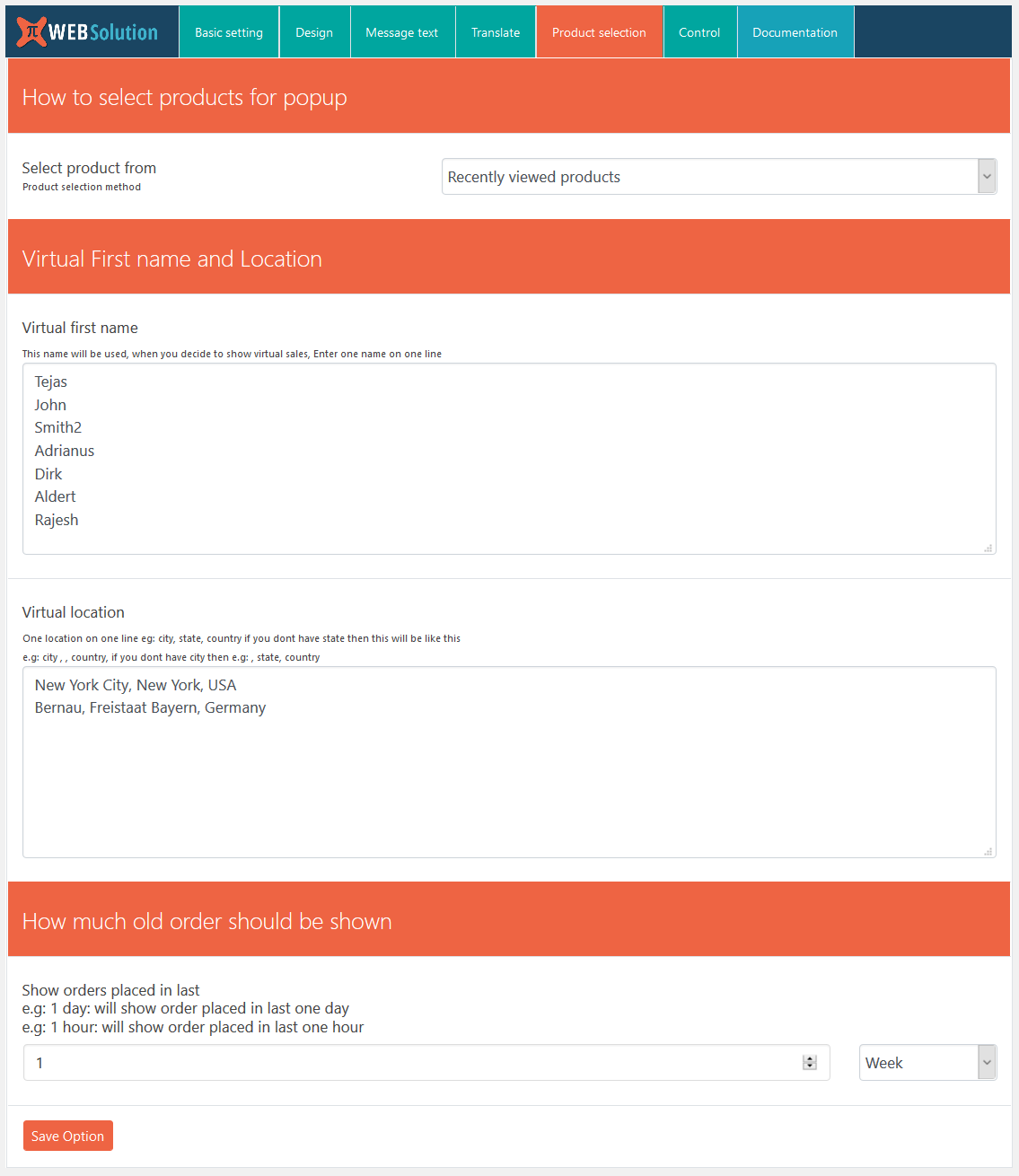
- If you don’t have a large number of orders then you can show virtual orders as well
- Virtual orders can be generated from visitors’ recent product views; in this case their recently viewed product will be shown in the notification. This will encourage the visitor to buy it.
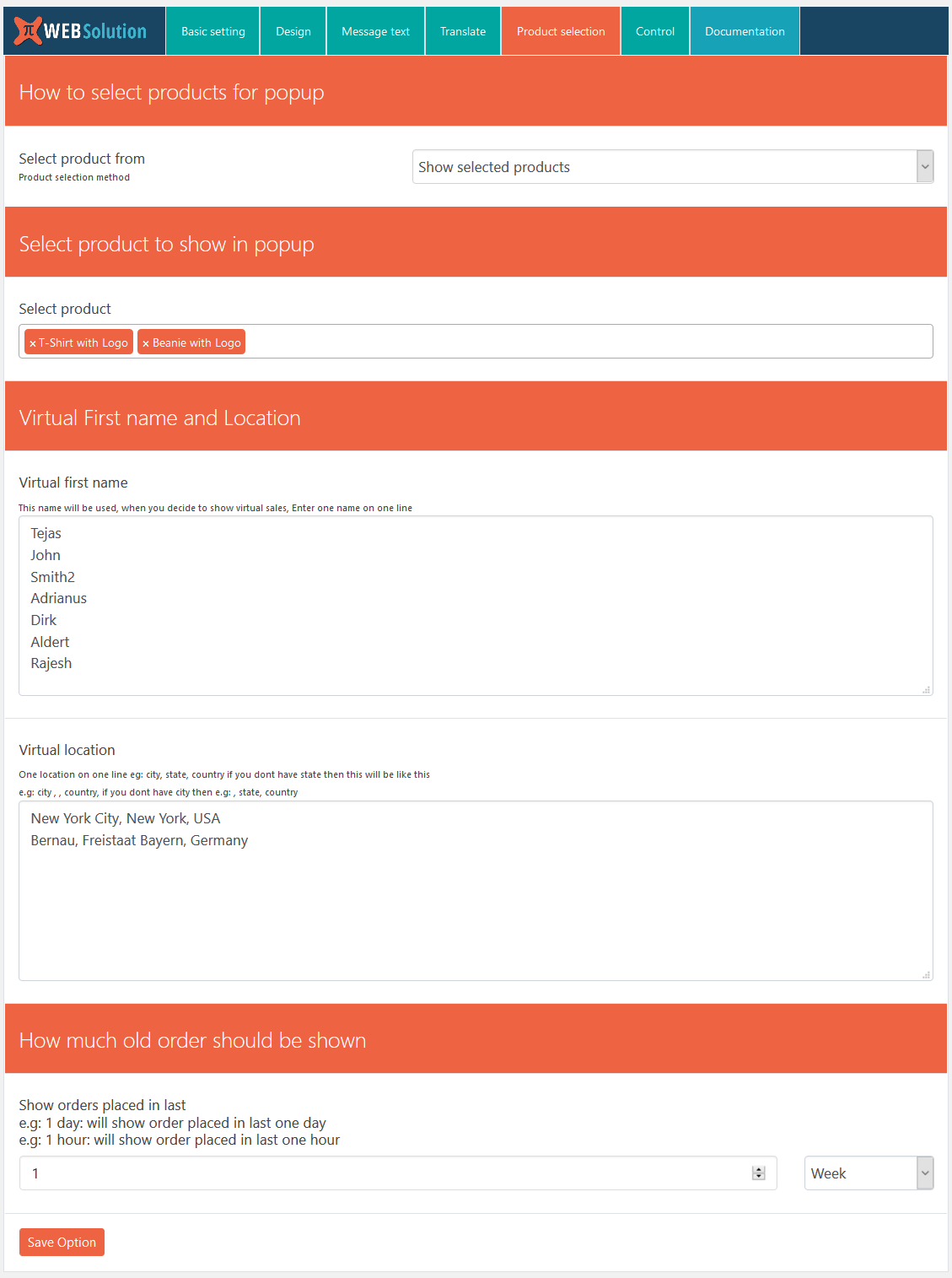
- Create virtual orders from your selected products
- You can create a custom message that will be shown in the notification, e.g.: Mr. Dave from New York just purchased XYZ
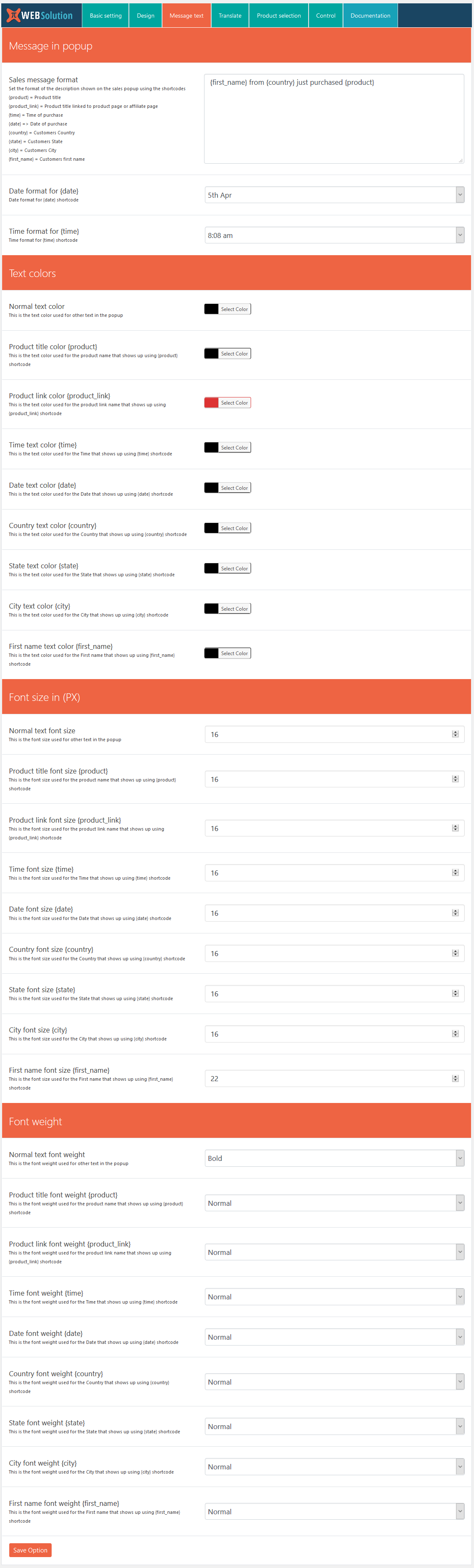
- You can customize the message using shortcodes like {date}, {time}, {first_name}, {city}, {state}, {country}, {product}, {price}
- When the order is original, this shortcode information comes from the original order; when the order is virtual, this information is auto-generated for you
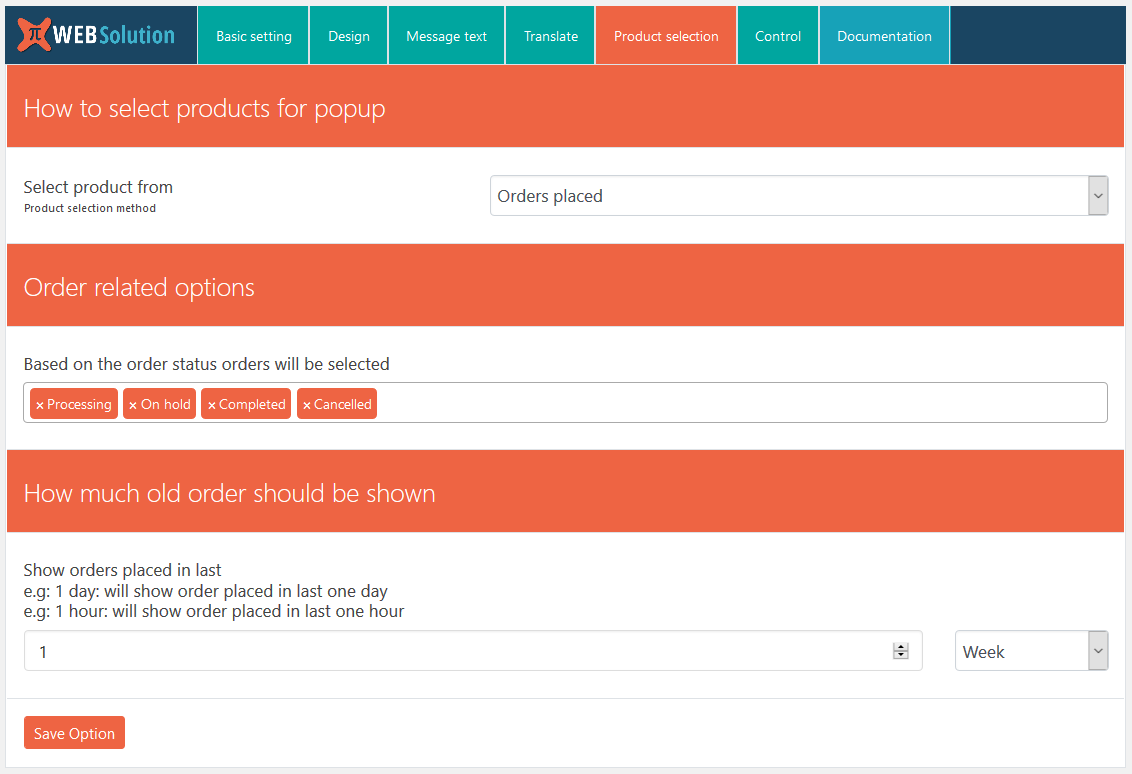
- Set how old orders should be extracted for the notification; you can set this in weeks, months, and hours.
- Select products from categories to create virtual orders
- Fast and lightweight.
- Boosts sales and conversion rate.
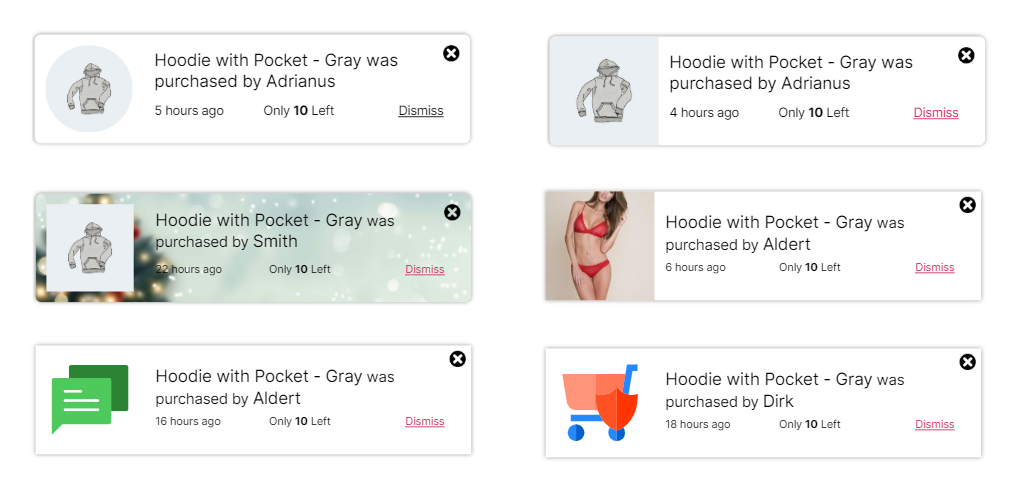
- 10 Prebuild theme for the notification popup; you can select any theme from the settings
Layout features
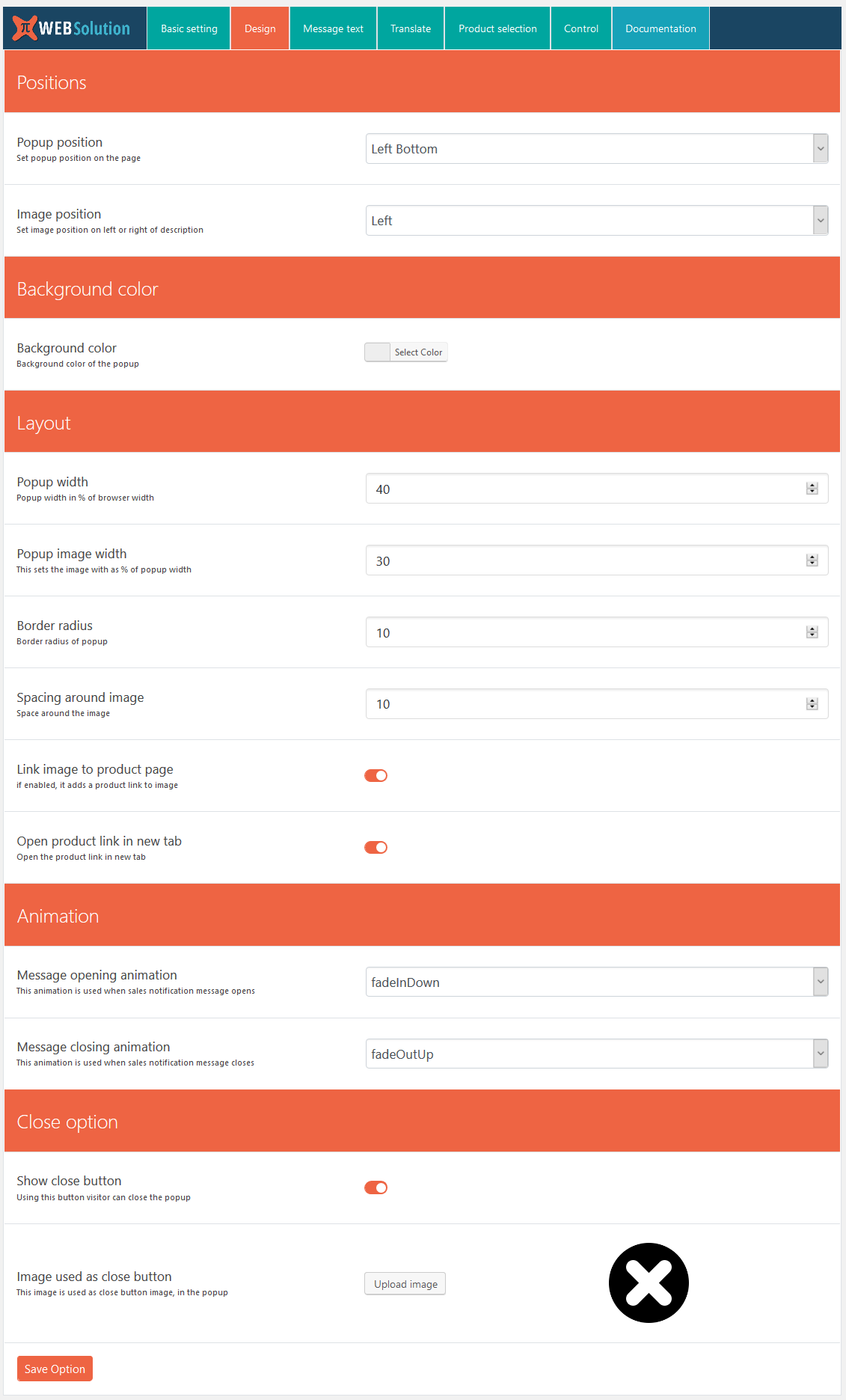
You can control the complete look and feel of the notification from the plugin settings
- Disable notification on mobile; mobile breakpoint starts from 968px
- Notification width, image width in the notification
- Link image to product or not
- Open link in a new tab or in the same tab
- Background color of the notification
- Position of the notification
- Text color, font size, and weight of the notification text
- You can even customize color, font size, and weight for each of the texts coming from shortcodes, so you can have different font size for {date}, and a different font size for {product}
- You can disable the closing notification option for the user, so the user can’t close the notification
BENEFITS OF WooCommerce SALES feed
- Make your online store trustworthy by showing others are buying from your site.
- Shows that your WooCommerce site is popular and busy.
- Creates a sense of urgency by showing how much stock is remaining.
- Boosts your conversion rate by showing the sales feed.
- Shows trending products by using WooCommerce notification.
- Boosts your sales and conversion rate.
PRO features
- Privacy protection: Give the option to customers to exclude their info from the live feed
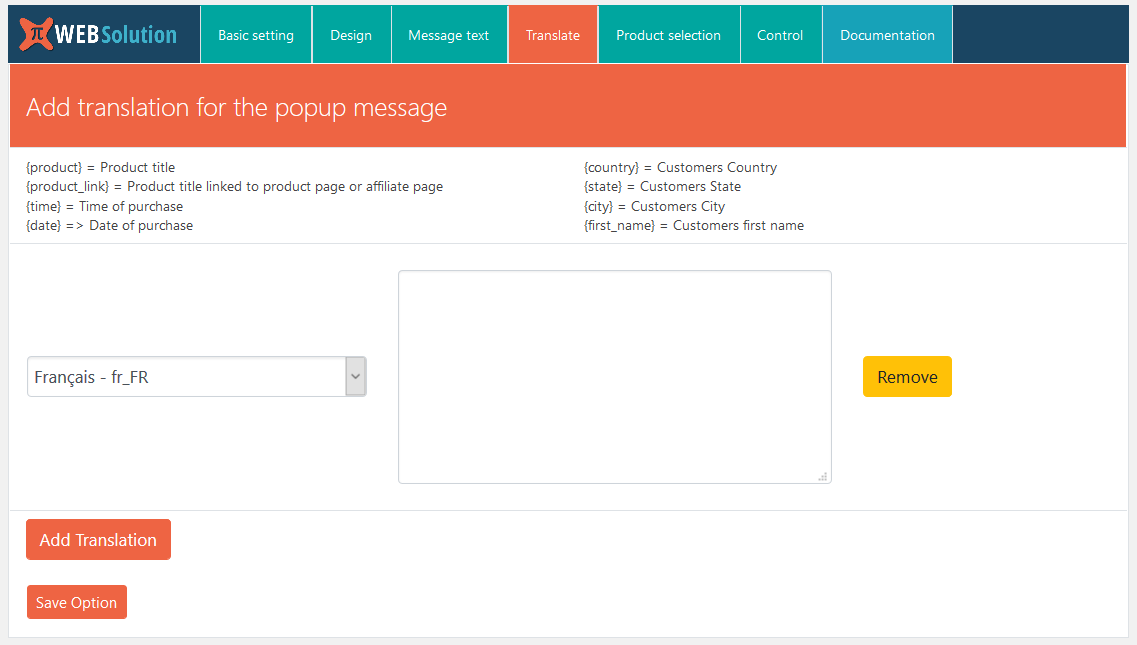
- It allows you to translate the message text; we have our own translation system for the message shown.
- You can disable out of stock products from showing in notifications
- You can choose from many animation options for showing and hiding the notification
- Set different date and time formats for the shortcodes {date} and {time}
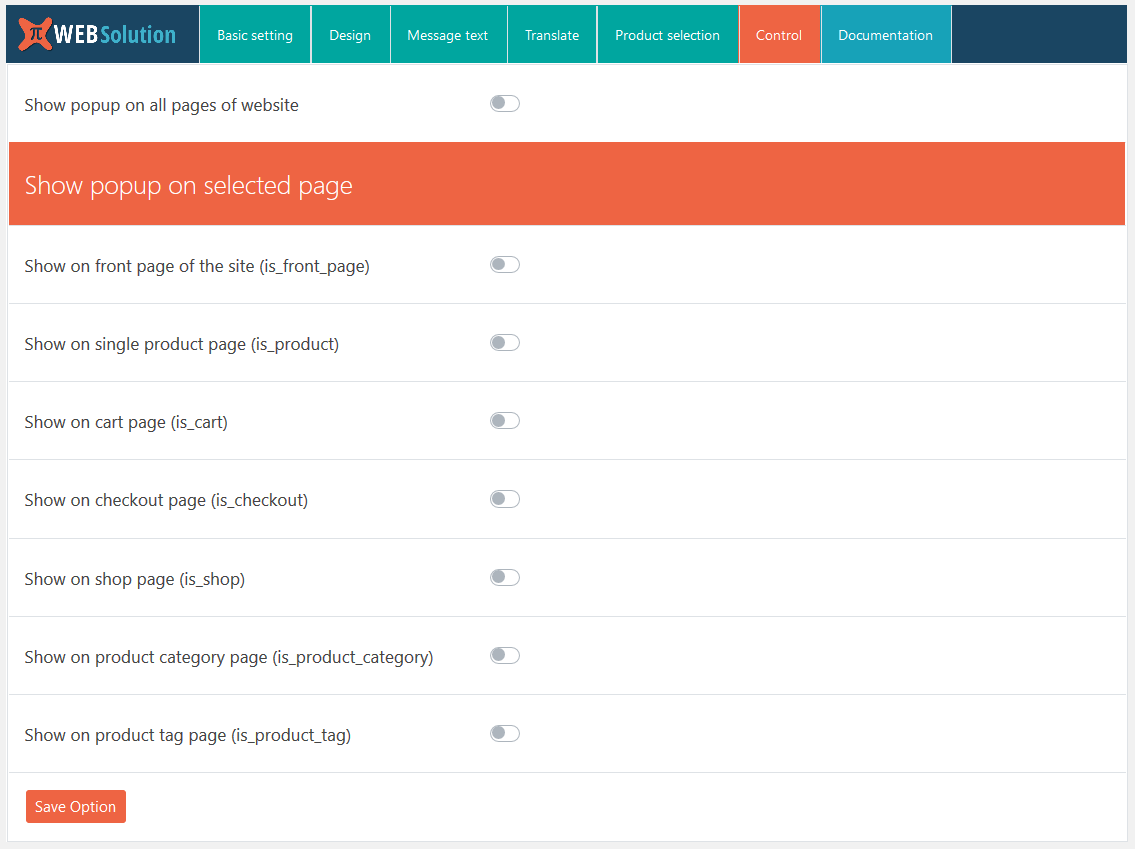
- You can show notifications throughout the site, or you can control the notification pages from these conditions: front page, product page, cart page, checkout page, shop page, product category page
- Premium support: We respond to all support topics within 24 hours
- The free version shows 1-day-old orders in the popup; in PRO you can configure how old orders to show
- Set background image for the sales popup
- Admin can also exclude any order from appearing in the live sales feed
- Dismiss notification option, so a buyer can disable the notification completely
- Set how long the notification will remain disabled for that user
- Show how long back the particular order was placed, e.g., “2 hours back”
- Create urgency by showing stock left for the product
- Set a fake stock amount that will be shown for the product where you don’t do stock management
- Set product placeholder image
- Utilize the visitor’s actual country in fake sales popups to create a sense of familiarity and trust, increasing the likelihood of their purchase.
Privacy
If you choose to opt in from the plugin settings, or submit optional feedback during deactivation, this plugin may collect basic technical information, including:
- Plugin version
- WordPress version
- WooCommerce version
- Site URL
- Deactivation reason (if submitted)
This data is used solely to improve plugin quality, compatibility, and features. No personal or user-specific data is collected without consent.
Frequently asked questions
Do I need to edit my WooCommerce theme?
No
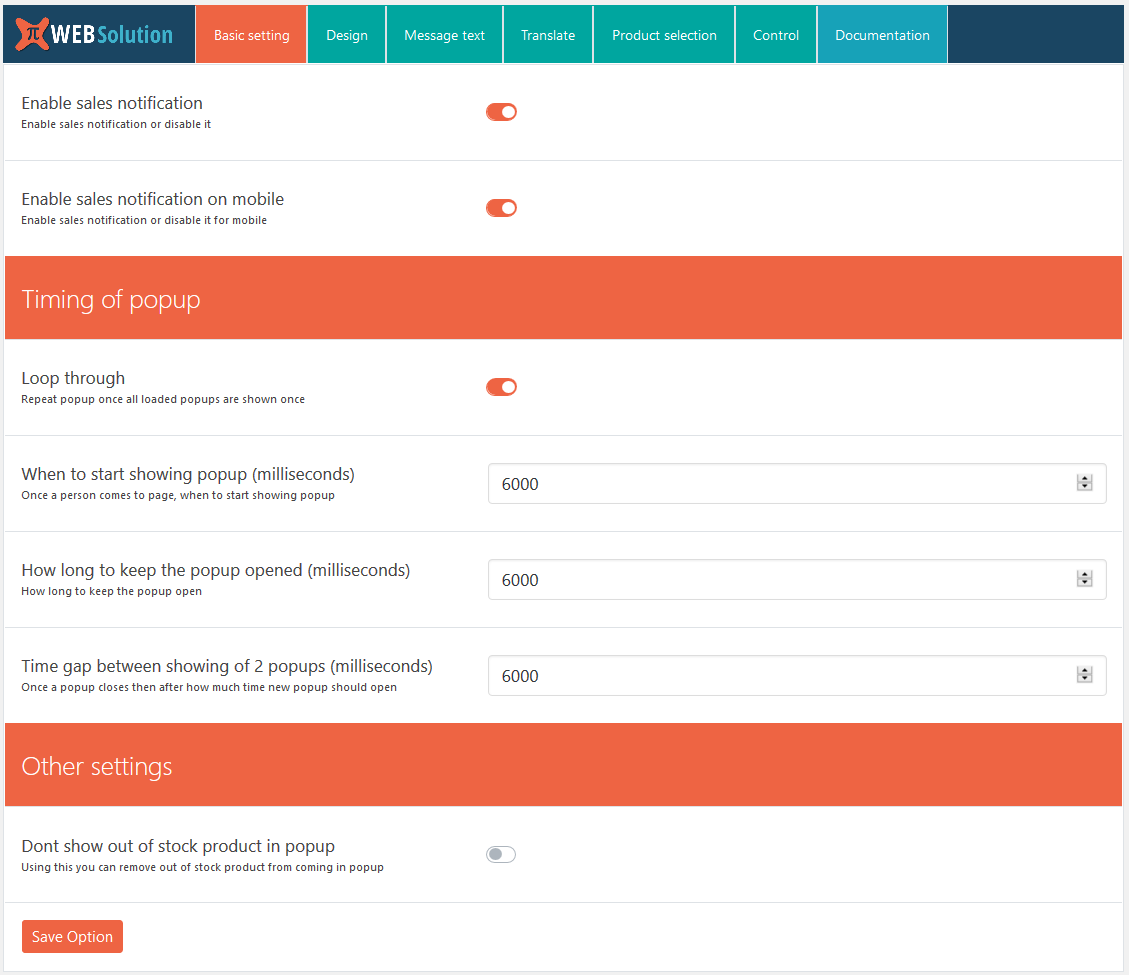
Can I disable Live sales feed for mobile
Yes, there is a direct option in the basic settings using which you can disable this on mobile; this is available in both the FREE version and PRO
Can I control timing of the Fake sales popup alerts
Yes, this is available in both the FREE version and PRO
I don’t want to show out of stock products in WooCommerce order Notification
The free version doesn’t have this option; this is only available in the PRO version of the WooCommerce Notification plugin
Will this Recent sales popup WooCommerce plugin generate Virtual orders
Yes, both the Free and Pro versions have the option to generate virtual orders that will be shown in the live sales feed popup
Are those virtual orders generated by WooCommerce Live sales feed plugin stored on the website
No, those are generated at runtime and then removed as well
Can Live sales feed for WooCommerce plugin show products from a specific category
Right now that option is not available in the current release; it will be added so you will be able to select products from a category
Can I select an individual product to show in WooCommerce Live sales feed plugin
Yes, you can select which product to show in WooCommerce order alerts
Can I change the position of the popup box generated by Live sales alert WooCommerce plugin
Yes, you can change the position of the WooCommerce sales alert box
Set background image for the fake sales popup
You can set a background image from the settings
I want to change the mobile breakpoint
The mobile breakpoint is set to 968; in the free version you can’t change the breakpoint, whereas in the PRO version there is an option to change the breakpoint as per your requirement
Give an option to your customer if they will like their name to appear in the live sales feed on your site
The Pro version gives an option to the customer to decide if their name should appear in the popup or not
I don’t want certain orders to be shown in live feed
Admin can exclude certain orders from appearing in the live feed
I want to show stock remaining so the buyer will be urged to buy now
Yes, in the Pro version it will show the stock remaining
I don’t want to show product image
You can add a placeholder image that can be used if the product image is missing, or you can force it to use this image in place of the product image even when the product has an image
Product names are not translated in my multi-language site made using Polylang plugin
The Pro version supports the Polylang plugin for product name translation
Is it HPOS compatible
Yes, the Free version and PRO version both are HPOS compatible
Can I show visitors’ location as a location of other buyers
Yes, you can show the visitor’s actual country in fake sales popups to create a sense of familiarity and trust, increasing the likelihood of their purchase. This is available in the PRO version.
Changelog
2.3.72
- Admin ui improved
2.3.71
- 10 theme added and theme6 is default theme now, you can swith to your previous theme from setting by selecting custom theme
2.3.70
- banner change
2.3.66
- Tested for WC 10.9.0
2.3.64
- Order tag support added
2.3.63
- Tested for WP 7.0
Screenshots
For developers
Is this your plugin? Show off the numbers.
Add a live badge to your site, docs or GitHub README. It updates on its own — no account needed.
FAQ
PiWeb Live sales notification for W…: quick answers
Straight answers, pulled from live WordPress.org data.
Live data from WordPress.org · checked Sep 28, 2026
Is PiWeb Live sales notification f… free?
Yes. PiWeb Live sales notification f… is free to download and use from the official WordPress.org plugin directory.
Is PiWeb Live sales notification f… safe to use in 2026?
Yes — PiWeb Live sales notification f… is a safe, well-maintained plugin to use in 2026. It runs on 40K+ sites, is rated 4.1/5 and was last updated 3 weeks ago, and scores 87/100 on our health check.
How many websites use PiWeb Live sales notification f…?
PiWeb Live sales notification f… is active on 40K+ WordPress websites and has been downloaded 254,599 times since it launched in April 2019. It was downloaded 3,703 times in the last 30 days.
Does PiWeb Live sales notification f… work with WordPress 7.1?
Yes. The developer has tested PiWeb Live sales notification f… up to WordPress 7.1.2, the latest release. It requires WordPress 3.0.1 or newer.
When was PiWeb Live sales notification f… last updated?
The latest version, 2.3.72, was released on September 8, 2026 (3 weeks ago).
Who makes PiWeb Live sales notification f…?
PiWeb Live sales notification f… is developed and maintained by PI Web Solution.
Powered by PageForge
Want thousands of pages that rank like these? Build them in an afternoon.
This directory runs on the same engine as PageForge. Turn any spreadsheet, CSV or API into thousands of fast, SEO-ready WordPress pages — with schema, internal links and AI-written copy baked in.
- CSV, Google Sheets & API data sources
- AI content, schema & internal links per page
- Works with Elementor, Gutenberg, Yoast & Rank Math
- Free on WordPress.org — no credit card


