



LingoJS – Website Translation Integration
Easily integrate LingoJS into your WordPress site for fast and automatic multilingual translation.

Use with caution
LingoJS works, but test it on a staging site before relying on it in 2026. Was last updated 2 months ago, and scores 48/100 on our health check.
- Small user base (<10 active installs)
- Very few reviews so far
- Only tested up to WordPress 6.8 (latest is 7.1)
How does it stack up?
Side-by-side on installs, updates, ratings & support


Daily downloads
Download spikes usually follow a new release — each site that auto-updates counts as a download.
Rankings
Where LingoJS stands todayWordPress.org search rankings
Live position in the plugin search, top 100| Keyword | Position |
|---|---|
| language switcher | >100 |
| localization | >100 |
| multilingual | >100 |
| saas | >100 |
| translation | >100 |
About LingoJS
From the official readme · v1.0.5Description
LingoJS Integration is the official WordPress plugin for connecting your website with LingoJS. No more editing your theme files! This plugin lets you add the LingoJS script and configure your translation settings from the WordPress admin panel.
Note: This plugin integrates with the LingoJS SaaS platform and uses a remote script to connect to our translation engine. This is required to provide automatic, dynamic multilingual translations for your website.
Key features:
- Automatically insert the LingoJS script
- Define your LingoJS project key
- Set base and target languages
- Enable persistent language selection
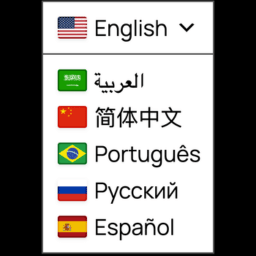
- Show/hide the language switcher widget
- Display the language switcher as a floating widget or embed it anywhere with a shortcode
- Support for dynamic content
Privacy Notice
This plugin integrates with the LingoJS SaaS platform by loading a remote script to provide automatic and dynamic multilingual translations.
By using this plugin, you acknowledge that a connection is made to LingoJS servers. You must have a valid LingoJS account and agree to our Terms of Service and Privacy Policy, available at:
https://lingojs.com/terms
https://lingojs.com/privacy
The plugin itself does not collect any personal data directly. However, the LingoJS service may collect data as described in their privacy policy.
Please review our policies to understand how your data is handled when using this plugin.
Usage
After activating the plugin:
- Refresh your website page. The language widget should appear.
- If it shows “undefined,” refresh the page once more. This happens because the browser is still retrieving your LingoJS settings, so a quick reload ensures everything loads correctly.
- Go to your LingoJS dashboard and open the Translations section.
- Select the texts you want to publish or block.
- Texts marked as “published” will be automatically translated into all target languages of your project.
- Return to your website and refresh the page.
- You should now see your text translated based on your settings.
Embedded Widget
To place the language widget inside your page instead of floating over it:
- Open Settings > LingoJS and set Widget Display to Embedded in page.
- Add the
[lingojs_widget]shortcode where the widget should appear.
In Elementor, add a Shortcode widget to the desired section and enter [lingojs_widget]. The widget also works in Gutenberg, theme templates, and other page builders that support WordPress shortcodes.
Installation
- Upload the plugin to your
/wp-content/plugins/directory or install it from the WordPress Plugin Directory. - Activate the plugin through the “Plugins” menu.
- Navigate to Settings > LingoJS and configure your project key and language preferences.
Frequently asked questions
Where do I get a LingoJS project key?
You can create a free project and get your key from LingoJS dashboard.
Will this plugin translate dynamic content?
Yes. LingoJS detects and handles dynamic content. Use for dynamic variables and translate="no" to exclude content.
Can I disable the widget?
Yes. Just uncheck the “Show Language Widget” option in the settings.
Can I place the widget inside an Elementor section?
Yes. Select Embedded in page in the LingoJS settings, then add [lingojs_widget] with Elementor’s Shortcode widget.
Changelog
This update improves the widget to better track API customization changes.
1.0.5
- Added an embedded widget mode.
- Added the
[lingojs_widget]shortcode for Elementor, Gutenberg, and other page builders.
1.0.4
- Updated the LingoJS script to the latest version (1.0.4) for improved performance and bug fixes.
1.0.3
- Added support for URL-based language routing via Cloudflare Worker — leave Target Language empty to enable automatic language detection from the request URL.
1.0.2
- Minor widget update.
1.0.1
- Readme improvements and privacy notice added for compliance with Plugin Check and WordPress.org guidelines.
- Minor bug fixes and clarifications.
1.0
- Initial release of the official LingoJS WordPress plugin.
For developers
Is this your plugin? Show off the numbers.
Add a live badge to your site, docs or GitHub README. It updates on its own — no account needed.
Best LingoJS alternatives
All language switcher plugins →





FAQ
LingoJS: quick answers
Straight answers, pulled from live WordPress.org data.
Live data from WordPress.org · checked Sep 28, 2026
Is LingoJS free?
Yes. LingoJS is free to download and use from the official WordPress.org plugin directory.
Is LingoJS safe to use in 2026?
LingoJS works, but test it on a staging site before relying on it in 2026. Was last updated 2 months ago, and scores 48/100 on our health check.
How many websites use LingoJS?
LingoJS is active on <10 WordPress websites and has been downloaded 1,008 times since it launched in July 2025. It was downloaded 84 times in the last 30 days.
Does LingoJS work with WordPress 7.1?
LingoJS is officially tested up to WordPress 6.8.10, while the latest release is 7.1.2. It may still work, but try it on a staging site first.
What PHP version does LingoJS need?
LingoJS requires PHP 7.4 or higher. Most hosts run PHP 8.x today, so it works on any modern WordPress hosting.
When was LingoJS last updated?
The latest version, 1.0.5, was released on July 17, 2026 (2 months ago).
Who makes LingoJS?
LingoJS is developed and maintained by LingoJs Team.
What are the best alternatives to LingoJS?
The most popular alternatives to LingoJS are Connect Polylang for Elemen… (100K+ installs), Universally (20K+ installs) and Multilanguage by BestWebSoft (3K+ installs).
Powered by PageForge
Want thousands of pages that rank like these? Build them in an afternoon.
This directory runs on the same engine as PageForge. Turn any spreadsheet, CSV or API into thousands of fast, SEO-ready WordPress pages — with schema, internal links and AI-written copy baked in.
- CSV, Google Sheets & API data sources
- AI content, schema & internal links per page
- Works with Elementor, Gutenberg, Yoast & Rank Math
- Free on WordPress.org — no credit card


