


Light Modal Block
Lightweight, customizable modal block for the WordPress block editor

Safe pick
Yes — Light Modal Block is a safe, well-maintained plugin to use in 2026. It runs on 2K+ sites, is rated 5/5 and was last updated 3 weeks ago, and scores 87/100 on our health check.
- Actively developed — last update 3 weeks ago
- Tested with the latest WordPress (7.1)
- Momentum — downloads up 176.6% vs the previous 30 days
How does it stack up?
Side-by-side on installs, updates, ratings & support



Daily downloads
Download spikes usually follow a new release — each site that auto-updates counts as a download.
Rankings
Where Light Modal Block stands todayWordPress.org search rankings
Live position in the plugin search, top 100| Keyword | Position |
|---|---|
| block | #34 |
| gutenberg | >100 |
| lightbox | >100 |
| modal | #4 |
| popup | >100 |
Version adoption
Share of active sites per release.
Rating breakdown
★★★★★★★★★★ 5 from 13 reviews
About Light Modal Block
From the official readme · v1.10.0Description
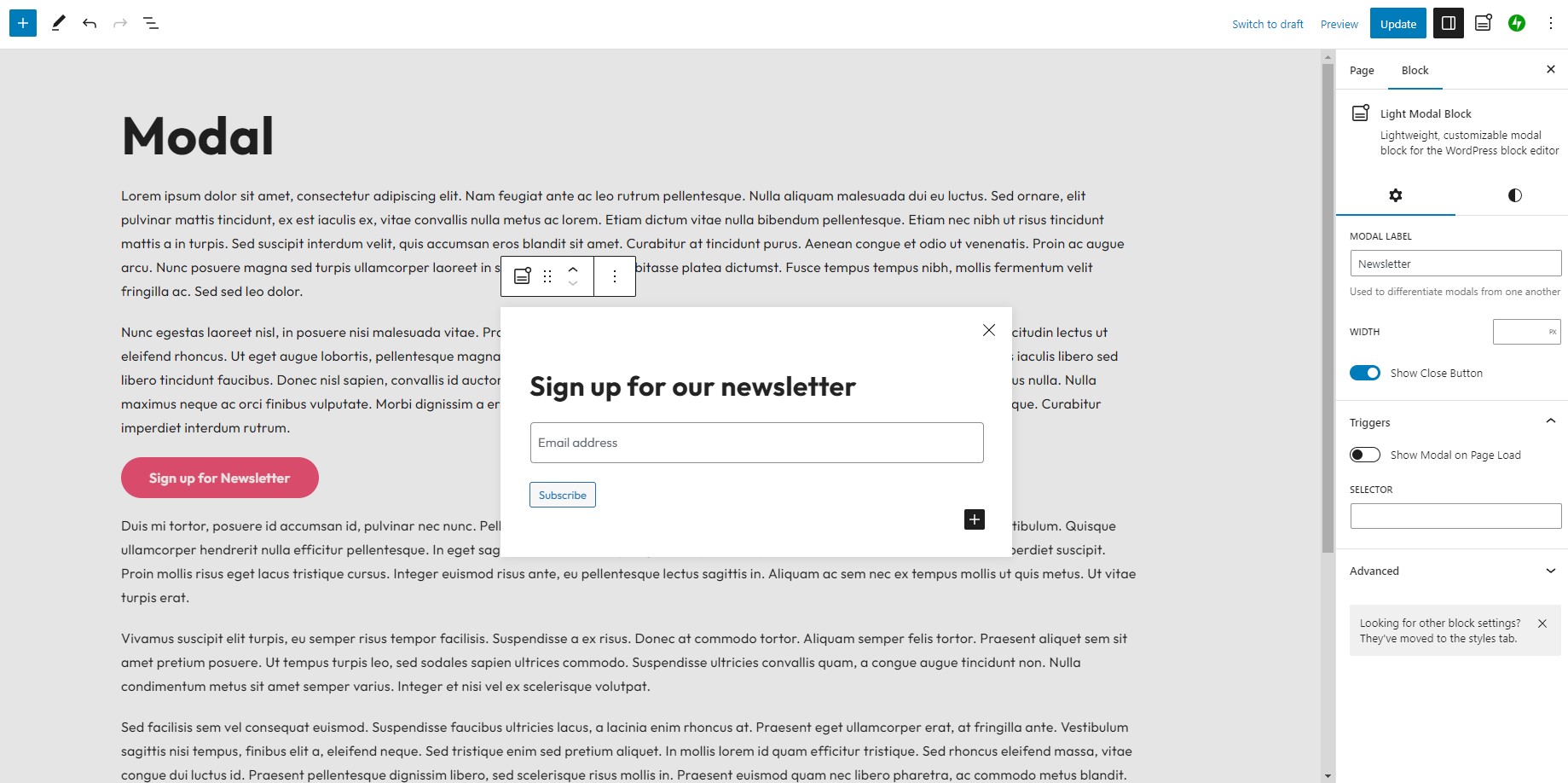
A simple yet robust solution for creating modals within the WordPress block editor.
Features
- Fully customizable using the native block editor style controls
- Trigger modal on click for any element via CSS selector
- Trigger modal on page load after X milliseconds
- Set cookie to not show modal again on page load until X minutes have elapsed
- Option for user interaction within modal triggers cookie to be set
- Custom modal width
- Optional close button
- API enabled
- Only 2kb gzipped
- Accessibility enabled
- Use modals within the query loop block and the WooCommerce Product Template block
Attribution
The Light Modal block uses a modified version of the Micromodal library.
Installation
- Upload the plugin files to the
/wp-content/plugins/light-modal-blockdirectory, or install the plugin through the WordPress plugins screen directly. - Activate the plugin through the ‘Plugins’ screen in WordPress
Changelog
1.10.0
- Enhancement: Modals inside the WooCommerce Product Template open the product that was clicked, instead of always showing the first product
- Fix: Close button reliably closes the modal when clicking the icon inside the button
1.10.0
- Fix: Prevent page scrolling when clicking an anchor which triggers opening a modal
1.9.1
- Fix: Modal not opening on some sites due to the script loading after the page was already ready
1.9.0
- Enhancement: When selecting edit modal from the plugin sidebar, automatically open the modal block settings
- Enhancement: Improve performance of
useModals()hook via leveraginggetBlocksByName()
1.8.0
- Fix: Show modal on page load no longer requiring delay input
- Enhancement: Control over autoplaying of videos and audio when a modal opens as well as pausing when it closes
1.7.1
- Fix: Unnecessary block editor scripts being enqueued on frontend
Screenshots


For developers
Is this your plugin? Show off the numbers.
Add a live badge to your site, docs or GitHub README. It updates on its own — no account needed.
Best Light Modal Block alternatives
All block plugins →




FAQ
Light Modal Block: quick answers
Straight answers, pulled from live WordPress.org data.
Source: WordPress.org
Is Light Modal Block free?
Yes. Light Modal Block is free to download and use from the official WordPress.org plugin directory.
Is Light Modal Block safe to use in 2026?
Yes — Light Modal Block is a safe, well-maintained plugin to use in 2026. It runs on 2K+ sites, is rated 5/5 and was last updated 3 weeks ago, and scores 87/100 on our health check.
How many websites use Light Modal Block?
Light Modal Block is active on 2K+ WordPress websites and has been downloaded 26,939 times since it launched in June 2023. It was downloaded 3,054 times in the last 30 days.
Does Light Modal Block work with WordPress 7.1?
Yes. The developer has tested Light Modal Block up to WordPress 7.1.5, the latest release. It requires WordPress 6.6 or newer.
What PHP version does Light Modal Block need?
Light Modal Block requires PHP 7.0 or higher. Most hosts run PHP 8.x today, so it works on any modern WordPress hosting.
When was Light Modal Block last updated?
The latest version, 1.10.0, was released on October 29, 2026 (3 weeks ago).
Who makes Light Modal Block?
Light Modal Block is developed and maintained by David Jensen.
What are the best alternatives to Light Modal Block?
The most popular alternatives to Light Modal Block are Spectra Legacy (1M+ installs), Breadcrumb NavXT (700K+ installs) and PDF Embedder (300K+ installs).
Powered by PageForge
One template and a spreadsheet. A real page for every search.
PageForge turns each row of a CSV into a WordPress page with its own title, URL, SEO fields and schema, built on the layout you already designed. Free on WordPress.org.
- CSV and XLSX, plus Google Sheets on Professional and Enterprise
- Its own title, URL, SEO fields and schema for every page
- Works with the block editor, Elementor, Divi and Avada
- Free on WordPress.org, no credit card