


LifterLMS – WP LMS for eLearning, Online Courses, & Quizzes
Complete e-learning platform to sell online courses, protect lessons, offer memberships, and quiz students. WP Learning Management System.

Safe pick
Yes — LifterLMS is a safe, well-maintained plugin to use in 2026. It runs on 10K+ sites, is rated 4.8/5 and was last updated 2 weeks ago, and scores 93/100 on our health check.
- Proven at scale on 10K+ active sites
- Loved by users — 4.8/5 from 392 reviews
- Actively developed — last update 2 weeks ago
- Tested with the latest WordPress (7.1)
How does it stack up?
Side-by-side on installs, updates, ratings & support



Daily downloads
Download spikes usually follow a new release — each site that auto-updates counts as a download.
Rankings
Where LifterLMS stands todayWordPress.org search rankings
Live position in the plugin search, top 100| Keyword | Position |
|---|---|
| course | #5 |
| elearning | #2 |
| learning management system | #7 |
| lms | #7 |
| quiz | #24 |
Version adoption
Share of active sites per release.
Rating breakdown
★★★★★★★★★★ 4.8 from 392 reviews
About LifterLMS
From the official readme · v10.2.1Description
LifterLMS is a secure easy-to-use WordPress LMS plugin packed with features to easily create & sell courses online.
Turn your WordPress website into a professional eLearning platform with every customizable feature you could possibly need from your LMS.
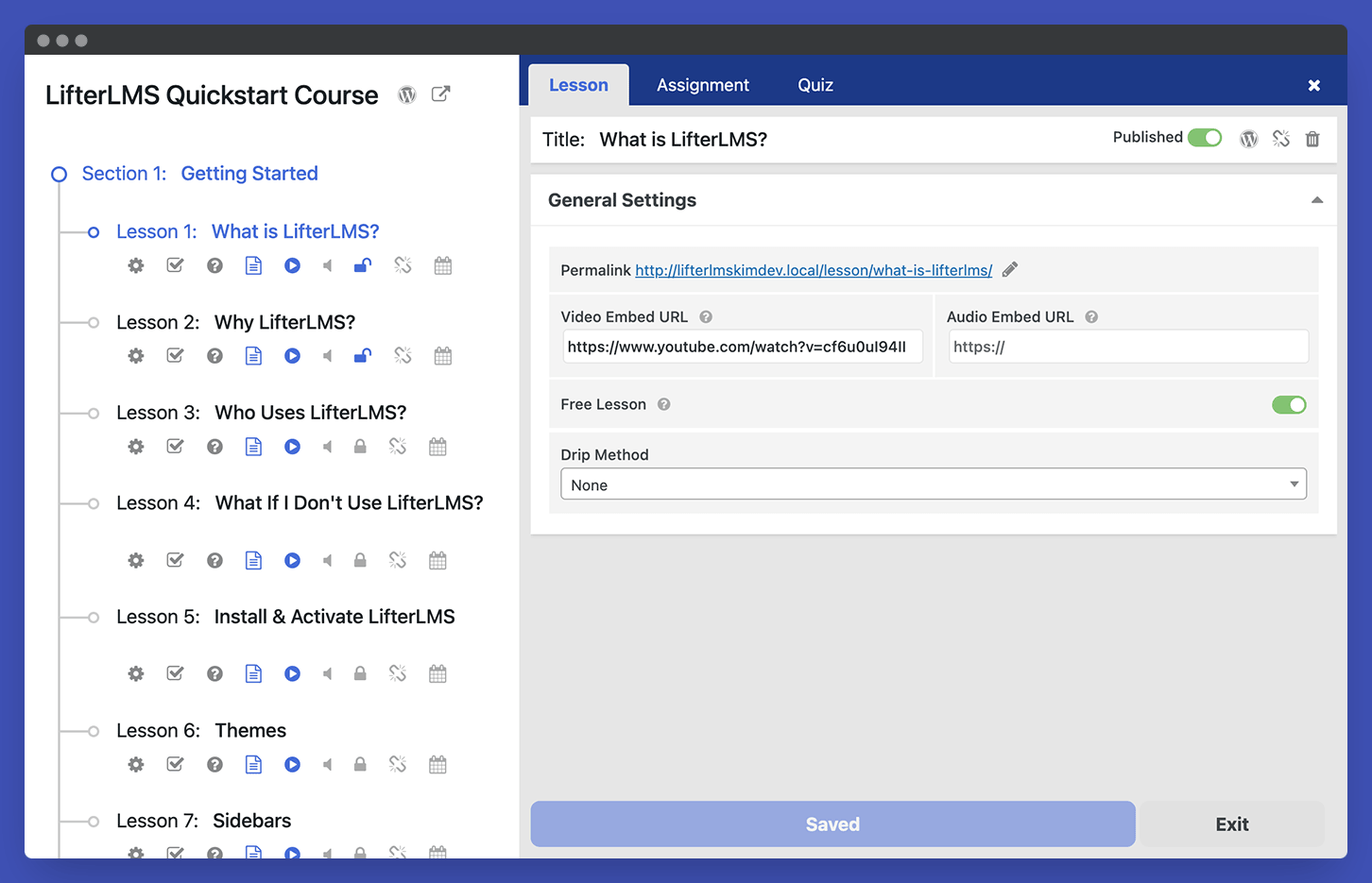
- Intuitive LMS Course Builder: Create Courses, Sections, and Interactive Lessons with multimedia content.
- Track Student Progress: In-Depth Reporting, Create Timed or Open Quizzes, Drip Content, Add Prerequisites, Analyze Progress, and Award Certificates
- Complete Ecommerce Platform: Built-in Gateway Integration for Stripe and PayPal With Memberships and Subscriptions
- Community and Social Learning: Integrate a Community Forum or Discussion Area, Add Multiple Instructors, and Display Course Reviews
LifterLMS makes it easy to create, sell, and protect engaging online courses and training-based membership websites.
Integrate LifterLMS With Any Theme, Page Builder, & Block Editor
LifterLMS works with any modern WordPress theme/FSE, the Block Editor (Gutenberg), and every popular WordPress page builder including Elementor, Beaver Builder, and Divi.
With over 10 years development, our team is deeply engaged with the WordPress community. We encourage our integration partners to create the extensions you need most, like Affiliate WP, Monster Insights, WP Fusion, popular form plugins, GamiPress, Astra Pro, and more.
Open Source, Free Core Plugin
LifterLMS gives back to the open-source community. The core LifterLMS plugin is a totally FREE forever LMS – no limits on your courses, memberships, enrollments, or earnings.
We believe in free, distributed learning for all. LifterLMS exists to democratize education in the digital classroom.
Premium Add-ons and Bundles
Get to know our team and product. by signing up for a $1 temporary 30 Day website. You’ll get instant access to a private demo site hosted on our servers pre-installed with:
- the core LifterLMS plugin, AND
- every premium LMS add-on
See why so many people start with or switch from another WordPress LMS or hosted platform to LifterLMS for online courses, membership sites, and remote schools.
LifterLMS is Perfect For:
Builders
We’re the favorite LMS plugin for WordPress developers, designers and IT pros who build LMS websites and training portals for clients, employers, and themselves
DIY
Do-it-yourself innovators love that LifterLMS helps them easily create high-value online courses, coaching or training-based membership websites, right on WordPress.
Switchers
Have you outgrown a hosted LMS platform or an incomplete WordPress LMS stack? Choose LifterLMS if you are looking for more power, control, and better support.
Meet The LifterLMS Team
The LifterLMS team is a diverse group of talented course creators, developers, designers, marketers, and entrepreneurs.
Before developing LifterLMS, we consulted and built custom WordPress-based online learning and membership sites for clients worldwide. LifterLMS was born through this deep hands-on experience building high-end, custom WordPress LMS websites from scratch.
Learn more about the people behind LifterLMS.
LifterLMS By The Numbers
- 8,377,042 Course Enrollments powered by LifterLMS
- 12,570,881 Course and lesson completions powered by LifterLMS
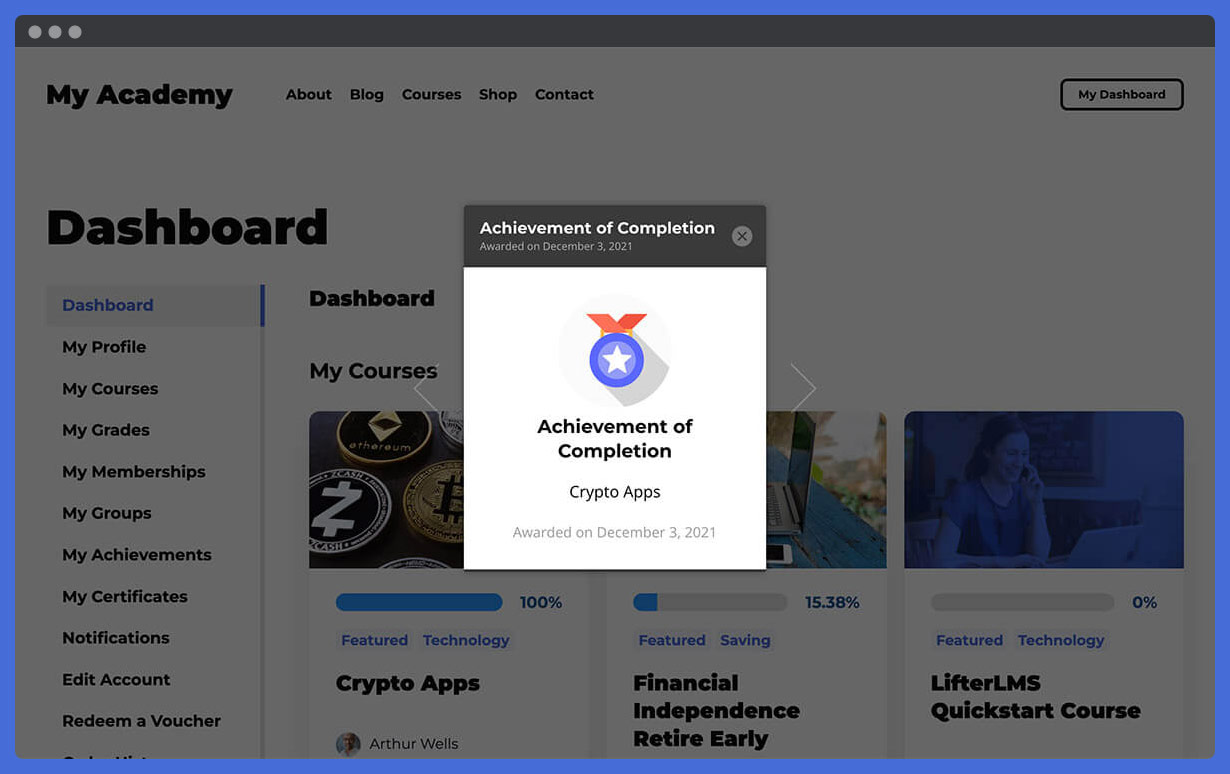
- 186,997 Achievement badges awarded by LifterLMS
- 310,728 Certificates awarded by LifterLMS
- Over 10,000 active installs of the WordPress LMS plugin
- 308 5-star reviews
Features
Start with the free LMS plugin and scale-up as you grow.
Make Money Teaching Online
Set up LifterLMS, activate built-in payments with Stripe or PayPal. That’s all you need to get started.
When you need more features and to expand your online learning business, we’re here for you. We have several free and premium add-ons to help you create more value for your users, and scale your business revenue.
- Credit card payments
- One-time payments
- Recurring payments
- Payment plans
- Unlimited course and membership pricing models
- PayPal
- Subscriptions
- Checkout
- Free courses
- Course bundles
- Private coaching upsells
- Course and membership Coupons
- Bulk course and membership sales
- Affiliate ready
- Native course and membership sales pages
- Offline course and membership sales
- Customizable course and membership enrollment
- Country and currency
- E-commerce dashboard
- Credit card management
- Subscription switching
- Payment switching
- Native Zapier integration
Create Courses on Your WordPress LMS Website
- Course multimedia lessons
- Course quizzes
- Quiz question banks
- Course builder
- Course cohorts
- Drip Content
- Course and lesson prerequisites
- Course tracks
- Course assignments
- Quiz time limits
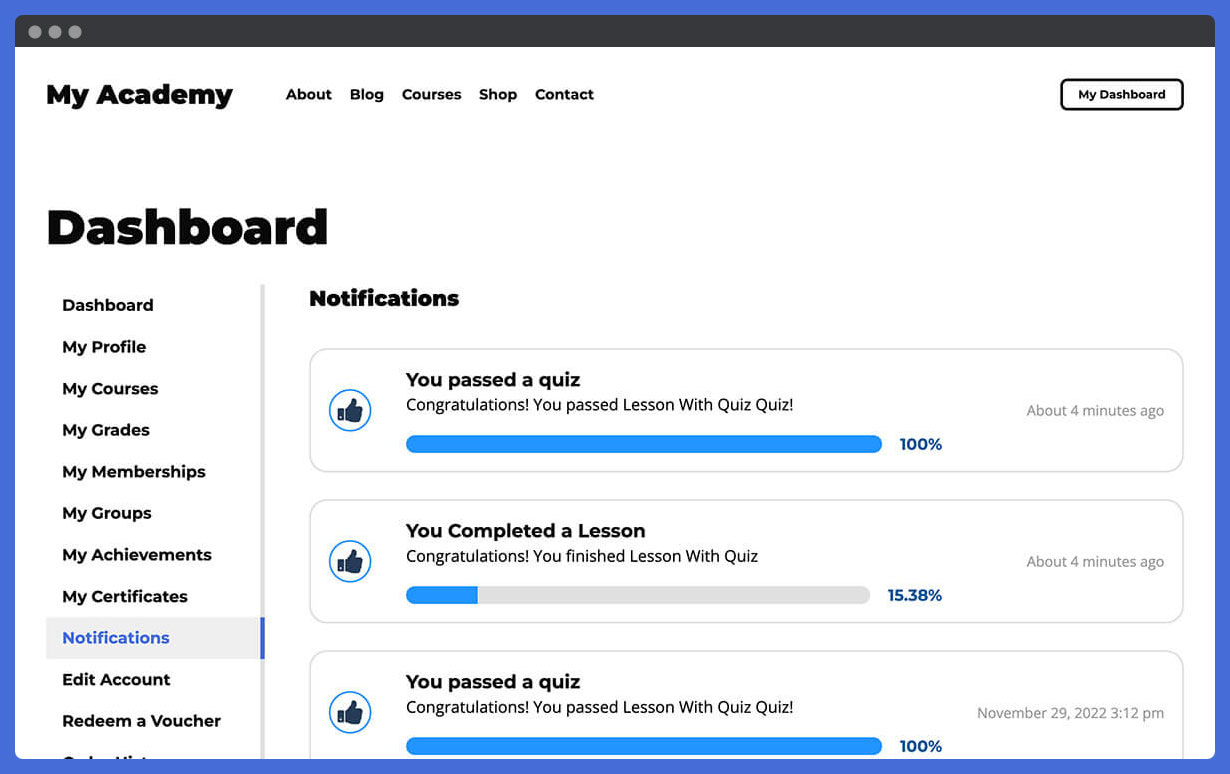
- Student dashboard
- Student note-taking
- Multi-instructor courses
- Lesson downloads
- Course import & export
- Discussion areas
- Instructional design
- Forum integrations
- Graphics pack
- Course reviews
- Group enrollments for courses and memberships
Engage Your Students
- Achievement badges
- Certificates
- Personalized email
- Social learning
- Private coaching
- Text messaging
Offer Memberships
- Sitewide membership
- Course bundles
- Traditional memberships
- Automatic course enrollment
- Bulk course enrollment
- Content restrictions outside of a course
- Members-only payment plans
- Private group discussions
- Members-only forums
Integrate your WordPress LMS with the Tools You Need
- Payment gateways
- Email marketing
- Forums
- Mobile friendly
- Use any theme or page builder
- Built for compatibility
- CRMs
- E-learning authoring tools
- Tin Can API (xAPI)
Secure and Protect Your Content
- Course protection
- User account management and registration
- Members only content
- Course only content
- Restricted access
- Password management
- Self-hosted
Own and Manage Your WordPress LMS Platform
- Detailed course, membership, ecommerce, and student reporting
- Course gradebook
- Email notifications
- Bulk course and membership enrollments
- Student management
- Course and membership access management
- Web design management
- Branding & typography
- WordPress LMS User Roles
- Security
- Require terms
- Scalable
- Layout
- Testing tools
Get Support For Your WordPress LMS Project
- Technical support
- 30 Days of live weekly onboarding calls called Liftoff Sessions
- Live office hours
- Free training courses
- Free training webinars
- Setup wizard
- Detailed documentation
- Dynamic resources
- Demo course
- System analyzer
- User community
- REST API
- Developer ecosystem
- Recommended Resources for course creators
More Resources
- The LifterLMS Official Homepage
- The LifterLMS Knowledge base
- The LifterLMS Blog
- The LifterLMS Podcast
- The LifterLMS Academy
- The LifterLMS Developer Blog
Enhance Your LMS With LifterLMS Add-Ons
Advanced
Increase your LMS website and it’s training program’s value with these add-ons:
- LifterLMS Advanced Quizzes
- LifterLMS Assignments
- LifterLMS Private Areas
- LifterLMS Social Learning
- LifterLMS Advanced Video
- LifterLMS Custom Fields
- LifterLMS Groups
- LifterLMS PDFs
- LifterLMS Private Site
- LifterLMS Course Cohorts
- LifterLMS Advanced Coupons
- LifterLMS Notes
- LifterLMS Continuing Education
- LifterLMS Gifts
Integrations
Integrate your LMS with the tools you use:
- LifterLMS Stripe
- LifterLMS PayPal
- LifterLMS Authorize.Net
- LifterLMS WooCommerce
- LifterLMS Kit
- LifterLMS Mailchimp
LMS Website and User Experience Design Tools
Use LifterLMS with the modern LifterLMS Sky Pilot Theme for even more beautiful results. LifterLMS works with any well-coded WordPress theme, but check out Sky Pilot if you want to start with a modern, beautiful, full-site editing block-based theme. And consider using our Aircraft page builder plugin, to make building beautiful web pages fast using our design template library.
Why Do People Switch to LifterLMS From Other LMS Plugins?
There are several other LMS plugins like:
- Sensei LMS
- Tutor LMS
- WP Courseware
- LearnDash
- Masterstudy LMS
- Academy LMS
- Namaste LMS
- LearnPress
There are some membership plugins with some course features like:
- Paid Memberships Pro (Membership plugin that also integrates with LifterLMS)
- MemberPress
The main reasons we hear from users who switched to LifterLMS after trying out the best WordPress LMS plugins is that LifterLMS has:
- The best most feature-complete customizable well-coded features
- Outstanding customer support including live calls
- The free LifterLMS plugin is amazing making the project affordable
- Memberships, ecommerce, and gamification included in LifterLMS without the need for 3rd party plugins
Other Plugins and Themes Commonly Used with LifterLMS
The most common plugins and themes used with LifterLMS include Elementor, WooCommerce, Contact Form 7, Yoast SEO, WP Forms Lite, Akismet Anti-Spam, Elementor, Jetpack by WordPress.com, Classic Editor, Updrafts Plus Backup/Restore, Realy Simple SSL, All-in-One WP Migration, WordPress Importer, Starter Templates, Wordfence Security, Google Analytics for WordPress by MonsterInsights, Loco Translate, Slider Revolution, Astra Pro, Essential Addons for Elementor, WP Mail SMTP, WooCommerce Stripe Gateway, LiteSpeed Cache, Jetpack, Gravity Forms, MailChimp for WooCommerce, BuddyPress, BuddyBoss, Divi, Kadnece, Beaver Builder, bbpress, The Events Calendar, Ultmate Member, and more.
Connect LifterLMS to over 7,000 other apps like Facebook, Google Sheets, Zoom, Shopify, etc. using the LifterLMS Zapier app.
Support From LifterLMS
**All of our paid products include priority private support.
- LifterLMS Support Ticket System, ready for any question you have about your LMS
- Liftoff Sessions access with live screen-sharing to help you get started with the LMS software
- LifterLMS Office Hours is a weekly Mastermind group hosted by LifterLMS CEO Chris Badgett and special guests
Save on LifterLMS With A Bundle
Save money and get more features.
- Earth Bundle gives you all the essentials you need to get your online learning website up and running so it’s collecting money today with the most powerful secure learning management system software.
- Level up your online course LMS website with our ecommerce, design, marketing technology, and automation tools with the Universe Bundle.
- Add more engagement and student transformation potential to your immersive training programs with our entire suite of products including advanced features used by the best teachers, experts, and coaches with the Infinity Bundle.
Try the Best LMS Plugin
-
Install the free core LifterLMS plugin right now. See how extensive and customizable our free core plugin is.
-
Get a temporary 30 Day website on our servers with the core LifterLMS plugin AND all the premium add-ons installed. This demo website allows you to test drive all the LMS add-ons before you invest. Practice creating courses, test out the learner experience, and see how easy it will be to manage your course with WordPress. Install your favorite plugins & themes to test compatibility. Try LifterLMS for $1 now.
- Test LifterLMS as a student. Take a free course on how to build a LifterLMS website in 20 minutes. Take a Free Course now.
Scaling LifterLMS
LifterLMS is incredibly flexible, customizable, and scalable. Use it for a simple one course website. Use it as a course marketplace or multi-instructor online school.
LifterLMS is lightweight enough to handle small niche sites, while also powering huge universities and employee training in Fortune 500 corporations. We’ve even worked with a site that has 4,470,829 course enrollments.
Unlike hosted LMS software where you would pay increasing monthly fees for access and growth, LifterLMS does not charge you more per course, per instructor, per student, or based on your revenue.
Whether you are going big or keeping it small, LifterLMS scales to meet your needs.
LifterLMS in Action
- Success Stories — Discover these amazing stories and accomplishments from our community of course creators.
- Showcase — Check out these websites using LifterLMS
What Others Are Saying About LifterLMS
“I’ve used many LMS platforms over the years. And they were all fine… right up to the day when they weren’t. The trouble is, they all want you to package and manage your course the way THEY think you should do it. THEIR feature set. THEIR way to do it. Now I host all my courses on LifterLMS. TOTALLY different experience. I’m free to do things MY way. I’ve never yet hit a wall where LifterLMS didn’t enable me to do things the way I wanted. Love it! Great support and community too.”
Nick Usborne, Teacher, Entrepreneur
“As a former School Teacher, professional User Experience Designer, and current online course creator – I can honestly attribute much of our success to LifterLMS and it’s consideration for multiple learning modalities, the LMS UI/UX out of the box, and natural student Engagement opportunities. In less than 10 months we’ve gone from $0 to $300K in revenue with LifterLMS playing a huge part in that!!”
Sarah Lorenzen, Teacher, Entrepreneur
Join Our Growing Community
When you download LifterLMS, you join a thriving community of education entrepreneurs, course creators, developers, LMS professionals, and WordPress enthusiasts.
We’re a fast growing open source eLearning community, and everyone seeking to build a sustainable online course business is welcome.
Join the LifterLMS VIP Facebook group to:
- check out what other LifterLMS users are creating
- ask questions and support fellow course creators
Join the LifterLMS Slack community if you’d prefer to connect in Slack.
Contribute
Are you a developer interested in contributing to LifterLMS? Visit the LifterLMS GitHub Repository to find out how to support this open source WordPress LMS software.
Want to add a new language to LifterLMS? Contribute language translations at translate.wordpress.org.
What Should You Do Next?
** Install the free LifterLMS plugin on your website **,
then …
Try out all the premium add-ons for $1 by signing up >>HERE<<
🚀
Installation
Minimum System Requirements
LifterLMS Requires
- PHP 7.4 or later
- WordPress 5.6 or later
- MySQL 5.6 or later
Visit our full system requirements for additional information.
Automatic Installation
The simplest way to install LifterLMS is through your existing WordPress site’s admin. Let WordPress handle file transfers for you – you’ll never need to leave the web browser or admin panel.
- Log in to your WordPress dashboard
- Navigate to Plugins -> Add New
- In the search field, type “LifterLMS” and click “Search Plugins”
- Once you’ve located LifterLMS, click “Install Now”
- Once installation is complete, click “Activate”
Manual Installation
To manually install LifterLMS, you’ll need to download the zip file using the “Download” link on this screen. Then, use FTP to manually upload the unzipped plugin folder to the proper plugins directory on your webserver.
Please see this WordPress Codex document for full instructions on Manual Plugin Installation.
Setup Wizard
After installation, LifterLMS launches a friendly (and super quick) Setup Wizard.
This wizard helps you configure LifterLMS so you can get to the fun stuff – like creating your courses – as quickly as possible.
The wizard includes a few sample courses you can import if you want to see some examples before you start creating your own content.
You can return to the setup wizard at any time by following these steps.
Frequently asked questions
Where do I buy add-ons or bundles for my LifterLMS eLearning Website?
You can explore the individual learning management system add-ons here or save BIG with a bundle
How do I troubleshoot issues with my LMS website?
First, make sure that you’re running the latest version of LifterLMS. And if you’ve got any other LifterLMS plugins active on your site, make sure those are running the most current version as well. The most common issues we see are either plugin conflicts, theme conflicts, or outdated servers. You can test if a plugin or theme is conflicting by manually deactivating other plugins until just LifterLMS is running on your site. If the issue persists from there, revert to the default Twenty Fifteen theme. If the issue is resolved after deactivating a specific plugin or your theme, you’ll know…
How do I ask a question about my online course website?
Users of the free LifterLMS should post their questions here in our WordPress.org support area. If you find you’re not getting support in as timely a fashion as you wish, you might want to consider purchasing a product from LifterLMS so you can access the LifterLMS support team. If you’re already a LifterLMS customer, you can simply log into your account and contact the support team directly on the LifterLMS website. We can provide a deeper level of support in there and address your needs on a daily basis during the work week. Generally, except in times of increased support loads, we reply to…
LifterLMS is awesome! Can you set up my online course site for me?
LifterLMS offers technical support, but we do not offer custom website development services. However, we do recommend third party LifterLMS Experts who can help with web design, web development, instructional design or marketing for a fee. Click here to visit the LifterLMS Experts page.
I’m interested in purchasing add-ons for my WordPress LMS website, but I have a few questions first.
If you’re not finding your questions answered here or on our website, you can ask your presales questions through this contact form. You can also connect live with a member of our team here.
What add-ons are available for LifterLMS, and where can I read more about them?
You can find a full list of official LifterLMS Add-ons here
I have a feature idea. What’s the best way to tell you about it?
We care about your feature ideas and what you have to say. You can request a feature, vote on existing feature requests, and checkout the product roadmap.
Do you have any training for building an online course website?
Be sure you’ve taken the free tutorial training video course: How to Create an Online Course with LifterLMS. We also encourage you to get to know us by signing up for a $1 temporary 30 Day website on our servers which comes with the core LifterLMS plugin all our add-ons intalled. This demo allows you to test drive all the add-ons before you invest. Check it out here: Try LifterLMS for $1.
I’m interested in contributing to LifterLMS, how can I start?
LifterLMS is an open source project. We manage our team, developers, issues, and code on GitHub. We welcome contributions of all kinds, anyone can contribute even if you don’t write code! Check out our Contributor’s Guidelines to get started.
I found a security vulnerability or issue, how can I report it to the team?
The LifterLMS team takes security issues and vulnerabilities very seriously. We appreciate your efforts to responsibly disclose your findings, and will make every effort to acknowledge your contributions. Please contact team@lifterlms.com to report a security vulnerability. You can review our full security policy at https://lifterlms.com/security-policy.
Changelog
v10.2.1 – 2026-09-14
New Features
- Added informative notices about available add-ons in the admin.
- Makes Course IDs easier to find. #3321
Updates and Enhancements
- Added a Name Your Price add-on option to the new access plan dialog and removed the Sale template.
- Redirected the setup wizard skip button to the LifterLMS dashboard and added a Launch Setup Wizard link on the plugins screen.
- Updates for PHP 8.4 compatibility.
Bug Fixes
- Fixed interactive blocks not working in focus mode. #3350
- Disabled the Mark Complete button in markup while a lesson’s minimum time is still running, and left it disabled when other progression requirements remain. #3352
Security Fixes
- Hardened certificate export handling.
- Additional checks in admin reporting.
- Additional authorization checks on REST API endpoints.
Updated Templates
v10.2.0 – 2026-08-24
New Features
- The sections and lessons list endpoints accept
parent_idas an alias for theparentfilter. - Added a read-only REST API endpoint for student grades with per-lesson course grade breakdowns, added a readonly grade field to student progress responses, and registered a student grades ability with the WordPress Abilities API.
- Added time-limited signed download URLs for protected media files, exposed as a download_url field in assignment submission and quiz attempt REST API responses.
- Added a certificate merge code for the student’s display name.
- REST API: added endpoints for quizzes, quiz questions, quiz attempts (including grading), orders and their transactions, certificate templates, and awarded certificates, with new webhook topics and WordPress Abilities API registration.
Updates and Enhancements
- The course students reporting table now sorts by student ID by default instead of by name, avoiding expensive name joins and filesorts on large sites. Columns remain click-sortable.
- Improved cache miss detection and added expiration times to object cache entries for more reliable behavior on persistent object cache backends.
- Student search is not limited to the student role.
- List abilities return an empty list instead of a not-found error for empty collections.
- Ability input schemas reject unknown parameters instead of silently ignoring them.
- List abilities omit rendered markup when a raw counterpart is available, reducing payload size.
- Nested abilities accept id as the parent resource identifier.
- Section and lesson order is optional on create.
Bug Fixes
- Course and membership student exports now honor the boosted export page size, reducing the number of requests required to generate an export file by up to 10x.
- Course reports and exports no longer bulk-create per-lesson time cache rows in user meta, and an automatic database update removes the zero-value rows previously created this way.
- Awarded certificates and achievements now fall back to the template’s post title when the deprecated title meta value is empty.
- Fixed course builder deep links so the lesson or quiz settings panel opens on load. #3328
- Fixed course builder tooltips being clipped by the editor sidebar and outline. #3315
- Fixed stale object cache values for core forms, membership-associated posts, student grades, product active-subscription counts, and theme template override directories on sites using a persistent object cache (Redis, Memcached). #3116
- Fixed automatic recurring payment retries never running when a failed payment placed an active order on hold.
- Fixed media protection block editor labels incorrectly showing “Protect Image” for file, video, and audio blocks.
- Preserve the authorization hook name passed to media upload.
- Ability reads default to the edit context, returning complete resource data.
- Declared and validated the
statusparameter on the REST enrollment update endpoint. - Cached student progress is reset when lesson progress is deleted via the REST API and when lessons or sections are trashed, restored, deleted, or moved to a new parent.
- The lesson REST response emits
completeforquiz.progression, matching the documented schema enum and the accepted input values. - Clarified the REST schema documentation for the
metafield serialization and the enrollmenttriggerdefault. - Ability get and list operations now use the edit context when the caller omits it.
- Hardened quiz attempt answer retrieval.
- Lesson quiz updates keep the quiz’s lesson association in sync.
- Abilities return not-found errors from missing resources.
Performance Improvements
- Course and membership student exports now count the total result set once instead of re-running the count query on every page of the export.
- Improved the performance of the Time in Course column on the course students reporting screen and export by computing course totals with a single query, adding a lesson index to the time sessions table, and skipping all per-student queries when a course has no tracked time.
Security Fixes
- Additional checks on access plan button output. Thanks @thaer-assfour!
- Additional checks on settings save. Thanks @thaer-assfour!
v10.1.1 – 2026-08-11
Updates and Enhancements
- Increased entropy used when generating order keys. Thanks @enterlectury!
Bug Fixes
- Fixed saving when attaching an existing lesson after editing its title or permalink in the Course Builder.
- Fixed the “View add-on details” tooltip being cut off on the Add-ons screen. #3301
- Fixed access plan details not saving when using the course or membership Save button in the block editor. #3256, #3300
- Fixed duplicate engagement emails sent to all recipients when multiple emails share the same triggering post.
- Aligned admin Select2 fields with WordPress 7.0 form control sizing. #3291
- Fixed lesson completion being rejected when the Mark Complete button was clicked the moment the minimum time requirement was reached, before the next time-tracking heartbeat had persisted the elapsed time. #3295
- Prevented a fatal error when cloning a course or creating a course cohort if a cloned lesson or course could not be loaded during prerequisite handling.
Developer Notes
- Corrected the REST API student progress
statusproperty description to reflect the completion status rather than the enrollment status, and noted that the students ability lists LifterLMS students only.
Security Fixes
- Additional checks on checkout completion redirects. Thanks @enterlectury!
- Additional checks when creating users during course import. Thanks @enterlectury!
- Additional authorization checks on REST API key and webhook admin actions. Thanks @enterlectury!
v10.1.0 – 2026-07-31
New Features
- Added WordPress Abilities API (WP 6.9+) integration, registering the LifterLMS REST API endpoints for courses, sections, lessons, memberships, access plans, students, enrollments, and student progress as discoverable abilities for AI clients and automation tools.
- Added a Quizzes subtab to the single course reporting view.
- Added
wp llms course enrollments <id>command to list students enrolled in a specific course. - Added AI agent usage guide (
docs/ai-agents.md) for CLI with patterns for Claude Code, Cursor, Codex, and similar tools. - Added
wp llms course content <id>command to retrieve course structure (sections and lessons) in a single call. - Added course and membership selection to the Pricing Table block. #3239
- Added a HelpScout help beacon to the LifterLMS admin screens.
- Lesson time tracking and minimum time required on lesson enforcement.
- Added an accessible expand control on quiz attempt results so students can discover answer details and clarifications.
Updates and Enhancements
- Adding quiz ID to the lesson listing in the Course Builder. #3024
- Bundled lifterlms-blocks, lifterlms-cli, lifterlms-helper, lifterlms-rest, and banner-notifications directly into core; standalone copies are no longer released separately.
- Limited the pricing table to a maximum of 3 access plan columns per row, using 2 columns when there are exactly 4 plans. #3288
- Added the
wp-element-buttonclass to front-end buttons (pricing tables, checkout, registration, quizzes, dashboard, certificates) so they inherit theme button styling. - Increased the voucher admin “Uses” field width so redemption counts with more than two digits are readable.
Bug Fixes
- Fixed media library attachment detail screen incorrectly showing course-protected files as protected by an assignment submission.
- Fixed media protection URL rewrite failing when a persistent object cache is enabled. Thanks @faisalahammad!
- Added ABSPATH direct file access protection guards. Thanks @faisalahammad!
- Switched the “Add New Plan” access plan dialog to full screen in the editor.
- Fixed course titles showing HTML character codes in block settings. #3239
- Made the course selection dropdown in course blocks searchable. #3239
- Fixed reporting stat tiles becoming misaligned depending on the number and height of tiles shown.
- Fixed course, section, lesson, and quiz titles containing quotes or HTML characters displaying incorrectly in the course builder.
- Fixed the appearance of the custom fields notice on the forms screen under WordPress 7.0. #3161
- Fixed the parent course lookup when setting up lesson data. Thanks @soydiloreto! #3230
- Fixed multi-line quiz question spacing and accessibility on the front end. #3286
- Fixed LifterLMS buttons in the block editor preview inheriting WordPress admin button styles instead of theme button styles.
Developer Notes
- Corrected the docblocks for
get_course()andget_lesson()so the documented$the_course/$the_lessonand$argsparameters match theLLMS_CourseandLLMS_Lessonconstructors they forward to. #2175
Security Fixes
- Additional checks on content restriction in feeds.
- Hardened database queries in the voucher and lesson handler classes.
- Improved redirect handling in content restriction and lesson completion.
- Improved redirect handling in the template loader and lesson progression controller.
Updated Templates
- templates/admin/reporting/tabs/courses/overview.php
- templates/admin/reporting/tabs/courses/quizzes.php
- templates/admin/reporting/tabs/memberships/overview.php
- templates/admin/reporting/tabs/quizzes/attempt.php
- templates/admin/reporting/tabs/quizzes/overview.php
- templates/admin/reporting/tabs/students/courses-course.php
- templates/admin/reporting/tabs/students/information.php
- templates/certificates/actions.php
- templates/content-single-question.php
- templates/course/complete-lesson-link.php
- templates/lesson/minimum-time.php
- templates/myaccount/dashboard-section.php
- templates/myaccount/form-redeem-voucher.php
- templates/myaccount/my-grades.php
- templates/myaccount/my-orders.php
- templates/myaccount/view-order-transactions.php
- templates/product/access-plan-button.php
- templates/product/free-enroll-form.php
- templates/quiz/results-attempt-questions-list.php
- templates/quiz/start-button.php
v10.0.10 – 2026-07-06
Security Fixes
- Additional sanitization of pricing display markup. Thanks Mustafa Ahmed!
- Additional checks on post search AJAX requests. Thanks @devploit!
v10.0.9 – 2026-06-29
Bug Fixes
- Fixed the “Add New Plan” access plan dialog not scrolling within the block editor meta boxes area in WordPress 7.0.
Security Fixes
- Additional checks when starting a quiz. Thanks @Civitasmass!
- Additional checks on the add-ons management screen.
- Additional checks when authenticating REST API requests.
Screenshots

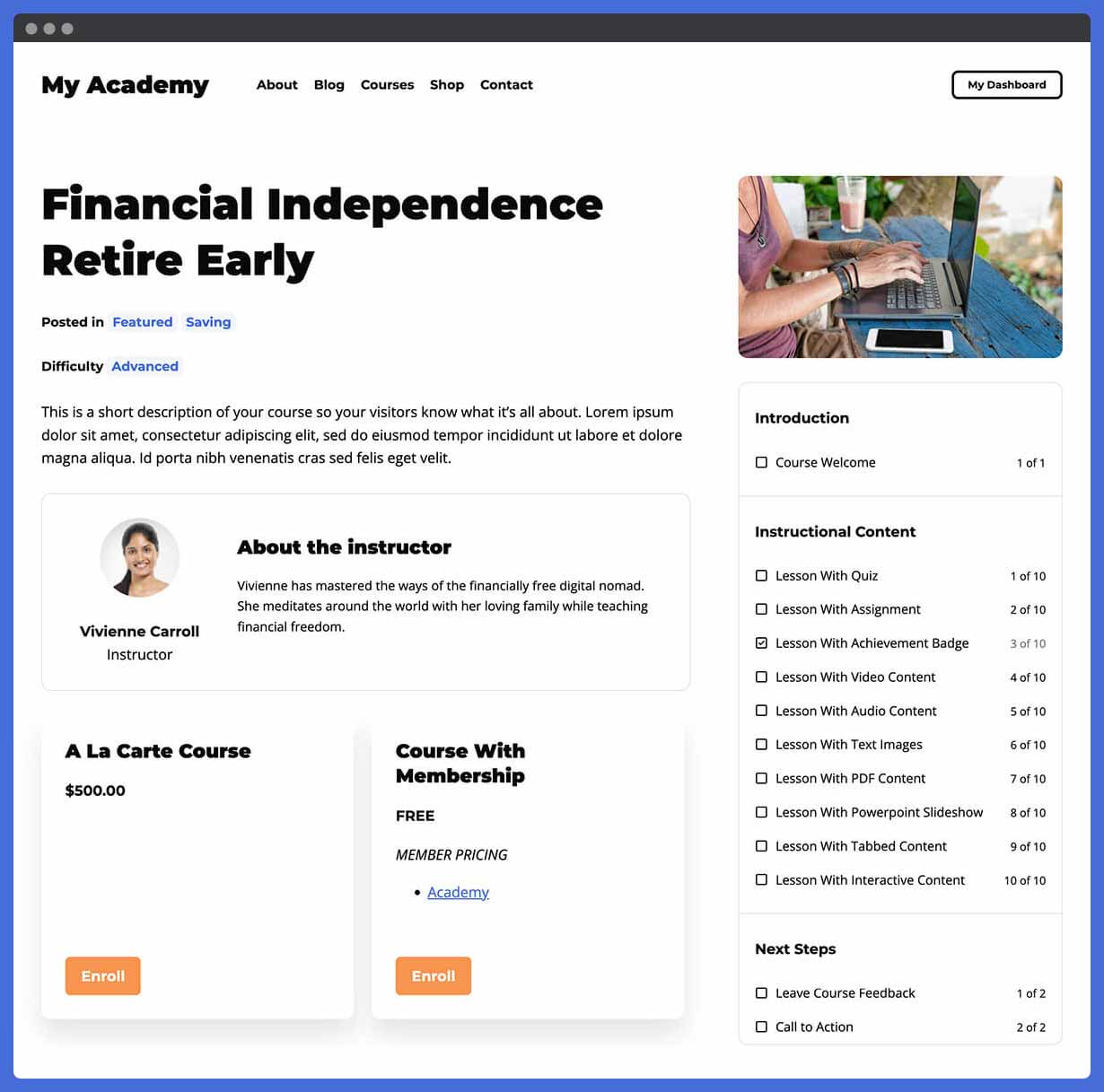
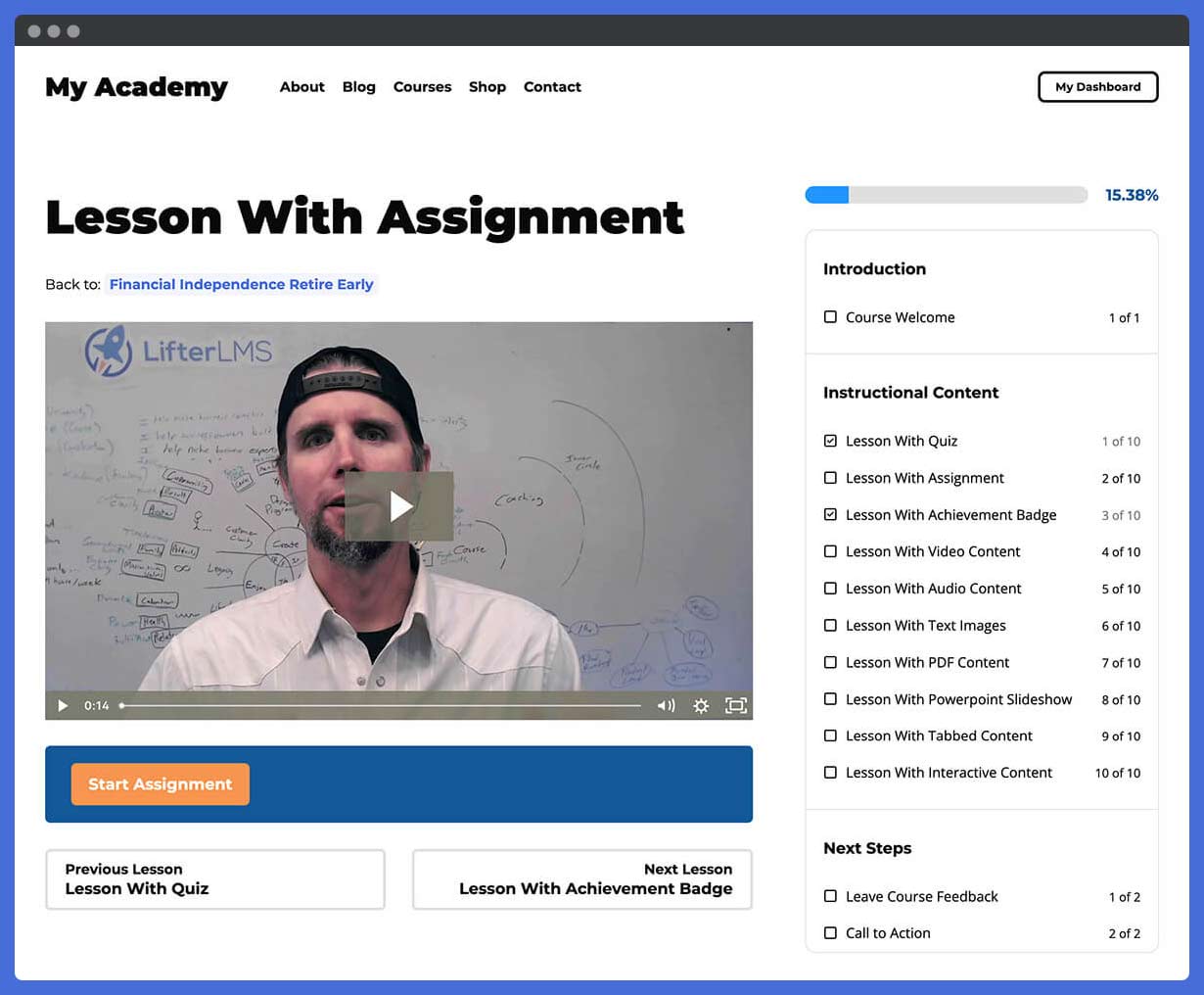
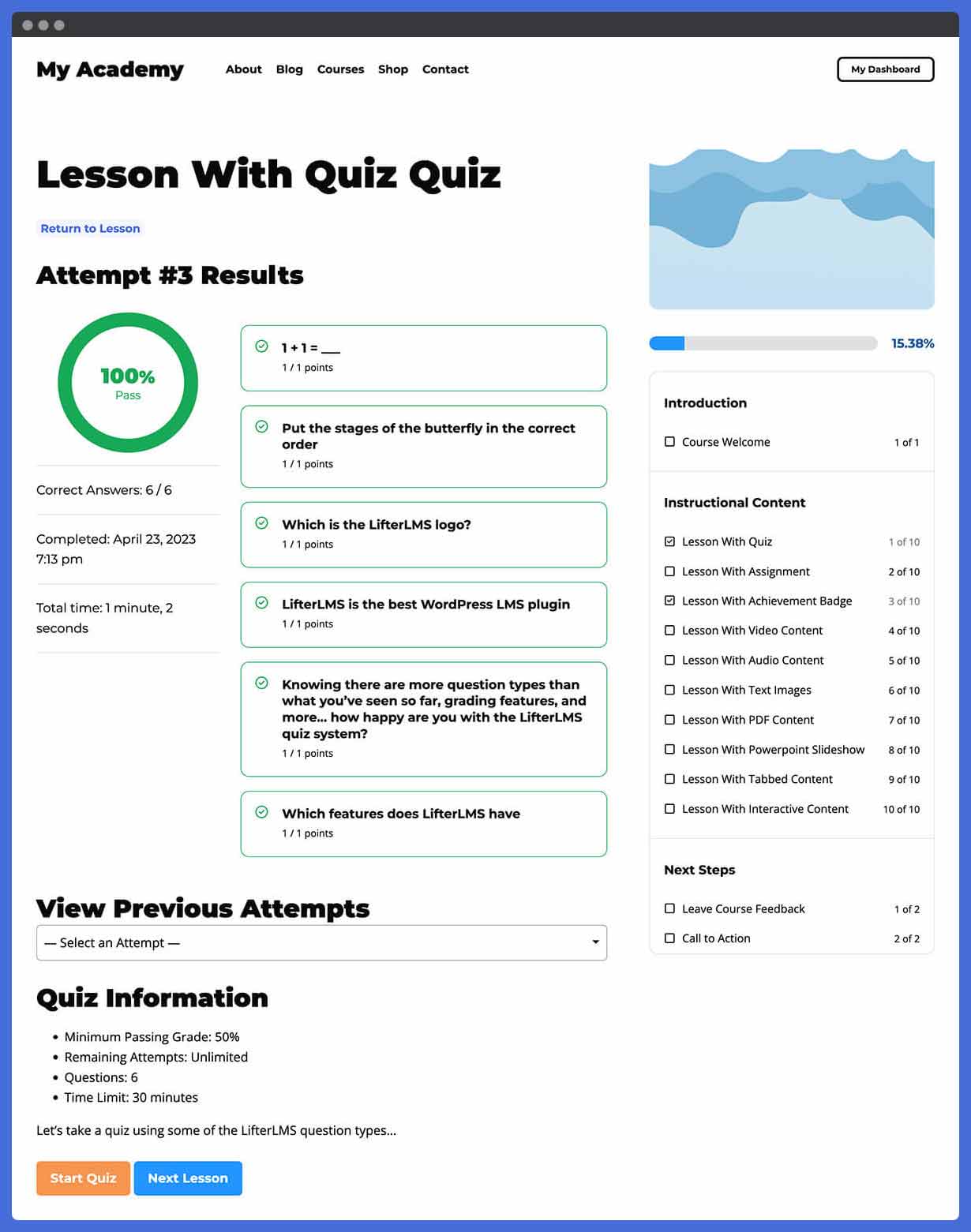
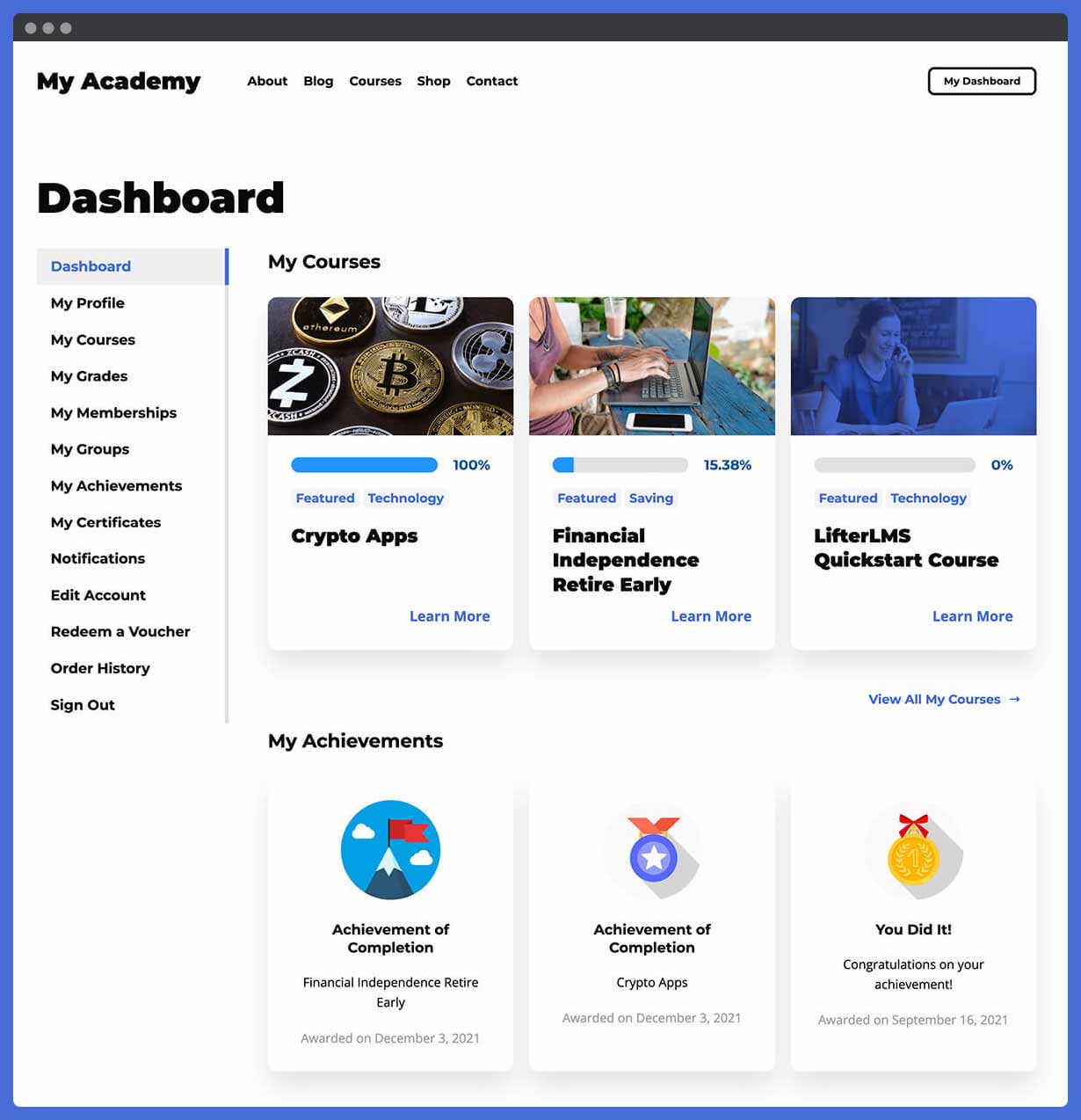

For developers
Is this your plugin? Show off the numbers.
Add a live badge to your site, docs or GitHub README. It updates on its own — no account needed.
Best LifterLMS alternatives
All course plugins →




FAQ
LifterLMS: quick answers
Straight answers, pulled from live WordPress.org data.
Live data from WordPress.org · checked Sep 26, 2026
Is LifterLMS free?
Yes. LifterLMS is free to download and use from the official WordPress.org plugin directory. The developer also sells premium add-ons or a Pro version with extra features.
Is LifterLMS safe to use in 2026?
Yes — LifterLMS is a safe, well-maintained plugin to use in 2026. It runs on 10K+ sites, is rated 4.8/5 and was last updated 2 weeks ago, and scores 93/100 on our health check.
How many websites use LifterLMS?
LifterLMS is active on 10K+ WordPress websites and has been downloaded 1,763,356 times since it launched in February 2016. It was downloaded 12,508 times in the last 30 days.
Does LifterLMS work with WordPress 7.1?
Yes. The developer has tested LifterLMS up to WordPress 7.1.2, the latest release. It requires WordPress 5.9 or newer.
What PHP version does LifterLMS need?
LifterLMS requires PHP 7.4 or higher. Most hosts run PHP 8.x today, so it works on any modern WordPress hosting.
When was LifterLMS last updated?
The latest version, 10.2.1, was released on September 14, 2026 (2 weeks ago).
Who makes LifterLMS?
LifterLMS is developed and maintained by LifterLMS.
What are the best alternatives to LifterLMS?
The most popular alternatives to LifterLMS are Tutor LMS (100K+ installs), LearnPress (70K+ installs) and MasterStudy LMS WordPress P… (10K+ installs).
Powered by PageForge
Want thousands of pages that rank like these? Build them in an afternoon.
This directory runs on the same engine as PageForge. Turn any spreadsheet, CSV or API into thousands of fast, SEO-ready WordPress pages — with schema, internal links and AI-written copy baked in.
- CSV, Google Sheets & API data sources
- AI content, schema & internal links per page
- Works with Elementor, Gutenberg, Yoast & Rank Math
- Free on WordPress.org — no credit card


