


KiriminAja Official
WooCommerce shipping integration for KiriminAja rates, pickup requests, waybill printing, COD, Non-COD, QRIS, KA Credit, and TOP merchant workflows.

Solid choice
KiriminAja Official is a solid plugin choice in 2026, with a few things worth checking first. It runs on 200+ sites and was last updated 7 days ago, and scores 69/100 on our health check.
- Actively developed — last update 7 days ago
- Tested with the latest WordPress (7.1)
- Momentum — downloads up 109.2% vs the previous 30 days
- Small user base (200+ active installs)
- Very few reviews so far
- Needs PHP 8.1 or newer
How does it stack up?
Side-by-side on installs, updates, ratings & support



Daily downloads
Download spikes usually follow a new release — each site that auto-updates counts as a download.
Rankings
Where KiriminAja Official stands todayWordPress.org search rankings
Live position in the plugin search, top 100| Keyword | Position |
|---|---|
| cod | #15 |
| ecommerce | >100 |
| kiriminaja | #1 |
| shipping | >100 |
| woocommerce | >100 |
Version adoption
Share of active sites per release.
About KiriminAja Official
From the official readme · v2.4.0Description
Manage WooCommerce shipping with KiriminAja Official. The plugin helps online stores show real-time shipping rates at checkout, create shipment transactions, request pickups, print waybills, receive shipment status updates, and manage shipment payment workflows from the WordPress dashboard.
KiriminAja Official is built for Indonesian WooCommerce merchants who want to manage COD and Non-COD shipments without switching between multiple dashboards. It supports daily operations from checkout to pickup, payment, waybill printing, and tracking.
What Makes This Plugin Different?
This plugin does more than display shipping rates at checkout. KiriminAja Official also supports post-order operations such as pickup requests, pickup payment handling, waybill printing, and shipment status synchronization.
For TOP merchants, the plugin follows the KiriminAja account property and processes pickups with the TOP payment flow without showing a QRIS payment modal. For Non-TOP merchants, Non-COD pickup payment can use QRIS or KA Credit depending on account configuration.
Who Is This Plugin For?
KiriminAja Official is suitable for WooCommerce store owners who:
- Want automatic shipping rates from multiple courier services at checkout.
- Manage COD and Non-COD shipments from WordPress.
- Need pickup requests and waybill printing from the admin dashboard.
- Use QRIS, KA Credit, or TOP payment workflows for shipment payments.
- Want shipment status updates through KiriminAja webhooks.
- Need a tracking page for customers.
With KiriminAja, WooCommerce shipping operations can be more centralized, easier to monitor, and faster for the operations team.
Key Features
- Real-time shipping rates at WooCommerce checkout.
- KiriminAja courier options based on account, origin, destination, and service availability.
- COD and Non-COD shipment support.
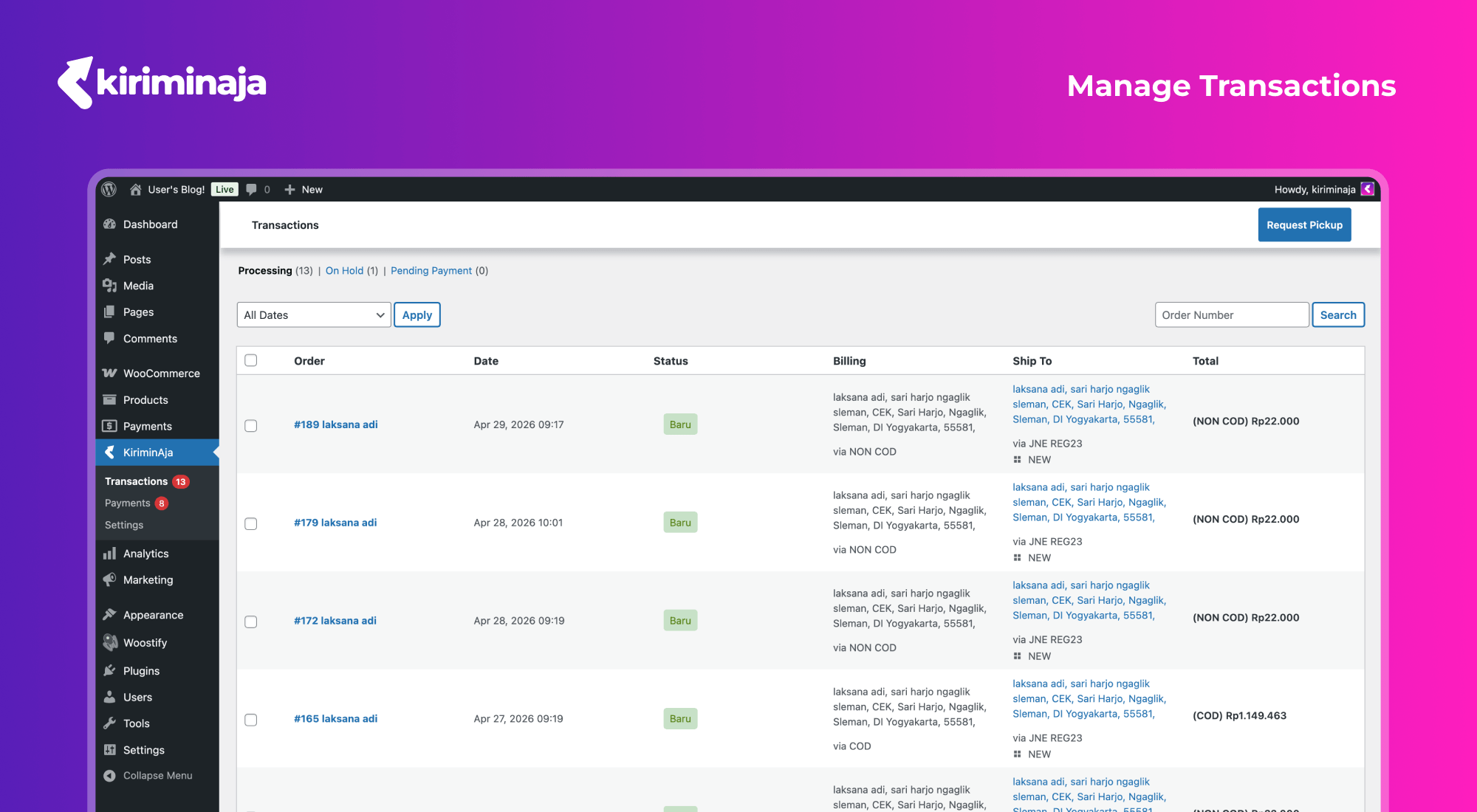
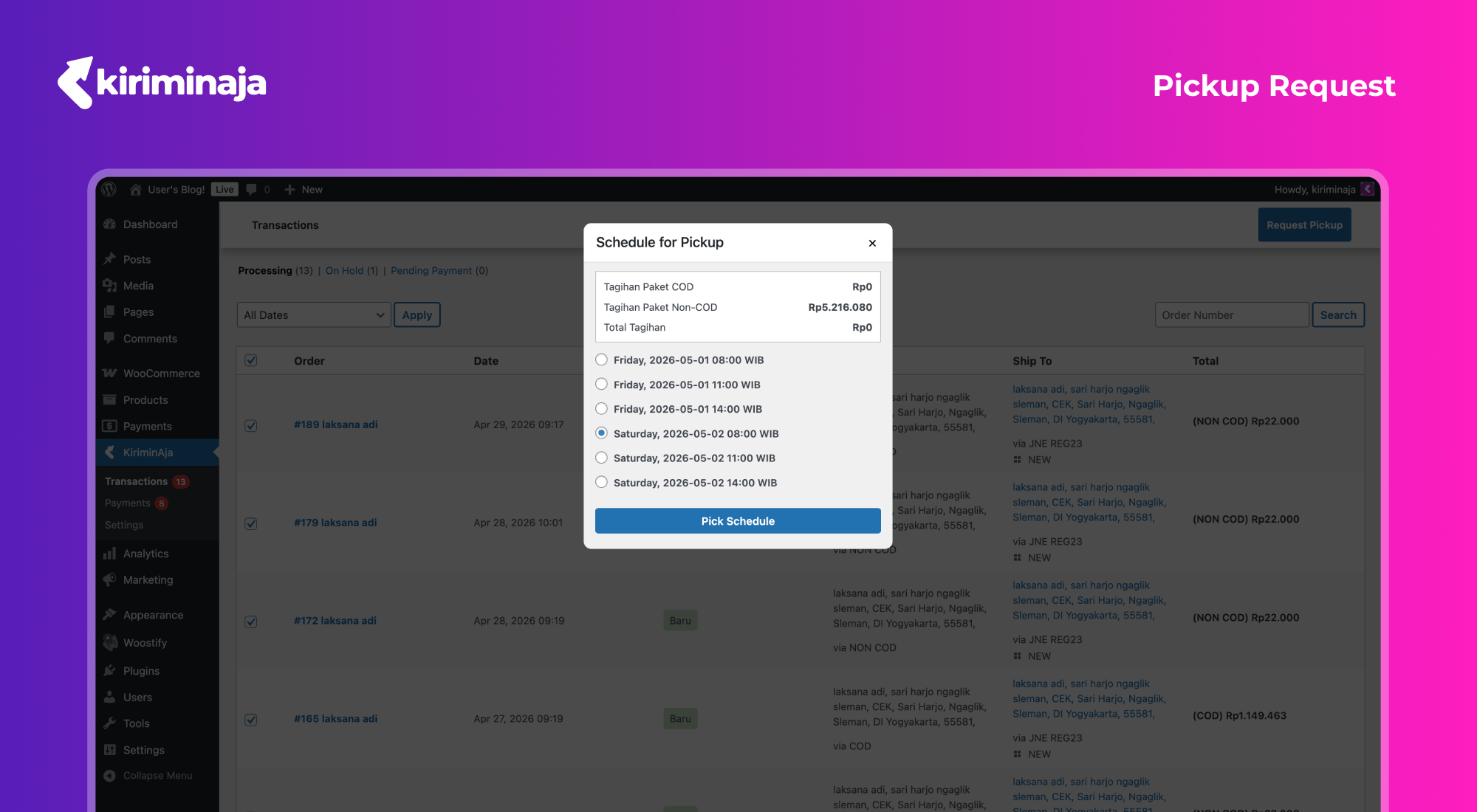
- Pickup requests from the KiriminAja transaction page in WordPress.
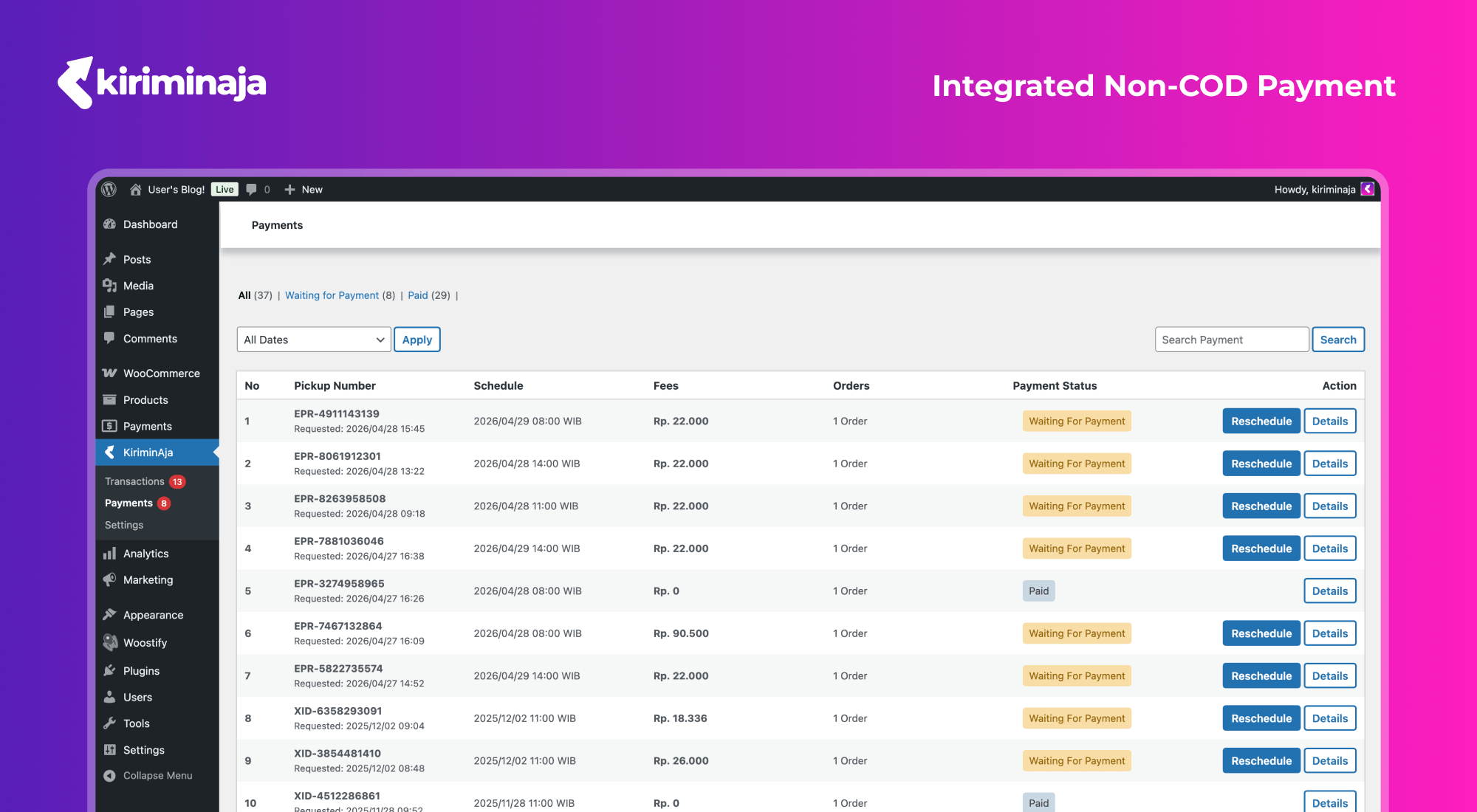
- QRIS pickup payment for eligible Non-TOP merchants.
- KA Credit pickup payment when the account has PIN enabled and sufficient balance.
- TOP merchants are automatically processed through the TOP workflow without QRIS scanning.
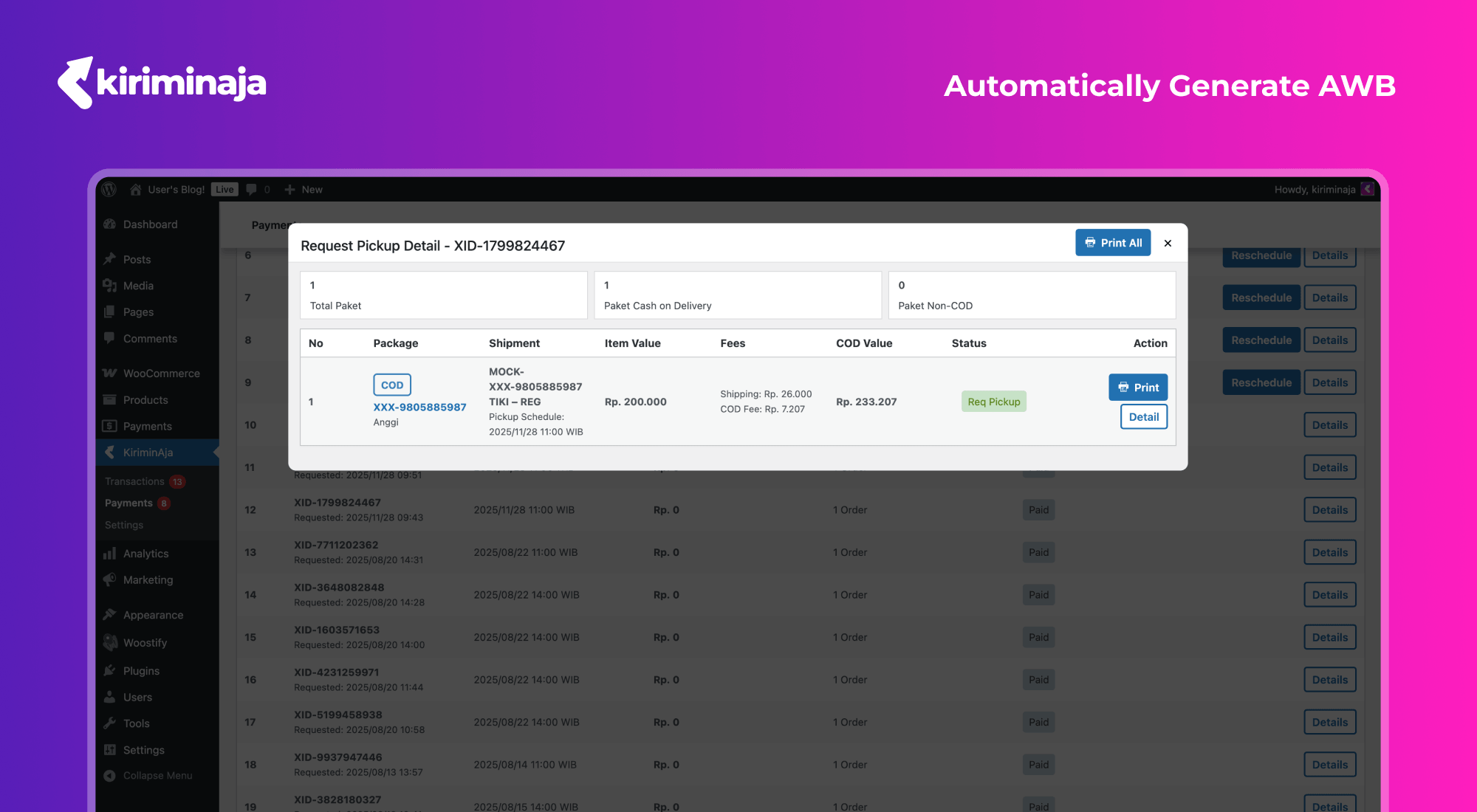
- Single and bulk waybill printing.
- Shipment status updates through KiriminAja webhooks.
- Tracking page support through shortcode.
- Origin address, active courier, callback URL, insurance, and tracking page settings.
- Region coverage and courier list cache for better admin performance.
Supported Couriers and Services
Courier and service availability depends on the merchant account, origin address, destination address, package details, and active KiriminAja services. Commonly available couriers include:
- JNE – REG, YES, OKE, Trucking/JTR depending on area availability.
- SiCepat – Regular, BEST, Gokil/Cargo depending on area availability.
- SAP Express – Regular, One Day, Same Day, Cargo depending on area availability.
- Lion Parcel – Regpack, Jagopack, and other available services.
- AnterAja – Regular, Same Day, Next Day depending on area availability.
- Ninja Xpress – Standard and other available services.
- ID Express – Regular and other available services.
- J&T Express – EZ/Regular and other available services.
- TIKI – REG, ONS, ECO, and other available services.
- POS Indonesia – regular and cargo services depending on area availability.
- Wahana – regular services depending on area availability.
- J&T Cargo – cargo services depending on area availability.
- SPX Express (Shopee) – regular and cargo services depending on area availability.
- Paxel – regular and cargo services depending on area availability.
- Sentral Cargo – cargo services depending on area availability.
- NCS Courier – regular and cargo services depending on area availability.
- RPX – regular and cargo services depending on area availability.
The actual courier list may change depending on KiriminAja service availability and merchant account configuration. Active couriers can be managed from the plugin settings.
Shipment Payment Workflows
KiriminAja Official supports several pickup payment workflows:
- QRIS for eligible Non-TOP merchants with Non-COD packages.
- KA Credit for merchants with PIN enabled and sufficient credit balance.
- TOP for merchants with TOP account property in KiriminAja.
- COD-only pickups do not require an additional pickup payment method.
Installation
- Download and activate the KiriminAja Official plugin.
- Make sure WooCommerce is installed and active.
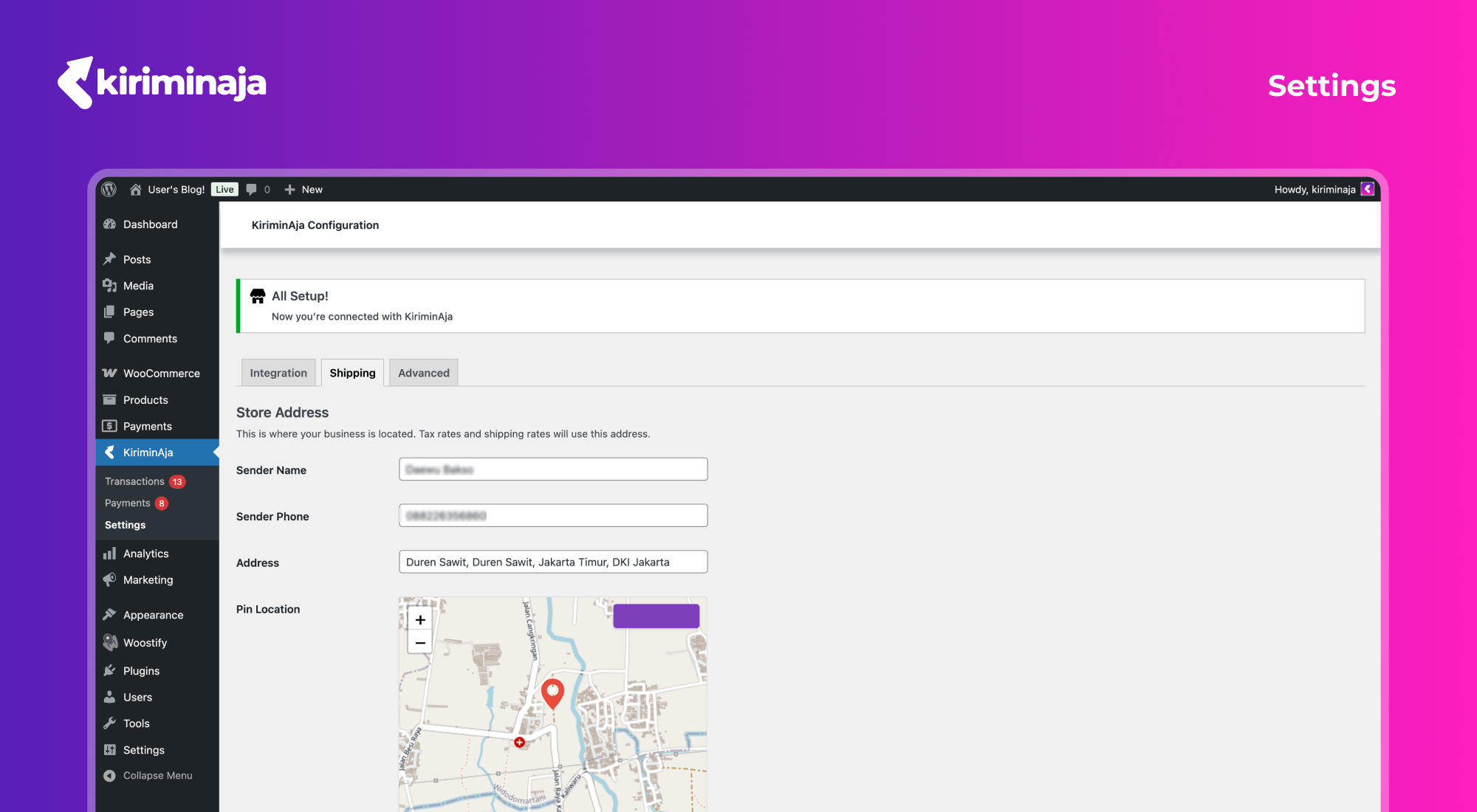
- Open KiriminAja > Settings in WordPress Admin.
- Connect your KiriminAja account using the setup key/API key from the KiriminAja dashboard.
- Complete the store origin/pickup address.
- Select couriers that should be available at checkout.
- Make sure WooCommerce shipping zones support Indonesia and the KiriminAja shipping method is active.
- Configure callback URL/webhook settings if needed.
- Run a checkout test to confirm shipping rates and courier options appear correctly.
Frequently asked questions
Does this plugin require WooCommerce?
Yes. This plugin is built for WooCommerce and requires WooCommerce to be active for checkout rates, shipment transactions, pickup requests, and payment workflows.
Does this plugin support COD?
Yes. COD shipments are supported based on KiriminAja service availability and merchant account configuration.
Does this plugin support Non-COD shipments?
Yes. Non-COD pickup payments can use QRIS or KA Credit depending on merchant account configuration.
What is a TOP merchant?
TOP is a merchant account property in KiriminAja. If the account uses TOP, pickup payment follows the TOP workflow and the plugin will not ask the merchant to scan QRIS.
Why is a courier not showing at checkout?
Courier visibility depends on origin, destination, package weight and dimensions, merchant account configuration, and service availability in that area.
How do I show the tracking page?
Create a WordPress page and add the KiriminAja tracking shortcode available from the plugin settings.
Changelog
Recommended update for improved pickup payment handling, TOP merchant behavior, technical cache tools, and WooCommerce compatibility.
2.4.0
- Update the transaction process table and preview to show the
- Split shipping coupon discounts from KiriminAja platform discounts
- Inline prepared sql in getAll
- Update SetupMigration table creation syntax for dbDelta compatibility
- Update WooCommerce shipping line item total and recalculate totals
- # Conflicts:
- Save the default shipment location snapshot during transaction checkout.
- Calculate the new order total from the non-shipping total plus the new
- Add compact collapsible summaries for origin and courier selection,
- Store courier comparison objects in jQuery modal data instead of DOM
- Use radio selection and limit locations
- Merge remote-tracking branch ‘origin/main’ into feat/multi-origin-shipping
- Update fulfillment note assertions and translations
- Require consent only when the selected courier service changes. Simplify
- Validate location data and database operations before saving, preserve a
- Show full addresses and guide users to manage locations when no
- Multi origin shipping
-
- New WooCommerce settings tab replaces inline General-tab location management
- Use detail based address
- Move the multi origin to general page
- Move the configurations into general
- Initialize multi-origin setup
- Fix change origin replacement consent layout
- Use stable native modal selects
- Stabilize modal courier selects
- Address QA pickup regressions
- Use transaction shipment origins
- Cover dev regression feedback
- Resolve plugin check errors
- Edit and add modal
- Multi-row shipment glitches
2.3.11
- Add Choices.js library
- Replace Select2/selectWoo with bundled Choices.js in the onboarding
- Render district results above map
2.3.10
- Harden subdistrict search
2.3.9
- Require API credentials before marking account connected and reset
2.3.8
- Split WordPress user agent headers
2.3.7
- Translate KA Credit unavailable message
- Temporarily disable KA Credit
Screenshots
For developers
Is this your plugin? Show off the numbers.
Add a live badge to your site, docs or GitHub README. It updates on its own — no account needed.
Best KiriminAja Official alternatives
All cod plugins →





FAQ
KiriminAja Official: quick answers
Straight answers, pulled from live WordPress.org data.
Live data from WordPress.org · checked Sep 27, 2026
Is KiriminAja Official free?
Yes. KiriminAja Official is free to download and use from the official WordPress.org plugin directory.
Is KiriminAja Official safe to use in 2026?
KiriminAja Official is a solid plugin choice in 2026, with a few things worth checking first. It runs on 200+ sites and was last updated 7 days ago, and scores 69/100 on our health check.
How many websites use KiriminAja Official?
KiriminAja Official is active on 200+ WordPress websites and has been downloaded 4,281 times since it launched in April 2026. It was downloaded 1,092 times in the last 30 days.
Does KiriminAja Official work with WordPress 7.1?
Yes. The developer has tested KiriminAja Official up to WordPress 7.1.2, the latest release. It requires WordPress 6.8 or newer.
What PHP version does KiriminAja Official need?
KiriminAja Official requires PHP 8.1 or higher. Most hosts run PHP 8.x today, so it works on any modern WordPress hosting.
When was KiriminAja Official last updated?
The latest version, 2.4.0, was released on September 21, 2026 (7 days ago).
Who makes KiriminAja Official?
KiriminAja Official is developed and maintained by KiriminAja.
What are the best alternatives to KiriminAja Official?
The most popular alternatives to KiriminAja Official are Smart COD for WooCommerce (30K+ installs), PiWeb Disable payment metho… (4K+ installs) and Risk Free Cash On Delivery… (400+ installs).
Powered by PageForge
Want thousands of pages that rank like these? Build them in an afternoon.
This directory runs on the same engine as PageForge. Turn any spreadsheet, CSV or API into thousands of fast, SEO-ready WordPress pages — with schema, internal links and AI-written copy baked in.
- CSV, Google Sheets & API data sources
- AI content, schema & internal links per page
- Works with Elementor, Gutenberg, Yoast & Rank Math
- Free on WordPress.org — no credit card


