


Kaya QR Code Generator
Generate QR codes using shortcodes, the Gutenberg block or widget, with no third-party services or dependencies.

Safe pick
Yes — Kaya QR Code Generator is a safe, well-maintained plugin to use in 2026. It runs on 10K+ sites, is rated 4.4/5 and was last updated 4 weeks ago, and scores 91/100 on our health check.
- Proven at scale on 10K+ active sites
- Actively developed — last update 4 weeks ago
- Tested with the latest WordPress (7.1)
- Momentum — downloads up 39.9% vs the previous 30 days
How does it stack up?
Side-by-side on installs, updates, ratings & support



Daily downloads
Download spikes usually follow a new release — each site that auto-updates counts as a download.
Rankings
Where Kaya QR Code Generator stands todayWordPress.org search rankings
Live position in the plugin search, top 100| Keyword | Position |
|---|---|
| qr | #1 |
| qr code | #1 |
| qr code generator | #1 |
| qrcode | #2 |
| shortcode | >100 |
Version adoption
Share of active sites per release.
Rating breakdown
★★★★★★★★★★ 4.4 from 38 reviews
About Kaya QR Code Generator
From the official readme · v1.7.2Description
Kaya QR Code Generator lets you create and display QR codes in your WordPress content using shortcodes, the built-in Gutenberg block or widget.
No external service, API or third-party dependency is required. The QR code generation library is included with the plugin.
You can encode any text, URL or other content, including Bitcoin addresses or the URL of the current page.
The QR code can be customized with different options such as size, error correction level, colors, alignment, title, alternative text, clickable links and a download button.
Three ways to add a QR code
- Shortcode – Add a QR code using the
[kaya_qrcode]shortcode or the dynamic[kaya_qrcode_dynamic]shortcode. - Gutenberg block – Add and configure a QR code directly in the WordPress block editor.
- Widget – Add a QR code to a widget area using the built-in widget.
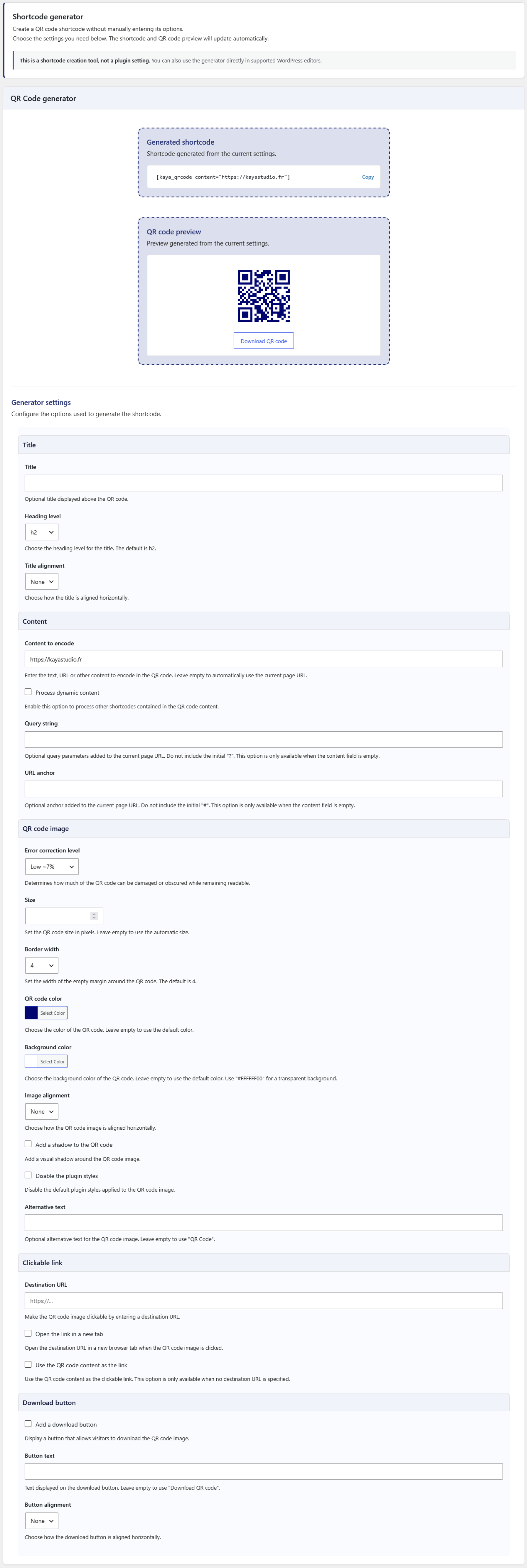
Shortcode generator
The built-in Shortcode generator helps you create a shortcode without having to remember or enter its options manually.
The generator provides a live QR code preview and generated shortcode that can be copied and inserted into your content.
It is available:
- On the plugin settings page.
- In the editor meta box for supported post types.
The generator can also be configured to be displayed collapsed by default in the editor, showing only the generated shortcode and QR code preview until the full generator is opened.
QR code features
- Add an optional title and choose its heading level and horizontal alignment.
- Encode static or dynamic content.
- Automatically use the current page URL when no content is specified.
- Add a query string to the automatic current page URL.
- Add an anchor to the automatic current page URL.
- Select the error correction level.
- Set the QR code image size.
- Set the QR code border width.
- Customize the QR code and background colors.
- Align the QR code image horizontally.
- Add a shadow to the QR code image.
- Disable the default plugin styles.
- Set custom alternative text for the QR code image.
- Add a clickable link to the QR code image.
- Support non-standard URL schemes for clickable links.
- Open clickable links in a new browser tab.
- Add a download button with custom text and alignment.
Error correction levels
The QR code supports four error correction levels:
- Low – Approximately 7% of the codewords can be restored.
- Medium – Approximately 15% of the codewords can be restored.
- Quartile – Approximately 25% of the codewords can be restored.
- High – Approximately 30% of the codewords can be restored.
Higher error correction levels make the QR code more resistant to damage or obstruction, but require more space within the QR code.
Dynamic content
Dynamic content allows the QR code content to be generated by another WordPress shortcode.
For example:
[kaya_qrcode_dynamic][example_shortcode][/kaya_qrcode_dynamic]
The shortcode contained between the opening and closing tags is processed before the QR code is generated.
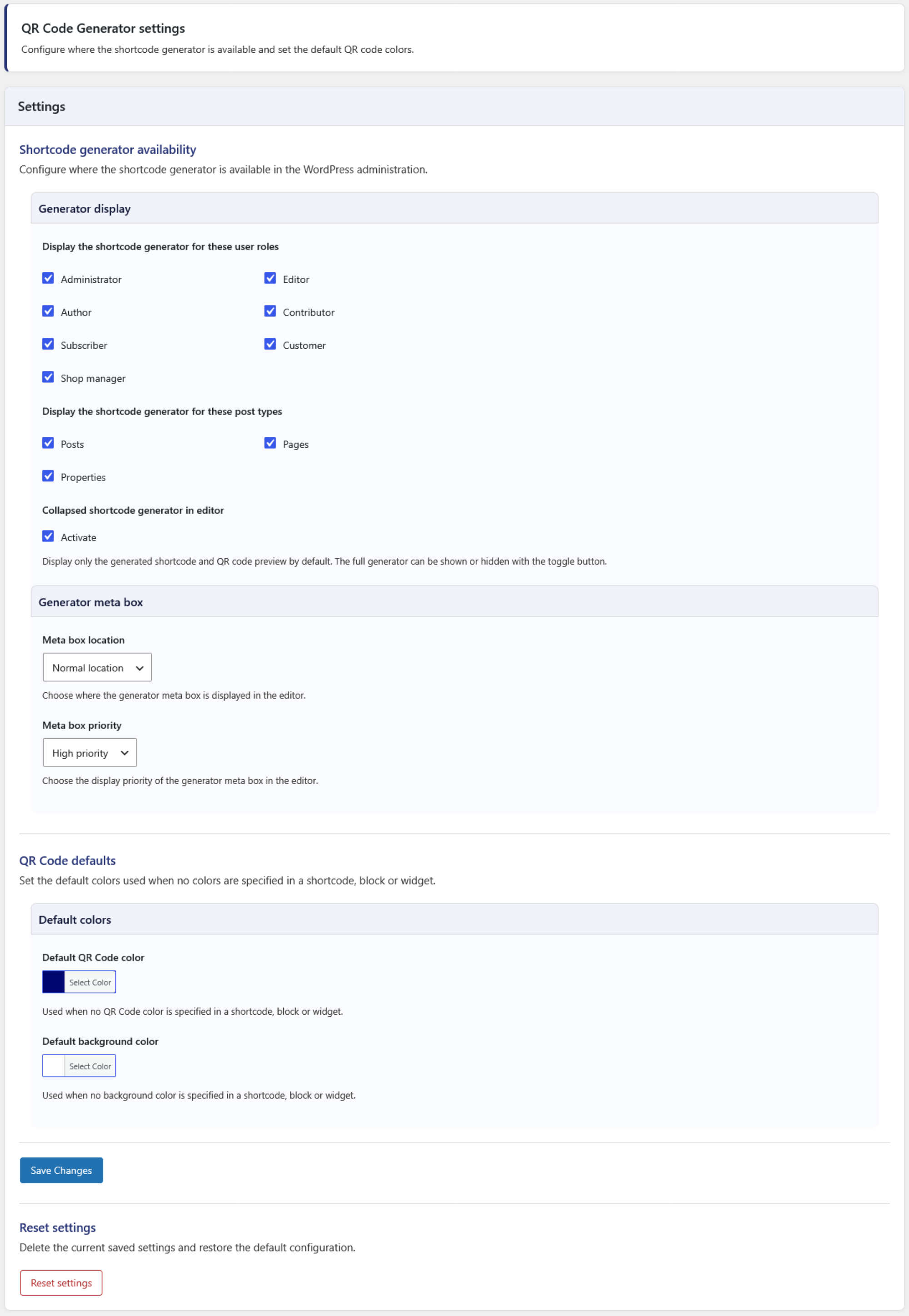
Settings
The plugin settings allow you to configure:
- Which user roles can access the Shortcode generator.
- Which post types display the Shortcode generator.
- Whether the generator is collapsed by default in the editor.
- The meta box location and priority in the editor.
- The default QR code color.
- The default background color.
The plugin is compatible with WordPress Multisite and WooCommerce.
Basic shortcode examples
Static content:
[kaya_qrcode content="https://example.com"]
If no content is specified, the URL of the current page is used automatically:
[kaya_qrcode]
Dynamic content:
[kaya_qrcode_dynamic][example_shortcode][/kaya_qrcode_dynamic]
Additional options can be added to either shortcode.
Privacy
Kaya QR Code Generator does not collect or send personal user data to the plugin author or any third-party service.
The plugin does not set cookies and does not connect to external services.
QR codes are generated from the content and settings provided by the user.
Available Languages
- English.
- French.
Feedback
Suggestions and feedback are welcome.
If you use Kaya QR Code Generator, please consider sharing your experience and rating the plugin. Your feedback helps improve the plugin and makes it easier for other users to discover it.
Installation
The quickest way:
- Go to Plugins > Add New in WordPress.
- Search for Kaya QR Code Generator.
- Click Install Now and then Activate.
The other way:
- Upload the
kaya-qr-code-generatorfolder to the/wp-content/plugins/directory. - Activate the plugin through the Plugins menu in WordPress.
Changelog
1.7.2
- Fixed: Added data attributes fallback for QR code generation when hidden input fields are stripped or missing from the DOM (e.g., Ninja Forms success messages).
- Fixed: Improved current page URL detection during AJAX requests by implementing an HTTP Referer fallback instead of using the administrative AJAX URL.
1.7.1
- Fixed: QR code rendering issues on forms and pages using dynamic or asynchronous JavaScript loading (e.g., Ninja Forms).
1.7.0
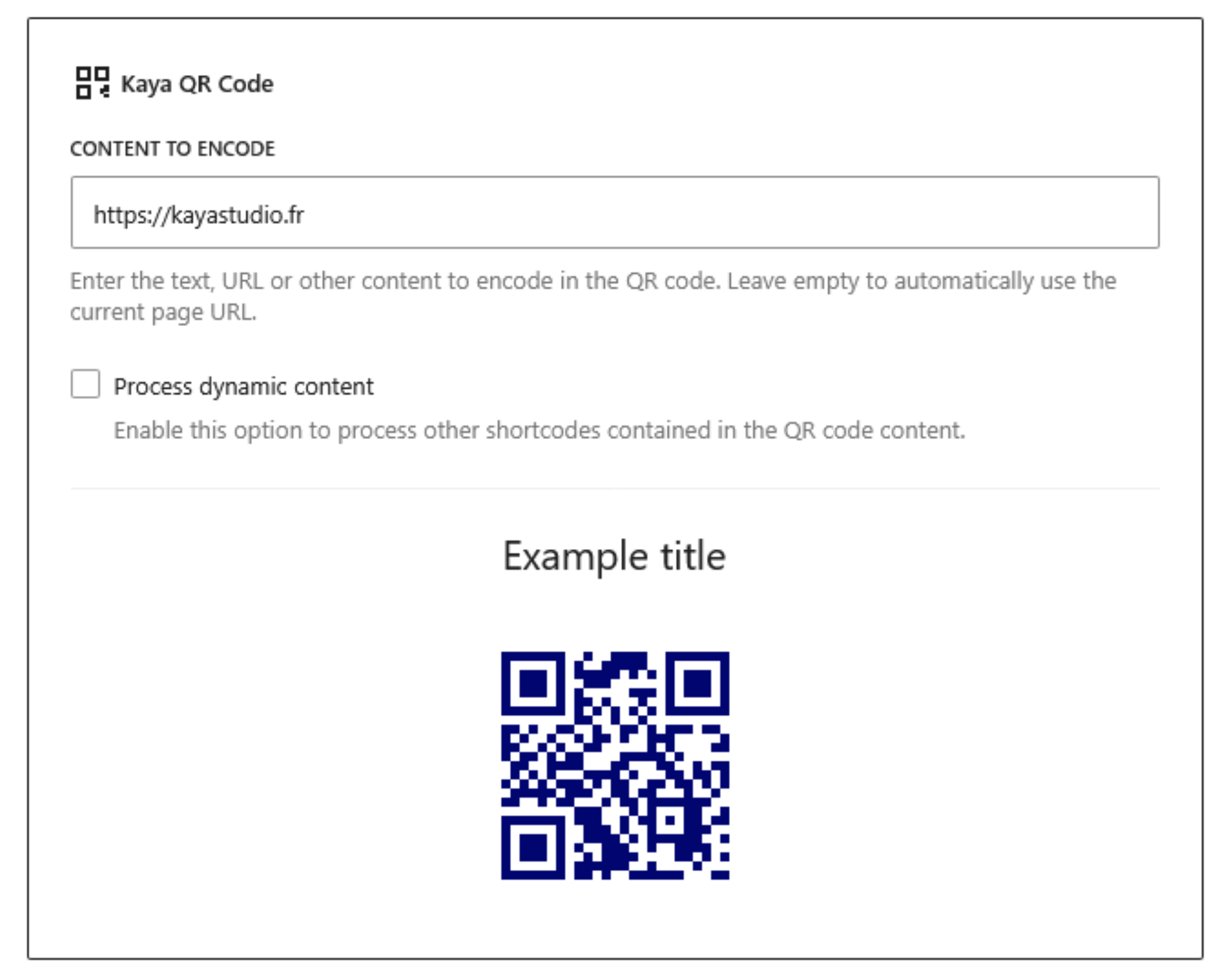
- Added: Built-in Gutenberg block for adding and configuring QR codes directly in the block editor.
- Added: QR code preview in the Gutenberg block.
- Added: Generated shortcode copy button.
- Improved: Plugin administration interface and user experience.
- Improved: Settings and Shortcode generator interface.
- Improved: Settings and generator descriptions.
- Improved: Documentation and user interface consistency.
1.6.0
- Fixed: Proper query string added to the automatic current page URL if parameters are already present.
- Added: Option to remove the default plugin styles from the QR code image.
- Added: Option to select the QR code border width.
- Added: Option to display a download button on the frontend with custom text and alignment.
- Added: Settings to select the meta box context and priority in the editor.
- Added: Settings to select the default QR code image color and background color.
To read the changelog of earlier versions of Kaya QR Code Generator, please see the changelog.txt file.
Screenshots

For developers
Is this your plugin? Show off the numbers.
Add a live badge to your site, docs or GitHub README. It updates on its own — no account needed.
Best Kaya QR Code Generator alternatives
All qr plugins →





FAQ
Kaya QR Code Generator: quick answers
Straight answers, pulled from live WordPress.org data.
Live data from WordPress.org · checked Nov 16, 2026
Is Kaya QR Code Generator free?
Yes. Kaya QR Code Generator is free to download and use from the official WordPress.org plugin directory.
Is Kaya QR Code Generator safe to use in 2026?
Yes — Kaya QR Code Generator is a safe, well-maintained plugin to use in 2026. It runs on 10K+ sites, is rated 4.4/5 and was last updated 4 weeks ago, and scores 91/100 on our health check.
How many websites use Kaya QR Code Generator?
Kaya QR Code Generator is active on 10K+ WordPress websites and has been downloaded 175,854 times since it launched in September 2017. It was downloaded 18,042 times in the last 30 days.
Does Kaya QR Code Generator work with WordPress 7.1?
Yes. The developer has tested Kaya QR Code Generator up to WordPress 7.1.4, the latest release. It requires WordPress 5.0.0 or newer.
What PHP version does Kaya QR Code Generator need?
Kaya QR Code Generator requires PHP 5.4 or higher. Most hosts run PHP 8.x today, so it works on any modern WordPress hosting.
When was Kaya QR Code Generator last updated?
The latest version, 1.7.2, was released on October 19, 2026 (4 weeks ago).
Who makes Kaya QR Code Generator?
Kaya QR Code Generator is developed and maintained by Kaya Studio.
What are the best alternatives to Kaya QR Code Generator?
The most popular alternatives to Kaya QR Code Generator are Qyrr (2K+ installs), SnapScan Payment Gateway (600+ installs) and QR Block (500+ installs).
Powered by PageForge
Want thousands of pages that rank like these? Build them in an afternoon.
This directory runs on the same engine as PageForge. Turn any spreadsheet, CSV or API into thousands of fast, SEO-ready WordPress pages — with schema, internal links and AI-written copy baked in.
- CSV, Google Sheets & API data sources
- AI content, schema & internal links per page
- Works with Elementor, Gutenberg, Yoast & Rank Math
- Free on WordPress.org — no credit card


